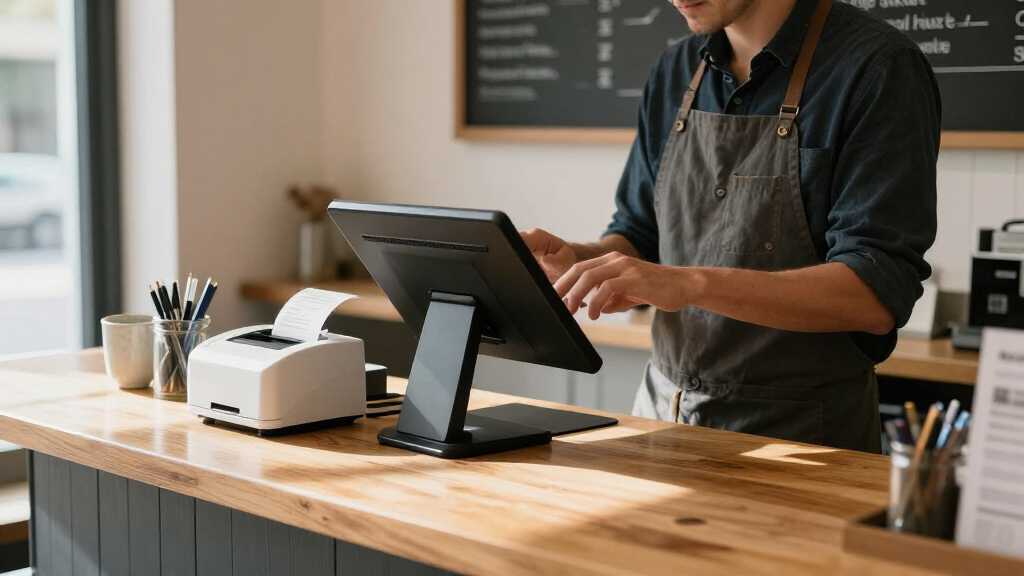

Choosing among point of sale systems for small business comes down to one core tradeoff: polished, subscription-backed ecosystems like Square Register (2nd Generation) versus self-contained hardware with no monthly software fees. Square Register earns my best overall pick for its polished dual-screen design, built-in payments, and nearly zero learning curve — ideal if you want a system that works the moment it’s out of the box. The Clover Station Duo stands out as the premium choice for businesses that want deep customization and app integrations, while the budget-friendly Datio POS Base Station makes sense for sellers who already own an iPad and want hardware without recurring costs. Countertop dual-screen terminals, compact handhelds, and tablet-based kits each serve very different operations, and picking wrong can mean overpaying for features you’ll never touch. Keep reading for the full breakdown of all 14 systems.

Get business pricing on office and shipping supplies
- Business-only prices and quantity discounts
- Tax-exempt purchasing
- Multiple users, one account, clear invoices
Key Takeaways
- Ecosystem-backed systems (Square, Clover, SumUp) consistently won on ease of setup and beginner usability, but nearly all of them involve ongoing processing fees or optional subscription costs that self-contained terminals avoid.
- Dual-screen terminals like the Clover Station Duo, Retail and Restaurant POS Terminal, and SmartPOS 129 are best suited for counter-service businesses; a single screen forces staff to flip the display between customer and operator views, which slows checkout during rushes.
- Several budget picks — the POS STORE Q2i, H10, and Touchscreen POS Cash Register — bundle a 58mm thermal printer, but that narrow paper width produces small, hard-to-read receipts compared with the 80mm printers on premium terminals.
- Tablet-based systems (Datio, MRBOSS iPOS, Fire Tablet kit) are the cheapest entry points but shift the burden onto you: hardware reliability, battery life, and software compatibility depend entirely on the tablet you supply.
- Handheld and mobile options like the Square Handheld and Square Terminal are the only viable picks for businesses that take payment away from a fixed counter — line busting, market stalls, and tableside service — so mobility should drive the decision before price does.
| Datio POS Base Station and Cash Register for iPad |  | Best for Dedicated Datio POS Users | Tablet compatibility: iPad | Software: Datio POS software; monthly subscription required | Included hardware: Base station, cash register, EMV credit card reader | VIEW LATEST PRICE | See Our Full Breakdown |
| Square Register (2nd Generation) Point of Sale System |  | Best Overall for a Fixed Checkout Counter | Generation: 2nd | Display: Dual responsive touchscreens | Software: Built-in POS software | VIEW LATEST PRICE | See Our Full Breakdown |
| POS STORE Q2i Mobile POS Terminal with 58 mm Printer | 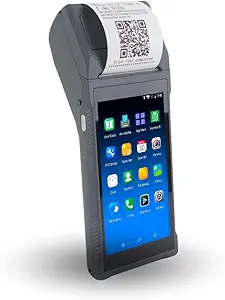 | Best for App-Flexible Handheld Checkout | Operating system: Android 11 | Display: 5.5-inch HD capacitive touchscreen | Printer: 58 mm monochrome thermal; up to 80 mm/s | VIEW LATEST PRICE | See Our Full Breakdown |
| Square Terminal Mobile Point-of-Sale and Payment Device |  | Best for Cordless Counter-to-Floor Payments | Payment methods: Major credit and debit cards | Receipt printing: Built in | Battery: Built in; designed to last all day | VIEW LATEST PRICE | See Our Full Breakdown |
| Retail and Restaurant POS Terminal with Dual 15.6-Inch Touchscreens, 8GB RAM, 128GB SSD, and Built-In Printer |  | Best for Offline-Capable Custom Setups | Processor: i5 dual-core CPU | Memory and storage: 8GB RAM, 128GB SSD | Displays: Dual 15.6-inch HD touchscreens | VIEW LATEST PRICE | See Our Full Breakdown |
| Clover Station Duo POS System |  | Best for Customer-Facing Checkout | Merchant display: 14-inch HD | Customer display: 8-inch touchscreen | Included accessories: Printer and cash drawer | VIEW LATEST PRICE | See Our Full Breakdown |
| SmartPOS 129 All-in-One POS System with Dual Touchscreens |  | Best for Processor Flexibility | Cashier display: 15-inch touchscreen | Customer display: 15-inch display; touchscreen capability unclear | Included hardware: Cash drawer, handheld barcode scanner, and thermal printer | VIEW LATEST PRICE | See Our Full Breakdown |
| Touchscreen POS Cash Register with Thermal Receipt Printer and POS Software | 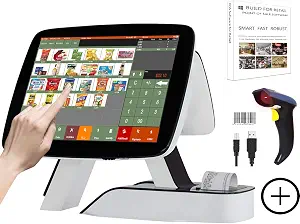 | Best for Built-In Retail and Restaurant Tools | Main display: 15-inch touchscreen, 1024 × 768 | Customer display: 11.6 inches | Receipt printer: Built-in 58 mm thermal printer | VIEW LATEST PRICE | See Our Full Breakdown |
| Volcora POS Terminal with Windows 11 Professional, 15.6-Inch Touchscreen |  | Best for Businesses Choosing Their Own Software | Operating system: Windows 11 Professional | Processor: Intel Core i5 | Memory: 4 GB | VIEW LATEST PRICE | See Our Full Breakdown |
| MRBOSS iPOS Point of Sale Software for iOS |  | Best for iOS-Based Ordering | Supported platforms: iOS, Mac Pad | Order platform integrations: Uber Eats and DoorDash | Features: Order management, customizable receipts, tax calculations, QR code ordering, cloud backup, mobile reporting, and cloud printing | VIEW LATEST PRICE | See Our Full Breakdown |
| SumUp POS Lite 13-Inch Touchscreen Point of Sale System |  | Best No-Fee Hardware for Counter Sales | Screen size: 13 inches | Stand material: Die-cast aluminum | Software: Pre-installed POS software | VIEW LATEST PRICE | See Our Full Breakdown |
| H10 Android 14 POS Terminal with 58mm Printer, Barcode Scanner, and NFC |  | Best All-in-One Handheld | Operating System: Android 14 | Processor: Octa-core 2.0 GHz | RAM / Storage: 3 GB / 32 GB | VIEW LATEST PRICE | See Our Full Breakdown |
| Complete Cash Register System for 10-Inch Amazon Fire Tablet |  | Best Traditional Register Bundle | Included components: Register base, thermal receipt printer, cash drawer, stand | Tablet compatibility: 10-inch Amazon Fire tablets (sold separately) | Software: Datio POS app | VIEW LATEST PRICE | See Our Full Breakdown |
| Square Handheld Portable POS Payment Terminal |  | Best for Tableside Service | Device type: Handheld POS payment terminal | Features: Card payments, tableside ordering, barcode scanning, offline payments | Payment acceptance: Major credit and debit cards | VIEW LATEST PRICE | See Our Full Breakdown |
More Details on Our Top Picks
Datio POS Base Station and Cash Register for iPad
A focused countertop setup, the Datio base station pairs an iPad with a cash register and an included EMV reader for businesses using Datio POS software. Its phone, text, and email support plus online reporting may suit a small shop, salon, or quick-service counter that wants help managing daily sales. Compared with the Square Register (2nd Generation), this package depends on a separate tablet and a required Datio subscription, while Square has built-in POS software and dual displays. The included reader is tied to Worldpay approval; cash-only use with another processor is also described. That makes Datio a narrower choice for owners who have settled on its software and payment setup. Skip it if you want flexible hardware or do not want a recurring software commitment.
Pros:- Includes an EMV reader for Worldpay processing, subject to approval
- Subscription includes phone, text, and email support
- Online reporting supports sales oversight
- Supports retail, salon, and quick-service business types
Cons:- Datio POS software requires a monthly subscription
- iPad or Amazon Fire tablet is not included
- Base station is limited to Datio POS software
Best for: Small retailers, salons, and quick-service businesses already choosing Datio POS and wanting a register with support and reporting.
Not ideal for: Owners who need an included tablet, want to choose POS software freely, or prefer to avoid a mandatory monthly subscription.
- Tablet compatibility:iPad
- Software:Datio POS software; monthly subscription required
- Included hardware:Base station, cash register, EMV credit card reader
- Tablet included:No
- Supported businesses:Retail, salons, quick-service restaurants
- Payment processing:Worldpay via included EMV device, or cash-only transactions with an external processor
Our verdict“Choose Datio if you want its supported software and Worldpay setup for a small counter, and have a compatible tablet ready.”
Square Register (2nd Generation) Point of Sale System
For a small business that wants a ready-made checkout station, Square Register combines built-in POS software with two responsive touchscreens, giving staff a checkout view and customers a screen for interaction. Its IP54 rating adds some resistance to everyday spills and dust, a practical advantage at a busy counter. Compared with the Square Terminal, Register is the more settled countertop choice; Terminal is built for cordless use around a store and prints receipts from the device. Register’s tradeoff is its reliance on connectivity for consistent performance, while the Windows dual-screen terminal in this roundup lists offline use but leaves software selection to the buyer. Card processing fees apply, and the rate is not provided here. This is the clearest fit for owners who value integrated Square software over hardware flexibility.
Pros:- Dual touchscreens support cashier and customer interaction
- Built-in POS software reduces setup choices
- IP54-rated design resists everyday spills and dust
- Supports major card payments with next-business-day fund availability
Cons:- Requires connectivity for consistent performance
- Card processing fees apply, with the rate unspecified
- Less suited to businesses seeking a mobile cordless checkout
Best for: Small retailers and food businesses seeking a fixed checkout with built-in software and a customer-facing display.
Not ideal for: Businesses that need reliable checkout during connectivity interruptions or want to select their own POS software and processor.
- Generation:2nd
- Display:Dual responsive touchscreens
- Software:Built-in POS software
- Ingress protection:IP54
- Payment methods:Major cards
- Funds availability:As soon as the next business day
Our verdict“Pick Square Register for a fixed, integrated checkout where dual screens and built-in software matter more than offline flexibility.”
POS STORE Q2i Mobile POS Terminal with 58 mm Printer
The Q2i combines checkout tools in one handheld: an Android touchscreen, a 58 mm thermal printer, and a camera-based 1D barcode scanner. For a small shop that wants to ring up sales away from a counter, the rechargeable battery and dual-band Wi-Fi make it more self-contained than the Retail and Restaurant POS Terminal with Dual 15.6-Inch Touchscreens, which is designed for a larger stationary setup. The Q2i also lists compatibility with several POS apps, including Square and Loyverse, giving the owner more software choice than the Datio station. That flexibility comes with a narrower scan capability: its scanner does not read QR codes, and receipts use standard 58 mm thermal paper. Choose it for mobility and app choice, not as a full dual-screen register replacement.
Pros:- Combines touchscreen, receipt printer, and 1D barcode scanner
- Compatible with several POS applications, including Square, Loyverse, Helcim, KORONA POS, and Stripe Terminal
- Dual-band Wi-Fi and Bluetooth support connectivity options
- Rechargeable battery and starter accessories are included
Cons:- Built-in scanner does not read QR codes
- Printer uses standard 58 mm thermal paper only
- Small 5.5-inch display is less suited to a fixed dual-screen checkout
Best for: Market vendors and small retailers who need a portable Android checkout with receipts, 1D barcode scanning, and app choice.
Not ideal for: Businesses that rely on QR-code scanning, need a large customer-facing display, or want a fixed full-size register.
- Operating system:Android 11
- Display:5.5-inch HD capacitive touchscreen
- Printer:58 mm monochrome thermal; up to 80 mm/s
- Barcode scanner:Built-in camera scanner for 1D barcodes; no QR-code scanning
- Memory and storage:2 GB RAM, 16 GB ROM
- Connectivity:Dual-band Wi-Fi at 2.4 GHz and 5 GHz; Bluetooth
- Battery:7.4 V, 5000 mAh rechargeable lithium battery
- Dimensions and weight:2.03 × 3.4 × 8.2 inches; 364 g
- Included accessories and warranty:Power adapter, USB-C cable, paper roll, quick start guide; 1-year seller warranty
Our verdict“Choose the Q2i if your small business needs a handheld Android terminal with printing and 1D scanning, and your POS app is compatible.”
Square Terminal Mobile Point-of-Sale and Payment Device
Square Terminal suits a small business that needs to take payment where the customer is. It brings card acceptance and receipt printing together in a battery-powered device that can work at a counter or around a store. Chip processing is described as taking approximately two seconds, and funds are available as soon as the next business day. Compared with the Square Register (2nd Generation), Terminal gives up the dual-screen fixed checkout in favor of portability; unlike the POS STORE Q2i, its listed role centers on payment and receipts rather than Android app choice and barcode scanning. The battery is only described as designed to last all day, with no specific duration, and the processing fee details are not given. It is a practical middle ground for service at tables or across a sales floor.
Pros:- Accepts major credit and debit cards
- Built-in receipt printer
- Battery-powered for use at a counter or around the store
- Chip processing takes approximately two seconds
Cons:- Battery runtime is not specified beyond being designed for all-day use
- Payment processing fees are not specified
- Does not provide the dual-screen setup of Square Register
Best for: Small retailers, salons, and service businesses that need to take card payments and print receipts away from a fixed register.
Not ideal for: Businesses that need a dual-screen checkout, barcode scanning, detailed battery runtime, or known processing fee terms before choosing.
- Payment methods:Major credit and debit cards
- Receipt printing:Built in
- Battery:Built in; designed to last all day
- Chip card processing:Approximately two seconds
- Fund availability:As soon as the next business day
- Placement:Countertop or around the store
Our verdict“Choose Square Terminal if your small business needs a portable card and receipt device for checkout beyond a fixed counter.”
Retail and Restaurant POS Terminal with Dual 15.6-Inch Touchscreens, 8GB RAM, 128GB SSD, and Built-In Printer
This Windows terminal is the hardware-heavy choice for a small shop or restaurant that wants two large displays, a built-in receipt printer, and room to connect peripherals. The listing says it can be used without an internet connection, which may appeal to businesses whose local checkout setup needs to keep operating offline. Compared with the Square Register (2nd Generation), it offers more listed ports and Windows support, but Square includes POS software while this terminal does not. That missing software means the owner must choose and configure a compatible system; the six USB ports and serial connection are useful only if they fit that setup. Its 100Mbps Ethernet port is also modest for wired networking. Pick it for hardware flexibility if you can handle the software decision and setup.
Pros:- Dual 15.6-inch touchscreens support cashier and customer-facing use
- Built-in 58 mm thermal printer saves separate counter space
- Six USB ports plus Ethernet, VGA, serial, and audio connections support peripherals
- Can be used without an internet connection
Cons:- POS software is not included and must be selected separately
- 100Mbps Ethernet port is limited to that connection speed
- Large dual-display format is less suited to mobile checkout
Best for: Small retailers or restaurants with a chosen Windows POS application, peripheral needs, and a reason to operate checkout offline.
Not ideal for: First-time owners seeking a ready-to-use POS package or businesses that want software and payment processing included with their terminal.
- Processor:i5 dual-core CPU
- Memory and storage:8GB RAM, 128GB SSD
- Displays:Dual 15.6-inch HD touchscreens
- Resolution:1366 × 768
- Printer:Built-in 58 mm thermal printer
- Wireless:Dual-band Wi-Fi
- Ports:6 USB, 1 100Mbps Ethernet, 1 VGA, 1 serial, 2 audio jacks
- Operating system support:Windows
- POS software:Not included
Our verdict“Choose this terminal if you need a large, port-rich Windows register and already have a compatible POS software plan.”
Clover Station Duo POS System
The Clover Station Duo earns this role with a dedicated customer touchscreen for order checks, tips, rewards, and payment, keeping those steps visible to the buyer while the cashier works on the 14-inch merchant display. Its included printer and cash drawer make it a more ready-to-run counter setup than the software-only MRBOSS iPOS, which depends on compatible hardware. Clover also allows compatible accessories to be added as the business grows. The main tradeoff is processor choice: this system requires an account through Powering POS and cannot be used with another processor, so merchants who value payment flexibility should compare it with the SmartPOS 129, which lists more than 50 processor integrations. Availability is also limited to the United States, Puerto Rico, and the U.S. Virgin Islands.
Pros:- Separate 14-inch merchant display and 8-inch customer touchscreen
- Printer and cash drawer are included
- Compatible hardware and accessories can be added
- Built-in software is described as straightforward to set up
Cons:- Requires a merchant processing account through Powering POS
- Cannot be used with a different processor
- Availability is limited to the United States, Puerto Rico, and the U.S. Virgin Islands
Best for: Small U.S. retailers or restaurants that want customers to confirm and pay at a separate screen, with a printer and cash drawer included.
Not ideal for: Businesses that need to keep their existing payment processor or operate outside the listed U.S. regions.
- Merchant display:14-inch HD
- Customer display:8-inch touchscreen
- Included accessories:Printer and cash drawer
- Processing requirement:Merchant processing account through Powering POS
- Availability:United States, Puerto Rico, and the U.S. Virgin Islands
- Expandable hardware:Compatible devices and accessories
Our verdict“Choose the Clover Station Duo if a two-screen checkout and included counter hardware matter more than processor flexibility.”
SmartPOS 129 All-in-One POS System with Dual Touchscreens
The SmartPOS 129 is the strongest fit here for small businesses that want to compare payment providers: its listed 50-plus card processor integrations give it a broader stated choice than the Clover Station Duo, which requires Powering POS processing. The bundle also brings together a 15-inch cashier touchscreen, a second customer-facing display, cash drawer, handheld barcode scanner, and thermal printer. That makes it more checkout-ready for a retailer than the Volcora terminal, which is hardware only and does not specify POS software. One detail needs checking before purchase: the customer display is described as a promo display, so its ability to accept customer touch input is unclear. The listing also leaves compatibility with specific retail software and business setups unstated, despite including a Retail360 mobile app and an initial setup call.
Pros:- Lists more than 50 card processor integrations
- Bundle includes cashier display, cash drawer, scanner, and thermal printer
- Includes the Retail360 mobile app
- Initial setup call is included
Cons:- Customer display touchscreen capability is unclear
- Compatibility with specific retail software or business setups is not stated
Best for: Independent retailers who want a bundled register and scanner, and who need a choice among multiple card processor integrations.
Not ideal for: Businesses that require a confirmed interactive customer touchscreen or need verified compatibility with a particular POS platform.
- Cashier display:15-inch touchscreen
- Customer display:15-inch display; touchscreen capability unclear
- Included hardware:Cash drawer, handheld barcode scanner, and thermal printer
- Card processor integrations:More than 50
- Mobile app:Retail360
- Setup:Initial setup call included
Our verdict“Pick the SmartPOS 129 if processor choice and an extensive hardware bundle are priorities and you can confirm software and display compatibility.”
Touchscreen POS Cash Register with Thermal Receipt Printer and POS Software
This register stands out for a small business that wants billing, order management, customer records, promotions, and reports in one listed software package. A 15-inch touchscreen and 11.6-inch customer display are paired with a built-in 58 mm thermal printer, while the Intel Core i5, 8 GB RAM, and 128 GB SSD specify the computer hardware more fully than the SmartPOS 129 listing. That breadth makes it a more software-inclusive choice than the Volcora terminal, which does not specify POS software. The tradeoff is uncertainty about setup: although the software is described for retail or restaurant use, the included configuration is unclear, so a buyer should confirm which workflow is ready to use. The main display’s 1024 × 768 resolution is also modest for a 15-inch screen.
Pros:- Built-in 58 mm thermal receipt printer
- Software lists billing, orders, customer management, promotions, and reports
- Includes a customer display and barcode scanner
- Specifies an Intel Core i5, 8 GB RAM, and 128 GB SSD
Cons:- Included retail or restaurant software configuration is unclear
- The 15-inch main display has 1024 × 768 resolution
Best for: Small shops or restaurants seeking a register with listed sales, customer, promotion, and reporting tools plus a built-in receipt printer.
Not ideal for: Businesses that need a clearly specified software configuration or a sharper display for detailed screen work.
- Main display:15-inch touchscreen, 1024 × 768
- Customer display:11.6 inches
- Receipt printer:Built-in 58 mm thermal printer
- Processor:Intel Core i5
- Memory:8 GB RAM
- Storage:128 GB SSD
- Software:MSJ POS software; lifetime use
- Included accessories:Barcode scanner, keyboard and mouse set, and 10 rolls of thermal paper
- Intended use:Retail or restaurant businesses
Our verdict“Choose this register if its listed software tools and built-in printer suit your workflow, after confirming the included configuration.”
Volcora POS Terminal with Windows 11 Professional, 15.6-Inch Touchscreen
The Volcora is a hardware-first terminal for a small business that already knows which POS software it plans to run. Windows 11 Professional, a capacitive 15.6-inch touchscreen, and several connection types give it a flexible base for retail or food service setups. Compared with the Touchscreen POS Cash Register, it lists fewer bundled sales tools and no included printer, but it also avoids tying the buyer to software that may not fit an existing workflow. Its compact metal base and limited lifetime warranty may appeal to businesses setting up a fixed counter. The key compromise is that this is hardware only: software is unspecified, and the 4 GB of memory is a lean specification for a terminal expected to run business applications. Buyers should confirm software and peripheral compatibility before choosing it.
Pros:- 15.6-inch capacitive touchscreen
- Connectivity includes serial ports, USB, HDMI, audio, and Ethernet
- Compact design with a heavy-duty metal base
- Limited lifetime warranty and U.S.-based customer support
Cons:- POS software is not specified or included in the described package
- Only 4 GB of memory
- No receipt printer is listed among the included items
Best for: Small retailers or food service operators with an existing Windows POS application and a need for varied wired connections.
Not ideal for: First-time POS buyers who want software and receipt printing included, or businesses whose chosen application needs more than 4 GB of memory.
- Operating system:Windows 11 Professional
- Processor:Intel Core i5
- Memory:4 GB
- Storage:128 GB hard disk
- Screen:15.6-inch capacitive LCD touchscreen
- Display resolution:1366 × 768
- Connectivity:2 serial ports, 4 USB ports, HDMI, audio input, DC 12V power input, and Ethernet
- Included items:Power adapter, registration card, and user manual
- Warranty:Limited lifetime warranty
Our verdict“Choose the Volcora if you have selected compatible POS software and want a wired Windows terminal rather than a complete register bundle.”
MRBOSS iPOS Point of Sale Software for iOS
MRBOSS iPOS takes a different route from the Clover Station Duo: it is software for compatible iOS or Mac Pad devices, not a counter terminal bundled with a display and checkout hardware. Its listed tools include order management, tax calculations, customizable receipts, QR code ordering, cloud printing, and mobile reporting. Integration with Uber Eats and DoorDash could help a small food business bring those orders into its POS workflow. Compatible cash drawers, scanners, and printers can extend the setup, but the listing does not include them, so buyers need to account for the hardware they already own or must source. The biggest limitation is support duration: remote support and iCloud are listed for only one month after purchase. Compared with the SmartPOS 129 bundle, MRBOSS offers a more software-centered route but requires a compatible device and peripheral setup.
Pros:- Supports QR code ordering
- Integrates orders with Uber Eats and DoorDash
- Includes order management, tax calculations, customizable receipts, and mobile reporting
- Works with compatible cash drawers, barcode scanners, and printers
Cons:- Requires a compatible iOS or Mac Pad device
- Remote support and iCloud are included for only one month after purchase
- Cash drawer, scanner, and printer are compatible peripherals rather than listed included hardware
Best for: Small food businesses already using compatible iOS or Mac Pad devices that want QR ordering and delivery-platform order integrations.
Not ideal for: Businesses seeking a complete register bundle, or owners who need ongoing remote support and cloud backup beyond the first month.
- Supported platforms:iOS, Mac Pad
- Order platform integrations:Uber Eats and DoorDash
- Features:Order management, customizable receipts, tax calculations, QR code ordering, cloud backup, mobile reporting, and cloud printing
- Compatible devices:Cash drawers, barcode scanners, and printers
- Support:One month of remote support
- Software updates:Free
Our verdict“Choose MRBOSS iPOS if you already have a compatible Apple device and want ordering software that connects QR and delivery orders.”
SumUp POS Lite 13-Inch Touchscreen Point of Sale System
This option stands out for its fee-free structure: no fixed monthly costs and no binding contract, which makes it a safer entry point than subscription-driven systems like the Datio Fire-tablet register. The 13-inch touchscreen is generous for a countertop this size, and the die-cast aluminum stand gives it more durability than typical plastic tablet mounts. Setup is simplified by pre-installed software with automated updates, so a small shop can be ringing sales the day it arrives — something the Datio alternative can’t claim since it requires a separate tablet purchase. The tradeoff is the per-transaction card fee, which adds up for high-volume sellers. Compared with the Square Handheld, this is a fixed counter station: better for a checkout lane, worse for mobile or tableside service.
Pros:- No fixed monthly fees or long-term contract
- Pre-installed software with automated updates keeps maintenance minimal
- Die-cast aluminum stand is sturdier than typical plastic mounts
- 13-inch screen offers more touch space than most compact terminals
Cons:- Card payments carry a percentage-plus-flat transaction fee that adds up at volume
- Fixed countertop design with no handheld or tableside capability
Best for: Small retail shops and cafés with a single checkout counter that want predictable costs without monthly software bills
Not ideal for: High-card-volume businesses, since the per-transaction fee compounds, and mobile vendors who need to take payments away from a counter
- Screen size:13 inches
- Stand material:Die-cast aluminum
- Software:Pre-installed POS software
- Updates:Automated
- Monthly fees:None
- Contract:No binding contract
Our verdict“A solid counter POS for a small shop that hates subscriptions, as long as card volume stays modest.”
H10 Android 14 POS Terminal with 58mm Printer, Barcode Scanner, and NFC
Compared with the Square Handheld, the H10 goes further by building a thermal receipt printer and a dedicated 1D/2D barcode scanner directly into a 345 g handheld — no separate peripherals to juggle at a market stall or food truck. Running Android 14 with Google Play access, it supports third-party POS apps rather than locking you into one ecosystem, which is more flexible than Square’s closed software model. Connectivity is unusually broad for this price class: 4G LTE, dual-band Wi-Fi, and Bluetooth 5.3 keep it working far from a router. The compromises are real, though. Printing is monochrome thermal only, and the listed battery capacity is inconsistent between documentation sections, so plan for a mid-shift top-up during heavy use.
Pros:- Printer, scanner, and NFC payments combined in one 345 g device
- Android 14 with Google Play allows choosing your own POS software
- 4G LTE plus dual-band Wi-Fi keeps it connected outside the shop
- Dedicated barcode scanner is faster than camera-based scanning
Cons:- Battery capacity is listed inconsistently (6000 mAh in one section, 3000 mAh in another)
- Monochrome thermal printing only — no logos or graphics on receipts
Best for: Food trucks, market vendors, and pop-up sellers who need printing, scanning, and payments in one pocketable device
Not ideal for: Shops expecting polished receipts or all-day unplugged use — monochrome printing and uncertain battery capacity limit both
- Operating System:Android 14
- Processor:Octa-core 2.0 GHz
- RAM / Storage:3 GB / 32 GB
- Printer:58 mm thermal, up to 80 mm/s
- Scanner:Dedicated 1D/2D barcode scanner
- Connectivity:4G LTE, dual-band Wi-Fi, Bluetooth 5.3
- Contactless payments:NFC
- Weight:345 g
Our verdict“The most self-contained handheld here for mobile sellers who want to print and scan without extra gear.”
Complete Cash Register System for 10-Inch Amazon Fire Tablet
This is the only option in this batch that behaves like a full traditional register: base, thermal receipt printer, cash drawer, and stand in one box. That matters for quick-serve spots and retail counters where a physical drawer is non-negotiable — the SumUp POS Lite and Square Handheld both leave you buying a drawer separately. Payments are flexible, working through Datio’s Worldpay integration or your own terminal for cash-only tracking. The two tradeoffs shape who should buy it. First, the Fire tablet is sold separately, so factor that into the total cost. Second, the software runs on a mandatory monthly subscription (though contract-free and cancellable anytime), unlike SumUp’s no-fee model. Compared with the Datio iPad base station, the Fire-tablet hardware requirement keeps the entry cost lower.
Pros:- Includes register base, printer, cash drawer, and stand — no piecemeal buying
- No long-term contract; subscription is cancellable anytime
- Flexible payments via Datio/Worldpay or your own terminal for cash tracking
- Familiar cash-register layout shortens staff training
Cons:- Requires a separate 10-inch Fire tablet purchase to function
- Ongoing monthly software subscription adds recurring cost
Best for: Quick-serve restaurants and small retail stores that want a complete drawer-and-printer counter setup in a single purchase
Not ideal for: Budget-sensitive startups — the tablet purchase plus ongoing subscription makes it costlier over time than fee-only alternatives like SumUp
- Included components:Register base, thermal receipt printer, cash drawer, stand
- Tablet compatibility:10-inch Amazon Fire tablets (sold separately)
- Software:Datio POS app
- Subscription:Monthly, includes updates, support, and warranty
- Payments:Datio payments via Worldpay or own terminal
- Contract:No long-term contract; cancel anytime
Our verdict“The right pick when you need a genuine cash-drawer register out of the box and accept a subscription to get it.”
Square Handheld Portable POS Payment Terminal
For restaurants and pay-anywhere businesses, this terminal’s strength is ecosystem and resilience. It takes cards, handles tableside ordering, and scans barcodes, and its offline payment mode keeps sales flowing during internet outages — a safeguard the H10 can’t match. The splash- and dust-resistant build suits kitchen-adjacent and outdoor use, where a standard tablet rig like the SumUp POS Lite would be at risk. Its slim grip is more comfortable for all-shift handheld use than the chunkier H10, though it lacks the H10’s built-in printer, so receipts depend on a connected station or email. Two gaps deserve attention: the drop-protective case is optional rather than included, and battery life isn’t specified, so heavy users should plan charging into the shift.
Pros:- Offline payments keep selling during outages
- Built-in barcode scanner and tableside ordering in one device
- Splash- and dust-resistant for demanding environments
- Slim, lightweight grip comfortable for full-shift use
Cons:- Protective case against drops is an optional add-on
- Battery life is not specified by the manufacturer
- No integrated receipt printer
Best for: Full-service restaurants and cafés where staff take orders and payments at the table or in line
Not ideal for: Vendors who need printed receipts on the spot — there’s no built-in printer, so the H10 or Datio bundle serves better
- Device type:Handheld POS payment terminal
- Features:Card payments, tableside ordering, barcode scanning, offline payments
- Payment acceptance:Major credit and debit cards
- Durability:Resistant to water splashes and dust
- Battery:Long-lasting (capacity not specified)
- Protective case:Optional
Our verdict“The go-to handheld for tableside service and offline reliability, provided you don’t need on-the-spot printed receipts.”

How We Picked
I evaluated each system against the questions a small business owner actually asks before buying: How fast can an untrained employee start ringing up sales? Is the receipt printer built in or an extra purchase and cable to manage? Does the system lock me into a payment processor, or can I choose my own? And what will this cost beyond day one — monthly software fees, per-transaction rates, or replacement parts? Counter stability, touchscreen responsiveness, screen size for customer-facing displays, and included peripherals like scanners and cash drawers all factored into the ranking.
The ranking logic favors out-of-box readiness and long-term flexibility. Systems with integrated payments and proven software ecosystems sit at the top because they minimize setup friction, even though they carry processing tradeoffs. Mid-tier hardware-only terminals rank where they do because they offer strong specs and no recurring fees but demand more technical comfort. Tablet-dependent kits rank lower for reliability concerns, while mobile handhelds are judged against a different standard entirely — portability and connectivity — since they’re built for a specific workflow rather than full counter service.
Factors to Consider When Choosing Point Of Sale Systems For Small Business
Before comparing specs, it helps to understand the structural choices that shape every point of sale purchase. These are the factors that separate a system you’ll outgrow in a year from one that scales with your business.Closed Ecosystems vs. Open Hardware
The single biggest decision is whether to buy into a payment ecosystem or purchase standalone hardware. Closed systems like Square and Clover bundle hardware, software, and payment processing into one relationship — you get seamless setup and one support line, but you’re locked into their processing rates and, in some cases, monthly software plans. Open terminals running Windows or Android give you the freedom to choose your own POS software and negotiate processing rates, which can save serious money at higher volumes. The catch is that you become your own integrator: if the software and hardware don’t play well together, you’re the one troubleshooting on a Saturday night. Businesses processing under roughly $10K a month usually come out ahead with closed systems; above that, the rate differences start to matter more than convenience.
Single Screen or Dual Display
A customer-facing second screen sounds like a luxury until you’ve watched a customer crane their neck to verify a total or wait to see the tip prompt. Dual-screen terminals speed up checkout, reduce disputes over ring-up errors, and enable customer self-entry of tips and loyalty details — which matters enormously in food service. The tradeoff is bulk and cost: dual-display units take more counter space, weigh more, and typically cost substantially more than single-screen alternatives. If your customers never see the screen — think back-office retail or phone-order fulfillment — that second display is dead weight. But if tips, signatures, or itemized verification are part of your checkout flow, single-screen systems will feel limiting within weeks.
Receipt Printer Width and Integration
Buyers routinely overlook printer paper width, and it’s one of the most common regrets. Budget terminals often ship with 58mm printers, which produce narrow receipts with cramped text — fine for a simple coffee order, frustrating for a 20-item retail receipt with returns information. The 80mm standard on larger terminals produces readable receipts with room for logos, QR codes, and return policies. Equally important is whether the printer is built into the terminal or connects separately. Integrated printers mean one power cable, one device to maintain, and no communication failures mid-transaction. External printers add flexibility for future upgrades but introduce another point of failure and more counter clutter. Match the printer to your average receipt length, not just your budget.
Tablet-Based Systems and the Hidden Costs
Tablet stands and app-based POS software look like the cheapest path, and upfront they often are. The real cost hides in what you supply: a compatible tablet, its battery degradation, and its eventual replacement. A stand manufacturer’s compatibility list can change with every tablet generation, meaning your $100 stand may require a new tablet purchase in two years. Tablets are also consumer-grade devices — they aren’t built for 10-hour daily commercial use, and screens, charging ports, and batteries wear accordingly. That said, tablet systems win on portability and software variety, and if you already own a supported iPad or Fire tablet, the economics genuinely favor this route. Just budget for the tablet as a consumable, not a permanent fixture.
Scalability: One Register Now, Three Later
The system that runs one register beautifully can fall apart when you add a second lane or a second location. Ask before buying: Does this system sync inventory across multiple terminals? Can employees clock in and have permissions managed centrally? Is there cloud reporting I can check from home? Ecosystem systems handle multi-location scaling far better than standalone terminals, which often operate as isolated islands. A common and expensive mistake is buying cheap standalone hardware for register one, then discovering that register two can’t share inventory data with it — forcing a full system replacement at double the pain. If growth is even a possibility, pay slightly more now for a system with proven multi-terminal support.
Offline Capability and Connectivity
Every POS system depends on internet connectivity for payment processing — until your ISP has an outage during your busiest hour. The better ecosystems now support offline payment mode, storing transactions securely and syncing when connectivity returns. Standalone terminals vary widely: some cache sales locally with no problem, others simply stop functioning. Ask the vendor directly what happens offline, both for recording sales and taking payments, and whether stored offline transactions have limits. Businesses in areas with unreliable Wi-Fi, or those operating at markets and events, should treat offline capability as a requirement rather than a nice-to-have. Battery-powered handhelds add another layer here, since their cellular or Wi-Fi options determine where they can actually operate.
Frequently Asked Questions
Do I need to use the same company for hardware and payment processing?
Only if you choose an ecosystem system. Square, Clover, and SumUp tie their hardware to their processing networks, which is exactly why their setup is so seamless — the device already knows how to take payments. Standalone terminals running Windows or Android leave processing open, so you can sign up with any processor and often negotiate better rates as your volume grows. The tradeoff is setup complexity and being your own support line when something breaks between the hardware and the software. My general guidance: single-location businesses under moderate volume benefit from the simplicity of closed ecosystems, while higher-volume retailers and restaurateurs should calculate whether open hardware plus negotiated processing saves enough to justify the extra management.
Is a dual-screen POS terminal worth the extra cost for a small shop?
It depends entirely on your checkout flow. If customers tip, sign for purchases, or need to verify itemized totals — restaurants, salons, cafés — the second screen pays for itself through faster transactions and fewer disputes. Customer-facing displays also let patrons enter tips privately, which reliably increases tip amounts in food service. For pure retail where the customer just hands over a card and receives a receipt, the second display mostly goes unused, and a single-screen system plus a printed receipt does the same job for less. Counter space is the other factor: dual-screen terminals like the Clover Station Duo demand a genuinely deep counter, so measure your space before committing.
Can I start with a cheap tablet-based system and upgrade later?
Yes, and it’s a reasonable path — with one caveat about software lock-in. If you start on a tablet app like Square or MRBOSS iPOS, your product catalog, customer records, and sales history live in that software, and they typically transfer when you upgrade hardware within the same ecosystem. The problem arises when you later want to switch to a different system entirely, since migrating data between competing POS platforms is notoriously messy. So the smarter move is choosing your software ecosystem first based on where you want to be in three years, then buying whatever hardware that ecosystem supports at your current budget. Hardware is replaceable; your accumulated business data and trained staff habits are harder to move.
What happens if my internet goes down mid-business-day?
Behavior varies more than buyers expect. The major ecosystems offer offline payment modes that securely store card transactions and sync them once connectivity returns — Square’s implementation is among the most mature, with a stored-transaction limit you should know in advance. Standalone terminals can usually keep recording cash sales locally, since sales data lives on the device, but card processing depends on your payment provider’s offline policy rather than the terminal itself. Some budget terminals have no offline story at all and simply stop taking transactions. Before buying, ask two questions: how many offline transactions the system can queue, and whether the device needs a battery backup to stay running during a power outage.
Do these systems include a cash drawer, or do I buy one separately?
Most all-in-one terminals in this category include the receipt printer but leave the cash drawer as a separate purchase, which surprises many first-time buyers. Check the connectivity of the drawer too — cash drawers connect either through the receipt printer’s trigger port or via USB, and not every terminal supports both methods. If you take substantial cash payments, the drawer should be a priority rather than an afterthought, because cash on an open counter is both a security and accountability problem. Businesses that are nearly all card transactions, like market vendors or delivery operations, can genuinely skip the drawer. Budget for the complete setup — terminal, printer paper, drawer, and any mounting hardware — rather than the headline device alone.
Conclusion
Mapping these 14 systems to buyer types: the Square Register (2nd Generation) is my best overall pick — it balances price, polish, and ecosystem maturity better than anything else here, and it suits the widest range of small businesses. For best value, the Datio POS Base Station turns an existing iPad into a functional register without recurring software costs, while the POS STORE Q2i bundles terminal and printer for sellers who want one box and done. The Clover Station Duo takes the premium slot for businesses planning to scale into multiple registers or locations and willing to pay for that headroom.
For beginners, the SumUp POS Lite and Square Terminal offer the gentlest on-ramps — minimal setup, intuitive software, and no technical decisions to make. Best for specific needs breaks out by workflow: the Square Handheld for line busting and tableside payments, the Volcora Windows terminal for owners who want full software freedom and their own payment processor, and the dual-screen SmartPOS 129 or Retail and Restaurant POS Terminal for counter-service restaurants where tipping and order display drive the checkout. Whatever you choose, decide on your ecosystem strategy first — closed and convenient, or open and flexible — because that single decision shapes every cost that follows.