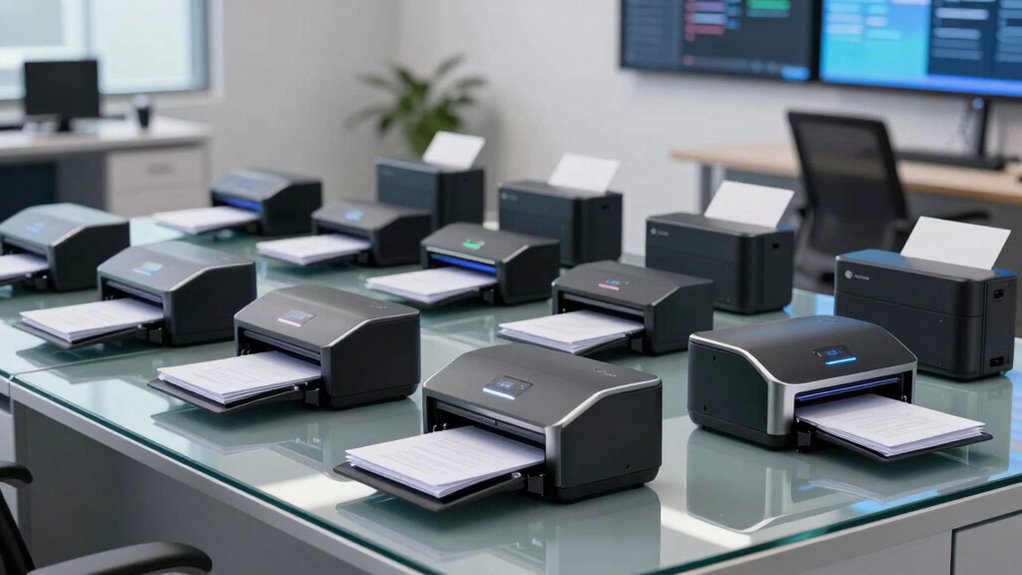

Choosing a premium high speed document scanner for agency paperwork involves balancing speed, accuracy, reliability, and security features. The ScanSnap iX2500 stands out as the best overall pick thanks to its seamless wireless connectivity and robust performance. The RICOH fi-8170 offers a powerful bundle suited for high-volume environments, while the Epson WorkForce ES-500W II provides excellent flexibility with wireless and duplex scanning. These options highlight the common tradeoffs: higher speed and advanced features often come at a premium price, and some models may sacrifice portability or require more complex setup. Keep reading to explore the full lineup and find the best fit for your agency’s needs.

Get business pricing on office and shipping supplies
- Business-only prices and quantity discounts
- Tax-exempt purchasing
- Multiple users, one account, clear invoices
Key Takeaways
- Speed and reliability are the primary differentiators among top-tier scanners, with models like the RICOH fi-8170 leading in high-volume settings.
- Wireless connectivity and ease of use are increasingly common features that can save time in busy agency environments.
- Automatic document feeders with high capacity and duplex scanning are essential for efficiency, but may add to the cost and size of the unit.
- Security features like encrypted data transfer and user authentication are vital for sensitive agency paperwork but are often found in higher-end models.
- Portability varies significantly; compact scanners like the Epson ES-50 suit mobile needs, while larger units prioritize throughput over mobility.
| ScanSnap iX2500 Premium Wireless and USB High-Speed Document Scanner |  | Best Overall for Versatile Agency Workflows | Connectivity: Wi-Fi 6, USB-C | Scanning Speed: 45 pages per minute | Document Feeder Capacity: 100 sheets | VIEW ON AMAZON | See Our Full Breakdown |
| Epson FastFoto FF-680W High-Speed Duplex Photo and Document Scanner |  | Best for Photo and Document Preservation | Scan Speed: 1 photo/sec | Batch Scan Capacity: 36 photos | Maximum Photo Size: 8 x 10 inches | VIEW ON AMAZON | See Our Full Breakdown |
| RICOH fi-8170 Premium Bundle Professional High Speed Document Scanner |  | Best for Handling Thick Documents and High-Volume Work | Speed: 70 pages per minute | Document Handling: Thick documents, ID cards, passports | Warranty: 5-year Advance Exchange | VIEW ON AMAZON | See Our Full Breakdown |
| Epson WorkForce ES-50 Compact & Lightweight Mobile Document Scanner |  | Best for Mobile, On-the-Go Scanning | Scan Speed: 5.5 seconds per page | Compatibility: Windows and Mac | Maximum Document Size: 8.5 x 72 inches | VIEW ON AMAZON | See Our Full Breakdown |
| ScanSnap iX2400 High-Speed One-Touch Button Color Document Scanner, Black |  | Best for Simple, High-Speed Office Scanning | Speed: 45 pages per minute | Feeder Capacity: 100 sheets | Connectivity: Wired USB | VIEW ON AMAZON | See Our Full Breakdown |
| RICOH fi-8170 Professional High-Speed Color Duplex Document Scanner |  | Best Overall for High-Volume, Professional Environments | Scan Speed: 70 pages per minute | Duplex: Yes | Color: Color | VIEW ON AMAZON | See Our Full Breakdown |
| ScanSnap iX1300 Wireless or USB Double-Sided Color Document Scanner, Black |  | Best for Small Offices and Mobile Professionals | Connectivity: USB, Wi-Fi | Scanning Speed: up to 30 ppm duplex | Color: Color | VIEW ON AMAZON | See Our Full Breakdown |
| Brother DS-640 Compact Mobile Document Scanner |  | Best for On-the-Go Professionals and Limited Space | Speed: 16 ppm | Weight: 1.5 lbs | Document Length Support: up to 72 inches | VIEW ON AMAZON | See Our Full Breakdown |
| Epson WorkForce ES-500W II Wireless Color Duplex Desktop Document Scanner |  | Best for Wireless Office Workflow Integration | Scanning Speed: 35 ppm / 70 ipm | Auto Document Feeder: 50 sheets | Maximum Document Length: 240 inches | VIEW ON AMAZON | See Our Full Breakdown |
| Epson Workforce ES-400 II High-Speed Color Duplex Desktop Document Scanner |  | Best for Balanced Speed and Ease of Use | Auto Document Feeder: 50 sheets | Duplex Scanning: Yes | Connectivity: TWAIN driver, cloud services | VIEW ON AMAZON | See Our Full Breakdown |
| Plustek PS188 High-Speed Double-Sided Color Document Scanner with Automatic Document Feeder |  | Best Overall for Speed and Customization | Speed: 30 pages per minute | Automatic Document Feeder: 50 pages | Supported Paper Length: up to 200 inches | VIEW ON AMAZON | See Our Full Breakdown |
| Fujitsu fi-8170 Document Scanner |  | Best for High-Volume, Network-Integrated Workflow | Connectivity: LAN | Daily Volume: 10,000 sheets | Features: Automatic Document Feeder, Manual Feed | VIEW ON AMAZON | See Our Full Breakdown |
| Canon imageFORMULA R40II Office Document Scanner |  | Best for Versatile Office Use and Document Types | Scanning Speed: 45 pages per minute | Automatic Document Feeder: 60 sheets | Document Types: Receipts, business cards, reports, contracts, long documents | VIEW ON AMAZON | See Our Full Breakdown |
| premium high speed document scanner for agency paperwork | Connectivity |
|---|---|
| ScanSnap iX2500 Premium Wirele | Wi-Fi 6, USB-C |
| Epson FastFoto FF-680W High-Sp | USB, wireless |
| RICOH fi-8170 Premium Bundle P | USB, Ethernet |
| Epson WorkForce ES-50 Compact | USB 2.0 |
| ScanSnap iX2400 High-Speed One | Wired USB |
| RICOH fi-8170 Professional Hig | USB, Ethernet |
| ScanSnap iX1300 Wireless or US | USB, Wi-Fi |
| Brother DS-640 Compact Mobile | Micro USB 3.0 |
| Epson WorkForce ES-500W II Wir | Wireless, USB |
| Epson Workforce ES-400 II High | TWAIN driver, cloud services |
| Plustek PS188 High-Speed Doubl | — |
| Fujitsu fi-8170 Document Scann | LAN |
| Canon imageFORMULA R40II Offic | USB-C |
More Details on Our Top Picks
ScanSnap iX2500 Premium Wireless and USB High-Speed Document Scanner
This model stands out for its impressive 45 pages per minute double-sided scanning speed and large 100-sheet capacity, making it ideal for fast-paced agency environments that handle large volumes. Compared with the RICOH fi-8170, the iX2500 offers more flexible connectivity options, including Wi-Fi 6 and USB-C, facilitating seamless wireless and wired operation. Its touchscreen simplifies operation, but the premium features come with a higher price tag, and its bulkier design may require dedicated space. For agencies needing a balance of speed, flexibility, and ease of use, this pick offers a comprehensive solution.
Pros:- Fast double-sided scanning at 45ppm
- Large 100-sheet capacity for high volume tasks
- Wireless and USB-C connectivity for flexible placement
- Supports cloud integration and automatic file optimization
Cons:- Premium features may increase initial cost
- Setup can be complex for less tech-savvy users
- Bulkier design requires more workspace
Best for: Large teams or agencies requiring quick, flexible document digitization with easy workflow management.
Not ideal for: Smaller offices or solo practitioners with limited space or a tighter budget, as its premium features and larger footprint may be unnecessary.
- Connectivity:Wi-Fi 6, USB-C
- Scanning Speed:45 pages per minute
- Document Feeder Capacity:100 sheets
- Touchscreen:Large, responsive
- Protection Plan:4-year included
- Size:Bulkier
Our verdict“This scanner suits agencies needing high-speed, versatile workflows with robust connectivity options, despite its higher price and size.”
Epson FastFoto FF-680W High-Speed Duplex Photo and Document Scanner
The Epson FastFoto FF-680W excels at quickly digitizing photos alongside documents, making it perfect for agencies that also handle legacy media. Its speed of 1 photo per second and batch capacity of up to 36 photos enable rapid preservation of memories, and its auto enhancement features ensure high-quality digital copies. Compared to the ScanSnap iX2500, it prioritizes photo handling and includes auto color restoration but is less optimized for large document volumes. Its reliance on app downloads and internet connectivity may complicate setup, and it’s priced higher, which might be overkill for purely document-focused workflows.
Pros:- Fast photo and document scanning speeds
- Auto enhancement and color restoration
- Wireless connectivity with mobile app support
- Supports high DPI options up to 1200 dpi
Cons:- Requires app download and internet connection
- Potentially expensive for casual or document-only use
- Some features need additional setup or software
Best for: Agencies managing both photo archives and documents, needing fast, high-quality digitization with auto enhancement capabilities.
Not ideal for: Organizations focused solely on text documents or with limited budget, as its photo-centric features and higher price point may be unnecessary.
- Scan Speed:1 photo/sec
- Batch Scan Capacity:36 photos
- Maximum Photo Size:8 x 10 inches
- DPI Options:300, 600, 1200 dpi
- Connectivity:USB, wireless
- Scan Volume:up to 240 pages
Our verdict“Ideal for agencies blending photo preservation with document digitization, offering auto enhancement but with setup complexities and higher costs.”
RICOH fi-8170 Premium Bundle Professional High Speed Document Scanner
The RICOH fi-8170 stands out for its ability to scan 70 pages per minute and handle thick documents like ID cards and passports with ease, making it a top choice for agencies with diverse document types. Its high speed and industry-standard software, including PaperStream ClickScan, streamline workflows, and the 5-year Advance Exchange warranty adds peace of mind. Compared to the ScanSnap iX2500, it offers faster throughput and better handling of rigid materials, although its setup can be complex for users unfamiliar with professional scanners. Its premium bundle reflects its target toward heavy-use environments rather than casual or small-scale offices.
Pros:- High-speed scanning at 70 ppm
- Handles thick documents reliably
- 5-year warranty with advance exchange
- Seamless integration via TWAIN/ISIS
Cons:- Complex setup process for non-technical users
- Premium price point may be prohibitive for smaller operations
- Bulkier and heavier than consumer models
Best for: Large agencies or government departments that process a high volume of mixed media including thick documents and IDs.
Not ideal for: Small teams or solo users with limited budgets, as its setup and purchase price are geared toward enterprise use.
- Speed:70 pages per minute
- Document Handling:Thick documents, ID cards, passports
- Warranty:5-year Advance Exchange
- Connectivity:USB, Ethernet
- Software:PaperStream ClickScan
- Handling Capacity:High-volume
Our verdict“Designed for high-volume, diverse document processing, especially where thick media handling and speed are priorities, at a premium cost.”
Epson WorkForce ES-50 Compact & Lightweight Mobile Document Scanner
This lightweight and portable scanner is tailored for agency staff needing quick, on-the-spot digitization. Its scanning speed of 5.5 seconds per page excels in rapid single-sheet captures, and its OCR support turns scans into searchable, editable files. Compared with larger desktop scanners like the ScanSnap iX2400, the ES-50 sacrifices capacity and multi-page feeding for portability and ease of use. Its USB-only connection limits flexibility in some setups, and the maximum document length of 72 inches might restrict some applications. Still, it’s a reliable tool for fieldwork, especially when space and mobility are key factors.
Pros:- Extremely lightweight and portable
- Fast single-page scan time
- Includes OCR for searchable PDFs
- No external power needed—USB powered
Cons:- Limited to single-sheet feeding
- No wireless connectivity options
- Maximum document length may be restrictive
Best for: Field agents or mobile teams needing quick, portable document scans without bulk or power outlets.
Not ideal for: High-volume offices or those requiring multi-page batch scanning, as its single-sheet feeding limits throughput.
- Scan Speed:5.5 seconds per page
- Compatibility:Windows and Mac
- Maximum Document Size:8.5 x 72 inches
- Connectivity:USB 2.0
- OCR:Nuance OCR
- Power:USB-powered
Our verdict“Perfect for mobile professionals needing rapid, on-the-go scans, but unsuitable for bulk or multi-page workflows.”
ScanSnap iX2400 High-Speed One-Touch Button Color Document Scanner, Black
The ScanSnap iX2400 offers a straightforward solution for agencies that prioritize speed and ease of use, with 45 pages per minute and a 100-sheet capacity. Its automatic document size detection and cleanup features reduce manual editing and improve scan quality, making it ideal for busy offices that need reliable, one-touch operation. Compared with the RICOH fi-8170, it lacks the ability to handle thick or rigid documents but compensates with a smaller footprint and a user-friendly interface. Its reliance on wired USB limits placement options, but for organizations that prefer straightforward, high-volume scanning, the iX2400 delivers consistent performance.
Pros:- Fast scanning at 45 pages per minute
- Automatic detection and cleanup of images
- Large 100-sheet capacity
- Simple one-touch operation
Cons:- Limited to wired USB connection
- No support for thick or rigid documents
- Less feature-rich compared to multi-function scanners
Best for: Small to medium-sized agencies seeking fast, reliable, and easy-to-operate scanning with minimal setup.
Not ideal for: Organizations needing to scan thick documents or those preferring wireless connectivity, as the device is limited to wired USB use.
- Speed:45 pages per minute
- Feeder Capacity:100 sheets
- Connectivity:Wired USB
- Color:Black
- Automatic Detection:Yes
- Size:Compact
Our verdict“A dependable, high-speed scanner ideal for offices that want quick results with minimal fuss but don’t need to handle thick media or wireless setups.”
RICOH fi-8170 Professional High-Speed Color Duplex Document Scanner
The RICOH fi-8170 stands out for its impressive 70 pages per minute scanning speed, making it ideal for agencies with large volumes of paperwork. Compared to the ScanSnap iX1300, it offers a higher throughput and better handling of diverse document types, including thicker or fragile media. Its advanced image processing ensures high-quality, accurate scans, crucial for legal and official documentation. However, this speed and capability come with a higher price tag and a steeper initial setup, potentially intimidating smaller offices or less tech-savvy users. Its software suite, including PaperStream Capture, simplifies data management, but training may be required for optimal use.
Pros:- High-speed scanning up to 70 pages per minute
- Handles a variety of document types and thicknesses
- Includes user-friendly software for data management
- Provides high-quality, precise images
Cons:- Requires significant initial setup and training
- Higher cost may be prohibitive for smaller operations
Best for: Large agencies or law firms needing reliable, high-volume, color duplex scanning with top-tier image quality
Not ideal for: Small offices or individual professionals with limited budgets or low daily scanning volumes
- Scan Speed:70 pages per minute
- Duplex:Yes
- Color:Color
- Software:PaperStream Capture, TWAIN drivers, PaperStream ClickScan
- Connectivity:USB, Ethernet
- Document Types:Documents, photos, ID cards, passports, plastic cards
Our verdict“This scanner is best suited for professional environments with high-volume needs and a budget for reliable, fast performance.”
ScanSnap iX1300 Wireless or USB Double-Sided Color Document Scanner, Black
The ScanSnap iX1300 offers a compact yet capable solution for users who need flexibility and ease of use. Its maximum duplex speed of 30 pages per minute is sufficient for moderate daily loads, especially when portability and wireless connectivity are priorities. Unlike the RICOH fi-8170, it’s designed for smaller workspaces and on-the-go scanning, supporting multiple devices via Wi-Fi and cloud integration. Its automatic image enhancement features improve scan quality without fuss, but it lacks the robust document handling and speed of larger, professional-grade scanners. The absence of bundled software subscriptions might require additional purchases for advanced workflows.
Pros:- Compact and space-efficient design
- Supports wireless and cloud connections
- Fast duplex scanning up to 30 ppm
- Automatic image optimization features
Cons:- No included software subscription or advanced management tools
- Limited document type support without additional accessories
- Learning curve for new users unfamiliar with automatic features
Best for: Small teams or freelance professionals who prioritize mobility and wireless convenience
Not ideal for: High-volume agencies or departments requiring rapid, bulk scanning of diverse document types
- Connectivity:USB, Wi-Fi
- Scanning Speed:up to 30 ppm duplex
- Color:Color
- Automatic Features:de-skew, color optimization, blank page removal
- Compatibility:Mac, PC, mobile devices, Chromebook
- Document Types:Various including photos and plastic cards
Our verdict“This pick makes the most sense for mobile professionals or small offices that need reliable, wireless duplex scanning in a compact form.”
Brother DS-640 Compact Mobile Document Scanner
The Brother DS-640 excels in portability, supporting mobile professionals who need to scan on the move. Its 16 pages per minute speed is modest compared to larger scanners like the RICOH fi-8170, but its lightweight design and USB-powered operation make it highly convenient for fieldwork. Its support for multiple OS and automatic image enhancement ensure clear results, but its limited capacity and size restrict it to smaller batches. It’s a practical choice for those who prioritize mobility over high-volume throughput but might fall short in busy office environments.
Pros:- Highly portable and lightweight
- Supports multiple operating systems
- Automatic image enhancement for clarity
- Powered via micro USB for on-the-go use
Cons:- Limited to letter size at 300 dpi when connected to a PC
- No wireless connectivity built-in
- Slower speed compared to desktop scanners
Best for: Mobile workers, small business owners, or field agents needing quick, reliable scans without desk space
Not ideal for: Large agencies or teams with daily high-volume scanning requirements due to its slower speed and limited capacity
- Speed:16 ppm
- Weight:1.5 lbs
- Document Length Support:up to 72 inches
- Supported OS:Windows, Mac, Linux
- Connectivity:Micro USB 3.0
- Color Scanning:Yes
Our verdict“This scanner is ideal for mobile professionals who need dependable, high-quality scans in a lightweight package.”
Epson WorkForce ES-500W II Wireless Color Duplex Desktop Document Scanner
The Epson WorkForce ES-500W II balances speed and convenience with its 35 pages per minute duplex capacity and wireless connectivity. It’s a strong contender against the RICOH fi-8170 for smaller teams that value seamless device integration and cloud compatibility. Its 50-sheet auto feeder accelerates workflow, while software like Epson ScanSmart simplifies OCR and file management. The tradeoff comes in its price and complexity; new users may find the feature set overwhelming, and the slightly lower speed compared to the RICOH fi-8170 may not meet high-volume demands.
Pros:- Wireless connectivity for flexible scanning
- Fast duplex speeds with 35 ppm
- Includes software for OCR and cloud storage
- Handles various document types and sizes
Cons:- Requires compatible mobile device for wireless functions
- Higher price point for advanced features
- Complex setup for some users
Best for: Small to medium-sized offices needing fast, wireless, duplex scanning with integrated cloud support
Not ideal for: High-volume agencies or users requiring ultra-fast throughput and minimal setup complexity
- Scanning Speed:35 ppm / 70 ipm
- Auto Document Feeder:50 sheets
- Maximum Document Length:240 inches
- Connectivity:Wireless, USB
- Software:Epson ScanSmart, TWAIN
- Supported File Types:Searchable PDFs, Word, Excel
Our verdict“This scanner suits offices that prioritize wireless flexibility and integrated document workflows over raw speed.”
Epson Workforce ES-400 II High-Speed Color Duplex Desktop Document Scanner
The Epson Workforce ES-400 II offers a solid combination of speed, reliability, and user-friendly features. Its 50-sheet auto feeder and ultrasonic double feed detection support efficient workflow, comparable to the RICOH fi-8170 in handling large volumes, but at a more accessible price point. Its OCR capabilities and cloud integration streamline document management, making it suitable for busy office environments. However, setup and compatibility considerations may introduce some hurdles for less tech-savvy users, and it doesn’t match the raw speed of the RICOH fi-8170 for extremely high-volume tasks.
Pros:- High-speed scanning with large capacity feeder
- Reliable double feed detection
- OCR and cloud support for flexible workflows
- Intuitive software for easy operation
Cons:- May be costly for casual or infrequent users
- Requires software setup and system compatibility checks
Best for: Mid-sized offices or teams needing fast, reliable duplex scanning with easy software integration
Not ideal for: High-volume agencies or those requiring maximum speed and advanced document handling features
- Auto Document Feeder:50 sheets
- Duplex Scanning:Yes
- Connectivity:TWAIN driver, cloud services
- OCR:Yes
- Double Feed Detection:Ultrasonic
- Image Adjustments:Auto crop, background removal
Our verdict“This model is well-suited for busy offices seeking a balance of speed, ease, and integration for daily document workflows.”
Plustek PS188 High-Speed Double-Sided Color Document Scanner with Automatic Document Feeder
The Plustek PS188 stands out for its rapid dual-sided scanning capability, reaching up to 30 pages per minute, making it ideal for agencies that process large volumes quickly. Unlike the Canon imageFORMULA R40II, which excels in document versatility, the PS188’s strength lies in its customizable scan profiles—up to 255—streamlining workflow for varied paperwork. However, it is limited to Windows OS and lacks wireless options, which could hinder flexibility. Its 50-sheet automatic feeder supports lengthy sessions, and barcode recognition simplifies document management, but setup may be complex for advanced features. This pick is best for agencies prioritizing speed and tailored workflows.
Pros:- Fast dual-sided scanning at 30 pages per minute
- Automatic document feeder with 50-sheet capacity
- Supports up to 255 customizable scan profiles
- Barcode recognition for efficient file management
Cons:- Limited to Windows operating systems
- No built-in wireless connectivity
- Setup may be complex for advanced features
Best for: High-volume agencies needing fast, customizable scanning with efficient workflow management on Windows systems
Not ideal for: Organizations requiring wireless connectivity or cross-platform compatibility, as it is Windows-only and wired
- Speed:30 pages per minute
- Automatic Document Feeder:50 pages
- Supported Paper Length:up to 200 inches
- Compatibility:Windows 7/8/10/11
- Scan Profiles:up to 255
Our verdict“This scanner is perfect for agencies that need rapid, customizable batch scanning on Windows with a focus on workflow efficiency.”
Fujitsu fi-8170 Document Scanner
The Fujitsu fi-8170 offers a high daily volume capacity of 10,000 sheets, making it a strong candidate for large agencies with continuous scanning needs. It features LAN connectivity, enabling seamless network access, which sets it apart from the Canon R40II, that relies solely on USB-C. While its high speed and automatic feeder support large workloads, the lack of detailed specs and potentially high cost might deter smaller operations or those seeking budget-friendly options. Its manual feed option adds versatility, but the overall setup and maintenance could be more complex. This model makes the most sense for organizations that prioritize network integration and high daily throughput.
Pros:- High-speed scanning with large daily capacity
- LAN connectivity for easy network integration
- Automatic Document Feeder for efficiency
- Manual feed option for flexible document handling
Cons:- Limited detailed specifications available
- Potentially higher cost for advanced features
- Setup may require network expertise
Best for: Large agencies with high-volume, network-connected scanning requirements and budget flexibility
Not ideal for: Small offices or teams seeking plug-and-play simplicity without network setup complexities
- Connectivity:LAN
- Daily Volume:10,000 sheets
- Features:Automatic Document Feeder, Manual Feed
Our verdict“Ideal for large-scale operations needing robust network access and high throughput, with some tradeoffs in complexity and cost.”
Canon imageFORMULA R40II Office Document Scanner
The Canon R40II delivers impressive speeds of 45 pages per minute, making it suitable for busy office environments. It handles a wide range of document types—from receipts to long reports—and includes a 60-sheet automatic feeder, surpassing the Plustek PS188 in document capacity. Its easy setup with USB-C and bundled software simplifies deployment, but the absence of TWAIN and ISIS drivers limits integration with some professional workflows, unlike more open systems. The monochrome LCD makes operation straightforward, yet its software is somewhat restricted to Canon CaptureOnTouch, which could be a drawback for users requiring more advanced options. This scanner suits offices that prioritize speed, document versatility, and straightforward setup.
Pros:- Fast duplex scanning at 45 pages per minute
- Handles diverse document types and sizes
- Easy to set up with USB-C connection
- Bundled with Canon CaptureOnTouch software
Cons:- Limited support for TWAIN and ISIS drivers
- Software options are somewhat restricted
- Less flexible for advanced integration needs
Best for: Office teams needing fast, versatile scanning with simple software and wide document compatibility
Not ideal for: Organizations requiring advanced driver support or extensive customization beyond Canon software
- Scanning Speed:45 pages per minute
- Automatic Document Feeder:60 sheets
- Document Types:Receipts, business cards, reports, contracts, long documents
- Display:Monochrome LCD
- Connectivity:USB-C
- Software:Canon CaptureOnTouch
Our verdict“This scanner is best for offices seeking quick, reliable, and versatile document capture without complex setup or extensive customization.”

How We Picked
The products were evaluated based on performance, build quality, usability, security features, and overall value for high-volume agency use. Speed, reliability, and ease of integration into existing workflows were prioritized, along with considerations for maintenance and durability. We focused on models that balance high throughput with ease of use, making them suitable for demanding environments. The ranking reflects a combination of these factors, aiming to recommend options that meet professional standards without unnecessary complexity or cost.Factors to Consider When Choosing Premium High Speed Document Scanner For Agency Paperwork
When selecting a premium high speed document scanner for agency paperwork, it’s essential to consider several factors to ensure you get a device that matches your workflow, security needs, and budget. High-volume environments demand durability and fast processing, but features like wireless connectivity and security can significantly influence usability and compliance. Making the right choice involves understanding how these factors interact and what tradeoffs are acceptable for your specific needs.Speed and Capacity
For agency paperwork, high speed and large capacity automatic feeders are critical to keep up with daily demands. Look for scanners capable of processing at least 40 pages per minute and with an automatic document feeder (ADF) that holds 50 or more pages. This reduces downtime and manual intervention, especially during bulk scanning projects. However, keep in mind that faster models tend to be larger and more expensive, so balance speed with your available workspace and budget.
Connectivity and Integration
Wireless connectivity adds flexibility, allowing multiple users to access the scanner without physical cables, which is ideal for shared agency environments. Compatibility with both Windows and Mac, as well as integration with document management systems, can streamline workflows. However, wireless features may introduce slight latency or security concerns if not properly configured. Consider whether your agency’s network security protocols support robust encryption for wireless data transfer.
Security Features
For agencies handling sensitive documents, security features like encrypted data transmission, user authentication, and secure storage are non-negotiable. These features help prevent unauthorized access and ensure compliance with data protection regulations. Higher-end scanners often include these, but they can add to the cost and complexity. Evaluate whether your agency’s security standards justify investing in these advanced features or if basic encryption suffices.
Ease of Use and Maintenance
An intuitive interface and reliable feeding mechanism are vital to minimize training time and downtime. Look for models with one-touch scanning or preset profiles to simplify operation. Maintenance features like easy-access rollers and error recovery also reduce long-term costs. Remember that more complex models might require specialized support, so consider the availability of customer service and parts.
Size and Portability
While large, high-capacity scanners excel in throughput, they can be cumbersome for smaller offices or mobile teams. Compact models like the Epson ES-50 offer portability but often compromise on speed and capacity. Think about your physical workspace, whether portability is a priority, and if mobility outweighs raw performance in your context.
Frequently Asked Questions
How do I know if a scanner’s speed is sufficient for my agency?
Assess your daily scanning volume and workflow speed requirements. If your team processes hundreds of pages daily, look for models capable of at least 40 pages per minute with a high-capacity ADF. For lower volumes, a slightly slower or smaller-capacity scanner might suffice, but ensure it can handle your peak workload without frequent pauses. Matching the scanner’s speed to your actual needs prevents bottlenecks and underutilization.
Are wireless scanners secure enough for sensitive paperwork?
Many modern wireless scanners include encryption and user authentication features that meet industry standards, making them suitable for sensitive documents. However, security depends heavily on your network setup. Always ensure your Wi-Fi is protected with strong passwords and encryption, and consider scanners with security features like secure data transmission and user management. For highly sensitive information, wired connections or additional encryption layers may be advisable.
What’s the tradeoff between speed and scanner size?
High-speed scanners tend to be larger due to their robust processing engines and higher-capacity feeders. Compact models, while easier to move and fit into smaller spaces, often sacrifice speed and capacity. If your agency requires rapid throughput or handles large volumes regularly, investing in a larger, faster unit makes sense. Conversely, for occasional use or mobile needs, smaller models provide convenience at the expense of raw performance.
How important are security features in a high-speed scanner?
Security features are critical if your agency handles confidential or regulated documents. Features like encrypted data transfer, user authentication, and activity logs protect against unauthorized access and data breaches. While these features add to the cost, they help maintain compliance and protect sensitive information. Evaluate your security needs carefully to determine whether high-end security features are worth the investment for your specific use case.
Can these scanners integrate with existing document management systems?
Most premium high-speed scanners offer compatibility with popular document management platforms via TWAIN, ISIS, or via dedicated software. This facilitates seamless workflow integration, reduces manual data entry, and improves efficiency. Confirm compatibility before purchase, especially if your agency relies on specialized or legacy systems. Proper integration minimizes workflow disruptions and maximizes the scanner’s productivity potential.
Conclusion
For larger agencies with demanding throughput needs and a focus on security, the RICOH fi-8170 makes an excellent premium choice, offering high speed and advanced features. Smaller or mobile teams should consider the Epson WorkForce ES-50 for portability, while budget-conscious offices can find value in models like the Brother DS-640 that provide reliable performance without excess features. Overall, the ScanSnap iX2500 strikes a solid balance for most users seeking a dependable, high-speed solution for everyday agency paperwork. Your ideal pick depends on your specific volume, security requirements, and workspace constraints, so prioritize features accordingly.
Fall Picks
fall essentials
As an affiliate, we earn on qualifying purchases.