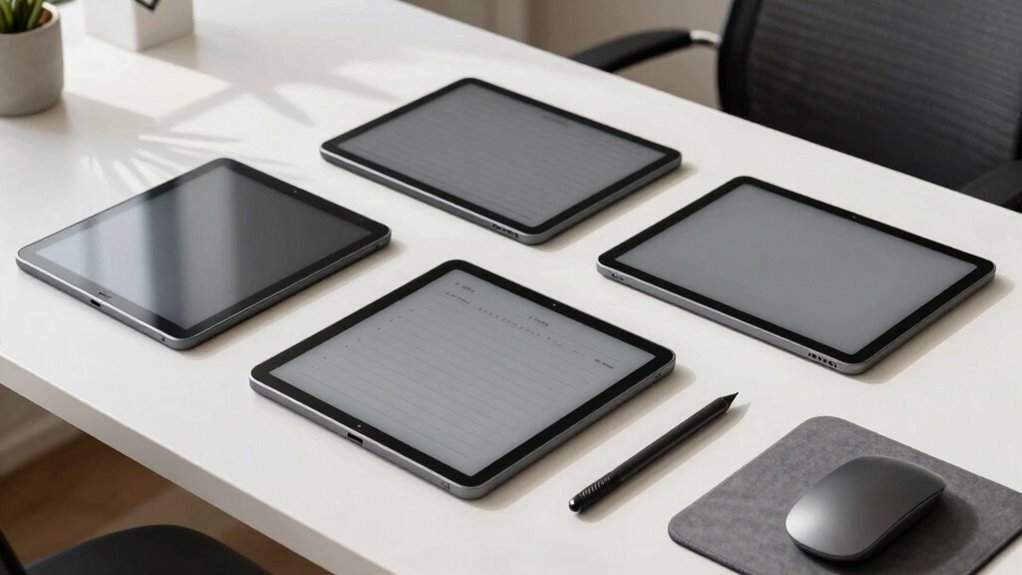

Choosing the right e ink note taking tablet for focus work depends on your specific needs, whether it’s precision writing, long battery life, or versatile file support. The Huion Ink EB1011 stands out for its paper-like display and long battery life, making it ideal for extended use. Meanwhile, the Penstar eNote 2 offers AI-powered features and extensive file support, perfect for professionals who need advanced organization. For those seeking a lightweight, seamless note-taking experience, the XPPen Note Plus provides Bluetooth sync and a real paper feel. Each of these options balances screen quality, functionality, and price differently, so I’ll help you understand which fits your focus work best.

Get business pricing on office and shipping supplies
- Business-only prices and quantity discounts
- Tax-exempt purchasing
- Multiple users, one account, clear invoices
Key Takeaways
- The Huion Ink EB1011 excels in eye comfort and long-lasting battery life, suitable for prolonged reading and note-taking.
- The Penstar eNote 2 offers AI features like voice-to-text and extensive format support, making it ideal for productivity-heavy users.
- The XPPen Note Plus provides seamless Bluetooth connection and a paper-like handwriting experience, perfect for on-the-go note management.
- Tradeoffs include price, display capabilities, and system complexity; choosing depends on your primary focus—reading, note-taking, or professional work.
- All five options differ significantly in display technology, portability, and feature set, so match your priorities carefully.
| Huion Ink EB1011 E Ink Tablet 10.3″ Digital Notebook with Dual Front Light |  | Best for Eye Comfort and Long Battery Life | Display: 10.3-inch E-Ink, 1404×1872, 227 PPI | Stylus: 8192 pressure levels, felt tip | Battery: 4650mAh, up to 12 days | VIEW ON AMAZON | See Our Full Breakdown |
| Penstar eNote 2 E-Ink Digital Notebook with Pen, 10.3″ AI eNote Tablet |  | Best for Advanced Features and File Support | Display: 10.3-inch, 2480×1860, 300 PPI | Stylus: 8192 pressure levels | Battery: 6500mAh, up to 4 weeks | VIEW ON AMAZON | See Our Full Breakdown |
| XPPen Note Plus Digital Notebook with Pen |  | Best for Seamless Bluetooth Note Sync and Real Paper Feel | Bluetooth: 5.3 | Pressure Sensitivity: 8192 levels | Battery: 1000mAh, 14 hours | VIEW ON AMAZON | See Our Full Breakdown |
| Geniatech Kloudnote Slim 10.3″ Digital Notebook and E Ink Tablet |  | Best for Versatile Reading and Note-Taking in a Sleek Design | Screen Size: 10.3 inches | Resolution: 1404×1872 | Processor: 1.8GHz A55 quad-core | VIEW ON AMAZON | See Our Full Breakdown |
| XPPen 3-in-1 Color Digital Notebook 10.95” with 16384 Pressure Levels and Magnetic Folio |  | Best for Versatile Note-Taking and Reading with Android Flexibility | Display Size: 10.95 inches | Pressure Levels: 16384 | Battery: 8000mAh | VIEW ON AMAZON | See Our Full Breakdown |
| e ink note taking tablet for focus work on amazon usa | Battery | Storage | Weight |
|---|---|---|---|
| Huion Ink EB1011 E Ink Tablet | 4650mAh, up to 12 days | 64GB internal, expandable | 0.99 pounds |
| Penstar eNote 2 E-Ink Digital | 6500mAh, up to 4 weeks | 128GB | 0.97 kg |
| XPPen Note Plus Digital Notebo | 1000mAh, 14 hours | — | 350g |
| Geniatech Kloudnote Slim 10.3" | 3000mAh, up to 40 hours | 64GB | — |
| XPPen 3-in-1 Color Digital Not | 8000mAh | 128GB | 495g |
More Details on Our Top Picks
Huion Ink EB1011 E Ink Tablet 10.3″ Digital Notebook with Dual Front Light
The Huion Ink EB1011 stands out for its high-resolution E-Ink display that mimics paper, reducing eye strain during long reading and writing sessions. Its stylus offers 8192 pressure levels without requiring charging, supporting natural handwriting. Compared to other models, it provides the longest battery life—up to 12 days—making it ideal for users who prefer extended, distraction-free focus. However, its monochrome display limits color options, and some premium features entail a higher price, which could be a barrier for casual users. Overall, this device is perfect for those prioritizing eye comfort and battery longevity, especially in reading-intensive tasks.
Pros:- Paper-like E-Ink display reduces eye strain
- Long battery life up to 12 days
- Stylus with pressure sensitivity, no charging needed
- Expandable storage and multi-format support
Cons:- Limited color display options
- Requires external connection for full drawing capability
- Premium price point
Best for: Users who need prolonged reading and note-taking without eye fatigue or frequent charging
Not ideal for: Creative professionals needing color support or advanced drawing features
- Display:10.3-inch E-Ink, 1404×1872, 227 PPI
- Stylus:8192 pressure levels, felt tip
- Battery:4650mAh, up to 12 days
- Storage:64GB internal, expandable
- Weight:0.99 pounds
- Operating System:Android 11
Our verdict“An excellent choice for extended reading and note-taking where eye comfort and battery life are priorities.”
Penstar eNote 2 E-Ink Digital Notebook with Pen, 10.3″ AI eNote Tablet
The Penstar eNote 2 offers a high-resolution, sunlight-readable e-ink display combined with AI-powered voice-to-text and handwriting conversion, making it highly efficient for busy professionals. Its support for over 35 file formats and cloud sync options helps streamline work across multiple devices. While its premium price reflects its advanced features, some users might find the Android OS and AI tools complex at first. This device makes the most sense for users who combine reading, note-taking, and document management, especially in bright environments where sunlight readability is essential.
Pros:- High-res, sunlight-readable e-ink display
- Supports extensive file formats and cloud sync
- AI voice-to-text and handwriting conversion
- Long battery life up to 4 weeks
Cons:- Premium price is relatively high
- Requires familiarity with Android and AI features
- No touch screen layer, limiting interaction
Best for: Professionals and students needing AI features, extensive file support, and long battery life
Not ideal for: Casual users or those seeking a more straightforward, lower-cost device
- Display:10.3-inch, 2480×1860, 300 PPI
- Stylus:8192 pressure levels
- Battery:6500mAh, up to 4 weeks
- Storage:128GB
- Weight:0.97 kg
- Operating System:Android 14
Our verdict“A powerful device for detailed note-taking, document handling, and AI-driven productivity, suited for professional users willing to invest.”
XPPen Note Plus Digital Notebook with Pen
The XPPen Note Plus combines a real paper experience with Bluetooth 5.3 connectivity, making it easy to sync notes instantly to your phone. Its 8192 pressure levels and dedicated ink pen offer a natural writing feel, especially for those who prefer traditional handwriting. Its lightweight, slim design and long battery life make it a reliable companion for daily use, although it is limited to A5 paper cores, which could restrict flexibility. This pick is best for users who want a straightforward, portable note device that mimics paper closely and syncs effortlessly across devices.
Pros:- Seamless Bluetooth sync with smartphone
- Real paper experience with dedicated ink pen
- Long battery life up to 14 hours
- Lightweight and portable
Cons:- Limited to A5-sized notebooks
- Stylus may be less ergonomic for extended use
- Requires compatible paper cores
Best for: On-the-go note takers who prefer a paper-like experience with easy phone sync
Not ideal for: Users needing color support or advanced drawing capabilities
- Bluetooth:5.3
- Pressure Sensitivity:8192 levels
- Battery:1000mAh, 14 hours
- Dimensions:245×176×13mm
- Weight:350g
- Pen Refill:Swiss Mini Star D1 0.8mm
Our verdict“Ideal for handwritten notes and sketches on the move, especially for those who value simplicity and real paper feel.”
Geniatech Kloudnote Slim 10.3″ Digital Notebook and E Ink Tablet
The Geniatech Kloudnote Slim offers a stylish blend of e-reader and note-taking functions in a slim profile. Its electronic ink screen is gentle on the eyes and performs well in bright light, making it suitable for both reading and handwriting. Its long battery life—up to 40 hours—supports extended work sessions, while cloud support allows easy storage and sharing. This device is best for casual users and those who want a sleek, multi-purpose gadget for light note work and reading.
Pros:- Sleek, stylish design
- Eye-protective e-ink screen
- Up to 40 hours battery life
- Supports multiple cloud services
Cons:- Limited PDF audio support
- Build quality details scarce
Best for: Casual readers and note-takers who value portability and style
Not ideal for: Heavy-duty professional use or creative work requiring color or advanced features
- Screen Size:10.3 inches
- Resolution:1404×1872
- Processor:1.8GHz A55 quad-core
- Battery:3000mAh, up to 40 hours
- Storage:64GB
- Connectivity:Type-C, supports cloud storage
Our verdict“A versatile, stylish device suited for light reading and note-taking, best for casual users prioritizing portability.”
XPPen 3-in-1 Color Digital Notebook 10.95” with 16384 Pressure Levels and Magnetic Folio
The XPPen 3-in-1 Color Digital Notebook offers a large 10.95-inch Android screen with a paper-like texture, supporting a wide range of apps for note-taking, reading, and meetings. Its 16384 pressure levels provide exceptional stylus sensitivity for detailed annotation, while the magnetic folio enhances portability. This device is well-suited for users who want a multi-purpose tablet that combines note-taking and reading in one device. However, its narrower viewing angle and occasional performance issues when multitasking suggest it’s less ideal for intensive or prolonged use. It provides a flexible, Android-based experience for focus work in various settings.
Pros:- Large 10.95-inch display with paper-like texture
- High-pressure sensitivity (16384 levels)
- Supports multiple productivity apps
- Lightweight and portable
Cons:- Limited viewing angles
- Performance dips with many apps
- Requires system updates for full AI note features
Best for: Users who want a versatile, Android-powered device for reading and note-taking on the go
Not ideal for: Creative professionals needing advanced drawing or color features
- Display Size:10.95 inches
- Pressure Levels:16384
- Battery:8000mAh
- Storage:128GB
- Weight:495g
- Refresh Rate:90Hz
Our verdict“A flexible Android device that balances note-taking and reading, suitable for users who value app variety and portability.”

How We Picked
Our selection process focused on the core needs of focus work: clear, eye-friendly displays, reliable stylus input, long battery life, and seamless app or cloud integration. We prioritized devices with e ink or LCD screens that reduce eye strain during extended use, and evaluated their note-taking features, connectivity options, and overall portability. Price range was also considered, aiming to include options from entry-level to premium, so users can find a device that balances their budget and requirements.
Factors to Consider When Choosing E Ink Note Taking Tablet For Focus Work On Amazon Usa
Choosing the right e ink note taking tablet hinges on understanding how display technology, stylus sensitivity, battery life, and system features align with your focus work needs. Whether you prioritize eye comfort, extensive file support, or seamless app integration, your ideal device should enhance concentration without distractions or eye fatigue. Let’s explore the key factors to consider and how each model stacks up to help you make an informed decision.
Display Technology and Eye Comfort
For focused work, a display that mimics paper or reduces eye strain is essential. E-Ink screens excel here, offering sunlight readability and minimal glare, but often lack color and touch interaction. LCD screens with paper-like textures can also work well, especially if they support blue light reduction and high refresh rates for smoother writing. Understanding your environment and preference for color vs. grayscale can narrow down your options effectively.
Stylus Sensitivity and Writing Experience
The stylus is your primary tool for note-taking, so pressure sensitivity and responsiveness matter. Devices like Huion Ink EB1011 and XPPen Note Plus offer high pressure levels (8192+), creating a natural, precise writing experience. Some models, like Penstar eNote 2, include advanced handwriting conversion and voice-to-text, which can boost productivity but may require a learning curve. Consider whether you need a dedicated stylus or if a built-in pen suffices for your workflow.
Battery Life and Portability
Long battery life minimizes interruptions, especially during extended focus sessions. E Ink devices like Huion and Geniatech excel here, offering up to several weeks of use. Conversely, LCD-based tablets tend to need more frequent charging. Portability also depends on weight and size; lightweight, slim models are easier to carry for on-the-go work. Decide whether prolonged use or mobility is more critical for your focus routines.
File Support and Connectivity
If your work involves reading diverse formats or editing documents, look for devices with broad file support and cloud connectivity. The Penstar eNote 2 supports over 35 formats and AI-driven tools, making it versatile for professional settings. Bluetooth sync, expandable storage, and multi-format reading are features that help maintain focus without switching devices or losing productivity. Prioritize these if your focus work includes document management or creative projects.
Frequently Asked Questions
What is the main benefit of using an e ink tablet for focus work?
The primary advantage of an e ink tablet is its ability to reduce eye strain during extended reading and note-taking sessions. E Ink displays are sunlight-readable, glare-free, and mimic the appearance of paper, making them ideal for maintaining focus without fatigue. They also typically have long battery life, allowing for uninterrupted work over days or weeks without frequent charging.
How important is stylus pressure sensitivity for note-taking?
Pressure sensitivity enhances the natural feel of writing, allowing for variations in stroke thickness and pressure that replicate real pen and paper. Higher levels of sensitivity, such as 8192 or more, provide more precise control, especially for detailed sketches or annotations. If your focus work involves extensive handwriting or sketching, choosing a device with a highly sensitive stylus is a key consideration.
Are color displays necessary for focus work?
Color displays are generally not essential for focus work, especially if your primary goal is reading and writing. E Ink devices are monochrome, but their low eye strain and high readability often outweigh the need for color. LCD screens with paper-like textures and blue light reduction can also be sufficient for most focusing tasks, and they offer added versatility if color or multimedia is needed occasionally.
Can these tablets handle multitasking or complex apps?
Most e ink and digital notebooks are optimized for reading, note-taking, and simple document editing. Devices like the Huion Ink EB1011 and Geniatech Kloudnote are more limited in multitasking capabilities. The Android-based options, such as XPPen 3-in-1 and Penstar eNote 2, support multiple apps and cloud services, but performance may vary depending on the complexity of tasks and multitasking demands. For intensive productivity, consider devices with more robust hardware and OS support.
What should I consider when choosing between LCD and E Ink for focus work?
LCD screens with paper-like textures tend to offer better interactivity, color support, and faster refresh rates, which can be beneficial for note annotation and multimedia. However, they may cause more eye fatigue over long periods. E Ink displays excel in eye comfort and sunlight readability but often lack touch responsiveness and color. Your choice should depend on whether your priority is prolonged focus and reading comfort or interactive note-taking and multimedia use.
Conclusion
If you primarily need a device for long reading sessions and minimal eye fatigue, the Huion Ink EB1011 is a clear winner. For those who want advanced features like AI voice-to-text and extensive file support, the Penstar eNote 2 makes the most sense. Casual users or those who value portability and a real paper feel may prefer the XPPen Note Plus. Meanwhile, if style and basic reading and note-taking in a sleek device appeal to you, the Geniatech Kloudnote Slim offers a stylish, lightweight option. Choose based on your focus work environment and feature priorities—your ideal device should seamlessly support your concentration and productivity goals.
Halloween Picks
halloween
As an affiliate, we earn on qualifying purchases.