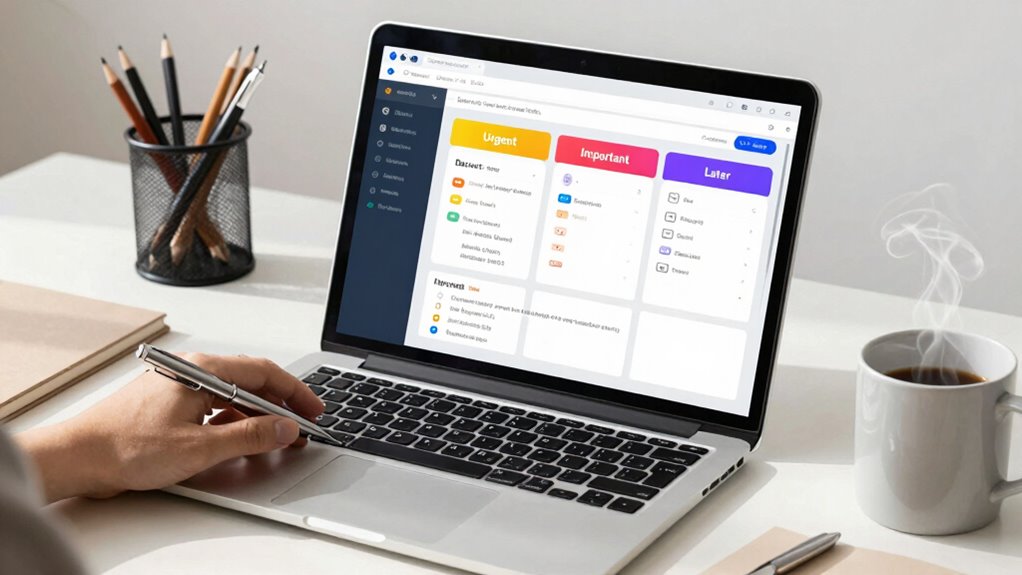

To simplify email priorities, create a decision framework that categorizes messages into urgent and important, important but not urgent, or low priority. Use rules and filters to automate sorting and set specific times for batch processing. Focus on high-priority items first and schedule or delete less urgent emails. Regularly review and adjust your routines to stay efficient. Keep exploring these strategies to take full control of your inbox and boost productivity.

Get business pricing on office and shipping supplies
- Business-only prices and quantity discounts
- Tax-exempt purchasing
- Multiple users, one account, clear invoices
Key Takeaways
- Implement clear criteria to quickly categorize emails as urgent, important, or low priority.
- Use rules and filters to automatically sort incoming messages into designated folders.
- Schedule specific times for batch processing non-urgent emails to prevent constant interruptions.
- Prioritize immediate responses for urgent and important emails, scheduling others for later review.
- Regularly review and adjust your filtering system to stay aligned with evolving priorities.

Have you ever felt overwhelmed by the sheer volume of emails flooding your inbox? If so, you’re not alone. Email clutter can quickly become a barrier to productivity, making it hard to focus on what truly matters. That’s where a solid decision framework for email priorities comes in. It helps you tackle inbox management efficiently, so you spend less time sorting through unnecessary messages and more time on important tasks. The key is to develop a system that quickly guides you in determining which emails need immediate attention, which can wait, and which can be deleted or delegated.
Start by establishing clear criteria for prioritization. One effective approach is to categorize emails into three main groups: urgent and important, important but not urgent, and low priority. When an email arrives, ask yourself whether it’s time-sensitive or critical to your objectives. If it is, give it your immediate attention. If it’s important but can wait, set a specific time later in the day or week to handle it. For low-priority messages, consider deleting or archiving them right away, reducing email clutter and streamlining your inbox management. Incorporating sound management strategies can further enhance your ability to stay organized and focused. Additionally, understanding how to manage your email overload can significantly improve your overall productivity, especially when combined with a clear decision framework.
Categorize emails as urgent, important but not urgent, or low priority to manage inbox efficiently.
Another crucial step is to create rules or filters that automatically sort incoming emails into designated folders. For example, newsletters and promotional emails can be directed to a “Read Later” folder, while client requests or team updates go straight to your main inbox. These filters help manage your email flow and prevent less urgent messages from cluttering your primary workspace. When you check your email, you can focus on the most relevant messages first, minimizing distractions and decision fatigue. Recognizing how to effectively apply media literacy can help you identify trustworthy messages and avoid phishing or spam, further protecting your digital workspace. Moreover, understanding how standby generators are rated and derated for altitude and temperature can serve as a metaphor for evaluating the true importance of your emails, ensuring you prioritize what truly needs your attention.
Developing a routine for checking emails also plays a vital role in maintaining clarity. Instead of constantly reacting to new messages, designate specific times during the day to review your inbox. During these sessions, quickly scan for high-priority items, respond to urgent messages, and batch process the rest. This approach ensures you stay in control of your inbox rather than letting it control you. Over time, you’ll become better at recognizing which messages require immediate action and which don’t, further simplifying your inbox management.
Ultimately, consistent application of this decision framework will help you combat email clutter and make your inbox a tool for productivity rather than a source of stress. By quickly assessing each message’s importance and urgency, setting up filters, and sticking to a routine, you empower yourself to handle email efficiently. This clarity allows you to focus on what truly matters, reduces overwhelm, and keeps your workflow smooth and manageable.
As an affiliate, we earn on qualifying purchases.
Frequently Asked Questions
How Often Should I Review My Email Priorities?
You should review your email priorities at least twice a day, ideally once in the morning and once in the afternoon. This helps you manage email overload effectively and prevents important messages from slipping through the cracks. Regular review allows you to adjust priorities as needed, ensuring urgent tasks get escalated promptly. By staying proactive, you maintain control and avoid feeling overwhelmed, keeping your inbox manageable and your productivity high.
Can This Framework Be Adapted for Personal Email Management?
Yes, you can adapt this framework for personal email management, like tailoring a suit to fit perfectly. It helps you prioritize tasks efficiently, reducing clutter and stress. By applying it, you boost your personal organization and lessen the emotional impact of missed deadlines or overlooked messages. You’ll find it easier to focus on what truly matters, making your inbox a tool for clarity rather than chaos.
What Tools Support Implementing This Decision Framework?
You can support implementing this decision framework with tools that offer email automation and priority labeling features. Email clients like Gmail and Outlook provide built-in automation rules to filter and categorize messages automatically. You can set priority labels to highlight urgent emails, ensuring you focus on what matters most. These tools streamline your workflow, making it easier to stay organized and respond promptly, all aligned with your email management priorities.
How Do I Handle Urgent Emails Outside of the Framework?
When handling urgent emails outside your framework, remember that “a stitch in time saves nine.” Start with an urgency assessment to decide if immediate action is necessary, then detach emotionally to avoid stress. If the email truly needs quick attention, respond swiftly but keep clarity and professionalism. Otherwise, acknowledge it briefly and prioritize it properly within your framework later, ensuring you maintain control and focus.
Is This Framework Suitable for Team or Collaborative Emails?
Yes, this framework works well for team collaboration and cross-functional communication. It helps you quickly identify which emails need immediate attention and which can wait, ensuring smoother coordination. By applying it to group messages, you keep everyone on the same page and prevent important discussions from falling through the cracks. This structured approach streamlines your responses, fosters clearer communication, and enhances overall team productivity.
Conclusion
Think of your email inbox as a busy marketplace. With this decision framework, you’re the skilled merchant, quickly sifting through stalls to find what truly matters. Instead of getting lost in the noise, you’ll effortlessly prioritize, like a seasoned trader, focusing on the goods that bring the most value. Master this approach, and your inbox becomes a well-organized bazaar—every message a meaningful exchange, not a chaotic clutter.
Halloween Picks
halloween
As an affiliate, we earn on qualifying purchases.