
To reduce no-shows, craft a personalized appointment reminder email with a clear call-to-action, like a “Confirm Appointment” button or link, making it easy for clients to respond. Use their name and appointment details to show attention and include options to reschedule or cancel smoothly. Keep the tone professional yet friendly, and consider multiple confirmation methods. Continuing with these strategies will help you create effective reminders that boost attendance and strengthen client trust.
Key Takeaways
- Use clear, personalized messaging with the recipient’s name and appointment details for better engagement.
- Incorporate prominent, clickable confirmation and rescheduling links to simplify client responses.
- Include a strong call-to-action (CTA) encouraging immediate confirmation or rescheduling.
- Offer multiple confirmation options, such as email reply, online link, or phone call, to accommodate preferences.
- Send friendly, mindful reminders that align with client schedules to reduce stress and improve attendance.
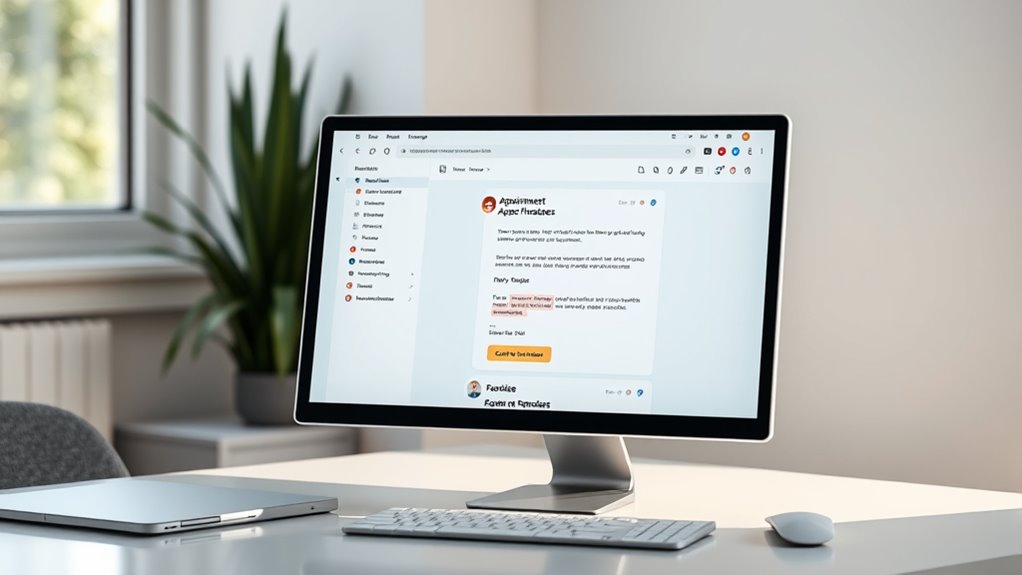
An appointment reminder email template is a essential tool to guarantee your clients or customers remember their upcoming appointments. It’s more than just a simple reminder; it’s an opportunity to reinforce your professionalism and build trust. To maximize effectiveness, you need to employ confirmation strategies that encourage recipients to confirm, reschedule if necessary, or cancel smoothly. These strategies help reduce no-shows by making the process straightforward and engaging. One effective approach is to include a clear call-to-action (CTA) prompting recipients to confirm their attendance. For example, a simple “Please reply to confirm” or a clickable button that says “Confirm Appointment” streamlines the process and makes it easy for your clients to take action. Confirmation strategies like these give you real-time updates and allow you to manage your schedule efficiently.
Email personalization plays a key role in making your reminder stand out. When you customize the email content with the recipient’s name, appointment details, and specific instructions, it shows you value their time and are attentive to their needs. Personalization creates a sense of connection, reducing the likelihood that your email will be ignored or overlooked. For instance, instead of a generic message, you could say, “Hi [Name], just a quick reminder about your appointment on [Date] at [Time]. We’re looking forward to seeing you!” This approach makes your message feel tailored and relevant. Additionally, including personalized details such as the service they booked or the staff member they’ll see adds a professional touch that reinforces their commitment to the appointment.
Moreover, effective email personalization combined with confirmation strategies can considerably decrease no-shows. When clients receive a personalized reminder that clearly prompts them to confirm or reschedule, they’re more likely to respond promptly. This reduces the chances of forgotten appointments or last-minute cancellations. You can also incorporate other confirmation strategies, such as offering multiple ways to confirm—via email reply, a quick link to a scheduling platform, or even a phone call. The goal is to make confirming appointments as simple and convenient as possible. Incorporating mindfulness techniques, such as gentle reminders aligned with clients’ schedules, can also improve attendance and reduce stress associated with missed appointments.
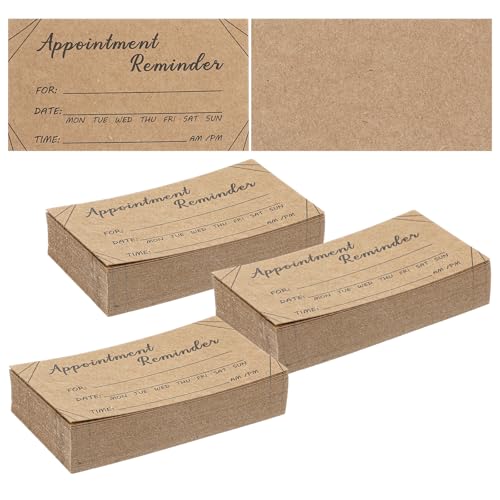
1000 Pcs Appointment Reminder Cards Bulk – Professional Referral Cards for Business with Client Profile Card Template and Contact Card Design for Salons, Offices & Service Providers
Premium Bulk Quantity: Receive 1000 high-quality appointment cards in one convenient package, providing exceptional value for businesses that…
As an affiliate, we earn on qualifying purchases.
As an affiliate, we earn on qualifying purchases.
Frequently Asked Questions
How Can I Personalize Reminder Emails for Different Clients?
You can personalize reminder emails by leveraging client segmentation to group clients based on their preferences, history, or appointment types. Then, incorporate personalized content that addresses each segment specifically, like mentioning their last visit or service interests. This approach makes your messages more relevant, increases engagement, and reduces no-shows. Always use the client’s name and customize details to make your reminders feel tailored and attentive.
What Are the Best Times to Send Appointment Reminders?
Think of scheduling your reminders like planting seeds for a successful harvest. The best timing for email reminders is about 24 to 48 hours before the appointment, ensuring your clients have enough notice without forgetting. Sending during mid-morning or early afternoon on weekdays works best, as people are more receptive then. Proper email timing boosts engagement and reduces no-shows, making your scheduling best and communication sharper.
How Do I Handle Last-Minute Appointment Cancellations?
When handling last-minute cancellations, you should enforce clear cancellation policies to minimize disruptions. Contact clients promptly to understand their reasons and express understanding. Implement follow-up strategies, like rescheduling immediately or offering alternative slots, to retain their business. Remind clients of your cancellation policies upfront and stay professional, ensuring they feel valued. This approach helps reduce no-shows and maintains a positive relationship despite cancellations.
Can Automated Reminders Improve Client Engagement?
It’s no coincidence that automated reminders boost client engagement—they keep your appointment scheduling on their mind. When you proactively communicate via automated emails, clients feel valued and informed, reducing no-shows and fostering trust. You can customize these messages to fit your brand, making client communication more personal and effective. This proactive approach guarantees your clients stay engaged, and your practice runs smoothly, creating a positive, reliable experience every time.
What Legal Considerations Exist for Reminder Email Content?
You need to guarantee your reminder emails comply with privacy laws by obtaining explicit email opt-in from clients before sending messages. Always include an easy way for them to opt out, respecting privacy compliance standards. Avoid sharing sensitive information without consent, and keep your content transparent about data use. By following these legal considerations, you protect your practice and build trust with your clients.
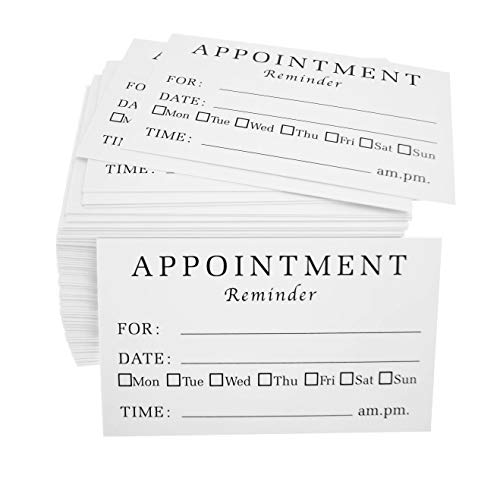
RXBC2011 Appointment Reminder Cards (Pack of 100) for Dentist Therapist Doctor Hair Salon Pack of 100
IMPRESS YOUR CLIENT – No More No-Shows! Give out appointment reminder cards to you clients to help them…
As an affiliate, we earn on qualifying purchases.
As an affiliate, we earn on qualifying purchases.
Conclusion
With this appointment reminder email template, you’ll practically eliminate no-shows overnight—your calendar will be so packed, you’ll think you’ve hired a team of psychic appointment predictors! Say goodbye to empty slots and hello to full days of productivity. Just send this email, and watch as your no-shows vanish faster than a magician’s rabbit. Prepare to be amazed by how effortlessly you’ll fill every appointment, turning your schedule into a well-oiled, unstoppable booking machine!
clickable appointment confirmation links
As an affiliate, we earn on qualifying purchases.
As an affiliate, we earn on qualifying purchases.
scheduling platform with email reminders
As an affiliate, we earn on qualifying purchases.
As an affiliate, we earn on qualifying purchases.