
To keep your subject lines short and mobile-friendly, focus on creating clear, concise messages that quickly convey value. Use 5-7 words to grab attention and consider adding emojis for visual interest without clutter. Personalize with relevant details like names or keywords to boost relevance. Test different approaches to see what resonates best with your audience. If you’re interested in crafting more impactful, streamlined subject lines, there’s plenty more you can discover to optimize your strategy.
Key Takeaways
- Keep subject lines under 50 characters to ensure they display fully on mobile screens.
- Use clear, direct language that quickly conveys the message’s value.
- Incorporate relevant emojis sparingly to catch attention without cluttering.
- Personalize with recipient names or keywords to increase relevance and engagement.
- Test different lengths and formats via A/B testing to optimize mobile open rates.
In today’s fast-paced digital world, keeping your email subject lines short is essential for grabbing attention and encouraging opens. With countless messages flooding inboxes, you need to make every word count. Short subject lines are more likely to stand out, especially on mobile devices where space is limited. When you craft concise subject lines, you help your audience quickly grasp the message and decide whether to open your email. This is why understanding best practices around emoji usage and personalization tactics is crucial. Emojis can add a splash of personality and visual interest without taking up much space, making your subject line more eye-catching. Just be careful to choose emojis that align with your message and brand tone. A well-placed emoji can evoke emotion or convey context instantly, increasing the chances of engagement. Overusing emojis, however, can clutter your message and appear unprofessional, so moderation is key. Alongside emoji usage, personalization tactics play a vital role in keeping subject lines short yet impactful. When you include personalized elements—such as the recipient’s name or relevant keywords—you create a sense of connection and relevance. Personalization immediately makes your email stand out in a crowded inbox, encouraging recipients to open your message. You don’t need lengthy sentences to achieve this; a simple, targeted phrase can do the trick. For example, using “John, your exclusive deal inside” is more compelling than a generic “Exclusive deal inside.” Remember, the goal is to keep your subject line brief while adding a personal touch that resonates. Mobile users tend to scan quickly, so your subject line must be clear and direct. Avoid vague or overly clever phrases that can confuse or turn off your audience. Instead, focus on delivering a straightforward message that hints at value or urgency. Combining emoji usage with effective personalization tactics allows you to craft short, engaging subject lines without sacrificing clarity. Always test your subject lines to see what resonates best with your audience. A/B testing different emoji placements or personalization techniques can provide valuable insights into what drives higher open rates. Additionally, understanding the Free Floating concept can help you craft more adaptable and flexible messaging strategies that resonate across different contexts. Ultimately, the key is to be concise, relevant, and visually appealing—making your message irresistible in a crowded, mobile-first environment. By mastering these best practices, you’ll ensure your subject lines not only fit perfectly on small screens but also motivate recipients to open and engage with your emails.
Frequently Asked Questions
How Do Long Subject Lines Impact Mobile Open Rates?
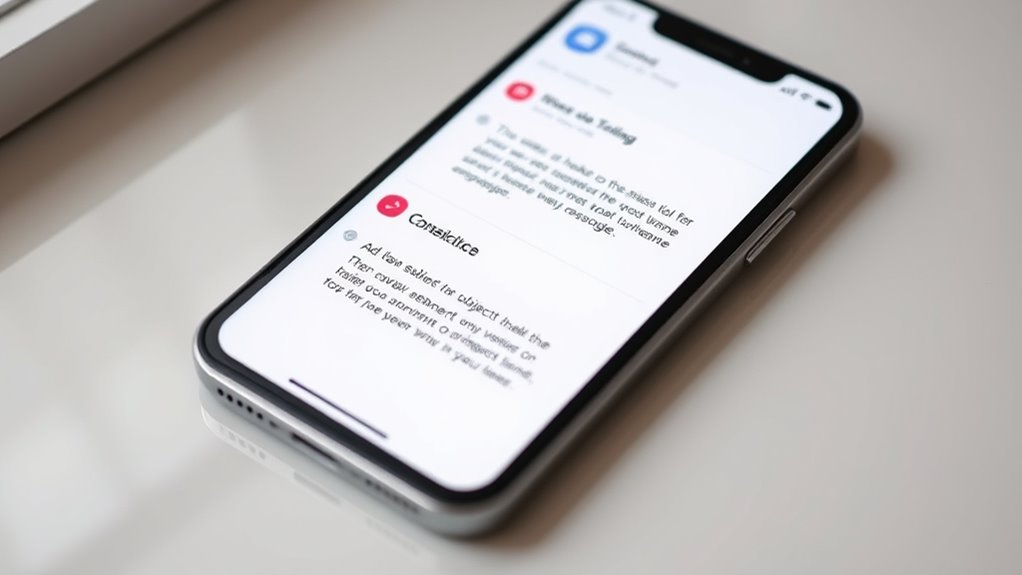
Long subject lines can profoundly hurt your mobile open rates because they often lead to subject line truncation, making your message less compelling or even unreadable. When your subject line exceeds the mobile display limits, recipients may miss out on key information or get confused, reducing their likelihood to open your email. Keep your subject lines concise to avoid mobile display issues and guarantee your message captures attention instantly.
What Tools Can Help Test Subject Line Length on Mobile Devices?
Oh, the joys of guessing if your subject line fits on a tiny screen. Luckily, you can use email preview tools like Litmus or Email on Acid to test how your subject lines display across devices. These tools provide subject line analytics, showing you exactly what your subscribers see. By leveraging them, you guarantee your message’s first impression isn’t lost in the mobile abyss, boosting your open rates effortlessly.
Are There Industry Benchmarks for Optimal Subject Line Length?
Yes, industry standards suggest keeping subject lines around 41 characters or 7 words for ideal mobile engagement. You should aim for length optimization to guarantee your message isn’t cut off on smaller screens. While benchmarks vary by industry, testing your specific audience helps refine your approach. By following these guidelines, you increase open rates and make your emails more effective across all devices.
How Does Personalization Affect Subject Line Length Considerations?
Personalization impacts your subject line length because you want to include dynamic content that resonates with each recipient. You should consider recipient segmentation to tailor messages, but avoid making subject lines too long, which can hurt readability on mobile. Keep the personalized elements concise and relevant, ensuring the message remains clear and engaging. This balance helps increase open rates without sacrificing the mobile-friendly aspect of your email campaign.
Can Emojis Be Used Effectively in Short Mobile-Friendly Subject Lines?
Yes, you can use emojis effectively in short mobile-friendly subject lines. The emoji impact grabs attention quickly and can convey emotion or message in a compact way. Just guarantee it aligns with your branding consistency, so your audience recognizes your tone. Use emojis sparingly to avoid clutter, and test their appearance across devices. When used thoughtfully, emojis enhance engagement without sacrificing clarity or brevity.
Conclusion
So, remember to keep your subject lines short and sweet, just like a telegram from the past. Think of it as sending a quick smoke signal—clear, direct, and easy to read on any device. As you craft your messages, imagine you’re a trusty messenger from the 1800s, delivering essential news without fuss. Stick to brevity, and your open rates will soar—no need for a time machine to see the results!