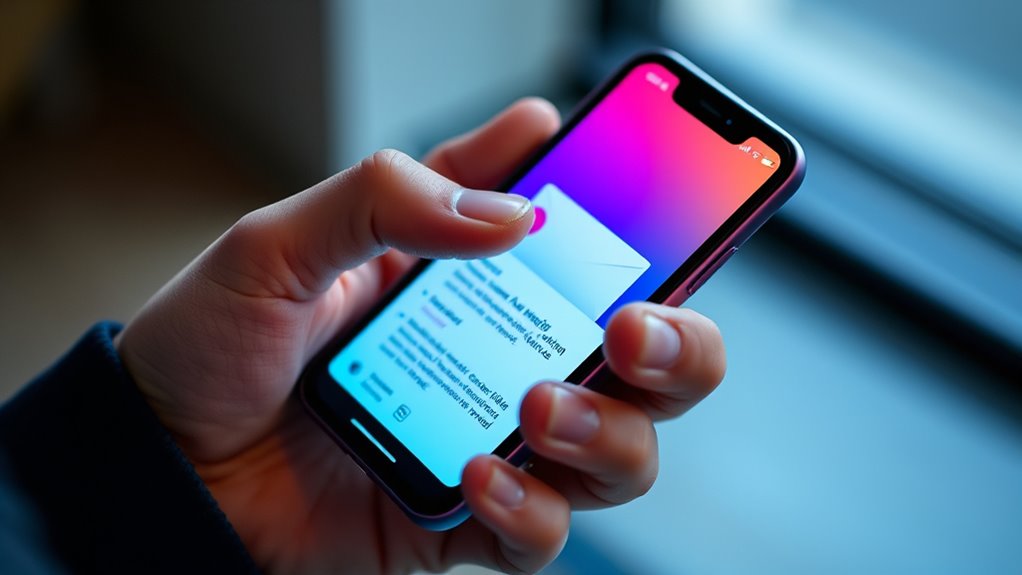

To design a mobile-first email, focus on creating a layout that adapts seamlessly to small screens and is thumb-friendly. Use responsive grids, large tap targets, and clear, concise content to guarantee your message is easy to see and interact with on any device. Keep the design simple, avoid clutter, and prioritize quick-loading images. If you want to discover how to make your emails truly optimized for mobile, keep exploring these key principles.
Key Takeaways
- Use large, touch-friendly buttons and links with ample spacing for easy thumb navigation.
- Design a single-column layout with clear headlines and concise content for small screens.
- Optimize images for quick loading and maintain visual hierarchy to guide attention effectively.
- Incorporate media queries and flexible grids to ensure responsiveness across various devices.
- Test email layouts on multiple smartphones to ensure usability, clarity, and consistent experience.

With more people checking emails on their smartphones than ever before, adopting a mobile-first approach to email design is no longer optional—it’s vital. Your goal is to create emails that look good and function flawlessly on small screens. To do that, you need to focus on responsive layouts that adapt seamlessly to various devices. Responsive layouts ensure your email content adjusts automatically, maintaining readability without requiring zooming or horizontal scrolling. This means designing with flexible grids, scalable images, and media queries that optimize the presentation for any screen size. When you prioritize responsiveness, you prevent your message from getting lost in awkward formatting or broken layouts, keeping your audience engaged from the moment they open your email. Incorporating contrast ratio considerations can also improve visual clarity and accessibility for diverse viewers. Equally important are touch-friendly elements. Since most users navigate using their fingers, your buttons, links, and interactive components must be large enough and spaced adequately to prevent accidental clicks. Small, tightly packed links frustrate users and increase bounce rates. Make your call-to-action buttons stand out with ample padding, contrasting colors, and clear labels. When users tap, they should experience instant, accurate responses without frustration. Incorporate touch-friendly design principles by avoiding hover-only effects, which don’t work well on touchscreens, and instead relying on visual cues that respond to taps. This ensures a smooth, intuitive interaction that encourages users to act. Designing for small screens also means simplifying your content. Keep your message concise with short paragraphs, clear headlines, and straightforward calls to action. Avoid cluttering your layout with unnecessary images or text that may not render well or could slow down load times. Use a single-column layout whenever possible to streamline the reading experience. Large, legible fonts are essential; tiny text can be nearly impossible to read on a smartphone. Additionally, optimize images for fast loading, as sluggish emails are often quickly discarded. Incorporate visual hierarchy to guide your readers’ attention naturally from your headline through your message to your call to action. By doing so, you ensure your email communicates its purpose quickly and effectively. Remember, your email must be easy to scan and interact with on a variety of devices, so testing across multiple platforms is vital. Ultimately, a mobile-first mindset, emphasizing responsive layouts and touch-friendly elements, guarantees your emails are accessible, engaging, and effective—no matter how or where they’re viewed.
Frequently Asked Questions
How Can I Test My Email on Different Mobile Devices Effectively?
You can test your email effectively by using device emulation tools in email clients or browsers, which simulate how your email looks on various screens. Additionally, perform physical testing on actual devices to catch any issues might overlook. Combining both methods ensures your design is responsive and user-friendly across all mobile devices, giving you confidence that your email displays perfectly for everyone.
What Are the Best Tools for Designing Mobile-First Emails?
You should use responsive frameworks like Foundation or MJML to streamline your mobile-first email design. Drag and drop editors such as Mailchimp or BeePro make creating responsive layouts easy without coding. These tools help you preview how your emails will look on small screens, ensuring your design adapts perfectly for mobile devices. Combining these frameworks and editors saves time and boosts your email’s effectiveness across all smartphones.
How Do I Optimize Images for Faster Mobile Email Loading?
To optimize images for faster mobile email loading, you should focus on image compression and responsive sizing. Compress your images using tools like TinyPNG or ImageOptim to reduce file size without losing quality. Additionally, use responsive images with HTML techniques like srcset and sizes attributes, ensuring your images adapt to different screen sizes. This approach improves load times and provides a seamless experience for mobile users.
What Are Common Mobile Email Design Mistakes to Avoid?
Don’t bite off more than you can chew—avoid common mobile email mistakes. Make sure your font size is legible and not too small, so readers don’t struggle to read. Make tap targets big enough for easy clicking, avoiding frustration. Overcrowding your layout, using tiny text, or neglecting clear call-to-action buttons can turn users off. Keep it simple, clear, and thumb-friendly to boost engagement and prevent your email from falling flat.
How Can I Improve Mobile Email Accessibility for All Users?
To improve mobile email accessibility, focus on font accessibility by choosing clear, large fonts and high contrast colors. Make sure your design supports gesture navigation, like easy tap targets and swipe functions, so users can navigate effortlessly. Test your emails on various devices and assistive technologies. Simplify your layout, avoid clutter, and include alternative text for images, ensuring everyone can access your content comfortably.
Conclusion
Just like Odysseus steering treacherous waters, designing your emails for mobile ensures you reach your audience safely and effectively. By prioritizing small screens and thumb-friendly layouts, you’re guiding your message straight into their hands. Remember, in the ever-changing digital Odyssey, embracing a mobile-first approach isn’t just smart—it’s essential. So, equip your emails with the clarity and ease of a seasoned sailor, and watch your engagement chart new horizons.