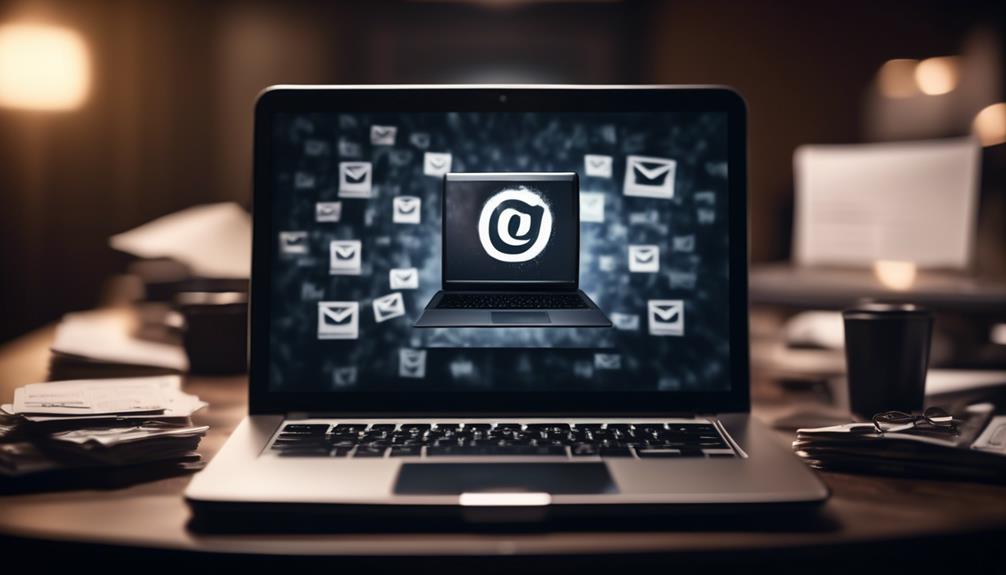

To test personalized email elements across devices and segments, start by verifying that your dynamic content displays correctly on smartphones, tablets, and desktops. Use cross-device testing tools to see how different email clients render your content and guarantee all interactive elements work seamlessly. Confirm that segmentation rules target the right groups and that each segment receives relevant content. If you keep exploring, you’ll discover how to optimize your email campaigns for maximum engagement.
Key Takeaways
- Conduct cross-device testing to ensure dynamic content displays correctly on smartphones, tablets, and desktops.
- Verify that cookies and performance tracking work seamlessly across devices for accurate user behavior analysis.
- Test segmentation strategies to confirm contacts are correctly classified and receive personalized content.
- Evaluate dynamic content performance within segments to optimize relevance and engagement.
- Check email compatibility and rendering across various email clients to maintain consistent presentation and functionality.

Personalized email elements can greatly boost engagement, but to guarantee they’re effective, you need to test them thoroughly. One critical aspect of this process is ensuring your dynamic content displays correctly across different devices and that your segmentation strategies are delivering tailored messages to the right audiences. When you incorporate dynamic content into your emails, you want to be confident it renders perfectly whether your recipients open your message on a smartphone, tablet, or desktop. Testing across devices ensures that images, text, and interactive elements adapt seamlessly, providing a consistent experience that reinforces your personalization efforts. Small display issues or misaligned content can break the flow of your message, reducing engagement and even damaging your brand’s credibility. Cookies can also play a role in tracking how recipients interact with your emails across devices, helping you analyze performance and optimize future campaigns.
Equally important is verifying that your segmentation strategies work as intended. When you segment your email lists based on demographics, behaviors, or preferences, the goal is to send highly relevant content to each recipient. But if your segmentation logic is flawed or if your system misclassifies contacts, your personalized messages might go to the wrong segments, resulting in lower engagement or even unsubscribes. By testing your emails with different segments, you can confirm that each group receives precisely the right message, with the appropriate dynamic content tailored to their interests or stage in the customer journey. This process helps catch errors in your segmentation rules before they reach your broader audience.
Testing isn’t just about previewing emails on various devices; it’s also about analyzing how your dynamic content performs within each segment. For instance, you might find that a particular product recommendation works well for one segment but not for another. Adjusting your dynamic content based on test results allows you to optimize personalization at a granular level, improving relevance and boosting conversion rates. Additionally, you should review how your emails render on different email clients, such as Gmail, Outlook, or Apple Mail, because each can interpret HTML and CSS differently. This ensures your design and dynamic elements are consistent regardless of where your recipients view them.
Ultimately, thorough testing provides insights into how your personalized email elements perform across devices and segments. It reveals issues that could hinder user experience or diminish the effectiveness of your campaigns. By systematically validating your dynamic content and segmentation strategies, you solidify your email marketing foundation, increase engagement, and nurture stronger relationships with your audience. Testing isn’t just an optional step; it’s an essential part of delivering truly personalized, impactful emails every time.
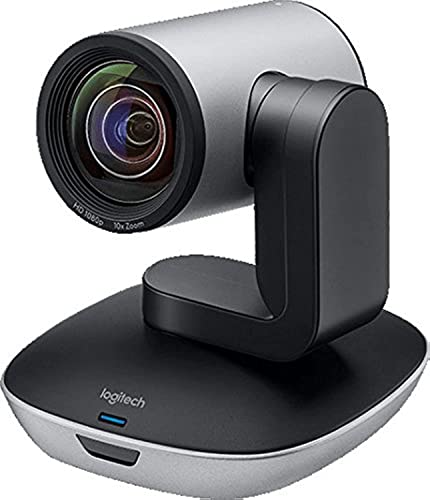
Logitech PTZ Pro 2 Camera – USB HD 1080P Video Camera for Conference Rooms
Ideal for conference rooms, training environments, large events and other Professional video applications
As an affiliate, we earn on qualifying purchases.
Frequently Asked Questions
How Often Should I Update My Email Personalization Elements?
You should update your email personalization elements regularly, ideally every few months, to keep dynamic content relevant. Customer segmentation evolves over time, so revitalizing your segments helps ensure you’re targeting the right audiences. Regular updates allow you to incorporate new data, trends, and customer behaviors, maintaining engagement and improving results. Stay proactive by reviewing and adjusting your personalized elements periodically, ensuring they stay aligned with your customers’ current preferences and needs.
What Tools Are Best for Cross-Device Email Testing?
You should use tools like Litmus or Email on Acid for cross-device email testing, which help guarantee your emails look great across all devices. Incorporate A/B testing to compare different versions and refine your segmentation strategies, ensuring tailored content reaches the right audience. These tools allow you to preview how your emails render, so you can optimize design and messaging for every device and segment, improving engagement and conversions.
How Do I Measure the Success of Personalized Email Elements?
You measure the success of personalized email elements by analyzing engagement metrics like open rates, click-through rates, and conversions. Conduct A/B testing to compare different versions, identifying which elements resonate most with your audience. Track how changes impact engagement over time, and refine your personalization strategies accordingly. This approach helps you understand what drives results, ultimately boosting email performance and customer satisfaction.
Can Personalization Impact Email Deliverability Rates?
Hold your horses, or you might miss how personalization impacts deliverability! Yes, personalization can improve email relevance, leading to higher customer engagement and fewer emails landing in spam folders. When you tailor content to your audience, ISPs see your emails as valuable, boosting your sender reputation. So, by making your emails more relevant, you effectively enhance deliverability rates, ensuring your messages reach the right inboxes and inspire action.
What Privacy Considerations Should I Keep in Mind With Personalization?
You should prioritize privacy compliance and data security when personalizing emails. Always obtain explicit consent before collecting or using personal data, and make certain your data handling practices follow regulations like GDPR or CCPA. Protect subscriber information with strong security measures, and be transparent about how you use their data. This approach builds trust, avoids legal issues, and maintains your reputation while allowing effective personalization.

TONGVEO 4K PTZ Conference Room Camera System AI Auto-Tracking 20x Zoom 4K PTZ Camera USB3.0 HDMI LAN outputs and Bluetooth Speakerphone with Microphone for Large Remote Meeting
✈【4K PTZ Conference room camera system】TONGVEO 4K PTZ Conference room camera system combines an upgraded 20x Zoom AI-auto...
As an affiliate, we earn on qualifying purchases.
Conclusion
By testing personalized email elements across devices and segments, you reveal the secret to sky-high engagement rates. Remember, even the tiniest tweak can turn your campaigns into unstoppable conversion machines. Don’t settle for guesswork—embrace rigorous testing to guarantee your emails resonate perfectly everywhere. When you optimize with precision, you’ll see results so astounding, they’ll make your competitors look like they’re stuck in the stone age. Keep experimenting, and watch your email marketing soar to new heights!

Logitech PTZ Pro 2 Camera – USB HD 1080P Video Camera for Conference Rooms (Renewed)
This Certified Refurbished product is tested and certified to look and work like new. The refurbishing process includes...
As an affiliate, we earn on qualifying purchases.

JEBUTU Green Screen Backdrop Kit with Stand, 5X6.5ft Portable Green Screen Backdrop with Stand kit, GreenScreen Background with Stand Carrying Bag Clamp for Streaming Video Zoom
Wide Used & Note & Package Content: 1)JEBUTU green screen backdrop with stand kit is a good alternative...
As an affiliate, we earn on qualifying purchases.