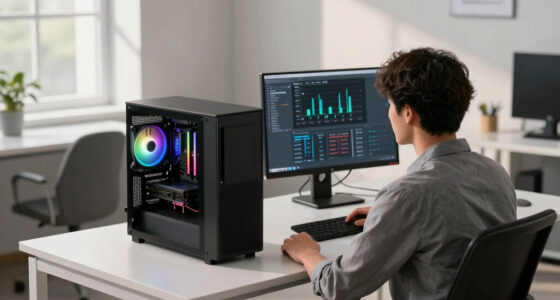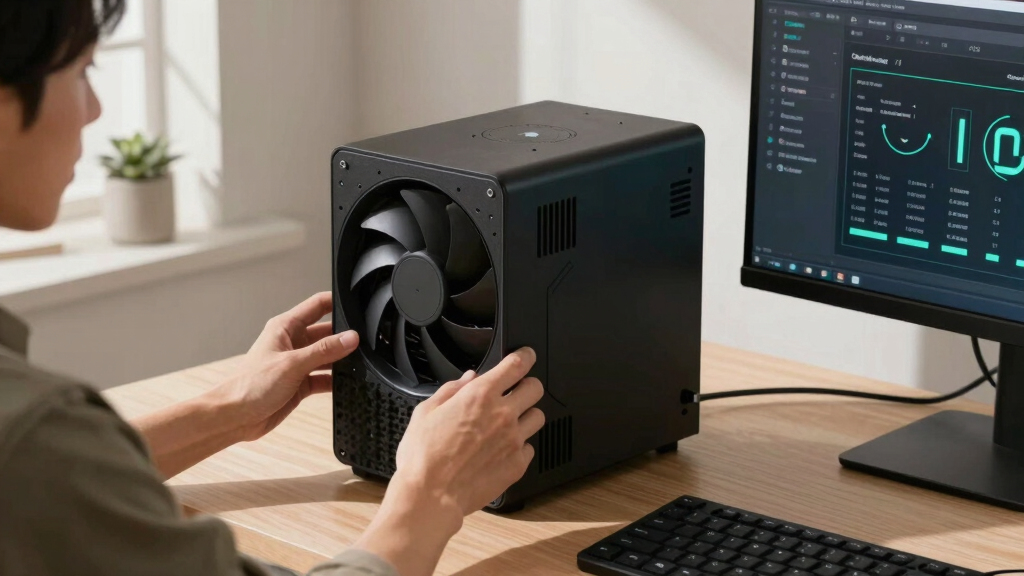

📊 Full opportunity report: How to Reduce Heat and Noise in a High-Power AI Workstation on ThorstenMeyerAI.com — validation score, market gap, and execution plan.

Get business pricing on office and shipping supplies
- Business-only prices and quantity discounts
- Tax-exempt purchasing
- Multiple users, one account, clear invoices
TL;DR
High-power AI workstations generate significant heat and noise due to sustained GPU loads. Key solutions include undervolting GPUs, improving airflow, and optimizing components to reduce thermal output and sound levels.
High-power AI workstations produce excessive heat and noise during sustained workloads, often turning quiet offices into noisy, warm environments. This article outlines confirmed, practical strategies to mitigate these issues, crucial for AI researchers and system administrators seeking quieter, cooler operations.
AI workstations with high-power GPUs, such as dual RTX 5090s, run continuously at or near full load, generating substantial heat and noise. The primary source of heat and sound is the GPU, which often accounts for over 70% of thermal output, with fans running at maximum to dissipate heat. CPU and power supply components also contribute but are secondary. Key confirmed methods to reduce heat and noise include undervolting GPUs to lower power consumption, improving case airflow to prevent recirculation of hot air, and selecting components with better thermal efficiency. These interventions can significantly decrease fan speeds and overall system temperature, leading to quieter operation without sacrificing performance.
An AI workstation isn’t a gaming PC —
and that’s why it runs hot.
Local inference is a sustained load: the GPU sits near full power for hours with no loading screens, so the heat never dissipates and the fans never get a break. Here’s where the heat comes from — and the five levers that reduce it.
Impact of Heat and Noise Reduction on AI Workstation Efficiency
Reducing heat and noise extends hardware lifespan, improves user comfort, and enhances productivity by allowing longer, quieter operation. Implementing these measures is especially relevant for AI practitioners running long inference tasks, where sustained load makes cooling and noise management critical. Effective cooling also prevents thermal throttling, maintaining optimal performance over extended periods.GPU undervolting tools for high-performance workstations
As an affiliate, we earn on qualifying purchases.
As an affiliate, we earn on qualifying purchases.
Background on Heat and Noise Challenges in AI Hardware
Unlike gaming PCs, AI workstations operate under continuous high load, especially during batch processing or long inference sessions. This sustained demand causes the GPU and other components to run at high temperatures, often necessitating aggressive cooling. Historically, many guides focus on gaming setups, which do not face the same thermal challenges. Recent developments emphasize the importance of targeted cooling strategies, such as undervolting and airflow optimization, to manage these specific workloads effectively. As AI hardware becomes more powerful, managing thermal output and noise has become a critical aspect of system design and maintenance.“Understanding that AI workloads generate sustained heat rather than bursty spikes is key to implementing effective cooling strategies.”
— Thorsten Meyer, AI hardware expert
Unresolved Questions About Long-Term Effectiveness
While undervolting and airflow improvements are proven to reduce heat and noise, the long-term impacts on hardware longevity and performance under different workloads are still being studied. Specific optimal settings vary by hardware model and workload type, and some solutions may have diminishing returns or unintended side effects over extended use. Further empirical data is needed to establish standardized best practices across diverse configurations.
Next Steps for AI System Optimization
Practitioners should experiment with undervolting and airflow adjustments tailored to their specific hardware. Manufacturers may release firmware updates or new cooling solutions optimized for AI workloads. Ongoing research aims to develop smarter cooling systems, such as AI-controlled fans and liquid cooling enhancements, to further reduce thermal and acoustic footprints. Users are encouraged to monitor system temperatures and noise levels continuously as they implement these strategies.
Key Questions
What is the most effective way to reduce noise in an AI workstation?
The most effective method is undervolting the GPU to lower power consumption and heat output, combined with improving case airflow to prevent hot air recirculation. Upgrading to quieter fans and optimizing fan curves also helps significantly.
Can undervolting GPUs affect inference performance?
In most cases, undervolting reduces power and heat without impacting inference speed, especially in memory-bound workloads. However, it’s important to test settings specific to your hardware to avoid stability issues.
Is liquid cooling necessary for high-power AI workstations?
Liquid cooling can improve thermal performance and reduce noise but is not strictly necessary. Proper airflow, high-quality air coolers, and undervolting often suffice for effective cooling and quieter operation.
How do I start optimizing my AI workstation for lower noise?
Begin by monitoring system temperatures and fan speeds. Then, try undervolting your GPU using manufacturer-recommended tools, improve case ventilation, and consider replacing noisy fans with quieter alternatives.
Are there risks to undervolting or modifying cooling systems?
Yes, improper undervolting can cause system instability, and inadequate cooling modifications may lead to overheating. It is recommended to proceed cautiously, follow manufacturer guidelines, and test configurations thoroughly.
Source: ThorstenMeyerAI.com
Fall Picks
fall essentials
As an affiliate, we earn on qualifying purchases.