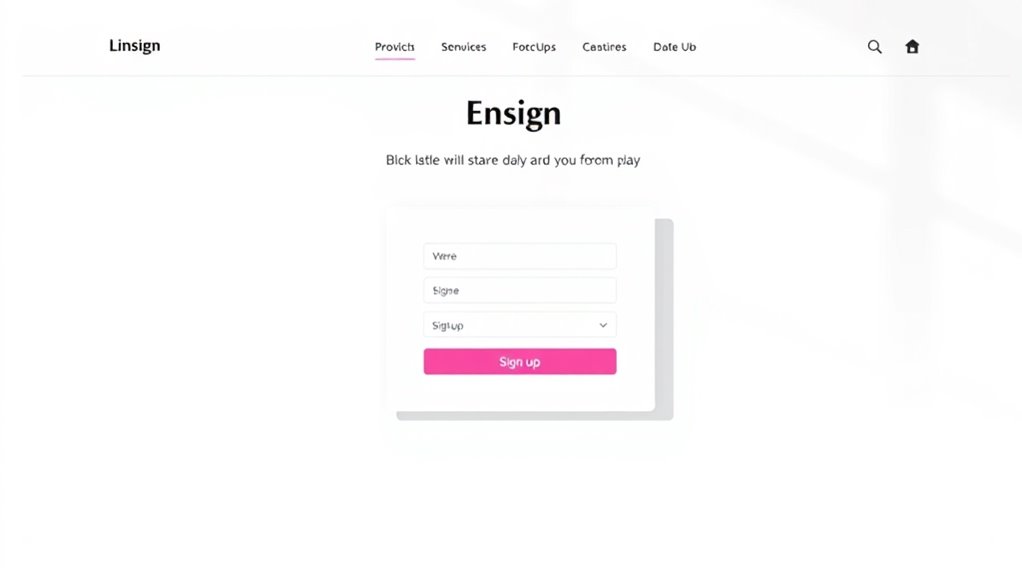

To optimize embedded signup forms on your blogs and landing pages, focus on strategic placement where visitors naturally pause, like at the end of posts or in the sidebar. Keep your forms simple, asking only for essential info, and use clear, compelling CTAs that stand out. Add trust signals such as testimonials or security badges to build confidence. Continuously test different designs and locations to improve conversions—discover more tips to boost your signup success.

Get business pricing on office and shipping supplies
- Business-only prices and quantity discounts
- Tax-exempt purchasing
- Multiple users, one account, clear invoices
Key Takeaways
- Position forms strategically at natural engagement points like end of posts or in sidebars for better visibility.
- Keep forms simple with minimal fields, focusing on email addresses to reduce user friction.
- Use contrasting, eye-catching CTA buttons with compelling copy to boost click-through rates.
- Incorporate trust signals such as testimonials or security badges to increase credibility and user confidence.
- Regularly test and analyze different placements, designs, and copy to refine and improve conversion performance.

Have you ever wondered how bloggers effortlessly grow their email lists? The secret often lies in how they design and position embedded signup forms on their blogs and landing pages. To maximize user engagement, you need to follow design best practices that catch the eye and make signing up simple. The first step is to guarantee your form is visually appealing and integrated seamlessly into your content. Use colors that contrast well with your website’s color scheme, drawing attention without overwhelming the page. Keep the form clean and uncluttered—avoid cluttered layouts that distract visitors from the main message. Use clear, concise copy that explains the value of subscribing. Instead of generic phrases, highlight what they’ll gain—exclusive tips, free resources, or insider updates—so visitors see immediate benefit.
Effective signup forms are visually appealing, seamlessly integrated, and highlight clear benefits to boost engagement.
Placement plays a vital role in optimizing engagement. Position your signup forms where visitors naturally pause or spend the most time, such as at the end of a blog post, within the sidebar, or as a sticky footer. This ensures the form is visible without interrupting the reading experience. When designing embedded forms, consider using inline forms that blend with the content rather than pop-ups, which can sometimes be intrusive. Inline forms tend to foster higher engagement because they’re part of the flow of the page, making signing up feel like a natural step rather than an interruption.
Another design best practice is to keep your forms as simple as possible. Ask only for essential information—usually just the email address—to reduce friction. The more fields you add, the higher the chance visitors will abandon the form altogether. Use engaging calls to action (CTAs) that create a sense of urgency or curiosity, like “Join Now” or “Get Your Free Guide.” Make sure your CTA buttons stand out by using contrasting colors and compelling copy. Also, consider adding social proof or trust signals nearby, such as testimonials or security badges, to reassure visitors that their information is safe. Additionally, understanding your audience’s preferences and the use of Cookies can help tailor your signup experience and improve conversion rates.
Finally, test and refine your embedded signup forms regularly. Use analytics to track how visitors interact with your forms and experiment with different placements, colors, or copy. Small tweaks often lead to significant improvements in user engagement. By aligning your design best practices with a focus on user experience, you’ll create a seamless, inviting environment that encourages visitors to subscribe, helping you grow your email list steadily and effectively.
As an affiliate, we earn on qualifying purchases.
Frequently Asked Questions
How Can I Improve Form Loading Speed?
To improve your form loading speed, focus on streamlined form design by reducing unnecessary fields and optimizing images. Use lightweight scripts and limit the use of heavy plugins that slow down performance. Enhancing loading times boosts user engagement because visitors won’t get frustrated waiting. Test your form speed regularly with tools like Google PageSpeed Insights, and implement recommended improvements to guarantee your signup forms load quickly and effectively.
Are There Best Practices for Mobile-Friendly Forms?
Think of your form as a well-tuned instrument; on mobile, it must respond seamlessly. To achieve this, prioritize responsive design and touch optimization, ensuring fields are easy to tap and labels clear. Use large buttons, minimal input fields, and adaptive layouts that adjust to screen sizes. Simplify your form’s appearance, making it intuitive and fast to complete, so users feel comfortable and confident engaging on any device.
How Do I Track Form Conversion Rates?
You can track your form conversion rates by setting up analytics tools like Google Analytics or Hotjar. Use user behavior tracking to see how visitors interact with your form. Conduct A/B testing on different form designs and placements to identify what works best. Monitor your conversion data regularly, and adjust your strategies based on insights gained. This approach helps optimize your signup process and increases overall conversions.
What Are Common Mistakes to Avoid With Embedded Forms?
You should avoid cluttered form design, as it overwhelms users and discourages signups. Ignoring user psychology can lead you to include unnecessary fields that deter potential signups. Keep your forms simple, clear, and focused on essential information. Also, don’t forget to test your form’s placement and clarity regularly. By understanding user psychology and designing for ease, you improve your chances of converting visitors into subscribers.
How Can I Increase Form Completion Rates?
Imagine your form as a welcoming doorway inviting users in—make it simple and visually appealing. To increase form completion rates, focus on form design that minimizes fields and uses clear labels. Tap into user psychology by emphasizing trust signals and benefits upfront. Use compelling call-to-actions and guarantee the process feels effortless. By creating an intuitive experience, you guide visitors smoothly, turning curiosity into commitment.
Conclusion
By optimizing your embedded signup forms on blogs, you can substantially boost conversions. Remember, adding a clear call-to-action and minimizing fields can increase signups by up to 30%. Keep testing and refining your forms to see what resonates most with your audience. The key is making the process seamless—because a smoother experience leads to more subscribers and better engagement. Don’t underestimate the power of a well-designed form; it’s your gateway to growing your community.
Columbus Day / Indigenous Peoples' Day Picks
long weekend sales
As an affiliate, we earn on qualifying purchases.