
📊 Full opportunity report: Mac vs GPU Tower for Local LLMs: The Heat-and-Noise Tradeoff on ThorstenMeyerAI.com — validation score, market gap, and execution plan.

Get business pricing on office and shipping supplies
- Business-only prices and quantity discounts
- Tax-exempt purchasing
- Multiple users, one account, clear invoices
TL;DR
This article compares Mac Silicon machines and GPU towers for running local large language models, focusing on heat, noise, capacity, and performance tradeoffs. Confirmed: Mac is near-silent with lower power; GPU towers offer higher throughput but generate significant heat and noise.
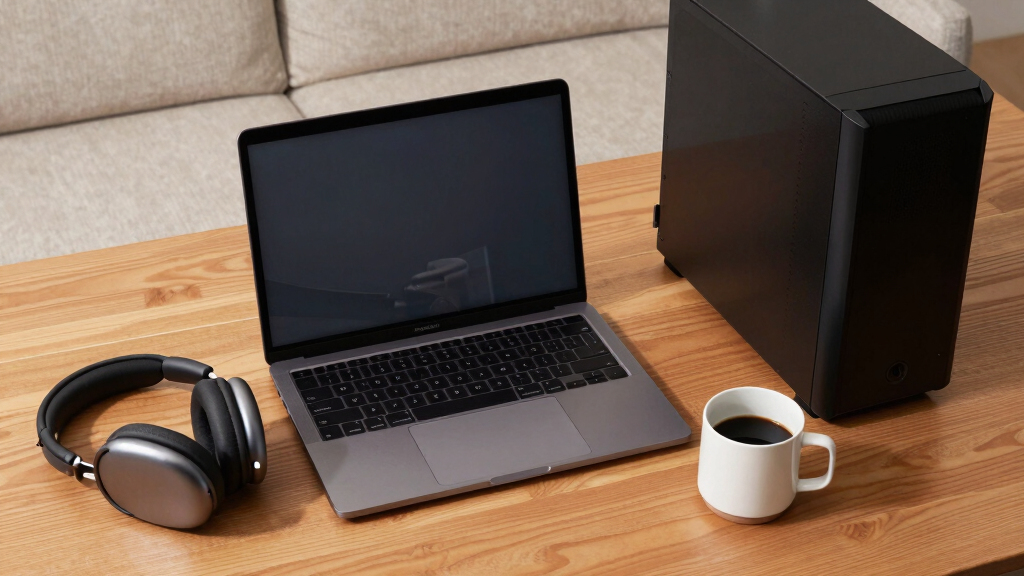
Apple Silicon Macs, such as the Mac Studio M3 Ultra, are inherently quiet and power-efficient, while GPU towers equipped with NVIDIA RTX 5090 cards generate extensive heat and noise but deliver higher throughput for local large language model inference. This contrast underscores a fundamental tradeoff in choosing between these architectures based on heat, noise, and capacity considerations.
The core difference lies in how each system handles memory bandwidth and capacity. GPU towers, with high-bandwidth GPUs like the RTX 5090 offering around 1,792 GB/s, excel at models that fit within their VRAM (24–32GB per card), providing 3–4 times faster token generation. However, they consume 575W to over 800W, producing significant heat that requires active cooling and thermal management. These systems are complex to maintain and quiet operation demands ongoing effort. Conversely, Apple Silicon Macs leverage a unified memory architecture, sharing up to 512GB across CPU, GPU, and Neural Engine, enabling them to load and run models larger than 70 billion parameters that exceed GPU VRAM capacities. They consume a fraction of the power—often just a few hundred watts—and operate near silently, making them ideal for always-on, quiet environments. The tradeoff is slower inference speed, which may be acceptable for many users whose primary concern is capacity and noise reduction.Mac vs GPU tower
for local LLMs.
What if you sidestep the heat entirely with a different kind of machine? A tower is a high-bandwidth furnace you spend five levers quieting. Apple Silicon is near-silent by design — but asks for different tradeoffs. Match your priority in Part 2.
Put the loud, hot machine where its noise doesn’t matter, and the quiet one where you do. SSH into the tower when you need raw power; let the Mac handle everything else, silently.
Implications for Local AI Deployment Choices
This comparison is crucial for users deciding how to run large language models locally. GPU towers provide maximum throughput for models that fit in VRAM, ideal for latency-sensitive applications and model fine-tuning, especially within the CUDA ecosystem. However, they require significant thermal management and ongoing maintenance. Mac Silicon systems, with their near-silent operation and ability to handle larger models via unified memory, offer a practical solution for users prioritizing quiet, power-efficient, and always-on AI workloads. The decision impacts operational costs, user comfort, and the scope of models that can be run locally, influencing how individuals and organizations approach local AI deployment.As an affiliate, we earn on qualifying purchases.
Evolution of Hardware Options for Local LLMs
Traditional GPU towers have been the standard for local large language model inference, offering high bandwidth and GPU scalability. NVIDIA's CUDA ecosystem supports extensive fine-tuning and training workflows, with multi-GPU configurations scaling performance. Apple Silicon's emergence introduces a fundamentally different approach, emphasizing energy efficiency and capacity through unified memory architecture. Historically, the choice has been driven by performance needs versus thermal and noise management. Recent developments show increasing interest in quieter, power-efficient solutions for continuous, local AI operation, prompting a reassessment of hardware priorities."The heat-and-noise dimension is one of the sharpest differences between GPU towers and Mac Silicon machines for local AI."
— Thorsten Meyer
Unanswered Questions About Long-term Use and Scalability
It is not yet clear how well Mac Silicon systems will scale with future large models or whether ongoing software improvements will close the performance gap for inference speed. Additionally, the ecosystem support for model fine-tuning and training on Macs remains limited compared to CUDA-based GPU systems. Long-term durability and upgradeability of Macs for AI workloads are also still under consideration.
Future Developments in Hardware and Software Ecosystems
Expect ongoing software optimizations from Apple to improve inference speeds and expanded support for larger models. Hardware updates may include increased unified memory and more efficient neural engines. On the GPU side, advancements in cooling, power efficiency, and multi-GPU scaling will continue, potentially narrowing performance gaps. Users should monitor these developments to inform hardware choices for local large language model deployment.
Key Questions
Can a Mac run large language models as effectively as a GPU tower?
While Macs can run large models larger than GPU VRAM allows, their inference speed is slower. They are more suitable for capacity and quiet operation than maximum throughput.
Is noise a significant factor in choosing hardware for local AI?
Yes, GPU towers generate considerable heat and noise, requiring thermal management. Macs operate near silently, making noise a key consideration for many users.
Will future Macs improve inference performance?
Potentially, with software optimizations and hardware updates, but current limitations mean slower inference compared to GPU towers for models that fit in VRAM.
What about upgrading or expanding hardware for AI workloads?
GPU towers support GPU upgrades and multi-GPU scaling, while Macs are fixed at purchase, requiring different strategies for hardware growth.
Which hardware is better for training models?
GPU towers, with native CUDA ecosystem support and multi-GPU scalability, are generally better suited for training and fine-tuning large models.
Source: ThorstenMeyerAI.com
Fall Picks
fall essentials
As an affiliate, we earn on qualifying purchases.