

To review your email program before inbox placement declines, start by monitoring key deliverability metrics like bounce rates, spam complaints, open rates, and click-throughs regularly. Make sure your technical setup is correct by verifying SPF, DKIM, and DMARC records. Clean your list often by removing inactive or invalid addresses. Focus on content quality, personalization, and respectful sending frequency to keep engagement high. Continuing further will help you master the essentials for sustained inbox placement.

Get business pricing on office and shipping supplies
- Business-only prices and quantity discounts
- Tax-exempt purchasing
- Multiple users, one account, clear invoices
Key Takeaways
- Monitor deliverability metrics like bounce rates, spam complaints, open, and click-through rates regularly.
- Ensure email authentication protocols (SPF, DKIM, DMARC) are correctly configured and up to date.
- Conduct list hygiene by removing invalid, inactive, or unengaged email addresses.
- Review content quality, relevance, and personalization to maintain subscriber engagement.
- Analyze sending frequency and volume to avoid overwhelming recipients and triggering spam filters.
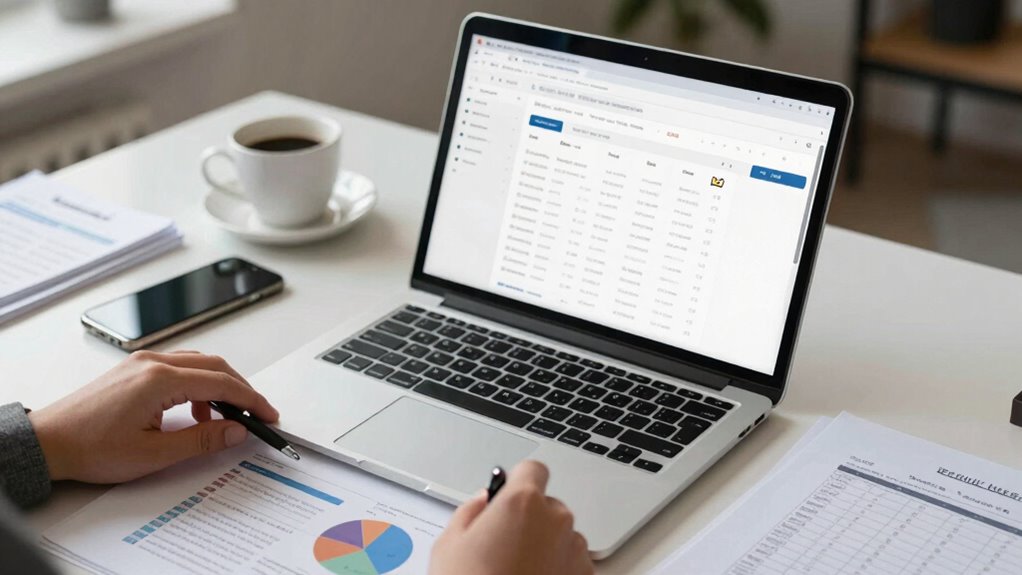
Have you ever wondered if your email program is truly effective? Before your inbox placement starts to decline, it’s essential to review your strategy carefully. One of the first things to consider is your email segmentation. If your audience isn’t properly segmented, you risk sending irrelevant content that leads to lower engagement and higher spam complaints. Segmenting your email list allows you to tailor your messages based on customer behavior, preferences, and demographics, boosting open rates and click-throughs. When you refine your segments, you guarantee that your emails are more targeted, which not only improves engagement but also enhances your sender reputation—an indispensable factor in deliverability.
Speaking of deliverability, keeping an eye on your deliverability metrics is imperative to understanding how well your emails are reaching your audience’s inboxes. Metrics like bounce rates, spam complaint rates, open rates, and click-through rates serve as key indicators of your email health. If bounce rates are rising or spam complaints are climbing, it’s a sign that your list may need cleaning or that your content isn’t resonating with your recipients. Regularly monitoring these metrics helps you identify issues early, so you can make necessary adjustments before your deliverability suffers markedly. Additionally, maintaining good color accuracy in your email visuals can improve engagement as visually appealing content encourages recipients to take action. Incorporating natural pool aesthetics into your email design can also create a more inviting and trustworthy appearance. It’s also important to understand how email authentication protocols contribute to your overall deliverability and reputation. A solid understanding of email authentication standards can help prevent your messages from being flagged as spam, especially as email providers increasingly rely on these standards to filter incoming mail.
Another key part of your review should focus on your content and sending practices. Are you sending too many emails, or are your messages too promotional? Overloading your subscribers can lead to increased unsubscribes and spam reports. Accordingly, maintaining a consistent, respectful sending frequency and providing valuable content keeps your audience engaged without overwhelming them. Also, reviewing your email design and subject lines can greatly impact your open rates; compelling, personalized subject lines grab attention and entice recipients to open your messages.
Furthermore, guarantee your technical setup supports good deliverability. This includes authenticating your emails with SPF, DKIM, and DMARC records. These authentication protocols help email providers verify your identity and reduce the chances of your messages being marked as spam. Regularly updating your email list to remove inactive or invalid addresses also plays a key role. These invalid addresses can harm your sender reputation and skew your deliverability metrics. Ensuring that your email list hygiene practices are thorough and consistent will contribute significantly to maintaining high-quality deliverability.
In essence, reviewing your email program before inbox placement diminishes involves a thorough look at your segmentation, deliverability metrics, content quality, and technical setup. Taking proactive steps to optimize these areas will help you maintain a strong sender reputation and guarantee your messages land where they should—directly in your audience’s inboxes. Staying vigilant and making adjustments based on data keeps your email marketing effective and sustainable over the long term.
email deliverability monitoring tools
As an affiliate, we earn on qualifying purchases.
As an affiliate, we earn on qualifying purchases.
Frequently Asked Questions
How Often Should Email Program Reviews Be Conducted?
You should review your email program at least quarterly to maintain ideal inbox placement. Regularly evaluating email content guarantees it remains relevant and engaging, while monitoring sender reputation helps you spot issues early. Frequent reviews allow you to adapt to changes in subscriber behavior, spam filters, and industry standards. By staying proactive, you’ll minimize deliverability problems and keep your emails reaching your audience effectively.
What Tools Are Best for Monitoring Inbox Placement?
You should use tools that monitor inbox placement by examining email authentication and sender reputation. Platforms like GlockApps, Mail Tester, or Litmus are great options—they simulate inbox placement, identify authentication issues, and track sender reputation scores. These tools help you detect deliverability problems early, ensuring your emails land where they should. Regularly using them keeps your program healthy and maintains high inbox placement rates, preventing deliverability issues down the line.
How Do I Identify the Root Cause of Deliverability Issues?
You identify deliverability issues by examining your sender reputation, which impacts inbox placement, and checking for content filtering problems. Use monitoring tools to review bounce rates, spam complaints, and engagement metrics. If your reputation drops or spam filters flag your emails, analyze your content for spam triggers. Adjust your sending practices, clean your list, and optimize your content to improve reputation and reduce filtering, ensuring better inbox placement.
Should I Segment My Email List Before Review?
You should definitely segment your list before review—irony at its finest. List segmentation and audience targeting help you pinpoint specific issues and tailor your content accordingly. By dividing your audience, you get clearer insights into which segments are struggling with deliverability. This proactive step guarantees you address problems efficiently, preventing inbox placement from plummeting and keeping your campaigns on track. It’s a smart move that pays off in better engagement.
How Can I Improve Engagement Metrics After Review?
To improve engagement metrics after review, focus on implementing engagement strategies like targeted content and interactive elements. Use content personalization to make your emails more relevant and appealing to different segments of your audience. Experiment with personalized subject lines, dynamic content, and tailored calls-to-action. Regularly analyze performance data to identify what resonates best, then refine your approach. This continuous optimization keeps your audience engaged and boosts overall email campaign success.
Conclusion
Before hitting send, think of your email program as a ship preparing to sail. Just like a captain checks the navigation tools to avoid storms, reviewing your campaign guarantees smooth sailing into inboxes. I once saw a marketer catch a typo that could’ve flagged their email as spam—saving them from a potential crash. Regular reviews are your lighthouse, guiding your messages safely home. Stay vigilant, and your emails will always find their way.
Halloween Picks
halloween
As an affiliate, we earn on qualifying purchases.