
🔍 Read the full analysis: A Practical Guide To The UGREEN NAS DXP4800 Pro And AI Alternatives on ThorstenMeyerAI.com

Get business pricing on office and shipping supplies
- Business-only prices and quantity discounts
- Tax-exempt purchasing
- Multiple users, one account, clear invoices
TL;DR
The UGREEN NAS DXP4800 Pro is a four-bay network-attached storage device with an Intel Core i3-1315U, 8GB of expandable DDR5 memory, and 10GbE and 2.5GbE networking. Its hardware may suit home-server users, creators, and small teams, but drives are not stated as included and many basic backup users may not need its extra capacity.
A product guide describes the UGREEN NAS DXP4800 Pro as a four-bay NAS for households and small teams that need more than basic file storage, citing its Intel Core i3-1315U, expandable memory, and 10GbE networking, as detailed in the original analysis. The guide’s assessment is that its flexibility can suit home-server workloads, while buyers seeking routine backups and shared folders may be better served by a simpler two-bay device.
The DXP4800 Pro has four 3.5-inch drive bays, two PCIe 4.0 M.2 slots, and 8GB of DDR5 memory that can be expanded up to 96GB. Its listed maximum capacity is 144TB across four hard drives and two M.2 SSDs; that figure depends on the drives installed, and the source does not state that storage drives are included. Buyers should account for the cost and setup of their chosen drives rather than treating the capacity figure as storage supplied with the unit.
The guide identifies the processor as a six-core, eight-thread Intel Core i3-1315U with a stated maximum frequency of 4.5GHz. It says the NAS supports Docker and virtual machines, which can let users run services alongside file storage. That headroom is relevant to home-lab users and teams with multiple workloads, but the guide says basic backup users are unlikely to need the added processing capacity. Memory upgrades may also make sense for buyers planning to run several virtual machines.
Networking includes one 10GbE port and one 2.5GbE port, with a stated maximum transfer speed of 1.25GB/s. Those connections can help with large file transfers only when the client device, cabling, switches, storage, and workload support them. The guide also lists RAID 0, 1, 5, and 10, tool-free drive trays, UGOS Pro media, photo, and cloud-sync functions, and on-device AI photo organization. RAID can provide continued access after some drive failures, but it is not a substitute for a separate backup.

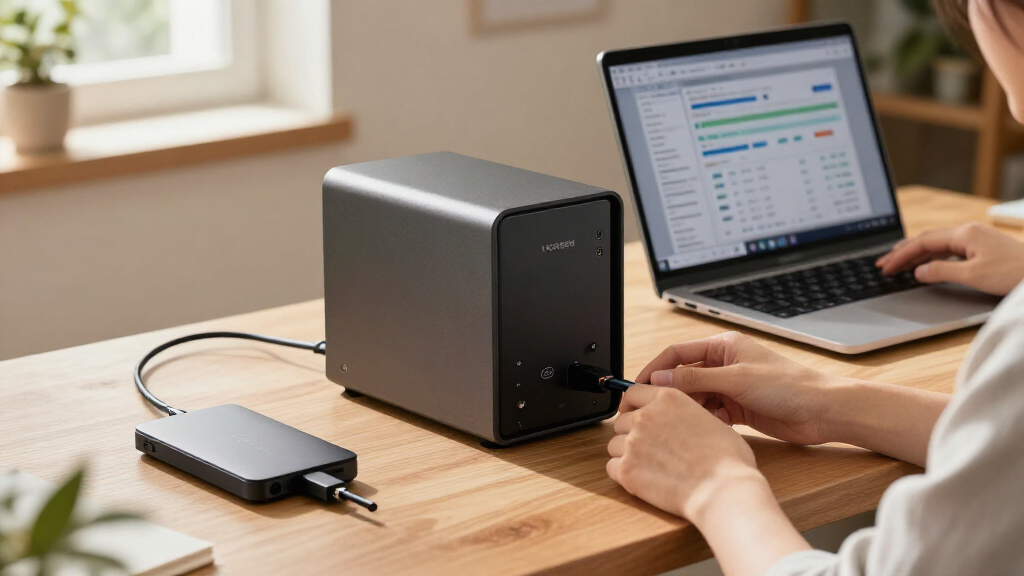
UGREEN NAS DXP4800 Pro 4-Bay Network Attached Storage
- ✔ Processor: Intel Core i3-1315U, 6 cores, 8 threads, up to 4.5GHz
- ✔ Memory: 8GB DDR5, expandable to 96GB
- ✔ Graphics: 13th Gen Intel UHD Graphics
The 1 picks
- 1
 UGREEN NAS DXP4800 Pro 4-Bay Desktop NAS with Intel Core i3-1315U, 8GB DDR5,…View on Amazon →
The Right Fit Depends on Workload
The key buying distinction is between a NAS used mainly as a backup destination and one expected to operate as a small server. For the latter, four bays, expandable memory, Docker and virtual-machine support, and faster network ports offer room to add services and storage over time. Creators moving large video files or small teams sharing projects may find that flexibility useful if their wider network can make use of it.
Those specifications do not make every home setup faster. On a gigabit network, the 10GbE port’s headline capacity will not be available to clients, and a basic backup workload may not benefit from the processor or memory ceiling. The guide compares the device with simpler two-bay options, including the Synology DS223 and DS223j, and presents those as possible fits for compact file-sharing and backup needs. It does not provide benchmark results or a direct, tested performance comparison.
Storage planning affects the purchase too. The buyer must choose drives, decide how to arrange them, and consider whether redundancy or capacity matters more. The advertised 144TB maximum is configuration-dependent, not a claim about included storage. That makes the DXP4800 Pro a more involved purchase than an appliance sold ready to store files, even if its tool-free trays simplify installation.
How the Hardware Fits Together
A NAS connects storage to a local network so multiple devices can access shared files and services. The DXP4800 Pro’s four bays provide more drive-placement flexibility than a two-bay system, while its two M.2 slots offer additional SSD options. The source lists several RAID configurations, but the most suitable choice depends on the user’s priorities and the number and type of drives installed. RAID is not an independent backup; a separate copy is still needed to protect against deletion, theft, or other failures.
The guide frames the model as a home-focused NAS with higher-end hardware, not as a newly announced product. Its stated assessment is based on the specifications and features in the supplied material. The source does not provide a price, independent lab testing, or a detailed comparison of software support against competitors, so those factors cannot be weighed here.
UGOS Pro is described as including media, photo, and cloud-sync tools, with on-device AI features for organizing photos. These functions may appeal to people who want to manage a media library on their own NAS, but the guide does not identify which AI tasks are supported, how well they perform, or what privacy controls are available. Users should check whether the software fits their needs before treating those features as a substitute for another service.
“worth buying for buyers who will use its speed and flexibility”
— ThorstenMeyerAI.com product guide
Price, Testing and AI Details
The supplied material does not give a price, release date, or confirmation that drives are included. It also does not provide independent benchmarks to verify transfer speeds in a particular setup, detailed noise measurements, or long-term reliability results. The guide mentions a two-year warranty but does not provide warranty terms or coverage details.
It is also unclear which AI photo functions are available in UGOS Pro, how they operate, and whether they require configuration or an internet connection. The 1.25GB/s figure is stated as a maximum, not a measured result for every workload. Actual performance depends on the NAS configuration and the network path between it and connected devices.
Check Setup Before Buying
Prospective buyers should confirm the current price and included accessories with the seller, then budget for the drives they plan to install. They should also check that their computers, switches, and cabling support 2.5GbE or 10GbE if faster transfers are part of the reason for choosing this model. For virtual machines or multiple services, buyers should review memory needs and UGOS Pro compatibility before relying on the NAS for those workloads.
The guide provides a product assessment, not a report of a new launch or a completed independent test. A clearer comparison would require current pricing, hands-on performance measurements, software details, and verified drive-in-the-box information. Until then, the practical choice rests on whether a buyer will use the DXP4800 Pro’s extra bays and server features or mainly needs straightforward shared storage.
Key Questions
Are hard drives included with the UGREEN DXP4800 Pro?
The supplied guide does not say that drives are included. Buyers should confirm the package contents with the seller and budget for storage separately unless the listing specifies otherwise.
Who is the DXP4800 Pro best suited to?
Based on the guide, it may suit home-lab users, creators, and small teams that can use its four bays, expandable memory, Docker or virtual-machine support, and faster networking. People who need only routine backups and shared folders may not need that hardware.
Will its 10GbE port make my home network faster?
Not on its own. The connected computer, switches, cabling, storage, and workload also need to support the faster connection. On a standard gigabit network, the 10GbE port cannot deliver its full stated potential.
Does RAID replace a separate backup?
No. RAID can help keep data accessible after some drive failures, depending on the configuration, but it does not protect against every cause of data loss. The guide advises maintaining a separate backup.
What does the 144TB capacity figure mean?
It is a listed maximum for a configuration using four hard drives and two M.2 SSDs, according to the supplied material. It is not a statement that 144TB of storage is included with the NAS.
Source: ThorstenMeyerAI.com