For most small businesses, I’d start with the Zebra DS4608-SR7U2100SGW for its 1D and 2D support, then compare it with the Tera HW0009 if you want a screen and multiple wireless connection options or the NetumScan Desktop for hands-free scanning at a counter. The right choice depends on whether you scan at a fixed register or move around stock, and whether your labels use traditional 1D codes or QR codes. Wired scanners keep setup simple, while wireless models add mobility but bring charging and connection considerations. Standalone desktop readers can speed up repetitive checkout, though they are less flexible away from the counter. Read on for how all 15 options differ and which one fits your workflow.

Get business pricing on office and shipping supplies
- Business-only prices and quantity discounts
- Tax-exempt purchasing
- Multiple users, one account, clear invoices
Key Takeaways
- The Zebra DS4608-SR7U2100SGW is the strongest all-around fit here for businesses that need a handheld scanner able to read both 1D and 2D barcodes.
- The Tera HW0009 stands apart among wireless picks with its built-in screen and Bluetooth plus 2.4GHz connectivity, trading simplicity for more setup choices.
- The NetumScan Desktop and Eyoyo 2D USB Hands-Free are better aligned with fixed checkout than handheld models, since their stand-based format supports counter scanning.
- The lineup’s wired 1D models, including the NetumScan USB CCD and WoneNice WN3300, suit basic barcode tasks but do not cover 2D codes.
- Wireless choices range from compact Bluetooth models such as the Eyoyo Mini to scanner-and-cradle sets such as the Zebra Symbol LI4278, so mobility needs should guide the choice.
| NetumScan USB 1D Barcode Scanner, Handheld Wired CCD Barcode Reader |  | Best for Difficult 1D Labels | Barcode types: 1D | Sensor: High-resolution CCD | Connectivity: USB, wired | VIEW LATEST PRICE | See Our Full Breakdown |
| NetumScan Desktop USB Barcode Scanner and QR Code Reader |  | Best Hands-Free Checkout Scanner | Barcode types: 1D, 2D, QR | Connectivity: USB cable | Compatible systems: Windows, macOS, Linux | VIEW LATEST PRICE | See Our Full Breakdown |
| Inateck BCST-21 Wireless 1D Barcode Scanner |  | Best for Mobile 1D Inventory Work | Model: BCST-21 | Barcode types: Common 1D barcodes | Connectivity: 2.4 GHz wireless, Bluetooth, USB | VIEW LATEST PRICE | See Our Full Breakdown |
| Zebra DS4608-SR7U2100SGW 1D/2D Handheld Barcode Scanner |  | Best Premium Fixed-Station Pick | Model: DS4608-SR7U2100SGW | Barcode types: 1D and 2D | Form factor: Handheld | VIEW LATEST PRICE | See Our Full Breakdown |
| WoneNice WN3300 Wired USB Laser Barcode Scanner |  | Best Value for Basic 1D Scanning | Model: WN3300 | Connectivity: USB, 2 m (6 ft) straight cable | Scan rate: 200 scans/s | VIEW LATEST PRICE | See Our Full Breakdown |
| Tera Wireless 1D Laser Barcode Scanner with Battery Level Indicator (2-in-1 2.4GHz Wireless & USB Wired) |  | Best for Rugged Stockrooms | Barcode type: 1D laser | Connectivity: 2.4GHz wireless and USB cable | Wireless range: Up to 328 feet | VIEW LATEST PRICE | See Our Full Breakdown |
| NADAMOO Wireless 1D Laser Barcode Scanner with USB Receiver |  | Best for Batch Inventory Scanning | Model: Bur3003 | Barcode type: 1D laser | Connectivity: Wireless with USB receiver | VIEW LATEST PRICE | See Our Full Breakdown |
| Anyeast USB Wired 1D/2D Barcode Scanner with Adjustable Stand |  | Best for Countertop Checkout | Model: AT003 | Barcode types: 1D and 2D, including UPC/EAN, QR, Data Matrix, PDF417, and Aztec | Connectivity: USB cable | VIEW LATEST PRICE | See Our Full Breakdown |
| Tera HW0009 Wireless Barcode Scanner with Screen – Pro Version, 1D/2D QR, Bluetooth & 2.4G |  | Best for Multi-Device Flexibility | Barcode types: 1D and 2D, including QR, Data Matrix, PDF417, Aztec, and Maxicode | Connectivity: Bluetooth, 2.4GHz wireless, and USB wired | Transmission distance: Up to 328 ft line-of-sight; 114 ft with obstacles on 2.4GHz | VIEW LATEST PRICE | See Our Full Breakdown |
| Zebra Symbol LI4278 Wireless Bluetooth Barcode Scanner with Cradle and USB Cables |  | Best for Established 1D Workflows | Model: LI4278 | Barcode type: 1D | Connectivity: Bluetooth and USB | VIEW LATEST PRICE | See Our Full Breakdown |
| Eyoyo Mini 1D Bluetooth Barcode Scanner |  | Best Compact Pick | Weight: 35 g (1.2 oz) | Supported codes: Common printed 1D codes, including UPC/EAN, Code 39, Code 128, and Codabar | Connectivity: Bluetooth, 2.4G wireless, USB wired | VIEW LATEST PRICE | See Our Full Breakdown |
| Eyoyo 2D USB Wired Hands-Free Desktop Barcode Scanner |  | Best for Hands-Free Checkout | Barcode coverage: 1D and 2D, including PDF417 and Data Matrix | Screen scanning: Reads codes from device screens, including mobile payment codes | Connectivity: USB cable | VIEW LATEST PRICE | See Our Full Breakdown |
| Inateck BCST-70 1D Bluetooth Barcode Scanner, 2600mAh Battery, 115ft Range |  | Best for Rugged Inventory Work | Battery capacity: 2600 mAh | Standby time: Up to 180 days | Connection range: Up to 115 ft | VIEW LATEST PRICE | See Our Full Breakdown |
| ScanAvenger Wireless 1D/2D Barcode Scanner with Charging Stand |  | Best Versatile Counter-to-Stockroom Pick | Barcode coverage: 1D and 2D, including UPC, EAN, Code 128, Code 39, Codabar, PDF417, Aztec, Data Matrix, and QR Code | Connectivity: Bluetooth, USB, and wireless transmission | Scanning modes: Manual and auto-sensing | VIEW LATEST PRICE | See Our Full Breakdown |
| Eyoyo EYH2 Wired Handheld 1D/2D Barcode Scanner |  | Best Simple Wired 2D Pick | Model: EYH2 | Connection: USB cable | Power: Corded electric, 5 V | VIEW LATEST PRICE | See Our Full Breakdown |
| barcode scanners for small business | Connectivity | Dimensions |
|---|---|---|
| NetumScan USB 1D Barcode Scann | USB, wired | — |
| NetumScan Desktop USB Barcode | USB cable | 4.13 × 3.7 × 5.45 in |
| Inateck BCST-21 Wireless 1D Ba | 2.4 GHz wireless, Bluetooth, USB | — |
| Zebra DS4608-SR7U2100SGW 1D/2D | USB cable | — |
| WoneNice WN3300 Wired USB Lase | USB, 2 m (6 ft) straight cable | 3.6 × 2.6 × 6.1 in |
| Tera Wireless 1D Laser Barcode | 2.4GHz wireless and USB cable | 2.5 × 3.9 × 6.6 inches |
| NADAMOO Wireless 1D Laser Barc | Wireless with USB receiver | — |
| Anyeast USB Wired 1D/2D Barcod | USB cable | 7 × 4.5 × 3.3 inches |
| Tera HW0009 Wireless Barcode S | Bluetooth, 2.4GHz wireless, and USB wired | 3.5 × 4.7 × 7.4 inches |
| Zebra Symbol LI4278 Wireless B | Bluetooth and USB | 3.84 × 2.75 × 7.34 inches |
| Eyoyo Mini 1D Bluetooth Barcod | Bluetooth, 2.4G wireless, USB wired | 3 x 1.5 x 0.4 in |
| Eyoyo 2D USB Wired Hands-Free | USB cable | 3 x 2.8 x 5.5 in (D x W x H) |
| Inateck BCST-70 1D Bluetooth B | Bluetooth and USB cable | — |
| ScanAvenger Wireless 1D/2D Bar | Bluetooth, USB, and wireless transmission | 5.5 x 4.3 x 6.5 in |
| Eyoyo EYH2 Wired Handheld 1D/2 | — | 3.7 x 2.7 x 6.2 in (D x W x H) |
More Details on Our Top Picks
NetumScan USB 1D Barcode Scanner, Handheld Wired CCD Barcode Reader
For a small shop scanning worn, smudged, or reflective product labels, the CCD sensor is the main reason to choose this NetumScan. It reads common 1D codes from paper and screens, while its three scanning modes let staff use the trigger, continuous scanning, or automatic sensing to suit the workflow. Compared with the WoneNice WN3300, this model emphasizes reading damaged codes and drop resistance rather than a stated 200-scan-per-second rate and extensive format list. The plug-and-play USB connection keeps setup simple at a fixed checkout, but the cable limits movement around stock. It also reads 1D codes only, so businesses that scan QR codes should choose the NetumScan desktop 1D/2D model or another 2D-capable option. Automatic sensing may become inactive and require support.
Pros:- CCD sensor is designed to read smudged, damaged, or reflective 1D barcodes.
- Three modes offer different ways to scan at a fixed station.
- ABS housing is rated to withstand drops up to 2 m.
- USB plug-and-play connection avoids separate driver installation.
Cons:- Cannot read QR codes or other 2D barcodes.
- Wired connection restricts movement around the shop or stockroom.
- Automatic sensing may become inactive and require customer support.
Best for: Small retailers or stockrooms using a desktop or laptop that regularly scan worn or reflective 1D labels and want a rugged, straightforward wired reader.
Not ideal for: Businesses that need QR or other 2D code support, or staff who need to scan while moving away from a computer.
- Barcode types:1D
- Sensor:High-resolution CCD
- Connectivity:USB, wired
- Power source:Corded electric
- Operating voltage:5 V
- Scanning modes:Trigger, auto-induction, continuous
- Drop resistance:Up to 2 m
- Compatible devices:Desktop, laptop
Our verdict“Choose this NetumScan if difficult 1D labels and a durable fixed workstation matter more than wireless freedom or 2D scanning.”
NetumScan Desktop USB Barcode Scanner and QR Code Reader
At a checkout counter where staff scan items one after another, this hands-free desktop reader can keep both hands available for handling products and payments. Its wide, 180-degree field of view reads 1D, 2D, and QR codes from labels, paper, and screens, giving it broader code coverage than the handheld, 1D-only NetumScan USB CCD scanner. Automatic sensing and a non-slip base suit a dedicated workstation, while USB plug-and-play setup avoids a separate power arrangement. The tradeoff is that it is a stationary, wired device, not a tool for stock counts across the shop. Compatibility also needs checking before purchase: it does not work with Square, Clover, or Shopify. That limitation makes it a poor fit for many small businesses that rely on those point-of-sale platforms.
Pros:- Hands-free automatic sensing suits repeated scans at a fixed counter.
- Reads 1D, 2D, and QR codes from labels, paper, and screens.
- 180-degree field of view reduces the need to precisely aim each code.
- Non-slip base, anti-shock design, and IP54 dust protection support countertop use.
Cons:- Not compatible with Square, Clover, or Shopify.
- USB cable and desktop form make it unsuitable for mobile scanning.
- A single-unit listing may not suit businesses outfitting several checkout stations.
Best for: Small retailers with a fixed desktop checkout, a compatible computer-based POS workflow, and a need to scan both traditional barcodes and QR codes hands-free.
Not ideal for: Businesses using Square, Clover, or Shopify, or staff who need a handheld scanner for shelves, receiving, or mobile inventory work.
- Barcode types:1D, 2D, QR
- Connectivity:USB cable
- Compatible systems:Windows, macOS, Linux
- Field of view:180 degrees
- Dust protection:IP54
- Drop protection:4.92 feet
- Dimensions:4.13 × 3.7 × 5.45 in
- Power source:USB, 5 V
Our verdict“Pick this model for a compatible, fixed checkout that benefits from hands-free 1D, 2D, and QR scanning.”
Inateck BCST-21 Wireless 1D Barcode Scanner
For inventory counts that take staff away from the register, the BCST-21 offers the lineup’s clearest mix of wireless freedom and connection flexibility. It can connect over Bluetooth, 2.4 GHz wireless, or USB, and works with computers, phones, and tablets across several major operating systems. That makes it more adaptable than the wired WoneNice WN3300, though the WoneNice covers a broad set of listed barcode formats while this Inateck is limited to common 1D codes. The 2000 mAh battery is rated for up to three months at normal scanning frequency, but heavy use can reduce that to about one month. It also reads damaged or distorted labels in varied lighting, a practical help in stockrooms. Choose a different model if your business needs QR or 2D scanning.
Pros:- Bluetooth, 2.4 GHz wireless, and USB provide flexible connection choices.
- Compatible with desktop and mobile devices across several operating systems.
- Designed to read blurry, dirty, damaged, and distorted 1D codes.
- Battery is rated for up to three months per charge at normal scanning frequency.
Cons:- Supports common 1D barcodes only, not QR or other 2D codes.
- Rated battery life falls to about one month under high-frequency use.
Best for: Small-business teams that count stock across shelves or storage areas and need a 1D scanner that can pair with computers, phones, or tablets.
Not ideal for: Retailers who scan QR or other 2D codes, or high-volume operations that need to avoid more frequent charging during intensive use.
- Model:BCST-21
- Barcode types:Common 1D barcodes
- Connectivity:2.4 GHz wireless, Bluetooth, USB
- Battery capacity:2000 mAh
- Battery life:Up to 3 months normal use; up to 1 month high-frequency use
- Compatible devices:Desktop, laptop, smartphone, tablet
- Compatible operating systems:Windows, Mac OS, iOS, Android, iPad OS, Linux
- Weight:6.2 oz
- Warranty:2 years
Our verdict“Choose the BCST-21 for mobile 1D stock work across different devices, but skip it if your workflow includes QR or other 2D codes.”
Zebra DS4608-SR7U2100SGW 1D/2D Handheld Barcode Scanner
The Zebra DS4608-SR is the more business-focused choice for a small retailer that needs handheld 1D and 2D scanning at a fixed computer station. Its standard-range imager covers both code types, and the included stand gives staff the option to park it between handheld scans. Compared with the NetumScan desktop scanner, the Zebra is handheld rather than designed primarily for automatic hands-free reading; compared with the wireless Inateck BCST-21, it adds 2D support but gives up untethered movement. The USB connection keeps the setup simple for a desktop or laptop, though it anchors the scanner to the workstation. The provided data lists a scan rate of 28 inches without clarifying the measurement basis, so I would not use that figure alone to judge throughput. Its role here is a capable, corded 2D-capable tool, not a mobile inventory companion.
Pros:- Reads both 1D and 2D barcodes.
- Handheld format supports direct aiming at items and labels.
- USB connection suits desktop and laptop stations.
- Includes a USB cable and stand.
Cons:- Corded design limits movement away from the workstation.
- Standard-range imager is not specified for long-distance scanning.
- The listed scan-rate figure lacks a clear measurement description.
Best for: Small retailers with a desktop or laptop checkout that need a handheld scanner for both standard 1D labels and 2D codes, with a stand for occasional parked use.
Not ideal for: Businesses that need cordless stocktaking or automatic hands-free scanning as the primary checkout workflow.
- Model:DS4608-SR7U2100SGW
- Barcode types:1D and 2D
- Form factor:Handheld
- Scan range:Standard range
- Connectivity:USB cable
- Compatible devices:Desktop, laptop
- Weight:340 g
- Included accessories:USB cable and stand
Our verdict“Choose the Zebra for corded handheld 1D and 2D scanning at a fixed computer station, not for wireless stockroom work.”
WoneNice WN3300 Wired USB Laser Barcode Scanner
The WN3300 suits a small business that wants a simple wired reader for familiar 1D formats and does not need wireless features or 2D support. Its stated 200 scans per second and broad list of supported formats make it a practical fit for entering product codes into everyday computer software, including Word and Excel. Compared with the NetumScan USB CCD model, the WoneNice publishes a scan-rate figure and format list, while the NetumScan is the stronger match when damaged or reflective labels are a concern. The WN3300 uses a visible laser line, so staff need a clear line of sight to the code; it is not the choice for QR codes or scanning around obstacles. Its six-foot USB cable supports a stationary workstation, but limits movement, and the one-year warranty is shorter than the Inateck BCST-21’s stated two-year coverage.
Pros:- USB plug-and-play connection works with Windows, Mac, and Linux.
- Stated scan rate of 200 scans per second suits repetitive 1D entry.
- Supports a wide range of listed 1D barcode formats.
- Prefix, suffix, and beep settings can be configured.
Cons:- Reads 1D codes only, with no QR or other 2D support.
- Visible laser requires a clear line of sight to the barcode.
- Wired connection restricts use away from the computer.
Best for: Small offices, retail counters, or stockrooms that scan standard 1D product codes into a Windows, Mac, or Linux computer and prefer a straightforward USB setup.
Not ideal for: Businesses that need QR or 2D scanning, wireless mobility, or a reader designed to handle difficult labels without a clear laser line of sight.
- Model:WN3300
- Connectivity:USB, 2 m (6 ft) straight cable
- Scan rate:200 scans/s
- Supported operating systems:Windows, Mac, Linux
- Supported barcodes:Code11, Code39, Code93, Code32, Code128, Codabar, UPC-A, UPC-E, EAN-8, EAN-13, ISBN/ISSN, JAN, MSI/Plessey, Telepen, China Postal Code, Interleaved 2 of 5, Industrial 2 of 5, Matrix 2 of 5
- Light source:Visible laser, 650–670 nm
- Drop resistance:1.5 m onto concrete
- Dimensions:3.6 × 2.6 × 6.1 in
- Warranty:1 year
Our verdict“Pick the WN3300 for straightforward, high-throughput 1D entry at a wired computer station, but choose a 2D-capable or wireless model for broader workflows.”
Tera Wireless 1D Laser Barcode Scanner with Battery Level Indicator (2-in-1 2.4GHz Wireless & USB Wired)
For a small business scanning stock across a warehouse or back room, this Tera pairs a 328-foot wireless range with a battery-level indicator, so staff can work away from a computer and spot a low charge before it interrupts a shift. Its anti-shock silicone cover and IP54 dust protection suit busier, less pristine work areas better than the Anyeast AT003, which stays tethered to a USB port and an adjustable stand. It also offers wired USB use when wireless operation is inconvenient. The tradeoff is that this is a 1D-only scanner, so it cannot handle QR codes or other 2D labels, unlike the Tera HW0009. Its larger handheld shape may also be less comfortable to carry between locations than a compact scanner. I’d choose it for durability and range, not for code versatility.
Pros:- 2.4GHz wireless operation with up to 328 feet of stated range
- Battery-level indicator helps staff track charge during shifts
- Anti-shock silicone cover and IP54 dust protection suit rougher work areas
- Can connect wirelessly or by USB cable
Cons:- Reads 1D barcodes only, unlike the Tera HW0009’s 1D and 2D support
- Larger body may be cumbersome for workers who carry a scanner throughout the day
- The listed compatibility covers desktop and laptop computers, not a broad range of mobile devices
Best for: Small retailers and stockroom teams that scan 1D labels across a large workspace and need a rugged handheld with a visible battery indicator.
Not ideal for: Businesses that use QR codes, need a compact scanner for frequent carrying, or want Bluetooth connections to phones and tablets.
- Barcode type:1D laser
- Connectivity:2.4GHz wireless and USB cable
- Wireless range:Up to 328 feet
- Power source:Included lithium-polymer battery
- Dimensions:2.5 × 3.9 × 6.6 inches
- Protection:IP54 dust protection and anti-shock silicone cover
- Warranty:1 year
Our verdict“Choose this Tera for durable, long-range 1D scanning in a stockroom, but skip it if your business relies on 2D codes or needs a smaller handheld.”
NADAMOO Wireless 1D Laser Barcode Scanner with USB Receiver
The NADAMOO’s standout advantage for a small business is offline storage for up to 100,000 barcodes. That can help teams collect inventory away from a computer and transfer scans later, a workflow the wired Anyeast AT003 does not support. It also offers trigger and automatic scanning, plus the option to pair multiple scanners with one receiver—useful when several staff members share a receiving station. The claimed 400-meter open-air range is generous, though the stated indoor range is 100 meters, and real layouts with walls and shelving can limit wireless performance. This is a 1D-only laser model, so businesses scanning QR codes or labels on screens should look at the Tera HW0009 instead. Its computer-focused compatibility and USB receiver also make it less flexible for phone-based point-of-sale setups.
Pros:- Stores up to 100,000 barcodes for offline scanning
- Supports trigger and automatic scanning modes
- Can pair multiple scanners with one USB receiver
- Stated battery life is up to 30 working days at 2,000 scans per day
Cons:- Reads 1D barcodes only, unlike the 2D-capable Tera HW0009
- Indoor wireless range is stated as up to 100 meters and may be reduced by walls or shelving
- Compatibility information is limited to desktop and laptop computers
Best for: Small warehouses and retailers that need to collect large batches of 1D inventory scans away from a computer, then upload them through a USB receiver.
Not ideal for: Businesses that scan QR codes, need confirmed mobile-device compatibility, or want a scanner that works without a receiver-based computer connection.
- Model:Bur3003
- Barcode type:1D laser
- Connectivity:Wireless with USB receiver
- Wireless range:Up to 400 m in open air; up to 100 m indoors
- Offline storage:Up to 100,000 barcodes
- Battery capacity:2,600 mAh
- Scanning modes:Trigger or automatic
- Weight:8.16 ounces
Our verdict“Pick the NADAMOO for high-volume, offline 1D inventory batches, but choose a 2D model if your labels include QR codes.”
Anyeast USB Wired 1D/2D Barcode Scanner with Adjustable Stand
The Anyeast makes the most sense for a small business that scans at one fixed counter: its adjustable stand and hands-free modes let staff present items without repeatedly picking up a handheld scanner. Unlike the cordless NADAMOO, it does not need battery management or wireless pairing, and its USB connection is designed for straightforward plug-in use. It also reads 1D and 2D codes from printed labels and screens, making it more adaptable than the 1D-only Tera Wireless scanner when customers show digital codes. The main limitation is placement: the cable ties it to the connected system, and the supplied information says it is not compatible with Square. Buyers should confirm their POS setup before choosing it. Its broad operating-system support is useful, but it does not compensate for a workflow that needs cordless scanning.
Pros:- Reads 1D and 2D codes, including QR, Data Matrix, PDF417, and Aztec
- Adjustable stand supports hands-free counter scanning
- Offers trigger, auto-sensing, and continuous scanning modes
- Listed compatibility includes Windows, Mac, Linux, Android, and POS systems
Cons:- USB cable limits movement compared with wireless models such as the NADAMOO
- Not compatible with Square
- The relatively large stand-and-scanner footprint may not suit crowded counters
Best for: Small shops with a fixed checkout or packing counter that want hands-free scanning of printed and on-screen 1D and 2D codes.
Not ideal for: Square users and businesses that need staff to scan items around a stockroom without returning to a USB-connected counter.
- Model:AT003
- Barcode types:1D and 2D, including UPC/EAN, QR, Data Matrix, PDF417, and Aztec
- Connectivity:USB cable
- Scanning modes:Trigger, auto-sensing, and continuous
- Compatibility:Windows, Mac, Linux, Android, and POS systems; not compatible with Square
- Operating voltage:5 V
- Field of view:70 degrees
- Dimensions:7 × 4.5 × 3.3 inches
Our verdict“Choose the Anyeast for a stationary checkout that needs hands-free 2D scanning, provided your POS is not Square.”
Tera HW0009 Wireless Barcode Scanner with Screen – Pro Version, 1D/2D QR, Bluetooth & 2.4G
For a small business that moves between a register, a computer, and mobile devices, the Tera HW0009 offers the broadest connection mix in this group: Bluetooth, 2.4GHz wireless, and USB. Its customizable screen puts settings such as language and volume on the scanner itself, while the 1D and 2D code support covers everyday labels as well as QR and PDF417 codes. That flexibility separates it from the 1D-only Zebra LI4278, which is better suited to businesses with established 1D workflows and a compatible cradle setup. The HW0009’s charging cradle and 2,500 mAh battery are useful for regular wireless shifts, but they add a component to the counter and the handheld is relatively large. Programming its full range of supported codes may also take more setup than a basic wired scanner such as the Anyeast.
Pros:- Bluetooth, 2.4GHz wireless, and USB wired connection options
- Reads 1D and 2D codes, including QR, PDF417, Data Matrix, and Aztec
- Customizable screen provides access to language, volume, and connection settings
- 2,500 mAh battery and charging cradle support wireless use
Cons:- Larger handheld size may be tiring or awkward for frequent carrying
- Configuring the full range of barcode types can require a learning period
- Wireless operation depends on the charging cradle
Best for: Small retailers and service businesses that scan both 1D and 2D codes across computers and mobile devices and value configurable settings on the scanner.
Not ideal for: Businesses that want a simple, compact scanner with minimal setup, or that prefer not to keep a charging cradle at the workstation.
- Barcode types:1D and 2D, including QR, Data Matrix, PDF417, Aztec, and Maxicode
- Connectivity:Bluetooth, 2.4GHz wireless, and USB wired
- Transmission distance:Up to 328 ft line-of-sight; 114 ft with obstacles on 2.4GHz
- Battery capacity:2,500 mAh
- Battery type:Included lithium-ion
- Scan rate:650 scans per second
- Operating systems:Windows, macOS, iOS, Android, and Linux
- Dimensions:3.5 × 4.7 × 7.4 inches
Our verdict“Choose the HW0009 if your small business needs one adaptable scanner for 1D and 2D codes across several device types, and can accommodate its cradle and setup.”
Zebra Symbol LI4278 Wireless Bluetooth Barcode Scanner with Cradle and USB Cables
The Zebra LI4278 is the focused choice here for a small business that scans 1D barcodes all day and wants a cordless scanner built for frequent use. Its Bluetooth connection and included cradle and USB cable suit a dedicated workstation, while the stated six-foot drop resistance and protection against dusty or wet conditions address the knocks common in busy stockrooms. Compared with the Tera HW0009, the LI4278 gives up 2D scanning, a customizable screen, and multiple wireless modes; in return, it keeps the task centered on standard 1D labels. That makes it a poor fit for shops adopting QR codes or scanning a wider mix of digital codes. Compatibility with select Zebra cradles also means buyers should check their existing setup rather than assume every Zebra accessory will work.
Pros:- Bluetooth cordless operation with cradle and USB cable included
- Scans 1D barcodes from paper labels and device screens
- Designed for frequent daily scanning
- Resists dust, wet conditions, and drops up to six feet
Cons:- Reads 1D barcodes only, unlike the Tera HW0009’s 1D and 2D support
- Compatibility is tied to select Zebra cradles
- Uses three included AAA batteries rather than a listed high-capacity rechargeable battery
Best for: Small retailers and stockrooms with an established 1D barcode system that need a cordless scanner for frequent daily use.
Not ideal for: Businesses that scan QR codes or other 2D formats, or that need broad mobile connectivity and do not use a compatible Zebra cradle.
- Model:LI4278
- Barcode type:1D
- Connectivity:Bluetooth and USB
- Power source:Three included AAA batteries
- Drop resistance:Up to 6 feet (1.8 meters)
- Included accessories:Cradle and USB cable
- Dimensions:3.84 × 2.75 × 7.34 inches
- Weight:7.8 ounces
Our verdict“Pick the LI4278 for a durable cordless 1D workflow, but choose a 2D-capable model if QR or other 2D codes are part of your business.”
Eyoyo Mini 1D Bluetooth Barcode Scanner
For a small shop that needs a scanner to move between the counter, stockroom, and occasional off-site work, the 35 g body is the main draw. It reads common printed 1D codes and offers Bluetooth, 2.4G wireless, and USB, so a business can choose a connection that fits its device setup. Compared with the Inateck BCST-70, this Eyoyo is far lighter and smaller, but its battery is rated for up to 8 hours of continuous use rather than the Inateck’s lengthy standby. The bigger limitation is barcode coverage: it cannot read QR codes or codes shown on screens. I’d choose it for lightweight inventory tasks, not a checkout that needs mobile coupons or QR payments. It also is not compatible with Square POS or Square Register.
Pros:- Very light 35 g design is easy to carry between work areas.
- Bluetooth, 2.4G wireless, and USB provide flexible connection options.
- Reads common 1D formats such as UPC/EAN, Code 39, Code 128, and Codabar.
- Rechargeable battery supports up to 8 hours of continuous use.
Cons:- Cannot read QR codes or barcodes displayed on screens.
- Not compatible with Square POS or Square Register.
- Eight-hour continuous-use limit may not suit long, uninterrupted shifts.
Best for: Small retailers and mobile inventory workers who scan printed UPC or other 1D labels and value a scanner that fits easily in a pocket.
Not ideal for: Square POS users and businesses that need to scan QR codes, phone screens, or work a full shift without planning around battery life.
- Weight:35 g (1.2 oz)
- Supported codes:Common printed 1D codes, including UPC/EAN, Code 39, Code 128, and Codabar
- Connectivity:Bluetooth, 2.4G wireless, USB wired
- Wireless range:Up to 30 m (98 ft) in 2.4G mode; up to 50 m (164 ft) in Bluetooth mode without barriers
- Battery capacity:650 mAh
- Continuous use:Up to 8 hours
- Charging time:2 hours
- Dimensions:3 x 1.5 x 0.4 in
- Compatibility:Laptop, smartphone, tablet, iPad, and iPhone; Windows, Mac OS, and Linux
Our verdict“Choose this Eyoyo for portable scanning of printed 1D labels; pick the ScanAvenger if your business needs 2D and screen-code support.”
Eyoyo 2D USB Wired Hands-Free Desktop Barcode Scanner
This Eyoyo suits a fixed checkout where staff need to pass items through a scanner rather than pick up a handheld unit for every scan. Its hands-free omnidirectional reading can keep the counter moving, while support for 1D and 2D codes from paper and screens covers labels as well as mobile payment codes. Compared with the handheld Eyoyo EYH2, this model is better suited to repeated counter scanning, but it gives up portability and relies on a USB cable. Setup is simple: connect it to a desktop, laptop, or POS and use it without installing drivers or software. The sleep/wake button helps manage its bright light when idle. The product details do not specify scan range or durability, so I would not choose it for rough stockroom work or a setup that needs a documented working distance.
Pros:- Hands-free omnidirectional scanning supports a steady checkout workflow.
- Reads 1D and 2D codes, including codes displayed on device screens.
- USB plug-and-play connection avoids a separate driver or software setup.
- Sleep/wake button lets staff turn off the light when the scanner is idle.
Cons:- USB cable tethers it to the connected computer or POS.
- The supplied information does not state scan range or durability.
- Desktop format is less convenient than the Eyoyo EYH2 for scanning items away from the counter.
Best for: Small retail counters and service desks with a USB-connected POS that need hands-free scanning of merchandise and phone-displayed codes.
Not ideal for: Mobile sellers, stockroom staff who need a cordless scanner, or buyers who require documented range and drop-resistance information.
- Barcode coverage:1D and 2D, including PDF417 and Data Matrix
- Screen scanning:Reads codes from device screens, including mobile payment codes
- Connectivity:USB cable
- Cable length:1.6 m
- Power:Corded electric, 5 V
- Compatible devices:Desktop, laptop, and POS
- Real angle of view:30 degrees
- Dimensions:3 x 2.8 x 5.5 in (D x W x H)
- Certifications:CE, FCC, RoHS
Our verdict“Pick this model for a fixed USB checkout that benefits from hands-free 2D and screen-code scanning, not for cordless stockroom use.”
Inateck BCST-70 1D Bluetooth Barcode Scanner, 2600mAh Battery, 115ft Range
For businesses scanning printed 1D labels across a stockroom or warehouse, the BCST-70 puts range and drop protection ahead of compact size. Its stated 115 ft connection range and double-thick TPU case rated for 6-ft drops suit work where a scanner may travel between shelves or take an occasional fall. The 2600 mAh battery is listed for up to 180 days of standby, which is useful when scanning is intermittent and the unit may sit between tasks. Compared with the Eyoyo Mini, this Inateck is a bulkier tool but offers stronger protection and much longer stated standby; compared with the ScanAvenger, it is limited to 1D codes. That restriction rules it out for QR payments and screen codes. Prefix and suffix customization is available, though it may require additional software.
Pros:- Wireless range is listed at up to 115 ft.
- Double-thick TPU case is rated to withstand drops from up to 6 ft.
- 2600 mAh battery supports up to 180 days of standby.
- Bluetooth pairing is stated to take about three seconds.
Cons:- Scans 1D codes only, unlike the ScanAvenger’s 1D/2D support.
- Larger and heavier than the pocket-sized Eyoyo Mini.
- Prefix and suffix customization may require additional software.
Best for: Stockroom and warehouse teams that scan printed 1D inventory labels over a wider work area and need a more drop-resistant handheld.
Not ideal for: Retailers scanning QR codes or phone screens, and businesses that want a very small scanner or straightforward customization without extra software.
- Battery capacity:2600 mAh
- Standby time:Up to 180 days
- Connection range:Up to 115 ft
- Drop resistance:Up to 6 ft (1.8 m)
- Protective case:Double-thickness TPU
- Connectivity:Bluetooth and USB cable
- Compatible systems:iOS, Android, Windows, Mac OS, Linux, and Raspberry Pi
- Editable prefix/suffix length:32 digits
- Weight:7.04 oz
Our verdict“Choose the BCST-70 for protected, long-range 1D inventory scanning; choose a 2D model if your workflow includes QR codes or screens.”
ScanAvenger Wireless 1D/2D Barcode Scanner with Charging Stand
The ScanAvenger is the most flexible choice here for a small business that wants one scanner to handle varied barcode tasks. It reads 1D and 2D formats, including QR codes, and connects by Bluetooth, USB, or wireless transmission through its stand. That mix makes it more adaptable than the 1D-only Inateck BCST-70, while the charging stand and auto-sensing mode make it comfortable to keep at a checkout between handheld tasks. Vibration feedback can help staff confirm a scan in a noisy shop without relying on a beep. The tradeoff is that it weighs 1.1 lb and may not integrate with POS systems that require proprietary hardware or direct app support. It also does not read MaxiCode, so businesses handling that format should choose another scanner.
Pros:- Reads a broad selection of 1D and 2D codes, including QR, PDF417, Aztec, and Data Matrix.
- Bluetooth, USB, and wireless transmission through the stand offer several connection choices.
- Charging stand gives the scanner a ready place at the counter while charging.
- Vibration feedback provides scan confirmation in noisy work areas.
Cons:- Does not support MaxiCode.
- May not work with POS systems that require proprietary hardware or direct app integration.
- At 1.1 lb, it is heavier than the compact Eyoyo Mini for extended handheld use.
Best for: Small retailers that need a rechargeable scanner for both counter and occasional handheld use, including QR and other 2D codes.
Not ideal for: Businesses using POS software that requires proprietary scanner hardware, teams needing MaxiCode support, or workers prioritizing a lightweight handheld.
- Barcode coverage:1D and 2D, including UPC, EAN, Code 128, Code 39, Codabar, PDF417, Aztec, Data Matrix, and QR Code
- Connectivity:Bluetooth, USB, and wireless transmission
- Scanning modes:Manual and auto-sensing
- Compatible devices:Desktop, laptop, POS, smartphone, and tablet
- Power:Rechargeable lithium-ion battery and corded electric
- Dimensions:5.5 x 4.3 x 6.5 in
- Weight:1.1 lb
- Max storage temperature:140 °F
Our verdict“Choose the ScanAvenger when a small shop needs broad 2D coverage and flexible connections, provided its scanner is compatible with the POS system.”
Eyoyo EYH2 Wired Handheld 1D/2D Barcode Scanner
The EYH2 is a practical fit for a small business that wants 2D barcode coverage without wireless pairing. It connects over USB and reads common 1D and 2D codes, including QR, DataMatrix, and PDF417, from printed labels and smartphone screens. Its configurable scan modes and custom prefixes or suffixes can help a shop match the scanner’s output to an existing workflow. Compared with the Eyoyo 2D desktop model, the EYH2 is handheld and easier to aim at individual items, but it lacks hands-free operation. The ABS housing is rated for drops up to 5 ft, a useful safeguard for daily counter use. The tradeoff is that some small, blurry, or dense codes may not scan reliably, and it is not compatible with Square POS or Square Register.
Pros:- Reads common 1D and 2D formats, including QR, DataMatrix, and PDF417.
- Scans codes from both printed labels and smartphone screens.
- USB plug-and-play connection works across Windows, Mac, Android, and Linux.
- Configurable scan modes and prefixes or suffixes support workflow customization.
Cons:- Wired USB connection limits movement away from the connected device.
- Some small, blurry, or dense barcodes may not scan reliably.
- Not compatible with Square POS or Square Register.
Best for: Small retailers or service businesses using a USB-connected computer or POS that need handheld scanning of printed and screen-displayed 1D/2D codes.
Not ideal for: Square POS users, businesses that need cordless mobility or hands-free checkout, and teams that frequently scan very small or dense codes.
- Model:EYH2
- Connection:USB cable
- Power:Corded electric, 5 V
- Supported codes:Common 1D and 2D codes, including QR, DataMatrix, and PDF417
- Screen scanning:Reads barcodes from smartphone screens
- Compatible operating systems:Windows, Mac, Android, and Linux
- Drop resistance:Up to 5 ft (1.5 m)
- Dimensions:3.7 x 2.7 x 6.2 in (D x W x H)
- Certifications:CE, FCC, RoHS
Our verdict“Pick the EYH2 for affordable-to-operate, wired handheld 2D scanning when Square compatibility and cordless use are not requirements.”
How We Picked
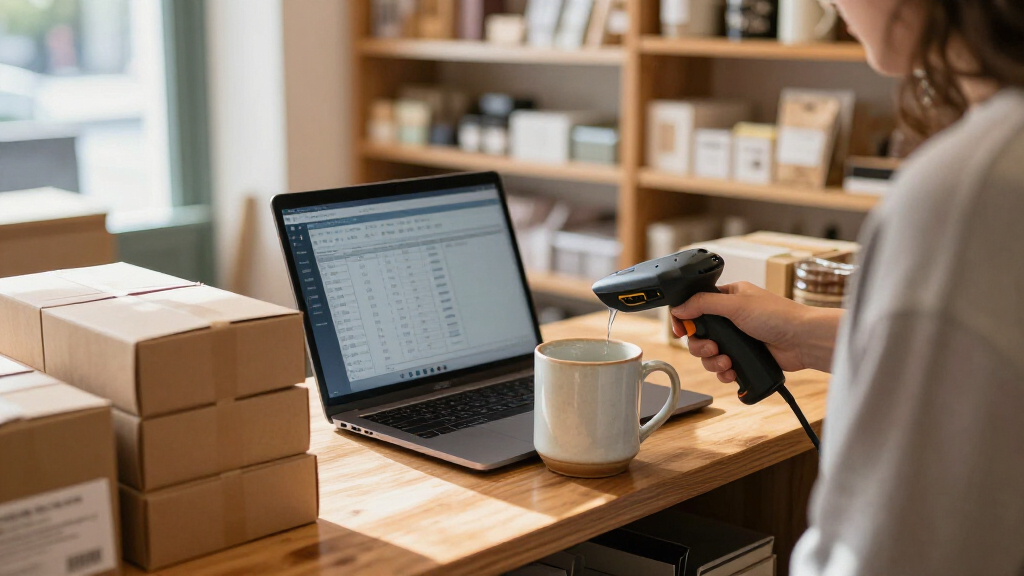
I compared these 15 scanners through the needs of a small business: checkout speed, inventory work, ease of connection, barcode compatibility, and how well each design suits a fixed counter or mobile tasks. I gave extra weight to support for both 1D and 2D codes because businesses may encounter QR codes on products, receipts, or internal labels. I also looked at whether a scanner is wired, wireless, handheld, or designed for hands-free use, since these distinctions shape daily workflow as much as scanning capability.
The order favors versatility and practical fit over feature counts alone. A scanner with broader barcode support and a clear business use case ranks ahead of a basic 1D reader when it can serve more tasks, while compact or specialized models remain useful for specific setups. I also considered the tradeoffs: wireless units require attention to charging and pairing, wired models limit movement, and counter scanners may not suit stockroom work. No single format is right for every small business, so the ranking reflects which options offer the most useful balance for common needs.
Factors to Consider When Choosing Barcode Scanners For Small Business
Before choosing a scanner, I’d map the jobs it needs to handle rather than shopping by connection type alone. A modest checkout counter, a stockroom, and a mobile service business can have very different scanning demands.
Match Barcode Support to Your Labels
Start by checking the codes already printed on your products and documents. 1D scanners read conventional linear barcodes, which may be enough for many retail labels and inventory tags. A 2D-capable scanner can also read QR-style codes, which matters if suppliers, loyalty programs, or internal systems use them. A common mistake is choosing only for today’s labels; first confirm whether your point-of-sale or inventory software will introduce 2D codes. Broader support can reduce the chance of replacing a scanner later, but it may be unnecessary for a business with a stable 1D-only workflow.
Choose Wired or Wireless Around Your Work Area
A wired scanner makes sense when the operator stays at one register and you want to avoid managing a battery. Wireless models give staff room to scan shelves, cartons, or items too large to bring to a counter. That flexibility is useful only if the connection reaches the places where scanning happens and the scanner has a dependable charging routine. Bluetooth and 2.4GHz links are not interchangeable in every setup, so check compatibility with the host device and the included receiver or cradle. Don’t pay for mobility if the scanner will remain tethered to a checkout station all day.
Decide Between Handheld and Hands-Free Scanning
Handheld scanners are adaptable: staff can scan items at a register, on a shelf, or during receiving. Hands-free desktop models suit repetitive counter work, where products can be presented to the reader without picking up the scanner for each item. A stand can save small motions during busy checkout, but it takes counter space and does not replace a portable scanner for back-room tasks. Think about the shape and size of the items as well as how often staff need to handle them. A store that checks out small goods and counts stock may benefit from different scanner formats for each job.
Check Software and Device Compatibility Before Ordering
Many scanners connect through USB or Bluetooth, but a connection that appears simple can still depend on the operating system, point-of-sale app, and input settings. Confirm that the scanner works with the devices your staff actually use, including tablets or phones if those are part of the workflow. Ask whether your software expects barcode data as keyboard input or requires a supported driver or configuration. Compatibility is a system question, not just a cable question. Testing one unit with your checkout or inventory setup before outfitting multiple stations can prevent avoidable downtime and duplicate purchases.
Plan for Charging, Cables, and Shared Use
Wireless scanners need a place and routine for charging, while wired units need cables that can handle the layout and daily handling. In a shared workspace, a charging stand or cradle can make it easier to return a scanner to a known location between tasks. Battery indicators and screens may help staff spot a low charge, but they add features that matter less if a scanner stays plugged in. Consider who owns charging at shift change and whether the scanner must stay available during long receiving sessions. A small operational habit can matter more than a headline battery specification.
Pay for Durability and Flexibility You Will Use
A scanner used occasionally at a quiet counter has different demands from one handled across several shifts or carried through a stockroom. For heavier daily use, prioritize a build and support setup suited to repeated handling, plus the barcode range your business needs. For a new or low-volume operation, a straightforward wired reader may be easier to deploy than a more configurable wireless unit. Spend more when downtime or limited compatibility would disrupt work, not simply because a model has extra modes. Balance the cost of added capability against the number of tasks and locations it will actually serve.
Frequently Asked Questions
Should I buy a 1D or 2D scanner for a small retail business?
Choose a 1D model if your products and software rely only on conventional linear barcodes and that is unlikely to change. A 2D scanner also handles QR-style codes, giving you more room to support newer labels or workflows. Check the codes used by suppliers, loyalty programs, and your point-of-sale system rather than assuming all products use the same format. In this lineup, the Zebra DS4608-SR7U2100SGW and Tera HW0009 support both 1D and 2D, while several basic wired and wireless choices are 1D-only. If you are unsure, confirm your software’s barcode requirements before buying.
Is a wireless scanner worth it if I already have a checkout counter?
Wireless is most useful when staff need to scan items away from the register, such as during stock counts, receiving, or checking bulky products. If all scanning happens within reach of a computer, a wired model can reduce charging and pairing tasks. For a mixed workflow, consider whether the scanner’s range and connection type suit your layout rather than relying on the word wireless alone. Some options use Bluetooth, while others include a 2.4GHz receiver or support both methods. The better choice depends on where the work happens and how your devices connect.
Can a hands-free desktop scanner replace a handheld model?
It can replace a handheld scanner for a fixed checkout lane where staff repeatedly present products to a counter reader. It is less suited to shelf audits, receiving, or scanning large items that cannot be positioned conveniently near the stand. A desktop scanner also occupies counter space, which can be a concern in a compact shop. Models such as the NetumScan Desktop and Eyoyo 2D USB Hands-Free fit stationary work better than general stockroom tasks. If one device must cover both locations, a handheld unit is usually the more flexible format.
What should I verify before connecting a scanner to my point-of-sale system?
Check that the scanner’s connection type works with the register, computer, or tablet and that your POS software accepts its input format. Also verify barcode compatibility, especially if the system uses QR codes or other 2D labels. Some setups may need a specific pairing process, receiver, driver, or configuration setting even when the scanner appears to connect normally. Confirm whether the scanner can enter data in the order your software expects, including any required suffix or prefix behavior. A single-unit trial at the actual register is a practical way to catch issues before rolling out scanners across the business.
When does a small business need a premium or more feature-rich scanner?
A more capable scanner makes sense when it will serve multiple jobs, handle both 1D and 2D labels, or support frequent scanning across different work areas. A built-in display or multiple connection modes may help in a workflow where staff need status information or use varied devices, as with the Tera HW0009. For a simple, stationary 1D checkout task, those extras may add complexity without improving daily work. Think about the impact of a scanner failure, the number of users, and whether a single model can cover several stations or tasks. Pay for features that reduce a real bottleneck, not ones that will sit unused.
Conclusion
For a single scanner that needs to cover varied small-business tasks, I’d choose the Zebra DS4608-SR7U2100SGW as best overall for its 1D and 2D support. The NetumScan USB 1D CCD is a sensible best-value direction for a basic wired workflow, while the Tera HW0009 is my best premium-style pick for buyers who want a screen and multiple wireless connection options. Beginners who want a straightforward counter setup can start with a wired USB model, such as the WoneNice WN3300 for 1D labels or the Anyeast for 1D/2D support. For fixed checkout, consider the NetumScan Desktop or Eyoyo hands-free reader; for compact mobile scanning, look at the Eyoyo Mini. Match the scanner to your barcode formats, devices, and work area, and the right choice should become clear.
Halloween Picks
halloween
As an affiliate, we earn on qualifying purchases.