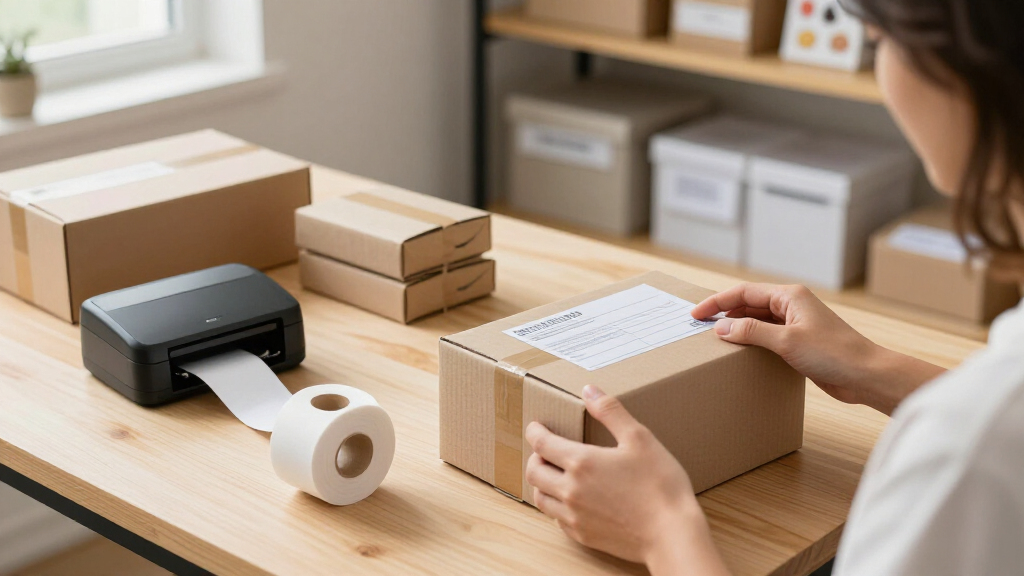

Finding the right portable label maker for small business involves balancing portability, usability, and versatility. The Brother P-Touch PT-D610BT stands out as the best overall with its professional features and Bluetooth connectivity, making it ideal for on-the-go labeling. The NIIMBOT B2 offers a compact design with easy Bluetooth pairing, perfect for quick, casual labeling tasks. Meanwhile, the Phomemo 241BT provides a budget-friendly thermal printing option, though it sacrifices some customization options. Buyers face tradeoffs between advanced features, ease of use, and price, so continue reading for a detailed breakdown of each option.

Get business pricing on office and shipping supplies
- Business-only prices and quantity discounts
- Tax-exempt purchasing
- Multiple users, one account, clear invoices
Key Takeaways
- The top picks balance portability with functionality, ensuring small businesses can print labels on the go without sacrificing quality.
- Bluetooth connectivity is a common feature among the best models, enabling seamless pairing with smartphones and tablets.
- Thermal printing options tend to be more compact and maintenance-free but often lack customization features found in tape-based models.
- Price varies significantly, with some premium options offering extensive features, while budget models focus on core labeling needs.
- Build quality and tape compatibility are key considerations that influence long-term durability and ease of use.
| Brother P-Touch PT-D610BT Business Professional Connected Label Maker with Bluetooth® |  | Best for High-Volume Business Labeling | Printer type: Thermal | Maximum label width: Up to 24 mm (1 in) | Connectivity: Bluetooth and USB | VIEW LATEST PRICE | See Our Full Breakdown |
| SUPVAN T50M Pro Bluetooth Label Maker with 3 Tapes |  | Best for Flexible Label Widths | Printer type: Thermal | Print output: Monochrome | Resolution: 203 dpi | VIEW LATEST PRICE | See Our Full Breakdown |
| NIIMBOT B2 Portable Bluetooth Label Maker with Tape, Green and White |  | Best for Repeat Jobs Away from a Desk | Printer type: Thermal | Print output: Monochrome | Print resolution: 203 dpi | VIEW LATEST PRICE | See Our Full Breakdown |
| Phomemo 241BT Bluetooth Thermal Label Printer with 20 Labels |  | Best for Shipping Workflows | Printer type: Thermal | Connectivity: Bluetooth and USB | Supported label width: 1–4.6 inches | VIEW LATEST PRICE | See Our Full Breakdown |
| NIIMBOT B1 Bluetooth Label Maker with 3 Rolls of White Labels, Blue |  | Best Compact Starter Kit | Printer type: Thermal | Print output: Monochrome | Print resolution: 203 × 203 dpi | VIEW LATEST PRICE | See Our Full Breakdown |
| SUPVAN E11 Keyboard and Bluetooth Label Maker with 4 Tapes |  | Best for Keyboard-and-App Flexibility | Printer type: Thermal, monochrome | Connectivity and controls: Bluetooth; app, push button, and keyboard | Display: LCD | VIEW LATEST PRICE | See Our Full Breakdown |
| Brother P-touch PT-N10 Personal Handheld Label Maker |  | Best for Simple, Phone-Free Labeling | Printer type: Thermal | Power: Six AAA batteries, sold separately | Compatible tape: Brother P-touch Btag, 12 mm wide and 4 m long | VIEW LATEST PRICE | See Our Full Breakdown |
| PM240 Bluetooth Thermal Label Maker with 3 Label Rolls |  | Best for Batch Printing from Multiple Devices | Printer type: Thermal, monochrome | Print resolution: 203 × 203 dpi | Connectivity: Bluetooth and USB | VIEW LATEST PRICE | See Our Full Breakdown |
| Brother P-touch PT-D210 Label Maker Bundle with 4 Tapes |  | Best for Durable, Formatted Labels | Printer type: Thermal, monochrome | Display: LCD | Resolution: 180 × 180 dpi | VIEW LATEST PRICE | See Our Full Breakdown |
| Rongta R22A Bluetooth Thermal Label Maker |  | Best Compact Pick for Phone-First Sellers | Printer type: Thermal, monochrome | Connectivity: Bluetooth | Compatible devices: Android and iOS smartphones and tablets | VIEW LATEST PRICE | See Our Full Breakdown |
| NDYIN N12 Bluetooth Thermal Label Maker with Tape, Green |  | Best for Simple, Fixed-Size Labels | Printer type: Thermal | Connectivity: Bluetooth | Compatibility: iOS and Android smartphones and tablets | VIEW LATEST PRICE | See Our Full Breakdown |
| Phomemo M110 Label Printer – Baby Pink |  | Best for Flexible Label Sizes | Printer type: Thermal | Connectivity: Bluetooth; USB for PC/Mac listed as beta | Compatible devices: iOS and Android devices; PC/Mac USB support in beta | VIEW LATEST PRICE | See Our Full Breakdown |
| Phomemo M110 Portable Bluetooth Thermal Label Printer |  | Best for Batch Labeling | Printer type: Thermal | Print output: Monochrome | Connectivity: Bluetooth 4.0 | VIEW LATEST PRICE | See Our Full Breakdown |
| NADAIIN N20 Portable Bluetooth Thermal Label Printer |  | Best for Durable Everyday Tags | Printer type: Direct thermal | Connectivity: Bluetooth | Compatible devices: Smartphones and tablets | VIEW LATEST PRICE | See Our Full Breakdown |
| Rongta R22 Bluetooth Thermal Label Maker |  | Best for Phone-Only Workflows | Printer type: Thermal | Connectivity: Bluetooth | Compatible devices: Android and iOS phones and tablets | VIEW LATEST PRICE | See Our Full Breakdown |
| portable label makers for small business | Printer type | Connectivity | Print resolution |
|---|---|---|---|
| Brother P-Touch PT-D610BT Busi | Thermal | Bluetooth and USB | — |
| SUPVAN T50M Pro Bluetooth Labe | Thermal | Compatible with Android and iOS devices | — |
| NIIMBOT B2 Portable Bluetooth | Thermal | Bluetooth and USB | 203 dpi |
| Phomemo 241BT Bluetooth Therma | Thermal | Bluetooth and USB | 203 × 203 dpi |
| NIIMBOT B1 Bluetooth Label Mak | Thermal | Bluetooth and USB | 203 × 203 dpi |
| SUPVAN E11 Keyboard and Blueto | Thermal, monochrome | — | 203 dpi |
| Brother P-touch PT-N10 Persona | Thermal | USB | 180 × 180 dpi |
| PM240 Bluetooth Thermal Label | Thermal, monochrome | Bluetooth and USB | 203 × 203 dpi |
| Brother P-touch PT-D210 Label | Thermal, monochrome | — | — |
| Rongta R22A Bluetooth Thermal | Thermal, monochrome | Bluetooth | 203 × 203 dpi |
| NDYIN N12 Bluetooth Thermal La | Thermal | Bluetooth | 203 × 203 dpi |
| Phomemo M110 Label Printer | Thermal | Bluetooth; USB for PC/Mac listed as beta | — |
| Phomemo M110 Portable Bluetoot | Thermal | Bluetooth 4.0 | 203 dpi |
| NADAIIN N20 Portable Bluetooth | Direct thermal | Bluetooth | 203 dpi |
| Rongta R22 Bluetooth Thermal L | Thermal | Bluetooth | 203 × 203 dpi |
More Details on Our Top Picks
Brother P-Touch PT-D610BT Business Professional Connected Label Maker with Bluetooth®
For a small business that labels inventory, equipment, or storage consistently, the Brother PT-D610BT offers more built-in workflow support than the app-led NIIMBOT B1. Its QWERTY keyboard and full-color preview let staff compose and check labels directly on the machine, while Bluetooth and USB provide phone and computer options. The automatic cutter and memory for frequently used labels can speed up repeated runs and reduce retyping. Its 175 business templates also give it an advantage for asset and inventory tasks over more general-purpose models such as the SUPVAN T50M Pro. The tradeoff is a wider, more business-focused setup than a pocket-sized labeler, and it has no Wi-Fi. I’d choose it for repeatable desk-based work, not for the lightest mobile kit.
Pros:- Bluetooth and USB support label creation from compatible mobile devices and computers.
- Full-color LCD preview helps catch layout mistakes before printing.
- Automatic cutter and QWERTY keyboard support faster, more controlled repeat jobs.
- Business templates and memory for up to 90 frequently used labels suit recurring labeling tasks.
Cons:- No built-in Wi-Fi; connections are limited to Bluetooth or wired USB.
- The feature-rich business setup is more than occasional, basic labeling may require.
- The listed power supply is an AC adapter, which is less convenient for untethered use.
Best for: Small-business owners or staff who print recurring inventory, asset, and equipment labels and want both a physical keyboard and device connectivity.
Not ideal for: Mobile sellers who need a small, battery-powered labeler to carry between markets; this model is better suited to a work surface and its listed power supply is an AC adapter.
- Printer type:Thermal
- Maximum label width:Up to 24 mm (1 in)
- Connectivity:Bluetooth and USB
- Display:20-character, 2-line full-color LCD
- Label memory:Stores up to 90 frequently used labels
- Cutter:Automatic
- Business templates:175 pre-loaded
- Power supply:AC adapter included
Our verdict“Choose the PT-D610BT if your small business prints frequent, varied labels at a workstation and values templates, preview, and hands-on controls over pocket portability.”
SUPVAN T50M Pro Bluetooth Label Maker with 3 Tapes
The SUPVAN T50M Pro is a practical pick when one small business needs labels for several jobs, from narrow shelf markers to wider packaging or storage labels. Its 3/4–2-inch width range is more flexible than the Brother PT-D610BT’s maximum 1-inch media, while the included three tapes help get a basic workflow started. Editing runs through an Android or iOS app, which offers a large collection of fonts, frames, and icons; thermal printing also avoids ink and toner supplies. Compared with the Phomemo 241BT, however, this is not the better fit for standard wide shipping labels: its maximum width is 2 inches, not 4.6. Monochrome output and app-dependent editing are the main compromises, especially for staff who prefer a built-in keyboard.
Pros:- Supports label widths from 3/4 to 2 inches for varied small-business labeling tasks.
- Includes three tapes, reducing the need to source initial media separately.
- Thermal printing operates without ink or toner.
- App provides more than 30 fonts, 50 frames, and 660 icons.
Cons:- Monochrome output does not support color-coded labels.
- Many editing functions require a compatible phone or tablet rather than standalone controls.
- Its 2-inch maximum width is too narrow for full-size shipping labels.
Best for: Small retailers and makers who need one compact device for product, shelf, and package labels in several widths and already use Android or iOS devices.
Not ideal for: Online sellers printing full-size shipping labels or teams that need standalone keyboard entry; its media tops out at 2 inches and editing relies on a compatible device.
- Printer type:Thermal
- Print output:Monochrome
- Resolution:203 dpi
- Label width:3/4–2 inches
- Connectivity:Compatible with Android and iOS devices
- Weight:303 g
- Dimensions:5.9 × 2.6 × 4.3 inches
- Included tapes:3
Our verdict“Pick the T50M Pro for app-based product and shelf labeling across multiple narrow-to-medium widths, but choose the Phomemo 241BT for wider shipping labels.”
NIIMBOT B2 Portable Bluetooth Label Maker with Tape, Green and White
The NIIMBOT B2 suits a small business that needs to print recurring labels while moving around a stockroom or packing area. Its one-button offline printing, automatic label recognition, and rewind features are a more task-focused combination than the app-dependent SUPVAN T50M Pro, particularly when repeating a prepared label. Bluetooth and USB give it two connection paths, and support for 20–50 mm media covers a useful range of compact business labels. The app adds batch printing and a broad set of fonts and icons for jobs that need more customization. There are limits: it does not work with tablets, and USB printing on Windows PCs requires driver installation. Compared with the NIIMBOT B1, the B2’s stated width range is broader, but buyers should check device compatibility before making it their shared team printer.
Pros:- One-button offline printing supports quick repeat tasks without a fresh app editing session.
- Automatic label recognition and rewind help manage media during printing.
- Bluetooth and USB provide connection choices for compatible phones and Windows PCs.
- 20–50 mm label support and app batch printing serve varied repeat-label workflows.
Cons:- Not compatible with tablets.
- USB printing requires driver installation.
- Monochrome output limits color-based organization.
Best for: Small-business stockroom or fulfillment staff who repeat prepared labels and want a portable machine with both Bluetooth and USB options.
Not ideal for: Teams that rely on iPads or other tablets, or businesses that want a plug-and-print Windows USB setup without installing a driver.
- Printer type:Thermal
- Print output:Monochrome
- Print resolution:203 dpi
- Supported label width:20–50 mm
- Connectivity:Bluetooth and USB
- Compatible devices:iOS and Android smartphones; Windows PCs
- Weight:352 g
- Dimensions:4.96 × 3.58 × 2.64 inches
Our verdict“Choose the B2 for mobile stockroom work and repeat printing if your devices are compatible, but skip it if tablet support is a requirement.”
Phomemo 241BT Bluetooth Thermal Label Printer with 20 Labels
For a small business shipping orders regularly, the Phomemo 241BT fills a different role from handheld label makers: it handles media up to 4 × 6 inches, making it the lineup’s clear fit for full-size shipping labels. Its Bluetooth and USB connections, broad operating-system compatibility, and listed speed of up to 150 mm/s are useful for a packing station shared across different devices. Against the Brother PT-D610BT, it gives up the built-in keyboard, display, and business templates in favor of wider media and shipping-focused output. It also prints only in monochrome, and phone or tablet printing requires the Labelife app. At 720 g and roughly 6.3 × 8.66 × 4.41 inches, it is portable between work areas but not pocket-sized. I’d favor it for parcels, not small asset tags.
Pros:- Supports media up to 4 × 6 inches for standard shipping-label workflows.
- Bluetooth and USB connections work across a wide range of listed operating systems.
- Thermal printing avoids ink and toner.
- Print speed is listed at up to 150 mm/s.
Cons:- Monochrome printing does not support color labels.
- Phone and tablet printing requires the Labelife app.
- Larger and heavier than compact handheld models such as the NIIMBOT B2.
Best for: Online sellers and small fulfillment teams that print full-size parcel labels from phones or computers at a packing station.
Not ideal for: Market vendors needing a genuinely pocketable labeler or businesses focused on narrow inventory and asset labels rather than shipping media.
- Printer type:Thermal
- Connectivity:Bluetooth and USB
- Supported label width:1–4.6 inches
- Maximum media size:4 × 6 inches
- Print speed:Up to 150 mm/s
- Print resolution:203 × 203 dpi
- Compatible systems:iOS, Android, Windows, Mac OS, Chrome OS, and Linux
- Weight:720 g
Our verdict“Choose the Phomemo 241BT if shipping labels are your main need; for smaller inventory labels and direct keyboard entry, the Brother PT-D610BT is a better match.”
NIIMBOT B1 Bluetooth Label Maker with 3 Rolls of White Labels, Blue
The NIIMBOT B1 makes sense for a solo seller or tiny shop that wants a straightforward, compact way to label products, containers, or small packages. At 10.4 ounces, it is easier to carry than the Phomemo 241BT, and three included rolls in different formats give buyers a more useful starting set than a bare printer. Its Bluetooth app supports iOS and Android, with fonts, borders, and symbols for simple label customization. The B1 is less suited to broad media needs than the SUPVAN T50M Pro, which supports widths up to 2 inches; the B1’s listed formats are specific sizes rather than a continuous width range. PC use is possible over USB, but it requires a downloaded driver, and the model is not compatible with iPad. That makes it a compact starter, not a flexible shared-device workhorse.
Pros:- Compact 10.4-ounce design is convenient to carry between work areas or market stalls.
- Includes three rolls in listed label formats.
- Bluetooth printing supports iOS and Android devices.
- App offers more than 30 fonts, 100 borders, and 1,500 symbols.
Cons:- Not compatible with iPad.
- PC printing over USB requires downloading a driver from the NIIMBOT website.
- Listed label formats are specific sizes, limiting flexibility compared with the T50M Pro’s stated width range.
Best for: Solo makers, market sellers, and small shops printing compact product or container labels from an iOS or Android phone.
Not ideal for: Businesses that need wide shipping labels, iPad compatibility, or a printer several employees can connect to from different device types without setup.
- Printer type:Thermal
- Print output:Monochrome
- Print resolution:203 × 203 dpi
- Connectivity:Bluetooth and USB
- Compatible devices:iOS, Android, and PC
- Supported label sizes:50 × 30 mm, 50 × 80 mm, and 50 × 50 mm round
- Included labels:3 rolls
- Weight:10.4 ounces
Our verdict“Choose the B1 as a compact, phone-first starter for small product labels, but pick the T50M Pro if you need a broader range of label widths.”
SUPVAN E11 Keyboard and Bluetooth Label Maker with 4 Tapes
The E11 is a flexible fit for small businesses that switch between quick, on-device labels and more designed jobs made in an app. Its built-in keyboard and LCD mean a phone is not required for basic printing, while Bluetooth app controls add access to fonts, frames, icons, and languages when a label needs more customization. Unlike the phone-focused Rongta R22A, it can handle text entry directly on the machine; compared with the Brother PT-D210, it adds rechargeable power and app-based editing.
That versatility has limits: output is monochrome at 203 dpi, and manual duplex printing can slow repeated jobs. The compact 8-ounce body and stated battery life of up to a month per charge suit mobile stockrooms and pop-up sellers, though buyers needing computer connectivity or color labels should look elsewhere. Four included tapes—two continuous and two die-cut—make it ready for varied small labeling tasks.
Pros:- Keyboard and LCD allow basic label creation without a smartphone
- Bluetooth app adds fonts, frames, icons, and 17 languages
- Rechargeable 1200 mAh battery is rated for up to one month per charge
- Supports continuous and die-cut labels and includes four tapes
Cons:- Monochrome printing limits branded label designs
- Manual duplex printing can make repeated jobs slower
- Maximum media size is 15 mm wide, restricting larger formats
Best for: Small-shop owners who want both on-device typing for quick stock labels and app customization for more varied packaging or organization labels.
Not ideal for: Businesses that need color output, computer connectivity, or fast unattended printing of large label batches.
- Printer type:Thermal, monochrome
- Connectivity and controls:Bluetooth; app, push button, and keyboard
- Display:LCD
- Print resolution:203 dpi
- Battery:1200 mAh rechargeable; up to one month per charge
- Label formats:Continuous and die-cut
- Maximum media size:15 mm × 6 m
- Weight and dimensions:0.5 lb; 5.8 × 3.1 × 1.5 in
- Included items:USB-C cable, two white continuous tapes, and two white die-cut tapes
Our verdict“Choose the E11 if you want compact, rechargeable printing with both standalone keyboard controls and app-based customization.”
Brother P-touch PT-N10 Personal Handheld Label Maker
The PT-N10 favors direct, uncomplicated operation over app-driven flexibility. Its QWERTY keyboard, 12-character preview, and built-in cutter let staff compose and trim short labels at a packing bench without opening a phone app. It can print two lines and store up to 10 labels for repeat jobs, which is useful for recurring bin names or basic shelf tags. Compared with the app-connected SUPVAN E11, it offers a more traditional standalone workflow, but its 180 × 180 dpi resolution and limited font selection give less room for design variety.
This is a personal handheld model rather than a broad-format shop printer: it uses 12 mm Brother P-touch Btag tape only, and power comes from six AAA batteries sold separately. The Brother PT-D210 accepts several tape widths and supplies more fonts, frames, and symbols, making it a better pick for varied label layouts. Choose the N10 when simple, repeatable text matters more than tape choice or app features.
Pros:- QWERTY keyboard and preview support direct label creation
- Built-in cutter avoids trimming labels by hand
- Stores up to 10 labels for repeat printing
- Prints up to two lines with frames and symbols
Cons:- Requires six AAA batteries, which are sold separately
- Works only with 12 mm Brother P-touch Btag tape
- Fewer font and layout options than the Brother PT-D210
Best for: Small retailers or craft sellers who need quick, short text labels at a workstation and prefer typing on a physical keyboard.
Not ideal for: Businesses that need app-designed labels, wider tape choices, extensive formatting, or rechargeable power.
- Printer type:Thermal
- Power:Six AAA batteries, sold separately
- Compatible tape:Brother P-touch Btag, 12 mm wide and 4 m long
- Keyboard and display:QWERTY keyboard; 12-character display
- Print resolution:180 × 180 dpi
- Text and formatting:Up to two lines; 3 fonts, 6 styles, 10 frames, and 200 symbols
- Label memory:Up to 10 labels
- Weight and dimensions:16 oz; 7.6 × 4.7 × 2.8 in
- Connectivity:USB
Our verdict“Pick the PT-N10 for straightforward, keyboard-led labeling when its single compatible tape width meets your shop’s needs.”
PM240 Bluetooth Thermal Label Maker with 3 Label Rolls
The PM240 is the most workflow-oriented pick here for sellers who prepare batches of product or packaging labels. Its app supports Excel import and batch printing, and Bluetooth plus USB provide more ways to connect than the phone-only Rongta R22A. The included rolls—two rectangular sizes and a pink round format—also make it easier to start testing different label shapes without sourcing each roll separately. RFID label-size recognition and auto paper rewind are aimed at reducing setup friction during routine jobs.
Its broader connectivity does not make it a universal label printer: output is monochrome, and reliable label detection depends on compatible TYPONOS PM240 labels. The 1500 mAh battery and compact 207 g body support portable use, but the power adapter is not included. Compared with the keyboard-equipped SUPVAN E11, the PM240 is better for app-led batches and device flexibility, not for typing labels directly on the printer.
Pros:- Bluetooth and USB support connection to phones, tablets, and PCs
- App offers Excel import and batch printing
- Three included rolls cover rectangular and round label formats
- RFID size recognition and auto paper rewind simplify setup
Cons:- Monochrome output does not support color branding
- Reliable label detection requires compatible TYPONOS PM240 labels
- Power adapter is not included
Best for: Online sellers and small teams that import product data and print repeated label batches from phones, tablets, or a PC.
Not ideal for: Businesses that need on-device typing, color labels, or freedom to use label media without checking compatibility.
- Printer type:Thermal, monochrome
- Print resolution:203 × 203 dpi
- Connectivity:Bluetooth and USB
- Compatible devices:PCs, smartphones, and tablets
- Battery:1500 mAh; up to 100 days standby per full charge
- Included labels:Three rolls: 40 × 30 mm white rectangle, 50 × 80 mm white rectangle, and 50 mm pink round
- Supported label formats:1–2 inch square, round, and transparent labels
- Special features:RFID label-size recognition, auto paper rewind, and app control
- Weight and dimensions:207 g; 3.33 × 4.63 × 2.32 in
Our verdict“Choose the PM240 if your small business values batch workflows, multiple connection options, and a starter selection of label shapes.”
Brother P-touch PT-D210 Label Maker Bundle with 4 Tapes
The PT-D210 is a stronger choice than the PT-N10 when a small business needs more control over text styling and durable tape options. It offers 14 fonts, 98 frames, over 600 symbols, and 27 templates, with an LCD preview that helps catch layout mistakes before printing. Four included tapes give a new shop useful media on hand, while Brother TZe compatibility spans widths from 3.5 to 12 mm. Its laminated labels are described as water- and fade-resistant, a practical advantage for storage areas and handling-heavy work.
The tradeoff is a less mobile power setup: it runs on six AAA batteries or an optional AC adapter, and neither the batteries nor adapter is included. At 1.1 lb, it is also heavier than the SUPVAN E11, which has a rechargeable battery and app control. The D210 makes more sense when tape durability and on-device formatting matter more than lighter carry or wireless editing.
Pros:- Large selection of fonts, frames, symbols, and templates
- LCD allows label preview before printing
- Includes one sample tape and three full-length tapes
- Brother TZe laminated tapes are water- and fade-resistant
Cons:- Six AAA batteries are sold separately
- AC adapter and protective case are optional
- Heavier than compact rechargeable options such as the SUPVAN E11
Best for: Small retailers, studios, and stockrooms that need formatted labels on durable tape in several widths.
Not ideal for: Mobile sellers who want a lightweight rechargeable device or app-based label design without buying extra power accessories.
- Printer type:Thermal, monochrome
- Display:LCD
- Resolution:180 × 180 dpi
- Supported tape widths:3.5, 6, 9, and 12 mm
- Included tapes:One sample tape and three full-length tapes
- Power:Six AAA batteries or optional AC adapter
- Formatting:14 fonts, 98 frames, over 600 symbols, and 27 templates
- Weight and dimensions:1.1 lb; 5.9 × 6.2 × 2.7 in
Our verdict“Choose the PT-D210 bundle if durable tape and extensive standalone formatting matter more than rechargeable portability.”
Rongta R22A Bluetooth Thermal Label Maker
At 120 g and 3 × 1 × 2 inches, the R22A is the easiest option here to tuck into a small packing station or carry between selling locations. It prints wirelessly from iOS and Android devices through the RONGTA app, so sellers can create labels with fonts, templates, borders, and symbols without carrying a separate keyboard. Compared with the Brother PT-N10, it is far smaller and rechargeable, though it gives up the N10’s physical keyboard and label memory.
The R22A’s narrow focus is also its main compromise. It is monochrome only and does not support computers, unlike the USB-capable PM240. One 2 × 1.18-inch roll is included, and the maximum media size is 2 inches, so buyers should check that format against their product labels before choosing it. This is a sensible portable companion for basic stock and packaging labels, not a substitute for a fuller desktop workflow.
Pros:- Very compact 120 g design suits mobile selling and tight workspaces
- Bluetooth printing works with iOS and Android phones and tablets
- Rechargeable battery avoids disposable batteries
- App provides customizable fonts, templates, borders, and symbols
Cons:- Not compatible with computers
- Monochrome printing limits label design
- Includes only one roll and supports media up to 2 inches
Best for: Solo makers and market sellers who create simple labels from an iOS or Android phone and want a printer small enough to carry.
Not ideal for: Teams that print from computers, require wider media, or need color output and a physical keyboard.
- Printer type:Thermal, monochrome
- Connectivity:Bluetooth
- Compatible devices:Android and iOS smartphones and tablets
- Print resolution:203 × 203 dpi
- Print speed:30 pages per minute
- Maximum media size:2 inches
- Included labels:One 2 × 1.18-inch roll
- Battery:Built-in rechargeable battery
- Weight and dimensions:120 g; 3 × 1 × 2 in
Our verdict“Pick the R22A for basic phone-made labels when portability matters more than computer support or broader media options.”
NDYIN N12 Bluetooth Thermal Label Maker with Tape, Green
The NDYIN N12 is a straightforward choice for a small business that repeatedly labels compact items such as jars, bins, or product samples. Its 180 included pre-cut labels let you start without choosing a roll size, while the lightweight, rechargeable design is easy to carry between a counter and storage area. The Nada Print app supplies plenty of symbols, frames, and fonts for basic branding and organization, and Bluetooth works with iOS and Android. Compared with the Phomemo M110, the N12 is less flexible because it uses fixed-length labels rather than a range of widths. That simplicity can suit repeat tasks, but it limits larger or differently shaped labels. It prints monochrome only, so it is not a fit for color-coded product lines.
Pros:- Includes 180 pre-cut white labels for getting started with repeat labeling tasks.
- Rechargeable, 4-ounce body is easy to move around a shop or workroom.
- Nada Print app includes more than 1,000 symbols, 270 frames, and 100 fonts.
- Bluetooth support works with iOS and Android phones and tablets.
Cons:- Fixed-length labels offer less flexibility than the Phomemo M110’s 20–50 mm label-width range.
- Monochrome output cannot support color-coded labels or colored branding.
- Small pre-cut format is limiting for long descriptions or shipping information.
Best for: Small-business owners who mainly label compact products or storage items with a consistent label size and want a light, phone-operated printer.
Not ideal for: Sellers who need adjustable label lengths, color output, or labels large enough for shipping and detailed product information.
- Printer type:Thermal
- Connectivity:Bluetooth
- Compatibility:iOS and Android smartphones and tablets
- Print resolution:203 × 203 dpi
- Label media:180 pre-cut white labels, 14 × 40 mm
- Battery:Built-in rechargeable lithium battery
- Weight:4 ounces
- Dimensions:1.25 × 3.03 × 4.29 inches
Our verdict“Choose the N12 for lightweight, repeat printing of small fixed-size labels, but pick the Phomemo M110 if varied label widths matter more.”
Phomemo M110 Label Printer – Baby Pink
For a small business with different packaging formats, the Phomemo M110’s 20–50 mm label-width range is more useful than the N12’s fixed pre-cut format. That width flexibility can accommodate varied product labels and stockroom tags without keeping a separate compact printer for each task. Its app offers templates, fonts, and AI-assisted design tools, while Bluetooth printing from iOS and Android keeps the setup mobile. At 1.2 inches per second, it is suited to short runs rather than high-volume label production. The stated four-hour battery life supports work away from an outlet, but the full app feature set requires a subscription. USB computer support is still in beta, so I would choose the Bluetooth-first M110 over the Rongta R22 only when variable label width and app-based design matter more than computer compatibility.
Pros:- Supports labels from 20 to 50 mm wide for more format flexibility than the NDYIN N12.
- App offers more than 130 fonts, 300 templates, and AI-powered design tools.
- Bluetooth printing works with iOS and Android devices.
- Compact body and stated four-hour battery life suit mobile or small-workspace use.
Cons:- Full feature access in the Print Master app requires a subscription.
- USB support for PC and Mac is still in beta.
- Print speed of 1.2 inches per second is better suited to short batches than busy production runs.
Best for: Mobile sellers who print several small label formats for products, packaging, or inventory and are comfortable designing from a phone or tablet.
Not ideal for: Businesses that depend on reliable computer printing, want every app feature without a subscription, or need sustained high-volume output.
- Printer type:Thermal
- Connectivity:Bluetooth; USB for PC/Mac listed as beta
- Compatible devices:iOS and Android devices; PC/Mac USB support in beta
- Print speed:1.2 inches per second
- Resolution:203 dpi
- Label width:20–50 mm
- Battery life:Up to 4 hours
- Included labels:100 starter labels, 40 × 30 mm
Our verdict“Pick the M110 if your products need varied label widths and app-based customization; skip it if dependable computer printing or unrestricted app tools are priorities.”
Phomemo M110 Portable Bluetooth Thermal Label Printer
The Phomemo M110 earns a distinct place for small businesses that need to repeat product or inventory labels in batches. Its app supports Excel batch printing, editable templates, and OCR that can turn text in a photo into editable content—practical tools when a shop is moving existing product details into a new label workflow. Like the baby-pink M110, it handles 20–50 mm labels and prints monochrome at 203 dpi; unlike the NDYIN N12, it is not tied to one pre-cut label length. The tradeoff is scope: this model is explicitly not suitable for shipping labels and cannot print in color. Some app fonts, icons, and templates require paid membership, which can add friction for businesses seeking a fully open design library.
Pros:- Excel batch printing can speed up repeat labels for product or inventory lists.
- OCR can convert text in photos into editable text for label layouts.
- 20–50 mm label support offers more size flexibility than the fixed-format NDYIN N12.
- Includes a test label roll and USB-C cable.
Cons:- Not suitable for shipping labels.
- Monochrome output rules out color-coded or full-color product labels.
- Some templates, icons, and fonts require paid membership.
Best for: Small retailers or makers who regularly print batches of narrow product and inventory labels from spreadsheet data.
Not ideal for: Online sellers who need shipping labels, businesses that require color output, or teams unwilling to use app features with paid access limits.
- Printer type:Thermal
- Print output:Monochrome
- Connectivity:Bluetooth 4.0
- Bluetooth range:Up to 33 feet
- Label width:20–50 mm (0.78–2 inches)
- Print resolution:203 dpi
- Power capacity:1,500 mAh
- Included items:Test label roll, USB-C cable, and user manual
Our verdict“Choose this M110 for spreadsheet-driven batches of small monochrome labels, not for shipping workflows or color branding.”
NADAIIN N20 Portable Bluetooth Thermal Label Printer
The NADAIIN N20 is a practical pick for a shop that needs compact labels for stock bins, containers, or products handled during daily operations. It accepts compatible media from 20 to 50 mm wide, giving it more sizing flexibility than the fixed-label NDYIN N12, and its rechargeable 2,000 mAh battery supports printing away from a desk. The NADA Print app supplies fonts, frames, and icons for basic layout customization. The product describes compatible labels as waterproof, oil-resistant, and tear-resistant, which may suit labels exposed to routine handling; those media qualities are not a substitute for checking a label’s specific use requirements. The N20 remains a monochrome printer and is not designed for shipping labels. Compared with the Rongta R22, its listed battery capacity is larger, but it requires the NADA Print app for mobile connection.
Pros:- Accepts compatible labels from 20 to 50 mm wide, unlike the NDYIN N12’s fixed-length media.
- Rechargeable 2,000 mAh battery supports portable printing.
- NADA Print app includes more than 30 fonts, 50 frames, and 660 icons.
- Compatible labels are described as waterproof, oil-resistant, and tear-resistant.
Cons:- Not designed for shipping labels.
- Prints only in black and white.
- Mobile printing requires the NADA Print app.
Best for: Small-business operators who print monochrome product or stock labels in varying narrow widths and value a rechargeable printer for work away from a desk.
Not ideal for: Shipping sellers, computer-first teams, or businesses that need color-coded labels or want to avoid a dedicated mobile app.
- Printer type:Direct thermal
- Connectivity:Bluetooth
- Compatible devices:Smartphones and tablets
- Print resolution:203 dpi
- Supported label width:20–50 mm (3/4–2 inches)
- Maximum printing size:50 × 80 mm
- Battery:2,000 mAh rechargeable; USB charging
- Weight and dimensions:296 g (9.6 oz); 5 × 3 × 2.6 inches
Our verdict“The N20 suits businesses needing portable, varied-width product and stock tags, but it is not a shipping printer or a color-label solution.”
Rongta R22 Bluetooth Thermal Label Maker
The Rongta R22 makes the most sense for a small business that designs and prints labels entirely from phones or tablets. It connects over Bluetooth to iOS and Android devices, and the RONGTA app provides fonts, icons, borders, and templates for basic product and organization labels. Its up-to-four-hour rechargeable battery and compact body support moving between a sales counter, stockroom, and packing area. Compared with the Phomemo M110, the R22 has a simpler stated workflow: it does not offer the listed Excel batch printing and OCR features, but avoids relying on those tools if you only need straightforward app-based layouts. The bigger limitation is that it does not work with computers. Monochrome printing also rules out color coding, so this is best for simple, recurring labels rather than more involved production systems.
Pros:- Compact, portable design suits moving between a counter and stock area.
- Bluetooth printing works with Android and iOS phones and tablets.
- Rechargeable battery is specified for up to four hours of printing per charge.
- RONGTA app includes fonts, icons, borders, and templates.
Cons:- Does not support computer printing.
- Monochrome output cannot create color-coded labels.
- Charging adapter is not included.
Best for: Solo sellers and small shop teams that create straightforward labels from iOS or Android phones and need a rechargeable printer they can carry between work areas.
Not ideal for: Businesses that create labels from a PC or Mac, need batch tools such as Excel printing, or rely on color for product identification.
- Printer type:Thermal
- Connectivity:Bluetooth
- Compatible devices:Android and iOS phones and tablets
- Maximum label width:2.13 inches
- Print resolution:203 × 203 dpi
- Print output:Monochrome (black and white)
- Battery:1,500 mAh; up to 4 hours of printing per charge
- Charging port:USB Type-C
Our verdict“Choose the R22 for simple phone-based monochrome labeling on the move, but pick the Phomemo M110 if spreadsheet batches or computer workflows matter.”

How We Picked
These products were evaluated based on performance, usability, build quality, and value for small business owners. We prioritized models that are genuinely portable, meaning lightweight and compact enough for mobile use, yet capable of producing professional labels. Ease of operation, Bluetooth or wireless connectivity, and tape compatibility were critical factors, as they directly impact efficiency and convenience. We also considered price-to-feature balance, ensuring the options cater to a range of budgets without compromising essential functionality. The ranking reflects a combination of versatility, user-friendliness, and durability suitable for small business environments.| portable label makers for small business | Printer type | Connectivity |
|---|---|---|
| Brother P-Touch PT-D610BT Busi | Thermal | Bluetooth and USB |
| SUPVAN T50M Pro Bluetooth Labe | Thermal | Compatible with Android and iOS devices |
| NIIMBOT B2 Portable Bluetooth | Thermal | Bluetooth and USB |
| Phomemo 241BT Bluetooth Therma | Thermal | Bluetooth and USB |
| NIIMBOT B1 Bluetooth Label Mak | Thermal | Bluetooth and USB |
| SUPVAN E11 Keyboard and Blueto | Thermal, monochrome | — |
| Brother P-touch PT-N10 Persona | Thermal | USB |
| PM240 Bluetooth Thermal Label | Thermal, monochrome | Bluetooth and USB |
| Brother P-touch PT-D210 Label | Thermal, monochrome | — |
| Rongta R22A Bluetooth Thermal | Thermal, monochrome | Bluetooth |
| NDYIN N12 Bluetooth Thermal La | Thermal | Bluetooth |
| Phomemo M110 Label Printer | Thermal | Bluetooth; USB for PC/Mac listed as beta |
| Phomemo M110 Portable Bluetoot | Thermal | Bluetooth 4.0 |
| NADAIIN N20 Portable Bluetooth | Direct thermal | Bluetooth |
| Rongta R22 Bluetooth Thermal L | Thermal | Bluetooth |
Factors to Consider When Choosing Portable Label Makers For Small Business
Choosing the right portable label maker involves considering several key factors that go beyond just features. Small business owners should think about how often they’ll use the device, the types of labels needed, and the environments in which they’ll operate. Understanding these broader considerations helps avoid common pitfalls, like buying a device that’s too complex or underpowered for your specific needs. The following factors will guide you toward a model that delivers both convenience and professional results.Portability and Size
Portability is the primary reason for choosing a portable label maker. Look for compact, lightweight models that fit easily into bags or pockets, especially if you’ll be using it across different locations. However, smaller devices sometimes sacrifice screen size or button accessibility, so balance size with ease of use. Consider how often you’ll transport the device and if a slightly larger, more ergonomic model might offer better usability without sacrificing mobility.
Connectivity Options
Bluetooth or wireless connectivity is essential for modern portable label makers, allowing you to pair with smartphones or tablets for quick label design. This feature simplifies customization and eliminates the need for physical keyboards, which can be cumbersome in small devices. Be cautious, though, as some models with advanced connectivity might require apps that are not always intuitive or compatible across different operating systems. Weigh the convenience of wireless features against potential setup complexity.
Label Types and Tape Compatibility
The types of labels supported—such as tape-based or thermal printing—affect both the label quality and maintenance. Tape-based models offer more customization options like fonts and colors, but they require changing tapes and are generally bulkier. Thermal printers are more compact and maintenance-free but are limited to black-and-white printing. Choose based on your labeling needs: if you require vibrant, customizable labels, a tape-based model makes sense; for quick, durable labels, thermal options are ideal.
Ease of Use and Interface
An intuitive interface is vital, especially if multiple staff will operate the device. Look for models with clear screens, simple button layouts, and user-friendly apps. Complex or overly feature-rich devices can hinder quick labeling tasks, counteracting the benefit of portability. Prioritize models that strike a balance between functionality and simplicity to ensure smooth operation on busy days.
Cost of Consumables and Maintenance
Beyond the initial purchase, consider ongoing costs like tapes or thermal rolls. Some models feature refillable tapes, potentially reducing long-term expenses, while thermal printers eliminate the need for ink or ribbons but limit label variety. Evaluate how frequently you’ll need to replace consumables and whether the costs align with your budget. A device with cheaper, readily available supplies can save money over time.
Frequently Asked Questions
Can I use a portable label maker for labeling items outside my workspace?
Yes, most portable label makers are designed for on-the-go use, making them ideal for labeling items in warehouses, retail spaces, or even during deliveries. Their compact design ensures easy transport, and wireless connectivity allows you to design labels from a distance using your smartphone or tablet. Just ensure the device has sufficient battery life and durable labels for outdoor or rugged environments.
What’s the difference between thermal and tape-based label makers?
Thermal label makers print using heat, which means they don’t require ink or toner, making them low-maintenance and reliable for long-term use. They are typically compact and produce black-and-white labels. Tape-based models, on the other hand, use ink or color tapes, offering more customization options like different colors, fonts, and labels with backgrounds. The choice depends on whether you prioritize simplicity and durability or customization flexibility.
Are Bluetooth label makers compatible with all smartphones?
Most Bluetooth label makers are compatible with major smartphone platforms like iOS and Android, but it’s essential to verify compatibility with the manufacturer’s app before purchasing. Some devices may have limited app support or require specific versions of operating systems. Ensuring compatibility can prevent frustration and allow seamless label creation across your devices.
How durable are the labels produced by portable label makers?
The durability depends on the type of printing technology used. Thermal labels are generally resistant to water, fading, and abrasion, making them suitable for outdoor or industrial environments. Tape-based labels can also be very durable, especially if printed with high-quality tapes designed for harsh conditions. When selecting a device, consider your environment and whether labels need to withstand moisture, UV exposure, or handling.
Is it worth investing in a higher-end portable label maker?
Investing in a premium model often provides better build quality, more advanced features like extensive customization, and longer-lasting labels. For small businesses with frequent or specialized labeling needs, this investment can translate into improved efficiency and professional results. However, if your needs are basic and occasional, a more affordable model may suffice, saving you money without sacrificing essential functionality.
Conclusion
For small business owners who need a versatile, reliable device for frequent use, the Brother P-Touch PT-D610BT offers a strong balance of professional features and portability, making it the best overall choice. Budget-conscious users will find the Phomemo 241BT appealing for its affordability and simplicity. Those seeking a premium experience with extensive customization should consider higher-end options like the NIIMBOT B2. Beginners or infrequent users benefit from straightforward models like the Brother P-touch PT-N10, which combine ease of use with solid performance. Ultimately, your specific needs and workspace environment will determine the ideal pick.