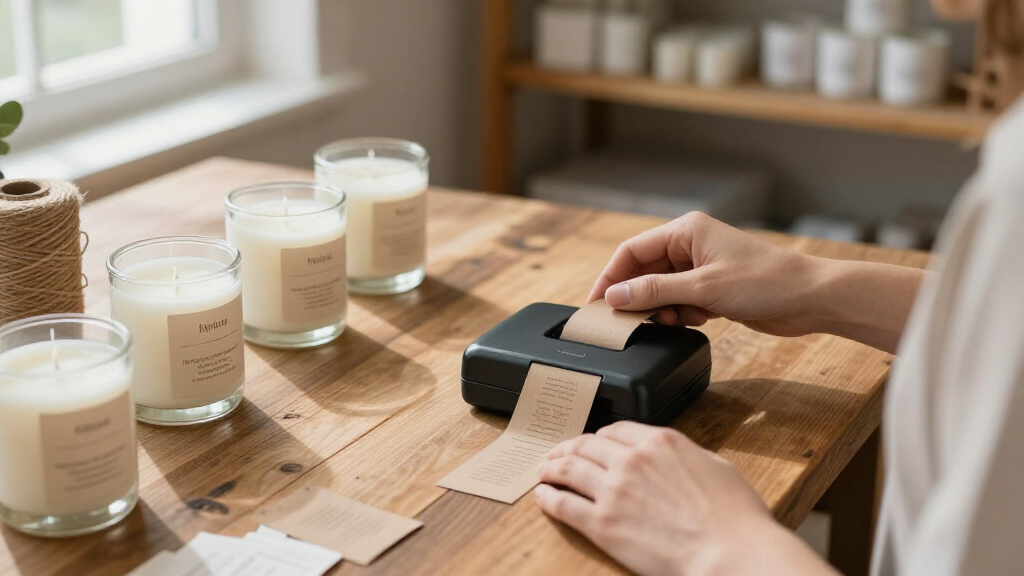

For small businesses that ship orders, the NULLTONEX 4×6 Bluetooth Thermal Shipping Label Printer stands out as my best overall pick for producing standard shipping labels without ink. The Phomemo M110 suits businesses that need compact, versatile labels, while the DYMO LabelManager 160 offers direct keyboard control for straightforward organization tasks. The main choice is between a 4×6 shipping printer and a smaller label maker: one supports parcel workflows, while the other handles product, shelf, and office labels. Connectivity, label compatibility, and how you create designs also separate these options. Read on for the full comparison and guidance by business need.

Get business pricing on office and shipping supplies
- Business-only prices and quantity discounts
- Tax-exempt purchasing
- Multiple users, one account, clear invoices
Key Takeaways
- Shipping volume points toward a 4×6 model: The NULLTONEX, KNAON 4×6, Phomemo 241BT, and Rongta RP425 are the shipping-focused choices; compact label makers are better suited to product, shelf, and storage labels.
- Small does not always mean suited to shipping: The Phomemo D30, Nelko P21, and DYMO LabelManager 160 prioritize compact everyday labeling rather than standard parcel labels.
- App-based design and keyboard entry serve different workflows: Bluetooth models such as the SUPVAN T50M Pro offer phone-based label creation, while the SUPVAN E11 and DYMO provide physical keyboard input.
- Several products overlap closely: The two SUPVAN T50M Pro listings and multiple KNAON and Phomemo models call for checking the exact included accessories and supported label formats before choosing.
- Label supply compatibility can shape ongoing costs and convenience: Tape and label sizes vary across this lineup, so matching the printer to the business’s recurring label tasks matters more than portability alone.
| NULLTONEX 4×6 Bluetooth Thermal Shipping Label Printer |  | Best for Shipping Workflows | Printing technology: Direct thermal | Resolution: 203 DPI | Print speed: Up to 150 mm/s (72 labels per minute) | VIEW LATEST PRICE | See Our Full Breakdown |
| DYMO LabelManager 160 Portable Label Maker Bundle with 3 D1 Cassettes |  | Best Keyboard-on-Device Pick | Printer type: Thermal | Resolution: 300 x 300 | Output: Monochrome | VIEW LATEST PRICE | See Our Full Breakdown |
| SUPVAN T50M Pro Bluetooth Label Maker with 3 Tapes |  | Best for Label Size Flexibility | Connectivity: Bluetooth | Label width: 3/4–2 inches | Included: 3 tapes | VIEW LATEST PRICE | See Our Full Breakdown |
| Brother P-Touch PT-N20 Personal Desktop Label Maker |  | Best for Beginners | Tape width: 12 mm (1/2 in) | Tape length: 4 m (13.1 ft) included | Fonts / styles / frames / symbols: 3 / 7 / 15 / 250 | VIEW LATEST PRICE | See Our Full Breakdown |
| Nelko P21 Bluetooth Label Maker with Tape, White |  | Best Compact Pick | Connectivity: Bluetooth (iOS and Android phones only) | Printing technology: Direct thermal, ink-free | Resolution: 203 DPI | VIEW LATEST PRICE | See Our Full Breakdown |
| SUPVAN T50M Pro Bluetooth Label Maker, Black |  | Best for Custom Design Work | Connectivity: Bluetooth | Label width: 3/4–2 inches | App: Free; no registration required | VIEW LATEST PRICE | See Our Full Breakdown |
| Rongta R22 Bluetooth Thermal Label Maker Machine with Tape |  | Best Lightweight Traveler | Model: R22 | Print width: 0.63″–2.13″ | Print resolution: 203 dpi | VIEW LATEST PRICE | See Our Full Breakdown |
| Phomemo M110 Portable Bluetooth Thermal Label Printer |  | Best for Batch Labeling | Printer type: Thermal, monochrome | Label width range: 20–50 mm (0.78–2 in) | Connectivity: Bluetooth 4.0, up to 33 ft | VIEW LATEST PRICE | See Our Full Breakdown |
| SUPVAN E11 Bluetooth Label Maker with Keyboard & 4 Label Tapes |  | Best for App-Free Quick Prints | Connectivity: Bluetooth plus built-in keyboard | Battery: 1200 mAh rechargeable, up to 1 month per charge | Print margin: 0.2 inches | VIEW LATEST PRICE | See Our Full Breakdown |
| KNAON Portable 4×6 Thermal Shipping Label Printer, White |  | Best for Shipping Operations | Printer type: Thermal, monochrome, print only | Connectivity: Bluetooth, USB | Print speed: 180 mm/s (60 pages per minute) | VIEW LATEST PRICE | See Our Full Breakdown |
| Phomemo D30 Bluetooth Mini Label Maker with Tape |  | Best Pocket-Size Pick | Model: D30 | Connectivity: Bluetooth | Print Technology: Ink-free direct thermal (BPA-free) | VIEW LATEST PRICE | See Our Full Breakdown |
| Phomemo 241BT Bluetooth Thermal Label Printer |  | Best for Mixed Desktop-and-Mobile Workflows | Print Technology: Direct thermal | Connectivity: Bluetooth and USB | Compatible Systems: iOS, Android, Windows, Mac OS, Chrome OS, Linux | VIEW LATEST PRICE | See Our Full Breakdown |
| Phomemo M110 Portable Thermal Label Printer with Display |  | Best for Product Labeling at Scale | Label Width: 20–50 mm | Connectivity: Bluetooth 4.0 | Wireless Range: Up to 33 feet | VIEW LATEST PRICE | See Our Full Breakdown |
| Rongta RP425 Bluetooth Thermal Shipping Label Printer |  | Best Wireless Shipping Workhorse | Printer Type: Thermal | Output Type: Monochrome | Connectivity: Bluetooth, USB (Type-C) | VIEW LATEST PRICE | See Our Full Breakdown |
| KNAON Bluetooth Thermal Shipping Label Printer, 4×6 Portable Label Printer for Small Business |  | Best for Platform Compatibility | Connectivity: Bluetooth, USB | Compatible OS: iOS, Android, Windows 7+, macOS, ChromeOS, Linux | Compatible Platforms: Amazon, eBay, Shopify, USPS, UPS, Etsy, PayPal, Poshmark, DHL | VIEW LATEST PRICE | See Our Full Breakdown |
| portable label printers for small business | Connectivity |
|---|---|
| NULLTONEX 4×6 Bluetooth Therma | Bluetooth and USB |
| DYMO LabelManager 160 Portable | — |
| SUPVAN T50M Pro Bluetooth Labe | Bluetooth |
| Brother P-Touch PT-N20 Persona | — |
| Nelko P21 Bluetooth Label Make | Bluetooth (iOS and Android phones only) |
| SUPVAN T50M Pro Bluetooth Labe | Bluetooth |
| Rongta R22 Bluetooth Thermal L | Bluetooth (iOS & Android only) |
| Phomemo M110 Portable Bluetoot | Bluetooth 4.0, up to 33 ft |
| SUPVAN E11 Bluetooth Label Mak | Bluetooth plus built-in keyboard |
| KNAON Portable 4×6 Thermal Shi | Bluetooth, USB |
| Phomemo D30 Bluetooth Mini Lab | Bluetooth |
| Phomemo 241BT Bluetooth Therma | Bluetooth and USB |
| Phomemo M110 Portable Thermal | Bluetooth 4.0 |
| Rongta RP425 Bluetooth Thermal | Bluetooth, USB (Type-C) |
| KNAON Bluetooth Thermal Shippi | Bluetooth, USB |
More Details on Our Top Picks
NULLTONEX 4×6 Bluetooth Thermal Shipping Label Printer
This model makes the most sense for a small business whose labeling is dominated by outbound shipping. It is the only option in this lineup built around 4×6 shipping labels, with a 150 mm/s print speed that turns a stack of orders into printed labels in minutes rather than the label-by-label pace of handheld makers like the DYMO LabelManager 160 or Brother PT-N20. Direct thermal printing means no ink or toner to reorder, and the 1.57–4.3 inch width range lets it double as a bin or barcode labeler when needed. The tradeoff is that it needs a power outlet, so it is portable in the “move it between rooms” sense, not the pocketable sense. Bluetooth printing is also gated behind the FlashLabel Pro app, which adds friction for anyone expecting plug-and-play wireless.
Pros:- Prints full 4×6 shipping labels at up to 72 labels per minute
- No ink or toner required thanks to direct thermal printing
- Dual Bluetooth and USB connectivity fits phone-based and desktop workflows
- Supports label widths from 1.57 to 4.3 inches for mixed jobs
Cons:- Bluetooth printing requires the FlashLabel Pro app rather than native OS printing
- Black-and-white output only, and it needs wall power so true mobility is limited
Best for: E-commerce sellers and home-based businesses printing dozens of 4×6 shipping labels daily
Not ideal for: Retail counters or craft sellers who need small organizational labels on the go — this is a desk-bound shipping machine
- Printing technology:Direct thermal
- Resolution:203 DPI
- Print speed:Up to 150 mm/s (72 labels per minute)
- Connectivity:Bluetooth and USB
- Supported label width:1.57–4.3 in
- Included labels:25 sheets of 4×6 thermal labels
- Overheat protection:Built-in printhead protection
Our verdict“Buy this if shipping labels are the core of your labeling workload; skip it if you need a grab-and-go organizational labeler.”
DYMO LabelManager 160 Portable Label Maker Bundle with 3 D1 Cassettes
Where phone-dependent labelers like the SUPVAN T50M Pro and Nelko P21 require an app and a paired device for every label, the DYMO LabelManager 160 stands out for working entirely on its own. The QWERTY keyboard and one-touch formatting keys mean a label can be typed, styled, and printed in seconds without unlocking a phone — a real advantage in a stockroom or on a service truck where gloves and busy hands make app editing tedious. The 300 x 300 resolution produces crisper text than the 203 DPI thermal mini printers here. The bundle’s three D1 cassettes also soften the running-cost sting. That said, tape is the long-term tradeoff: it only accepts DYMO D1 cassettes, which cost far more per label than third-party thermal rolls, and output is monochrome only.
Pros:- Fully standalone operation with QWERTY keyboard, no phone or app needed
- 300 x 300 resolution delivers sharper text than 203 DPI competitors
- Over 20 text formats and 200+ symbols for flexible formatting
- Bundle includes three D1 cassettes to get started
Cons:- Locked into proprietary DYMO D1 tapes, which raise per-label costs
- Monochrome output only and no barcode or QR-focused app features
Best for: Small business owners who want a self-contained labeler for quick asset, shelf, and file labeling without touching a phone
Not ideal for: High-volume labeling operations — proprietary D1 tape costs add up quickly compared to cheap thermal rolls
- Printer type:Thermal
- Resolution:300 x 300
- Output:Monochrome
- Weight:1.3 lb
- Compatible media:DYMO D1 tapes in 1/4, 3/8, and 1/2 in widths
- Included tapes:3 D1 cassettes, 12 mm x 7 m, black on white
- Special features:Display screen, auto power-off, inkless printing
Our verdict“This pick makes the most sense for buyers who value typing a label on the spot over app-driven customization at lower tape cost.”
SUPVAN T50M Pro Bluetooth Label Maker with 3 Tapes
Most pocket labelers in this roundup box you into narrow tape — the Brother PT-N20 tops out at 12 mm, and the Nelko P21 only supports fixed small sizes. The SUPVAN T50M Pro differentiates itself with a 3/4 to 2 inch width range, which is wide enough for product labels, warning tags, and barcode stickers that smaller devices simply cannot produce. Its app goes beyond basic text with 30+ fonts, 50+ frames, 660+ icons, image import, and automatic label size recognition, so sizing mistakes are rare. No app registration is required, which is a small but welcome difference from some competitors. The tradeoffs are structural: every edit happens on a phone or tablet, there is no keyboard or screen on the device itself, and neither battery life nor print speed is specified — a concern for all-day vendor-fair use.
Pros:- Wide 3/4 to 2 inch label range covers product and barcode labels
- Deep app customization with fonts, frames, 660+ icons, and image import
- Automatic label size recognition reduces wasted tape
- No app registration required and no ink or toner needed
Cons:- Requires a paired phone, tablet, or PC for every label — no standalone keyboard
- Battery life and print speed are not specified by the manufacturer
Best for: Small product sellers and makers who need wider, more polished labels than pocket mini printers can handle
Not ideal for: Buyers who want to print shipping labels or 4×6 documents — this tops out at 2 inches, far below shipping-label size
- Connectivity:Bluetooth
- Label width:3/4–2 inches
- Included:3 tapes
- App features:30+ fonts, 50+ frames, 660+ icons, image import
- Ink or toner:Not required
- App registration:Not required
Our verdict“The strongest choice in this batch for sellers whose labels need to be wider and better designed than basic organizational tags.”
Brother P-Touch PT-N20 Personal Desktop Label Maker
Compared with the app-driven Nelko P21 or SUPVAN T50M Pro, the Brother PT-N20 removes the learning curve entirely: type on the QWERTY keyboard, check the 16-character preview screen, and cut with the built-in cutter. That preview is the feature beginners will appreciate most — it catches typos before tape is wasted, something phone-app labelers handle less gracefully on a small screen. The ability to save 10 label templates also suits a small office that reprints the same bin or cable labels repeatedly. The limitations are real, though: it accepts only Brother Btag tapes, output is capped at two lines with a combined 9 mm text height, and the tape format means per-label costs run higher than third-party thermal rolls. It is a desk device, not a pocket one.
Pros:- QWERTY keyboard with 16-character preview screen for error-free printing
- Stores up to 10 saved labels for quick reprinting of recurring tags
- Built-in cutter and no phone pairing required
- 3 fonts, 7 styles, 15 frames, and 250 symbols give enough variety without overwhelm
Cons:- Exclusively compatible with Brother P-touch Btag tapes, limiting cheaper media options
- Maximum of two text lines and 9 mm combined text height restricts larger or complex labels
Best for: Small offices and workshops that want a simple, phone-free labeler for repeat organizational labels
Not ideal for: Anyone designing graphics-heavy product labels — two lines and 9 mm of text height are tight creative constraints
- Tape width:12 mm (1/2 in)
- Tape length:4 m (13.1 ft) included
- Fonts / styles / frames / symbols:3 / 7 / 15 / 250
- Display:16-character preview screen
- Saved labels:10
- Keyboard:Full QWERTY
- Cutter:Built-in
- Max text:2 lines, 9 mm combined height
Our verdict“The right pick for a first-time labeler who values simplicity and reprint convenience over design freedom and low tape costs.”
Nelko P21 Bluetooth Label Maker with Tape, White
Of everything in this lineup, the Nelko P21 is the one that genuinely fits in a pocket or apron — smaller and lighter than the DYMO LabelManager 160 and far more travel-friendly than the desk-sized NULLTONEX shipping printer. Its built-in rechargeable battery means no AA batteries to buy, and its app library is enormous: 3,600+ icons, 750+ templates, and support for QR codes and barcodes make it surprisingly capable for such a small device. But the compactness comes at a cost. It works only with fixed-length labels — 14 × 40, 50, and 75 mm — so custom-length name or jar labels are off the table, unlike the continuous-tape SUPVAN T50M Pro. It also pairs only with iOS and Android phones, not computers, and is outright incompatible with Google phones running Android 14, which Android shoppers should verify before buying.
Pros:- Genuinely pocketable with a built-in rechargeable battery
- App supports QR codes, barcodes, 3,600+ icons, and 750+ templates
- Ink-free direct thermal printing keeps running costs minimal
- Bluetooth pairing with iOS and Android is quick for on-the-spot labeling
Cons:- Fixed-length labels only — no continuous tape support
- No computer compatibility and no support for Google phones on Android 14
- Charging adapter not included
Best for: Craft sellers, market vendors, and home organizers who want a tiny phone-driven labeler for small price tags and QR stickers
Not ideal for: Android 14 Google phone owners and anyone needing custom-length or continuous labels — both are hard limits here
- Connectivity:Bluetooth (iOS and Android phones only)
- Printing technology:Direct thermal, ink-free
- Resolution:203 DPI
- Output:Monochrome
- Battery:Built-in rechargeable
- Label sizes:Fixed lengths: 14×40 mm, 14×50 mm, 14×75 mm
- App library:3,600+ icons, 700+ borders, 5,500+ materials, 750+ templates, 29 languages
- Computer compatibility:Not supported
Our verdict“A smart buy for mobile micro-labeling at markets or in the kitchen, provided your phone is compatible and fixed label sizes cover your needs.”
SUPVAN T50M Pro Bluetooth Label Maker, Black
This option stands out for buyers who want deep design control without paying for a screen-equipped model. The free app requires no registration and unlocks 30+ fonts, 50+ frames, and 660+ icons, plus image imports — noticeably more creative range than the Phomemo M110, which gates some templates and fonts behind a paid membership. Auto label-size recognition means the printer configures itself when you swap rolls, which the Rongta R22 only achieves with pricier NFC tapes. The tradeoff is structural: everything runs through the app, so quick keyboard-free prints are impossible — the SUPVAN E11 handles that better with its built-in keys. And with a 2-inch ceiling, it cannot touch shipping-label territory, where the KNAON 4×6 operates.
Pros:- Free app with no registration and 660+ icons for rich customization
- Supports image imports and 30+ fonts for branded label designs
- Auto label-size recognition when swapping tape rolls
- No ink or toner required
Cons:- Labels can only be created and edited through the app
- Max label width of 2 inches rules out shipping use
Best for: Small business owners organizing inventory, shelving, and product labeling who want heavy design customization from a phone
Not ideal for: Sellers who need shipping labels or anyone who wants to print without opening an app
- Connectivity:Bluetooth
- Label width:3/4–2 inches
- App:Free; no registration required
- Customization:30+ fonts, 50+ frames, 660+ icons
- Ink or toner:Not required
- Color:Black
Our verdict“This pick makes the most sense for businesses that treat labels as part of their branding and want maximum design freedom in a compact thermal printer.”
Rongta R22 Bluetooth Thermal Label Maker Machine with Tape
At 250g with USB-C charging, the R22 is built for the buyer who labels things away from a desk — markets, pop-ups, job sites, stockrooms. Compared with the KNAON 4×6, which is a committed shipping workhorse, the R22 slips into a bag and prints for up to 4 hours continuously on a charge. Its app library is generous — 1,000+ icons and 230+ borders — beating the SUPVAN T50M Pro on icon count, though both cap out around 2 inches of width. The drawbacks are real: it is phone-only with no computer support, output is black-and-white only, and you cannot use fast-charging adapters — a small annoyance for a printer this portable. NFC tapes enable auto size detection, but you are locked into that ecosystem.
Pros:- Featherweight 250g build with USB-C charging for true portability
- 4 hours of continuous printing per charge
- Free app with 1,000+ icons and 230+ borders, no registration
- NFC label tapes enable automatic size recognition
Cons:- Mobile devices only — no computer connectivity
- Black-and-white printing only
- No fast-charging adapter support and charger not included
Best for: Mobile vendors, field technicians, and market sellers who need to print labels on the move
Not ideal for: Desk-based sellers who want computer connectivity or anyone expecting color output
- Model:R22
- Print width:0.63″–2.13″
- Print resolution:203 dpi
- Connectivity:Bluetooth (iOS & Android only)
- Weight:250g
- Battery:1500mAh rechargeable, up to 4 hours continuous printing
- Charging:USB Type-C, 3.5 hours
- Printing technology:Thermal (no ink or toner)
- Includes:Printer, Type-C cable, NFC roll labels, manuals
Our verdict“If your labeling happens standing up rather than at a desk, the R22 is the most travel-friendly thermal option in this lineup.”
Phomemo M110 Portable Bluetooth Thermal Label Printer
The M11O earns its spot on one killer feature the others lack: Excel batch printing. Anyone who needs 200 price tags or jar labels at once will save hours compared with the one-at-a-time workflow of the Rongta R22 or SUPVAN T50M Pro. Add OCR that converts photographed text into editable labels, and this becomes a genuine small-business tool rather than a hobby gadget. Compatibility is also broader than most here — Phomemo lists laptops and PCs alongside phones, unlike the R22’s mobile-only restriction. The costs: it cannot print shipping labels (the KNAON 4×6 owns that job), output is monochrome, and some app content sits behind a paid membership, which the free-tier SUPVAN app avoids entirely.
Pros:- Excel batch printing saves hours on large label runs
- OCR converts text from images into editable labels
- Works with laptops and PCs in addition to smartphones and tablets
- Handles a flexible 20–50 mm label width range
Cons:- Cannot print shipping labels at all
- Some templates, icons, and fonts require a paid membership
Best for: Small retailers, food producers, and organizers who print large batches of price or product labels
Not ideal for: Shipping-focused sellers or buyers unwilling to hit paywalls for premium templates
- Printer type:Thermal, monochrome
- Label width range:20–50 mm (0.78–2 in)
- Connectivity:Bluetooth 4.0, up to 33 ft
- Compatible devices:Laptops, PCs, smartphones, tablets
- Print resolution:203 dpi
- Weight:222.8 g
- Battery:1500 mAh
- Includes:Test label roll, USB-C data cable, user manual
Our verdict“For volume labeling from spreadsheets, the M110 is the strongest batch-printing choice in this roundup — just keep shipping work on a 4×6 machine.”
SUPVAN E11 Bluetooth Label Maker with Keyboard & 4 Label Tapes
The E11 solves the most common complaint about handheld thermal labelers: being forced into an app for every print. Its built-in keyboard means a warehouse worker can print a bin label in seconds, no phone pairing required — a workflow the SUPVAN T50M Pro and Phomemo M110 simply cannot offer. When you do want custom designs, Bluetooth and the same 660-icon app library are there. Two smart touches stand out: 0.2-inch margins that cut label waste noticeably on high-volume runs, and a battery rated for a month per charge, demolishing the Rongta R22’s 4-hour figure in typical intermittent use. The catch is consumable lock-in — it requires SUPVAN tapes — and full customization still sends you back to the app.
Pros:- Built-in keyboard enables instant prints without any app
- 0.2-inch margins reduce label tape waste on volume jobs
- Up to one month of battery life per charge
- Ships with four label tapes and supports 17 languages
Cons:- Requires SUPVAN-compatible tapes, limiting third-party options
- Full customization features still require the companion app
Best for: Warehouse, retail, and workshop staff who need fast keyboard printing without fumbling with a phone
Not ideal for: Buyers who want to source cheap third-party tapes, since this model requires SUPVAN-compatible rolls
- Connectivity:Bluetooth plus built-in keyboard
- Battery:1200 mAh rechargeable, up to 1 month per charge
- Print margin:0.2 inches
- Label types:Continuous and die-cut
- Customization:30+ fonts, 50+ frames, 660+ icons
- Languages:17
- Weight:0.5 lb
- Included tapes:4
Our verdict“This model is better suited to daily hands-on labeling than any app-only rival, thanks to its keyboard and month-long battery.”
KNAON Portable 4×6 Thermal Shipping Label Printer, White
Every other printer here tops out near 2 inches — this one prints true 4×6 shipping labels at a brisk 180 mm/s, making it the only real option for e-commerce fulfillment in this batch. It covers the platforms small sellers actually use — Amazon, eBay, Shopify, Etsy, USPS, UPS — and connects over Bluetooth or USB across Windows, macOS, ChromeOS, Linux, iOS, and Android, a far wider net than the mobile-only Rongta R22. The tradeoff is the app bottleneck: there is no direct Bluetooth printing, and every shipping label must be saved as a PDF and imported into FlashLabel Pro first. That extra step is tolerable for parcel workflows but makes it clumsy for the small organizational labels the SUPVAN and Phomemo units handle with ease.
Pros:- Prints full 4×6 shipping labels for major platforms including Amazon, eBay, Shopify, and Etsy
- Fast 180 mm/s print speed for high-volume shipping days
- Broad connectivity: Bluetooth and USB across all major desktop and mobile operating systems
- App includes 3,000+ templates and 5,000+ icons for custom labels
Cons:- All printing must route through the FlashLabel Pro app — no direct Bluetooth printing
- Shipping labels must be saved as PDFs and imported before printing
Best for: E-commerce sellers shipping parcels daily across Amazon, Etsy, Shopify, and marketplaces
Not ideal for: Buyers who mainly want small organizational labels — the PDF-import workflow is overkill for that
- Printer type:Thermal, monochrome, print only
- Connectivity:Bluetooth, USB
- Print speed:180 mm/s (60 pages per minute)
- Print resolution:203 dpi
- Max media width:4.41 inches (4×6 labels)
- Compatible platforms:Amazon, eBay, Shopify, USPS, UPS, Etsy, PayPal, Poshmark, DHL
- Ink required:No (thermal paper)
- Dimensions:7.3 x 2.56 x 3.15 inches
Our verdict“For sellers whose labeling is really shipping, this is the workhorse pick — everyone else should stay with a 2-inch handheld.”
Phomemo D30 Bluetooth Mini Label Maker with Tape
This option stands out for sheer portability — the palm-sized D30 goes where no desktop printer can, which is exactly why it earns the pocket-size slot in this roundup. The ink-free thermal printing keeps running costs low, and the Print Master app supplies over 1,000 templates plus QR codes, OCR, and Excel batch import — genuinely useful for a printer this small. Compared with the Phomemo M110, it sacrifices the onboard display and mid-size label support in exchange for a footprint that fits in a jacket pocket. The tradeoffs are real, though: monochrome-only output means color comes from patterned tapes rather than the printer itself, and there’s no standalone operation — everything routes through a smartphone app. For price-tagging at a market stall or labeling bins around a workshop, those limits barely matter.
Pros:- Ultra-portable palm-sized body fits in a pocket or bag
- Inkless thermal printing keeps long-term supply costs low
- Huge app library with 4,000+ icons, 1,000+ templates, QR codes, and OCR
- Works with both continuous and fixed-length tapes
Cons:- Monochrome printing only — color requires patterned tapes
- Cannot operate without a smartphone and the companion app
Best for: Market vendors, craft sellers, and mobile small-business owners who need to print small labels on the spot from a pocket
Not ideal for: Anyone shipping packages or printing address labels — it can’t handle 4×6 shipping stock like the KNAON or Rongta RP425
- Model:D30
- Connectivity:Bluetooth
- Print Technology:Ink-free direct thermal (BPA-free)
- Print Resolution:203 DPI
- Power:Built-in rechargeable battery
- App:Print Master
- Label Tape Compatibility:Continuous and fixed-length tapes
Our verdict“Buy this if your labeling happens away from a desk and involves small, simple tags; skip it if you print shipping labels.”
Phomemo 241BT Bluetooth Thermal Label Printer
The 241BT earns its place as the flexible all-rounder for small businesses that split time between a desk and a phone. Unlike the Phomemo D30, which is app-only and limited to small tapes, this model spans 1 to 4.6 inch label widths — wide enough for real shipping labels — and connects over both Bluetooth and USB. Speed is another differentiator: at 150 mm/s (up to 72 4×6 labels per minute), it outpaces smaller handheld makers by a wide margin. OS support is unusually broad, covering everything from Chrome OS to Linux, which matters if your team runs mixed hardware. The compromises: output is black-and-white only, mobile printing funnels through the Labelife app, and desktop printing means installing a driver. Compared with the KNAON, it trades a slightly slower speed for broader desktop-platform reach.
Pros:- Dual Bluetooth and USB connectivity
- Broad OS compatibility including Windows, Mac, Chrome OS, and Linux
- Handles label widths from 1 to 4.6 inches, including shipping stock
- No ink or toner needed
Cons:- Black-and-white output only
- Mobile printing requires the Labelife app; desktop printing requires a driver
Best for: Small e-commerce sellers who print both product and shipping labels and switch between phones and computers throughout the day
Not ideal for: Businesses wanting a fully wireless, driver-free setup — mobile and desktop each require an app or driver install
- Print Technology:Direct thermal
- Connectivity:Bluetooth and USB
- Compatible Systems:iOS, Android, Windows, Mac OS, Chrome OS, Linux
- Supported Label Widths:1 to 4.6 inches
- Print Speed:Up to 150 mm/s
- Maximum Stated Output:Up to 72 4×6 labels per minute
- Print Color:Black and white
Our verdict“This makes the most sense for sellers who want one printer to cover desk-based shipping and mobile product labeling alike.”
Phomemo M110 Portable Thermal Label Printer with Display
The M110 sits in a useful middle ground: bigger and more capable than the Phomemo D30, but far more portable than the desktop-class Rongta RP425. Its defining feature for batch work is Excel batch printing paired with 3,000+ templates — a food producer or candle maker labeling dozens of SKUs will get through the job much faster than with a template-light handheld. The onboard display sets it apart from most app-only rivals, showing battery status and prompts without pulling out a phone, and the 33-foot Bluetooth range lets you print while walking the warehouse floor. The catch is the 20–50 mm label width ceiling: no shipping labels here, so it complements rather than replaces a 4×6 machine. And some templates, icons, and fonts sit behind a paid membership, which shrinks the value of that big library.
Pros:- Excel batch printing streamlines high-volume SKU labeling
- 3,000+ app templates with custom editing and OCR
- Onboard display shows battery status and operation prompts
- 33-foot Bluetooth range for printing while mobile
Cons:- Some templates, icons, and fonts require a paid membership
- Not suitable for shipping labels (20–50 mm width limit)
- No color printing
Best for: Food, cosmetic, and handmade-goods sellers who print large batches of small product labels and want batch-import workflow
Not ideal for: Sellers whose priority is shipping labels — the narrow width and lack of 4×6 support rule it out entirely
- Label Width:20–50 mm
- Connectivity:Bluetooth 4.0
- Wireless Range:Up to 33 feet
- App Templates:Over 3,000
- Key Features:Excel batch printing, OCR, electronic display
- Color Printing:Not supported
- Shipping Labels:Not supported
Our verdict“Choose this for volume product labeling in small formats — and pair it with a 4×6 printer if you also ship.”
Rongta RP425 Bluetooth Thermal Shipping Label Printer
For a small business that lives on 4×6 shipping labels, the RP425 is the most balanced dedicated option in this batch. Its automatic label detection and feeding removes the alignment fiddling that plagues cheaper thermal printers — a genuine time-saver when you’re knocking out dozens of parcels. Printing over Bluetooth directly from the RONGTA app on iOS or Android is more straightforward than the KNAON’s workflow, which forces every device through the FlashLabel Pro app and a PDF-import step for shipping labels. At 150 mm/s and 203 dpi, output speed matches the Phomemo 241BT, but the RP425’s 4.37-inch maximum width edges it slightly behind for oversized stock. On the downside, desktop use requires downloading drivers from Rongta’s website rather than an included install, and like every thermal printer here, it’s monochrome only.
Pros:- Automatic label detection and feeding reduces setup friction
- Direct wireless Bluetooth printing from iOS and Android
- Fast 150 mm/s output at 203 dpi
- Compact 1.43 lb design suits travel and small workspaces
Cons:- Monochrome printing only
- Desktop use requires downloading driver software from Rongta’s website
Best for: Small shippers and home-based sellers who print 4×6 labels mainly from a phone or tablet and want hassle-free label handling
Not ideal for: Buyers who want everything in the box — desktop setup requires a separate driver download from Rongta’s site
- Printer Type:Thermal
- Output Type:Monochrome
- Connectivity:Bluetooth, USB (Type-C)
- Print Speed:Up to 150 mm/s
- Resolution:203 dpi
- Label Width Range:0.98″ – 4.37″
- Maximum Media Size:4 x 6 inches
- Weight:0.65 kg (1.43 lbs)
Our verdict“This pick makes the most sense for phone-first sellers who ship daily and want the simplest path from label to parcel.”
KNAON Bluetooth Thermal Shipping Label Printer, 4×6 Portable Label Printer for Small Business
The KNAON’s strongest card is breadth: compatibility with Amazon, eBay, Shopify, Etsy, USPS, UPS, and DHL makes it the safest bet for sellers who list across multiple channels and can’t afford format headaches. At 180 mm/s, it’s the fastest printer in this batch, edging past both the Rongta RP425 and the Phomemo 241BT, and its 7.17-inch footprint fits the tightest home-office shelf. The tradeoff is workflow friction: rather than direct Bluetooth printing, every device routes through the FlashLabel Pro app, and shipping labels must be saved as PDFs and imported — an extra step that adds up on busy packing days. ChromeOS users face a further extension install. If raw platform coverage and speed top your list, those compromises are livable; if you want grab-and-go simplicity, the RP425 is the smoother operator.
Pros:- Prints 180 mm/s — the fastest output in this lineup
- Works with all major shipping and e-commerce platforms
- Bluetooth and USB connectivity across Windows, macOS, ChromeOS, and Linux
- Built-in USB drive with drivers plus 3,000+ templates and 5,000+ icons
Cons:- All printing must route through the FlashLabel Pro app rather than direct Bluetooth
- Shipping labels must be saved as PDFs and imported, adding a step
- ChromeOS requires installing a separate browser extension
Best for: Multichannel e-commerce sellers on Amazon, eBay, Shopify, and Etsy who need one printer to handle every platform’s label format
Not ideal for: High-volume daily shippers who want one-tap printing — the PDF-import step slows down repeated label runs
- Connectivity:Bluetooth, USB
- Compatible OS:iOS, Android, Windows 7+, macOS, ChromeOS, Linux
- Compatible Platforms:Amazon, eBay, Shopify, USPS, UPS, Etsy, PayPal, Poshmark, DHL
- Print Speed:180 mm/s
- Supported Label Width:1.5 – 4.2 inches
- Label Size:4 x 6 inches
- Dimensions:7.17 x 3.9 x 3.43 inches
- Required App:FlashLabel Pro
Our verdict“Pick this if you sell across many platforms and prioritize compatibility and speed over the most streamlined printing workflow.”
How We Picked
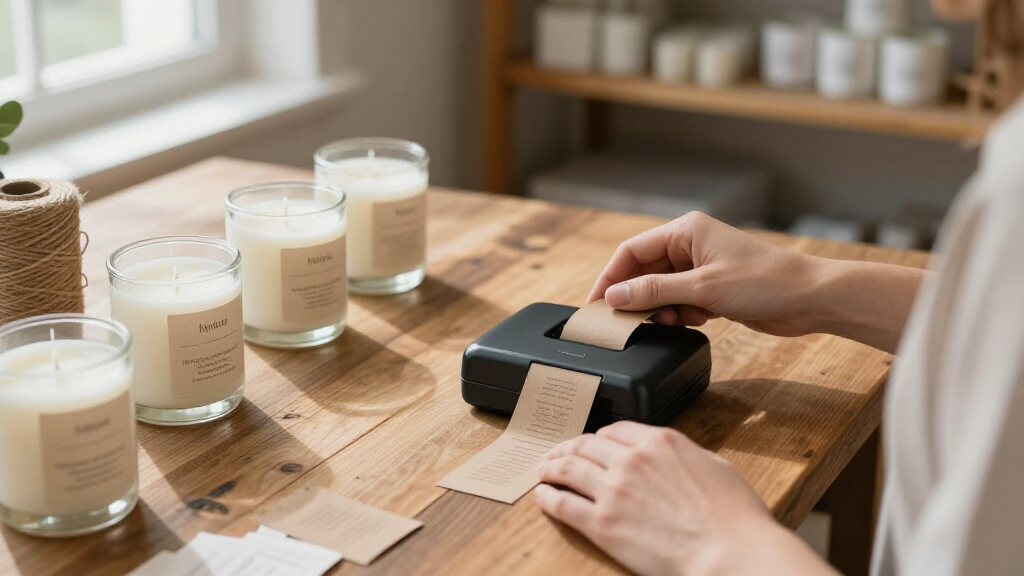
I ranked these printers by how well each fits a small-business workflow: shipping labels, product identification, inventory, shelves, or general organization. I gave priority to practical output format, portability, connection and input method, label flexibility, and the friction involved in routine printing. A device designed for 4×6 parcel labels ranks ahead for sellers who ship orders; compact tape and mini-label models rise when flexible placement or easy storage matters more.
I also weighed the tradeoffs buyers face between app-based control and a built-in keyboard, as well as the importance of checking label compatibility and included supplies. Closely related listings do not receive different roles without a clear workflow distinction. This ranking favors usefulness for small businesses over a feature count alone, and each pick has a specific audience and a reason to choose another model instead.
Factors to Consider When Choosing Portable Label Printers For Small Business
Before choosing a printer, map the labels you make repeatedly and the steps between creating one and attaching it to a parcel, product, or shelf. These practical checks can prevent a compact device from becoming a poor fit once daily work picks up.
Match the Label Format to the Job
Start with the physical label your workflow requires, not the word “portable” in a product listing. Standard 4×6 labels suit many parcel workflows, while narrower tape or small-format labels fit jars, bins, cables, and product details. A printer that cannot make your required label size may add a second device or force awkward workarounds. Check the shipping platform or marketplace requirements before buying, especially if the label must scan clearly after handling. For mixed tasks, decide whether one flexible model is enough or whether shipping and organization deserve separate printers.
Choose How You Want to Create Labels
Bluetooth app control is useful when staff need to design labels from a phone, add symbols, or change layouts without sitting at a computer. A built-in keyboard can make repeated basic labels simpler when a phone is unavailable or app setup would slow the task. These approaches are not interchangeable: app features may depend on a compatible phone and software, while a keyboard can limit layout options. Consider who will operate the printer and whether multiple people need access. For a shared packing station, straightforward pairing and repeatable templates can matter more than a long list of design features.
Check Label and Tape Compatibility
Label compatibility affects replenishment, storage, and the risk of buying supplies that do not fit. Before selecting a model, confirm the supported widths and formats, then check whether the labels you expect to use are readily available from sources you trust. Included tape can help you start, but it does not tell you how easy it will be to replace a preferred size later. Businesses with several label types should list those sizes first and compare them against the printer’s documented range. This step is especially useful when two listings appear similar but ship with different supplies.
Think About Your Actual Work Location
A portable printer only saves time if it can sit where labels are needed and connect reliably to the device that creates them. Measure the available packing or retail counter space, and account for where rolls or tape will be stored. If staff print away from a desk, battery or power requirements and connection setup deserve extra attention; confirm those details for the exact model. For stationary use, a small footprint may matter more than carrying weight. Avoid paying for mobility that your team will rarely use if a desk-based workflow is simpler.
Estimate the Cost of the Whole Workflow
The printer is only one part of the recurring setup: labels, tape, replacement supplies, and staff time all affect the real value. Compare how often your business prints and whether a slower design process would interrupt packing or restocking. A model with a lower purchase price can be a poor fit if its format does not match your routine supplies. On the other hand, a premium feature set may add little for a shop that prints only occasional storage labels. Choose the device that reduces friction in the tasks you perform every week.
Plan for Growth and Shared Use
Think about what may change over the next year: more orders, more staff, additional product types, or a move to a different packing station. A simple personal label maker can be a sensible start for occasional tasks, but frequent shipping may call for a dedicated 4×6 workflow. Shared use raises questions about pairing, saved templates, and who can update label designs. Before expanding, verify that the printer works with the operating systems and services your team uses. Buying for a likely workflow is more useful than buying for a hypothetical feature you may never need.
Frequently Asked Questions
Should a small online shop choose a 4×6 shipping printer or a compact label maker?
Choose a 4×6 shipping printer if your regular work includes parcel labels in that format and you want a dedicated packing workflow. Compact label makers are a better match for product names, bins, shelves, and other small labels. A small shop that does both should compare its shipping volume with its organization needs before deciding whether one device can cover both. Check the label sizes supported by the exact model and your shipping service. The right format can save more time than a smaller printer body.
Are Bluetooth label printers a good fit for a shared packing station?
They can be, provided the connection process works with the phones or computers your staff actually use. Before settling on a model, check supported devices, pairing steps, and whether common label designs can be reused. A printer controlled by an app may be convenient for flexible designs, but setup can slow a team if each person has to learn a different process. A built-in keyboard may suit basic, repeatable labels when phone access is limited. For shared use, consistency matters as much as wireless convenience.
Can one portable printer handle both parcel labels and product labels?
Some businesses can use one device for both, but the answer depends on its supported label formats and the size of each job. A 4×6 model fits standard parcel labels, while compact tape printers are often easier to use on small products and storage containers. Check whether the printer can load the supplies you need and whether changing formats would interrupt work. If you print both types frequently, two specialized printers may make the workflow simpler. For occasional mixed use, a single compatible model may be enough.
What should I verify before ordering replacement labels or tape?
Confirm the exact printer model, supported widths, label format, and any stated supply requirements. Listings can look similar while referring to different versions or bundled accessories, so match supplies to the product identifier rather than relying on a product family name. Check what comes in the box and how much of it you expect to use for initial setup. If your business depends on a specific size, verify that you can source it repeatedly. Doing this before purchase helps prevent a printer from sitting idle while you search for compatible supplies.
When is a premium label printer worth choosing for a small business?
Paying for a more capable printer makes sense when its features remove a recurring bottleneck, such as frequent shipping, multiple label types, or a shared workflow. A premium option is harder to justify for occasional household-style organization or a small number of labels each week. Compare the exact capabilities you will use with the setup and supply requirements, rather than assuming a higher feature count means a better fit. Also consider how much staff time the workflow takes today. The best upgrade is the one that makes a frequent task simpler.
Conclusion
For a small business shipping orders regularly, I would start with the NULLTONEX 4×6 Bluetooth Thermal Shipping Label Printer as the best overall fit in this lineup. The Phomemo M110 is my best value-style choice for businesses needing portable, versatile labels, while the Rongta RP425 is a premium-leaning option for buyers focused on a dedicated 4×6 wireless shipping workflow. Beginners who prefer direct keyboard entry should look at the DYMO LabelManager 160 or the SUPVAN E11. For compact everyday labeling, the Phomemo D30 is a more natural fit; for parcel labels, choose among the 4×6 models and verify device compatibility and label supplies before ordering.
Fall Picks
fall essentials
As an affiliate, we earn on qualifying purchases.