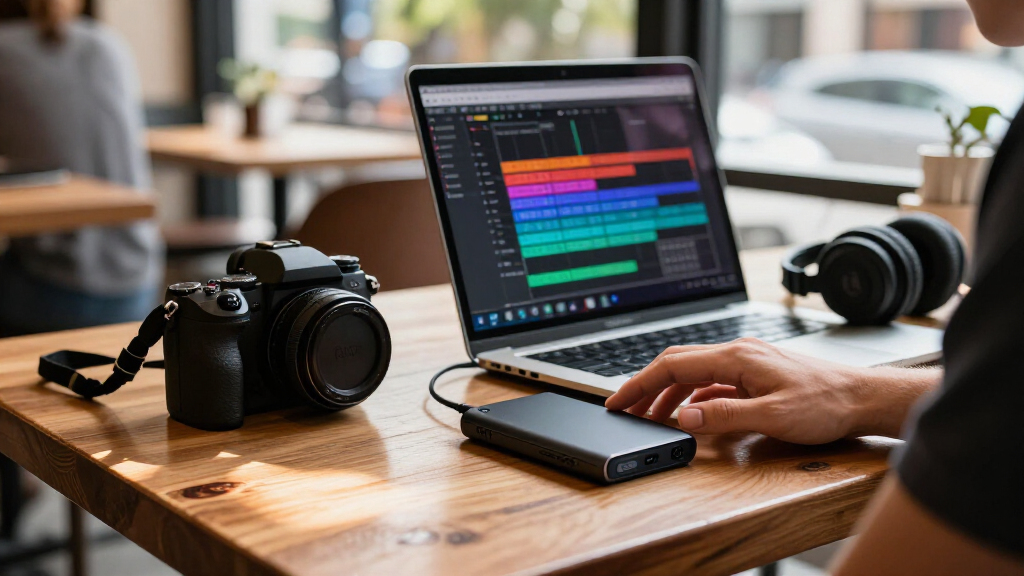
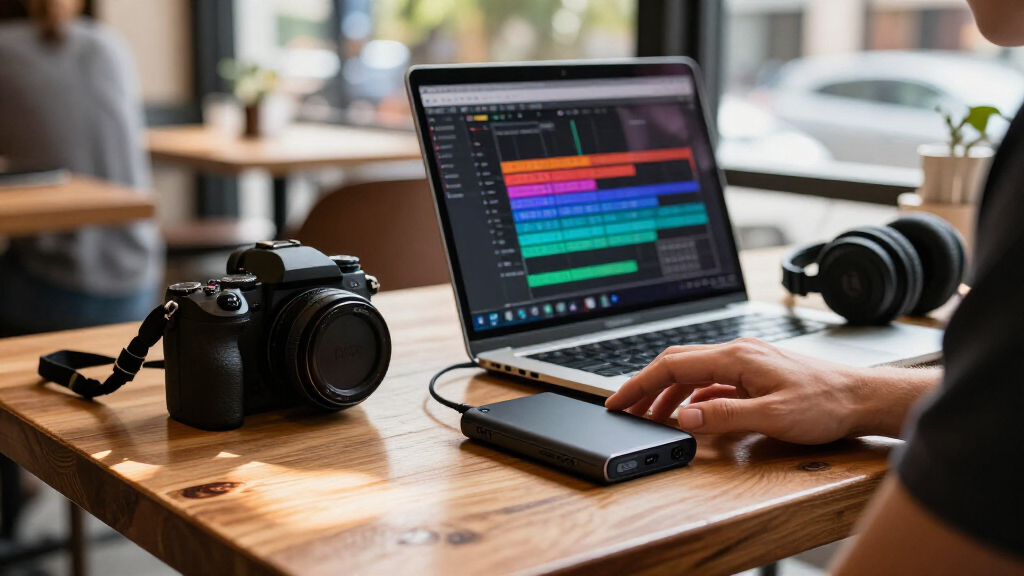
For creators choosing a portable SSD, my best overall pick is the Samsung T9 for fast transfers when the host device supports USB 3.2 Gen 2×2. The Crucial X10 Pro is a strong alternative for demanding field workflows, while the Samsung T7 Shield favors rugged everyday carry and larger capacity. The main tradeoffs are real-world speed, device compatibility, storage needs, and how much protection your shoots require. A faster drive can make large video transfers less tedious, but only when your computer or camera supports its interface. Read on for the full breakdown of which portable SSD best fits your creative setup.

Get business pricing on office and shipping supplies
- Business-only prices and quantity discounts
- Tax-exempt purchasing
- Multiple users, one account, clear invoices
Key Takeaways
- The Samsung T9 leads for compatible desktops, but its USB 3.2 Gen 2×2 speed advantage depends on a host port that supports that interface.
- The SanDisk Professional 4TB PRO-G40 is the capacity and pro-workflow outlier; its larger, specialized setup suits heavier projects better than a pocket drive for casual backups.
- The Samsung T7 Shield and SanDisk Extreme models put field durability ahead of peak transfer speed, making them more compelling for travel and location work.
- The Insta360 Quick Reader and Dylesn UX1 solve narrower phone and camera workflows; they are less flexible as general-purpose editing drives than conventional USB-C SSDs.
- Several 1TB USB-C options target everyday creator work, but their practical value depends on host compatibility, sustained workloads, and whether the included capacity fits a full project.
| Insta360 Quick Reader 512GB Portable SSD |  | Best for Action Camera Workflows | Storage capacity: 512 GB | Read and write speed: Up to 420 MB/s | Interface: USB 3.0 | VIEW LATEST PRICE | See Our Full Breakdown |
| SanDisk 1TB Portable Drive, Up to 600MB/s Read Speed, Black |  | Best for Everyday Creator Backups | Storage capacity: 1 TB | Read speed: Up to 600 MB/s | Connectivity: USB-C | VIEW LATEST PRICE | See Our Full Breakdown |
| SSK 1TB Portable External SSD, USB-C, Up to 1050MB/s |  | Best for Fast File Transfers | Capacity: 1 TB | Read speed: Up to 1050 MB/s | Write speed: Up to 1000 MB/s | VIEW LATEST PRICE | See Our Full Breakdown |
| SanDisk 1TB Portable SSD, Up to 800MB/s Read Speed |  | Best for Attaching to a Camera Bag | Storage capacity: 1 TB | Read speed: Up to 800 MB/s | Interface: USB 3.2 | VIEW LATEST PRICE | See Our Full Breakdown |
| Dylesn UX1 512GB Portable SSD for iPhone ProRes Recording |  | Best for iPhone ProRes Capture | Storage capacity: 512 GB | Interface: USB 3.2 Gen 2×2 | Read speed: Up to 1050 MB/s | VIEW LATEST PRICE | See Our Full Breakdown |
| Crucial X10 Pro 1TB Portable SSD |  | Best Overall for Rugged 1TB Workflows | Storage capacity: 1TB | Maximum read speed: Up to 2,100MB/s | Maximum write speed: Up to 2,000MB/s | VIEW LATEST PRICE | See Our Full Breakdown |
| Verbatim Pocket 512GB External SSD, USB 3.2 Gen 2, Up to 1000MB/s |  | Best Compact Backup Companion | Capacity: 512GB | Interface: USB 3.2 Gen 2 | Connector: USB-C | VIEW LATEST PRICE | See Our Full Breakdown |
| SanDisk 1TB Extreme Portable SSD |  | Best for Protected Field Transfers | Storage capacity: 1TB | Maximum transfer speed: Up to 2,000MB/s | Ingress protection: IP65 | VIEW LATEST PRICE | See Our Full Breakdown |
| SanDisk 2TB Extreme PRO Portable SSD |  | Best for High-Volume Video Work | Storage capacity: 2TB | Maximum transfer speed: Up to 4,000MB/s | Average sustained write speed: 3,100MB/s for 2TB–4TB models | VIEW LATEST PRICE | See Our Full Breakdown |
| Samsung T9 Portable SSD 1TB, USB 3.2 Gen 2×2 |  | Best for Sustained 1TB Transfers | Capacity: 1TB | Interface: USB 3.2 Gen 2×2 | Maximum sequential read speed: Up to 2,000MB/s | VIEW LATEST PRICE | See Our Full Breakdown |
| Samsung T7 Shield Portable SSD, 2TB, USB 3.2 Gen 2 |  | Best for Rugged Field Work | Storage capacity: 2TB | Interface: USB 3.2 Gen 2 | Sequential read speed: Up to 1,050 MB/s | VIEW LATEST PRICE | See Our Full Breakdown |
| Samsung T7 Portable SSD, 1TB, Titan Gray |  | Best Compact Everyday Pick | Capacity: 1TB | Color: Titan Gray | Interface: USB 3.2 Gen 2 | VIEW LATEST PRICE | See Our Full Breakdown |
| SanDisk Creator Pro Portable SSD, 2TB, Blue |  | Best for Fast Creative File Transfers | Storage capacity: 2TB | Read speed: Up to 2,000 MB/s | Interface: USB-C | VIEW LATEST PRICE | See Our Full Breakdown |
| SanDisk Professional 4TB PRO-G40 External SSD |  | Best Premium Mac Editing Drive | Capacity: 4TB | Interface: Thunderbolt 3 (40Gbps), USB-C (10Gbps) | Read speed: Up to 3,000 MB/s | VIEW LATEST PRICE | See Our Full Breakdown |
| Lexar ES3 1TB Portable SSD, Silver, USB 3.2 Gen 2 |  | Best for Lightweight, Encrypted Carry | Storage capacity: 1TB | Color: Silver | Interface: USB 3.2 Gen 2 | VIEW LATEST PRICE | See Our Full Breakdown |
| portable SSDs for creator | Interface | Storage capacity |
|---|---|---|
| Insta360 Quick Reader 512GB Po | USB 3.0 | 512 GB |
| SanDisk 1TB Portable Drive | — | 1 TB |
| SSK 1TB Portable External SSD | USB 3.2 Gen 2 | — |
| SanDisk 1TB Portable SSD | USB 3.2 | 1 TB |
| Dylesn UX1 512GB Portable SSD | USB 3.2 Gen 2×2 | 512 GB |
| Crucial X10 Pro 1TB Portable S | USB-C and USB-A | 1TB |
| Verbatim Pocket 512GB External | USB 3.2 Gen 2 | — |
| SanDisk 1TB Extreme Portable S | — | 1TB |
| SanDisk 2TB Extreme PRO Portab | — | 2TB |
| Samsung T9 Portable SSD 1TB | USB 3.2 Gen 2×2 | — |
| Samsung T7 Shield Portable SSD | USB 3.2 Gen 2 | 2TB |
| Samsung T7 Portable SSD | USB 3.2 Gen 2 | — |
| SanDisk Creator Pro Portable S | USB-C | 2TB |
| SanDisk Professional 4TB PRO-G | Thunderbolt 3 (40Gbps), USB-C (10Gbps) | — |
| Lexar ES3 1TB Portable SSD | USB 3.2 Gen 2 | 1TB |
More Details on Our Top Picks
Insta360 Quick Reader 512GB Portable SSD
The Insta360 Quick Reader is built around a specific creator workflow: moving footage directly from compatible Insta360 cameras or USB-C phones without a separate power source or Wi-Fi. At just 5.4 g, it is easier to keep attached to a camera kit than the larger general-purpose drives here. Its stated 420MB/s speed is more modest than the SSK 1TB Portable External SSD, but the included camera covers and port spacer make the Quick Reader a more tailored field accessory for compatible Insta360 gear. The tradeoff is 512GB capacity and a USB-C-only connection, which limit it as a main archive drive or for creators with older USB-A equipment. Choose it for quick, camera-centered transfers; skip it if you need broad workstation storage or higher transfer throughput.
Pros:- Very light 5.4 g design suits compact camera kits
- Plug-and-play transfers require no separate power or Wi-Fi
- Includes all-weather covers for specified Insta360 cameras and a USB-C port spacer
- Works with compatible smartphones, computers, and action cameras
Cons:- 512GB is less room than the 1TB options in this roundup
- Up to 420MB/s is slower than the SSK drive’s stated speeds
- USB-C connector excludes devices without a compatible port
Best for: Insta360 X5, X4 Air, or Ace Pro 2 creators who want a tiny, power-free way to move footage in the field
Not ideal for: Creators building a large video archive or moving heavy projects to a computer who need more capacity and faster transfers
- Storage capacity:512 GB
- Read and write speed:Up to 420 MB/s
- Interface:USB 3.0
- Connector:USB-C
- Weight:5.4 g
- Compatible devices:Smartphones, laptops, desktops, and action cameras
- Included accessories:X5/X4 Air all-weather cover, Ace Pro 2 all-weather cover, and USB-C port spacer
Our verdict“Pick the Quick Reader if your creator workflow centers on compatible Insta360 cameras and pocketable transfers matter more than capacity or speed.”
SanDisk 1TB Portable Drive, Up to 600MB/s Read Speed, Black
The SanDisk 1TB Portable Drive is a straightforward pick for creators who want a pocketable backup drive with a clear durability claim. Its up to 2-meter drop protection helps with the bumps of a mobile kit, while 1TB gives more working room than the 512GB Insta360 Quick Reader. The stated read speed of up to 600MB/s is also a step above that camera-focused option, though it trails the SanDisk 1TB Portable SSD at up to 800MB/s and the SSK drive at up to 1050MB/s. The key limitation is that the supplied data specifies read speed but not write speed, so I would not choose it on the assumption that large footage copies will run at the same rate. It suits routine transfers and backups better than demanding ingest sessions.
Pros:- 1TB capacity gives more working room than 512GB options
- Pocket-sized design is convenient for a mobile kit
- Up to 2-meter drop protection suits everyday travel
- USB-C connectivity supports desktops, laptops, phones, and tablets
Cons:- Only read speed is specified, leaving write performance unclear
- Stated read speed is below the SanDisk 1TB Portable SSD and SSK drive
- No included camera-specific accessories or mounting feature is listed
Best for: Traveling photographers and video creators who need a durable 1TB drive for routine file backups across USB-C devices
Not ideal for: Video editors who frequently ingest large shoots and need a clearly specified, high write speed
- Storage capacity:1 TB
- Read speed:Up to 600 MB/s
- Connectivity:USB-C
- Drop protection:Up to 2 meters
- Compatible devices:Desktop, laptop, smartphone, and tablet
- Color:Black
Our verdict“Choose this SanDisk for everyday 1TB backups and drop protection, but opt for a drive with stated faster write speeds for frequent large media transfers.”
SSK 1TB Portable External SSD, USB-C, Up to 1050MB/s
For creators who regularly move large video folders, the SSK 1TB Portable External SSD offers the most balanced speed information among these five: up to 1050MB/s read and 1000MB/s write. That makes its transfer capability easier to judge than the SanDisk drives here, whose supplied details list read speeds but not write speeds. Its USB-C and USB-A cables also make it more flexible across editing laptops and older desktops than the USB-C-only Insta360 Quick Reader. The aluminum case and 36.6g weight suit a portable workstation kit, while SMART diagnostics, adaptive TRIM, and SLC caching support drive management and performance. The caveat is that the high-speed cache is limited to 25% of available capacity, and the listed capacity may display around 931GB on Windows. It is the practical speed pick, not the smallest or most specialized camera accessory.
Pros:- Stated read and write speeds reach up to 1050MB/s and 1000MB/s
- USB-C and USB-A cables support a wider range of computers
- Lightweight aluminum case weighs 36.6g
- SMART diagnostics, adaptive TRIM, and SLC caching are included
Cons:- High-speed SLC cache is limited to 25% of available capacity
- Windows may display around 931GB rather than the full labeled capacity
- Heavier than the 5.4g Insta360 Quick Reader
Best for: Mobile editors who move large video projects between USB-C laptops and USB-A workstations and want stated read and write speeds
Not ideal for: Action camera creators seeking a featherweight, camera-specific accessory or editors who need more than 1TB for active projects
- Capacity:1 TB
- Read speed:Up to 1050 MB/s
- Write speed:Up to 1000 MB/s
- Interface:USB 3.2 Gen 2
- Connectors:USB-C and USB-A
- Weight:36.6 g
- Dimensions:2.6 × 1.5 × 0.5 inches
- Case material:Aluminum alloy
- Features:S.M.A.R.T. diagnostics, adaptive TRIM, SLC caching, and LED activity indicator
Our verdict“Pick the SSK if fast transfers across newer and older computers matter more than having the smallest drive or camera-specific features.”
SanDisk 1TB Portable SSD, Up to 800MB/s Read Speed
The SanDisk 1TB Portable SSD adds a small practical detail that can matter on location: its rubber hook lets creators attach the drive to a belt loop or backpack instead of leaving it loose in a pocket. With up to 2-meter drop protection and a stated read speed of up to 800MB/s, it is a more rugged, faster-read choice than the 600MB/s SanDisk Portable Drive in this batch. The SSK remains the stronger option for buyers who need explicit read and write figures, since this SanDisk listing gives no write speed. Its 1TB capacity works for active projects and backups, but creators handling long shoots may prefer a 2TB drive elsewhere in the roundup. This is a useful field carry pick when attachment and basic protection outweigh detailed performance specs.
Pros:- Rubber hook makes it easy to attach to a belt loop or backpack
- Up to 2-meter drop protection supports field carry
- Up to 800MB/s read speed exceeds the other SanDisk portable drive listed here
- 1TB capacity suits active projects and backup copies
Cons:- Write speed is not specified in the provided product data
- The SSK drive provides higher stated read speed and a write-speed figure
- 1TB may be restrictive for creators keeping multiple large shoots on hand
Best for: Location shooters who want a 1TB drive that can clip onto a backpack or belt loop between transfers
Not ideal for: Editors who need confirmed write throughput or several terabytes of capacity for large ongoing projects
- Storage capacity:1 TB
- Read speed:Up to 800 MB/s
- Interface:USB 3.2
- Connectivity:USB 3.2 Gen 2 and USB Type-C
- Form factor:Portable, 2.5 inches
- Drop protection:Up to 2 meters
- Average latency:0.1 milliseconds
- Compatible devices:Laptop
Our verdict“Choose this SanDisk if you want a field-friendly attachment point and 1TB of protected storage, and choose the SSK if write speed is your priority.”
Dylesn UX1 512GB Portable SSD for iPhone ProRes Recording
The Dylesn UX1 is the most phone-focused option in this group: it is listed as compatible with USB-C iPhones, including iPhone 15 Pro and iPhone 16 Pro, for 4K ProRes recording. Its stated speeds of up to 1050MB/s read and 950MB/s write give it a much faster performance profile than the Insta360 Quick Reader, while the compact 12.6g aluminum drive and included silicone case are suited to a phone rig. The IP65 and 3-meter drop claims apply with the case, so protection depends on keeping that accessory in place. At 512GB, it has half the capacity of the 1TB SSK and SanDisk drives here; creators recording extended sessions may fill it quickly. It makes sense as a phone capture tool, while the SSK is more adaptable for cross-computer transfers.
Pros:- Supports 4K ProRes recording on compatible iPhone models
- Stated read and write speeds reach up to 1050MB/s and 950MB/s
- Compact 12.6g aluminum enclosure with included silicone case
- Broad listed compatibility across computers, mobile devices, and consoles
Cons:- 512GB capacity is lower than the 1TB drives in this batch
- IP65 and 3-meter drop protection are specified with the silicone case
- Product details inconsistently refer to the model as UX1 and UX2
Best for: iPhone 15 Pro or iPhone 16 Pro creators who want external storage for compatible 4K ProRes recording in a compact phone rig
Not ideal for: Creators who need 1TB or more of working storage, or who want protection ratings independent of an included case
- Storage capacity:512 GB
- Interface:USB 3.2 Gen 2×2
- Read speed:Up to 1050 MB/s
- Write speed:Up to 950 MB/s
- Dimensions:47.0 × 32.1 × 10.2 mm
- Weight:12.6 g
- Enclosure material:Aluminum
- Dust and water resistance:IP65 with included silicone case
- Drop resistance:Up to 3 m with included silicone case
Our verdict“Choose the Dylesn for compatible iPhone ProRes capture in a compact setup, but use a 1TB option such as the SSK for more general project storage.”
Crucial X10 Pro 1TB Portable SSD
The Crucial X10 Pro balances speed, protection, and broad compatibility for creators who carry a working library between devices. Its rated 2,100MB/s read and 2,000MB/s write speeds make it better suited to moving large photo and video projects than the Verbatim Pocket, whose listed speeds top out at 1,000MB/s. The IP55 rating and 7.5-foot drop resistance add useful protection for field shoots, while both USB-C and USB-A connections ease handoffs to older computers. Its 1TB capacity may fill quickly with high-resolution footage, and the supplied software offers require purchase and registration. Choose it for a sturdy, versatile daily drive; skip it if your projects need more than 1TB on a single device.
Pros:- High rated read and write speeds for moving large media files
- IP55 water and dust resistance for more confidence on location
- Drop resistance up to 7.5 feet
- USB-C and USB-A connectivity with broad listed device compatibility
Cons:- Listed capacity is limited to 1TB
- Included software offers require purchase and registration
Best for: Creators who move a 1TB working set between cameras, tablets, and computers, including some with USB-A ports
Not ideal for: Video teams keeping several large projects on one drive, since only 1TB capacity is listed
- Storage capacity:1TB
- Maximum read speed:Up to 2,100MB/s
- Maximum write speed:Up to 2,000MB/s
- Interface:USB-C and USB-A
- Water and dust resistance:IP55
- Drop resistance:Up to 7.5 ft (2 m)
- Compatibility:Windows, Mac, iPad Pro, Chromebooks, Android, Linux, PS4, PS5, Xbox
- Included software:Three months of Mylio Photos Plus and Acronis True Image
Our verdict“Pick the Crucial X10 Pro for a fast, rugged 1TB drive that can travel between a wide range of creator devices.”
Verbatim Pocket 512GB External SSD, USB 3.2 Gen 2, Up to 1000MB/s
The Verbatim Pocket is the smallest-footprint choice in this group for carrying a modest batch of selects, exports, or backup files. Its 512GB capacity and rated speeds up to 1,000MB/s suit routine transfers, though the Crucial X10 Pro is the stronger fit when large video files need quicker moves or more room. A keyring and cable holder help keep the drive and connection gear together in a mobile kit. The tradeoff is limited headroom for a growing media library, and its Nero Backup Software is for Windows only. This makes most sense as a travel companion or secondary copy; creators editing several projects directly from a drive should look to a larger, faster option.
Pros:- Ultracompact, lightweight design for a small gear bag
- Keyring and cable holder help keep accessories together
- Rated read and write speeds up to 1,000MB/s
- Nero backup software is included for Windows users
Cons:- 512GB may be restrictive for high-resolution video libraries
- Nero Backup Software is limited to Windows
Best for: Photographers and editors who want a lightweight USB-C drive for selects, exports, and secondary backups
Not ideal for: Creators working with multiple large video projects, because 512GB leaves less room and its rated speeds trail faster picks
- Capacity:512GB
- Interface:USB 3.2 Gen 2
- Connector:USB-C
- Maximum read speed:Up to 1,000MB/s
- Maximum write speed:Up to 1,000MB/s
- Storage type:Solid-state drive
- Backup software:Nero Backup Software for Windows
- Included accessories:Keyring and cable holder
Our verdict“Choose the Verbatim Pocket for portable backups and smaller media batches, not as the main home for demanding video projects.”
SanDisk 1TB Extreme Portable SSD
For creators carrying footage or photo libraries into unpredictable conditions, the SanDisk Extreme Portable SSD pairs IP65-rated protection with drop protection up to 3 meters. Its stated transfer speed of up to 2,000MB/s puts it in the fast tier alongside the Samsung T9, while the SanDisk listing adds a clear focus on dust, water, and impact resistance. Password-protected 256-bit AES encryption also helps when client files travel outside the studio. The supplied details do not specify a separate write-speed figure or broader compatibility list, so buyers should check host requirements for their workflow. At 1TB, it offers less working space than the SanDisk Extreme PRO 2TB, but suits creators who value a more protected, portable project drive.
Pros:- Rated transfer speeds up to 2,000MB/s
- IP65 protection against dust and water exposure
- Drop protection up to 3 meters
- Password-protected 256-bit AES encryption
Cons:- Only 1TB capacity is listed, less than the SanDisk Extreme PRO 2TB
- The provided specifications do not state a separate maximum or sustained write speed
- The provided product data does not list device compatibility or connection interface
Best for: Location photographers and video creators carrying a 1TB project drive through dusty or wet shooting environments
Not ideal for: Editors who need more than 1TB or require a confirmed sustained write-speed figure before choosing a drive for heavy capture workflows
- Storage capacity:1TB
- Maximum transfer speed:Up to 2,000MB/s
- Ingress protection:IP65
- Drop protection:Up to 3 m
- Encryption:256-bit AES with password protection
- Intended files:Photos, videos, and other files
Our verdict“Pick this SanDisk Extreme for protected 1TB field transfers when dust, water, and encrypted file storage matter.”
SanDisk 2TB Extreme PRO Portable SSD
The SanDisk Extreme PRO Portable SSD is aimed at creators who regularly write large media files and want more room before archiving. Its listed 2TB capacity and average sustained write speed of 3,100MB/s for 2TB–4TB models distinguish it from 1TB options such as the Samsung T9, whose peak sequential speeds are up to 2,000MB/s. The stated maximum transfer speed reaches 4,000MB/s, while IP65 protection, 3-meter drop protection, and AES encryption support demanding travel workflows. Those speed figures describe different performance measures, and the product data does not identify the host requirements behind them. Choose it for high-volume transfers with a compatible setup; for less storage or less demanding workloads, the 1TB Crucial X10 Pro is a more modest fit.
Pros:- 2TB capacity offers more working room than the 1TB picks
- Listed average sustained write speed of 3,100MB/s for 2TB–4TB models
- Maximum transfer speed listed up to 4,000MB/s
- IP65 protection, 3-meter drop protection, and 256-bit AES encryption
Cons:- The provided product data does not specify host requirements for reaching the stated speeds
- Performance claims may not translate to every computer or connection
- Its 2TB capacity may exceed the needs of creators with small project libraries
Best for: Video editors and production teams moving large files and keeping several active projects on a portable 2TB drive
Not ideal for: Creators with older or slower host connections who cannot make use of the listed high-speed performance
- Storage capacity:2TB
- Maximum transfer speed:Up to 4,000MB/s
- Average sustained write speed:3,100MB/s for 2TB–4TB models
- Ingress protection:IP65
- Drop protection:Up to 3 m
- Encryption:256-bit AES with password protection
Our verdict“Choose the Extreme PRO when large active projects and sustained writes justify a 2TB drive and your setup supports its speed claims.”
Samsung T9 Portable SSD 1TB, USB 3.2 Gen 2×2
The Samsung T9 suits creators who move substantial files regularly and can connect it to a compatible USB 3.2 Gen 2×2 host. It lists up to 2,000MB/s sequential read and write speeds, with thermal management designed for sustained workloads. That makes it a more performance-focused 1TB pick than the Verbatim Pocket, whose listed speeds are up to 1,000MB/s, though the Crucial X10 Pro lists slightly higher peak read and write figures. Magician software adds firmware updates, encryption, and drive health monitoring, useful for managing a work drive over time. The main limitation is host dependence: without the compatible port, cable, and UASP support, maximum speeds are not assured. Its 1TB capacity also favors active projects over long-term footage storage.
Pros:- Rated sequential read and write speeds up to 2,000MB/s
- Thermal management is designed for sustained workloads
- Magician software supports firmware updates, encryption, and drive health monitoring
- Listed compatibility includes desktop, camera, gaming console, and iPhone 15 Pro video recording
Cons:- Maximum speeds depend on a compatible host, cable, and UASP support
- 1TB capacity may be limiting for larger video libraries
Best for: Editors with a USB 3.2 Gen 2×2 workstation who want a managed 1TB drive for recurring large transfers
Not ideal for: Creators whose computers lack compatible USB 3.2 Gen 2×2 connectivity or who need multi-terabyte project storage
- Capacity:1TB
- Interface:USB 3.2 Gen 2×2
- Maximum sequential read speed:Up to 2,000MB/s
- Maximum sequential write speed:Up to 2,000MB/s
- Thermal management:Designed for sustained use
- Software:Samsung Magician for firmware updates, encryption, and drive health monitoring
- Compatibility:Desktop, camera, gaming console, and iPhone 15 Pro video recording with included SSD cable
Our verdict“Choose the Samsung T9 for sustained 1TB transfer work if your host supports its USB 3.2 Gen 2×2 connection.”
Samsung T7 Shield Portable SSD, 2TB, USB 3.2 Gen 2
The T7 Shield is the safer fit for creators carrying footage through dusty, wet, or unpredictable locations. Its IP65 water and dust resistance and protection against drops up to 9.8 feet offer more reassurance outdoors than the standard Samsung T7, whose stated drop protection is up to 6 feet. Both list similar USB 3.2 Gen 2 speeds, so the Shield’s case is about tougher handling, not faster transfers. Its 2TB capacity also leaves more room for current projects than the 1TB Lexar ES3. The tradeoff is that its stated maximum speeds depend on the host device, cable, and UASP support, so not every editing setup will reach them. Choose it for mobile shoots; skip it if you mainly work at a desk and want a faster interface.
Pros:- IP65 water and dust resistance for field use
- Drop protection up to 9.8 feet
- 2TB capacity for larger project folders
- Works with PCs, Macs, Android devices, consoles, and iPhone 15 Pro
Cons:- USB 3.2 Gen 2 is slower than the SanDisk Professional PRO-G40 over Thunderbolt 3
- Maximum speeds depend on the host, cable, and UASP support
Best for: Video creators who carry a 2TB working library between outdoor shoots and editing devices
Not ideal for: Desk-based editors who rarely expose a drive to the elements and want Thunderbolt-class transfer speeds
- Storage capacity:2TB
- Interface:USB 3.2 Gen 2
- Sequential read speed:Up to 1,050 MB/s
- Sequential write speed:Up to 1,000 MB/s
- Water and dust resistance:IP65
- Drop resistance:Up to 9.8 feet (3 meters)
- Compatibility:PC, Mac, Android devices, gaming consoles, iPhone 15 Pro
Our verdict“Pick the T7 Shield if your creative work takes you outdoors and you want 2TB in a drive built to handle rougher trips.”
Samsung T7 Portable SSD, 1TB, Titan Gray
The standard T7 suits creators who want a small, straightforward shuttle drive for active projects. Its aluminum unibody and drop protection up to 6 feet give it some everyday toughness, while its listed read and write speeds match the T7 Shield’s. That makes the Shield a stronger match for wet or dusty shoots, but the regular T7 keeps things simpler when those extra protections are not needed. Its 1TB capacity is also half the Shield’s and the Lexar ES3’s listed 2TB, so it fits a current project cache better than a growing archive. Included USB-C-to-C and USB-C-to-A cables help connect it across setups, though maximum speed still depends on a compatible USB 3.2 Gen 2 connection and UASP support. Some systems may need reformatting.
Pros:- Compact aluminum body with drop protection up to 6 feet
- Up to 1,050 MB/s read and 1,000 MB/s write speeds
- Includes USB-C-to-C and USB-C-to-A cables
- Works with compatible computers, mobile devices, and gaming consoles
Cons:- 1TB capacity is limited compared with the Samsung T7 Shield and Lexar ES3
- No stated IP water or dust resistance
- Maximum speeds require a compatible USB 3.2 Gen 2 connection and UASP support
Best for: Creators who need a pocketable 1TB shuttle drive for moving current projects between compatible computers and mobile devices
Not ideal for: Outdoor shooters who need IP-rated weather resistance or editors who regularly keep more than 1TB of active files on one drive
- Capacity:1TB
- Color:Titan Gray
- Interface:USB 3.2 Gen 2
- Read speed:Up to 1,050 MB/s
- Write speed:Up to 1,000 MB/s
- Drop protection:Up to 6 feet
- Construction:Aluminum unibody
- Included cables:USB Type-C to Type-C and USB Type-C to Type-A
Our verdict“Choose the standard T7 for a compact 1TB everyday drive if you do not need the Shield’s weather resistance or a larger capacity.”
SanDisk Creator Pro Portable SSD, 2TB, Blue
The Creator Pro is aimed at creators who want a faster stated read ceiling than the Samsung T7 Shield while keeping a rugged, portable 2TB drive. Its up to 2,000 MB/s read speed can help move large source files and project folders, though the supplied data does not list a write speed or a more specific interface generation than USB-C. The Shield, by comparison, lists both read and write speeds up to about 1,000 MB/s and gives a more explicit USB 3.2 Gen 2 interface. Both provide IP65 protection and 3-meter drop protection, so the SanDisk’s appeal is speed on compatible equipment, not a clear durability advantage. The included month of Adobe Creative Cloud may be useful to some buyers, but it does not change the drive’s long-term fit or capacity.
Pros:- Listed read speeds up to 2,000 MB/s
- 2TB capacity for project files and media
- IP65 water and dust resistance
- Drop protection up to 3 meters
Cons:- The supplied specifications do not state a write speed
- USB-C may require an adapter on devices without a compatible port
- The included Adobe Creative Cloud membership lasts one month
Best for: Creators with compatible USB-C equipment who move large 2TB project libraries and value a high stated read speed
Not ideal for: Buyers who need a published write-speed figure or a precise interface specification before matching the drive to their editing setup
- Storage capacity:2TB
- Read speed:Up to 2,000 MB/s
- Interface:USB-C
- Form factor:2.5 inches
- Durability:Up to 3-meter drop protection; IP65 water and dust resistance
- Color:Blue
- Included software:One-month Adobe Creative Cloud membership
Our verdict“Pick the Creator Pro if you want a rugged 2TB drive with a higher stated read speed than the Samsung T7 Shield and have compatible USB-C hardware.”
SanDisk Professional 4TB PRO-G40 External SSD
The PRO-G40 is the high-capacity, high-throughput choice for creators editing large files directly from an external drive. Its Thunderbolt 3 connection and listed speeds of up to 3,000 MB/s read and 2,500 MB/s write put it well ahead of the USB 3.2 Gen 2 Samsung T7 Shield on paper, while its 4TB capacity can hold more active material than the 2TB SanDisk Creator Pro. It also has IP68 protection, 4,000 lb crush resistance, and an aluminum core to help dissipate heat. The main fit constraints are substantial: its APFS format is Mac-ready, and its top interface requires compatible Thunderbolt 3 equipment. Creators on other systems should check format and connection compatibility before choosing it.
Pros:- Up to 3,000 MB/s read and 2,500 MB/s write speeds
- Thunderbolt 3 and USB-C connectivity
- 4TB capacity for large working libraries
- IP68, crush, and drop resistance with an aluminum heat-dissipating core
Cons:- APFS formatting is Mac-ready and may require reformatting for other workflows
- Full listed speed requires a compatible Thunderbolt 3 connection
- Larger capacity and rugged construction may be more than a lightweight shuttle-drive user needs
Best for: Mac-based video editors who need a large working drive, Thunderbolt 3 speeds, and a rugged enclosure
Not ideal for: Creators using systems without Thunderbolt 3 who want a drive ready to use across mixed operating systems without checking format compatibility
- Capacity:4TB
- Interface:Thunderbolt 3 (40Gbps), USB-C (10Gbps)
- Read speed:Up to 3,000 MB/s
- Write speed:Up to 2,500 MB/s
- Dust and water resistance:IP68
- Crush resistance:4,000 lb
- Drop resistance:3 m on carpeted concrete
- Drive format:APFS (Mac-ready)
Our verdict“Choose the PRO-G40 for Mac editing workflows that can use Thunderbolt 3 and benefit from 4TB of fast, rugged working storage.”
Lexar ES3 1TB Portable SSD, Silver, USB 3.2 Gen 2
The ES3 makes sense as a light carry drive for creators who want familiar USB 3.2 Gen 2 performance and a software encryption option. At 42g and 10.5mm thick, it is easy to pack alongside a camera or laptop, and its stated 1,050 MB/s read and 1,000 MB/s write speeds are in the same class as the 1TB Samsung T7. Lexar adds 256-bit AES encryption through DataShield, which can help protect selected files, but this model does not include MagSafe. Its 1TB capacity is also smaller than the 2TB Samsung T7 Shield, and the supplied details do not list water, dust, or drop ratings. Choose it for light, ordinary travel and file protection; choose the Shield for rougher shoots or the PRO-G40 for faster Thunderbolt editing.
Pros:- Lightweight 42g body, 10.5mm thick
- Up to 1,050 MB/s read and 1,000 MB/s write speeds
- 256-bit AES encryption through Lexar DataShield software
- USB Type-C cable included
Cons:- 1TB capacity is less than the Samsung T7 Shield’s 2TB
- No MagSafe on this version
- Not supported on iPhone 14 and older models; maximum speeds require USB 3.2 Gen 2
Best for: Traveling photographers and video creators who want a very light 1TB shuttle drive with software-based file encryption
Not ideal for: Outdoor shooters who need stated weather or drop protection, or iPhone 14 and older users seeking direct phone support
- Storage capacity:1TB
- Color:Silver
- Interface:USB 3.2 Gen 2
- Maximum read speed:1,050 MB/s
- Maximum write speed:1,000 MB/s
- Weight:42g
- Thickness:10.5mm
- Encryption:256-bit AES (Lexar DataShield software)
- Included accessory:USB Type-C cable
Our verdict“Choose the Lexar ES3 if low carry weight and software encryption matter more than larger capacity or ruggedness.”
How We Picked
I ranked these drives by how well they serve creator workflows: moving large photo and video files, working from external storage, and keeping project copies available on the go. I weighed advertised interface and speed alongside capacity, connection flexibility, portability, and stated protection features. For creators, the fastest headline figure matters only if the computer, cable, and workload can use it, so compatibility and practical fit shape the ranking.
The top places go to versatile drives that can handle demanding transfers without tying buyers to a narrow device setup. Rugged models rank well for location work, while phone-specific readers and smaller pocket options place lower because they solve more specialized needs. I also considered the tradeoff between capacity and portability: a drive that fits a particular workflow can be a better choice than a nominally faster option that the buyer cannot fully use.
Factors to Consider When Choosing Portable SSDs For Creators
Choosing a creator SSD starts with the devices and files you already work with. I would map the drive to a typical shoot or editing day before comparing headline speed claims; that exposes interface limits, storage gaps, and backup needs early.
Match the drive interface to your actual devices
A fast SSD cannot outrun the slowest link in the chain: the drive, cable, port, or source device. Check the exact USB standard on the computer you edit from, since similar USB-C connectors can support very different transfer rates. Higher-bandwidth interfaces, such as USB 3.2 Gen 2×2, may not reach their advertised potential on a host that lacks matching support. If you move between a laptop, tablet, phone, and camera, compatibility may matter more than the largest speed number. Confirm whether your camera can record directly to external storage, since many cameras do not support every drive or recording format. I would pay for a faster interface only when my current workflow can use it regularly.
Estimate capacity from a full project, not a typical day
Creators often underestimate storage by counting only camera originals and forgetting proxies, exports, audio, and duplicate copies. Estimate the space for one complete project, then decide how many active projects need to travel with you. High-resolution or high-frame-rate video can fill a compact drive quickly, while photo work may leave more room for a smaller capacity. A larger drive reduces juggling, but it can also make it easier to keep too much work on a single device. Keep a separate backup for important footage rather than treating extra capacity as protection against drive failure. Pick a capacity that covers your working set and a sensible buffer.
Treat ruggedness as protection from specific risks
Water resistance, dust protection, and drop protection address different hazards, so read the maker’s stated limits instead of treating “rugged” as a guarantee. A drive used on dusty locations or in wet weather may justify more protection than one that stays in a padded studio bag. Protective ratings usually depend on the enclosure being intact and any port cover being properly closed. Rugged housings can add bulk, and no enclosure protects against every impact or a lost drive. For travel, I would also consider a short cable, a secure pouch, and a way to keep the drive attached to my kit. Choose protection around the conditions you face rather than paying for features you rarely need.
Separate working storage from backup storage
An external SSD can serve as an active editing volume, a transfer shuttle, or a backup target, but one drive rarely does all three safely. Editing directly from an SSD can keep a laptop’s internal storage clear, though sustained workloads may behave differently from short file-copy benchmarks. A shuttle drive needs a connector and cable that work across the devices used on a shoot. A backup drive should be copied to and stored separately from the source material, so a single accident does not remove both copies. Avoid formatting a shared drive until you know which file systems your computers and cameras can read. Decide the drive’s main job first, then add a second copy for irreplaceable work.
Check phone and camera workflows before buying a specialist reader
Phone-focused accessories can simplify direct recording or file transfer, but they may depend on a particular phone model, port, app, or recording format. Confirm that your phone or camera supports the intended workflow and that the SSD capacity and connector are compatible. Direct recording can save a transfer step, yet it also makes the drive part of the capture rig, where cable strain and mounting become practical concerns. A conventional portable SSD may be less compact but more useful across computers and devices. If you shoot to a specialized format such as ProRes, verify the whole recording chain before a paid session. A specialist reader makes sense when it removes friction from a frequent workflow, not just because it is compact.
Frequently Asked Questions
Will the Samsung T9 be faster on every USB-C laptop?
No. USB-C describes the connector shape, not the data speed, and the T9’s USB 3.2 Gen 2×2 capability requires a compatible host port to reach its higher transfer rates. On a laptop without that support, it can still connect, but transfers may run at the host’s lower limit. Check the laptop’s port specifications and use a suitable cable before paying for that speed tier. If your current computer cannot use it, a broadly compatible Gen 2 drive may be a more practical fit.
Should I edit video directly from a portable SSD or copy it to my computer first?
Editing from an SSD can work well when the drive, connection, and editing computer keep up with the footage and software. The best choice depends on codec, resolution, effects, and whether the project needs sustained reads rather than brief transfers. Try a short test project with representative media before moving a deadline-sensitive workflow to external storage. Keep a separate copy of source footage either way, since an editing drive is still a single device that can be lost or fail.
Is a rugged SSD worth choosing for travel shoots?
It can be, especially when dust, rain, or accidental drops are realistic parts of your workday. Rugged features do not make a drive indestructible, and protection claims apply within the manufacturer’s stated conditions. A protective enclosure may add size, so compare that burden with how you carry and mount your kit. If the drive mostly stays inside a padded bag, you may get more value from capacity or broad device compatibility.
Can I record iPhone ProRes video directly to any portable SSD?
No; direct recording depends on the phone model, operating system, recording settings, connection, and drive behavior. A product made for an iPhone workflow may simplify setup, but confirm current device compatibility and the required cable or app before relying on it. Also check whether the drive can stay securely connected while filming and whether its capacity covers your planned session. Test the complete setup before an important shoot rather than discovering a limitation on location.
Is one 4TB SSD a better choice than two smaller drives for a creator?
A 4TB drive can keep a large working set together and reduce swaps during a project, which suits creators handling sizable libraries. Two smaller drives can separate active work from backup copies and provide more flexibility across shoots. Neither setup replaces a second, separately stored copy of important files. Base the choice on your project size, travel kit, and backup routine, not capacity alone.
Conclusion
For most creators with a compatible fast port, I would choose the Samsung T9 as the best overall because it pairs broad utility with a high-speed interface. The SanDisk 1TB Portable SSD or Lexar ES3 makes more sense as a best value everyday option when straightforward USB-C storage matters more than rugged extras. For a best premium setup with demanding field work or larger projects, look at the SanDisk Professional 4TB PRO-G40; for a beginner-friendly balance of capacity and added protection, the Samsung T7 Shield is easier to recommend. Phone-first creators should compare the Insta360 Quick Reader and Dylesn UX1 against their exact device workflow, while frequent travelers may prefer the SanDisk Extreme line. Match the drive to your host ports, project size, and shooting conditions, then keep a separate copy of work you cannot replace.
Fall Picks
fall essentials
As an affiliate, we earn on qualifying purchases.