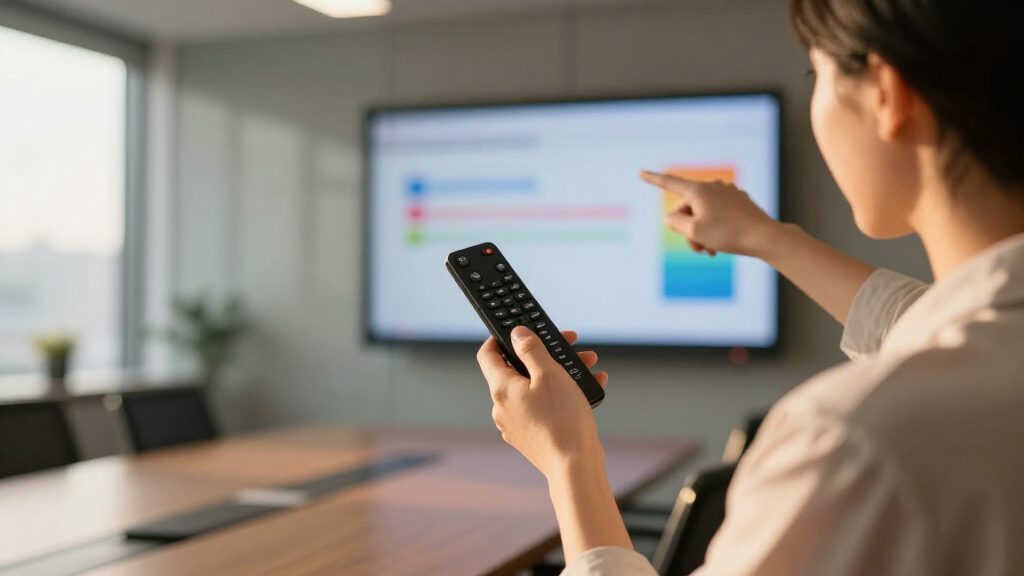

If you’re searching for a wireless presentation remote, you’re likely looking for a device that offers reliable control, ease of use, and compatibility with your presentation software. The best overall pick, the Logitech Spotlight, stands out for its precision and customizable features. For those on a budget, the Wireless Presenter R800 offers excellent value with a bright laser pointer and long-range control. Meanwhile, the DINOSTRIKE RF Remote provides air mouse control, making it ideal for interactive presentations. Each option balances features against tradeoffs like range, compatibility, and price. Continue reading to see a detailed breakdown of the top picks and what makes each unique.

Get business pricing on office and shipping supplies
- Business-only prices and quantity discounts
- Tax-exempt purchasing
- Multiple users, one account, clear invoices
Key Takeaways
- The best wireless presentation remotes balance range, compatibility, and ease of use, with premium models offering advanced features like customizable buttons and multi-device support.
- Long-range capability is essential for large rooms, but it often comes with higher price tags or slightly larger device size.
- Laser pointers vary significantly in brightness and color; a bright green laser tends to be more visible in well-lit rooms, which is critical for clarity.
- Compatibility with multiple operating systems (Windows, Mac, ChromeOS) and software (PowerPoint, Google Slides) is a key factor that influences choice, especially for diverse tech environments.
- Affordable remotes may lack advanced features but are suitable for casual or infrequent presenters, while premium models target professional use with additional controls and customization.
| Presentation Clicker with USB-A & USB-C Receiver, Wireless Remote for PowerPoint & Slides |  | Best Overall | Connectivity: USB-A & USB-C built-in receiver | Range: up to 100 feet (30 meters) | Power: 2x AAA batteries (not included) | VIEW LATEST PRICE | See Our Full Breakdown |
| USB Type C Wireless Presenter Remote with Red Pointer and Long Range for Mac, Laptop, and PC |  | Best Value Pick | Connectivity Technology: USB-A & USB-C | Button Quantity: 6 | Maximum Range: 165 feet | VIEW LATEST PRICE | See Our Full Breakdown |
| Logitech Spotlight Presentation Remote Wireless – Black |  | Best for Digital Highlighting & Advanced Control | Range: 30 meters | Connectivity: USB-A receiver, Bluetooth | Compatibility: Windows, Mac, PowerPoint, Keynote, PDF, Google Slides | VIEW LATEST PRICE | See Our Full Breakdown |
| Logitech Wireless Presenter R800 PowerPoint Clicker with Green Laser |  | Best for Bright, High-Visibility Laser | Laser Color: Green | Range: 100 feet (30 meters) | Display: LCD with timer | VIEW LATEST PRICE | See Our Full Breakdown |
| Wireless Presentation Clicker for PowerPoint Presentations with Laser Pointer |  | Best for Ergonomics and Compatibility | Compatibility: Windows, Mac, Linux | Control Range: 98FT/30M | Laser Pointer Range: 328FT/100M | VIEW LATEST PRICE | See Our Full Breakdown |
| Logitech Wireless Presenter R500s PowerPoint Clicker with Laser Pointer |  | Best Overall Wireless Presenter for Versatility and Long Range | Compatibility: Windows, Mac OS, iOS, Android | Range: 20 meters (65 ft) | Connectivity: USB receiver, Bluetooth | VIEW LATEST PRICE | See Our Full Breakdown |
| Presentation Clicker for PowerPoint, Wireless Remote with Laser Pointer, USB Receiver, Compatible with Laptop, Mac, Google Slides |  | Best for Long-Range Wireless Control and Comfort | Range (Clicker control): 98 ft / 30 m | Laser pointer range: 328 ft / 100 m | Battery: 2 AAA (included) | VIEW LATEST PRICE | See Our Full Breakdown |
| DINOSTRIKE Wireless Presenter Remote with Air Mouse Control, Rechargeable USB PPT Clicker RF 2.4GHz |  | Best for Multifunctionality and Portability in Dynamic Presentations | Wireless Frequency: 2.4GHz | Control Range: 164 ft | Laser Pointer Range: 656 ft | VIEW LATEST PRICE | See Our Full Breakdown |
| Logitech Wireless Presenter R400 USB PowerPoint Clicker with Laser |  | Best for Simplicity and Reliable Basic Control | Connection: USB-A | Laser Type: Class 2 red laser | Range: 50 feet | VIEW LATEST PRICE | See Our Full Breakdown |
| Wireless Presenter Remote with Hyperlink, Volume Control, and Long Range for PowerPoint and Keynote |  | Best for Multifunctional Control and Long-Range Presentations | Control Range: 100 meters (328 feet) | Light Range: 200 meters (656 feet) | Compatibility: Windows, Mac OS, Linux, Android | VIEW LATEST PRICE | See Our Full Breakdown |
| Kensington Wireless Presenter with Red Laser Pointer |  | Best Overall for Secure, Reliable Control | Wireless Range: 65 feet | Laser Color: Red | Encryption: AES 128-bit | VIEW LATEST PRICE | See Our Full Breakdown |
| Presentation Remote Clicker, Wireless USB A & USB C PowerPoint Presenter for Mac, Keynote, Laptop |  | Best for Multi-Platform Flexibility and Portability | Light: Bright red | Range: 49 feet | Compatibility: Windows 2003 to Windows 10, Linux, Android | VIEW LATEST PRICE | See Our Full Breakdown |
| Wireless Presenter Remote Control for PowerPoint & Google Slides |  | Best for Long-Range Freedom with Basic Features | Laser Pointer Range: 328 ft / 100 m | Clicker Control Range: 98 ft / 30 m | Compatibility: Windows, Mac, Linux, Android | VIEW LATEST PRICE | See Our Full Breakdown |
| Wireless Presentation Clicker PowerPoint Presenter Remote with Red Laser Pointer, USB Type C & A, Long Range |  | Best for Versatile Connectivity and Ultra-Long Range | Laser Pointer Range: 328 ft / 100 m | Clicker Control Range: 98 ft / 30 m | Compatibility: Windows, Mac, Linux | VIEW LATEST PRICE | See Our Full Breakdown |
| QUI Presentation Clicker with Volume Control, Wireless Presenter Remote, 2.4GHz USB, Compatible with Mac/Windows, Works with PowerPoint, Keynote, Google Slides |  | Best for Long-Range Control with Volume and Simplicity | Maximum Range: 328 feet | Button Quantity: 6 | Compatible Devices: Mac, Windows, PowerPoint, Keynote, Google Slides | VIEW LATEST PRICE | See Our Full Breakdown |
| wireless presentation remote | Compatibility |
|---|---|
| Presentation Clicker with USB- | Mac, Windows, Linux, PowerPoint, Keynote, Google Slides, Prezi |
| USB Type C Wireless Presenter | — |
| Logitech Spotlight Presentatio | Windows, Mac, PowerPoint, Keynote, PDF, Google Slides |
| Logitech Wireless Presenter R8 | — |
| Wireless Presentation Clicker | Windows, Mac, Linux |
| Logitech Wireless Presenter R5 | Windows, Mac OS, iOS, Android |
| Presentation Clicker for Power | Windows 2003, XP, Vista, 7-10, Mac OS, Linux |
| DINOSTRIKE Wireless Presenter | Windows 7/8+, Mac OS, Linux, Android |
| Logitech Wireless Presenter R4 | — |
| Wireless Presenter Remote with | Windows, Mac OS, Linux, Android |
| Kensington Wireless Presenter | PowerPoint, Keynote |
| Presentation Remote Clicker | Windows 2003 to Windows 10, Linux, Android |
| Wireless Presenter Remote Cont | Windows, Mac, Linux, Android |
| Wireless Presentation Clicker | Windows, Mac, Linux |
| QUI Presentation Clicker with | — |
More Details on Our Top Picks
Presentation Clicker with USB-A & USB-C Receiver, Wireless Remote for PowerPoint & Slides
This presentation remote stands out for its universal compatibility, thanks to a built-in USB-A and USB-C receiver, making it a versatile choice for users switching between devices. Its impressive wireless range of up to 100 feet offers freedom to move around the room, surpassing the more limited 30-meter range of the Logitech Spotlight. The plug & play setup minimizes hassle, though it relies on two AAA batteries not included, a small inconvenience compared to the convenience of immediate use. While the bright red laser pointer is effective for most environments, it may not suit all settings, especially those requiring less distraction. Compared to other basic remotes, this model’s broad device compatibility and long range make it ideal for conference rooms, classrooms, or mobile professionals who need reliable, straightforward control without extra software.
Pros:- Universal USB-A and USB-C compatibility with built-in receiver
- Long wireless range of up to 100 feet for unrestricted movement
- Plug & Play setup with no software required
- Lightweight and portable design for easy transport
Cons:- Requires 2 AAA batteries, which are not included
- Laser pointer may be too bright or distracting in some environments
Best for: Presenters who need a highly compatible, long-range remote that works seamlessly with various devices on the go.
Not ideal for: Users seeking advanced features like digital highlighting or customization options, which this remote lacks.
- Connectivity:USB-A & USB-C built-in receiver
- Range:up to 100 feet (30 meters)
- Power:2x AAA batteries (not included)
- Weight:55 grams
- Compatibility:Mac, Windows, Linux, PowerPoint, Keynote, Google Slides, Prezi
- Pointer:Bright red laser pointer
Our verdict“This remote is best for professionals and teachers who need a reliable, straightforward wireless clicker with extensive device compatibility and impressive range.”
USB Type C Wireless Presenter Remote with Red Pointer and Long Range for Mac, Laptop, and PC
This remote offers excellent value with dual USB-A and USB-C connectivity, making it compatible with a broad range of devices, from MacBooks to Windows laptops. Its extended wireless range of up to 165 feet far exceeds most competitors, including the Logitech R800, providing ample flexibility for large conference rooms or outdoor presentations. The bright red pointer enhances visibility, though it’s not recommended for use on LED or LCD screens, which may diminish its utility in certain settings. It features a compact design with built-in storage for the receiver, adding convenience. Compared to simpler models, this remote balances affordability with extended range and multi-device support, making it suitable for educators and corporate presenters who value versatility and distance.
Pros:- Compatible via USB-A and USB-C with multiple devices
- Long control range of up to 165 feet for flexible movement
- Bright red pointer for clear highlighting
- Compact design with built-in receiver storage
Cons:- Not recommended for LED or LCD screen use with the pointer
- Limited information on battery life, potential need for replacement
Best for: Educators and conference attendees needing a budget-friendly, long-range remote compatible with multiple device types.
Not ideal for: Presenters who prefer advanced features like digital highlighting or app integrations, which this remote does not offer.
- Connectivity Technology:USB-A & USB-C
- Button Quantity:6
- Maximum Range:165 feet
- Battery Type:AAA
- Color:Black
- Compatible Devices:Laptop, Personal Computer
Our verdict“Ideal for budget-conscious users seeking a long-range, multi-device remote for large or varied presentation environments.”
Logitech Spotlight Presentation Remote Wireless – Black
The Logitech Spotlight offers a step up with digital highlighting, a cursor control, and smart timing alerts, making it suitable for engaging, professional presentations. Its dual connectivity options—USB-A receiver and Bluetooth—compare favorably with simpler remotes like the R800, especially for hybrid environments. However, it requires the Logi Options+ app for full functionality, adding a setup layer that might deter some users. Its 30-meter range is adequate for most indoor settings, but not as extensive as some cheaper options. This remote excels for those who want a sleek, feature-rich device that combines traditional slide control with advanced digital tools, perfect for virtual or hybrid presentations where nuance matters.
Pros:- Wireless connectivity via USB-A and Bluetooth
- Digital highlighting, cursor control, and smart timing alerts
- Compatible with a wide array of presentation platforms
- Elegant, ergonomic design
Cons:- Requires Logi Options+ app for full customization, adding complexity
- Price range not specified, potentially higher cost
Best for: Presenters who value digital annotation, cursor control, and customizable features for professional or virtual presentations.
Not ideal for: Those who prefer plug-and-play simplicity without the need for software or app downloads.
- Range:30 meters
- Connectivity:USB-A receiver, Bluetooth
- Compatibility:Windows, Mac, PowerPoint, Keynote, PDF, Google Slides
Our verdict“Best suited for users who need advanced digital presentation features and are comfortable with software setup.”
Logitech Wireless Presenter R800 PowerPoint Clicker with Green Laser
The Logitech R800 is distinguished by its vivid green laser pointer, which offers excellent visibility on screens like LCDs and plasma displays, outperforming the red laser on many projectors. Its LCD timer with silent alerts adds practical value for pacing your presentation, and the 100-foot range ensures mobility. Compared to models like the Presentation Clicker with USB-C, the R800’s focus on a bright laser and timer makes it ideal for presentations requiring clear visual cues in large or bright rooms. However, it lacks advanced digital features or app integration, limiting customization. This remote appeals to users who prioritize laser visibility and timer functionality in straightforward presentation settings.
Pros:- Bright green laser pointer visible on various screens
- Long wireless range of up to 100 feet
- LCD timer with silent alerts for pacing
- Plug-and-play with simple controls
Cons:- No software or advanced customization options
- Requires USB port for receiver, limiting portability in some devices
Best for: Presenters who need a bright laser pointer for large or brightly lit screens and a built-in timer to stay on schedule.
Not ideal for: Users seeking customization options, digital highlighting, or app integrations, which this remote does not provide.
- Laser Color:Green
- Range:100 feet (30 meters)
- Display:LCD with timer
Our verdict“Ideal for presenters who need a highly visible laser pointer and a reliable timer without extra complexity.”
Wireless Presentation Clicker for PowerPoint Presentations with Laser Pointer
This remote offers a compact, ergonomic design combined with universal compatibility across Windows, Mac, and Linux, making it a versatile choice for diverse users. Its control range of up to 100 feet and laser pointer enhance engagement, though the laser’s effective range of 328 feet may be overkill for small rooms, perhaps leading to unnecessary battery drain. Unlike the Logitech models, it lacks digital annotation or app-based customization, but its straightforward controls are suitable for users who prioritize comfort and broad system support. Compared to the R800, this remote emphasizes ergonomic handling and system versatility, making it ideal for educators and office users who value comfort and compatibility over advanced digital features.
Pros:- Ergonomic and lightweight design for comfort
- Supports multiple operating systems and presentation software
- Long control distance of up to 100 feet
- Laser pointer enhances visual engagement
Cons:- Laser pointer range may be excessive for small rooms
- Requires AAA battery, which needs replacement every couple of months
Best for: Educators and office professionals who need a comfortable, compatible remote with a good control range and laser pointer.
Not ideal for: Power users seeking digital annotation, app customization, or advanced presentation analytics.
- Compatibility:Windows, Mac, Linux
- Control Range:98FT/30M
- Laser Pointer Range:328FT/100M
- Battery:1 AAA (included)
- Size:109mm
- Weight:38g
Our verdict“Best for users who prioritize ergonomic comfort and broad system compatibility in a wireless presenter.”
Logitech Wireless Presenter R500s PowerPoint Clicker with Laser Pointer
This model stands out for its extensive compatibility across operating systems and presentation software, making it a flexible choice for diverse setups. Its impressive 20-meter range provides freedom to move around the room, and dual connectivity via USB and Bluetooth offers seamless switching. Compared with the Logitech R400, the R500s adds versatility with longer range and customizable buttons, though it requires software for full personalization—an extra step that might deter some users. The laser pointer, while useful, can be less visible in bright environments, a common issue with many laser pointers. Overall, this pick makes the most sense for users who value adaptability and extended control without sacrificing reliability.
Pros:- Universal compatibility with Windows, Mac, iOS, Android
- Long 20-meter wireless range for freedom of movement
- Dual connectivity options (USB and Bluetooth) for flexibility
- Battery life up to 12 months with power-saving features
Cons:- Requires software installation for full button customization
- Laser pointer may be less visible outdoors or in bright rooms
Best for: Educators and presenters who need a versatile, long-range remote compatible with multiple devices and software.
Not ideal for: Users seeking a simple, plug-and-play device with no need for software customization or setup, as this involves installing Logitech software.
- Compatibility:Windows, Mac OS, iOS, Android
- Range:20 meters (65 ft)
- Connectivity:USB receiver, Bluetooth
- Battery Life:12 months
- Battery:AAA
- Software:Logitech Presentation App
Our verdict“This remote is ideal for users who need a highly adaptable, long-range presenter that works across multiple platforms but are comfortable with some setup.”
Presentation Clicker for PowerPoint, Wireless Remote with Laser Pointer, USB Receiver, Compatible with Laptop, Mac, Google Slides
This remote shines with a remarkable 328-foot laser pointer range, making it suitable for large rooms or outdoor presentations, far surpassing the typical 50-foot range of Logitech R400. Its ergonomic design ensures comfortable handling during extended use, and plug-and-play functionality simplifies setup—no software needed. Compared to the DINOSTRIKE, which offers additional air mouse features, this model focuses strictly on presentation control, making it more straightforward but less versatile in gesture-based navigation. The requirement of two AAA batteries, which are not rechargeable, might be a downside for eco-conscious users. Overall, this remote makes sense for presenters who need maximum control range and a comfortable grip with minimal fuss.
Pros:- Extraordinary wireless range of 328 feet (100 meters)
- Ergonomic design for comfortable grip
- Plug-and-play setup with no software required
- Compatible across multiple OS including Linux
Cons:- Requires two AAA batteries, which are not rechargeable
- Limited to basic control functions, lacking advanced features
Best for: Event speakers and teachers who require a very long wireless range and reliable basic control without complicated features.
Not ideal for: Tech enthusiasts seeking advanced functions like air mouse control or rechargeable batteries, as this device is focused on simplicity and range.
- Range (Clicker control):98 ft / 30 m
- Laser pointer range:328 ft / 100 m
- Battery:2 AAA (included)
- Compatibility:Windows 2003, XP, Vista, 7-10, Mac OS, Linux
- Supported software:Google Slides, PowerPoint, Keynote, PDF, Word, Excel
- Control range:164 ft / 50 m
Our verdict“This remote is perfect for those needing extreme control distance and easy operation but don’t require multifunctional capabilities.”
DINOSTRIKE Wireless Presenter Remote with Air Mouse Control, Rechargeable USB PPT Clicker RF 2.4GHz
This remote combines traditional clicker features with an air mouse, offering versatile control in various presentation environments. Its 656-foot laser pointer range exceeds many competitors, and the rechargeable battery supports long use with quick charging—just 3 hours. Compared to the Logitech R500s, the DINOSTRIKE adds air mouse functionality, making it suitable for interactive presentations or teaching sessions. However, this added complexity might be overwhelming for users seeking a straightforward remote, as some may find the multiple controls confusing initially. The compact, clip-on design enhances portability, but the need to store a USB receiver inside the device could lead to loss. Overall, this remote is well-suited for tech-savvy presenters who value multi-functionality and portability in one package.
Pros:- Long control range of 164 feet and laser pointer reach of 656 feet
- Rechargeable 300 mAh battery with quick 3-hour charge
- Supports multiple OS including Android and Linux
- Compact, clip-on design for portability
Cons:- Requires USB receiver which may be lost if not careful
- Multiple functions could be complex for some users to master
Best for: Tech professionals and educators who want a flexible remote with air mouse capabilities and long-range laser pointer features.
Not ideal for: Beginners or users preferring a simple, dedicated presentation clicker without additional functions, due to the device’s complexity.
- Wireless Frequency:2.4GHz
- Control Range:164 ft
- Laser Pointer Range:656 ft
- Battery Capacity:300 mAh
- Charging Time:3 hours
- Compatibility:Windows 7/8+, Mac OS, Linux, Android
Our verdict“Ideal for experienced presenters seeking a multifunctional remote with extended range and portability, despite the learning curve.”
Logitech Wireless Presenter R400 USB PowerPoint Clicker with Laser
The Logitech R400 offers a straightforward approach to presentation control, with a built-in red laser pointer and a wireless range of up to 50 feet, making it suitable for most small to medium rooms. Its plug-and-play USB-A connection requires no software, appealing to users who prefer quick setup and ease of use. Compared with the R500s, it offers less range but simplifies operation, which makes it ideal for those who prioritize reliability over extended distance. The laser pointer, a classic feature, is bright enough for most backgrounds but can struggle in very bright lighting conditions. Its compact design with built-in receiver storage is a plus for portability. Overall, this remote is perfect for users seeking a dependable, no-fuss device for everyday presentations.
Pros:- Easy plug-and-play setup without software
- Bright red laser pointer visible against most backgrounds
- Wireless range up to 50 feet for flexible movement
- Compact with built-in receiver storage
Cons:- Requires AAA batteries, which are not included
- Laser visibility may diminish in very bright settings
Best for: Business professionals and educators who need a reliable, simple presentation remote with decent wireless range and minimal setup.
Not ideal for: Large venues or outdoor presentations where longer wireless range is necessary, as its 50-foot limit may be restrictive.
- Connection:USB-A
- Laser Type:Class 2 red laser
- Range:50 feet
- Batteries:AAA (not included)
- Technology:2.4GHz RF wireless
Our verdict“This remote suits those who need a simple, reliable device for small to medium presentation spaces without extra features or complexity.”
Wireless Presenter Remote with Hyperlink, Volume Control, and Long Range for PowerPoint and Keynote
This remote stands out for its multifunctional capabilities, including hyperlink navigation, volume adjustment, and window switching, all accessible over a 100-meter range. It surpasses many competitors by combining long-distance control with versatile functions, making it suitable for complex presentations or teaching scenarios. Compared to the Logitech R500s, which focus mainly on basic control, this device offers advanced features but may require a bit of setup, especially on Mac systems where some functions might need additional configuration. Its long-range control makes it ideal for large rooms or outdoor settings, though the single AAA battery might limit long-term power compared to models with longer battery life. Overall, this remote makes sense for power users who need multifunctionality and extensive control distance from one device.
Pros:- Control range up to 100 meters (328 feet)
- Includes multifunctional controls like hyperlink and volume
- Compatible with multiple OS including Windows, Mac, Linux, Android
- Supports various presentation software
Cons:- Setup may be required on Mac systems for full functionality
- Battery not included, which could be inconvenient
Best for: Educators, trainers, or conference speakers who need a multifunctional remote capable of controlling multiple aspects of their presentation from afar.
Not ideal for: Casual users or those with simple presentation needs, since its multiple functions and setup complexity could be unnecessary.
- Control Range:100 meters (328 feet)
- Light Range:200 meters (656 feet)
- Compatibility:Windows, Mac OS, Linux, Android
- Power:1 AAA
Our verdict“This remote is best for technically savvy users seeking a long-range, multifunctional control device for large or complex presentations.”
Kensington Wireless Presenter with Red Laser Pointer
This presenter stands out for its combination of security and ease of use. Its four-button layout simplifies slide navigation, and the bright red laser pointer effectively highlights key points. The 2.4GHz wireless connection offers a solid 65-foot range, making it suitable for large rooms. Compared with the Presentation Remote Clicker, Wireless USB A & USB C PowerPoint Presenter, it provides better security with AES 128-bit encryption, though it lacks rechargeable batteries and has a limited control scope. The internal storage for the USB receiver adds convenience, but the need for batteries and no rechargeable option are minor tradeoffs. This pick makes the most sense for those valuing security and straightforward operation in professional settings.
Pros:- Easy-to-use four-button slide control layout
- Bright red laser pointer for clear highlighting
- Secure wireless with AES 128-bit encryption
- Internal storage for USB receiver
Cons:- Requires batteries that are not included
- Limited to presentation control functions only
- No rechargeable battery option
Best for: Professionals needing secure, long-range presentation control with simple operation
Not ideal for: Casual users or those seeking rechargeable, all-in-one devices without security encryption
- Wireless Range:65 feet
- Laser Color:Red
- Encryption:AES 128-bit
- Compatibility:PowerPoint, Keynote
- Battery Storage:Yes
- Warranty:3 years
Our verdict“Ideal for professionals who prioritize security and straightforward slide management during presentations.”
Presentation Remote Clicker, Wireless USB A & USB C PowerPoint Presenter for Mac, Keynote, Laptop
This remote excels in versatility, supporting a wide range of operating systems including Windows, Linux, Android, and Mac. Its plug-and-play setup simplifies initial use, and the 49-foot control range is suitable for most conference rooms. Compared with the Wireless Presentation Clicker Control for PowerPoint & Google Slides, it offers broader system compatibility but does not specify battery type, which could be a concern for long-term use. Its ergonomic, compact design makes it easy to carry, though it’s not recommended for TV or large LCD screens where high brightness might be needed. This device is best suited for users who need a flexible remote across multiple devices and operating systems without complex setup.
Pros:- Plug-and-play setup for quick use
- Supports multiple OS and presentation software
- Long control range of up to 49 feet
- Ergonomic, portable design
Cons:- Battery type not specified, raising long-term concerns
- Not recommended for TV/LED/LCD screens
- Initial setup may be required on Mac
Best for: Educators or conference attendees using diverse devices and software environments
Not ideal for: Home users or those needing high-brightness pointers for large displays
- Light:Bright red
- Range:49 feet
- Compatibility:Windows 2003 to Windows 10, Linux, Android
- Supported Software:Keynote, Google Slides, Prezi, MS Word, Excel, PowerPoint
- Batteries:Not specified
Our verdict“Perfect for users needing a versatile, multi-platform remote that’s easy to carry and set up on the go.”
Wireless Presenter Remote Control for PowerPoint & Google Slides
This remote offers a generous 50-foot wireless control range, making movement across large rooms or stages straightforward. Its simple, ergonomic design with easy-to-press buttons supports navigation, screen blackout, and highlighting features. Compared with the QUI Presentation Clicker with Volume Control, it emphasizes longer control distance but lacks a rechargeable battery and has a relatively basic feature set. The laser pointer’s 328-foot range might be overkill for smaller rooms, which could be unnecessary. Its plug-and-play setup makes it accessible, though the need for replacement batteries can be a downside for continuous use. This device is well-suited for those who prioritize maximal freedom of movement during presentations, especially in larger spaces.
Pros:- Long-range wireless control up to 328 feet
- Plug-and-play setup, easy to use
- Compatible with multiple systems and software
- Ergonomic design for comfort
Cons:- Requires two AAA batteries, which need periodic replacement
- Laser pointer range may be excessive for smaller rooms
- No rechargeable battery option
Best for: Lecturers or presenters in large halls who need maximum mobility and laser emphasis
Not ideal for: Small meeting rooms or users seeking rechargeable convenience
- Laser Pointer Range:328 ft / 100 m
- Clicker Control Range:98 ft / 30 m
- Compatibility:Windows, Mac, Linux, Android
- Software Support:Google Slides, MS Office, PowerPoint
- Batteries:2 AAA (included)
- On/Off Switch:Yes
Our verdict“Best suited for large venues where maximum mobility and laser visibility are essential, despite the need for battery replacements.”
Wireless Presentation Clicker PowerPoint Presenter Remote with Red Laser Pointer, USB Type C & A, Long Range
This device combines a remarkable 328-foot laser pointer range with a 98-foot control span, making it a strong choice for large, complex presentations. Its ergonomic grip ensures comfortable handling, and the dual USB A & C receiver enhances compatibility across many systems. Compared with the QUI Presentation Clicker with Volume Control, it offers a shorter control range but boasts an extremely long laser pointer reach, which can be overkill for small rooms. The requirement of two AAA batteries and lack of rechargeable options are tradeoffs for its impressive range. Its support for multiple OS and software adds flexibility, but users should consider battery maintenance in prolonged use. This remote makes sense for those who need exceptional distance and device compatibility for diverse presentation environments.
Pros:- Laser pointer with up to 328 feet range
- Control span of 98 feet for movement during presentations
- Supports multiple operating systems and software
- Dual USB A & C receivers for broad compatibility
Cons:- Requires two AAA batteries, not rechargeable
- Laser range may be excessive for small rooms
- Battery replacement needed over time
Best for: Event hosts or educators conducting large outdoor or auditorium presentations
Not ideal for: Small conference rooms or users preferring rechargeable, lightweight devices
- Laser Pointer Range:328 ft / 100 m
- Clicker Control Range:98 ft / 30 m
- Compatibility:Windows, Mac, Linux
- Software Support:Google Slides, MS Office, PowerPoint
- Receiver Type:USB A & USB C 2-in-1
- Batteries:2 AAA (included)
Our verdict“Ideal for large-scale presentations needing maximum laser reach and system versatility, with the caveat of ongoing battery management.”
QUI Presentation Clicker with Volume Control, Wireless Presenter Remote, 2.4GHz USB, Compatible with Mac/Windows, Works with PowerPoint, Keynote, Google Slides
This compact remote offers an impressive control distance of up to 328 feet, making it suitable for large venues. Its built-in volume control adds a useful layer for managing audio during presentations, and the bright red pointer enhances slide visibility. Compared with the Wireless Presenter Remote Control for PowerPoint & Google Slides, it provides additional volume features but supports only one device at a time. The simple plug-and-play interface requires no software, which speeds setup, though it relies on a single AAA battery, which is not included. Its lightweight design makes it easy to carry, but the limited device support might restrict some users. This pick is perfect for those needing a long-range, straightforward remote with added volume control for multimedia presentations.
Pros:- Long wireless range up to 328 feet
- Built-in volume control for multimedia management
- Plug-and-play with no software required
- Bright red pointer for slide visibility
Cons:- Requires one AAA battery, not included
- Supports only one device at a time
- Limited advanced features
Best for: Speakers or educators who want long-range control with volume adjustment in large rooms
Not ideal for: Small meetings or users needing multi-device connectivity without battery concerns
- Maximum Range:328 feet
- Button Quantity:6
- Compatible Devices:Mac, Windows, PowerPoint, Keynote, Google Slides
- Batteries:1 AAA (not included)
- Color:Black
- Item Weight:24 g
Our verdict“Great for long-range presentations that include audio, especially in large venues where simplicity is valued over multi-device support.”
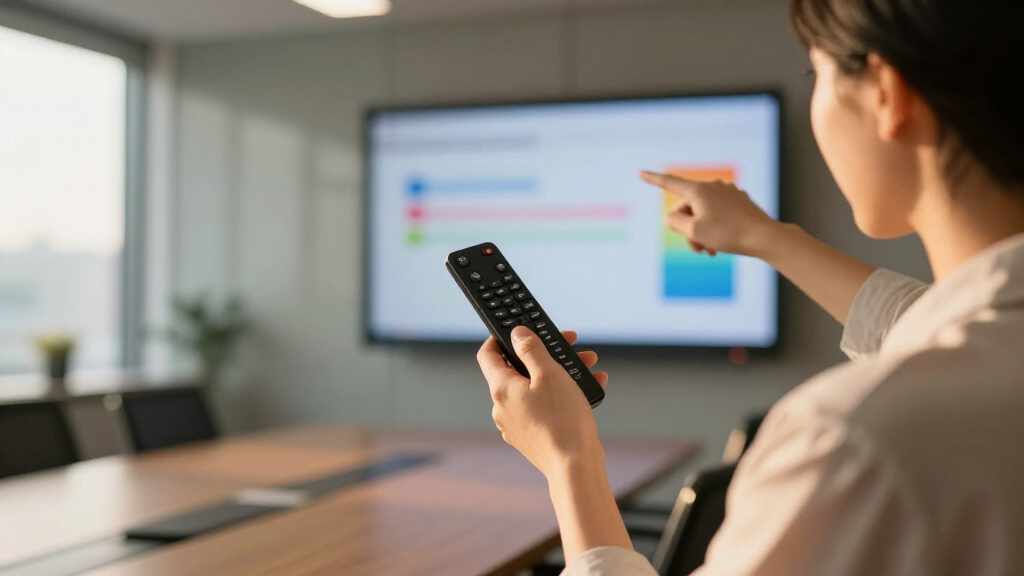
How We Picked
To evaluate these wireless presentation remotes, I focused on key criteria that matter most to users: performance reliability, ease of setup, compatibility across devices and software, build quality, and additional features like laser pointers and volume controls. We prioritized models with consistent wireless connections, long-range capabilities, and intuitive controls. Devices were also assessed for their value, considering price relative to features offered. Our rankings reflect a mix of affordability, advanced functionality, and user versatility, ensuring there’s a suitable option for different needs and budgets.Factors to Consider When Choosing Wireless Presentation Remote
Choosing the right wireless presentation remote involves considering several factors that impact your presentation experience. Beyond basic features, understanding how range, compatibility, and control options affect usability can save you frustration during important moments. It’s also worth thinking about the environment you’ll present in—large rooms or connected conference setups demand different features than smaller, casual settings. Avoiding common mistakes like ignoring compatibility or underestimating range can make your purchase more satisfying and dependable. Here are the key considerations to help you make a smart choice.Range and Connectivity
The remote’s wireless range determines how far you can move from your device while maintaining control. For large conference rooms, a range of at least 30 meters (around 100 feet) is advisable. Connectivity options, typically RF (radio frequency) or Bluetooth, influence ease of pairing and stability. RF remotes often offer longer range and less latency but may require a USB receiver, while Bluetooth models are more versatile but sometimes less reliable over distance. Carefully match your needs to the remote’s range and connection type to prevent interruptions during your presentation.
Compatibility and Software Support
Your remote should seamlessly work with your device and presentation software. Check whether it supports Windows, Mac, or ChromeOS, especially if you use multiple systems. Some remotes are designed for specific platforms, limiting flexibility. Compatibility with popular presentation tools like PowerPoint and Google Slides is also critical. Consider whether the remote supports remote control features like advancing slides, volume adjustment, or laser pointer control, and verify these functions are compatible with your setup to avoid surprises during your presentation.
Ease of Use and Ergonomics
A remote with intuitive controls and a comfortable grip enhances usability, especially during lengthy presentations. Look for well-placed buttons for slide navigation, laser pointer activation, and volume control. Some models include backlit buttons for low-light environments, which can be a real asset. Avoid devices with overly complex button layouts or small controls that are hard to operate on the fly. A simple, ergonomic design helps keep your focus on your presentation rather than fumbling with controls.
Build Quality and Battery Life
Durability matters, especially if you travel frequently or present often. Look for a sturdy construction with quality materials and a reliable power source—whether rechargeable batteries or replaceable ones. Rechargeable models eliminate the need to buy batteries repeatedly but require charging between uses. Battery life varies widely; models with longer battery life reduce interruptions. Consider whether the remote has an auto-sleep mode or power-saving features to extend usage time between charges or replacements.
Additional Features and Customization
Extra features like laser pointers, volume controls, hyperlink navigation, or customizable buttons can enhance your presentation control. Bright laser pointers improve visibility, especially in well-lit rooms. Volume controls help adjust audio without reaching for your device. Some remotes allow you to assign functions to buttons, tailoring the device to your workflow. However, more features often mean a higher price or increased complexity, so prioritize those that align with your presentation style and environment.
Frequently Asked Questions
Will my wireless presentation remote work with all presentation software?
Most modern wireless remotes support common presentation software like PowerPoint, Google Slides, and Keynote, but it’s essential to verify compatibility before purchasing. Some models are designed specifically for Windows or Mac, while others support multiple platforms. Features like slide advancement and laser pointers are generally universal, but advanced controls may vary. Reading product specifications and user reviews can help confirm whether a remote will work seamlessly with your preferred software and device setup.
How important is the wireless range for my presentation remote?
The range determines how freely you can move around the room without losing connection. For small meeting rooms, a range of 10-20 meters (roughly 33-66 feet) is usually sufficient. Larger venues or lecture halls benefit from remotes with longer ranges, often exceeding 30 meters. A reliable long-range connection reduces the risk of disconnection when you’re away from your device, ensuring a smooth presentation. Keep in mind that walls and obstacles can reduce effective range, so choose a remote with a higher rated range if your environment is complex.
Should I choose a rechargeable or replaceable battery remote?
Rechargeable remotes are convenient and environmentally friendly, saving you money on batteries over time. They typically offer quick charging and can be used for many hours on a single charge. On the other hand, remotes with replaceable batteries can be more reliable for frequent presenters, as you can swap in fresh batteries if needed without waiting. Consider your presentation frequency and whether you prefer the ease of recharging or the flexibility of swapping batteries to decide which suits your needs better.
Are more expensive remotes worth the extra cost?
Higher-priced remotes often include advanced features like longer range, customizable buttons, multi-device support, and premium build quality. If you conduct frequent or professional presentations, investing in a premium model can provide greater reliability and versatility. However, for occasional use, a budget-friendly remote may suffice and still deliver satisfactory performance. Assess your specific needs and presentation environment to determine whether the added features justify the cost for your use case.
What should I avoid when buying a wireless presentation remote?
Avoid remotes with limited compatibility, poor build quality, or insufficient range for your environment. Also, steer clear of models with complicated controls or unclear pairing instructions, which can cause frustration. Additionally, do not overlook the importance of battery life—remotes that need frequent recharging or battery replacements can interrupt your flow. Reading user reviews and product specifications carefully helps prevent ending up with a remote that falls short during critical moments.
Conclusion
For casual presenters or those new to wireless remotes, a budget-friendly option like the Kensington R400 provides reliable basic controls. Professionals and frequent speakers should consider the Logitech Spotlight for its advanced features and precision. The DINOSTRIKE RF Remote makes sense for interactive or larger-room presentations with its air mouse and long-range capabilities. If you prioritize premium build and customization, investing in a high-end model offers the most flexibility. Ultimately, your choice depends on your environment, presentation frequency, and feature preferences—select the device that best matches your specific needs for a seamless presentation experience in 2026.