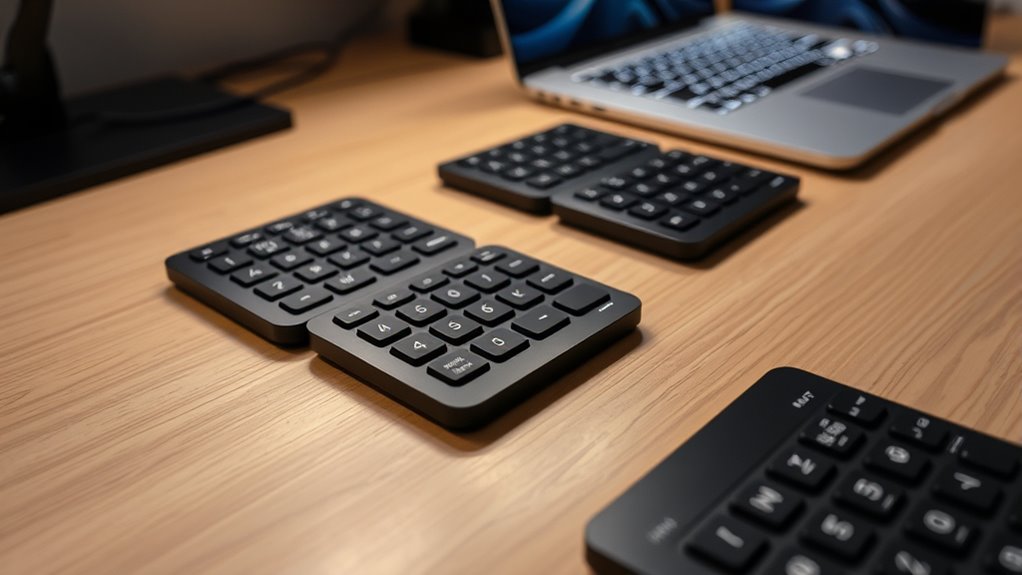

Finding the right Bluetooth numpad for your laptop can significantly boost productivity, especially if you do a lot of data entry or accounting. The best options combine portability, reliable wireless connectivity, and a comfortable typing experience. The iClever Bluetooth Number Pad stands out for its multi-device compatibility and rechargeable design, making it a versatile choice. Meanwhile, the Keychron K0 Max offers a premium mechanical experience with RGB backlighting, ideal for those who want a high-end feel. The main tradeoffs include balancing portability against build quality, and affordability versus advanced features. Keep reading for a detailed analysis of these options and more to find your perfect match.
Key Takeaways
- Top picks vary significantly between budget-friendly models and premium mechanical keypads, reflecting differing priorities like portability or typing feel.
- Multi-device compatibility is common among the best Bluetooth numpads, but battery life and connectivity stability remain key differentiators.
- Mechanical options tend to offer better tactile feedback but come with increased size and noise, making them less portable than membrane models.
- Recharging methods and battery longevity are critical for uninterrupted use, especially for heavy data entry tasks.
- Design and key layout differences influence usability, with some models offering extra function keys or compact footprints for specific workflows.
| Foloda Wireless Numeric Keypad, 22-Key Portable 2.4 GHz USB Numpad for Laptop and Desktop |  | Best Budget Wireless Numpad for Windows Users | Number of Keys: 22 | Wireless Technology: 2.4 GHz | Range: 32.8 ft | VIEW ON AMAZON | See Our Full Breakdown |
| iClever Bluetooth Number Pad, Wireless Numeric Keypad with 35 Keys, USB-C Rechargeable, Multi-Device Compatible |  | Best Multi-Device Bluetooth Numpad for Versatile Use | Number of Keys: 35 | Connectivity: Bluetooth | Device Compatibility: Windows, macOS, Android | VIEW ON AMAZON | See Our Full Breakdown |
| Havit Bluetooth Wireless Numeric Keypad 26 Keys Portable Mini Financial Accounting Numeric Pad for Windows |  | Best Ergonomic Bluetooth NumPad for Financial Tasks | Number of Keys: 26 | Connection: Bluetooth 3.0 | Range: Up to 33 feet | VIEW ON AMAZON | See Our Full Breakdown |
| Keychron K0 Max Wireless Low-Profile Number Pad with RGB Backlit and Hot-Swappable Brown Switches |  | Premium Customizable NumPad with RGB and Mechanical Switches | Number of Keys: 27 | Connectivity: Bluetooth 5.3, 2.4 GHz, USB-C | Switch Type: Milk POM Brown | VIEW ON AMAZON | See Our Full Breakdown |
| NOOX Wireless Numeric Keypad, 10-Key USB Numpad for Office, Accounting, Data Entry, and More |  | Most Versatile and Portable Wireless Numpad | Application Scenarios: Accounting, data entry, education, gaming, digital art | Connectivity: Wireless USB | Compatibility: Windows 2000/XP/Vista/7/8/10/11, Chrome OS, Android, Linux, partial macOS | VIEW ON AMAZON | See Our Full Breakdown |
| Kisnt KN300BT Bluetooth Numeric Keypad, 34-Key Wireless Rechargeable External Numpad for Laptop, MacBook, Tablets, iOS, Android, Windows PC | 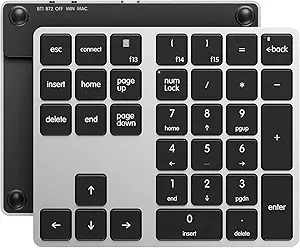 | Best for Multi-Device Professionals on the Go | Number of Keys: 34 | Connectivity: Bluetooth 4.0 | Battery: 300mAh rechargeable lithium-ion | VIEW ON AMAZON | See Our Full Breakdown |
| Wireless Mechanical Numeric Keypad with RGB Backlight for Laptop and Desktop |  | Best for Customization and Style Enthusiasts | Connectivity: Bluetooth 5.2, 2.4GHz, USB | Number of Keys: 17 | Keycap Material: PBT | VIEW ON AMAZON | See Our Full Breakdown |
| Macally Bluetooth Numeric Keypad for Laptop, Mac, iPad, Windows PC, and Tablets – Rechargeable Wireless 18-Key Numpad | 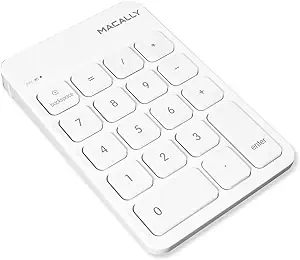 | Best for Apple Users and Ergonomic Comfort | Number of Keys: 18 | Connectivity: Bluetooth | Battery: Rechargeable with automatic sleep mode | VIEW ON AMAZON | See Our Full Breakdown |
| Kisnt FD17 Wireless Mechanical Number Pad, Bluetooth 5.0 & 2.4G Dual Mode Numeric Keypad, 17 Keys, Hot Swappable, PBT Keycaps |  | Best for Mechanical Keyboard Enthusiasts and Dual-Mode Users | Connectivity: Bluetooth 5.0 & 2.4G dual mode | Number of Keys: 17 | Keycap Material: PBT | VIEW ON AMAZON | See Our Full Breakdown |
| Nulea Wireless Numeric Keypad Bluetooth 5.0 & 2.4G, USB-C Rechargeable, 34 Keys for Data Entry |  | Best for Data Entry and Professional Use | Connectivity: Bluetooth 5.0, 2.4G wireless | Number of Keys: 34 | Battery: 280mAh rechargeable, up to 96 days standby | VIEW ON AMAZON | See Our Full Breakdown |
| MOFII Wireless Bluetooth Numeric Keypad, 19 Keys, Silent, Portable, Black |  | Best Overall for Simplicity and Portability | Connectivity Technology: Bluetooth | Number of Keys: 19 | Power Source: 1 AAA battery | VIEW ON AMAZON | See Our Full Breakdown |
| Bluetooth Number Pad, Lekvey Aluminum Rechargeable Wireless Numeric Keypad Slim 34-Keys External Numpad Keyboard |  | Best for Durability and Multi-Device Compatibility | Material: Aluminum | Number of Keys: 34 | Connectivity: Bluetooth 5.0 | VIEW ON AMAZON | See Our Full Breakdown |
| Macally Bluetooth Number Pad for Laptop – Wireless Numeric Keypad with 22 Keys |  | Best for Mac and iOS Users Seeking Long Battery Life | Number of Keys: 22 | Compatibility: MacBook, iPad, iPhone, PC, Android | Battery Life: Up to 400 hours | VIEW ON AMAZON | See Our Full Breakdown |
| iClever Bluetooth Numeric Keypad, 34-Key Wireless Aluminum Numpad for Data Entry and Accounting |  | Best for Long Battery Life and Multi-Device Use | Number of Keys: 34 | Connectivity: Bluetooth | Compatibility: Windows, Mac, iOS, Android, Chrome OS | VIEW ON AMAZON | See Our Full Breakdown |
| bluetooth numpads for laptop | Number of Keys | Connectivity | Compatibility | Battery |
|---|---|---|---|---|
| Foloda Wireless Numeric Keypad | 22 | — | Windows 2000/XP/Vista/7/8/10 | — |
| iClever Bluetooth Number Pad | 35 | Bluetooth | — | Rechargeable USB-C |
| Havit Bluetooth Wireless Numer | 26 | — | Windows only | Rechargeable lithium battery |
| Keychron K0 Max Wireless Low-P | 27 | Bluetooth 5.3, 2.4 GHz, USB-C | — | — |
| NOOX Wireless Numeric Keypad | — | Wireless USB | Windows 2000/XP/Vista/7/8/10/11, Chrome OS, Android, Linux, partial macOS | — |
| Kisnt KN300BT Bluetooth Numeri | 34 | Bluetooth 4.0 | Windows 8+, Mac OS 10.10+, iOS, Android, Linux | 300mAh rechargeable lithium-ion |
| Wireless Mechanical Numeric Ke | 17 | Bluetooth 5.2, 2.4GHz, USB | — | 1x AAA (not included) |
| Macally Bluetooth Numeric Keyp | 18 | Bluetooth | Mac OS X 10.6+, Windows 7/8/10/XP/Vista | Rechargeable with automatic sleep mode |
| Kisnt FD17 Wireless Mechanical | 17 | Bluetooth 5.0 & 2.4G dual mode | — | 1x AAA (not included) |
| Nulea Wireless Numeric Keypad | 34 | Bluetooth 5.0, 2.4G wireless | Windows 8/10/11, macOS, iOS, Android, Chrome OS | 280mAh rechargeable, up to 96 days standby |
| MOFII Wireless Bluetooth Numer | 19 | — | — | — |
| Bluetooth Number Pad | 34 | Bluetooth 5.0 | — | — |
| Macally Bluetooth Number Pad f | 22 | — | MacBook, iPad, iPhone, PC, Android | — |
| iClever Bluetooth Numeric Keyp | 34 | Bluetooth | Windows, Mac, iOS, Android, Chrome OS | — |
More Details on Our Top Picks
Foloda Wireless Numeric Keypad, 22-Key Portable 2.4 GHz USB Numpad for Laptop and Desktop
The Foloda Wireless Numeric Keypad stands out for its straightforward, reliable 2.4 GHz wireless connection, offering a generous range of over 32 feet. Compared to the NOOX Wireless Numeric Keypad, it lacks backlit keys and advanced features but compensates with simplicity and affordability. Its compact, lightweight design makes it ideal for users who prioritize portability and basic numeric input without frills. The auto sleep mode helps conserve battery life, but the need for two AAA batteries and absence of backlit keys can be drawbacks for those working in low-light environments. This pick makes the most sense for budget-conscious Windows users needing a dependable, no-nonsense numeric keypad.
Pros:- Reliable 2.4 GHz wireless connection with 32.8 ft range
- Compact, lightweight, highly portable design
- Compatible with multiple Windows versions and auto sleep for energy saving
Cons:- Requires two AAA batteries, which are not included
- No backlit keys, limiting usability in dim lighting
- Limited to Windows compatibility
Best for: Windows users who need a simple, portable wireless numpad without extra features
Not ideal for: Mac users or those needing backlit keys for low-light work, as it lacks backlighting and Mac compatibility
- Number of Keys:22
- Wireless Technology:2.4 GHz
- Range:32.8 ft
- Power Supply:2 x AAA batteries (not included)
- Compatibility:Windows 2000/XP/Vista/7/8/10
- Material:ABS
Our verdict“This budget-friendly wireless numpad is best suited for Windows users who prioritize portability and basic functionality over advanced features.”
iClever Bluetooth Number Pad, Wireless Numeric Keypad with 35 Keys, USB-C Rechargeable, Multi-Device Compatible
The iClever Bluetooth Number Pad excels in multi-device connectivity, supporting up to three devices simultaneously via Bluetooth. Unlike the Havit Bluetooth Numeric Keypad, it supports multiple operating systems including Windows, macOS, and Android, making it versatile for various setups. Its durable stainless steel frame and quiet, scissor-switch keys cater to frequent use in professional environments. However, reliance on Bluetooth may introduce latency issues for some users, and the absence of backlit keys makes low-light work less convenient. The rechargeable battery with USB-C fast charging offers impressive longevity, making it well-suited for multitasking professionals who switch between devices often.
Pros:- Supports connection to up to three devices simultaneously
- Long-lasting battery with quick USB-C charging
- Universal compatibility with Windows, macOS, and Android
Cons:- Bluetooth connection may introduce latency for sensitive tasks
- No backlit keys, limiting low-light usability
- Limited to basic numeric functions without extensive customization
Best for: Users who need to connect to multiple devices—like a laptop, tablet, and phone—without hassle
Not ideal for: Users seeking high-speed, low-latency input for gaming or fast data entry, as Bluetooth latency could be problematic
- Number of Keys:35
- Connectivity:Bluetooth
- Device Compatibility:Windows, macOS, Android
- Battery:Rechargeable USB-C
- Battery Life:Up to 90 days
- Material:Stainless steel, ABS
Our verdict“This multi-device Bluetooth numpad is ideal for professionals needing seamless switching across multiple platforms, despite minor latency concerns.”
Havit Bluetooth Wireless Numeric Keypad 26 Keys Portable Mini Financial Accounting Numeric Pad for Windows
The Havit Bluetooth Numeric Keypad offers a compact, ergonomic design with a 15° tilt, making it a strong choice for spreadsheet work and financial data entry. Compared with the Keychron K0 Max, it lacks RGB backlighting and macro support but provides a straightforward, reliable wireless connection with a focus on comfort. Its quiet scissor-switch keys and stable Bluetooth 3.0 connection make it suitable for prolonged use. However, its Windows-only compatibility and the need for Bluetooth pairing setup might pose hurdles for some users. This keypad is best suited for those who prioritize ergonomic comfort and a dedicated financial or accounting workflow over advanced customization or multi-device support.
Pros:- Ergonomic tilt at 15°, reducing wrist strain
- Stable Bluetooth 3.0 connection for quick data transmission
- Quiet, responsive scissor-switch keys for comfortable typing
Cons:- Limited to Windows systems; no Mac compatibility
- Requires Bluetooth pairing, which may be tricky for some
- No backlit keys for low-light environments
Best for: Accountants and financial professionals working primarily on Windows with a need for ergonomic comfort
Not ideal for: Creative users or Mac owners who want extensive customization or macOS support
- Number of Keys:26
- Connection:Bluetooth 3.0
- Range:Up to 33 feet
- Battery:Rechargeable lithium battery
- Tilt Angle:15°
- Compatibility:Windows only
Our verdict“This ergonomic Bluetooth numpad is best for Windows-based financial professionals who value comfort and stability over multi-platform use.”
Keychron K0 Max Wireless Low-Profile Number Pad with RGB Backlit and Hot-Swappable Brown Switches
The Keychron K0 Max offers an impressive blend of customization, with hot-swappable Milk POM switches, RGB backlighting, and macros, making it a prime choice for enthusiasts and power users. Its tri-mode connectivity—Bluetooth 5.3, 2.4 GHz, and wired USB-C—compared with the simpler iClever model, provides flexible options for different setups. The compact, low-profile design and extensive features come with a higher price tag, which might be a barrier for casual users. Its 27 keys mean it lacks the full numpad functions some users might need, but for those seeking aesthetic appeal and extensive customization, this is a compelling option despite the complexity of firmware configuration.
Pros:- Hot-swappable switches for easy customization
- RGB backlighting with vivid colors
- Supports multiple devices via tri-mode connectivity
Cons:- Limited to 27 keys, missing some full numpad functions
- Requires firmware setup for advanced macros
- Higher price point reflecting premium features
Best for: Advanced users and creative professionals who want a highly customizable, aesthetic numpad
Not ideal for: Basic users or those on a strict budget who need straightforward numeric input without extra flair
- Number of Keys:27
- Connectivity:Bluetooth 5.3, 2.4 GHz, USB-C
- Switch Type:Milk POM Brown
- Backlighting:RGB
- Features:Rotary knob, macros, hot-swappable
- Material:Aluminum
Our verdict“This premium, customizable numpad is best for tech-savvy users wanting aesthetic flair and extensive personalization, at a premium cost.”
NOOX Wireless Numeric Keypad, 10-Key USB Numpad for Office, Accounting, Data Entry, and More
The NOOX Wireless Numeric Keypad provides a compact, plug-and-play solution suitable for a wide range of tasks from accounting to gaming. Its broad device compatibility, including Windows, Chrome OS, Android, and Linux, makes it versatile for different setups, unlike the Foloda which is Windows-only. Its lightweight design enhances portability, but the reliance on a USB wireless receiver and lack of backlit keys can limit usability in certain environments. It’s a well-rounded choice for users who need quick setup and broad compatibility, especially those working across multiple operating systems or on the go.
Pros:- Plug-and-play with broad OS compatibility
- Lightweight, portable design
- Responsive keys for comfortable data entry
Cons:- No backlit keys for low-light conditions
- Requires a USB receiver, which can be lost or forgotten
- Limited to basic numeric functions
Best for: Students, remote workers, and professionals needing a portable, multi-OS compatible numpad
Not ideal for: Users who need backlit keys or extensive customization, as it lacks illumination and advanced features
- Application Scenarios:Accounting, data entry, education, gaming, digital art
- Connectivity:Wireless USB
- Compatibility:Windows 2000/XP/Vista/7/8/10/11, Chrome OS, Android, Linux, partial macOS
- Design:Compact, lightweight, portable
- Includes:Numeric keypad, USB receiver
Our verdict“This versatile, portable wireless numpad is best for users who need quick, broad compatibility across multiple devices and operating systems without extra features.”
Kisnt KN300BT Bluetooth Numeric Keypad, 34-Key Wireless Rechargeable External Numpad for Laptop, MacBook, Tablets, iOS, Android, Windows PC
The Kisnt KN300BT stands out for its ability to seamlessly switch between multiple devices, thanks to dual Bluetooth 4.0 connectivity. Its compact size and lightweight design make it perfect for frequent travelers who need reliable data entry on the move. Unlike the Macally Bluetooth Numeric Keypad, which is more ergonomic but less versatile in device switching, the KN300BT excels in multi-platform support. However, its lack of backlight and non-programmable keys limit customization, making it less suited for users who work in low-light environments or need tailored shortcuts. This model is ideal for professionals who prioritize portability and multi-device compatibility over advanced features.
Pros:- Seamless multi-device switching with dual Bluetooth connections
- Compact and lightweight design ideal for travel
- Quiet, responsive keys similar to MacBook typing experience
- Long-lasting battery with easy USB-C recharging
Cons:- No backlight feature for use in low-light conditions
- Cannot assign custom functions or macros
- Limited to Bluetooth 4.0, which may reduce compatibility with older devices
Best for: Travelers and remote workers needing quick device switching and portability
Not ideal for: Users requiring backlit keys or extensive custom key programming for complex workflows
- Number of Keys:34
- Connectivity:Bluetooth 4.0
- Battery:300mAh rechargeable lithium-ion
- Dimensions:5.5 x 4.6 x 0.62 inches
- Weight:5.57 oz
- Compatibility:Windows 8+, Mac OS 10.10+, iOS, Android, Linux
Our verdict“This keypad suits professionals who need a portable, multi-device compatible numpad without advanced customization features.”
Wireless Mechanical Numeric Keypad with RGB Backlight for Laptop and Desktop
The Wireless Mechanical Numeric Keypad supports Bluetooth 5.2, 2.4GHz, and USB connections, giving it unmatched versatility compared to single-connection options like the Macally Bluetooth Keypad. Its hot-swappable PBT keycaps and extensive RGB lighting modes make it a favorite among users who want a personalized, stylish setup. Unlike the Nulea Wireless Numeric Keypad, which emphasizes portability and silent keys, this model is better suited for users who value tactile feedback and aesthetic customization. However, its smaller size and absence of backlit keys could be drawbacks for those who need a full-sized setup or work in dim environments. This pick makes the most sense for tech-savvy users who want a blend of mechanical feel and visual flair.
Pros:- Supports multiple connection modes including Bluetooth 5.2, 2.4GHz, and USB
- Hot-swappable switches for easy customization
- Durable PBT keycaps and linear, pre-lubed switches for smooth typing
- Extensive RGB lighting with 22 modes for personalization
Cons:- Limited color options beyond pink
- Requires charging for long-term use, no wired option for constant power
- Smaller footprint may be too compact for some users
Best for: Enthusiasts seeking a customizable, mechanical, and visually striking numpad
Not ideal for: Users needing a simple, plug-and-play numpad or those in low-light working environments
- Connectivity:Bluetooth 5.2, 2.4GHz, USB
- Number of Keys:17
- Keycap Material:PBT
- Switch Type:Linear, pre-lubed
- Dimensions:3.6 x 4.8 x 1.6 inches
- Battery:1x AAA (not included)
Our verdict“This keypad is ideal for users wanting a mechanical, highly customizable numpad with vibrant lighting options.”
Macally Bluetooth Numeric Keypad for Laptop, Mac, iPad, Windows PC, and Tablets – Rechargeable Wireless 18-Key Numpad
The Macally Bluetooth Numeric Keypad offers a straightforward experience with 18 full-size, quiet keys and an ergonomic tilted design that reduces wrist strain. Its plug-and-play setup makes it highly accessible for Mac and Windows users alike, surpassing more complex options like the iClever Bluetooth Number Pad in ease of use. While its limited number of keys may not suit users managing large datasets, the comfortable tilt and broad device compatibility make it an excellent choice for everyday office tasks. However, the absence of backlit keys means it’s less suitable for low-light conditions, and it might not satisfy those needing extensive customization or extra function keys.
Pros:- Easy, driver-free setup compatible with multiple OS
- Ergonomic tilted design reduces wrist fatigue
- Long-lasting rechargeable battery with auto-sleep
- Broad device compatibility including iPad and tablets
Cons:- Limited to 18 keys, less suited for complex data entry
- No backlight for use in dark settings
- Basic functionality without customizable keys
Best for: Mac users or those prioritizing comfort and simple setup for regular data entry
Not ideal for: Power users who need extensive programmable keys or work in poorly lit environments
- Number of Keys:18
- Connectivity:Bluetooth
- Battery:Rechargeable with automatic sleep mode
- Compatibility:Mac OS X 10.6+, Windows 7/8/10/XP/Vista
- Design:Tilted for ergonomic comfort
Our verdict“This keypad suits users who want a simple, ergonomic, and reliable numpad for everyday tasks, especially on Mac or iPad devices.”
Kisnt FD17 Wireless Mechanical Number Pad, Bluetooth 5.0 & 2.4G Dual Mode Numeric Keypad, 17 Keys, Hot Swappable, PBT Keycaps
The Kisnt FD17 combines dual Bluetooth 5.0 and 2.4GHz wireless modes with a compact, mechanical design, making it highly adaptable for various setups. Its hot-swappable switches and durable PBT keycaps deliver a satisfying, customizable typing experience that outshines more basic rubber domes like the Foloda 22-Key Numeric Keypad. Unlike the Nulea 34-Key NumPad, which emphasizes portability and silent operation, the FD17 appeals to users who want tactile feedback and switch customization, especially in a dual wireless environment. The absence of backlit keys limits its usability in darker settings, and the AAA battery requirement adds a minor inconvenience. Overall, this is best suited for enthusiasts who appreciate mechanical keys and flexible connectivity options.
Pros:- Supports dual Bluetooth 5.0 and 2.4GHz wireless modes
- Hot-swappable switches for easy customization
- Compact, portable design with durable PBT keycaps
- Reliable dual-mode connectivity for flexible use
Cons:- Requires AAA batteries, which need frequent replacement
- No backlit keys, limiting use in low light
- Limited to 17 keys, less suited for large data tasks
Best for: Mechanical keyboard fans and users needing dual wireless connectivity with customization
Not ideal for: Those seeking a simple, lightweight numpad without mechanical switches or extensive customization
- Connectivity:Bluetooth 5.0 & 2.4G dual mode
- Number of Keys:17
- Keycap Material:PBT
- Switch Type:Linear, pre-lubed
- Dimensions:3.6 x 4.8 x 1.6 inches
- Battery:1x AAA (not included)
Our verdict“This keypad is perfect for mechanical keyboard enthusiasts who want customizable, dual-mode wireless connectivity in a compact form.”
Nulea Wireless Numeric Keypad Bluetooth 5.0 & 2.4G, USB-C Rechargeable, 34 Keys for Data Entry
The Nulea Wireless Numeric Keypad offers a balanced mix of portability and functionality, with 34 silent scissor-switch keys that provide a tactile, quiet experience similar to the iClever Bluetooth Number Pad. Its support for Bluetooth 5.0 and 2.4GHz makes multi-device switching straightforward, surpassing the single-mode options. Unlike the Foloda 22-Key Numeric Keypad, which is more basic, the Nulea’s rechargeable battery and long standby time cater to professional environments where reliability matters. Its USB-C charging and slim profile are advantages, but it’s limited to newer USB-C devices and cannot be customized. This makes it perfect for data professionals needing a reliable, quiet numpad for routine work.
Pros:- Supports Bluetooth 5.0 and 2.4GHz for multi-device connection
- Long standby time with rechargeable battery
- Slim, lightweight design for portability
- Quiet, tactile scissor-switch keys for professional environments
Cons:- Only compatible with USB-C interface, limiting older devices
- No key customization or macros available
- Recommended primarily for newer Windows and macOS devices
Best for: Data entry professionals and office users needing a reliable, multi-device numpad
Not ideal for: Users with older USB-A devices or those requiring extensive key customization
- Connectivity:Bluetooth 5.0, 2.4G wireless
- Number of Keys:34
- Battery:280mAh rechargeable, up to 96 days standby
- Interface:USB-C
- Keys:Scissor-switch, silent
- Compatibility:Windows 8/10/11, macOS, iOS, Android, Chrome OS
Our verdict“This keypad is well-suited for professionals seeking a reliable, quiet, multi-device compatible numpad with a slim profile.”
MOFII Wireless Bluetooth Numeric Keypad, 19 Keys, Silent, Portable, Black
This compact Bluetooth keypad excels in offering silent operation and straightforward connectivity, making it ideal for frequent travelers or users who prioritize quiet, distraction-free data entry. Compared to the iClever 22-key model, its smaller size enhances portability but sacrifices some additional keys, limiting functionality for advanced tasks. Its silent keys and lightweight build are a clear advantage, yet the reliance on a single AAA battery and lack of backlit keys could be drawbacks for those working in low-light conditions or seeking longer-term convenience. This pick makes the most sense for users who need a basic, portable numeric keypad without extra bells and whistles.
Pros:- Wireless Bluetooth connection for hassle-free setup
- Silent keys reduce noise disturbance
- Very portable and lightweight for travel
Cons:- Requires replacement of AAA battery, which may be inconvenient
- No backlit keys for use in dim environments
- Limited to Windows and Mac OS, excluding other OS like Chrome OS
Best for: Travelers and remote workers who need a compact, quiet numeric keypad for occasional use
Not ideal for: Power users requiring extensive key options or backlit keys for low-light environments
- Connectivity Technology:Bluetooth
- Number of Keys:19
- Power Source:1 AAA battery
- Dimensions:4.92″L x 3.66″W x 0.87″H
- Weight:80±5g
- Compatible Devices:Laptop, PC, Smart TV
Our verdict“This keypad is perfect for those who prioritize portability and quiet operation over extensive functionality.”
Bluetooth Number Pad, Lekvey Aluminum Rechargeable Wireless Numeric Keypad Slim 34-Keys External Numpad Keyboard
The Lekvey aluminum numeric keypad stands out with its slim, durable design and Bluetooth 5.0 connectivity, making it suitable for users who need a sturdy, versatile accessory. Unlike the MOFII, it offers more keys—34 in total—covering more functions but with some limitations on special keys like page up/down, especially on Mac OS, which could restrict workflow. Its rechargeable battery and aluminum build make it a durable choice for daily use, yet the limited key compatibility on certain Macs and the absence of backlit keys mean it’s less suited for low-light or specialized tasks. It’s a smart pick for professionals who want a sleek external keypad compatible across multiple platforms.
Pros:- Slim, lightweight aluminum design for durability and portability
- Bluetooth 5.0 with a 10-meter range for flexible use
- Rechargeable battery with USB-C charging for convenience
Cons:- Function keys like page up/down may not work fully on Mac OS
- No backlit keys, limiting use in darkness
- Some shortcut keys may be device-dependent or limited
Best for: Professionals needing a durable, multi-device keypad for daily office tasks
Not ideal for: Users who need full function key support on Mac OS or backlit keys for working in low light
- Material:Aluminum
- Number of Keys:34
- Connectivity:Bluetooth 5.0
- Battery Capacity:160 mAh
- Dimensions:5.7 x 4.4 x 0.47 inches
- Compatible Devices:Laptop, PC, Smartphone, Tablet
Our verdict“This keypad is best suited for users who value durability and multi-platform compatibility in a sleek form factor.”
Macally Bluetooth Number Pad for Laptop – Wireless Numeric Keypad with 22 Keys
The Macally Bluetooth keypad offers a comfortable, full-sized typing experience with 22 keys and impressive battery life of up to 400 hours, making it a solid choice for Mac users or those who work extensively on iPads and iPhones. Compared to the Lekvey, it’s more focused on Apple ecosystems, with better compatibility and a more ergonomic tilt, though it lacks backlit keys and requires AAA batteries, which are not included. Its straightforward Bluetooth pairing simplifies setup, but the limited key count and absence of illumination may be less ideal for users working in darker environments or needing more advanced functions. This keypad suits users who prioritize long-lasting, hassle-free use on Mac devices.
Pros:- Easy Bluetooth pairing with no extra software needed
- Long battery life of around 400 hours
- Ergonomic tilt design reduces wrist strain
Cons:- Requires AAA batteries, which are not included
- Limited key count—no extra function or special keys
- No backlit keys for low-light use
Best for: Mac users or iOS device owners who want a long-lasting, straightforward numeric keypad
Not ideal for: Android or Windows users needing extensive keys or backlit features for night work
- Number of Keys:22
- Compatibility:MacBook, iPad, iPhone, PC, Android
- Battery Life:Up to 400 hours
- Connection:Bluetooth
- Key Switch Type:Scissor
Our verdict“This keypad is ideal for Mac users who need a durable, long-lasting solution with minimal fuss.”
iClever Bluetooth Numeric Keypad, 34-Key Wireless Aluminum Numpad for Data Entry and Accounting
The iClever 34-key aluminum keypad offers a sleek, durable design combined with versatile multi-device compatibility, making it well-suited for busy professionals. Its ability to connect to multiple devices simultaneously and a quick one-hour recharge set it apart from the others, such as the MOFII, which relies on replaceable batteries. However, its exclusive reliance on Bluetooth and lack of wired options could be a limitation for users needing immediate, wired data transfer or working in environments with Bluetooth interference. While it doesn’t support backlit keys, its long battery life and quick recharge make it a practical choice for heavy daily use across various platforms.
Pros:- Supports multiple OS including Windows, Mac, iOS, Android, Chrome OS
- Durable aluminum and stainless steel construction
- Fast USB-C recharge with up to 100 hours of use
Cons:- No wired connection or data transfer via USB-C
- Limited to Bluetooth only, which may cause interference
- No backlit keys for nighttime use
Best for: Data entry professionals or accountants who need reliable multi-device connectivity and durability
Not ideal for: Writers or night workers requiring backlit keys or wired connectivity for stability
- Number of Keys:34
- Connectivity:Bluetooth
- Compatibility:Windows, Mac, iOS, Android, Chrome OS
- Recharge Time:1 hour
- Battery Life:Up to 100 hours
- Material:Aluminum, stainless steel
Our verdict“This keypad is best for professionals seeking multi-platform durability and long battery life without wired options.”

How We Picked
Our evaluation focused on core factors that impact daily use and long-term value. We examined build quality, connection reliability, battery life, compatibility across devices and operating systems, and overall usability. Additionally, we considered design features such as key layout, backlighting, and portability. To ensure the list serves different needs, products were ranked based on how well they balance these factors, with a preference for models that excel in connectivity stability and user comfort. Price-to-value ratio was also a key consideration, helping to highlight both budget options and premium picks for specialized use cases.Factors to Consider When Choosing Bluetooth Numpads For Laptops
When choosing a Bluetooth numpad for your laptop, consider several key factors to ensure you select a device that meets your specific needs. The right model depends on how you plan to use it, your preferred typing experience, and your portability requirements. Understanding these factors can prevent common mistakes like overspending on unnecessary features or choosing incompatible devices. Below, I break down the most important considerations to keep in mind to make an informed purchase.Connectivity and Compatibility
Most Bluetooth numpads are designed to connect wirelessly via Bluetooth, but not all perform equally in terms of stability and range. Look for models that support Bluetooth 5.0 or higher, as these tend to offer more reliable connections and lower latency. Compatibility across multiple operating systems—Windows, macOS, iOS, Android—is also essential if you switch between devices frequently. Some models include dual-mode options, combining Bluetooth with a wired connection, which can be advantageous for uninterrupted use during critical tasks.
Build Quality and Key Feel
The choice between membrane and mechanical keys impacts both durability and typing comfort. Mechanical models generally provide better tactile feedback and longer lifespan but tend to be larger and louder. Membrane options are quieter and more portable but might feel softer or less precise during extended use. Consider your environment—quiet offices or shared spaces benefit from quieter keyboards, while mechanical keys suit users seeking a more satisfying typing experience for long sessions.
Battery Life and Charging
Battery longevity varies widely among models. Some use rechargeable batteries, offering convenience and eco-friendliness, while others rely on replaceable batteries. For heavy users, a model with at least several weeks of battery life on a single charge is ideal. Check how the device charges—USB-C tends to be faster and more future-proof—and whether it includes features like auto-sleep modes to conserve power during idle periods.
Size, Portability, and Layout
The physical size and key layout influence portability and ease of use. Compact, 20-30 key models are excellent for saving space and fitting into small bags, but they may lack dedicated function keys or navigation controls. Larger models with more keys can streamline workflows that rely on quick access to specific functions but are less portable. Think about your typical workspace setup and whether a slim profile or additional keys will improve your efficiency.
Design and Additional Features
Features like backlighting, customizable keys, and ergonomic design enhance user experience but often add to the cost. Backlit keys are useful in dim environments, while programmable keys can tailor the device to specific workflows. However, more advanced features may increase size, weight, or complexity, so weigh their importance against your portability needs and budget.
Frequently Asked Questions
Can I use a Bluetooth numpad with multiple devices simultaneously?
Many Bluetooth numpads support multi-device pairing, allowing you to switch between computers, tablets, or smartphones seamlessly. However, not all models have this feature, and those that do may require manual switching or specific software. Confirming multi-device support before purchase ensures you won’t be limited to a single device, especially if you work across multiple platforms regularly.
Are mechanical Bluetooth numpads noisy for shared workspaces?
Mechanical keys tend to produce more noise compared to membrane options, which could be distracting in quiet environments. If noise is a concern, look for models with silent or dampened mechanical switches, or opt for membrane or rubber dome keys. Some mechanical models also feature lower-profile keys that reduce noise without sacrificing too much tactile feedback.
How important is rechargeable battery life for everyday use?
Rechargeable batteries are generally more convenient and eco-friendly, but their longevity varies. For continuous daily use, choose a model with a battery life of at least several weeks between charges. Also, consider how quickly it charges via USB-C or Micro USB, and whether it includes features like automatic sleep modes to extend battery life during periods of inactivity.
Should I prioritize portability over additional keys?
If you often travel or work in small spaces, a compact, lightweight numpad is preferable for portability. However, if your workflow benefits from dedicated function keys, navigation controls, or a numpad with a full layout, sacrificing some portability for functionality makes sense. Consider your typical working environment to balance size and usability effectively.
Are backlit keys necessary for effective use?
Backlit keys are mainly beneficial in low-light environments or for aesthetic preferences. They can improve visibility and reduce eye strain during late-night work sessions. However, they often come at an increased cost and can consume more battery power. If you work primarily in well-lit areas, a non-backlit model might save you money and extend battery life without sacrificing usability.
Conclusion
Choosing the right Bluetooth numpad depends heavily on your specific needs. For those seeking an all-around excellent experience, the iClever Bluetooth Number Pad offers reliable connectivity and multi-device support at a reasonable price, making it ideal for most users. If you prioritize a premium typing experience with mechanical keys and RGB lighting, the Keychron K0 Max stands out as the best high-end option. Budget-conscious buyers or casual users will find good value in simpler membrane models, while professionals needing durability and extensive features may prefer models with larger layouts and backlit keys. Match your choice to your workflow and environment for the best results.