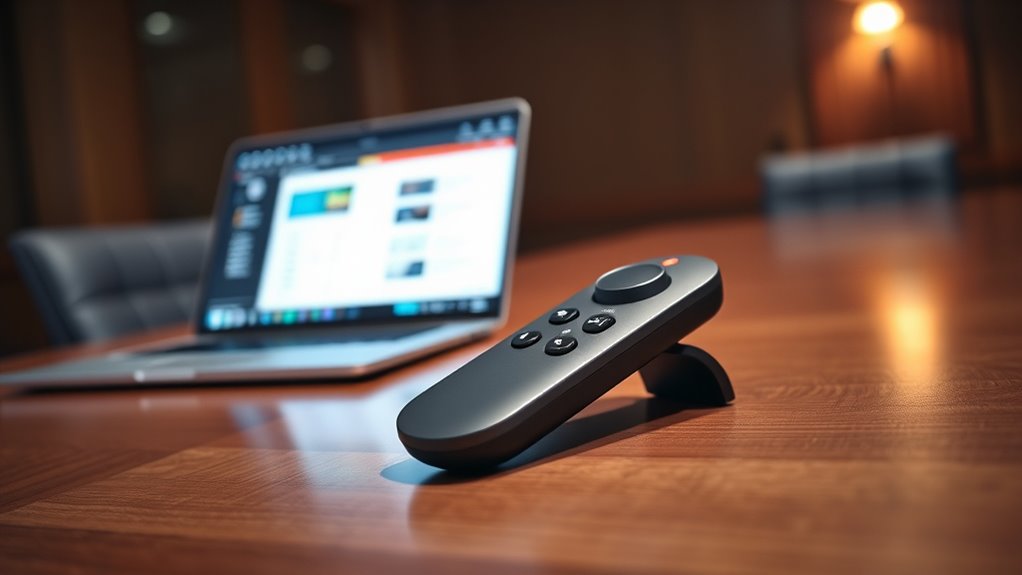

Bluetooth presentation remotes are essential tools for confident, seamless presentations, whether in the office or classroom. The best models offer reliable connectivity, easy controls, and long battery life, but tradeoffs often involve price, compatibility, or feature complexity. The Logitech Spotlight stands out as the top overall pick for its precision and intuitive design, while the DinoFire USB Type C offers versatile connectivity at a budget-friendly price. Some remotes excel in range or laser pointer quality but can be bulky or lack advanced features. Keep reading for a comprehensive breakdown to find the perfect presentation remote for your needs.

Get business pricing on office and shipping supplies
- Business-only prices and quantity discounts
- Tax-exempt purchasing
- Multiple users, one account, clear invoices
Key Takeaways
- Reliability in Bluetooth connection remains a critical factor, with some models supporting dual modes for extra stability.
- Design and ergonomics significantly impact usability, especially during longer presentations or hand fatigue.
- Laser pointer quality varies; high-precision pointers are valuable for detailed annotations but often come with higher price tags.
- Battery life and charging options differ; rechargeable models tend to be more convenient and environmentally friendly.
- Compatibility with different operating systems and devices is essential to avoid setup headaches.
| Presentation Clicker Rechargeable Wireless Remote for PowerPoint and Slides |  | Best Overall | Modes: Bluetooth 4.2 & RF 2.4GHz | Battery: Rechargeable, USB-C charging cable included | Control Range: 98 ft Bluetooth/2.4G, 330 ft red light | VIEW ON AMAZON | See Our Full Breakdown |
| Logitech Spotlight Presentation Remote – Wireless Clicker with Laser Pointer, Digital Highlighting, Bluetooth, 30m Range, Quick Charging |  | Best for Advanced Features | Range: 30 meters | Connectivity: Bluetooth and USB-A receiver | Compatibility: Windows, Mac OS, PowerPoint, Keynote, PDF, Google Slides, Prezi | VIEW ON AMAZON | See Our Full Breakdown |
| DinoFire USB Type C Wireless Presentation Clicker, BT & RF 2.4GHz Dual Modes Presenter Remote for PowerPoint |  | Best for Budget-Conscious with Dual Modes | Connectivity Technology: Bluetooth, RF 2.4GHz | Maximum Wireless Range: 164 feet | Supported Devices: Laptop, Desktop | VIEW ON AMAZON | See Our Full Breakdown |
| Logitech Wireless Presenter R400 USB A PowerPoint Clicker with Laser |  | Best for Simplicity and Reliability | Laser Type: Class 2 red laser | Wireless Technology: 2.4GHz RF | Range: 50 feet | VIEW ON AMAZON | See Our Full Breakdown |
| Logitech Wireless Presenter R500s PowerPoint Clicker with Laser Pointer |  | Best for Compatibility and Longevity | Compatibility: Windows, Mac, iOS, Android | Range: 20 meters (65 ft) | Connectivity: USB receiver and Bluetooth | VIEW ON AMAZON | See Our Full Breakdown |
| Satechi R2 Bluetooth Remote Control, Presentation & Media Mode |  | Best Overall Bluetooth Presentation Remote | Connectivity: Bluetooth 5.0, 2.4GHz USB receiver | Supported Devices: MacBook, iPad, Lenovo, Surface, Pixelbook | Button Quantity: 9 | VIEW ON AMAZON | See Our Full Breakdown |
| Norwii N95 Presentation Clicker with Red Laser Pointer |  | Best for Long-Range Control and Customization | Connectivity: Bluetooth & USB-A&C | Pointer Color: Bright green | Control Range: Up to 100 meters | VIEW ON AMAZON | See Our Full Breakdown |
| Wireless Presentation Clicker Remote for PowerPoint, Presenter |  | Best for Basic and Plug-and-Play Use | Laser Pointer Range: 328 ft / 100 m | Control Range: 98 ft / 30 m | Connectivity: Radio Frequency, USB A & Type-C | VIEW ON AMAZON | See Our Full Breakdown |
| Logitech Spotlight Presentation Remote Universal Wireless – Black |  | Best for Advanced Features and Customization | Connectivity: USB-A receiver and Bluetooth | Features: Highlight, magnify, cursor control, vibration alerts | Compatibility: Windows, Mac, PowerPoint, Keynote | VIEW ON AMAZON | See Our Full Breakdown |
| QUI Presentation Clicker with Volume Control, Wireless Presenter Remote |  | Best for Versatile Conference and Classroom Use | Wireless Range: 328 ft | Power: 1 AAA battery (not included) | Compatibility: Mac OS, Windows, PowerPoint, Keynote, Google Slides | VIEW ON AMAZON | See Our Full Breakdown |
| Logitech Spotlight 2 Presentation Remote Wireless Clicker with Haptics – Black |  | Best Overall for Professional Presenters | Connectivity: Bluetooth and Logi Bolt USB-C receiver | Battery Life: 3 months per full charge, 3 hours from 1-minute charge | Features: Haptic feedback, digital highlighting, customizable actions, guided breathing | VIEW ON AMAZON | See Our Full Breakdown |
| Logitech Spotlight Presentation Remote Universal Wireless – Gold |  | Best for Large Venues and Long Range Control | Connectivity: USB-A receiver and Bluetooth Smart | Range: 100 feet (30 meters) | Battery Life: Up to 3 months | VIEW ON AMAZON | See Our Full Breakdown |
| Lenovo Portable Rechargeable Presentation Remote Bluetooth 5.3 Wireless Clicker with Digital Pointer |  | Best Lightweight and Portable for Travel | Weight: 18.8g | Connectivity: Bluetooth 5.3 | Range: 30 meters | VIEW ON AMAZON | See Our Full Breakdown |
| Microsoft Presenter+ (2022) Wireless Bluetooth Presentation Clicker |  | Best for Microsoft Ecosystem Users | Compatibility: Microsoft Teams, PowerPoint, meeting apps | Features: Slide advance, digital pointing, mute control, quick meeting join | Battery Life: Up to 6 days | VIEW ON AMAZON | See Our Full Breakdown |
| bluetooth presentation remote | Compatibility | Connectivity | Features |
|---|---|---|---|
| Presentation Clicker Rechargea | Windows, Mac, Linux, Android | — | — |
| Logitech Spotlight Presentatio | Windows, Mac OS, PowerPoint, Keynote, PDF, Google Slides, Prezi | Bluetooth and USB-A receiver | Laser pointer, digital highlighting, cursor control, vibration alerts |
| DinoFire USB Type C Wireless P | — | — | Page navigation, full/black screen, volume control |
| Logitech Wireless Presenter R4 | — | — | — |
| Logitech Wireless Presenter R5 | Windows, Mac, iOS, Android | USB receiver and Bluetooth | Laser pointer, long range, app customization |
| Satechi R2 Bluetooth Remote Co | — | Bluetooth 5.0, 2.4GHz USB receiver | — |
| Norwii N95 Presentation Clicke | — | Bluetooth & USB-A&C | — |
| Wireless Presentation Clicker | — | Radio Frequency, USB A & Type-C | — |
| Logitech Spotlight Presentatio | Windows, Mac, PowerPoint, Keynote | USB-A receiver and Bluetooth | Highlight, magnify, cursor control, vibration alerts |
| QUI Presentation Clicker with | Mac OS, Windows, PowerPoint, Keynote, Google Slides | — | Page up/down, volume control, full screen/black screen |
| Logitech Spotlight 2 Presentat | macOS, Windows, PowerPoint, Google Slides, Keynote, Zoom, Teams | Bluetooth and Logi Bolt USB-C receiver | Haptic feedback, digital highlighting, customizable actions, guided breathing |
| Logitech Spotlight Presentatio | Windows, Mac OS, PowerPoint, Keynote, PDF, Google Slides, Prezi | USB-A receiver and Bluetooth Smart | — |
| Lenovo Portable Rechargeable P | Windows 10 or later, macOS 12 or later | Bluetooth 5.3 | — |
| Microsoft Presenter+ | Microsoft Teams, PowerPoint, meeting apps | — | Slide advance, digital pointing, mute control, quick meeting join |
More Details on Our Top Picks
Presentation Clicker Rechargeable Wireless Remote for PowerPoint and Slides
This remote stands out for its dual-mode operation, supporting both Bluetooth 4.2 and RF 2.4GHz, which provides flexible connectivity options. Its long control range of up to 330 feet makes it ideal for large rooms or conference halls, surpassing many competitors like the Logitech R400, which maxes out at 50 feet. The rechargeable USB-C battery eliminates ongoing costs for batteries, adding convenience. However, its setup may be more complex, especially for users unfamiliar with Bluetooth pairing, and it still requires AAA batteries for the remote itself. This pick is perfect for professionals who need versatile connectivity and extensive range, but less so for those seeking a simple, plug-and-play device.
Pros:- Supports both Bluetooth 4.2 and RF 2.4GHz for maximum compatibility
- Long control range of up to 330 feet for large venues
- Rechargeable via USB-C, reducing battery waste
- Compatible with multiple OS and presentation platforms
Cons:- Requires AAA batteries for the remote, which are not included
- Bluetooth mode may face compatibility issues with some iPads
- Setup process could be confusing for beginners
Best for: Power users who want extensive control range and dual connectivity modes for various operating systems.
Not ideal for: Casual presenters or those preferring straightforward plug-and-play devices without Bluetooth setup complexity.
- Modes:Bluetooth 4.2 & RF 2.4GHz
- Battery:Rechargeable, USB-C charging cable included
- Control Range:98 ft Bluetooth/2.4G, 330 ft red light
- Compatibility:Windows, Mac, Linux, Android
- Functions:Page forward/backward, volume, hyperlink, switch windows, black screen
- Light:Bright red for visibility
Our verdict“This remote suits tech-savvy professionals needing long-range, versatile connectivity, but may be overly complex for casual users.”
Logitech Spotlight Presentation Remote – Wireless Clicker with Laser Pointer, Digital Highlighting, Bluetooth, 30m Range, Quick Charging
The Logitech Spotlight excels with its high-tech features, including a laser pointer, digital highlighting, and cursor control, making it a clear upgrade over basic remotes like the Logitech R400, which lacks digital highlighting. Its 30-meter (approximately 98 feet) range is impressive for large spaces, and the dual connectivity via Bluetooth and USB-A adds flexibility. Customization through the Logi Options+ app empowers users to tailor gestures and alerts, but this setup can be somewhat intimidating for first-time users. Its quick-charging battery ensures minimal downtime, making it suitable for frequent presenters who value advanced controls over simplicity.
Pros:- Dual connectivity via Bluetooth and USB-A receiver
- Advanced digital highlighting and laser pointer
- Customizable via Logi Options+ app
- Long 30-meter wireless range
Cons:- Requires setup with Logi Options+ app for full feature access
- Can be complex for users unfamiliar with software customization
- Battery life depends heavily on usage patterns
Best for: Power users who want cutting-edge presentation tools and customization options for frequent professional use.
Not ideal for: Casual users or those uncomfortable with configuring software settings for advanced features.
- Range:30 meters
- Connectivity:Bluetooth and USB-A receiver
- Compatibility:Windows, Mac OS, PowerPoint, Keynote, PDF, Google Slides, Prezi
- Battery:Quick charging
- Features:Laser pointer, digital highlighting, cursor control, vibration alerts
Our verdict“Ideal for tech-savvy professionals seeking advanced presentation features and customization, but less suited for beginners or casual presenters.”
DinoFire USB Type C Wireless Presentation Clicker, BT & RF 2.4GHz Dual Modes Presenter Remote for PowerPoint
The DinoFire presentation remote offers a compelling balance of affordability and functionality with dual Bluetooth and RF 2.4GHz modes, similar to the Presentation Clicker Rechargeable but at a lower price point. Its long wireless range of 164 feet surpasses many basic models like the Logitech R400, making it suitable for larger venues. The ergonomic design with rubber buttons adds comfort during extended use, but it relies on AAA batteries, which could be a hassle for those seeking a rechargeable solution. The laser light, while bright, may be too intense for some, especially in darker rooms. This remote suits users who need reliable dual-mode operation without extra frills, but it’s less ideal for those wanting rechargeable batteries or advanced features.
Pros:- Dual Bluetooth and RF modes for versatile connectivity
- Long wireless control range of 164 feet
- Ergonomic rubber buttons for comfortable use
- Supports multiple control functions
Cons:- Requires 2 AAA batteries, not rechargeable
- No built-in rechargeable battery
- Bright laser may be distracting in some settings
Best for: Budget-conscious presenters who need dual connectivity and long-range control without extra software features.
Not ideal for: Presentation professionals who prefer rechargeable batteries or advanced customization options.
- Connectivity Technology:Bluetooth, RF 2.4GHz
- Maximum Wireless Range:164 feet
- Supported Devices:Laptop, Desktop
- Power:2 AAA batteries (not included)
- Features:Page navigation, full/black screen, volume control
Our verdict“A solid choice for budget-minded users needing dual connectivity and long-range control, but less suitable for those seeking rechargeable batteries or advanced features.”
Logitech Wireless Presenter R400 USB A PowerPoint Clicker with Laser
The Logitech R400 is a straightforward, no-fuss remote with a built-in red laser pointer, perfect for users who prefer simplicity over advanced features. Its 50-foot wireless range offers enough mobility for most conference rooms, and the plug-and-play USB-A receiver requires no setup or software. Compared to the more feature-rich Logitech R500s, it lacks digital highlighting and customizable options, but its reliability and ease of use make it popular among educators and business presenters. The reliance on AAA batteries, which are not included, is a minor inconvenience. For those seeking a dependable, easy-to-use remote without additional bells and whistles, this model fits well.
Pros:- Simple, intuitive controls with touch-keys
- Wireless range up to 50 feet
- No software needed for operation
- Built-in laser pointer
Cons:- Requires AAA batteries (not included)
- Limited to basic presentation functions
- Laser might be too bright on certain backgrounds
Best for: Educators and business professionals who need a reliable, easy-to-use presentation remote with a laser pointer.
Not ideal for: Power users who want advanced digital highlighting or customization features.
- Laser Type:Class 2 red laser
- Wireless Technology:2.4GHz RF
- Range:50 feet
- Batteries:AAA (not included)
- Receiver Storage:Built-in docking bay
Our verdict“Perfect for users seeking a reliable, no-fuss remote for straightforward presentations, with minimal setup required.”
Logitech Wireless Presenter R500s PowerPoint Clicker with Laser Pointer
The Logitech R500s extends compatibility across Windows, Mac, iOS, and Android, making it a versatile choice for varied devices. Its 20-meter (roughly 65 feet) range offers enough freedom of movement for most presentations, and the built-in laser pointer adds visual impact. Compared to the R400, which is limited to Windows, the R500s offers broader device compatibility, but it requires software installation, especially on Mac and Windows, which can be a hurdle for some. The device boasts an impressive 12 months of battery life thanks to smart power management, making it suitable for frequent use. However, the laser pointer’s visibility diminishes in brightly lit environments, and full functionality depends on installing the Logitech Presentation App.
Pros:- Universal compatibility with multiple OS and devices
- Long 20-meter wireless range
- Laser pointer included
- Battery life up to 12 months
Cons:- Requires software installation for full features
- Laser visibility reduced in bright rooms
- Laser pointer may be less effective outdoors
Best for: Professionals who need a highly compatible remote with long battery life and a laser pointer, especially in diverse device environments.
Not ideal for: Casual users or those who prefer a device that works immediately without software installation.
- Compatibility:Windows, Mac, iOS, Android
- Range:20 meters (65 ft)
- Connectivity:USB receiver and Bluetooth
- Battery Life:Up to 12 months
- Features:Laser pointer, long range, app customization
Our verdict“A flexible, long-lasting remote suited for users with diverse device needs and a preference for compatibility, but less ideal for plug-and-play fans.”
Satechi R2 Bluetooth Remote Control, Presentation & Media Mode
The Satechi R2 stands out for its versatility, offering dual modes for both presentation navigation and media control, making it a solid choice for those who want a multi-functional device. Its Bluetooth 5.0 connectivity and 10-meter range provide reliable control across large rooms, surpassing many competitors like the Wireless Presentation Clicker for PowerPoint. The rechargeable USB-C battery adds convenience, eliminating the need for disposable batteries. However, it’s limited to supported devices listed, meaning Windows users might find compatibility lacking, and its lack of backlit buttons could hinder use in low-light environments. Compared to the Logitech Spotlight, it offers fewer advanced features but remains more straightforward for everyday use.
Pros:- Wireless range of up to 10 meters for flexible control
- Dual modes for presentation and media functions
- Rechargeable via USB-C eliminates battery waste
- Compatible with a wide range of Apple and other devices
Cons:- Limited to supported devices; not compatible with Windows without specific hardware
- No backlit buttons for use in dark environments
Best for: Mac and iPad users seeking a sleek, rechargeable remote with broad device compatibility and media features
Not ideal for: Windows users who need universal compatibility or those working in low-light settings due to the lack of backlit buttons
- Connectivity:Bluetooth 5.0, 2.4GHz USB receiver
- Supported Devices:MacBook, iPad, Lenovo, Surface, Pixelbook
- Button Quantity:9
- Range:32 feet
- Battery:Rechargeable Lithium-Polymer
- Item Weight:61.4 g
Our verdict“This remote suits Mac and iPad users who want a versatile, rechargeable device with reliable range and media control capabilities.”
Norwii N95 Presentation Clicker with Red Laser Pointer
The Norwii N95 excels with its impressive control range of up to 100 meters, making it ideal for large venues or outdoor presentations. Its reprogrammable buttons allow users to tailor functions to specific needs, and the bright green laser pointer enhances visibility over standard red pointers, especially in well-lit rooms. Compared with the Wireless Presentation Clicker for PowerPoint, it offers a much longer range, but the charging cable is not included, and battery life may be a concern for heavy use. Its compatibility with multiple presentation software, including PowerPoint and Google Slides, makes it flexible for various workflows. However, the long-range feature might be overkill for small rooms, and some users could find the longer charging time inconvenient.
Pros:- Wireless control range up to 100 meters for large spaces
- Reprogrammable buttons for personalized functions
- Bright green laser pointer for high visibility
- Supports multiple presentation platforms
Cons:- Charging cable not included, adding extra inconvenience
- Battery charging time may be longer for some users
- Not suitable for TV screens or very bright environments
Best for: Event hosts or educators needing extensive control range and customizable buttons for complex presentations
Not ideal for: Casual users or those working in small conference rooms who don’t need such extended range or reprogrammable features
- Connectivity:Bluetooth & USB-A&C
- Pointer Color:Bright green
- Control Range:Up to 100 meters
- Battery Capacity:300mAh
- Charging Port:USB-C
- Reprogrammable Buttons:Yes
Our verdict“Ideal for users who require extensive control distances and customized functions in large or complex presentation settings.”
Wireless Presentation Clicker Remote for PowerPoint, Presenter
The Wireless Presentation Clicker for PowerPoint offers a straightforward, plug-and-play experience with a 100-meter range, making it suitable for users who prefer simple operation over advanced features. Its ergonomic design ensures comfortable handling during prolonged use. Unlike the Logitech R400, which is more compact but less feature-rich, this device provides a reliable long-range control with a bright red pointer for emphasis. Its reliance on AAA batteries means ongoing costs, and the laser pointer’s limited visibility in bright ambient light can be a drawback. This makes it better suited for basic presentations in controlled lighting environments rather than high-stakes or outdoor events.
Pros:- Long wireless range of up to 98 feet
- Plug-and-play with USB A and Type-C receivers
- Ergonomic, comfortable grip
- Compatible with multiple operating systems and software
Cons:- Requires two AAA batteries, which are not rechargeable
- Limited to basic functions without advanced annotation
- Laser pointer may be less visible in bright environments
Best for: Educators or business presenters seeking a reliable, no-fuss remote with extra-long range
Not ideal for: Power users who want rechargeable batteries or advanced annotation features, as it remains a basic control device
- Laser Pointer Range:328 ft / 100 m
- Control Range:98 ft / 30 m
- Connectivity:Radio Frequency, USB A & Type-C
- Supported Systems:Windows, Mac, Linux
- Batteries:2 AAA (included)
- Weight:58 g
Our verdict“Best for users prioritizing simple, reliable control over long distances in standard lighting conditions.”
Logitech Spotlight Presentation Remote Universal Wireless – Black
The Logitech Spotlight is distinguished by its suite of advanced features like highlighting, magnifying, and cursor control, making it a top choice for professional presenters who want to actively engage their audience. Its dual connectivity via USB-A receiver and Bluetooth offers flexibility, and the ability to customize effects through the Logi Options+ app provides a tailored experience. However, this setup process can be complex for casual users, and some may find the array of options overwhelming. Compared with simpler remotes like the Wireless Clicker for PowerPoint, the Logitech Spotlight is better suited for those who need detailed on-screen interaction and a more polished presentation flow.
Pros:- Wireless connectivity via USB-A and Bluetooth
- Advanced highlighting, magnifying, and cursor features
- Customizable effects through software
- Works with multiple presentation platforms
Cons:- Requires setup with Logi Options+ app for full features
- More complex interface may intimidate casual users
- Higher price point compared to basic remotes
Best for: Professionals or educators seeking a feature-rich remote with detailed control and customization options
Not ideal for: Users who prefer a straightforward, plug-and-play device or casual presenters uninterested in software customization
- Connectivity:USB-A receiver and Bluetooth
- Features:Highlight, magnify, cursor control, vibration alerts
- Compatibility:Windows, Mac, PowerPoint, Keynote
Our verdict“Ideal for users who want detailed control and customization in high-stakes or professional presentations.”
QUI Presentation Clicker with Volume Control, Wireless Presenter Remote
The QUI Presentation Clicker combines long-range control with useful features like volume adjustment and full-screen switching, making it an adaptable choice for meetings and classrooms. Its impressive 328-foot wireless range enables freedom of movement across large rooms, similar to the Norwii N95, but with the added benefit of volume control, which can be crucial in conference settings. The simple plug-and-play operation, supported by both Mac and Windows, simplifies setup, although it lacks rechargeable batteries, relying instead on AAA cells. For users who prefer straightforward functionality with some added versatility, this remote is a practical pick, but it may fall short for those needing advanced annotation or customization options.
Pros:- Long wireless range of 328 feet for unrestricted movement
- Supports multiple operating systems and software
- Simple setup, no software needed
- Includes volume control and full-screen toggle
Cons:- Requires one AAA battery, not rechargeable
- Basic feature set without advanced annotation or customization
- Limited to standard presentation controls
Best for: Educators and conference speakers who want a flexible, long-range remote with volume control
Not ideal for: Casual users or those desiring rechargeable batteries or more advanced presentation features
- Wireless Range:328 ft
- Power:1 AAA battery (not included)
- Compatibility:Mac OS, Windows, PowerPoint, Keynote, Google Slides
- Features:Page up/down, volume control, full screen/black screen
Our verdict“Best for versatile environments where long-range control and additional functions like volume adjustment are needed without complexity.”
Logitech Spotlight 2 Presentation Remote Wireless Clicker with Haptics – Black
The Logitech Spotlight 2 stands out for its combination of advanced features like haptic feedback and customizable shortcuts, making it ideal for high-stakes professional presentations. Its haptic alerts confirm actions without visual distraction, which is a step above basic remotes like the Microsoft Presenter+ that rely solely on visual cues. The long battery life and quick charging are practical for frequent use, though the need for app setup for some features adds a layer of complexity. Unlike simpler models, this remote offers digital highlighting and guided breathing exercises, enhancing engagement. Tradeoffs involve its limited pointer functions and the occasional need for software configuration, which might not appeal to less tech-savvy users. Overall, this pick makes the most sense for professionals who want a reliable, feature-rich device without sacrificing usability.
Pros:- Haptic feedback confirms actions, boosting confidence during presentations
- Long battery life with quick recharge supports frequent use
- Compatible with major platforms and customizable shortcuts
- Digital highlighting and guided breathing aid engagement
Cons:- Requires app setup for full feature access, adding complexity
- Battery life may vary with intensive use
- Limited to digital pointer functions, lacking laser pointer
Best for: Professional presenters who prioritize reliability, customization, and advanced feedback features
Not ideal for: Casual users or those seeking a simple, plug-and-play remote without app dependencies
- Connectivity:Bluetooth and Logi Bolt USB-C receiver
- Battery Life:3 months per full charge, 3 hours from 1-minute charge
- Features:Haptic feedback, digital highlighting, customizable actions, guided breathing
- Compatibility:macOS, Windows, PowerPoint, Google Slides, Keynote, Zoom, Teams
Our verdict“This remote is best suited for professionals who need a feature-rich, reliable controller with tactile feedback and customization options.”
Logitech Spotlight Presentation Remote Universal Wireless – Gold
Compared with the Logitech Spotlight 2, this model emphasizes range and versatility, offering an impressive 100-foot wireless reach that’s ideal for large rooms or conferences. Its ability to highlight, magnify, and control slides from a distance makes it a versatile tool for engaging audiences. The built-in USB receiver dock adds convenience, but the remote’s bulkier design might be less comfortable for extended handheld use. It also requires Logi Options+ software for full functionality, which can be a minor hurdle. While the extensive range and advanced pointer features are appealing, this remote’s larger size and dependence on software make it less suited for quick, on-the-fly presentations. It’s best for users who need to control presentations across large spaces and value advanced pointer functions over portability.
Pros:- Long wireless range of up to 100 feet for large venues
- Advanced highlighting and magnifying features for engaging presentations
- Universal compatibility with Windows, Mac, and major software
- Quick charge provides 3 hours of use from just 1 minute of charging
Cons:- Requires Logi Options+ app for full features, adding setup time
- Bulky design may be uncomfortable for prolonged use
- Full feature set depends on software updates
Best for: Presenters in large conference halls or classrooms needing 100-foot control range
Not ideal for: Travelers or those who prefer a lightweight, pocket-friendly device for smaller rooms
- Connectivity:USB-A receiver and Bluetooth Smart
- Range:100 feet (30 meters)
- Battery Life:Up to 3 months
- Charge Time:1 minute for 3 hours of use
- Compatibility:Windows, Mac OS, PowerPoint, Keynote, PDF, Google Slides, Prezi
- Pointer Features:Highlight and magnify on screen
Our verdict“This remote excels for large spaces where control range and advanced pointer functions outweigh portability concerns.”
Lenovo Portable Rechargeable Presentation Remote Bluetooth 5.3 Wireless Clicker with Digital Pointer
The Lenovo Remote shines in portability, weighing just 18.8 grams, making it perfect for frequent travelers and on-the-go presenters. Its Bluetooth 5.3 connectivity ensures a stable connection within a 30-meter radius, but some users might face compatibility issues with older devices. Unlike the Logitech models, it emphasizes multiple modes like highlighting, magnifying, and marker functions, which can make presentations more dynamic. Its rechargeable battery lasts about a month, reducing the hassle of frequent replacements. However, the reliance on Bluetooth alone might be a drawback for users with devices that have connectivity issues, and the absence of a dedicated carrying case means extra accessories might be needed. This remote makes sense for those who prioritize portability and multiple presentation modes over extensive software features.
Pros:- Extremely lightweight and portable design
- Multiple modes like highlight, magnify, and marker enhance engagement
- Long-lasting rechargeable battery supports about a month of use
- Reliable Bluetooth 5.3 connectivity for stable operation
Cons:- Bluetooth dependency may cause compatibility issues with some devices
- Limited to Windows 10+ and macOS 12+; no broader OS support
- No included carrying case or accessories
Best for: Traveling professionals and educators needing a light, versatile remote
Not ideal for: Users with older devices or those who prefer dedicated dongles for stable connections
- Weight:18.8g
- Connectivity:Bluetooth 5.3
- Range:30 meters
- Battery:135 mAh lithium polymer, rechargeable
- Charging:USB-C
- Compatibility:Windows 10 or later, macOS 12 or later
Our verdict“This remote is ideal for mobile users seeking multiple presentation features in a lightweight, rechargeable package.”
Microsoft Presenter+ (2022) Wireless Bluetooth Presentation Clicker
The Microsoft Presenter+ offers seamless integration with Microsoft Teams and PowerPoint, making it a natural choice for users deeply embedded in the Microsoft ecosystem. Its advanced slide control, digital pointing, and mute features provide precise control during meetings, similar to the basic functionality of the Logitech R400 but with added digital pointing capabilities. Its 6-day battery life is convenient, but the lack of a rechargeable option could be inconvenient for frequent use. The absence of a dedicated laser pointer or customizable shortcuts limits its flexibility compared to the Logitech Spotlight models. It’s best suited for users who primarily conduct presentations within Microsoft platforms and do not require extensive software customization or ultra-long battery life.
Pros:- Excellent integration with Microsoft Teams and PowerPoint
- Digital pointing and mute control enhance presentation clarity
- Reliable Bluetooth connection with up to 6 days of use
- Intuitive controls for quick slide navigation
Cons:- Limited to Microsoft ecosystem and compatible apps, reducing versatility
- No rechargeable battery or fast charging options
- Lacks laser pointer and extensive customization features
Best for: Microsoft-centric professionals and educators needing reliable, integrated control
Not ideal for: Users who prefer device customization or need broad OS compatibility outside Windows and Microsoft apps
- Compatibility:Microsoft Teams, PowerPoint, meeting apps
- Features:Slide advance, digital pointing, mute control, quick meeting join
- Battery Life:Up to 6 days
Our verdict“This remote is best for Microsoft users seeking seamless, integrated presentation control over extended days of use.”

How We Picked
Our evaluation focused on core performance factors like connection stability, ease of use, and build quality. We prioritized products with reliable Bluetooth pairing, especially those supporting Bluetooth 5.0 or higher for improved range and less lag. Usability features such as intuitive button layouts, ergonomic design, and additional functions like volume control also influenced rankings. We considered value by comparing features against price, and included options suitable for both casual users and professionals. Finally, durability and battery life played a role, ensuring the remotes could withstand frequent use without frequent recharging or repairs.Factors to Consider When Choosing Bluetooth Presentation Remotes
Choosing the right Bluetooth presentation remote involves considering several key factors beyond just price. Understanding your typical presentation environment, device compatibility, and feature needs will help you make an informed choice. Here are some important aspects to keep in mind:Bluetooth Connectivity and Range
Reliable Bluetooth pairing is essential to prevent disconnections during crucial moments. Look for models supporting Bluetooth 5.0 or newer, which offer greater range and stability. Keep in mind that walls or interference can reduce effective distance, so consider your typical presentation space when choosing a remote with a suitable range, usually around 10-30 meters.
Ease of Use and Ergonomics
A remote should feel comfortable in your hand, with simple, well-placed buttons for navigation, laser pointer activation, and other functions. Overly complex layouts can lead to fumbling, especially if you need to switch slides quickly. Ergonomic design reduces fatigue during longer presentations, making usability a top consideration.
Compatibility and Device Support
Ensure the remote works seamlessly with your operating system—Windows, macOS, or even Android and iOS. Some models are universal, supporting multiple platforms via Bluetooth, while others may require specific software or drivers. Confirming compatibility before purchase avoids setup frustrations and ensures smooth operation.
Battery Life and Charging
Consider whether the remote uses replaceable batteries or has a rechargeable battery. Rechargeable models with quick-charging features save money and reduce waste over time. Check the estimated battery life—long-lasting remotes are more reliable for extended sessions, especially if you frequently present.
Additional Features and Price
Extra features like volume controls, media playback, or advanced laser pointers can enhance usability but often increase cost. Decide which features are necessary for your use case; a simple clicker may suffice for casual use, while professionals might benefit from added functionality. Balance your budget with the features that genuinely improve your presentation experience.
Frequently Asked Questions
Will my Bluetooth presentation remote work with any device?
Most Bluetooth presentation remotes are designed to work across multiple platforms, including Windows, macOS, and sometimes Android or iOS. However, compatibility can vary based on specific models. It’s important to verify the supported operating systems in the product specifications before purchasing, especially if you plan to use it with a tablet or smartphone. Additionally, some remotes may need specific drivers or apps for full functionality, so check for software support on your devices.
How important is range for a presentation remote?
Range can be critical if you need to move around the room freely while controlling your slides. A typical Bluetooth remote offers 10-30 meters of range, but walls or interference can reduce this distance. For large rooms or conference halls, choose a remote with a longer range and stable Bluetooth 5.0 support to ensure uninterrupted operation. If your presentations are mostly close-up, a shorter range may suffice, and you might prioritize other features instead.
Are rechargeable remotes better than battery-powered ones?
Rechargeable remotes tend to be more convenient, eliminating the need to buy replacements regularly. They often feature quick-charging options that can give you hours of use after just a few minutes of charging. However, rechargeable models can be more expensive upfront and may have a limited lifespan for their batteries over time. Battery-powered remotes are generally simpler and cheaper but require ongoing purchases of batteries, which adds to long-term costs.
What features should I look for if I want a versatile remote?
A versatile remote should include a reliable laser pointer, easy-to-access navigation buttons, and possibly media controls like volume or play/pause. Compatibility with multiple operating systems and support for dual Bluetooth modes can provide added flexibility. Some models offer programmable buttons or customizable functions, which can be beneficial for advanced users. Consider your typical presentation style and environment to select the features that will truly enhance your experience.
Is a compact remote always better for portability?
While smaller remotes are easier to carry and store, they may sacrifice ergonomic comfort or button accessibility. Larger models often provide a better grip and more intuitive controls, especially during extended use. The best choice depends on your presentation style—if you frequently travel, a compact, lightweight remote might be ideal. However, if you prefer a more comfortable grip and easier button access, a slightly larger remote could be more effective.
Conclusion
For casual users or those new to remote controls, a simple, budget-friendly option like the Logitech Wireless Presenter R400 offers reliable basic functionality. Professionals seeking precision and advanced features should consider the Logitech Spotlight for its intuitive design and high-precision laser pointer. If you prioritize long-range connectivity and versatile device support, the DinoFire USB Type C provides excellent value. For those wanting a premium experience with enhanced haptic feedback, the Logitech Spotlight 2 is a worthy investment. Ultimately, your choice should align with your presentation style, environment, and budget, ensuring confidence and ease during every slide deck.Columbus Day / Indigenous Peoples' Day Picks
long weekend sales
As an affiliate, we earn on qualifying purchases.