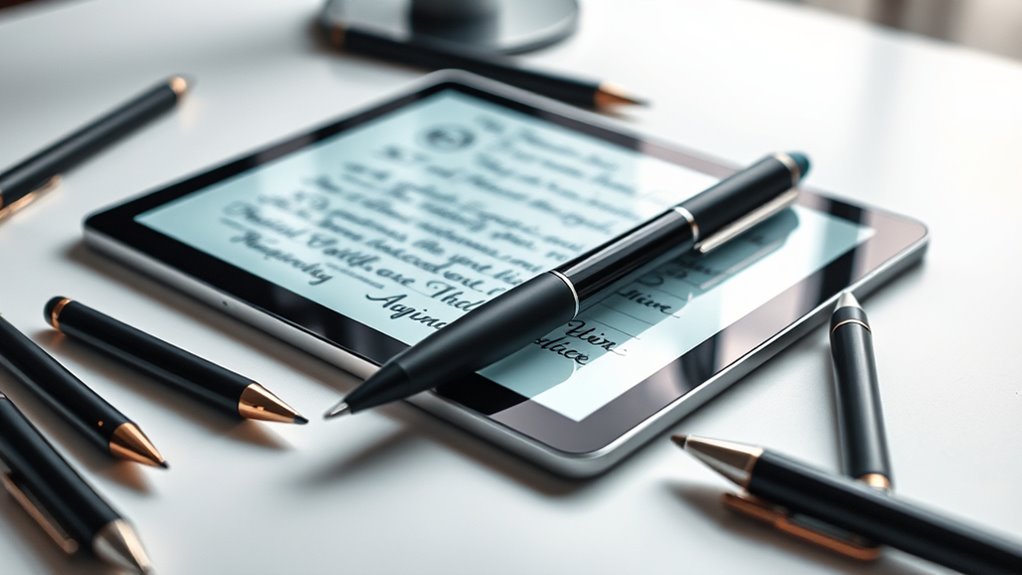

Finding the best digital pen for note taking involves balancing writing feel, digital features, and compatibility. The XPPen Note Plus stands out as the best overall for its natural handwriting experience combined with versatile digital features. For those on a tighter budget, the Ophaya Sync Smart Pen offers solid functionality at a lower price point, while the Yuan Smart Digital Notebook provides a great balance of features for students and professionals alike. Each option presents tradeoffs between price, precision, and ease of use, making it essential to understand what matters most to your note-taking style. Continue reading for an in-depth comparison to find your perfect match.

Get business pricing on office and shipping supplies
- Business-only prices and quantity discounts
- Tax-exempt purchasing
- Multiple users, one account, clear invoices
Key Takeaways
- The top-performing digital pens excel in handwriting accuracy and real-time sync capabilities.
- Price often correlates with features—more expensive models tend to offer better note recognition and additional functionalities.
- Compatibility with devices and operating systems is a critical factor for seamless note management.
- Ease of use and setup can vary significantly, affecting overall user experience.
- Tradeoffs between digital features like OCR, audio recording, and offline storage influence the best choice for different needs.
| XPPen Note Plus Digital Notebook with Pen |  | Best Overall for Versatile On-the-Go Note Taking | Compatibility: Android 10.0+ / iOS 14.0+ | Pressure Sensitivity: 8192 levels | Battery Capacity: 1000mAh | VIEW ON AMAZON | See Our Full Breakdown |
| Smart Pen for Note Taking Set with Real-Time Paper-to-Digital Conversion |  | Best for Instant Digital Conversion with Audio Support | Compatibility: iOS and Android | Includes: Smart pen, notebook, writing board, refills, pens, USB-C cable | Digital Conversion: OCR text recognition | VIEW ON AMAZON | See Our Full Breakdown |
| Ophaya Digital Smart Pen and Notebook Writing Set |  | Best for Searchable Handwritten Notes and Audio Recording | Number of Batteries: 1 Lithium Ion (included) | Compatible Devices: Tablet, Android 13.0+, iOS 16+ | Compatible Amazon Tablets: Fire 7 12th Gen, Fire HD 10 11th Gen, Fire HD 8 11th Gen | VIEW ON AMAZON | See Our Full Breakdown |
| Digital Smart Pen and Notebook Writing Set, Sync Notes to Phone Instantly, A4 Size for Students, Sketching, Note-Taking, Art & Meetings |  | Best for Larger Notes and Sketches in Professional Settings | Size: 8.3 x 11.2 inches | Pages: 63 per notebook | Number of Notebooks: 3 | VIEW ON AMAZON | See Our Full Breakdown |
| SyncPen Digital Notebook Smart Pen Set with Real-Time Sync and OCR |  | Best for Multi-Device Use with AI Recognition and Cloud Storage | Notebook Size: 8.5 × 6 inches | Number of Pages: 128 | Connectivity: Bluetooth | VIEW ON AMAZON | See Our Full Breakdown |
| Ophayapen Digital Smart Pen and Writing Board Set with Real-time Sync and OCR |  | Best Versatile Note-Taking System with Offline Storage | Compatibility: Android and iOS | Includes: Smart Pen, Writing Board, 2 Pen Nibs, Charging Cable | Features: Real-time sync, OCR, audio recording, offline storage, customizable settings | VIEW ON AMAZON | See Our Full Breakdown |
| Ophaya Sync Smart Pen and A5 Notebook (5-Pack) for Note Taking, Converts Handwriting to Text, Syncs Notes to Phone/Tablet |  | Best Multi-Notebook Pack for Frequent Note Takers | Number of Notebooks: 5 | Pages per Notebook: 124 | Compatible Devices: Smartphone, Tablet | VIEW ON AMAZON | See Our Full Breakdown |
| Ophayapen Smart Pen for Note Taking with Digital Smart Notebook and Writing Board |  | Best All-in-One Digital Notebook for Organized Note-Taking | Compatibility: iOS and Android | Includes: Smart pen, Pu Notebook, Writing Board, Refills, USB-Cable | Features: Real-time sync, OCR, searchable notes, audio recording | VIEW ON AMAZON | See Our Full Breakdown |
| Yuan Smart Digital Notebook with Pen, Smart Writing Set for Note Taking |  | Best Long Battery Life for Heavy Users | Compatibility: Yuan smart notebook and refill | Battery Life: Up to 8 hours | Standby Time: 110 days | VIEW ON AMAZON | See Our Full Breakdown |
| Digital Notebook with Pen Set – Smart Pen with OCR, Audio Recording, Offline Storage, and Note Sharing for iOS and Android |  | Best All-Around for Feature-Rich Note Taking | Compatibility: iOS and Android | Includes: Smart pen, notebook, 4 refills, USB-C cable | Pages: 80 sheets | VIEW ON AMAZON | See Our Full Breakdown |
| XNote Smart Pen & Notebook Starter Set – AI-Powered Digital Note Taking with Real Paper, Bluetooth, 17-Hour Battery |  | Best Overall for Seamless Hybrid Note-Taking | Battery Life: 17 hours | Charging Time: 90 minutes | Connectivity: Bluetooth 4.2 | VIEW ON AMAZON | See Our Full Breakdown |
| digital pens for note taking | Compatibility | Includes |
|---|---|---|
| XPPen Note Plus Digital Notebo | Android 10.0+ / iOS 14.0+ | — |
| Smart Pen for Note Taking Set | iOS and Android | Smart pen, notebook, writing board, refills, pens, USB-C cable |
| Ophaya Digital Smart Pen and N | — | — |
| Digital Smart Pen and Notebook | iOS & Android | Smart Pen, notebooks, refills, USB cable, manual |
| SyncPen Digital Notebook Smart | — | — |
| Ophayapen Digital Smart Pen an | Android and iOS | Smart Pen, Writing Board, 2 Pen Nibs, Charging Cable |
| Ophaya Sync Smart Pen and A5 N | — | — |
| Ophayapen Smart Pen for Note T | iOS and Android | Smart pen, Pu Notebook, Writing Board, Refills, USB-Cable |
| Yuan Smart Digital Notebook wi | Yuan smart notebook and refill | — |
| Digital Notebook with Pen Set | iOS and Android | Smart pen, notebook, 4 refills, USB-C cable |
| XNote Smart Pen & Notebook Sta | Android and iOS devices | Smart Pen, Notebook, USB cable, 5 ink refills |
More Details on Our Top Picks
XPPen Note Plus Digital Notebook with Pen
The XPPen Note Plus excels as an all-around digital notebook that combines the feel of writing on paper with seamless digital syncing via Bluetooth 5.3. Its real paper experience paired with a dedicated ink pen makes it ideal for those who prefer traditional writing but want instant digital access, outperforming options like the Ophaya Smart Pen in terms of customization and long battery life. However, it’s limited to A5 paper cores, which could be restrictive for larger sketches or extensive note-taking. Compared to more fully digital screens, it offers a more natural writing experience but sacrifices some digital features like color or high-resolution display.
Pros:- Seamless Bluetooth 5.3 connection for stable syncing
- Real paper experience with dedicated ink pen
- Supports customizable inner cores and re-editing
- Long battery life for all-day use
Cons:- Requires compatible A5-sized paper cores
- Limited to A5 paper size, restricting larger sketches
Best for: Students, professionals, or artists seeking a lightweight, paper-like digital note-taking tool with long battery life.
Not ideal for: Users who need larger sketching areas or high-resolution displays for detailed digital art or design work.
- Compatibility:Android 10.0+ / iOS 14.0+
- Pressure Sensitivity:8192 levels
- Battery Capacity:1000mAh
- Charging Time:2.5 hours
- Battery Life:14 hours continuous use, 50 days standby
- Weight:350g
Our verdict“This pick suits those who want a natural writing feel combined with reliable digital syncing in a portable form.”
Smart Pen for Note Taking Set with Real-Time Paper-to-Digital Conversion
This Smart Pen Set shines in its ability to instantly digitize handwritten notes, with integrated OCR that makes notes searchable and editable, a feature that sets it apart from simpler stylus-based options like the Ophaya Smart Pen. Its inclusion of audio recording adds context to notes, making it especially useful for lectures or meetings. Nonetheless, it depends on specific paper (Ophaya) for optimal functioning, and its app compatibility is limited to mobile devices, which might frustrate users wanting desktop integration. The need for additional accessories for full use also introduces extra costs.
Pros:- Seamless paper-to-digital note conversion with real-time sync
- OCR technology for searchable and editable notes
- Audio recording feature enhances note context
- Offline writing capability ensures uninterrupted use
Cons:- Requires specific paper (Ophaya) for optimal performance
- App compatibility limited to mobile devices
Best for: Students and professionals who value real-time digitization, searchable notes, and audio recordings in a portable set.
Not ideal for: Casual users or those requiring a full desktop experience, since app compatibility is limited to mobile devices and extra accessories are needed.
- Compatibility:iOS and Android
- Includes:Smart pen, notebook, writing board, refills, pens, USB-C cable
- Digital Conversion:OCR text recognition
- Audio Recording:Yes
- Offline Use:Yes
- Export Formats:PDF, Word, PNG, GIF, MP4
Our verdict“Ideal for learners and professionals who want instant, searchable, and audio-enhanced digital notes from paper.”
Ophaya Digital Smart Pen and Notebook Writing Set
The Ophaya Smart Pen and Notebook offer a straightforward way to digitize handwritten notes, with real-time syncing and conversion to editable text. Its ability to record audio synchronized with notes is a significant plus for students and professionals who need to capture lectures or meetings. Unlike the SyncPen, it supports real-time conversion and sharing, but it depends on compatible devices like tablets or smartphones, and its battery life details are not fully disclosed. The setup process can be a hurdle for new users unfamiliar with app configurations.
Pros:- Real-time digital note syncing and conversion
- Supports audio recording synchronized with handwriting
- Searchable notes and easy sharing options
Cons:- Requires compatible smartphone or tablet for full functionality
- Battery life details are not specified
Best for: Students and professionals who want a simple, effective way to digitize handwritten notes with audio support.
Not ideal for: Those seeking a fully integrated, high-capacity digital system or who prefer high-resolution screens for sketching or detailed work.
- Number of Batteries:1 Lithium Ion (included)
- Compatible Devices:Tablet, Android 13.0+, iOS 16+
- Compatible Amazon Tablets:Fire 7 12th Gen, Fire HD 10 11th Gen, Fire HD 8 11th Gen
- Color:Black
- Enclosure Material:Plastic, Rubber
Our verdict“Suitable for users needing quick digitization and audio linking without complex setup or large sketching areas.”
Digital Smart Pen and Notebook Writing Set, Sync Notes to Phone Instantly, A4 Size for Students, Sketching, Note-Taking, Art & Meetings
The Digital Smart Pen Set provides a spacious A4-sized writing surface, ideal for students and professionals who need room for detailed notes or sketches. Its real-time sync ensures quick digital access, outperforming smaller or more basic options like the Ophaya Smart Pen in size and ease of use. However, it relies heavily on a compatible app for full functionality and doesn’t support traditional paper, which might deter those wanting a hybrid experience. The battery life of the pen isn’t clearly specified, which could impact all-day productivity.
Pros:- Real-time digital sync with mobile devices
- A4 size with ample space for notes and sketches
- Portable 3-notebook set with durable covers
- Complete kit with pen, refills, and accessories
Cons:- Requires pairing with a compatible app for full features
- Limited to digital note-taking, no traditional paper option
Best for: Students and professionals who prefer larger writing surfaces and need quick digital access during meetings or classes.
Not ideal for: Casual note-takers or artists who prefer compact setups or high-resolution digital displays for detailed work.
- Size:8.3 x 11.2 inches
- Pages:63 per notebook
- Number of Notebooks:3
- Includes:Smart Pen, notebooks, refills, USB cable, manual
- Compatibility:iOS & Android
- Weight:1.27 pounds
Our verdict“Best suited for those who need larger writing space and instant digital access for professional or academic use.”
SyncPen Digital Notebook Smart Pen Set with Real-Time Sync and OCR
The SyncPen Digital Notebook stands out for its advanced AI handwriting recognition supporting over 71 languages and math notation, making it highly versatile for multilingual users or complex notes. Its real-time sync and unlimited cloud storage via AES encryption offer peace of mind for secure storage and easy access across devices, outperforming simpler options like the XPPen Note Plus. The learning curve and setup complexity could be hurdles for new users, and its price might be steep for casual users. Still, for those who need reliable, multi-platform syncing, it provides a comprehensive solution.
Pros:- Real-time synchronization of handwritten notes
- AI handwriting recognition supporting multiple languages
- Unlimited cloud storage with AES encryption
- Supports offline and online sync
Cons:- Requires compatible device and app setup
- Potential learning curve for new users
Best for: Students, creators, and professionals who want AI-powered handwriting recognition with unlimited secure cloud storage and multi-device sync.
Not ideal for: Casual note-takers or those with a limited budget, as the setup and price may be prohibitive.
- Notebook Size:8.5 × 6 inches
- Number of Pages:128
- Connectivity:Bluetooth
- AI Handwriting Recognition:Yes, 71+ languages
- Cloud Storage:Unlimited, AES 256 encryption
- Battery Life:Extended, long-lasting
Our verdict“Ideal for tech-savvy users needing multi-language recognition, unlimited storage, and seamless multi-device sync for complex notes.”
Ophayapen Digital Smart Pen and Writing Board Set with Real-time Sync and OCR
This set stands out for its ability to synchronize handwritten notes and drawings instantly to smartphones, comparable to the Ophaya Smart Pen but with added offline storage for when connectivity is limited. The OCR feature makes it easy to search and edit handwritten content, an advantage over simpler digital pens without recognition capabilities. However, its lack of built-in audio recording and reliance on the smartphone app for full functionality introduce some limitations, especially for users who prefer standalone devices. This pick is ideal for those who need flexible note organization and offline access, but less so for users seeking a fully independent device.
Pros:- Real-time synchronization of notes and drawings
- OCR feature converts handwritten notes to searchable text
- Supports multiple file formats for sharing and storage
Cons:- Smart pen does not have built-in audio recording
- Requires smartphone app for full functionality
Best for: Students or professionals who want real-time syncing with multi-format sharing and offline note access
Not ideal for: People who need a standalone device without relying on a smartphone app or those who want built-in audio recording
- Compatibility:Android and iOS
- Includes:Smart Pen, Writing Board, 2 Pen Nibs, Charging Cable
- Features:Real-time sync, OCR, audio recording, offline storage, customizable settings
Our verdict“Best suited for users seeking a flexible, offline-capable digital note-taking system with versatile file support.”
Ophaya Sync Smart Pen and A5 Notebook (5-Pack) for Note Taking, Converts Handwriting to Text, Syncs Notes to Phone/Tablet
This set makes it easy to digitize handwritten notes instantly, similar to the Ophayapen Smart Pen but with the added benefit of multiple notebooks, ideal for users who prefer paper-based note organization. The OCR text conversion and audio-linked notes help add context, making it a good choice for students or professionals who take frequent notes across different projects. Its reliance on compatible smartphones and the nonstandard battery may frustrate some, especially those who want a more straightforward, plug-and-play device. This option is perfect for high-volume note-takers who need mobility and multiple notebooks, but less so for those seeking a single, all-in-one device.
Pros:- Instantly digitizes handwritten notes and drawings
- Converts handwriting to editable text with OCR
- Supports audio-linked notes for added context
Cons:- Requires compatible smartphone or tablet
- Nonstandard battery may be inconvenient to replace
Best for: Frequent note-takers who need multiple notebooks and quick digitization
Not ideal for: Users who prefer a single device or dislike managing nonstandard batteries
- Number of Notebooks:5
- Pages per Notebook:124
- Compatible Devices:Smartphone, Tablet
- Minimum OS:Android 6.0 Marshmallow, iOS 11
- Color:Brown
- Enclosure Material:Plastic
Our verdict“Ideal for users who want multiple notebooks and fast digital conversion in a portable set.”
Ophayapen Smart Pen for Note Taking with Digital Smart Notebook and Writing Board
This option is notable for combining a smart pen with a dedicated digital notebook, similar to the Yuan Smart Set but with more features like OCR and multi-format sharing. Its real-time sync and offline storage improve productivity, especially for users who want a seamless transition between analog and digital. The limited info on battery life and the learning curve for some features could be barriers for busy users. This pick suits those who want an integrated system for organized notes with the flexibility of offline access, but may not be ideal for users who prefer a standalone pen or minimal setup.
Pros:- Real-time sync with mobile devices
- OCR handwriting recognition for easy conversion
- Supports multiple note formats and audio recording
Cons:- Requires compatible smartphone and app setup
- Limited information on battery life
Best for: Professionals or students seeking an integrated digital notebook with OCR and offline capabilities
Not ideal for: People who prefer standalone pens without dedicated notebooks or those seeking simple setups
- Compatibility:iOS and Android
- Includes:Smart pen, Pu Notebook, Writing Board, Refills, USB-Cable
- Features:Real-time sync, OCR, searchable notes, audio recording
- Offline Storage:Yes
Our verdict“Best for users wanting a comprehensive digital notebook experience with organized, searchable notes.”
Yuan Smart Digital Notebook with Pen, Smart Writing Set for Note Taking
This set emphasizes long-lasting use with up to 8 hours of active writing and 110 days of standby, similar to the MasterBen+ but with less device flexibility. Its reliance on Yuan-specific notebooks limits versatility, but the long battery life and offline storage make it appealing for extended sessions without frequent charging. Unlike the more feature-rich options, it doesn’t support erasing from the notebook, which may frustrate users who want to edit their handwritten pages directly. This pick suits those who prioritize longevity and seamless offline storage over advanced features or cross-platform compatibility.
Pros:- Real-time synchronization to digital devices
- Long battery life and fast charging
- Offline storage ensures no data loss
Cons:- Pen only works with Yuan notebooks
- Handwriting cannot be erased from the notebook
Best for: Heavy note-takers who value battery longevity and offline storage above all
Not ideal for: Users wanting a device compatible with multiple brands or seeking erasing capabilities
- Compatibility:Yuan smart notebook and refill
- Battery Life:Up to 8 hours
- Standby Time:110 days
- Charging Time:1.5 hours
- Offline Storage:Yes
Our verdict“Ideal for users needing a durable, long-lasting device for extensive note sessions with offline storage.”
Digital Notebook with Pen Set – Smart Pen with OCR, Audio Recording, Offline Storage, and Note Sharing for iOS and Android
This set offers a comprehensive package, combining a smart pen with a reusable notebook, similar to the Ophaya Smart Pen but with added features like voice-to-image and extensive offline storage. Its instant sync and OCR make digital conversion effortless, and audio recording enhances the context of notes. Unlike the Yuan set, it supports multiple paper types and offers seamless app integration. However, the need for replacement inserts after the paper runs out and reliance on app updates may affect ongoing usability. This choice is best for users who want an all-in-one solution with rich features, but less suitable for those seeking a simple, minimal setup.
Pros:- Supports handwriting recognition and OCR
- Includes audio recording and voice-to-image features
- Syncs instantly via the MasterBen+ app
Cons:- Requires purchase of replacement inserts
- Some features depend on app compatibility and updates
Best for: Power users who want a feature-rich, versatile digital note-taking system with sharing capabilities
Not ideal for: Those who prefer a low-cost or minimal setup without replaceable paper options
- Compatibility:iOS and Android
- Includes:Smart pen, notebook, 4 refills, USB-C cable
- Pages:80 sheets
- Connectivity:USB-C
- Features:OCR, audio recording, voice-to-image, offline storage, note sharing
Our verdict“Perfect for users seeking a highly capable, multifunctional digital note system for extensive use.”
XNote Smart Pen & Notebook Starter Set – AI-Powered Digital Note Taking with Real Paper, Bluetooth, 17-Hour Battery
This starter set stands out because it combines the tactile comfort of writing on real paper with digital conveniences, making it ideal for those transitioning from traditional notebooks. Unlike the Ophaya Digital Smart Pen and Notebook Writing Set, which offers more advanced OCR and audio features, the XNote emphasizes a natural writing experience paired with AI-driven organization and transcription—perfect for students and busy professionals. However, it doesn’t include a microphone or extensive offline storage, which might limit users needing multimedia notes or large archives. The 17-hour battery life and fast charging ensure it’s reliable for full days of use, and the included accessories make setup straightforward. Still, users must rely on the app for most functions, which could be a downside for those preferring standalone devices.
Pros:- Authentic paper writing experience with instant digital sync
- AI-powered organization and transcription tools
- Long battery life with quick recharge
Cons:- No built-in microphone or audio recording capabilities
- Requires app to access full features, limiting offline use
- Limited offline storage capacity for large note collections
Best for: Professionals and students who want familiar writing on paper paired with smart organization and transcription features
Not ideal for: Users who need built-in audio recording or offline storage for large note archives
- Battery Life:17 hours
- Charging Time:90 minutes
- Connectivity:Bluetooth 4.2
- Includes:Smart Pen, Notebook, USB cable, 5 ink refills
- Compatibility:Android and iOS devices
- Additional Features:AI organization, transcription
Our verdict“This set is best suited for those who value a natural writing feel combined with AI-driven digital organization and don’t require multimedia recording.”
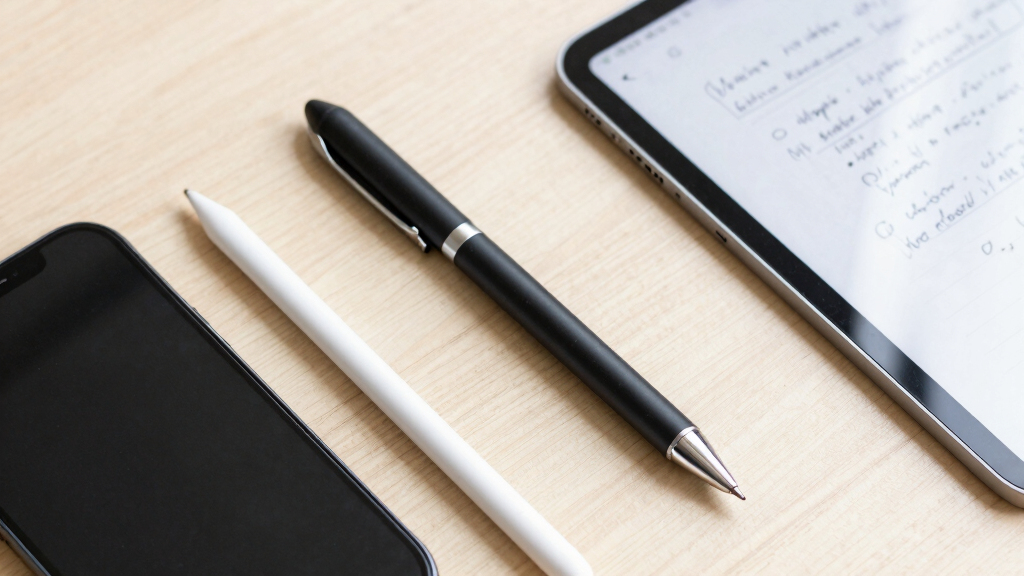
How We Picked
The products in this roundup were selected based on their performance in handwriting accuracy, ease of use, build quality, and feature set. We prioritized models with reliable sync capabilities, good compatibility across devices, and positive user feedback. Price was also a consideration, ensuring options ranged from budget-friendly to premium. Our ranking reflects a balance of these factors, aiming to help buyers find a digital pen that best suits their specific note-taking needs while providing solid value and functionality.| digital pens for note taking | Compatibility | Includes |
|---|---|---|
| XPPen Note Plus Digital Notebo | Android 10.0+ / iOS 14.0+ | — |
| Smart Pen for Note Taking Set | iOS and Android | Smart pen, notebook, writing board, refills, pens, USB-C cable |
| Ophaya Digital Smart Pen and N | — | — |
| Digital Smart Pen and Notebook | iOS & Android | Smart Pen, notebooks, refills, USB cable, manual |
| SyncPen Digital Notebook Smart | — | — |
| Ophayapen Digital Smart Pen an | Android and iOS | Smart Pen, Writing Board, 2 Pen Nibs, Charging Cable |
| Ophaya Sync Smart Pen and A5 N | — | — |
| Ophayapen Smart Pen for Note T | iOS and Android | Smart pen, Pu Notebook, Writing Board, Refills, USB-Cable |
| Yuan Smart Digital Notebook wi | Yuan smart notebook and refill | — |
| Digital Notebook with Pen Set | iOS and Android | Smart pen, notebook, 4 refills, USB-C cable |
| XNote Smart Pen & Notebook Sta | Android and iOS devices | Smart Pen, Notebook, USB cable, 5 ink refills |
Factors to Consider When Choosing Digital Pens For Note Taking
Choosing the right digital pen for note taking involves several key considerations. It’s not just about the pen’s writing feel but also how well it integrates with your devices, the accuracy of handwriting recognition, and additional features like OCR or audio notes. Understanding these factors can help you avoid common pitfalls, such as purchasing a pen with incompatible software or one that’s difficult to use during long sessions. Here are some important aspects to keep in mind when making your decision.Compatibility and Ecosystem
Ensure the digital pen works seamlessly with your preferred devices, whether it’s a tablet, smartphone, or computer. Some pens are designed specifically for iOS or Android, while others support multiple platforms. Compatibility affects not only setup but also how easily you can transfer and organize your notes afterward. Investing in a pen that fits within your existing digital ecosystem minimizes frustration and maximizes productivity.
Writing Feel and Precision
The tactile experience of the pen significantly impacts your comfort and accuracy. Look for options with fine tip control and minimal lag, especially if you prefer detailed note-taking or sketching. Cheaper or lower-quality pens often suffer from inconsistent line quality or delays, which can hinder your writing flow. Prioritize models with high-resolution sensors and good pressure sensitivity for a more natural experience.
Digital Features and Functionality
Features like OCR for converting handwriting to text, audio recording, and real-time syncing can greatly enhance your workflow. However, more features can also mean increased complexity and cost. Decide which functionalities are essential for your needs—if you mainly want quick notes, a simpler pen may suffice. For detailed sketches or professional work, a model with advanced recognition and multi-format export options might be worth the investment.
Battery Life and Durability
Long battery life is crucial if you plan to use your digital pen extensively. Some models offer 17 hours of use, while others may need frequent recharging. Durability matters too—consider pens with sturdy construction, especially if you’ll carry them around daily. A fragile or easily breakable pen can cause frustration and lead to additional replacement costs.
Price and Overall Value
While premium models tend to offer superior performance and extra features, they also come with higher price tags. Balance your budget against the features you need most. Sometimes, a mid-range pen with reliable basic functions provides the best value, especially if you’re new to digital note-taking. Be cautious of cheap options that may compromise on accuracy or build quality, which can undermine your overall experience.
Frequently Asked Questions
Can I use a digital pen on any tablet or smartphone?
Not all digital pens are compatible with every device. Many are designed for specific ecosystems, like iOS or Android, and may require particular apps or Bluetooth versions. Always check the manufacturer’s specifications to ensure your device supports the pen you’re considering. Compatibility issues can lead to delayed syncing, poor handwriting recognition, or limited functionality, so verifying this upfront saves frustration later.
Is it better to choose a digital pen with built-in OCR?
Choosing a pen with OCR capabilities can be beneficial if you often convert handwritten notes into editable text. These models streamline the process, saving time and reducing transcription errors. However, OCR accuracy varies, and some pens require good handwriting or specific apps. If your primary need is quick note-taking without extensive editing, OCR features are a valuable addition but may not be essential.
How important is battery life for a digital pen?
Battery life becomes a significant factor if you plan to use your pen throughout the day or during long sessions. A pen with a 15-20 hour battery life minimizes interruptions and ensures you don’t have to recharge frequently. Some premium options offer fast charging or replaceable batteries, which can extend usability. Short battery life can be inconvenient and disrupt your workflow, especially in professional or academic settings.
Are digital pens suitable for artists or only for note taking?
Many digital pens are versatile enough for both note-taking and sketching, especially those with high pressure sensitivity and tilt support. However, pens designed primarily for writing might lack the precision or responsiveness needed for detailed artwork. If you want a pen for artistic work, look for models with features like customizable buttons, high resolution, and compatibility with drawing apps. Otherwise, a dedicated art stylus may serve better for creative projects.
Should I prioritize a budget-friendly option or a premium model?
Deciding between budget and premium depends on your intended use and how much you value advanced features. Budget options can be sufficient for casual note taking and basic functionality but may lack precision, reliability, or additional features like OCR or audio recording. Premium models often offer smoother writing, better recognition, and broader compatibility, making them worth the investment if you need consistent, professional-grade results. Consider your specific needs and how often you’ll rely on the digital pen before choosing.
Conclusion
For casual users or those new to digital note taking, a budget-friendly model like the Ophaya Sync Smart Pen offers reliable basic features. Professionals who require precise handwriting recognition and multitasking capabilities should consider the XPPen Note Plus as the best overall pick. If you prioritize premium build quality and advanced features, the XNote Smart Pen & Notebook Starter Set makes a compelling case. Beginners and students will benefit from straightforward, easy-to-use options, while creative users should focus on pens with high pressure sensitivity and compatibility with drawing apps. Ultimately, your choice should align with your specific workflow, device ecosystem, and the features you value most.
Columbus Day / Indigenous Peoples' Day Picks
long weekend sales
As an affiliate, we earn on qualifying purchases.