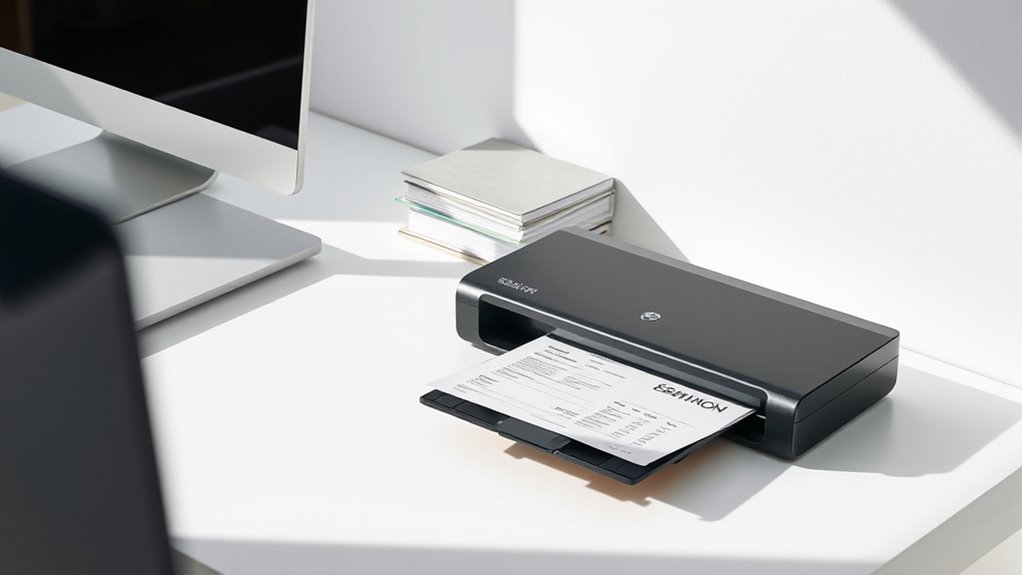

Finding the right document scanner for receipts requires balancing portability, speed, and ease of use. The Plustek Mobile Scanner S410 Plus stands out as the best overall choice for its portability and OCR capabilities, while the Epson WorkForce ES-400 II offers excellent duplex scanning for desktop setups. For those on the go, the Epson WorkForce ES-50 provides a lightweight, single-sheet solution. The main tradeoffs involve choosing between speed and convenience versus cost and feature set. Keep reading to see how these options compare and which might suit your specific needs best.

Get business pricing on office and shipping supplies
- Business-only prices and quantity discounts
- Tax-exempt purchasing
- Multiple users, one account, clear invoices
Key Takeaways
- Portable models like the Epson ES-50 and Canon R10 excel for mobile receipt scanning, but often sacrifice speed and capacity.
- High-speed scanners such as the ScanSnap iX2500 are better suited for frequent bulk receipt processing in office environments.
- Duplex scanning capabilities significantly reduce the time needed to digitize both sides of receipts, a key feature for efficiency.
- Build quality and software support vary widely; investing in a reliable brand can save frustration with updates and compatibility.
- Price often correlates with features like auto feeders, wireless connectivity, and OCR accuracy, but premium options aren’t always necessary for casual users.
| Plustek Mobile Scanner S410 Plus – Portable Sheet-Fed Document Scanner with OCR Software |  | Best Overall Portable Receipt Scanner | Compatibility: Windows 7 / 8 / 10 / 11 | Power: USB powered | Weight: Less than 1 lb | VIEW ON AMAZON | See Our Full Breakdown |
| Epson WorkForce ES-400 II Color Duplex Desktop Document Scanner for PC and Mac |  | Best for High-Volume Office Use | Auto Document Feeder: 50 sheets | Connectivity: PC and Mac | Features: Auto crop, blank page removal, background removal, OCR, double feed detection | VIEW ON AMAZON | See Our Full Breakdown |
| Epson WorkForce ES-50 Portable Single-Sheet Document Scanner for PC and Mac |  | Best Compact Portable Scanner for Receipts | Scanning Speed: 5.5 seconds per page | Maximum Document Size: 8.5 x 72 inches | Connectivity: USB 2.0 | VIEW ON AMAZON | See Our Full Breakdown |
| ScanSnap iX1300 Wireless and USB Double-Sided Color Document Scanner |  | Best Wireless Duplex Scanner for Receipts and Documents | Connectivity: Wi-Fi, USB | Scan Speed: Up to 30 ppm duplex | Color: Color | VIEW ON AMAZON | See Our Full Breakdown |
| Brother DS-640 Compact Mobile Document Scanner |  | Best Budget Mobile Scanner for Receipts | Scan Speed: 16 ppm | Weight: 1.5 lbs | Dimensions: Less than 12 inches long | VIEW ON AMAZON | See Our Full Breakdown |
| ScanSnap iX1300 Wireless & USB Color Document Scanner with Auto Document Feder |  | Best Overall for Versatile Small-Space Scanning | Connectivity: USB, Wi-Fi | Scan Speed: up to 30 pages per minute | Color: Color | VIEW ON AMAZON | See Our Full Breakdown |
| Epson RapidReceipt RR-620W Wireless & USB High-Speed Color Duplex Receipt & Document Scanner |  | Best for High-Speed, AI-Ready Receipt Processing | Scanning Speed: 45 ppm | Auto Document Feeder: 100 pages | Touchscreen: 4.3 inches | VIEW ON AMAZON | See Our Full Breakdown |
| Canon imageFORMULA R10 Portable Document Scanner, USB Powered, Duplex Scanning, Document Feeder, White |  | Best for Mobile, On-the-Go Receipt Digitization | Power Consumption: 2.5W or less | Suggested Daily Volume: 500 scans | Media Types: Receipts, business cards, reports | VIEW ON AMAZON | See Our Full Breakdown |
| HP Small USB Document & Photo Scanner for Portable 1-Sided Sheetfed Digital Scanning, Model HPPS100 |  | Best Budget-Friendly Portable Scanner for Basic Needs | Model: HPPS100 | Scan Speed: 15 ppm | Resolution: 1200 dpi | VIEW ON AMAZON | See Our Full Breakdown |
| ScanSnap iX2500 Wireless and USB Document Scanner with 5″ Touchscreen and 100-Page Feeder |  | Best for Advanced, User-Friendly Office Scanning | Connectivity: Wi-Fi 6, USB-C | Scan Speed: 45 pages per minute | Document Feeder Capacity: 100 pages | VIEW ON AMAZON | See Our Full Breakdown |
| Epson RapidReceipt RR-60 Mobile Tax Receipt and Color Document Scanner |  | Best for Portability and Quick Receipt Digitization | Technology: ScanSmart AI PRO | Scanning Speed: up to 10 pages per minute | Weight: under 10 oz | VIEW ON AMAZON | See Our Full Breakdown |
| ScanSnap iX2400 High-Speed Color Document, Photo & Receipt Scanner with 100-Page Auto Document Feeder for Mac or PC |  | Best for High-Volume, Speed-Oriented Scanning | Speed: 45 pages per minute | Auto Document Feeder Capacity: 100 pages | Connectivity: Wired USB | VIEW ON AMAZON | See Our Full Breakdown |
| ScanSnap iX2500 Wireless and USB Document Scanner with 5″ Touchscreen and 100-Page Feeder |  | Best for All-in-One Workflow and Advanced Features | Connectivity: Wi-Fi 6, USB-C | Touchscreen: 5 inches | Scanning Speed: 45 pages per minute | VIEW ON AMAZON | See Our Full Breakdown |
| document scanners for receipt | Connectivity | Compatibility |
|---|---|---|
| Plustek Mobile Scanner S410 Pl | — | Windows 7 / 8 / 10 / 11 |
| Epson WorkForce ES-400 II Colo | PC and Mac | Windows 7 / 8 / 10 / 11, Mac |
| Epson WorkForce ES-50 Portable | USB 2.0 | Windows and Mac |
| ScanSnap iX1300 Wireless and U | Wi-Fi, USB | Mac, PC, Chromebook, Mobile Devices |
| Brother DS-640 Compact Mobile | Micro USB 3.0 | Windows, Mac, Linux |
| ScanSnap iX1300 Wireless & USB | USB, Wi-Fi | Mac, PC, mobile devices, Chromebook |
| Epson RapidReceipt RR-620W Wir | Wi-Fi, USB | — |
| Canon imageFORMULA R10 Portabl | — | Windows and Mac |
| HP Small USB Document & Photo | USB 2.0 | Windows and Mac |
| ScanSnap iX2500 Wireless and U | Wi-Fi 6, USB-C | Mac and PC |
| Epson RapidReceipt RR-60 Mobil | USB, Wi-Fi, Cloud | PC & Mac |
| ScanSnap iX2400 High-Speed Col | Wired USB | — |
| ScanSnap iX2500 Wireless and U | Wi-Fi 6, USB-C | — |
More Details on Our Top Picks
Plustek Mobile Scanner S410 Plus – Portable Sheet-Fed Document Scanner with OCR Software
The Plustek S410 Plus stands out for its portability and ease of use, making it an excellent choice for those who need to scan receipts on the go. Unlike larger desktop models such as the Epson WorkForce ES-50, this scanner offers a no-frills, button-free operation that simplifies daily tasks. Its built-in OCR enables quick conversion into editable PDFs or Word files, perfect for mobile professionals or frequent travelers. However, its reliance on USB power and limited compatibility with only Windows systems mean it’s less suitable for multi-device or multi-platform environments. The lack of wireless connectivity and slower scan speeds may be drawbacks for high-volume users who need speed and flexibility. Still, its lightweight design makes it easy to carry, and the automatic scanning process reduces manual effort.
Pros:- Extremely portable and lightweight for easy carry
- Automatic, button-free scanning simplifies operation
- Built-in OCR for instant file conversion
Cons:- Limited to Windows operating systems, restricting cross-platform use
- No wireless or Bluetooth connectivity, reducing flexibility
Best for: Travelers or field workers who need quick, portable receipt digitization without complex setup
Not ideal for: Office-based users with high-volume scanning needs or those requiring wireless functionality
- Compatibility:Windows 7 / 8 / 10 / 11
- Power:USB powered
- Weight:Less than 1 lb
- Paper Handling:Letter, Legal, business cards, plastic ID cards, invoices, receipts
- Features:Button-free scanning, built-in OCR
Our verdict“This pick is ideal for mobile professionals who prioritize portability and straightforward scanning over advanced features.”
Epson WorkForce ES-400 II Color Duplex Desktop Document Scanner for PC and Mac
The Epson WorkForce ES-400 II excels when it comes to processing large stacks of receipts and documents efficiently. Its 50-sheet auto document feeder enables rapid batch scanning, outperforming compact single-sheet models like the Epson WorkForce ES-50 or Brother DS-640. This scanner integrates seamlessly with software for OCR, file sharing, and document management, making it a strong choice for busy offices. Still, the setup can be complex, especially for users unfamiliar with drivers and software configuration, and it is limited to desktop use—no portable option. Its higher price point may deter casual users, but for those with volume needs, the speed and automation justify the investment. Compared to portable models, this scanner prioritizes productivity over mobility.
Pros:- High-speed scanning with a 50-sheet auto feeder
- Supports both Windows and Mac with easy software integration
- Advanced features like auto crop and background removal
Cons:- Requires software setup and may be complex for beginners
- Limited portability, designed strictly for desktop use
Best for: Small business owners or office users with high scanning volume and need for efficient batch processing
Not ideal for: Travelers or mobile workers needing lightweight, portable devices
- Auto Document Feeder:50 sheets
- Connectivity:PC and Mac
- Features:Auto crop, blank page removal, background removal, OCR, double feed detection
- Scan Speed:Up to 35 ppm
- Size:Desktop
- Compatibility:Windows 7 / 8 / 10 / 11, Mac
Our verdict“This scanner is perfect for office environments where speed and batch processing are priorities over portability.”
Epson WorkForce ES-50 Portable Single-Sheet Document Scanner for PC and Mac
The Epson WorkForce ES-50 stands out for its ultra-compact size and quick single-sheet scanning, making it ideal for mobile professionals who need to digitize receipts, IDs, or small documents in the field. Its 5.5-second scan time per page and USB-only connection keep it simple and fast. Unlike larger desktop scanners, it doesn’t support multi-page batching, which may slow down users with high-volume needs. Its lack of wireless capability can be a limitation for those wanting to scan directly to mobile apps or cloud storage without a laptop. Still, for those prioritizing portability and quick, on-the-go scans, this device delivers excellent performance with minimal fuss. It’s a clear choice for solo travelers or salespeople needing quick documentation on the road.
Pros:- Extremely portable and lightweight, fitting in a bag or pocket
- Fast scan speed of 5.5 seconds per page
- Includes OCR for creating searchable PDFs
Cons:- Limited to single-page scanning, not suitable for batch processing
- No wireless connectivity, requiring USB connection
Best for: Frequent travelers or mobile salespeople needing quick, on-the-spot receipt scanning
Not ideal for: Office workers with high-volume scanning requirements or those needing multi-page batching
- Scanning Speed:5.5 seconds per page
- Maximum Document Size:8.5 x 72 inches
- Connectivity:USB 2.0
- Power:USB powered
- Compatibility:Windows and Mac
- Dimensions:Small and lightweight
Our verdict“This scanner makes the most sense for those who need quick, one-page scans while on the move without bulk or complex setup.”
ScanSnap iX1300 Wireless and USB Double-Sided Color Document Scanner
The ScanSnap iX1300 offers a compelling blend of speed, duplex scanning, and wireless connectivity, making it suitable for modern offices and busy individuals alike. Its ability to scan both sides of receipts rapidly at up to 30 pages per minute surpasses many portable options like the Brother DS-640 in speed and convenience. Plus, the wireless feature allows users to scan directly to mobile devices or cloud services, unlike the wired-only models. While setup can be slightly more involved due to software configuration, once operational, it provides a seamless experience for organizing receipts and documents. The compact design fits well on small desks, but it isn’t designed for high-volume, heavy-duty office use, which could be a limitation for some.
Pros:- Wireless connectivity for flexible, cable-free scanning
- Fast duplex scanning at up to 30 ppm
- Compact design suitable for small spaces
Cons:- Requires initial software setup and configuration
- Limited to small-volume use; not designed for heavy-duty batch processing
Best for: Small offices or remote workers seeking fast, wireless, duplex scanning with minimal desk footprint
Not ideal for: High-volume processing environments or users preferring wired-only setups without wireless setup effort
- Connectivity:Wi-Fi, USB
- Scan Speed:Up to 30 ppm duplex
- Color:Color
- Feeder Type:Automatic Document Feeder, Manual Feeder
- Compatibility:Mac, PC, Chromebook, Mobile Devices
- Dimensions:Compact
Our verdict“This scanner is ideal for users who want quick, duplex, wireless scanning in a compact form factor for everyday receipt management.”
Brother DS-640 Compact Mobile Document Scanner
The Brother DS-640 provides a balance of portability and decent speed for those who need a mobile solution without extra bells and whistles. Its 16 pages per minute rate is respectable for occasional receipt or ID scans, especially compared to single-sheet models like the Epson ES-50. Its support for Windows, Mac, and Linux broadens its appeal, and OCR software enhances its utility for digitizing paper documents. However, its reliance on software downloads and the absence of built-in Wi-Fi mean it’s less convenient for quick, wireless setups. With no automatic document feeder, it’s best suited for users who prefer manual scanning of individual receipts or documents on the go, rather than high-volume batch processing. It’s a sensible choice for budget-conscious users who prioritize portability.
Pros:- Portable and lightweight for easy travel
- Supports multiple operating systems including Linux
- Includes OCR and document management software
Cons:- No built-in Wi-Fi, requiring USB connection
- Limited to single-sheet scanning, not suitable for large batches
Best for: Budget-conscious professionals who need a reliable, portable scanner for occasional receipt scans
Not ideal for: Heavy users or those needing wireless scanning or high-volume batch processing
- Scan Speed:16 ppm
- Weight:1.5 lbs
- Dimensions:Less than 12 inches long
- Supported Paper:Up to 72 lbs
- Connectivity:Micro USB 3.0
- Compatibility:Windows, Mac, Linux
Our verdict“This scanner serves well for occasional, portable receipt scanning within budget constraints, but isn’t suited for high-volume tasks or wireless needs.”
ScanSnap iX1300 Wireless & USB Color Document Scanner with Auto Document Feder
The ScanSnap iX1300 stands out for its compact design and ability to handle a variety of document types, including thick receipts, thanks to its versatile feeder options. While it doesn’t include advanced OCR features or extensive software for smart data extraction like the Epson RR-620W, it offers reliable duplex scanning at a respectable speed of up to 30 pages per minute. Its wireless connectivity makes it ideal for users who need flexibility across multiple devices without cluttering their workspace. Compared with larger, more feature-rich scanners, the iX1300’s simplicity and space-saving form factor make it perfect for home offices or small business setups. Its main tradeoff is that it requires software setup for full functionality and lacks some advanced AI capabilities found in pricier models.
Pros:- Space-saving design fits small workspaces
- Fast duplex scanning at 30 ppm
- Wireless and USB connectivity for flexibility
- Supports various document types including cards
Cons:- Requires software setup for full features
- Limited device compatibility without additional configuration
Best for: Small business owners or home users needing a compact, all-in-one scanner that fits in tight spaces.
Not ideal for: High-volume offices or users requiring advanced OCR and data extraction features—these needs surpass its basic capabilities.
- Connectivity:USB, Wi-Fi
- Scan Speed:up to 30 pages per minute
- Color:Color
- Document Types:Documents, photos, cards, receipts
- Feeder Type:Auto Document Feeder, Manual Feeder
- Compatibility:Mac, PC, mobile devices, Chromebook
Our verdict“A solid choice for users seeking a compact, versatile scanner for everyday receipt and document scanning at home or in small offices.”
Epson RapidReceipt RR-620W Wireless & USB High-Speed Color Duplex Receipt & Document Scanner
The Epson RR-620W excels in high-volume environments with its rapid 45 ppm duplex scanning and large 100-page auto document feeder, making it ideal for busy offices that need quick, reliable digitization of receipts and documents. Its 4.3-inch touchscreen simplifies operation compared to the more manual controls of the ScanSnap iX2500, and its AI-ready technology enables smart data extraction, setting it apart from less advanced scanners like the Canon R10. Though it offers excellent speed and smart features, this scanner’s complexity can be overwhelming for first-time users, and its premium price reflects its advanced capabilities. For organizations aiming to streamline receipt processing with smart data capabilities, the RR-620W presents a compelling package, but smaller setups or budget-conscious users might find it too feature-heavy.
Pros:- High-speed scanning at 45 ppm
- AI-ready with data extraction features
- Large 100-page auto document feeder
- Easy-to-use 4.3-inch color touchscreen
Cons:- Premium pricing limits accessibility for casual users
- May be too complex for first-time scanner users
Best for: Medium to large businesses or accounting professionals needing fast, AI-enabled receipt and document scanning.
Not ideal for: Small offices or individuals with low volume needs who may find its complexity and cost unnecessary.
- Scanning Speed:45 ppm
- Auto Document Feeder:100 pages
- Touchscreen:4.3 inches
- Connectivity:Wi-Fi, USB
- Document Type:Receipts, documents
- AI Technology:AI-ready scans with data extraction
Our verdict“This scanner makes the most sense for high-volume users who need fast, smart data capture and are willing to invest in advanced features.”
Canon imageFORMULA R10 Portable Document Scanner, USB Powered, Duplex Scanning, Document Feeder, White
The Canon R10 offers a portable solution for users who need to scan receipts and documents while traveling or working remotely. Its lightweight build and USB power make it convenient for mobile professionals, and its duplex scanning at 12 pages per minute ensures quick turnaround on small batches. While it’s not designed for high-volume or high-resolution photo scans like some larger models, its compatibility with both Windows and Mac, along with built-in software, makes setup straightforward. Compared to the Epson RR-620W, the R10 sacrifices speed and volume capacity in favor of portability. Its main drawback is its limited daily volume capacity, making it unsuitable for demanding environments, but it’s ideal for occasional or light use.
Pros:- Lightweight and portable design
- Duplex scanning up to 12 pages per minute
- Compatible with Windows and Mac
- Built-in, auto-updating software
Cons:- Limited to low-volume tasks (500 scans/day)
- No wireless connectivity, only USB
Best for: Remote workers, salespeople, or small business owners needing a portable, reliable scanner for receipts on the move.
Not ideal for: High-volume offices or users requiring high-speed or high-resolution scanning for large batches or photos.
- Power Consumption:2.5W or less
- Suggested Daily Volume:500 scans
- Media Types:Receipts, business cards, reports
- Scanning Speed:Up to 12 pages per minute
- Automatic Document Feeder:20 sheets
- Compatibility:Windows and Mac
Our verdict“This scanner is perfect for mobile professionals who want a reliable, portable device for light receipt and document digitization.”
HP Small USB Document & Photo Scanner for Portable 1-Sided Sheetfed Digital Scanning, Model HPPS100
The HP PS100 provides a compact, affordable option for quick, single-sided scans of receipts and small documents. Its 15 ppm speed and 1200 dpi resolution make it suitable for basic digitization tasks, especially for those who prioritize portability over volume or advanced features. Unlike the more feature-rich Canon R10, it lacks duplex scanning and wireless connectivity, limiting its efficiency for larger batches. However, its simple USB connection and straightforward software make it accessible for casual users or occasional scanning needs. Compared to the Epson RR-620W, it’s less suited for high-speed or high-volume environments but offers a more affordable, portable solution for everyday receipt capture.
Pros:- Very portable and lightweight
- High-resolution scans up to 1200 dpi
- Simple, easy-to-use software
- Affordable price point
Cons:- Single-sided scanning only
- No wireless connectivity
- Limited to low- to medium-volume use
Best for: Individuals or small teams needing a lightweight, inexpensive scanner for occasional, single-sided receipt scans.
Not ideal for: High-volume or duplex scanning requirements, or users who need wireless connectivity for convenience.
- Model:HPPS100
- Scan Speed:15 ppm
- Resolution:1200 dpi
- Paper Size Range:2″ x 2.9″ to 8.5″ x 14″
- Connectivity:USB 2.0
- Compatibility:Windows and Mac
Our verdict“This scanner is suitable for budget-conscious users requiring basic, portable receipt digitization without the need for duplex or wireless features.”
ScanSnap iX2500 Wireless and USB Document Scanner with 5″ Touchscreen and 100-Page Feeder
The ScanSnap iX2500 earns its place by combining speed and user-friendly features, including a large 5-inch touchscreen and a substantial 100-page feeder, making it suitable for busy offices needing efficient receipt, document, and photo scanning. Its 45 ppm duplex speed rivals that of the Epson RR-620W, but with added ease of use thanks to the intuitive interface. Its Wi-Fi 6 and USB-C support facilitate seamless connection to multiple devices and cloud services, streamlining workflow. Compared to the simpler iX1300, the iX2500’s advanced features and larger screen enhance productivity, but its higher price and complexity may be overkill for casual users. It’s ideal for those seeking a balance of speed, ease of use, and smart features.
Pros:- Fast duplex scanning at 45 ppm
- Large 5-inch touchscreen for ease of operation
- Supports cloud integration and device flexibility
- Automatic file organization and profiles
Cons:- Higher cost compared to basic models
- Complexity may challenge first-time users
Best for: Small to medium-sized offices or professionals needing quick, easy, and high-capacity receipt and document scanning.
Not ideal for: Users with limited budgets or those who prefer minimal, plug-and-play devices without a touchscreen interface.
- Connectivity:Wi-Fi 6, USB-C
- Scan Speed:45 pages per minute
- Document Feeder Capacity:100 pages
- Touchscreen:5 inches
- Compatibility:Mac and PC
- Features:Cloud support, customizable profiles
Our verdict“This scanner is ideal for users who want a high-capacity, easy-to-use device with smart features for busy work environments.”
Epson RapidReceipt RR-60 Mobile Tax Receipt and Color Document Scanner
The Epson RapidReceipt RR-60 stands out for its ultra-lightweight, compact design, making it ideal for on-the-go receipt scanning. Its AI-powered ScanSmart AI PRO technology automates data extraction and file naming, which streamlines expense tracking. Compared to the ScanSnap iX2500, this model sacrifices some advanced features like a large touchscreen but compensates with portability and quick, automatic scans of small documents. Its primary tradeoff is limited to smaller-sized documents and occasional difficulty with thick or very long receipts. This pick is perfect for freelancers or traveling professionals who need fast, reliable receipt capture without bulk.
Pros:- Extremely lightweight and portable, under 10 oz
- Fast scanning up to 10 pages per minute with automatic feeding
- AI-powered data extraction simplifies categorization and file naming
- Seamless cloud integration for quick upload and expense management
Cons:- Limited to small-sized documents and receipts, not suitable for large files
- Requires software installation for full AI features, which can be an extra step
Best for: Mobile workers, freelancers, or small business owners needing quick, portable receipt scanning
Not ideal for: Offices requiring high-volume, multi-page scanning of large documents or detailed image editing
- Technology:ScanSmart AI PRO
- Scanning Speed:up to 10 pages per minute
- Weight:under 10 oz
- Compatibility:PC & Mac
- Connectivity:USB, Wi-Fi, Cloud
- Maximum Document Size:8.5 x 72 inches
Our verdict“This is the best choice for mobile users needing quick, automatic receipt scans with minimal fuss.”
ScanSnap iX2400 High-Speed Color Document, Photo & Receipt Scanner with 100-Page Auto Document Feeder for Mac or PC
The ScanSnap iX2400 excels in high-speed, high-volume scanning, capable of reaching 45 pages per minute, making it ideal for busy offices or small businesses that handle large batches of receipts and documents. Its large 100-page auto feeder reduces frequent reloading, and automatic image correction ensures consistent quality. Unlike the RapidReceipt RR-60, which prioritizes portability, the iX2400’s wired USB connection limits mobility but offers faster, more reliable throughput for stationary setups. The main tradeoff is its higher price and lack of wireless connectivity, which could be limiting for remote or mobile users. This scanner is best suited for small teams or accountants who need rapid, reliable document processing.
Pros:- Impressively fast at 45 pages per minute, reducing wait times
- Large 100-sheet auto feeder minimizes reloads
- Automatic image correction enhances scan clarity and reduces editing
- Supports high-volume batch processing efficiently
Cons:- Limited mobility due to reliance on wired USB connection
- Higher cost compared to portable models with fewer features
- No wireless scanning capability
Best for: Small offices or accounting professionals needing high-volume, fast scanning with minimal manual intervention
Not ideal for: Remote workers or those prioritizing portability and wireless operation, due to its wired setup
- Speed:45 pages per minute
- Auto Document Feeder Capacity:100 pages
- Connectivity:Wired USB
- Supported Devices:Mac and PC
Our verdict“This scanner is well-suited for high-volume environments where speed and reliability outweigh portability concerns.”
ScanSnap iX2500 Wireless and USB Document Scanner with 5″ Touchscreen and 100-Page Feeder
The ScanSnap iX2500 offers a compelling blend of speed, versatility, and user-friendly controls with its large 5-inch touchscreen, making it particularly appealing for users who want a modern, intuitive interface. It scans double-sided documents at 45 pages per minute and supports Wi-Fi 6 and USB-C, allowing flexible connectivity for both mobile and stationary setups. It outperforms the RapidReceipt RR-60 in terms of features and automation, offering automatic optimization and customizable profiles for diverse document types. Its primary drawback is a higher price point, which might deter budget-conscious buyers, and the complexity may overwhelm first-time users. It suits busy professionals needing both high-speed processing and advanced management features in one device.
Pros:- Fast dual-sided scanning at 45 pages per minute
- Large 5-inch touchscreen simplifies operation and customization
- Supports Wi-Fi 6 and USB-C for flexible connectivity
- Automatic document optimization and multi-feed detection
Cons:- Higher price compared to simpler, portable models
- More complex setup and operation for inexperienced users
- Potentially overwhelming feature set for basic needs
Best for: Small business owners and professionals seeking a versatile, feature-rich scanner with wireless and mobile capabilities
Not ideal for: Budget-conscious users or those who prefer simple, plug-and-play devices without extensive settings
- Connectivity:Wi-Fi 6, USB-C
- Touchscreen:5 inches
- Scanning Speed:45 pages per minute
- Document Feeder Capacity:100 pages
- Supported Devices:PC, Mac, mobile devices
- Features:Automatic optimization, multi-feed sensor, skew detection
Our verdict“This is the ideal choice for professionals who want a smart, speedy, and customizable scanner with wireless connectivity.”
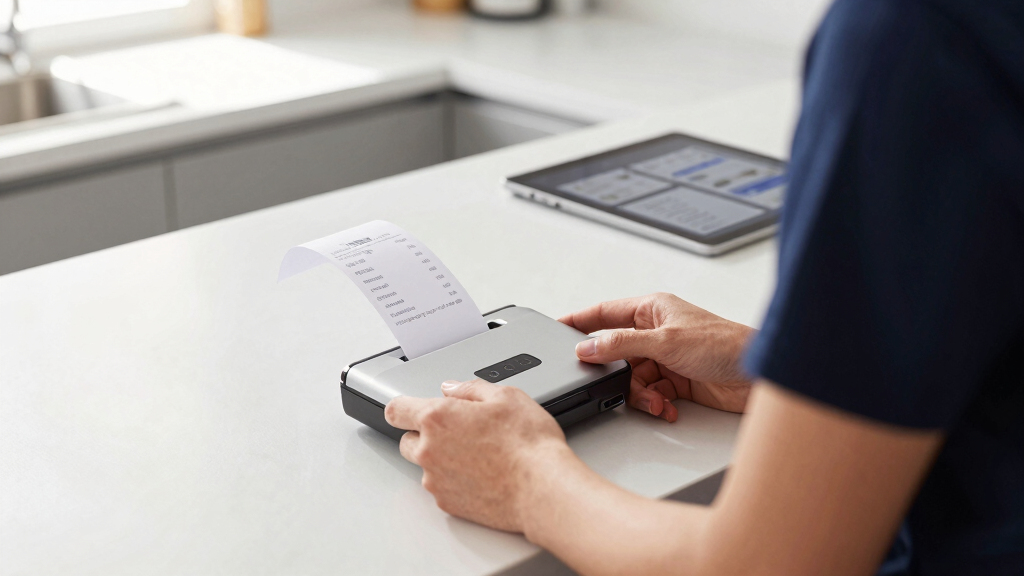
How We Picked
These products were selected based on their performance in scanning receipts quickly and accurately, ease of use, build quality, and the value they offer across different use cases. Priority was given to models that balance portability with functionality, especially for those who need to scan receipts on the go. We also considered software features like OCR and connectivity options, as well as user reviews to gauge reliability. The ranking reflects a mix of price, speed, usability, and suitability for different types of buyers, from casual users to professionals handling large volumes.Factors to Consider When Choosing Document Scanners For Receipts
Choosing the right document scanner for receipts involves understanding several key factors. The ideal scanner should match your volume needs, whether occasional or daily, and fit your workspace. Considering portability versus desktop use can make a big difference. Additional features like duplex scanning, OCR, and wireless connectivity can enhance efficiency, but may come at a higher cost. Avoiding common pitfalls such as overpaying for unnecessary features or selecting slow models will help ensure your investment pays off.Speed and Throughput
If you process a large number of receipts regularly, prioritizing a high-speed scanner with an auto feeder can save hours of manual work. Models with duplex scanning double the amount of information captured per pass, further boosting efficiency. For occasional use, slower, more affordable models can suffice, but beware of bottlenecks if your volume unexpectedly increases.
Portability and Size
For those who need to scan receipts on the move, compact and lightweight models like the Epson ES-50 or Canon R10 are ideal. They can easily fit into a bag or briefcase, but often sacrifice some features or speed. Desktop scanners tend to be larger and better suited for office environments where space isn’t as constrained, offering more robust features and faster processing.
Connectivity Options
Wireless models provide the flexibility to scan directly to cloud storage or mobile devices, which is useful for remote workers. USB-only scanners tend to be more affordable and straightforward but limit mobility. Consider your workflow — if you need to scan receipts in multiple locations or directly upload to cloud apps, wireless connectivity is a significant advantage.
OCR and Software Support
Optical Character Recognition (OCR) converts scanned receipts into editable and searchable text, saving time in organizing your files. Reliable OCR software is essential if you plan to extract data or categorize receipts digitally. Compatibility with your preferred operating system and integration with file management apps are also worth checking, especially for professional setups.
Cost and Total Value
While premium scanners offer faster speeds, better build quality, and advanced features, they come with higher prices. For casual users or infrequent scanning, budget models can provide sufficient performance at a lower cost. However, investing in a slightly more expensive model with better OCR and durability can pay off in the long run, especially if you process receipts regularly.
Frequently Asked Questions
Should I buy a portable or a desktop scanner for receipts?
The choice depends on how often and where you need to scan receipts. Portable scanners are perfect for business trips or scanning receipts at different locations, offering convenience and mobility. Desktop models, however, tend to be faster, more durable, and better equipped with features like larger document feeders, making them suitable for frequent, high-volume scanning at a fixed workstation.
Is duplex scanning necessary for receipts?
Many receipts are single-sided, so duplex scanning isn’t always essential. However, if you often scan documents that have info on both sides, duplex capability can double your efficiency, saving time. For most receipt scanning needs, a single-sided scanner with good speed might be enough, but duplex can be a valuable feature if you want maximum flexibility.
How important is OCR software when choosing a receipt scanner?
OCR software is highly beneficial if you intend to organize, search, or extract data from your receipts. Good OCR accuracy reduces manual data entry and speeds up record keeping. If your primary goal is simple digitization without further processing, OCR might be less critical, but it remains a valuable feature for anyone managing large quantities of receipts.
Can I use a regular document scanner for receipts?
Yes, many standard document scanners can handle receipts, especially if they have sufficient resolution and speed. However, receipt-specific scanners often include features like better color accuracy, compact design, and OCR optimized for small documents. For high-volume or professional use, choosing a dedicated receipt scanner can improve efficiency and durability.
What’s the best way to maintain my receipt scanner?
Regular cleaning of the scanner glass and rollers helps prevent jams and maintains image quality. Using compressed air to remove dust and debris is recommended, especially for portable models that travel often. Keeping the software updated and following manufacturer guidelines for maintenance can extend your scanner’s lifespan and ensure consistent performance.
Conclusion
For casual users or those who need to scan receipts occasionally, a compact, single-sheet scanner like the Epson ES-50 offers great portability and simplicity. Office workers processing large volumes will benefit most from high-speed, duplex-capable models such as the ScanSnap iX2500. Those seeking a balance of features and cost might consider the Epson WorkForce ES-400 II for desktop use, while professionals needing premium quality and advanced OCR should look at premium options like the ScanSnap iX1300. Ultimately, your choice depends on your scanning volume, mobility needs, and budget.