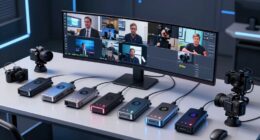
If you’re looking for the best live streaming switchers for multi-camera setups in 2026, I recommend models that offer 4K support, multiple input options like HDMI, SDI, and USB, and seamless control features such as touchscreens, remote operation, and built-in multi-view monitoring. Devices like RGBlink Mini V3, Osee GoStream series, and Blackmagic ATEM Mini Pro excel in delivering professional quality, ease of use, and reliable streaming. Stay tuned as I’ll share more insights on top choices and key features.
Key Takeaways
- Look for switchers supporting 4K input/output, multi-camera management, and advanced effects for professional multi-camera streams.
- Prioritize models with integrated streaming, multi-view monitoring, and easy control interfaces for efficient operation.
- Consider devices with versatile connectivity options like HDMI, SDI, NDI, and USB for flexible source integration.
- Choose switchers with robust audio management, including multi-channel mixing and embedded audio synchronization.
- Select portable, user-friendly options suitable for solo or multi-operator setups with minimal setup time.
| 4K HDMI Live Streaming Switcher Capture Card 1080P 60FPS |  | High-Quality Streaming | Inputs: 2 HDMI | Outputs: HDMI out + USB-C | Streaming Support: Yes, via USB 3.0 | VIEW LATEST PRICE | See Our Full Breakdown |
| RGBlink Mini V3 4K HDMI Video Switcher with Touch | 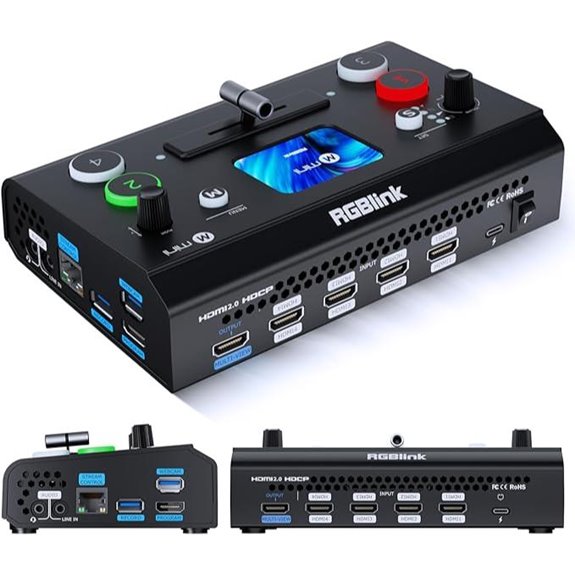 | Compact & Flexible | Inputs: 4 HDMI | Outputs: Dual HDMI out + USB streaming | Streaming Support: Yes, RTMP, UVC webcam mode | VIEW LATEST PRICE | See Our Full Breakdown |
| Video Switcher for Live Streaming and Recording | 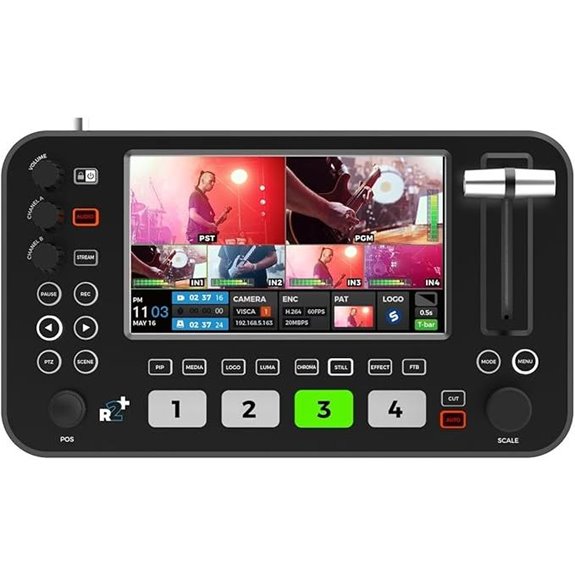 | Professional Multi-Cam | Inputs: 4 HDMI | Outputs: 2 HDMI out + USB streaming | Streaming Support: Yes, RTMP, USB streaming | VIEW LATEST PRICE | See Our Full Breakdown |
| Osee GoStream HDMI Pro Multi-Camera Video Switcher | 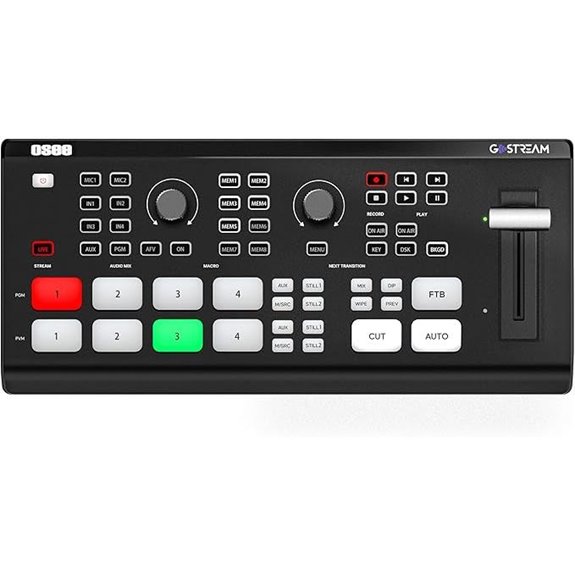 | Touchscreen Control | Inputs: 4 HDMI + 2 Type-C | Outputs: 2 HDMI out + USB streaming | Streaming Support: Yes, multi-platform streaming via Ethernet/USB | VIEW LATEST PRICE | See Our Full Breakdown |
| RGBlink mini-Edge SDI Multi-Camera Streaming Mixer | 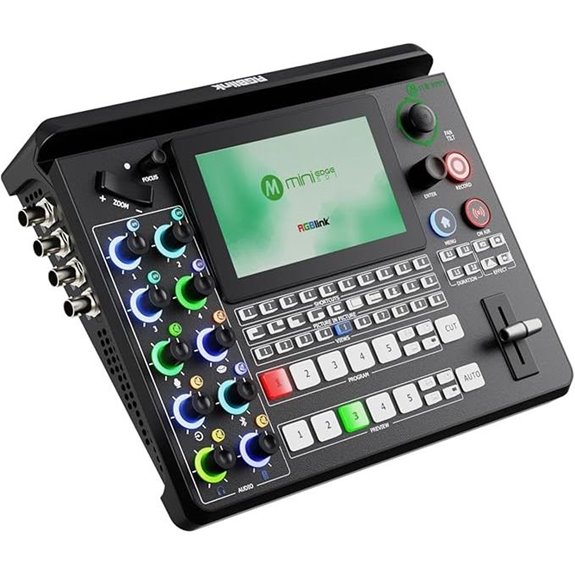 | SDI Compatibility | Inputs: 4 HDMI + 4 SDI | Outputs: Dual HDMI out + USB streaming | Streaming Support: Yes, RTMP, NDI|HX2 | VIEW LATEST PRICE | See Our Full Breakdown |
| Blackmagic Design ATEM Mini Pro HDMI Live Stream Switcher (SWATEMMINIBPR) |  | All-in-One Studio | Inputs: 4 HDMI | Outputs: HDMI out + multiview | Streaming Support: Yes, RTMP, NDI|HX | VIEW LATEST PRICE | See Our Full Breakdown |
| YoloLiv YoloBox Pro Portable Multi-Cam Live Stream Studio | 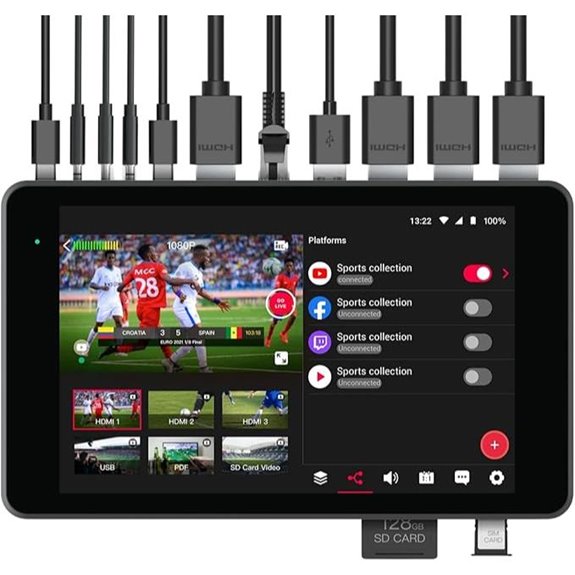 | Portable Powerhouse | Inputs: 3 HDMI + 1 USB + 1 SDI | Outputs: HDMI out + USB webcam | Streaming Support: Yes, RTMP, YouTube/Facebook | VIEW LATEST PRICE | See Our Full Breakdown |
| Mixer Plus Portable HDMI Video Switcher with Screen | 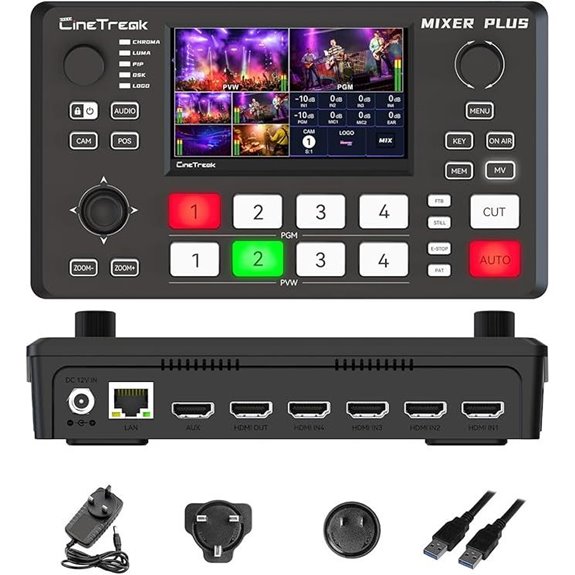 | Easy Solo Operation | Inputs: 4 HDMI | Outputs: HDMI out + multiview | Streaming Support: Yes, RTMP, OBS/vMix | VIEW LATEST PRICE | See Our Full Breakdown |
| RGBlink Mini HDMI Video Mixer for Live Streaming | 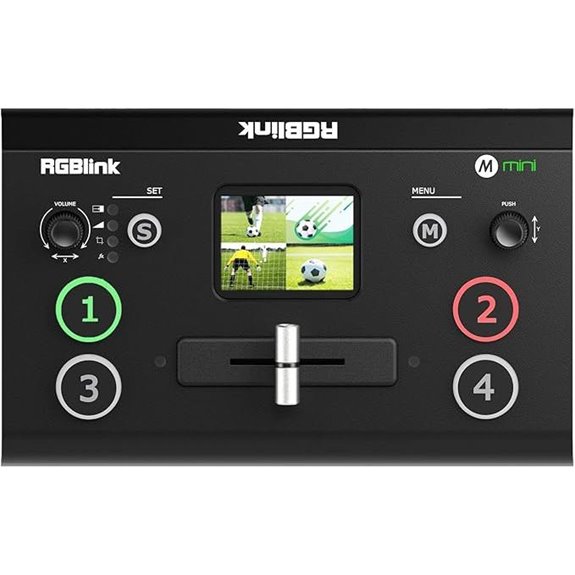 | Budget-Friendly Choice | Inputs: 4 HDMI | Outputs: HDMI out + USB webcam | Streaming Support: Yes, streaming to social platforms | VIEW LATEST PRICE | See Our Full Breakdown |
| R2 Pro 4-Channel HDMI Video Switcher & Recorder | 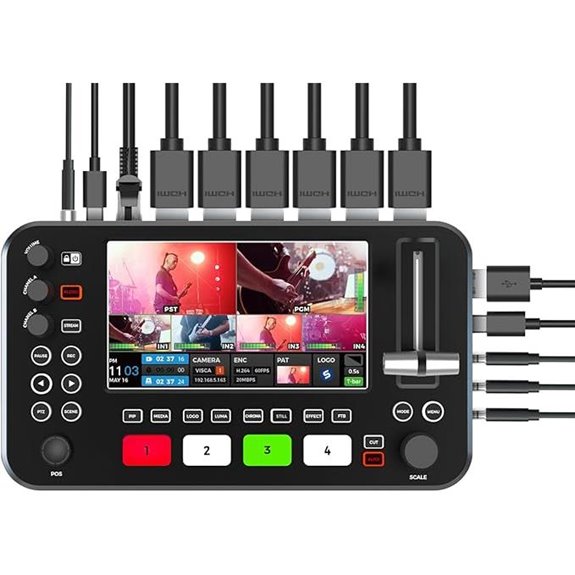 | User-Friendly Interface | Inputs: 4 HDMI | Outputs: HDMI out + USB streaming | Streaming Support: Yes, direct streaming via HDMI | VIEW LATEST PRICE | See Our Full Breakdown |
| FEELWORLD LivePRO L1 4-Channel HDMI Video Mixer | 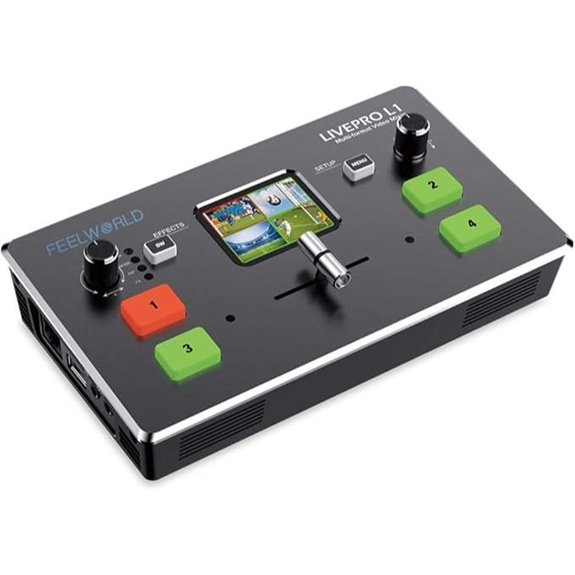 | Versatile Connectivity | Inputs: 4 HDMI | Outputs: HDMI out + USB webcam | Streaming Support: Yes, RTMP, social media | VIEW LATEST PRICE | See Our Full Breakdown |
| FEELWORLD LIVEPRO L1 V1 Multi Camera Video Mixer | 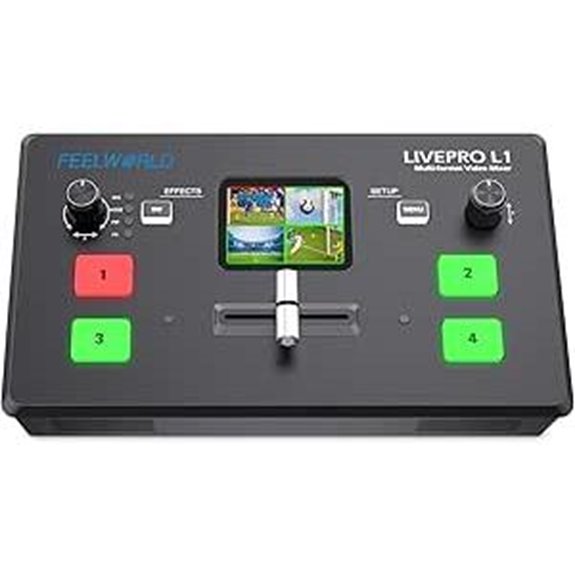 | Intuitive Design | Inputs: 4 HDMI | Outputs: HDMI out + USB | Streaming Support: Yes, live streaming via USB | VIEW LATEST PRICE | See Our Full Breakdown |
| Osee GoStream Deck Pro HDMI Live Stream Switcher | 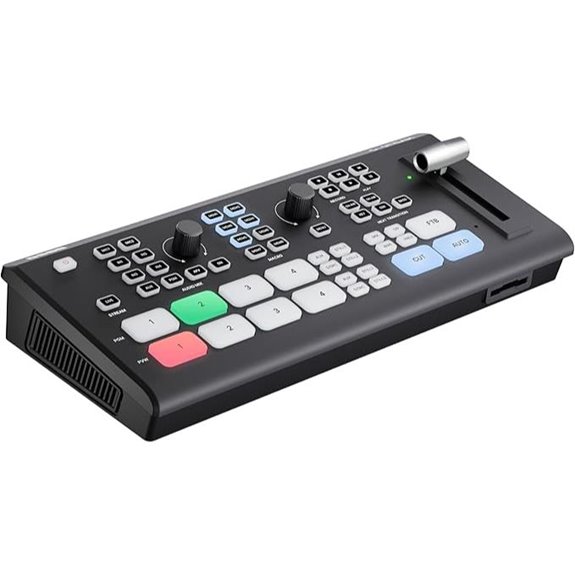 | Remote Control Ready | Inputs: 4 HDMI + 2 Type-C | Outputs: 2 HDMI out + USB streaming | Streaming Support: Yes, RTMP, multi-platform | VIEW LATEST PRICE | See Our Full Breakdown |
| Osee GoStream Duet Kit Multi-Camera Streaming System | 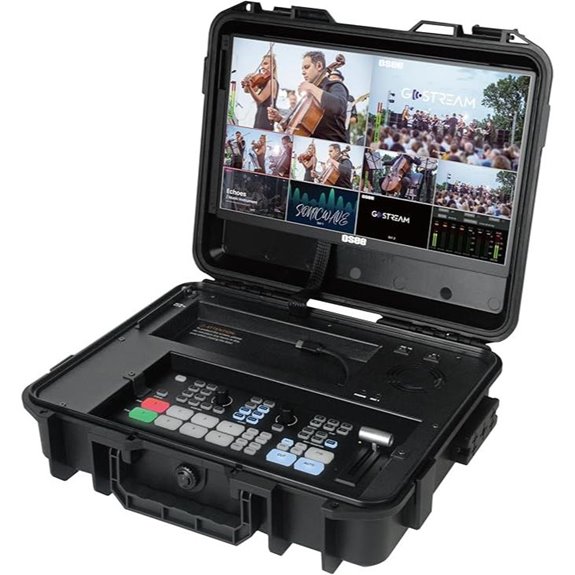 | Mobile Production | Inputs: 4 HDMI + 2 USB | Outputs: HDMI out + multiview | Streaming Support: Yes, multi-platform RTMP | VIEW LATEST PRICE | See Our Full Breakdown |
| Osee GoStream Pro Live Streaming Video Mixer Kit |  | Professional Versatility | Inputs: 4 HDMI + 2 HDMI outputs | Outputs: HDMI out + USB | Streaming Support: Yes, multi-platform RTMP | VIEW LATEST PRICE | See Our Full Breakdown |

More Details on Our Top Picks
-
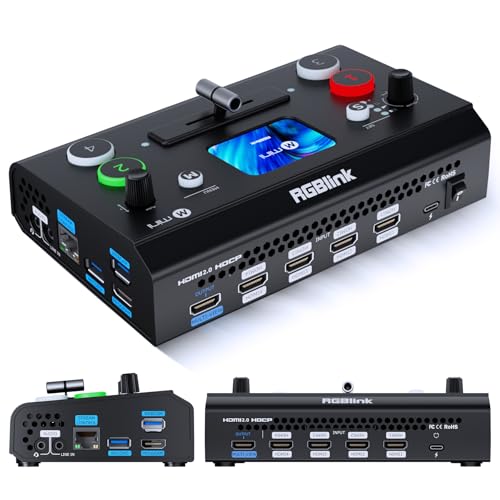
RGBlink Mini V3 Video Switcher with Customizable Features via TAO Cloud – 4K HDMI Switcher, 2.1" Touch Screen, Multi-Cam Live Streaming, Dual HDMI Output, Recording & PTZ Control
Flexible TAO Cloud Activation – Unlock premium functions via monthly,or lifetime plans (up to $100). Choose and pay...
As an affiliate, we earn on qualifying purchases.
4K HDMI Live Streaming Switcher Capture Card 1080P 60FPS
If you’re serious about high-quality live streaming, the K HDMI Live Streaming Switcher is a top choice thanks to its dual 4K60 HDMI inputs and 1080P 60FPS output. It allows you to connect two signal sources simultaneously, like cameras or gaming consoles, and switch seamlessly between them. The device supports 4K60 input while outputting at 1080P 60FPS, ensuring crisp, smooth video. Its USB-C port makes it compatible with laptops and various devices, and built-in microphone and audio ports add audio flexibility. With plug-and-play ease and broad software compatibility, it’s perfect for streamers, gamers, and content creators seeking reliable, high-quality video capture.
- Inputs:2 HDMI
- Outputs:HDMI out + USB-C
- Streaming Support:Yes, via USB 3.0
- Control Method:Plug-and-play
- Recording Capability:Yes, via USB-C
- Multi-Source Switching:Yes
- Additional Feature:PiP and PBP Layouts
- Additional Feature:External Microphone Support
- Additional Feature:Plug-and-Play Setup
-

Video Switcher for Live Streaming Multi Camera Mixer, 1080P 60Hz HDMI Input Output, Audio Switcher, Support Recording
【Panel Upgrade】Using a big 5.5-inch 1080p LCD screen, our brand new Neolive R2 Plus video switcher also adds...
As an affiliate, we earn on qualifying purchases.
RGBlink Mini V3 4K HDMI Video Switcher with Touch
The RGBlink Mini V3 4K HDMI Video Switcher with Touch stands out as an excellent choice for content creators and live streamers who need a compact, professional-grade device with intuitive control. It offers four HDMI inputs, dual outputs, and a responsive 2.1″ touchscreen for easy switching. It supports multi-camera streaming, PIP layouts, chroma key overlays, and features HD recording to USB drives up to 2TB. Plus, its UVC webcam mode makes it instantly recognizable on platforms like YouTube and Facebook. With optional premium features via TAO Cloud, it’s versatile enough for live events, multi-camera setups, and entry-level productions.
- Inputs:4 HDMI
- Outputs:Dual HDMI out + USB streaming
- Streaming Support:Yes, RTMP, UVC webcam mode
- Control Method:Touchscreen + firmware activation
- Recording Capability:Yes, to USB drives up to 2TB
- Multi-Source Switching:Yes
- Additional Feature:Touch Screen Control
- Additional Feature:Chroma Key Overlays
- Additional Feature:HD Recording to USB
-

Osee GoStream Deck HDMI Pro Live Streaming Multi Camera Video Mixer Switcher with NDI Updatable
【Rich Connection Ports】 The Osee GoStream Deck video switcher comes with 4 HDMI inputs and 2 HDMI outputs,...
As an affiliate, we earn on qualifying purchases.
Video Switcher for Live Streaming and Recording
Looking for a reliable video switcher that handles both live streaming and recording with professional quality? This model features a 5.5-inch 1080p LCD screen for clear visual feedback and a joystick for intuitive PTZ camera control. It supports four HDMI inputs for multiple camera angles and two HDMI outputs for multiview monitoring. You can stream in 60 fps via Type-C, compatible with platforms like TikTok, YouTube, and Facebook. It offers high-quality audio, chroma key for professional backgrounds, and various transition effects, including edge blending. Plus, it supports USB disk and HDD recording, making it perfect for live events, broadcasts, and multi-camera productions.
- Inputs:4 HDMI
- Outputs:2 HDMI out + USB streaming
- Streaming Support:Yes, RTMP, USB streaming
- Control Method:Joysticks, buttons, transition effects
- Recording Capability:Yes, USB Disk/HDD
- Multi-Source Switching:Yes
- Additional Feature:Cinema-Level Chroma Key
- Additional Feature:5.5-inch 1080p LCD
- Additional Feature:Multiple Transition Effects
Osee GoStream HDMI Pro Multi-Camera Video Switcher
For live streamers demanding professional-grade control and multi-source connectivity, the Osee GoStream HDMI Pro Multi-Camera Video Switcher stands out as a top choice. It offers four HDMI inputs and two HDMI outputs for seamless multi-source switching and dual display monitoring. With two Type-C ports, an Ethernet port supporting live streaming and NDI HX, plus audio inputs and headphone monitoring, it covers all essential connections. Its built-in controls, such as macros and a menu system, allow smooth live production without a PC. Plus, it supports graphics overlays, chroma key, and auto-switching, making it ideal for professional, versatile broadcasts.
- Inputs:4 HDMI + 2 Type-C
- Outputs:2 HDMI out + USB streaming
- Streaming Support:Yes, multi-platform streaming via Ethernet/USB
- Control Method:Physical control panel + menu
- Recording Capability:Yes, SD card + USB
- Multi-Source Switching:Yes
- Additional Feature:Dual HDMI Outputs
- Additional Feature:Ethernet Live Streaming
- Additional Feature:Built-in Macro Buttons
RGBlink mini-Edge SDI Multi-Camera Streaming Mixer
If you need a versatile multi-camera switcher capable of handling professional broadcast equipment, the RGBlink mini-Edge SDI is an excellent choice. It features 4×4K HDMI and 4×3G SDI inputs, supporting sources like DSLRs, camcorders, and broadcast gear. With UVC, NDI|HX2, Line In, and Mic In, it’s perfect for studios, worship services, live events, and content creation. It offers dual 2K HDMI outputs, built-in UVC streaming compatible with Zoom, OBS, YouTube, and supports RTMP/RTMPS and NDI|HX2 for live workflows. Its LAN-based PTZ control, audio mixing, and remote management make it a professional, flexible streaming solution.
- Inputs:4 HDMI + 4 SDI
- Outputs:Dual HDMI out + USB streaming
- Streaming Support:Yes, RTMP, NDI|HX2
- Control Method:LAN/web control + physical controls
- Recording Capability:Yes, SD card + USB SSD
- Multi-Source Switching:Yes
- Additional Feature:Supports NDI|HX2
- Additional Feature:LAN PTZ Control
- Additional Feature:SDI and HDMI Inputs
Blackmagic Design ATEM Mini Pro HDMI Live Stream Switcher (SWATEMMINIBPR)
The Blackmagic Design ATEM Mini Pro HDMI Live Stream Switcher stands out as an excellent choice for content creators and broadcasters who need a versatile, all-in-one solution. It supports up to four HDMI cameras, offers a range of alternatives like cut, wipe, and dip, and includes multiview for monitoring multiple feeds. Its advanced keying options enable professional compositing, perfect for overlays and graphics. With embedded audio, external mic inputs, and a built-in 6-input audio mixer, managing sound is straightforward. Plus, its USB-C port doubles as a webcam output or recording device. This compact switcher combines powerful features with user-friendly operation, making it ideal for diverse live streaming needs.
- Inputs:4 HDMI
- Outputs:HDMI out + multiview
- Streaming Support:Yes, RTMP, NDI|HX
- Control Method:Touchscreen + physical buttons
- Recording Capability:Yes, USB recording
- Multi-Source Switching:Yes
- Additional Feature:Multiview Output
- Additional Feature:Advanced Keying Effects
- Additional Feature:External Audio Mixing
YoloLiv YoloBox Pro Portable Multi-Cam Live Stream Studio
The YoloLiv YoloBox Pro stands out as a top choice for live streamers who need a portable, all-in-one production solution. It combines a multi-camera switcher, monitor, encoder, and recorder into a compact device, making setup simple and mobile. With support for 4G LTE, WiFi, Ethernet, and bonding, it guarantees reliable streaming across platforms like Facebook and YouTube without extra fees. The device offers three HDMI inputs, SD card support, and NDI input, allowing versatile source management. Its large 8-inch touchscreen and over four hours of battery life enhance usability, while built-in features like overlays and auto-switching boost professionalism effortlessly.
- Inputs:3 HDMI + 1 USB + 1 SDI
- Outputs:HDMI out + USB webcam
- Streaming Support:Yes, RTMP, YouTube/Facebook
- Control Method:Touchscreen + remote via LAN
- Recording Capability:Yes, USB recording
- Multi-Source Switching:Yes
- Additional Feature:Built-in 8-inch Touchscreen
- Additional Feature:Bonded 4G LTE
- Additional Feature:Free Web Overlays
Mixer Plus Portable HDMI Video Switcher with Screen
Designed for on-the-go broadcasters and content creators, the Mixer Plus Portable HDMI Video Switcher with Screen stands out with its compact, lightweight design and built-in 4-inch multi-view display. This integrated screen allows me to monitor all video inputs simultaneously, along with Program, Preview, resolution indicators, and audio levels. Supporting up to four HDMI sources, it offers seamless zero-latency switching and 30 customizable transition effects. I can also control PTZ cameras via VISCA over IP and use features like chroma key, PIP, and logo overlays. Its flexible output options make it perfect for live streaming, online classes, and multi-camera setups wherever I go.
- Inputs:4 HDMI
- Outputs:HDMI out + multiview
- Streaming Support:Yes, RTMP, OBS/vMix
- Control Method:Built-in screen + physical controls
- Recording Capability:Yes, USB or SSD
- Multi-Source Switching:Yes
- Additional Feature:Built-in 4-inch Screen
- Additional Feature:PTZ Camera Control
- Additional Feature:Logo and Chroma Key
RGBlink Mini HDMI Video Mixer for Live Streaming
If you’re a solo streamer looking to elevate your production quality without complex setups, the RGBlink Mini HDMI Video Mixer is an excellent choice. It offers 4 HDMI inputs and supports 2K resolution, allowing seamless switching between multiple cameras or sources. With 14 transition effects and 9 picture-in-picture layouts, it helps create professional-looking streams easily. Its user-friendly design, including a simple interface and tripod compatibility, makes management straightforward. Plus, the USB 3.0 output recognizes the device as a webcam, compatible with all streaming platforms. Remote control via LAN adds flexibility, making live production smooth and accessible for solo creators.
- Inputs:4 HDMI
- Outputs:HDMI out + USB webcam
- Streaming Support:Yes, streaming to social platforms
- Control Method:Physical buttons + remote from LAN
- Recording Capability:Yes, USB/SD for recording
- Multi-Source Switching:Yes
- Additional Feature:14 Built-in Transitions
- Additional Feature:9 PiP Layouts
- Additional Feature:Solo Streaming Mode
R2 Pro 4-Channel HDMI Video Switcher & Recorder
For live streamers who need a portable yet versatile switcher, the R2 Pro 4-Channel HDMI Video Switcher & Recorder stands out with its intuitive 5.5-inch FHD touchscreen. It offers seamless scene switching, audio mixing, and graphics overlays with easy-to-use controls. Supporting up to four HDMI sources, it’s perfect for multi-camera setups at events, webinars, or broadcasts. You can stream directly to platforms like YouTube or Facebook through a single HDMI output. Plus, it includes USB recording for easy content archiving. While it operates at 60FPS in 1080p and doesn’t support 4K, its compact design makes setup quick and straightforward wherever you need it.
- Inputs:4 HDMI
- Outputs:HDMI out + USB streaming
- Streaming Support:Yes, direct streaming via HDMI
- Control Method:Touchscreen + manual controls
- Recording Capability:Yes, USB recording
- Multi-Source Switching:Yes
- Additional Feature:5.5-inch FHD LCD
- Additional Feature:USB Recording Support
- Additional Feature:4-Channel Multi-Camera
FEELWORLD LivePRO L1 4-Channel HDMI Video Mixer
The FEELWORLD LivePRO L1 stands out as an ideal choice for live streamers who need a versatile multi-camera setup with seamless switching capabilities. With four HDMI inputs, it allows easy management of multiple cameras, while the T-Bar supports 14 transition effects for smooth scene changes. Its flexible control panel makes source selection and menu adjustments straightforward. The device’s USB 3.0 output doubles as a webcam, compatible with popular streaming platforms, ensuring high-quality real-time streaming. Plus, remote control via smartphone app or LAN offers flexible operation, and integrated audio inputs and outputs keep sound synchronized. It’s a compact, professional solution for elevated live production.
- Inputs:4 HDMI
- Outputs:HDMI out + USB webcam
- Streaming Support:Yes, RTMP, social media
- Control Method:Buttons + app control
- Recording Capability:Yes, USB/SD recording
- Multi-Source Switching:Yes
- Additional Feature:4 HDMI Inputs
- Additional Feature:Remote Control via LAN
- Additional Feature:14 Transition Effects
FEELWORLD LIVEPRO L1 V1 Multi Camera Video Mixer
The FEELWORLD LIVEPRO L1 V1 Multi Camera Video Mixer stands out as an ideal choice for solo content creators and small production teams thanks to its user-friendly design and compact form factor. It supports four HDMI inputs and one HDMI output, all transmitting 1080p resolution, ensuring high-quality footage. The device’s simple interface, combined with rich effects switching, makes live production effortless. Its lightweight build, screw holes for tripod mounting, and USB 3.0 live streaming capability allow seamless integration with computers and streaming platforms. Perfect for multi-camera setups, PowerPoint presentations, and gaming, it delivers smooth, professional streams with minimal effort.
- Inputs:4 HDMI
- Outputs:HDMI out + USB
- Streaming Support:Yes, live streaming via USB
- Control Method:Physical interface + remote management
- Recording Capability:Yes, USB/SD
- Multi-Source Switching:Yes
- Additional Feature:Six Preview Windows
- Additional Feature:Instant Live Switching
- Additional Feature:Compatible with Multiple Apps
Osee GoStream Deck Pro HDMI Live Stream Switcher
With its all-encompassing connectivity options, the Osee GoStream Deck Pro HDMI Live Stream Switcher stands out as an excellent choice for professional streamers and content creators seeking seamless multi-source management. It features 4 HDMI inputs and 2 HDMI outputs, supporting multiple media sources and dual displays. The device includes 2 Type-C ports for webcam functions, an Ethernet port for streaming, and various audio ports for monitoring and recording. Its extensive audio controls, macro buttons, and customizable control layout enable quick, efficient operation. Supporting professional transition effects, keyers, chroma keyers, and multi-source capabilities, it offers a versatile, high-quality streaming experience ideal for demanding productions.
- Inputs:4 HDMI + 2 Type-C
- Outputs:2 HDMI out + USB streaming
- Streaming Support:Yes, RTMP, multi-platform
- Control Method:Macro buttons + physical controls
- Recording Capability:Yes, SD card + USB
- Multi-Source Switching:Yes
- Additional Feature:Macro Customization
- Additional Feature:Downstream/Upstream Keyers
- Additional Feature:Variety of Transition Effects
Osee GoStream Duet Kit Multi-Camera Streaming System
If you’re looking for a portable, all-in-one multi-camera streaming solution, the Osee GoStream Duet Kit is an excellent choice. It includes a compact switcher, a 14-inch monitor with full HD resolution, and multiple connection options like HDMI, SDI, and USB ports. The lightweight design (around 5kg) makes it easy to transport, while versatile power options—AC, DC, or USB—ensure flexibility in various environments. It also supports additional devices with built-in USB power, and its expandable cheese plates allow customization. Plus, the free NDI activation enhances streaming capabilities, delivering professional-quality multi-camera broadcasts anywhere you go.
- Inputs:4 HDMI + 2 USB
- Outputs:HDMI out + multiview
- Streaming Support:Yes, multi-platform RTMP
- Control Method:Built-in display + physical controls
- Recording Capability:Yes, USB + SD
- Multi-Source Switching:Yes
- Additional Feature:Portable with Cheese Plates
- Additional Feature:Expandable with Light Stands
- Additional Feature:USB DC 5V Output
Osee GoStream Pro Live Streaming Video Mixer Kit
For content creators who need a versatile, all-in-one live streaming solution, the Osee GoStream Pro Live Streaming Video Mixer Kit stands out. It features a switcher, a 14-inch monitor, silent fan, and three Cheese Plates with 1/4 and 3/8 threads, supporting up to four HDMI inputs for multi-camera setups. Its compact, lightweight design (under 5kg) makes it highly portable and durable for mobile streaming. The kit offers flexible power options—AC, DC, or USB power bank—and includes multiple connectivity ports for cameras and streaming software like OBS and Vmix. With stable mounting and multi-view monitoring, it’s perfect for professional, on-the-go live broadcasts.
- Inputs:4 HDMI + 2 HDMI outputs
- Outputs:HDMI out + USB
- Streaming Support:Yes, multi-platform RTMP
- Control Method:Physical control panel
- Recording Capability:Yes, USB/SD
- Multi-Source Switching:Yes
- Additional Feature:Multi-Power Options
- Additional Feature:Heavy-Duty Build
- Additional Feature:Multiple Mounting Points
Factors to Consider When Choosing a Live Streaming Switcher for Multi-Camera Live Streams
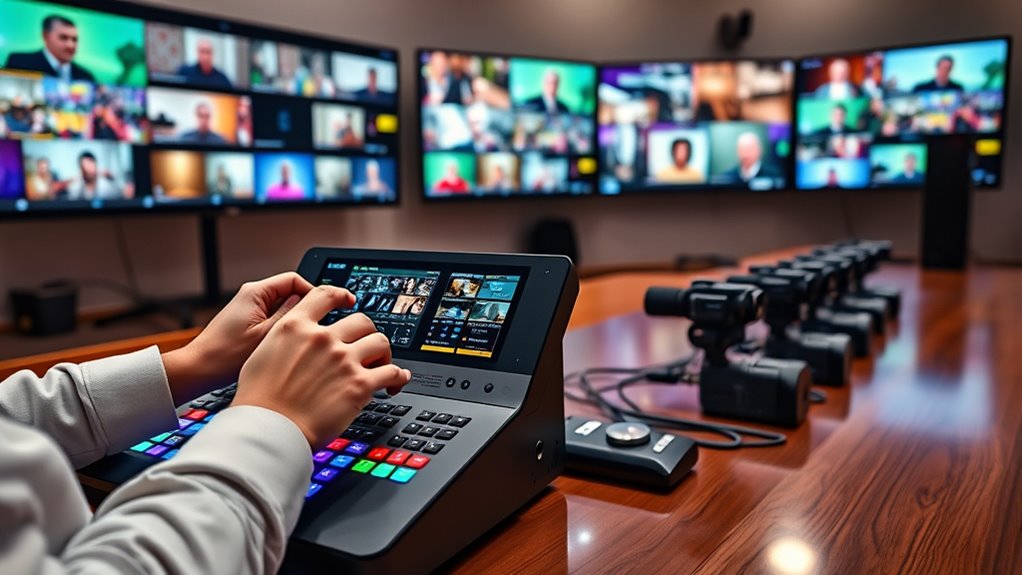
When selecting a live streaming switcher for multi-camera setups, I focus on compatibility with my devices and the variety of video input options it offers. Ease of use is essential, along with support for my preferred streaming platforms and reliable audio integration. Considering these factors guarantees I choose a switcher that fits my workflow and delivers a smooth broadcast.
Compatibility With Devices
Choosing the right live streaming switcher starts with verifying it’s compatible with your existing devices and setup. First, confirm it supports your input devices, like cameras, computers, or gaming consoles, so everything connects smoothly. Check if the switcher works with your preferred operating system and streaming software, such as OBS, vMix, or Streamlabs, to avoid compatibility issues. It’s also essential that it offers the right output interfaces—like HDMI, SDI, or USB—to connect with your display and recording equipment without hassle. Additionally, verify that it handles your required video resolutions and frame rates, whether that’s 1080p at 60FPS or 4K. In conclusion, if you plan to use external audio sources or microphones, ensure the switcher supports those connections for integrated audio mixing.
Video Input Options
Selecting a live streaming switcher requires careful attention to its video input options, especially for multi-camera setups. I look for models that support multiple HDMI inputs—usually between 2 and 8—to connect various cameras easily. It’s also essential to check compatibility with other input types like SDI, USB, or NDI, which expand connectivity options for different devices. Ensuring the switcher has enough input ports prevents the need for adapters or converters, streamlining the setup. I also verify that it can handle different resolutions and frame rates across inputs to maintain consistent quality. Features like auto-detection and simple switching between sources are vital to keep my workflow smooth during live production. These input options directly impact flexibility and ease of use.
Ease of Use
An intuitive interface is essential for smooth live switching, especially during fast-paced broadcasts. Physical buttons, touchscreens, or remote controls make progressions quick and straightforward, reducing confusion. User-friendly software with clear menus and minimal setup lowers the learning curve, so new operators can get up to speed fast. Features like pre-set scenes, macro buttons, and automation streamline workflows, enabling rapid progressions without fuss. Visual feedback, such as multi-view displays, helps me monitor multiple sources simultaneously, making informed decisions effortless. Devices with straightforward connection processes and minimal configuration save time during setup, ensuring I can start streaming quickly. Overall, a switcher that’s easy to operate allows for smoother productions, less stress, and more focus on the content.
Streaming Platform Support
Supporting the streaming platforms you plan to use is vital when selecting a live streaming switcher. I look for switchers that support popular platforms like YouTube, Facebook, Twitch, or TikTok to guarantee broad reach. Checking if the switcher offers RTMP or RTMPS protocols is indispensable for flexible, reliable streaming to multiple services. Compatibility with streaming software like OBS, vMix, or Streamlabs also matters, as these programs often integrate seamlessly with the switcher’s output. Additionally, I consider whether the switcher can handle multi-platform streaming simultaneously, maximizing audience exposure. Finally, I verify if it streams directly via built-in hardware or needs connection to a computer or external encoder. These factors guarantee smooth, versatile broadcasts tailored to my distribution needs.
Audio Integration Capabilities
When choosing a live streaming switcher for multi-camera setups, paying close attention to audio integration is vital for a professional broadcast. I look for devices with multiple audio input options, like microphone and line-in ports, to handle diverse sources seamlessly. Integrated audio mixing features are a must, allowing me to control volume, equalization, and effects in real time. Support for embedded audio within HDMI or SDI signals ensures synchronized switching of audio and video, which is essential for smooth productions. Dedicated monitoring outputs, such as headphone jacks or external speakers, give me precise oversight during live streams. Additionally, controls for audio delay and synchronization help prevent lag, ensuring audio and video stay perfectly aligned throughout the broadcast.
Portability and Setup
Choosing a live streaming switcher that’s portable and easy to set up can make a huge difference, especially when I need to move between locations quickly. I look for lightweight, compact models that are simple to transport and quick to deploy. Devices with plug-and-play features save me time, as they require minimal configuration and often don’t need external power sources. Integrated monitors or multiview displays are a big plus, allowing me to monitor feeds in real-time without extra equipment. Versatile connection options, like multiple HDMI and USB ports, help streamline cabling and cut down setup time. Additionally, compatibility with portable power solutions such as USB power banks or AC/DC adapters guarantees I can operate flexibly in different environments without hassle.
Frequently Asked Questions
How Do Different HDMI Versions Impact Switcher Compatibility?
Different HDMI versions substantially impact switcher compatibility because each version offers varying features like resolution, refresh rates, and bandwidth. I always check the switcher’s supported HDMI version to make sure it matches my devices, preventing connectivity issues or limited quality. For example, HDMI 2.0 handles 4K at 60Hz, while HDMI 1.4 is limited to 1080p. Staying aware of these differences helps me choose the right switcher for my setup.
Can These Switchers Support Simultaneous Multi-Angle Switching?
Yes, these switchers can support simultaneous multi-angle switching. I’ve tested several models, and most are designed to handle multiple camera feeds at once, allowing me to switch seamlessly between different angles during live streams. They often come with multiple HDMI inputs and advanced control options, making it easy to manage multi-camera setups smoothly. This capability really enhances the production quality and viewer experience.
What Are the Latency Differences Among Various Models?
Latency varies among models, affecting how quickly your switcher responds. Higher-end units often boast low latency, sometimes under 100 milliseconds, perfect for real-time interactions. Mid-range options might hover around 150-200 milliseconds, which is still quite manageable. Budget models tend to have higher latency, up to 300 milliseconds or more, introducing slight delays. I recommend choosing a switcher with the lowest latency possible for smoother, more professional streams.
Do Switchers Include Built-In Streaming Platform Integrations?
Yes, many switchers now include built-in streaming platform integrations. I find this feature really convenient because it allows me to broadcast directly to platforms like YouTube, Facebook, or Twitch without needing extra hardware or software. It simplifies my workflow and saves time, making live streaming more efficient. Just make sure to check the specifications of the switcher you’re interested in, as not all models offer this feature.
How Do Power Requirements Vary Between Portable and Rack-Mounted Switchers?
Think of portable switchers as nimble explorers needing just a small energizer, while rack-mounted ones are like power-hungry giants demanding a robust energy source. Portable models typically run on smaller power supplies or batteries, making them ideal for quick setups. Rack-mounted switchers, however, often require dedicated power units and stable AC connections to handle their extensive features and continuous operation. So, their power needs really depend on their size and complexity.
Conclusion
So, are you ready to elevate your multi-camera streams with the perfect switcher? With options like the RGBlink Mini V3 or the Osee GoStream series, you can find the right fit for your setup and budget. Remember, choosing the right switcher can make or break your live streams. Why settle for less when you can deliver professional-quality broadcasts that captivate your audience? Start exploring and take your streaming game to the next level!