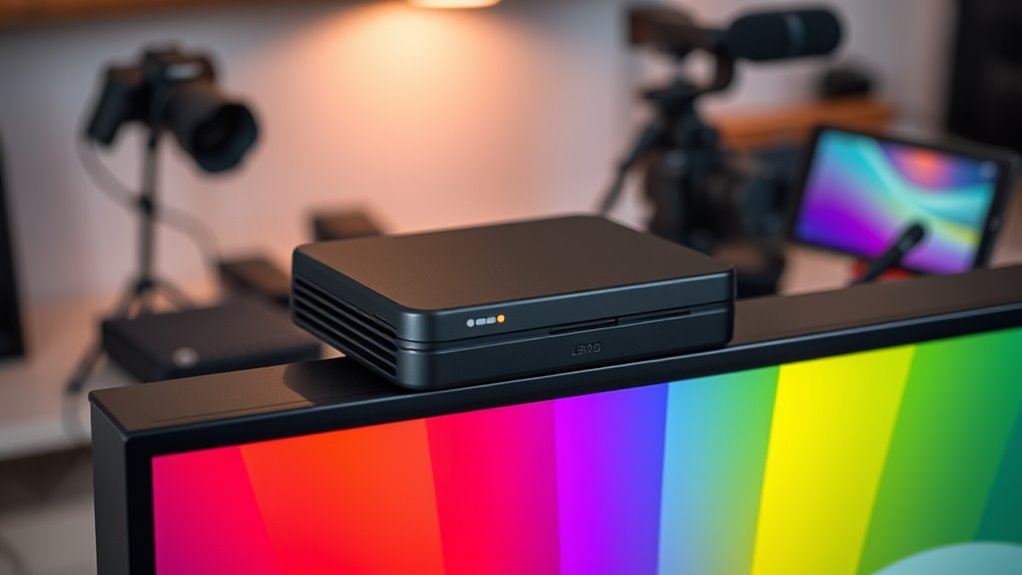

When selecting a portable color calibrator, the goal is to achieve accurate color reproduction on the go, whether for photography, video, or professional display work. The Calibrite Display Pro HL stands out as the overall best choice for its versatility and precision across various display types. The Datacolor SpyderExpress offers a budget-friendly option that simplifies calibration for beginners, while the Calibrite ColorChecker Passport Photo 2 excels for mobile photo and video creators needing quick, reliable results. Buyers often face tough tradeoffs between accuracy, portability, and ease of use—this guide will help you navigate those choices. Continue reading for a detailed breakdown of each model and what makes them unique.

Get business pricing on office and shipping supplies
- Business-only prices and quantity discounts
- Tax-exempt purchasing
- Multiple users, one account, clear invoices
Key Takeaways
- Premium options like the Calibrite Display Pro HL deliver the highest calibration accuracy but come at a higher price point.
- Budget-friendly calibrators such as the SpyderExpress still provide reliable results suitable for casual or entry-level use.
- Portability varies, with some models offering compact designs that easily fit into camera bags or pockets, while others are slightly bulkier.
- Compatibility with different display types, especially OLED and Mini LED screens, is a key consideration for professional users.
- Ease of use and calibration speed are critical for those who need quick results without sacrificing too much accuracy.
| Calibrite Display Pro HL Monitor Calibration Colorimeter for LCD, Mini LED, and OLED Displays |  | Best Overall for High-Luminance, Professional Display Calibration | Measurement Range: up to 3000 nits | Display Compatibility: LCD, Mini LED, OLED, Apple XDR, projectors | Software: Calibrite PROFILER for Mac and Windows | VIEW ON AMAZON | See Our Full Breakdown |
| Datacolor SpyderExpress Monitor Calibrator & Screen Color Calibrator |  | Best Value for Fast, Easy Calibration of High-End Displays | Compatibility: Liquid Retina XDR, mini-LED, OLED | Calibration Speed: 90 seconds | Display Support: Up to 3 displays | VIEW ON AMAZON | See Our Full Breakdown |
| Calibrite ColorChecker Passport Photo 2 Portable Color Calibration Kit for Photo and Video, 4 Target Set |  | Best for Photographers and Videographers on the Go | Targets: 4 | Includes: Folding case, lanyard | Software support: Calibrite PROFILER for DNG and ICC profiles | VIEW ON AMAZON | See Our Full Breakdown |
| Calibrite Creator Kit with Display 123 Colorimeter and ColorChecker Passport Video 2 |  | Best for Filmmakers and Content Creators Requiring Consistent Color | Includes: Display 123 colorimeter, ColorChecker Passport Video 2 | Purpose: Monitor calibration, video and photo capture control | Features: White balance setup, exposure verification, camera matching | VIEW ON AMAZON | See Our Full Breakdown |
| Calibrite Video Photo Kit with Display Plus HL Colorimeter and ColorChecker Passport Video 2 |  | Best for High-Luminance, Professional Video and Photo Workflows | Colorimeter: Display Plus HL | ColorChecker: Passport Video 2 | Luminance Capability: Up to 10,000 nits | VIEW ON AMAZON | See Our Full Breakdown |
| Calibrite Display 123 Monitor Calibration Colorimeter for Photo Editing and Color Accurate Viewing |  | Best for Creators Needing Simple, Reliable Dual-Monitor Calibration | Monitor calibration colorimeter: Yes | Software workflow: Easy 1 2 3 | Connection: USB C | VIEW ON AMAZON | See Our Full Breakdown |
| portable color calibrator | Includes |
|---|---|
| Calibrite Display Pro HL Monit | Travel storage pouch |
| Datacolor SpyderExpress Monito | — |
| Calibrite ColorChecker Passpor | Folding case, lanyard |
| Calibrite Creator Kit with Dis | Display 123 colorimeter, ColorChecker Passport Video 2 |
| Calibrite Video Photo Kit with | — |
| Calibrite Display 123 Monitor | — |
More Details on Our Top Picks
Calibrite Display Pro HL Monitor Calibration Colorimeter for LCD, Mini LED, and OLED Displays
This option stands out for professionals working with bright, high-dynamic-range screens, including OLED and Mini LED displays. Its high luminance measurement range up to 3000 nits makes it ideal for calibrating HDR content, outperforming the Calibrite Display 123 in brightness capabilities. The advanced validation tools and customizable profiling give precise control, but this comes with a higher price tag and the need for dedicated software on Mac or Windows. Compared to the SpyderExpress, it offers broader compatibility with specialized display types and HDR workflows, making it better suited for high-end setups. However, casual users or those with budget constraints might find it overkill.
Pros:- High luminance sensor supports bright HDR displays up to 3000 nits
- Supports calibration of multiple display types including projectors
- Includes validation tools for ongoing performance verification
- Flexible profiling options for custom workflows
Cons:- Requires dedicated software installation on Mac or Windows
- More expensive than entry-level colorimeters
- Designed primarily for professionals, not casual users
Best for: Display professionals and high-end content creators needing precise calibration for HDR and OLED screens
Not ideal for: Casual users or those with standard LCD monitors, as its high cost and complexity are unnecessary for basic calibration
- Measurement Range:up to 3000 nits
- Display Compatibility:LCD, Mini LED, OLED, Apple XDR, projectors
- Software:Calibrite PROFILER for Mac and Windows
- Connection:USB C with USB A adapter
- Mounting:Built-in 1/4″ mount thread
- Includes:Travel storage pouch
Our verdict“This is the best choice for professionals demanding high luminance accuracy and advanced validation features.”
Datacolor SpyderExpress Monitor Calibrator & Screen Color Calibrator
This pick makes the most sense for creators who need quick, reliable calibration without fuss. Its 90-second calibration speed is a significant advantage over more complex models like the Calibrite Display Pro HL, especially for users juggling multiple screens. It supports the latest display technologies, including Liquid Retina XDR and mini-LEDs, and software upgrades add features like ambient light adjustment and multi-display profiling, though it’s limited to three screens. Compared with professional-grade options, it offers a balance of speed and simplicity, but those requiring highly detailed or high-luminance calibration might find it less precise. Its ease of setup makes it ideal for those who want fast, effective results without technical complexity.
Pros:- Supports the latest high-end display tech including mini-LED and Liquid Retina XDR
- Fast calibration process in just 90 seconds
- Software updates add advanced features like ambient light adjustment
- Supports up to 3 connected displays
Cons:- Limited to calibration of only three displays
- Requires software setup and download
- No hardware upgrade options for additional features
Best for: Photographers, videographers, and digital artists who need quick, accurate calibration for high-end displays
Not ideal for: Power users requiring extensive customization or calibration of more than three displays, or HDR workflows
- Compatibility:Liquid Retina XDR, mini-LED, OLED
- Calibration Speed:90 seconds
- Display Support:Up to 3 displays
- Software Features:Ambient light adjustment, multi-display profiling, DevicePreview
Our verdict“Best suited for creators who need speedy calibration of multiple high-end displays without complex setup.”
Calibrite ColorChecker Passport Photo 2 Portable Color Calibration Kit for Photo and Video, 4 Target Set
This kit is tailored for photographers and videographers who need portable, reliable color calibration tools in the field. Its four targets for white balance, exposure, and camera profiling provide comprehensive control, especially useful for matching cameras and ensuring consistent color in different environments. Unlike larger, more complex calibrators, its lightweight design and protective case make it perfect for on-location shoots. However, it requires compatible calibration software for full functionality, and its advanced features might be overkill for casual shooters. Compared with monitor-focused calibrators, this kit excels at on-camera profiling, making it invaluable for fieldwork but less suited for monitor calibration tasks.
Pros:- Lightweight, portable design for field use
- Supports multiple targets for white balance, exposure, and camera profiling
- Includes protective case and lanyard for convenience
- Supports DNG and ICC workflows
Cons:- Requires compatible calibration software for full use
- More advanced than necessary for casual or hobbyist use
Best for: Photographers and videographers needing portable color calibration on location
Not ideal for: Casual photographers or those who only calibrate monitors, since its primary focus is camera and scene profiling
- Targets:4
- Includes:Folding case, lanyard
- Software support:Calibrite PROFILER for DNG and ICC profiles
- Portability:Lightweight, folding design
Our verdict“This kit is ideal for on-the-go professionals needing versatile, portable color targets for camera and scene calibration.”
Calibrite Creator Kit with Display 123 Colorimeter and ColorChecker Passport Video 2
This kit combines the Display 123 colorimeter with the versatile ColorChecker Passport Video 2 to serve photographers and filmmakers demanding consistent, accurate color across multiple devices. It excels in white balance, exposure, and camera matching, making it a reliable choice for professional workflows. Compared with the more specialized Display Pro HL, this set focuses on video and photo capture workflows, providing a balanced solution for on-set and post-production color management. Its primary limitation is its complexity and the need for familiarity with color workflows, making it less suitable for beginners or casual users. It’s an excellent choice for those who need dependable color accuracy in varied filming environments.
Pros:- Ensures consistent monitor calibration for video and photo workflows
- Helps in matching multiple cameras and verifying exposure
- Improves workflow efficiency by reducing trial-and-error adjustments
- Supports advanced color management
Cons:- Primarily designed for professionals familiar with color workflows
- Price and detailed setup may be intimidating for novices
- Requires calibration software for full functionality
Best for: Filmmakers and content creators managing multiple cameras and screens requiring reliable color matching
Not ideal for: Beginners or casual hobbyists, due to its complexity and professional focus
- Includes:Display 123 colorimeter, ColorChecker Passport Video 2
- Purpose:Monitor calibration, video and photo capture control
- Features:White balance setup, exposure verification, camera matching
Our verdict“This kit is perfect for serious content creators needing dependable color accuracy across devices and cameras.”
Calibrite Video Photo Kit with Display Plus HL Colorimeter and ColorChecker Passport Video 2
This comprehensive kit is designed for professionals working with high-luminance displays up to 10,000 nits, making it suitable for high-end video and photo production environments. The Display Plus HL colorimeter supports calibration at extreme brightness levels, outperforming standard options like the SpyderExpress in luminance range. The inclusion of the ColorChecker Passport Video 2 ensures consistent color in both capturing and post-production. Its advanced capabilities come with a steeper learning curve and higher cost, making it less ideal for casual or beginner users. Compared with smaller kits, this one offers a broader luminance range, which is essential for professional-grade displays and workflows requiring extreme accuracy.
Pros:- Supports calibration at luminance levels up to 10,000 nits
- Comprehensive tools for color accuracy across photo and video workflows
- Helps ensure consistent color across multiple cameras and monitors
- Designed for professional, high-luminance environments
Cons:- Price point may be prohibitive for casual users
- Requires technical knowledge to operate effectively
- Complex setup and workflow integration
Best for: High-end video and photo professionals working with very bright displays and demanding color workflows
Not ideal for: Casual users or hobbyists who do not need high luminance calibration or advanced tools
- Colorimeter:Display Plus HL
- ColorChecker:Passport Video 2
- Luminance Capability:Up to 10,000 nits
- Intended Use:Monitor calibration, white balance, exposure, camera matching
Our verdict“This kit is tailored for professionals demanding high-luminance calibration and detailed color management in high-end productions.”
Calibrite Display 123 Monitor Calibration Colorimeter for Photo Editing and Color Accurate Viewing
The Calibrite Display 123 stands out for its straightforward approach to monitor calibration, specifically designed for photographers and content creators who need consistent color across two screens. Compared with the Calibrite Display Pro HL, which supports a wider range of display types, the Display 123 offers a more streamlined, user-friendly workflow—ideal for users who prefer simplicity over advanced features. Its built-in before-and-after check helps verify calibration accuracy quickly, but its limitation to only two monitors might be a downside for professionals managing multiple screens. While it lacks some of the advanced calibration controls found in higher-end models, its dedicated focus on ease of use makes it a strong choice for those prioritizing quick, reliable color matching without the complexity of professional-grade tools.
Pros:- Supports calibration for two monitors, ensuring color consistency across screens
- Simple, guided setup tailored for photographers and creators
- Built-in before-and-after comparison to verify calibration accuracy
Cons:- Limited to only two displays, restricting workflow for multi-monitor setups
- No support for advanced calibration features needed by professional colorists
- Customer reviews indicate a moderate rating, suggesting some reliability issues
Best for: Photographers and creators who need reliable dual-monitor calibration with minimal fuss
Not ideal for: Color professionals working with more than two screens or requiring advanced calibration controls
- Monitor calibration colorimeter:Yes
- Software workflow:Easy 1 2 3
- Connection:USB C
- Dimensions:34mm tall x 37mm diameter
- Supports:Up to 2 displays
- Brightness target options:Native or Photo
Our verdict“This pick makes the most sense for creators who need straightforward, dependable dual-monitor calibration without the complexity of high-end devices.”
How We Picked
The products in this roundup were selected based on their calibration performance, usability, build quality, and portability. We prioritized models that offer consistent, accurate results across various display types, while also considering how easy they are to operate in the field. Durability, battery life, and compatibility with multiple devices played a significant role in our evaluation. The ranking reflects a balance between professional-grade precision and practical portability for different user needs, from amateurs to industry professionals.| portable color calibrator | Includes |
|---|---|
| Calibrite Display Pro HL Monit | Travel storage pouch |
| Datacolor SpyderExpress Monito | — |
| Calibrite ColorChecker Passpor | Folding case, lanyard |
| Calibrite Creator Kit with Dis | Display 123 colorimeter, ColorChecker Passport Video 2 |
| Calibrite Video Photo Kit with | — |
| Calibrite Display 123 Monitor | — |
Factors to Consider When Choosing Portable Color Calibrators
Choosing a portable color calibrator involves balancing several key factors. First, consider the calibration accuracy—professional work demands high precision, while casual use might tolerate minor discrepancies. Compatibility with different display types, such as LCD, OLED, or Mini LED, is essential to ensure the device works across your devices. Ease of use and speed also matter, especially if you need quick results in the field. Portability itself should be assessed based on size, weight, and how easily the calibrator fits into your workflow or travel kit. Finally, factor in cost and whether additional features like software support or multi-device calibration justify the investment.Calibration Accuracy and Performance
High accuracy is vital for professional color work, so look for calibrators with proven consistency and compatibility with your display type. Some models excel with LCD screens but might struggle with OLED or Mini LED displays, which are more common in high-end devices. Keep in mind that more precise devices often come with better software support and more detailed calibration options. For casual users, a more straightforward device with slightly less accuracy may be sufficient, saving you money and complexity.
Ease of Use and Calibration Speed
How quickly and easily a calibrator can deliver results impacts your workflow. Devices with clear, simple interfaces and quick calibration processes are ideal for on-the-go adjustments. Some models require multiple steps or complicated menus, which can slow you down. Look for features like auto-detection of display type and guided calibration processes to make setup straightforward, especially if you’ll be calibrating frequently or in different environments.
Portability and Design
The size, weight, and design of a calibrator determine how portable it truly is. Compact, lightweight models fit comfortably in camera bags or pockets, making them suitable for travel or fieldwork. However, smaller devices might compromise on battery life or screen size, affecting usability. Consider how often you’ll need to carry it and whether durability features like rugged casings or protective cases are necessary.
Compatibility and Device Support
Ensure the calibrator supports your specific display type and connection method, such as USB-C, HDMI, or wireless options if available. Some models are optimized for professional monitors, while others work well with laptops or tablets. Multi-device support can add flexibility, especially if you work across different platforms or want to calibrate multiple displays without needing multiple tools.
Cost and Additional Features
Budget constraints influence your choice, but investing in a higher-quality device often pays off in better accuracy and durability. Additional features like software updates, multi-device calibration, or bundled accessories can enhance value. Consider whether these extras align with your needs or if a simpler, more affordable model suffices for your use case.
Frequently Asked Questions
Can I use a portable color calibrator with my laptop or mobile device?
Yes, many portable calibrators are designed to connect with laptops via USB or other common interfaces, and some support mobile devices through adapters or wireless connections. It’s important to verify compatibility with your specific device and operating system before purchasing. While calibration on mobile devices is less common, certain models offer dedicated apps or software to facilitate quick adjustments, making them versatile tools for on-the-go color management.
How often should I calibrate my display with a portable calibrator?
Calibration frequency depends on your workflow and display environment. For professional work, calibrating weekly or bi-weekly helps maintain color accuracy, especially if your displays are used heavily or exposed to changing conditions. Casual users might find monthly calibration sufficient. Keep in mind that environmental factors such as lighting and temperature can also affect display performance, so regular calibration ensures consistent results.
Are more expensive portable calibrators worth the extra cost?
Higher-priced calibrators generally provide greater accuracy, better build quality, and more advanced features, which are valuable for professional use. If your work demands precise color matching, investing in a premium model pays off over time. However, for hobbyists or occasional users, more affordable options still deliver reliable results, making them a practical choice without overspending.
What should I look for if I want to calibrate OLED and Mini LED screens?
Calibration of OLED and Mini LED screens requires devices that support these technologies specifically, due to their unique characteristics like high contrast ratios and deep blacks. Look for calibrators explicitly mentioning compatibility with OLED and Mini LED displays. Additionally, check that the software offers advanced calibration controls tailored to these screen types to avoid issues like burn-in or uneven color distribution.
Is it better to buy a dedicated portable calibrator or a full-sized professional device?
Dedicated portable calibrators are designed for convenience and mobility, making them ideal for fieldwork or quick adjustments. They typically sacrifice some degree of accuracy and feature set compared to full-sized professional devices, which are better suited for studio environments and detailed color work. Your choice depends on your specific needs: if portability and speed are priorities, a portable model makes sense; for maximum precision, a full-sized device might be better, despite reduced mobility.