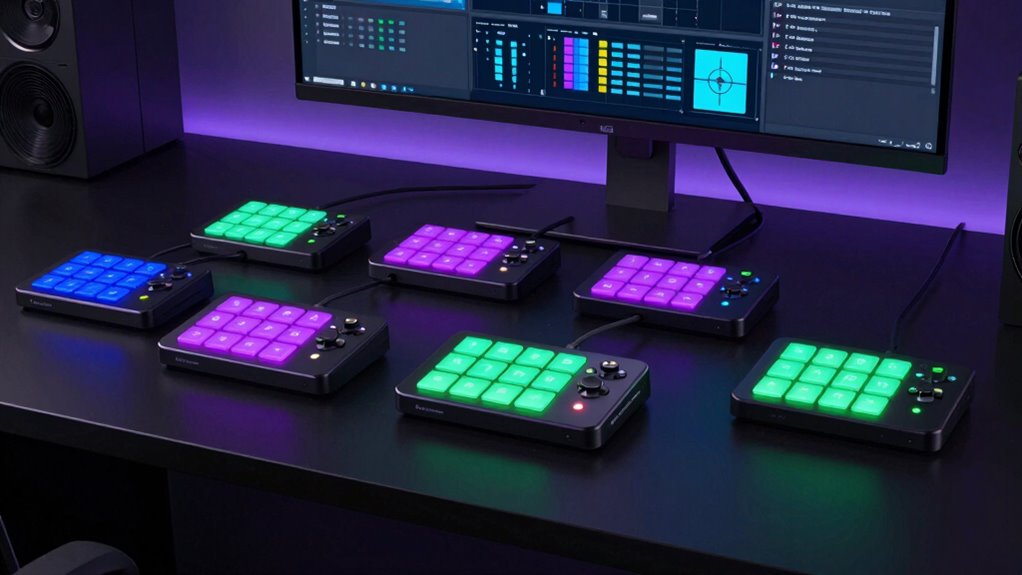

If you’re looking for the best Stream Deck controllers in 2026, I recommend options like the Elgato Stream Deck XL and MK.2, which offer customizable LCD keys and extensive features. Controllers like the Macro Pad Streaming Deck and TreasLin VSDinside provide multi-action macros and visual feedback for seamless streaming. To pick the perfect one, consider your workflow, compatibility, and budget. Keep going to discover detailed insights on each option that can elevate your streaming setup.
Key Takeaways
- The list includes top-rated models like Elgato Stream Deck MK.2, XL, and advanced controllers with customizable LCD keys.
- Devices offer features such as multi-action macros, dynamic icons, RGB lighting, and seamless software integration.
- Compatibility spans Windows, macOS, Android, and iOS, supporting popular streaming platforms like Twitch, YouTube, and OBS.
- Build quality, durability, and ergonomic design ensure reliable performance during long live streaming sessions.
- Pricing varies from budget-friendly options under $50 to premium models over $200, catering to different user needs and setups.
| Elgato Stream Deck XL Studio Controller with 32 Keys | 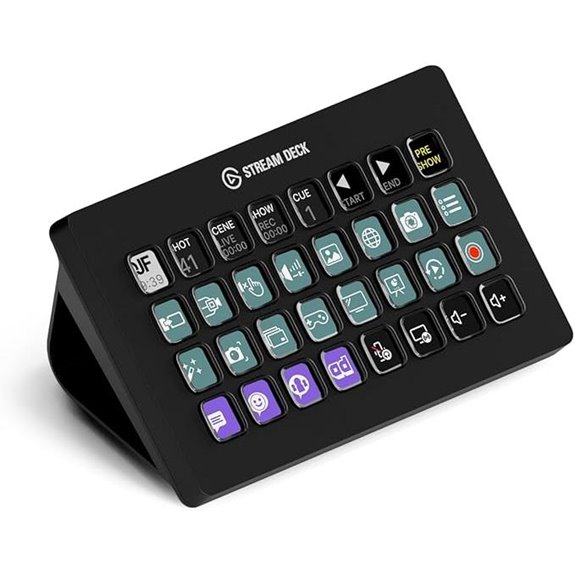 | Ultimate Control | Number of Keys: 32 LCD keys | Customization Type: Fully customizable LCD keys | Software Compatibility: Supports Elgato, OBS, Twitch, YouTube | VIEW LATEST PRICE | See Our Full Breakdown |
| Elgato Stream Deck MK.2 Studio Controller with 15 Keys | 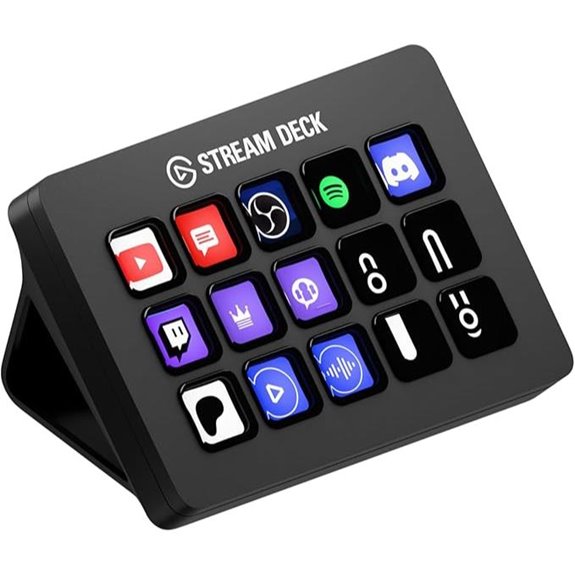 | Compact Efficiency | Number of Keys: 15 LCD keys | Customization Type: Fully customizable LCD keys | Software Compatibility: Supports Elgato, OBS, Twitch, YouTube | VIEW LATEST PRICE | See Our Full Breakdown |
| AKP153 Studio Deck Stream Controller with Macro Keys | 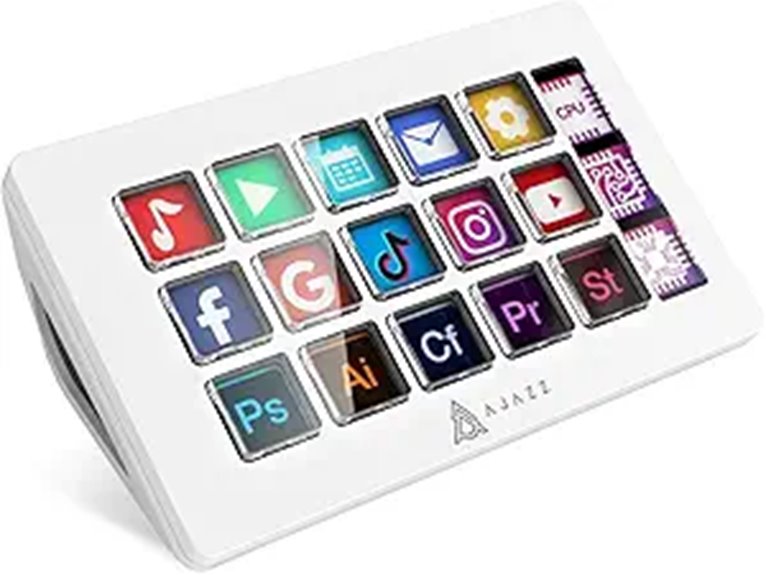 | Customization Power | Number of Keys: 15 LCD keys | Customization Type: Fully customizable LCD icons | Software Compatibility: Supports OBS, Twitch, YouTube, Photoshop | VIEW LATEST PRICE | See Our Full Breakdown |
| TreasLin VSDinside Stream Controller with 12 Macro Keys |  | Streamlined Workflow | Number of Keys: 12 macro keys (LCD and rotary) | Customization Type: Customizable LCD and rotary buttons | Software Compatibility: Supports OBS, Twitch, YouTube, Discord | VIEW LATEST PRICE | See Our Full Breakdown |
| Elgato Stream Deck+ Studio Controller for Creators |  | Versatile Hub | Number of Keys: 8 LCD keys + 4 dials + touch panel | Customization Type: Customizable LCD with images, GIFs, icons | Software Compatibility: Supports Elgato, OBS, Twitch, YouTube | VIEW LATEST PRICE | See Our Full Breakdown |
| Stream Deck 15-Key Streaming Controller for Mac & PC | 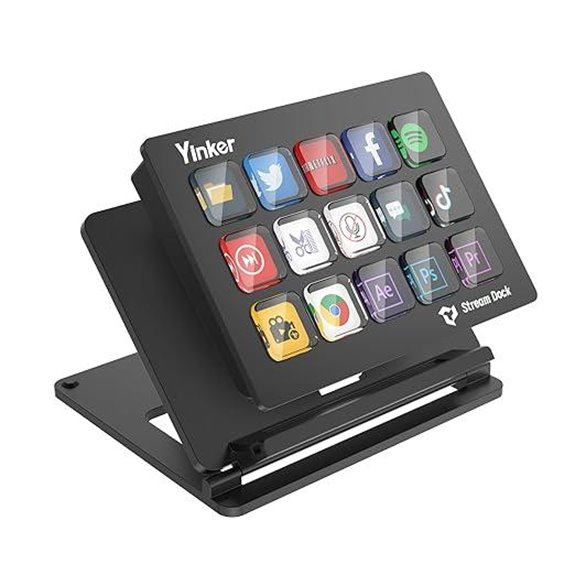 | User-Friendly | Number of Keys: 15 LCD keys | Customization Type: Customizable LCD icons and scene profiles | Software Compatibility: Supports OBS, Twitch, YouTube, Photoshop | VIEW LATEST PRICE | See Our Full Breakdown |
| Fifine AmpliGame Stream Controller with Macro Keys | 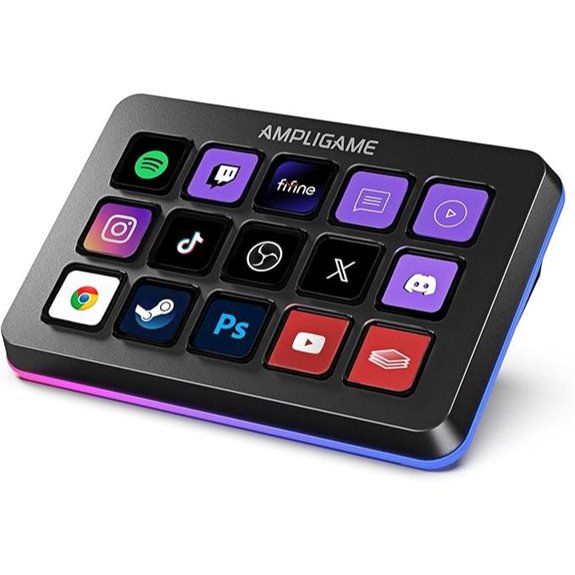 | Multi-Platform Flexibility | Number of Keys: 15 macro keys + touchscreen | Customization Type: Customizable LCD icons and touchscreen | Software Compatibility: Supports OBS, Twitch, YouTube, Discord | VIEW LATEST PRICE | See Our Full Breakdown |
| Macro Keypad with 18 Programmable Shortcut Keys | 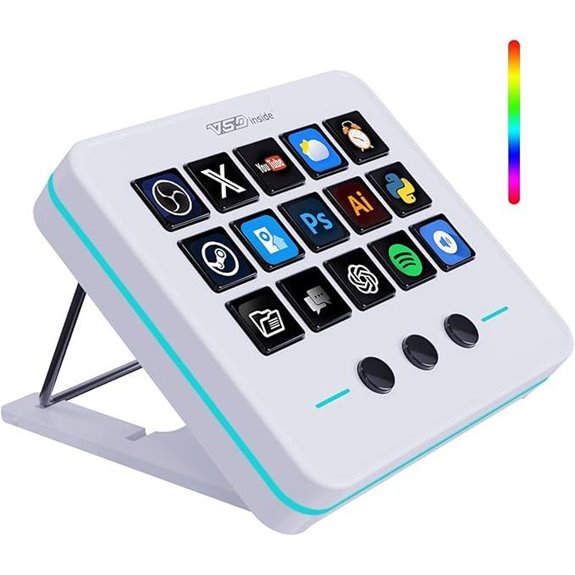 | Affordable Quality | Number of Keys: 18 LCD keys + 4 knobs | Customization Type: Customizable LCD icons, RGB effects | Software Compatibility: Supports OBS, Twitch, YouTube, Spotify | VIEW LATEST PRICE | See Our Full Breakdown |
| SOOMFON Streaming Controller with Macro Keys & Touchscreen | 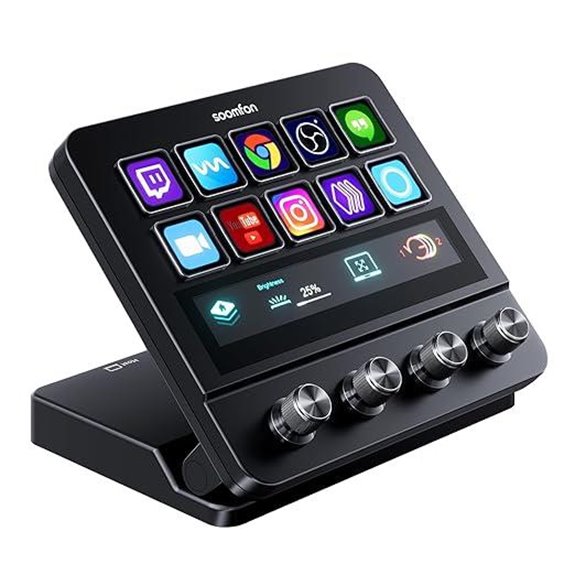 | Advanced Features | Number of Keys: 10 LCD macro keys + touchscreen + knobs | Customization Type: Fully customizable LCD keys and touchscreen | Software Compatibility: Supports OBS, Twitch, YouTube, Spotify | VIEW LATEST PRICE | See Our Full Breakdown |
| VSDINSIDE Macro Keypad for Streaming and Gaming | 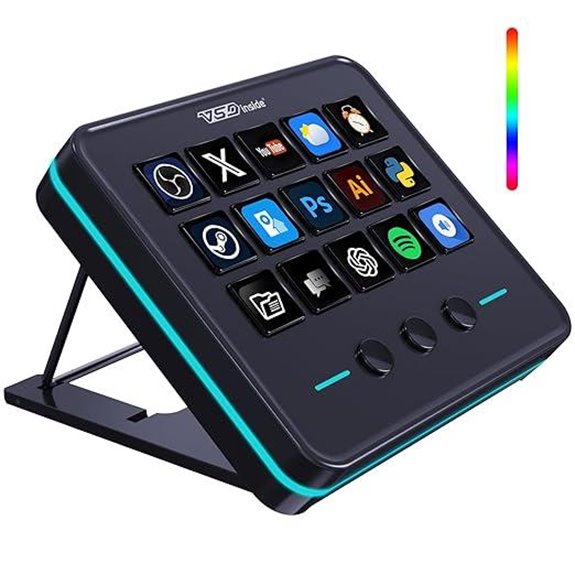 | High Performance | Number of Keys: 15 LCD keys + 4 knobs + touch LCD | Customization Type: Customizable LCD keys, icon packs | Software Compatibility: Supports OBS, Twitch, YouTube, Spotify | VIEW LATEST PRICE | See Our Full Breakdown |
| Corsair Elgato Stream Deck Content Creation Controller | Space Saver | Number of Keys: 15 LCD keys | Customization Type: Fully customizable LCD icons | Software Compatibility: Supports OBS, Twitch, YouTube, Photoshop | VIEW LATEST PRICE | See Our Full Breakdown | |
| Elgato Stream Deck Mini for Productivity and Shortcuts |  | Intuitive Navigation | Number of Keys: 15 LCD keys + 4 knobs + touch bar | Customization Type: Customizable LCD icons and touch bar | Software Compatibility: Supports OBS, Twitch, YouTube, Discord | VIEW LATEST PRICE | See Our Full Breakdown |
| SOOMFON Stream Controller with LCD Macro Keys | 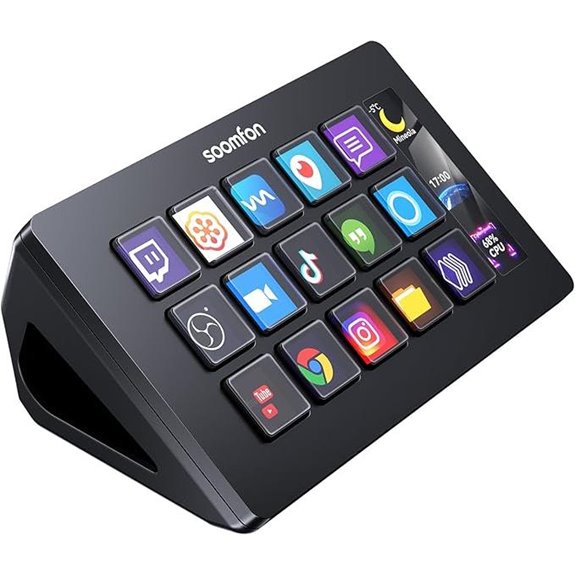 | All-in-One | Number of Keys: 15 LCD keys | Customization Type: Customizable LCD icons and images | Software Compatibility: Supports OBS, Twitch, YouTube, PowerPoint | VIEW LATEST PRICE | See Our Full Breakdown |
| Elgato Stream Deck MK.2 Controller for Live Streaming | 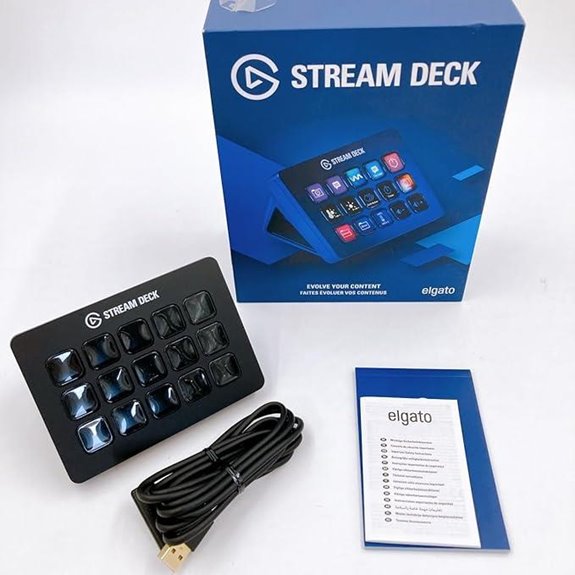 | Professional-Grade | Number of Keys: 15 LCD keys | Customization Type: Customizable LCD icons, effects | Software Compatibility: Supports OBS, Twitch, YouTube, Spotify | VIEW LATEST PRICE | See Our Full Breakdown |
| Macro Pad Streaming Deck with Programmable Keys |  | Stylish Functionality | Number of Keys: 10 LCD keys + 4 knobs + touch display | Customization Type: Customizable LCD keys, RGB effects | Software Compatibility: Supports OBS, Twitch, YouTube, utilities | VIEW LATEST PRICE | See Our Full Breakdown |
More Details on Our Top Picks
Elgato Stream Deck XL Studio Controller with 32 Keys
If you’re serious about live streaming or content creation, the Elgato Stream Deck XL Studio Controller with 32 Keys is a game-changer. I love how I can customize each LCD key for different tasks, making complex workflows simple with a single tap. With 32 macro buttons, I trigger actions across OBS, Twitch, social media, and more effortlessly. The visual feedback confirms commands instantly, so I stay focused without worry. It works seamlessly on both Mac and PC, integrating with various tools I use daily. This controller truly streamlines my production process and elevates my live sessions.
- Number of Keys:32 LCD keys
- Customization Type:Fully customizable LCD keys
- Software Compatibility:Supports Elgato, OBS, Twitch, YouTube
- Connectivity Method:USB-C to PC/Mac
- Additional Controls:No additional controls
- Material and Build:Plastic
- Additional Feature:32 LCD customizable keys
- Additional Feature:Supports extensive platform integrations
- Additional Feature:Visual feedback for commands
Elgato Stream Deck MK.2 Studio Controller with 15 Keys
The Elgato Stream Deck MK.2 Studio Controller with 15 Keys is an excellent choice for streamers and content creators who need quick, reliable control over multiple platforms and applications. Its customizable LCD keys let you trigger single or multiple actions instantly, like launching social posts, adjusting audio, muting your mic, or turning on lights. The visual feedback confirms commands immediately, reducing errors. Compatible with Mac and PC, it supports hotkey actions and integrates seamlessly with plugins for OBS, Twitch, YouTube, and more. This compact yet powerful device streamlines workflows across streaming, social media, editing, and smart home control, making it a versatile tool for any creator.
- Number of Keys:15 LCD keys
- Customization Type:Fully customizable LCD keys
- Software Compatibility:Supports Elgato, OBS, Twitch, YouTube
- Connectivity Method:USB-C to PC/Mac
- Additional Controls:No additional controls
- Material and Build:Plastic
- Additional Feature:15 customizable LCD keys
- Additional Feature:Supports hotkey actions
- Additional Feature:Compatible with multimedia creators
AKP153 Studio Deck Stream Controller with Macro Keys
Designed for content creators who need quick, customizable controls, the AKP153 Studio Deck Stream Controller with Macro Keys offers 15 programmable LCD buttons that can be personalized with icons, images, or GIFs. I love how easy it is to assign functions for live streaming, video editing, or music production, all with a single tap. It supports hotkeys and can trigger multiple actions at once, saving me time. The intuitive software makes customizing buttons straightforward, and the real-time system info displayed on the LCD side screen keeps me updated. Compatible with various platforms like OBS, Twitch, and Photoshop, this device streamlines my workflow effortlessly.
- Number of Keys:15 LCD keys
- Customization Type:Fully customizable LCD icons
- Software Compatibility:Supports OBS, Twitch, YouTube, Photoshop
- Connectivity Method:USB-C to PC/Mac
- Additional Controls:No additional controls
- Material and Build:Plastic
- Additional Feature:15 LCD customizable buttons
- Additional Feature:Displays real-time system info
- Additional Feature:Supports animated icons
TreasLin VSDinside Stream Controller with 12 Macro Keys
With 12 customizable macro keys, the TreasLin VSDinside Stream Controller is perfect for streamers and content creators who need quick access to multiple actions without switching windows. Its intuitive design includes 6 visual LCD buttons, 3 tap buttons, and 3 rotary controls, letting you launch macros, control media, switch scenes, and manage lighting effortlessly. One-touch operation boosts efficiency, enabling complex commands with a single click. Compatibility with PC, Windows, and macOS guarantees seamless integration with OBS, Streamlabs, and social platforms like Twitch and YouTube. Plus, its vibrant plugin ecosystem and dynamic icons make customization simple, vibrant, and highly functional for any streaming setup.
- Number of Keys:12 macro keys (LCD and rotary)
- Customization Type:Customizable LCD and rotary buttons
- Software Compatibility:Supports OBS, Twitch, YouTube, Discord
- Connectivity Method:USB-C to PC/Mac
- Additional Controls:Rotary and tap buttons
- Material and Build:Plastic
- Additional Feature:6 visual LCD buttons
- Additional Feature:Displays CPU/memory info
- Additional Feature:Supports dynamic animated icons
Elgato Stream Deck+ Studio Controller for Creators
If you’re a content creator or streamer looking for a versatile control hub, the Elgato Stream Deck+ stands out thanks to its customizable LCD keys and multifunctional dials. It features 8 LCD keys, 4 rotary encoders with push functions, and a touch LCD panel, allowing seamless control of audio, video, and lighting. Fully customizable via a drag-and-drop app, it supports multiple plugins like OBS, Twitch, and Philips Hue. Its smart profiles switch interfaces automatically based on applications, making workflows smoother. Compact yet powerful, it’s ideal for live streaming, video production, and studio management—delivering a unified control experience tailored to your needs.
- Number of Keys:8 LCD keys + 4 dials + touch panel
- Customization Type:Customizable LCD with images, GIFs, icons
- Software Compatibility:Supports Elgato, OBS, Twitch, YouTube
- Connectivity Method:USB-C to PC/Mac
- Additional Controls:Touch panel and dials
- Material and Build:Plastic
- Additional Feature:8 LCD keys with dials
- Additional Feature:4 multifunctional encoders
- Additional Feature:Includes touch strip control
Stream Deck 15-Key Streaming Controller for Mac & PC
The Stream Deck 15-Key Streaming Controller is an excellent choice for streamers and content creators who need quick, customizable shortcuts to enhance their workflow. It features 15 LCD keys that I can personalize with icons and assign to launch apps, switch scenes, or control tools like OBS, Twitch, or Zoom. Compatible with Windows, Mac, Android, and iOS, it adapts seamlessly to my setup. Its durable, lightweight design with adjustable height and a detachable stand makes it comfortable to use during long sessions. With support for hundreds of icons and multiple plugin integrations, this controller simplifies complex tasks and boosts productivity effortlessly.
- Number of Keys:15 LCD keys
- Customization Type:Customizable LCD icons and scene profiles
- Software Compatibility:Supports OBS, Twitch, YouTube, Photoshop
- Connectivity Method:USB-C to PC/Mac
- Additional Controls:No additional controls
- Material and Build:Plastic
- Additional Feature:Adjustable height stand
- Additional Feature:Supports over 100+ shortcuts
- Additional Feature:Switchable LED touch buttons
Fifine AmpliGame Stream Controller with Macro Keys
For live streamers who need quick, reliable control over multiple functions, the Fifine AmpliGame D6 stream controller stands out with its 15 customizable macro keys. I can assign commands like scene switches, audio controls, or launching apps with a single press, streamlining my workflow. The touchscreen display provides instant visual feedback, showing application statuses and enabling direct control without opening extra windows. Compatible with OBS, Streamlabs, Twitch, and YouTube, it’s incredibly versatile. Plus, the vivid RGB lighting adds a dynamic aesthetic, matching my setup and engaging viewers. This device truly simplifies multi-tasking during live streams and content creation.
- Number of Keys:15 macro keys + touchscreen
- Customization Type:Customizable LCD icons and touchscreen
- Software Compatibility:Supports OBS, Twitch, YouTube, Discord
- Connectivity Method:USB-C to PC/Mac
- Additional Controls:Touchscreen and rotary knobs
- Material and Build:Plastic
- Additional Feature:Touchscreen display
- Additional Feature:RGB lighting with 9 modes
- Additional Feature:Supports multi-scene control
Macro Keypad with 18 Programmable Shortcut Keys
With 18 programmable keys—including 15 visual LCD keys and 3 customizable buttons—this macro keypad is ideal for streamers and professionals who need quick access to complex actions. You can assign individual or sequential macros, and personalize images or animations for easy recognition. It supports one-touch execution of macros, file openings, media controls, and scene switching in OBS. Its multi-hotkey capabilities let you run multiple macros simultaneously or in sequence, streamlining tasks like gaming, editing, or music production. The surround RGB light ring adds visual flair, while seamless compatibility with Windows and macOS makes it a versatile, durable, and stylish tool for any workflow.
- Number of Keys:18 LCD keys + 4 knobs
- Customization Type:Customizable LCD icons, RGB effects
- Software Compatibility:Supports OBS, Twitch, YouTube, Spotify
- Connectivity Method:USB-C to PC/Mac
- Additional Controls:RGB lighting + knobs
- Material and Build:Plastic
- Additional Feature:Surround RGB light ring
- Additional Feature:Supports animated images
- Additional Feature:Budget-friendly with high quality
SOOMFON Streaming Controller with Macro Keys & Touchscreen
If you’re a streamer or content creator seeking a highly customizable control setup, the SOOMFON Streaming Controller with Macro Keys & Touchscreen stands out as an excellent choice. It offers 10 fully customizable LCD macro keys with static or animated icons, perfect for personalizing workflows. The ultra-responsive touchscreen allows seamless navigation between scenes, profiles, or commands, mimicking smartphone gestures. Four precision rotary knobs support functions like volume and brightness adjustments, providing professional fine-tuning. With access to a vast plugin marketplace and compatibility with MacOS and Windows, it’s versatile. One-tap commands streamline tasks like opening apps or playing audio, boosting your productivity effortlessly.
- Number of Keys:10 LCD macro keys + touchscreen + knobs
- Customization Type:Fully customizable LCD keys and touchscreen
- Software Compatibility:Supports OBS, Twitch, YouTube, Spotify
- Connectivity Method:USB-C to PC/Mac
- Additional Controls:Touchscreen and rotary knobs
- Material and Build:Plastic
- Additional Feature:Ultra-responsive sliding touchscreen
- Additional Feature:4 multi-function rotary knobs
- Additional Feature:24/7 customer support
VSDINSIDE Macro Keypad for Streaming and Gaming
The VSDINSIDE Macro Keypad stands out as an ideal choice for streamers and gamers who need quick access to multiple commands and custom functions. It features 18 programmable keys, including 15 LCD screens that display images or animations, making it easy to identify functions at a glance. You can assign macros for game combos, app launches, media controls, or scene switches in OBS with just one touch. Its RGB lighting adds an immersive vibe, and it’s compatible with Windows and macOS via USB-C. Durable and versatile, it also offers plugins like weather, clock, and reminders, making it a powerful, customizable control hub for any setup.
- Number of Keys:15 LCD keys + 4 knobs + touch LCD
- Customization Type:Customizable LCD keys, icon packs
- Software Compatibility:Supports OBS, Twitch, YouTube, Spotify
- Connectivity Method:USB-C to PC/Mac
- Additional Controls:Knobs + touch LCD
- Material and Build:Plastic
- Additional Feature:RGB color cycling ring
- Additional Feature:Supports over 200 plugins
- Additional Feature:Dynamic animated icons
Corsair Elgato Stream Deck Content Creation Controller
The Corsair Elgato Stream Deck stands out as an ideal tool for content creators who need quick, customizable control over their live streams. With 15 LCD keys that can be tailored to any command, it streamlines workflow and enhances production efficiency. Its adjustable stand makes setup flexible, fitting seamlessly into any streaming space. Compatible with Windows 10 and macOS 10.11 or later, the device is easy to integrate into existing setups. Since its release in 2018, it’s become a favorite for streamers seeking reliable, programmable control. Overall, the Elgato Stream Deck offers a powerful, user-friendly solution for elevating live content creation.
- Number of Keys:15 LCD keys
- Customization Type:Fully customizable LCD icons
- Software Compatibility:Supports OBS, Twitch, YouTube, Photoshop
- Connectivity Method:USB to PC
- Additional Controls:No additional controls
- Material and Build:Plastic
- Additional Feature:Adjustable stand included
- Additional Feature:Recognized under ASIN B07BHGS7S3
- Additional Feature:Compatible with Windows 10+ and macOS
Elgato Stream Deck Mini for Productivity and Shortcuts
For anyone looking to boost productivity and streamline workflow, the Elgato Stream Deck Mini offers a powerful solution with its customizable LCD keys. It replaces complex keyboard shortcuts with easily accessible, personalized buttons, compatible with Mac and PC. The user-friendly software makes it simple to drag and drop actions, tailoring the device to your needs. It integrates smoothly with apps like Zoom, PowerPoint, Excel, Photoshop, Spotify, and more, allowing quick control across platforms. Plus, its multi-action capability lets you run several commands at once, saving time during tasks like presentations or content creation. It’s a compact, efficient tool for faster, error-free work.
- Number of Keys:15 LCD keys + 4 knobs + touch bar
- Customization Type:Customizable LCD icons and touch bar
- Software Compatibility:Supports OBS, Twitch, YouTube, Discord
- Connectivity Method:USB-C to PC/Mac
- Additional Controls:Knobs + touch bar
- Material and Build:Plastic
- Additional Feature:Compact size design
- Additional Feature:Supports multi-action sequences
- Additional Feature:Controls popular productivity apps
SOOMFON Stream Controller with LCD Macro Keys
If you want a highly customizable control device that enhances your live streaming setup, the SOOMFON Stream Controller with LCD Macro Keys is an excellent choice. It features 15 programmable LCD keys, each customizable with images to trigger unlimited actions, making your workflow more efficient. Compatible with both Windows and macOS, it supports popular software like OBS, Twitch, YouTube, and Spotify. The device’s one-touch operation simplifies controlling social posts, audio, lights, and more. Its removable stand offers flexible positioning, and rubber feet keep it stable during intense sessions. Overall, it’s a versatile tool perfect for streamers, content creators, and professionals.
- Number of Keys:15 LCD keys
- Customization Type:Customizable LCD icons and images
- Software Compatibility:Supports OBS, Twitch, YouTube, PowerPoint
- Connectivity Method:USB-C to PC/Mac
- Additional Controls:No additional controls
- Material and Build:Plastic
- Additional Feature:Removable stand included
- Additional Feature:Rubber feet prevent sliding
- Additional Feature:Easy driver download
Elgato Stream Deck MK.2 Controller for Live Streaming
Designed for live streamers and content creators seeking quick, reliable control, the Elgato Stream Deck MK.2 stands out with its 15 customizable LCD keys. These keys let you control applications, social media, lighting, and audio with a tap. You can activate functions, post updates, play sound clips, and adjust settings easily. It supports plug-ins, icon packs, and faceplates, allowing you to personalize your setup. Compatible with popular platforms like OBS, Twitch, YouTube, and Philips Hue, it’s compact yet powerful. Weighing just 145 grams without the stand, it’s perfect for streamers wanting efficiency and customization in a sleek, portable device.
- Number of Keys:15 LCD keys
- Customization Type:Customizable LCD icons, effects
- Software Compatibility:Supports OBS, Twitch, YouTube, Spotify
- Connectivity Method:USB-C to PC/Mac
- Additional Controls:No additional controls
- Material and Build:Plastic
- Additional Feature:Eco-friendly packaging focus
- Additional Feature:95% sustainability goals
- Additional Feature:2-year warranty
Macro Pad Streaming Deck with Programmable Keys
The Macro Pad Streaming Deck with Programmable Keys stands out as an ideal tool for streamers and content creators who need quick, customizable control over multiple functions. With one-touch macro execution and unlimited layout options, I can automate system commands, web actions, app launches, or insert text effortlessly—no coding needed. It supports chained operations and complex workflows, perfect for stream setup or editing shortcuts. The hardware is impressive: 10 LCD keys, 4 touch knobs with visuals, and a sleek design with RGB effects. Its compatibility with Windows and macOS, along with multiple USB ports, makes it versatile for any setup. It’s a powerful, stylish addition to any streamer’s toolkit.
- Number of Keys:10 LCD keys + 4 knobs + touch display
- Customization Type:Customizable LCD keys, RGB effects
- Software Compatibility:Supports OBS, Twitch, YouTube, utilities
- Connectivity Method:USB-C to PC/Mac
- Additional Controls:Knobs + touch display
- Material and Build:Plastic
- Additional Feature:RGB knobs with visuals
- Additional Feature:Toggleable key haptics
- Additional Feature:Ergonomic adjustable stand
Factors to Consider When Choosing a Stream Deck Controller for Live Streaming
When selecting a Stream Deck controller, I focus on key factors like the number of keys, customization options, and software compatibility to match my workflow. Build quality and workflow integration also matter to guarantee durability and seamless operation during live streams. Considering these points helps me choose a device that fits my streaming setup perfectly.
Number of Keys
Choosing the right number of keys on a stream deck controller is essential because it directly impacts how efficiently I can manage my live stream. More keys mean I can assign more shortcuts, macros, and scene controls, making complex workflows smoother. A higher key count is perfect if I manage multiple scenes, overlays, and media sources simultaneously, reducing clutter and saving time. Conversely, smaller decks with fewer keys are more portable and suit simpler setups or limited space. The ideal number depends on how complex my streaming setup is, the number of applications I need to control, and my organizational preferences. Balancing functionality with portability guarantees I have the right tool to streamline my live production without unnecessary bulk.
Customization Options
Selecting a stream deck controller with robust customization options is essential because it directly influences how efficiently I can tailor my live stream setup. I look for devices with enough keys—like 15 or 32—to match my workflow needs. Personalized icons are a must, whether static images, GIFs, or animated icons, so I can quickly identify functions at a glance. Multi-action macros are a game-changer, allowing me to trigger complex sequences with a single button press. I also check for plugin support for platforms like OBS, Twitch, and social media apps, which expands my customization options. Ultimately, adjustable RGB lighting or visual feedback helps me match my aesthetic and enhances usability, making my live streams more professional and seamless.
Software Compatibility
Ensuring your stream deck controller supports your operating system is crucial because it guarantees smooth integration and reliable performance. I always double-check that the device is compatible with my Windows, macOS, or Linux setup to avoid issues. It’s also important that the software integrates seamlessly with popular streaming platforms like OBS, Streamlabs, or XSplit, so my workflow remains smooth. I look for controllers that support key applications I use regularly, such as social media tools, music apps, or productivity software, to maximize functionality. Additionally, support for custom plugins or extensions can expand what I can do, tailoring the controller to my specific needs. Ultimately, I consider the manufacturer’s update policies and support options, ensuring the device stays compatible as software and systems evolve over time.
Build Quality
A stream deck controller’s build quality directly impacts how well it holds up during long streaming sessions. I look for devices made from high-quality materials like metal or durable plastic, which ensure longevity and stability. Well-constructed controllers feature reinforced buttons and screens that resist wear and accidental damage, even after frequent use. A sturdy build prevents issues like wobbling, cracking, or LCD key malfunctions over time, especially during extended streams. Reliable USB connections and secure mounting options are also key, providing consistent performance and peace of mind. Devices with solid construction require fewer repairs or replacements, offering better value for content creators. Ultimately, choosing a well-built controller means investing in durability, reliability, and a seamless streaming experience.
Workflow Integration
When choosing a stream deck controller, it’s essential to take into account how well it integrates with your existing workflow and software environment. I look for compatibility with my primary tools like OBS, Streamlabs, or XSplit to guarantee smooth control over my streams. It’s also imperative that it works seamlessly with my operating system—Windows, macOS, or Linux—to avoid setup hassles. I check for available plugins and API support so I can customize actions, macros, and multi-step workflows tailored to my needs. Additionally, the ability to connect with smart home devices or platforms like Spotify adds valuable convenience during live sessions. Ease of setup and customization is crucial, especially for assigning complex macros or multi-action sequences that keep my streaming efficient and professional.
Pricing and Budget
Budget plays a crucial role in selecting a stream deck controller that fits your live streaming needs without overspending. Prices vary widely, from under $50 for basic models to over $200 for premium options with more keys and advanced features. Setting a clear budget helps narrow choices and ensures compatibility with your existing setup. Higher-end controllers often provide better build quality and customization, which can justify their cost if you’re a professional streamer. Keep an eye out for discounts and bundle deals, as they can considerably lower the final price. Thinking long-term and considering future upgrades can also save money, preventing frequent replacements. Ultimately, balancing your needs with your budget will help you find a controller that offers the best value without overspending.
Additional Features
Additional features can substantially enhance your streaming experience by offering greater control and customization. Rotary knobs, touchscreens, and RGB lighting give you more ways to tailor your setup to your preferences, making your workflow smoother and more visually appealing. Advanced plugins and app integrations expand functionality, enabling seamless automation across multiple platforms and simplifying complex tasks. Built-in system info displays, like CPU and memory usage, help you monitor performance during streams, preventing potential issues. Support for animated or dynamic icons creates vibrant, personalized interfaces that boost recognition and efficiency. Features such as multi-action macros, scene switching, and social media posting streamline your operations, reducing the need to juggle multiple software. These additional features empower you to create a more professional and engaging streaming environment.
Frequently Asked Questions
Which Stream Deck Controller Offers the Most Customizable Key Functions?
The Elgato Stream Deck XL offers the most customizable key functions, in my opinion. It features 32 programmable keys, allowing me to assign a wide range of actions, from launching apps to controlling audio and lighting. I love how I can personalize each key with icons and even create multi-action sequences. This level of customization makes it my go-to controller for streamlining my live broadcasts and enhancing my workflow.
How Do Different Controllers Integrate With Popular Streaming Platforms?
Think of controllers as versatile bridges connecting your setup to streaming platforms. I’ve found that most controllers seamlessly integrate via dedicated software, like Elgato’s Stream Deck working effortlessly with Twitch or YouTube. For example, I once used a controller with customizable actions that automatically switch scenes on OBS when I start streaming. Compatibility varies, but choosing a controller with robust platform support guarantees smooth, hassle-free streaming.
What Is the Durability and Build Quality of Top-Rated Stream Decks?
I’ve found that top-rated stream decks are built to last, with sturdy materials like aluminum and high-quality plastics. The buttons often have a solid feel and don’t wobble, ensuring durability over time. I’ve used mine extensively, and it still looks and functions like new. Overall, these controllers are designed to withstand repeated use, so you can rely on them during long streaming sessions without worry about wear and tear.
Are There Wireless Options Available for Live Streaming Controllers?
Imagine holding a sleek, wireless controller in your hand, free from tangled cords as you stream seamlessly. Yes, wireless options are available for live streaming controllers, offering great flexibility and mobility. Many brands now feature Wi-Fi or Bluetooth-enabled devices that let you switch scenes, trigger effects, or control OBS remotely. This freedom lets you focus on your content without being anchored to your desk, making your streaming experience more dynamic and professional.
How Important Is Software Compatibility Across Various Operating Systems?
Software compatibility is vital for me because it guarantees I can seamlessly use my stream deck across different operating systems without hassle. When I switch between Windows and macOS, I want smooth integration and consistent functionality. If the software isn’t compatible, I risk losing features or facing technical issues, which can disrupt my live streams. So, I always prioritize controllers with broad OS support to keep my streaming setup flexible and reliable.
Conclusion
Choosing the right stream deck controller is like finding the perfect tool to unleash your streaming potential. Whether you want tons of keys or a compact design, there’s a controller out there that fits your style. I’ve shared my top picks, but ultimately, it’s about what feels right for you. Jump in, experiment, and find that one device that makes your live streams seamless and fun—your perfect control hub awaits!