Choosing the right stream deck controller for webinar production depends on your workflow, technical comfort, and budget. If you need extensive customization and precision, the Elgato Stream Deck + XL Control Platform offers unmatched flexibility, though it comes at a premium. For those seeking a straightforward yet powerful option, the Elgato Stream Deck XL balances features and cost, ideal for professional streamers. Beginners or those with limited space might prefer the Elgato Stream Deck Mini for simplicity, while content creators needing multi-functionality will find the Elgato Stream Deck + Audio Mixer compelling. The Elgato Stream Deck MK.2 sits as a solid middle ground with enough keys for most workflows. Each choice involves tradeoffs between complexity, price, and expandability, making it vital to match your production needs with the right device.
Key Takeaways
- The Elgato Stream Deck + XL offers extensive customization with 36 keys and multifunction dials, best for advanced users.
- The Stream Deck XL is a versatile option with 32 LCD keys, suitable for streamers needing visual feedback and broad integrations.
- The Stream Deck + Audio Mixer combines control and audio mixing, ideal for multi-faceted production workflows.
- The Mini version is perfect for those who want quick access with fewer keys and easier setup.
- All devices vary in price, complexity, and expandability, so matching features to your workflow is key.
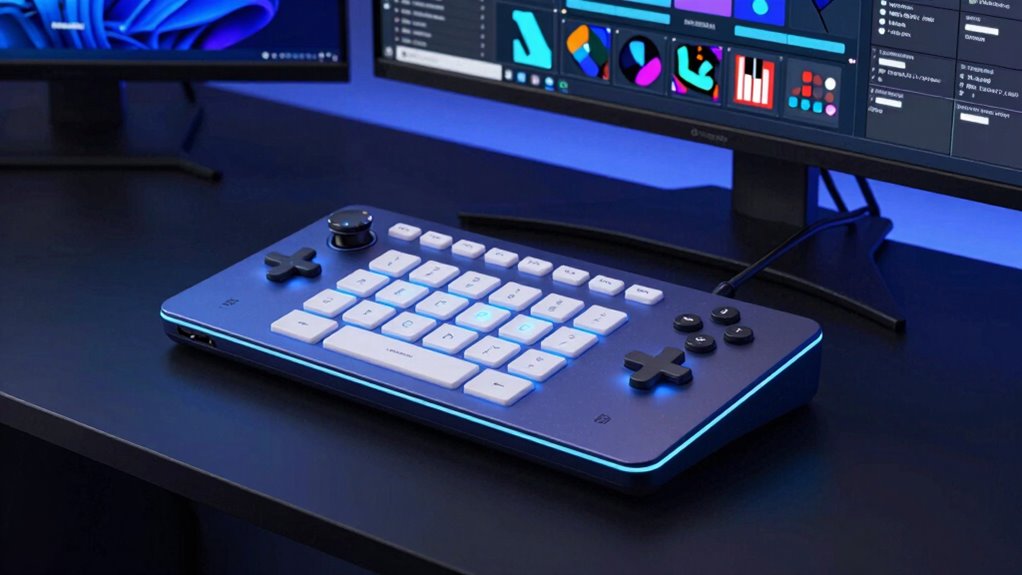
| Elgato Stream Deck + XL Control Platform with Dials and Touch Strip |  | Best Overall for Advanced Control | Number of macro keys: 36 | Multifunction dials: 6 | Touch strip display: Yes | VIEW ON AMAZON | See Our Full Breakdown |
| Elgato Stream Deck XL Advanced Studio Controller, 32 Keys |  | Best Versatile Control for Streaming | Number of Keys: 32 | Compatibility: Mac and PC | Features: Customizable LCD keys, visual feedback | VIEW ON AMAZON | See Our Full Breakdown |
| Elgato Stream Deck + Audio Mixer and Studio Controller |  | Best Multi-Function Studio Control | Size: 140 x 138 x 110 mm | Weight: 465 g | Keys: 8 LCD customizable keys | VIEW ON AMAZON | See Our Full Breakdown |
| Elgato Stream Deck Mini, 6 Customizable LCD Macro Keys |  | Best Compact and Easy to Use | Number of Keys: 6 | Compatibility: Mac and PC | Features: Customizable LCD keys, multi-action support | VIEW ON AMAZON | See Our Full Breakdown |
| Elgato Stream Deck MK.2 Studio Controller, 15 Macro Keys |  | Best Balanced Multi-Control Device | Number of Keys: 15 | Connectivity Technology: USB-C | Power Source: USB Powered | VIEW ON AMAZON | See Our Full Breakdown |
| stream deck controller for webinar production | Compatibility | Connectivity | Number of Keys |
|---|---|---|---|
| Elgato Stream Deck + XL Contro | PC and Mac | USB-C | — |
| Elgato Stream Deck XL Advanced | Mac and PC | USB | 32 |
| Elgato Stream Deck + Audio Mix | Windows 10/ macOS 10.13+ | — | — |
| Elgato Stream Deck Mini | Mac and PC | USB | 6 |
| Elgato Stream Deck MK.2 Studio | — | — | 15 |
More Details on Our Top Picks
Elgato Stream Deck + XL Control Platform with Dials and Touch Strip
This model stands out for its exceptional customization, featuring 36 macro keys, six multifunction dials, and a touch strip, making it ideal for intricate webinar setups. Its extensive app integrations allow for seamless automation and scene switching, especially beneficial when managing multiple sources. However, this power comes with a learning curve; beginners may find the setup overwhelming, and the premium price might deter casual users. Compared with the smaller Stream Deck XL, this device offers more control but at a higher cost and complexity, making it best suited for experienced producers who need maximum flexibility.
Pros:- Highly customizable with macro keys and profiles
- Precise control via multifunction dials and touch strip
- Supports extensive app integrations for workflow automation
Cons:- Complex setup process for newcomers
- Requires dedicated software configuration
- Premium price point
Best for: Advanced webinar producers requiring deep customization and multi-device control
Not ideal for: Beginners or users seeking a simple, plug-and-play device
- Number of macro keys:36
- Multifunction dials:6
- Touch strip display:Yes
- Connectivity:USB-C
- Compatibility:PC and Mac
Our verdict“An ideal choice for experienced users needing extensive controls and customization.”
Elgato Stream Deck XL Advanced Studio Controller, 32 Keys
The Stream Deck XL with 32 LCD keys offers a balance of power and simplicity, making it suitable for live production workflows. Its visual feedback ensures actions like scene changes, media launches, or lighting adjustments happen correctly, streamlining the production process. While it excels at broad integrations with platforms like OBS, Twitch, and YouTube, it may be costly for casual users who don’t need all the features. Its setup requires some initial configuration, but once customized, it becomes a reliable command center. Compared to smaller devices, this model provides more control without overwhelming beginners, though the price factor is worth considering.
Pros:- Large 32 LCD keys for custom actions
- Excellent visual feedback for error reduction
- Wide compatibility with streaming platforms
Cons:- Can be expensive for casual or infrequent use
- Requires upfront setup and customization
Best for: Streamers and webinar hosts who need visual feedback and integration without overwhelming complexity
Not ideal for: Users with tight budgets or minimal control needs
- Number of Keys:32
- Compatibility:Mac and PC
- Features:Customizable LCD keys, visual feedback
- Connectivity:USB
- System Requirements:Mac and Windows
Our verdict“A strong choice for streamers seeking visual controls and integrations, with a slightly higher price for added versatility.”
Elgato Stream Deck + Audio Mixer and Studio Controller
This device combines control, audio mixing, and studio management in a single package. Its LCD keys, dials, and touch strip allow for complex scene control, audio adjustments, and multi-tasking—perfect for multi-source webinars. Its support for plugins like Wave Link, OBS, and Twitch makes it highly adaptable. However, the setup process can be demanding, especially for those unfamiliar with audio and production workflows. While its versatility is unmatched, the device’s size and cost might be overkill for simpler streaming needs. Compared to dedicated audio mixers, this offers more integrated control, but at a higher price and complexity.
Pros:- Highly customizable with LCD keys, dials, and touch strip
- Supports multiple plugins and integrations
- Versatile as an audio mixer and studio controller
Cons:- Requires compatible system and USB connection
- Setup can be complex for new users
- Higher cost than basic controllers
Best for: Content creators who need an all-in-one control and audio solution for their webinars
Not ideal for: Beginners or users preferring straightforward controls without audio mixing
- Size:140 x 138 x 110 mm
- Weight:465 g
- Keys:8 LCD customizable keys
- Dials:4 x 360° encoders
- Touch Panel:108 x 14 mm
- Compatibility:Windows 10/ macOS 10.13+
Our verdict“Best suited for multi-purpose production setups where control and audio blending are priorities.”
Elgato Stream Deck Mini, 6 Customizable LCD Macro Keys
The Mini version simplifies control with its six LCD keys, making it ideal for users who want quick access to essential shortcuts. Its drag-and-drop software setup allows for quick customization, and it works well with popular apps like Zoom, Teams, and Adobe Creative Suite. The main limitation is the small number of keys—only six—potentially restricting complexity for more demanding workflows. It’s a great choice for beginners or those who prefer a minimal setup, but power users may find it lacking in expandability. Compared to larger models, it sacrifices some flexibility for portability and ease of use.
Pros:- Easy to customize with drag-and-drop software
- Compact and portable design
- Compatible with many popular applications
Cons:- Limited to 6 keys, which may restrict workflow complexity
- Requires software setup that could be confusing for newcomers
Best for: Beginners or users with limited control needs who want a straightforward device
Not ideal for: Power users or those managing complex workflows requiring many keys
- Number of Keys:6
- Compatibility:Mac and PC
- Features:Customizable LCD keys, multi-action support
- Connectivity:USB
- Setup:Drag-and-drop software
Our verdict“A solid, beginner-friendly choice for basic automation and quick commands in webinars.”
Elgato Stream Deck MK.2 Studio Controller, 15 Macro Keys
The MK.2 strikes a balance by offering 15 macro keys, making it versatile enough for most webinar production tasks without overwhelming users. Its customizable LCD keys, visual feedback, and support for plugins give it enough flexibility to handle scene switching, media control, and basic audio adjustments. While it’s smaller and less feature-rich than the XL or + models, it remains a reliable choice for those who want more than the Mini but don’t need full studio control. Its price and size make it a practical middle ground, especially for producers who want expandability without excessive complexity.
Pros:- 15 customizable LCD keys for flexible control
- Visual feedback ensures command accuracy
- Supports plugins and integrations for common platforms
Cons:- Requires USB-C, possibly needing adapters
- Limited number of keys for very complex workflows
- Plastic build may feel less durable
Best for: Webinar hosts seeking a reliable, mid-range control device without the complexity of larger units
Not ideal for: Advanced producers needing extensive customization or specialized controls
- Number of Keys:15
- Connectivity Technology:USB-C
- Power Source:USB Powered
- Compatible Devices:Laptop, PC, Mac
- Minimum OS:macOS 10.15 Catalina, Windows 10
- Dimensions:4.6 x 3.3 x 3 inches
- Weight:145 g without stand / 270 g with stand
Our verdict“A versatile choice for users who want a balance of features and simplicity at a reasonable price.”
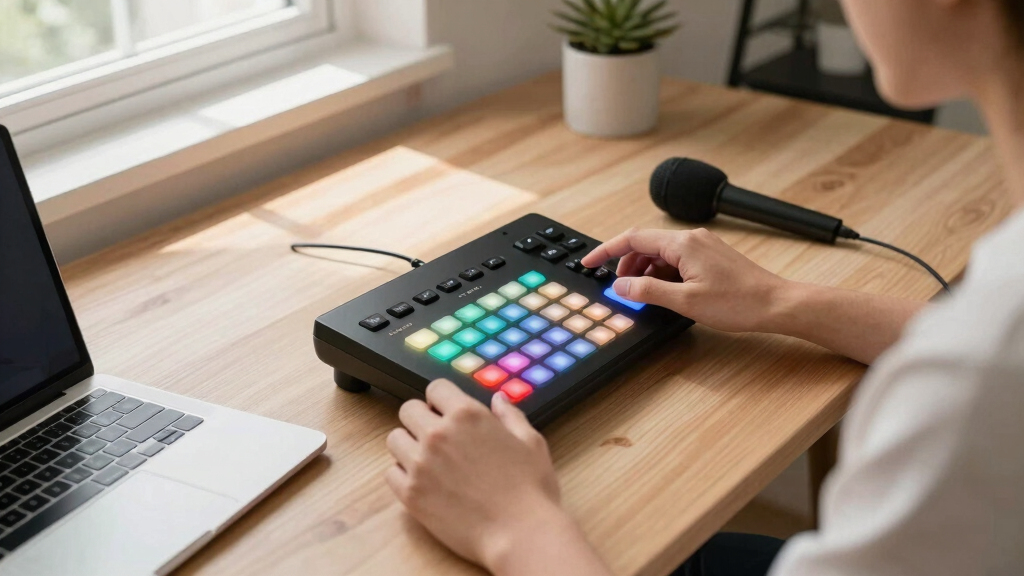
How We Picked
To select these stream deck controllers, I focused on features directly impacting webinar production, such as customization, ease of use, integration capabilities, and expandability. I evaluated each product’s compatibility with common streaming and conferencing software, considering both professional and beginner needs. Price points were balanced against the potential for workflow improvement, and I examined user feedback for insights into setup complexity and reliability. The goal was to identify options that cater to a range of production scales—from simple presentations to complex multi-source webinars—while clearly highlighting each device’s strengths and limitations.
| stream deck controller for webinar production | Connectivity | Compatibility |
|---|---|---|
| Elgato Stream Deck + XL Contro | USB-C | PC and Mac |
| Elgato Stream Deck XL Advanced | USB | Mac and PC |
| Elgato Stream Deck + Audio Mix | — | Windows 10/ macOS 10.13+ |
| Elgato Stream Deck Mini | USB | Mac and PC |
| Elgato Stream Deck MK.2 Studio | — | — |
Factors to Consider When Choosing Stream Deck Controller For Webinar Production
When selecting a stream deck controller for webinar production, consider the scale of your setup, your familiarity with customization software, and your budget. Key features to evaluate include the number of programmable keys, integration options, and whether additional controls like dials or touch strips are necessary for your workflow. Think about whether you prefer a device with visual feedback, multi-action capabilities, or audio control features. Compatibility with your system and software ecosystem also plays a critical role in ensuring seamless operation during live sessions.Key Features to Consider
Look for devices that offer enough keys to handle your most-used functions without clutter. Customizability is vital—ensuring you can assign actions to keys, integrate with your streaming tools, and create profiles tailored to different webinar formats. Additional controls like dials, touch strips, or audio mixers can expand your options for seamless scene switching and sound adjustments. Compatibility with your computer system and streaming software is non-negotiable for smooth operation.
Budget and Complexity
Budget varies widely, from compact models with 6 keys to full-blown studio controllers with dozens of controls. Beginners may prioritize ease of setup and affordability, making smaller devices like the Stream Deck Mini appealing. Power users or professionals should consider the XL or + models for greater control and customization, though these come with increased complexity and cost. Match your choice to your production scale and comfort with software configuration.
Frequently Asked Questions
Can I use these stream decks with both Windows and Mac?
Yes, all the devices listed are compatible with Windows and Mac systems, ensuring flexibility regardless of your operating environment. However, some features or plugins may have slight differences in setup or functionality depending on the platform. It’s a good idea to check the specific software requirements and compatibility details for your preferred platform before purchasing.
Do I need technical skills to set up these stream decks?
Setup complexity varies. The Mini is designed for quick drag-and-drop customization, making it accessible for beginners. The XL and studio controllers offer more advanced features, requiring some familiarity with software configuration and profiles. Overall, a basic understanding of your streaming or conferencing software helps, but detailed tutorials are widely available to simplify the process.
Are these devices suitable for live webinar production?
Absolutely. These controllers are specifically designed to improve live production workflows by providing quick access to actions, scene switching, and audio controls. Their visual feedback and customizable keys help prevent mistakes during live sessions, making them valuable tools for professional or semi-professional webinar hosts.
Is a larger device always better for webinars?
Not necessarily. Larger devices like the XL or studio controllers are more suitable for complex setups with many sources and controls. For simpler webinars or if space is limited, smaller options such as the Mini or MK.2 are more practical, offering essential controls without unnecessary complexity. The right choice depends on your specific production needs and workflow preferences.
Do these stream decks support multi-action sequences?
Yes, most of these devices support multi-action sequences, allowing you to trigger several functions with a single button press. This feature can significantly streamline your workflow during webinars, enabling quick scene changes, media triggers, or audio adjustments. Check each model’s software capabilities to ensure it supports the level of automation you require.
Conclusion
For webinar producers who need extensive control and customization, the Elgato Stream Deck + XL Control Platform offers unmatched flexibility, though it requires a steeper learning curve. If you prefer a more straightforward, highly visual setup, the Stream Deck XL strikes a good balance for advanced streaming. Beginners or those with limited space might find the Stream Deck Mini a practical start, while content creators needing integrated audio and control will appreciate the Stream Deck + Audio Mixer. The MK.2 provides a middle ground—more keys than the Mini but less complexity than the XL—making it a versatile option for most webinar setups.