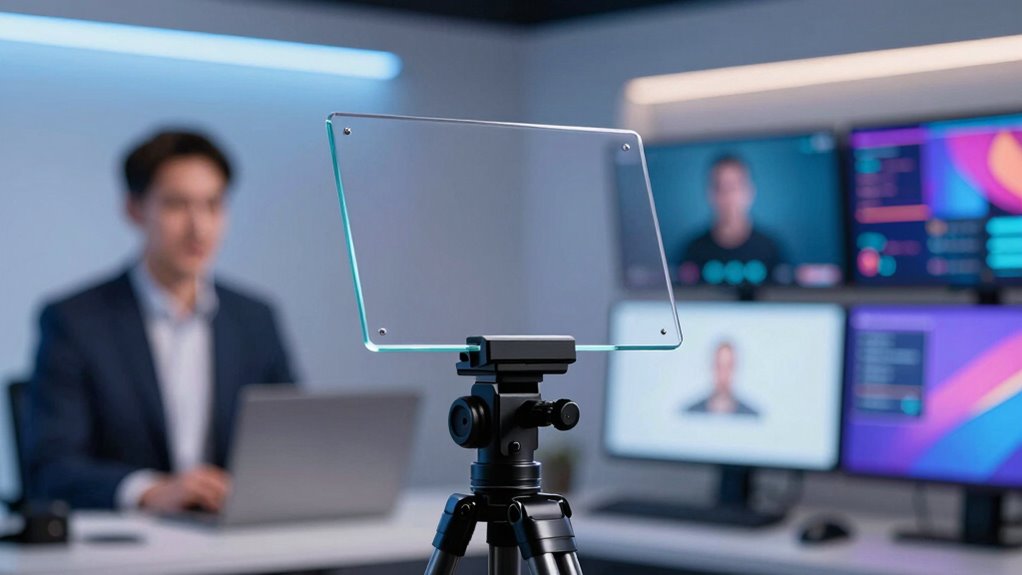
Choosing the right teleprompter for webinar hosting can make or break your presentation flow. The best options combine ease of use, compatibility with your device, and reliable remote control features. The NEEWER Basics X12B stands out for its sturdy build and seamless app control, making it ideal for professional hosts. Meanwhile, the Desview P13 offers portability for on-the-go presenters, and the Elgato Prompter provides a built-in screen for a sleek setup. As you weigh features, consider tradeoffs like size, compatibility, and budget. Continue reading for a detailed comparison to find your perfect fit.

Get business pricing on office and shipping supplies
- Business-only prices and quantity discounts
- Tax-exempt purchasing
- Multiple users, one account, clear invoices
Key Takeaways
- Top teleprompters combine compatibility with smartphones, tablets, and cameras, offering versatile use cases.
- Remote control functionality is essential for smooth delivery, especially during live webinars.
- Build quality and ease of setup significantly impact long-term reliability and user experience.
- Larger screens improve readability but may reduce portability—choose based on your typical setup.
- Price ranges vary widely; balancing budget with necessary features ensures better value.
| NEEWER Basics X12B Aluminum Alloy Teleprompter 12″ for iPad, Tablet, DSLR Camera, Bluetooth Remote & App Control, Black |  | Best Overall for Versatile Webinar Setup | Display Size: 12 inches | Material: Aluminum alloy | Compatibility: iOS, Android tablets and DSLR cameras | VIEW ON AMAZON | See Our Full Breakdown |
| Desview P13 Portable Teleprompter for Camera and Tablet |  | Best for Professional On-the-Go Content Creators | Tablet Compatibility: up to 12.9 inches | Weight: 1.7 kg (3.97 lbs) | Light Shield: Foldable | VIEW ON AMAZON | See Our Full Breakdown |
| NEEWER X11 2-in-1 Teleprompter with 11-Inch Monitor |  | Best for Dual Use: Teleprompter and External Monitor | Screen Size: 11 inches (beam splitter), 9 inches (monitor) | Resolution: 1024 x 768 | Compatibility: Windows, macOS, iPhone, Android | VIEW ON AMAZON | See Our Full Breakdown |
| 20-inch Teleprompter for Camera & Tablet with App Remote Control |  | Best for Large Screen Presentations | Screen Size: 20 inches | Optical Glass: Large 20-inch | Compatibility: DSLR, mirrorless, tablets | VIEW ON AMAZON | See Our Full Breakdown |
| 9.3-inch Teleprompter for Phone and Camera with App & Bluetooth Remote |  | Best Compact Teleprompter for Mobile Use | Beam-Splitter Glass: 70/30 | Compatibility: Smartphones, DSLR, mirrorless | Setup Time: Approximately 2 minutes | VIEW ON AMAZON | See Our Full Breakdown |
| Desview P8 Universal Teleprompter for Smartphone, Camera, and Tablet up to 10″ with Bluetooth Remote |  | Best for Versatile, On-the-Go Use | Compatibility: Smartphones, DSLR, Mirrorless Camera, Webcam, Action Camera, Tablets up to 10″ | Weight: 920g | Material: Multi-layer coated beam splitter glass | VIEW ON AMAZON | See Our Full Breakdown |
| Desview T12S 12.9″ Metal Teleprompter with Beam Splitter Glass, Carry Case, for Camera & iPad |  | Best for High-Quality, Large-Screen Professional Use | Screen Size: 12.9 inches | Material: Aviation-grade aluminum | Beam Splitter Glass: Yes | VIEW ON AMAZON | See Our Full Breakdown |
| LENSGO TC7S Portable Teleprompter for Phone, 9.7-inch Foldable Mini Teleprompter with Remote Control, App Compatible with iPhone & Android |  | Best for Compact, Quick Setup Vlogging | Display Size: 9.7 inches | Fold Time: 1 second | Compatibility: iPhone, Android, tablets below 8 inches | VIEW ON AMAZON | See Our Full Breakdown |
| Neewer Dual Phone Teleprompter Kit with Collapsing Design for iPhone & Android | 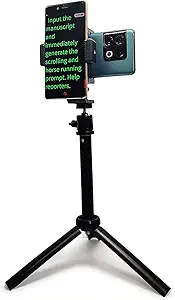 | Best for Dual-Device Flexibility and Portability | Phone Mounts: Dual | Maximum Height: 17 inches | Weight: 0.61 lbs (280g) | VIEW ON AMAZON | See Our Full Breakdown |
| NEEWER X12 14 Inch Aluminum Alloy Teleprompter for iPad, Tablet, Phone, Camera |  | Best for Large Screen, Versatile Use | Display Size: 14 inches | Material: Aluminum alloy | Beam Splitter Glass: 75% transmittance | VIEW ON AMAZON | See Our Full Breakdown |
| Bluetooth Remote Control for Teleprompter with APP for iOS, Android, Windows, & Mac |  | Best Wireless Remote for Versatile Control | Compatibility: iOS, Android, Windows, Mac | Batteries: 2 AAA batteries | Auto-off: Yes | VIEW ON AMAZON | See Our Full Breakdown |
| Glide Gear TMP 100 Teleprompter – DSLR, Tablet, Smartphone – 12″ Glass, Carry Case, No Assembly |  | Best Portable Teleprompter for Professionals | Device Compatibility: Smartphones and tablets up to 10.5″ x 8″ | Glass Type: 12″ Beam Splitter Glass | Material: 6061 Aluminum | VIEW ON AMAZON | See Our Full Breakdown |
| Elgato Prompter with Built-in Screen, 1080p Full HD Video Resolution |  | Best Integrated Screen for Video Content | Weight: 690 g | Display: 9 inches, 1024 x 600 px | Connectivity: USB-C | VIEW ON AMAZON | See Our Full Breakdown |
| Teleprompter Kit for iPhone & Android |  | Best Multi-Device Mobile Teleprompter Kit | Dual-Camera Mount: Yes | Adjustable Tripod Angle: Up to 120° | Pan/Tilt Rotation: 360° | VIEW ON AMAZON | See Our Full Breakdown |
| Desview T5 Teleprompter for Smartphone & Tablet, Compatible with DSLR Cameras, Includes Adapter Rings, Coated Glass, Bluetooth Remote, Free App |  | Best Versatile All-in-One Teleprompter | Device Compatibility: Smartphones, tablets under 11 inches, DSLR cameras | Adapter Rings: 49/52/55/58/62/67/72/77/82mm | Material: High-grade coated glass, durable structure | VIEW ON AMAZON | See Our Full Breakdown |
| teleprompter for webinar hosting | Compatibility |
|---|---|
| NEEWER Basics X12B Aluminum Al | iOS, Android tablets and DSLR cameras |
| Desview P13 Portable Telepromp | — |
| NEEWER X11 2-in-1 Teleprompter | Windows, macOS, iPhone, Android |
| 20-inch Teleprompter for Camer | DSLR, mirrorless, tablets |
| 9.3-inch Teleprompter for Phon | Smartphones, DSLR, mirrorless |
| Desview P8 Universal Telepromp | Smartphones, DSLR, Mirrorless Camera, Webcam, Action Camera, Tablets up to 10" |
| Desview T12S 12.9" Metal Telep | DSLR, mirrorless cameras, camcorders, iPads up to 12.9" |
| LENSGO TC7S Portable Telepromp | iPhone, Android, tablets below 8 inches |
| Neewer Dual Phone Teleprompter | — |
| NEEWER X12 14 Inch Aluminum Al | iPad, tablets, smartphones, cameras |
| Bluetooth Remote Control for T | iOS, Android, Windows, Mac |
| Glide Gear TMP 100 Teleprompte | — |
| Elgato Prompter with Built-in | — |
| Teleprompter Kit for iPhone & | iPhone, Android, 1/4-inch screw interfaces |
| Desview T5 Teleprompter for Sm | — |
More Details on Our Top Picks
NEEWER Basics X12B Aluminum Alloy Teleprompter 12″ for iPad, Tablet, DSLR Camera, Bluetooth Remote & App Control, Black
The NEEWER X12B stands out for its lightweight, foldable design and broad device compatibility, making it a reliable choice for those who need a portable, easy-to-use teleprompter during webinars. Unlike the larger 20-inch model, it offers quick setup without assembly, which benefits presenters who prioritize speed and simplicity. Although it doesn’t support smartphones or functioning as a monitor, its high-quality glass provides clear reflection, and Bluetooth remote control adds convenience. The main tradeoff is its limited device support—it’s not suitable for phone shooters or those needing on-screen self-view. Ideal for webinar hosts using tablets or DSLR cameras who want portability and straightforward operation.
Pros:- Easy, no-assembly, foldable design for portability
- High-quality beam splitter glass with clear reflection
- Bluetooth remote and app control for convenience
- Suitable for various devices including iPads and DSLR cameras
Cons:- Not designed for phone shooting or on-screen self-view
- Requires Bluetooth remote and app setup, which can be a slight learning curve
Best for: Content creators and webinar hosts who need a lightweight, portable teleprompter compatible with tablets and cameras.
Not ideal for: Video bloggers or educators relying on smartphones or requiring built-in monitor features, since it doesn’t support phones or self-view functionality.
- Display Size:12 inches
- Material:Aluminum alloy
- Compatibility:iOS, Android tablets and DSLR cameras
- Remote Control:RT113 Bluetooth remote (battery not included)
- Transmittance:75%
- Foldable:Yes
- Color:Black
Our verdict“This pick suits webinar hosts who need a versatile, portable teleprompter for tablets and cameras, prioritizing ease of setup.”
Desview P13 Portable Teleprompter for Camera and Tablet
The Desview P13 excels for users who need a portable, high-capacity teleprompter compatible with large tablets like the iPad Pro 12.9-inch, making it ideal for professional video recording and streaming. Compared with the NEEWER X12B, its support for bigger tablets and adjustable camera mount provide more flexibility for high-quality production workflows. While it supports apps on both iOS and Android, it requires some setup and calibration, which could be a hurdle for quick use. Its lightweight, foldable design enhances portability, yet the size might be overkill for casual users. This model is best suited for professional hosts or serious content creators who need large screens and a reliable, portable setup.
Pros:- Supports large tablets like the 12.9-inch iPad Pro for clear scripting
- Lightweight and foldable for easy transport
- Includes Bluetooth remote and app compatibility for hands-free control
- Adjustable camera mount for versatile setups
Cons:- Requires setup and calibration for optimal use
- Limited to tablets up to 12.9 inches, not suitable for smaller devices
- Some users may find app features limited
Best for: Professional video creators and streamers who need a portable, large-screen teleprompter for high-quality productions.
Not ideal for: Casual users or educators seeking a simple, budget-friendly option, due to its setup complexity and higher price point.
- Tablet Compatibility:up to 12.9 inches
- Weight:1.7 kg (3.97 lbs)
- Light Shield:Foldable
- Glass Type:Premium beam splitter
- Camera Mount:Standard 1/4″ screw, adjustable height 30-40mm
- Remote Control:Bluetooth included
Our verdict“Ideal for professional content creators needing a large, portable teleprompter with flexible mounting options.”
NEEWER X11 2-in-1 Teleprompter with 11-Inch Monitor
The NEEWER X11 offers a compelling dual-function for broadcasters, featuring an 11-inch beam splitter glass and a built-in 9-inch HD monitor, making it ideal for live streams and presentations. Unlike the Desview P13, which is more portable, the X11 provides a versatile setup for those needing both teleprompting and an external display for computer or smartphone use. Its ability to connect via USB C, HDMI, or USB A broadens compatibility but comes with a tradeoff—voice sync isn’t supported, and some connections require driver installation. While this model supports multiple devices, it demands more setup and a tripod, which adds bulk. This is best for broadcasters who want a multi-purpose device with external monitor features.
Pros:- Dual functionality as teleprompter and external monitor
- High-quality HD glass reduces ghosting and glare
- Connects easily with computers and smartphones
- Adjustable holder for flexible positioning
Cons:- Voice sync not supported
- Requires driver installation for some connections
- Tripod and microphone stand sold separately
Best for: Webinar hosts and live streamers needing a dual-function device for prompting and display monitoring.
Not ideal for: Casual presenters or those seeking a straightforward, single-purpose teleprompter, due to its complexity and additional equipment needs.
- Screen Size:11 inches (beam splitter), 9 inches (monitor)
- Resolution:1024 x 768
- Compatibility:Windows, macOS, iPhone, Android
- Ports:USB C, HDMI, USB A
- Weight Capacity:2 kg
- Adjustment:Horizontal 10 cm, Vertical 3 cm
Our verdict“Best suited for professional broadcasters and livestreamers who need a versatile, dual-purpose device for prompting and display monitoring.”
20-inch Teleprompter for Camera & Tablet with App Remote Control
The 20-inch Teleprompter offers a sizable optical glass surface, ideal for hosts who want a natural eye contact experience during recordings or live streams. Compared to smaller models like the NEEWER X12B, its larger display enhances readability and reduces eye strain during long sessions. Its adjustable height and angle ensure versatile positioning, and the wireless remote enables hands-free script management. However, its size and manual adjustments can demand more setup time, especially for users with limited space or those who prefer quick, portable solutions. The price point is higher, making it less suitable for casual or infrequent users. This model makes the most sense for professionals conducting high-production-value webinars or presentations requiring a large, clear script display.
Pros:- Large optical glass for natural eye contact
- Flexible height and angle adjustments
- Supports various camera types and tablets
- Wireless remote control for ease of use
Cons:- Manual adjustments may be cumbersome
- High cost for infrequent users
- Size may be impractical for small setups
Best for: Hosts and educators who need a large, clear script display for professional-grade webinars and presentations.
Not ideal for: Casual users or those with limited space, as its size and setup requirements are more demanding.
- Screen Size:20 inches
- Optical Glass:Large 20-inch
- Compatibility:DSLR, mirrorless, tablets
- Adjustment Features:Height, angle
- Remote Control:Wireless included
- Price Range:Premium
Our verdict“Best for professional hosts needing a large, versatile teleprompter for high-quality presentations and streaming.”
9.3-inch Teleprompter for Phone and Camera with App & Bluetooth Remote
The 9.3-inch Teleprompter is designed for portability, offering a high-quality optical glass that balances clear script reflection with camera visibility. Compared with the NEEWER X12B, it’s much more compact, making it ideal for quick setups on the go. Its compatibility with smartphones and cameras, along with the Prompt App and Bluetooth remote, provides seamless remote control, though the limited remote range and reliance on a compatible app could be drawbacks in larger spaces. Setup is fast—around 2 minutes—but it may lack some advanced features found in larger models. This is best for mobile content creators, vloggers, or educators who need a quick, small teleprompter solution.
Pros:- High-quality optical glass for clear text and camera visibility
- Quick and easy setup (~2 minutes)
- Compatible with a wide range of smartphones and cameras
- Wireless remote control for hands-free operation
Cons:- Remote range may be limited in large rooms
- Requires a compatible app for full functionality
- Limited size restricts script length
Best for: Mobile videographers and educators who need a quick, portable teleprompter compatible with smartphones and compact cameras.
Not ideal for: Hosts requiring larger screens or complex setups, as its small size limits script display and functionality.
- Beam-Splitter Glass:70/30
- Compatibility:Smartphones, DSLR, mirrorless
- Setup Time:Approximately 2 minutes
- Remote Range:Up to 10 meters
- Size:9.3 inches
- Control:App & Bluetooth remote
Our verdict“Ideal for mobile streamers and educators needing a compact, fast-to-set-up teleprompter with remote control.”
Desview P8 Universal Teleprompter for Smartphone, Camera, and Tablet up to 10″ with Bluetooth Remote
The Desview P8 stands out for its broad compatibility with smartphones, DSLRs, webcams, and tablets up to 10 inches, making it a flexible choice for those who need a single device for multiple setups. Compared with the LENSGO TC7S, which is more budget-friendly but limited to smaller screens, the P8 offers greater device versatility at the cost of added setup complexity. Its foldable design enhances portability, and the Bluetooth remote simplifies operation during live recordings. However, the need for an additional tripod or stand can add to the setup time, and its compatibility is constrained to devices under 10 inches, limiting larger tablet use. This pick makes the most sense for mobile content creators who want flexibility without heavy equipment, but it may not suit users seeking a plug-and-play, all-in-one solution.
Pros:- Universal compatibility with smartphones, cameras, and tablets up to 10 inches
- Foldable, lightweight design for portability
- Quick horizontal/vertical mode switching
- Wireless control via Bluetooth remote
Cons:- Requires an external tripod or stand for stability
- Limited to tablets under 10 inches, excluding larger devices
- Setup may be complex for beginners
Best for: Content creators and vloggers who film with various devices and need portability.
Not ideal for: Beginners who prefer a simple, all-in-one solution without additional stands or setup complexity.
- Compatibility:Smartphones, DSLR, Mirrorless Camera, Webcam, Action Camera, Tablets up to 10″
- Weight:920g
- Material:Multi-layer coated beam splitter glass
- Features:Foldable design, horizontal/vertical switch, dual cold shoe mounts, Bluetooth remote
Our verdict“Best suited for mobile users needing flexible compatibility and portability across multiple devices.”
Desview T12S 12.9″ Metal Teleprompter with Beam Splitter Glass, Carry Case, for Camera & iPad
The Desview T12S offers a substantial 12.9-inch screen, making it ideal for professional content creators who need clear, high-definition script scrolling without ghosting, similar to the NEWER X12 but with a more durable aluminum body. Its support for a wide range of cameras and tablets up to 12.9 inches, along with the included protective carry case, makes it a durable choice for mobile and studio use. The Bluetooth remote and app control add convenience, especially for live streaming. On the downside, it requires a bit of calibration, and its size and weight may be less ideal for travel-heavy workflows compared to more compact models like the LENSGO TC7S. This model is best for serious broadcasters and larger production setups that prioritize screen size and build quality.
Pros:- Supports a wide range of cameras and tablets up to 12.9 inches
- High-quality beam splitter glass with zero ghosting
- Durable aluminum construction with protective case
- Includes Bluetooth remote and app control for script management
Cons:- Requires calibration for optimal display
- Bulkier and heavier than smaller models
- Higher price point compared to smaller or basic teleprompters
Best for: Professional videographers and streamers seeking high-quality, large-screen teleprompting.
Not ideal for: Travelers or hobbyists who need lightweight, compact gear for occasional use.
- Screen Size:12.9 inches
- Material:Aviation-grade aluminum
- Beam Splitter Glass:Yes
- Compatibility:DSLR, mirrorless cameras, camcorders, iPads up to 12.9″
Our verdict“Ideal for professionals who need a large, durable teleprompter with high-quality display and extensive compatibility.”
LENSGO TC7S Portable Teleprompter for Phone, 9.7-inch Foldable Mini Teleprompter with Remote Control, App Compatible with iPhone & Android
The LENSGO TC7S is tailored for vloggers and online educators who need a quick, portable solution. Its 9.7-inch high-definition display folds in just one second, offering rapid setup for spontaneous recording sessions. Its compatibility with both iOS and Android devices, plus the included Bluetooth remote, makes it a flexible option. Compared with larger options like the NEWER X12, this model sacrifices some screen size but excels in speed and portability, fitting easily into a bag for on-the-spot filming. The need to download a dedicated app (TCQI) can be an extra step, and the device’s support for tablets below 8 inches limits use for larger screens. This pick is perfect for creators who prioritize mobility over maximum screen size.
Pros:- One-second fold for fast setup
- High-definition display with clear reflection
- Compatible with iPhone and Android
- Includes Bluetooth remote for control
Cons:- Requires specific app (TCQI) for full functionality
- Limited to tablets below 8 inches for best use
- Small screen size may not suit all scripts
Best for: Vloggers and educators needing a quick, portable teleprompter for mobile shooting.
Not ideal for: Professionals requiring larger screens or more advanced control features for long-form production.
- Display Size:9.7 inches
- Fold Time:1 second
- Compatibility:iPhone, Android, tablets below 8 inches
- Remote Control:Bluetooth remote included
Our verdict“Excellent for fast-paced, mobile recording needs where quick setup outweighs larger display requirements.”
Neewer Dual Phone Teleprompter Kit with Collapsing Design for iPhone & Android
The Neewer Dual Phone Teleprompter Kit provides a unique advantage with its dual phone mounts, making it ideal for interview-style or split-screen presentations. Its collapsing tripod and lightweight design emphasize portability, fitting well into setups that require quick assembly and disassembly. Unlike the larger Desview T12S or NEWER X12, this kit is limited to smartphones and does not support tablets or foldable phones, which could be a drawback for some users. Its 17-inch maximum height and 360-degree rotation offer flexible angles, but the tripod’s stability may be tested with heavier camera gear. Best suited for solo creators or small teams conducting live interviews or dual-camera recordings who prioritize mobility over large screens.
Pros:- Supports two smartphones simultaneously
- Portable collapsing tripod for travel
- Adjustable height and 360-degree rotation
- Supports both horizontal and vertical shooting
Cons:- Limited to smartphones, no tablet support
- Tripod may not support heavy or professional camera setups
- Foldable phones are incompatible
Best for: Solo content creators and interviewers needing dual smartphone support for flexible recording.
Not ideal for: Users who need support for tablets or larger devices, or those seeking a more robust, studio-grade solution.
- Phone Mounts:Dual
- Maximum Height:17 inches
- Weight:0.61 lbs (280g)
- Included Accessories:Tripod, Rotation Platform, Storage Bag
Our verdict“Best for mobile interview setups that require dual smartphones and quick portability.”
NEEWER X12 14 Inch Aluminum Alloy Teleprompter for iPad, Tablet, Phone, Camera
The NEEWER X12 offers a 14-inch high-quality beam splitter glass, making it ideal for those who need a large, clear script display. Its compatibility with iPads, tablets, smartphones, and cameras offers extensive flexibility, especially for long-form webinars or professional presentations. Compared with the Desview T12S, which supports slightly smaller screens, the X12’s larger display provides ample space for detailed scripts. Its lightweight aluminum construction makes it easy to transport, but it’s not compatible with wide-angle lenses or iPad Pro 12-inch models, which could limit certain professional setups. This model is best for users who prioritize screen size and clarity over ultra-compact portability.
Pros:- Large 14-inch display for easy reading
- High-quality beam splitter glass with 75% transmittance
- Supports multiple device types including iPads and smartphones
- Lightweight aluminum alloy construction
Cons:- Not compatible with wide-angle lenses or iPad Pro 12″
- Supports devices up to approximately 9.84″ x 8.68″ only
- Price may be higher compared to smaller models
Best for: Professional presenters and educators needing a large, clear display for detailed scripts.
Not ideal for: Travelers or casual users who want a small, lightweight teleprompter for occasional use.
- Display Size:14 inches
- Material:Aluminum alloy
- Beam Splitter Glass:75% transmittance
- Compatibility:iPad, tablets, smartphones, cameras
Our verdict“Ideal for professionals who need a large, versatile, and high-quality teleprompter setup.”
Bluetooth Remote Control for Teleprompter with APP for iOS, Android, Windows, & Mac
This remote control excels in offering seamless, wireless operation across multiple platforms, making it ideal for those who need to control teleprompters from a distance. Compared with the Desview T5, which requires manual operation, this remote adds convenience, especially during live presentations. However, its full functionality depends heavily on the TeleprompterPAD app, and it requires batteries, which could be an inconvenience. Silent operation is a major plus, preventing disruption during recordings. While it’s compatible with iOS, Android, Windows, and Mac, its limitations with third-party apps mean it’s best suited for users committed to the TeleprompterPAD ecosystem. Tradeoff: convenience versus limited app flexibility.
Pros:- Compatible with multiple platforms and teleprompter apps
- Silent buttons prevent audio disruptions
- Easy to use with automatic Bluetooth re-pairing
Cons:- Full functionality limited to TeleprompterPAD app
- Requires batteries for operation
- Limited compatibility with third-party apps
Best for: Content creators or presenters who need reliable, wireless script control during live webinars or recordings across various devices.
Not ideal for: Users relying on third-party teleprompter apps or those who prefer wired controls to avoid battery dependency.
- Compatibility:iOS, Android, Windows, Mac
- Batteries:2 AAA batteries
- Auto-off:Yes
- Silent operation:Yes
Our verdict“This remote makes sense for users who prioritize wireless convenience and are committed to the TeleprompterPAD app ecosystem.”
Glide Gear TMP 100 Teleprompter – DSLR, Tablet, Smartphone – 12″ Glass, Carry Case, No Assembly
The Glide Gear TMP 100 stands out for its robust build and high-quality beam splitter glass, making it a top choice for on-the-go video production. Unlike the Elgato Prompter, which offers a built-in display but limited device compatibility, the TMP 100 supports a wider range of smartphones and tablets with a portable, collapsible design. Its main tradeoff is that it doesn’t fit larger iPad Pro models, and mounting options may feel limited for complex setups. The included carry case enhances portability, but users should be aware that it requires external devices for script control. This pick makes the most sense for professionals needing a reliable, portable setup, but not for those seeking an all-in-one integrated solution.
Pros:- Compatible with a wide range of smartphones and tablets
- High-quality beam splitter glass for clear reflections
- Portable and easy to set up with collapsible design
Cons:- Does not fit iPad Pro models
- App not included, requiring additional download
- Some mounting options may be limited for certain setups
Best for: Videographers and content creators who need a durable, portable teleprompter compatible with multiple device types.
Not ideal for: Tablet users with larger iPads or those seeking an all-in-one device with integrated controls.
- Device Compatibility:Smartphones and tablets up to 10.5″ x 8″
- Glass Type:12″ Beam Splitter Glass
- Material:6061 Aluminum
- Mounting Threads:1/4″-20, 3/8″-16
- Includes:Carry case
- Warranty:Lifetime
Our verdict“This teleprompter is ideal for professionals needing portability and high-quality reflection, but not for those using larger tablets or seeking integrated controls.”
Elgato Prompter with Built-in Screen, 1080p Full HD Video Resolution
The Elgato Prompter offers a straightforward setup with its built-in 9-inch, 1080p display, making it a strong choice for users who want an all-in-one solution. Unlike the Desview T5, which requires connecting external cameras, the Elgato’s built-in screen simplifies the process by providing a clear, customizable display for on-camera scripts or chat messages. Its main tradeoff is the need for software to unlock full functionality and the display’s relatively modest resolution for detailed script reading. Compatibility with most cameras and direct connection to PCs or Macs make it accessible, but the limited water resistance and software dependency mean it’s best suited for controlled studio environments rather than outdoor shoots or rugged conditions.
Pros:- Easy to set up and use with direct PC or Mac connection
- Supports most cameras including wide lenses
- Customizable display with software control
Cons:- DisplayLink software required on Mac and Android
- Limited water resistance (not water resistant)
- Requires software for full functionality
Best for: Streamers and on-camera hosts seeking a compact, integrated prompting solution with easy setup for professional-looking videos.
Not ideal for: Outdoor or rugged use where water resistance is needed, or users requiring advanced software customization without a PC or Mac connection.
- Weight:690 g
- Display:9 inches, 1024 x 600 px
- Connectivity:USB-C
- System requirements:Windows 10 (64-bit) or newer, macOS 11 or newer
- Dimensions:224 x 219 x 282 mm
- Camera compatibility:Supports most cameras including wide lenses
Our verdict“This built-in screen teleprompter suits users aiming for a compact, plug-and-play on-camera solution in controlled environments.”
Teleprompter Kit for iPhone & Android
This kit is well-suited for mobile content creators who want flexibility with multi-camera setups. Its dual-camera mount and adjustable tripod allow for dynamic angles, setting it apart from simpler smartphone-only options like the Neewer Dual Phone Teleprompter Kit. However, it does not include a phone screen, meaning you’ll need to provide your own device, and some users may find mounting accessories a bit limited for certain setups. Its ergonomic grip enhances handheld use, but the kit is best for those who already own compatible smartphones and want to expand their shooting options without investing in larger professional gear. Tradeoff: versatility versus the need for additional accessories.
Pros:- Supports multi-camera setups for versatile content creation
- Adjustable tripod with 360° pan/tilt
- Ergonomic grip for comfortable handheld use
Cons:- Does not include a phone screen
- Requires additional accessories for full setup
- Limited to devices compatible with the mount
Best for: Vloggers or live streamers who want a versatile, multi-camera setup with adjustable angles for mobile content.
Not ideal for: Beginners who lack compatible smartphones or users seeking an all-in-one, ready-to-use teleprompter with screen included.
- Dual-Camera Mount:Yes
- Adjustable Tripod Angle:Up to 120°
- Pan/Tilt Rotation:360°
- Compatibility:iPhone, Android, 1/4-inch screw interfaces
- Includes:Tripod mount, dual-sided phone clamp, mini ball head
Our verdict“This kit is best for mobile creators seeking flexible, multi-angle prompts but requires extra gear for full functionality.”
Desview T5 Teleprompter for Smartphone & Tablet, Compatible with DSLR Cameras, Includes Adapter Rings, Coated Glass, Bluetooth Remote, Free App
The Desview T5 combines broad device compatibility with advanced features like adjustable shooting modes, making it suitable for a variety of content creation needs. Its compatibility with smartphones, tablets, and DSLR cameras distinguishes it from simpler options like the Neewer X12B. The inclusion of a Bluetooth remote for wireless control adds convenience, especially for live streaming or vlogging. However, it requires downloading a separate app for full operation, and its bulkier design might reduce portability for some users. The multiple adapter rings provide flexibility, but the overall setup can be heavier and more complex for quick, on-the-go recordings. It’s an excellent choice for creators who value versatility over ultra-lightweight portability.
Pros:- Compatible with smartphones, tablets, and DSLR cameras
- Includes Bluetooth remote for wireless control
- High-quality coated glass for clear script display
- Adjustable front panel with multiple shooting modes
Cons:- Requires downloading a separate app for full functionality
- May be bulky for portable use
- Setup can be more complex compared to simpler models
Best for: Professional vloggers and streamers needing a flexible, multi-device teleprompter with remote control capabilities.
Not ideal for: Travel content creators prioritizing ultra-light gear or users who prefer an all-in-one device with minimal setup.
- Device Compatibility:Smartphones, tablets under 11 inches, DSLR cameras
- Adapter Rings:49/52/55/58/62/67/72/77/82mm
- Material:High-grade coated glass, durable structure
- Remote Control:Bluetooth remote included
- App Compatibility:iOS and Android
- Warranty:1-year free warranty and lifetime maintenance
Our verdict“This teleprompter suits creators who need device flexibility and remote control but don’t mind a slightly heavier setup.”

How We Picked
To select these teleprompters, I evaluated critical factors such as performance, compatibility, ease of use, build quality, and value for money. I looked at how well each product integrates with common devices used in webinars, including smartphones, tablets, and cameras. Durability and setup complexity also played a role, as a teleprompter should be reliable and straightforward even for first-time users. The ranking reflects a combination of these practical considerations, prioritizing models that deliver consistent results in a webinar setting while offering good value for different budgets.Factors to Consider When Choosing Teleprompter For Webinar Hosting
When choosing a teleprompter for webinar hosting, it’s important to consider several key factors to ensure seamless presentations. The right device should fit your technical setup, be easy to operate, and suit your typical presentation environment. Overlooking these details can lead to frustration or a compromised appearance during live sessions. Here are some essential considerations to keep in mind:Device Compatibility and Screen Size
Make sure the teleprompter supports your primary device, whether it’s a smartphone, tablet, or DSLR camera. Larger screens are easier to read, reducing eye strain and improving delivery, but they can also add bulk to your setup. Conversely, compact models are more portable but may sacrifice readability. Consider your typical webinar environment—if you often present on the go, portability might outweigh size considerations.
Remote Control and Ease of Use
Remote control features allow you to scroll smoothly without interrupting your speech. Wireless remotes compatible with iOS, Android, or Windows increase flexibility and facilitate natural delivery. Avoid models with complicated controls or unreliable connectivity, as these can disrupt your flow during a live session.
Build Quality and Durability
A sturdy, well-made teleprompter prevents wobbling or damage over time. Metal frames and high-quality glass reduce distortions and provide clearer text. Cheaper plastic models may save money upfront but often lack durability, leading to frustration and additional costs in the long run.
Setup Complexity and Portability
Some models require extensive assembly or specific mounting setups, which can be a hassle during quick webinar preparations. If you host frequently in different locations, look for lightweight, easy-to-assemble options. Portability is also linked to size and weight—smaller models are easier to transport but might limit screen size.
Budget and Value
Prices for teleprompters range from budget-friendly to premium. Consider what features are essential for your needs—sometimes spending more guarantees reliability and better compatibility. On the other hand, affordable options can suffice for casual or infrequent use, provided they meet your basic requirements.
Frequently Asked Questions
Can I use a smartphone as a teleprompter for webinars?
Yes, many teleprompters are designed to work with smartphones, often through dedicated apps and adjustable mounts. Using a smartphone is a cost-effective way to get started, especially with models that include remote controls and app compatibility. Ensure your phone fits securely and that the teleprompter’s text size is adjustable for comfortable reading. This setup is ideal for small-scale webinars or casual presentations.
What is the best screen size for a teleprompter in webinars?
The optimal screen size depends on your typical presentation environment. Larger screens, like 12 inches or more, improve readability and reduce eye strain, especially during longer sessions. However, they can be bulkier and less portable. Smaller screens, around 9 to 10 inches, are more portable and easier to set up in tight spaces but require higher font sizes to maintain clarity. Choose a size that balances visibility with your setup constraints.
Is a professional-grade teleprompter worth the extra cost?
For frequent or high-stakes webinars, investing in a professional-grade teleprompter offers benefits like better build quality, more reliable remote controls, and enhanced compatibility. These models often feature higher-quality glass and more stable mounting mechanisms, which can improve your overall presentation experience. However, for occasional use or casual hosting, more affordable options may be sufficient and deliver great results without breaking the bank.
How important is portability when choosing a teleprompter for webinars?
Portability becomes critical if you often host webinars in different locations or work remotely. Lightweight, compact models are easier to transport and set up quickly, saving you time and effort. However, smaller models may compromise on screen size or stability. If your webinars are mostly held in a fixed location, investing in a larger, more stable model may be more advantageous for long-term use.
What features should I prioritize if I am new to webinar hosting?
Beginners should look for models with straightforward setup, compatibility with their device, and reliable remote control options. A user-friendly interface and clear instructions can make a big difference in reducing frustration. Budget-friendly models with adjustable text size and simple mounting systems are ideal starting points. As you gain experience, you can consider upgrading to more sophisticated, feature-rich teleprompters.
Conclusion
For those seeking a reliable, all-around performer, the NEEWER Basics X12B offers excellent durability and compatibility, making it the best overall choice. Budget-conscious users will appreciate the Desview P13 for its portability and affordability. Professionals needing a sleek, high-quality setup might prefer the Elgato Prompter with its built-in screen. Beginners or infrequent hosts should consider simple, easy-to-assemble models like the Teleprompter Kit for iPhone & Android. Ultimately, your choice hinges on how often you present, your budget, and your setup needs—match these factors to find your ideal teleprompter for webinar hosting in 2026.