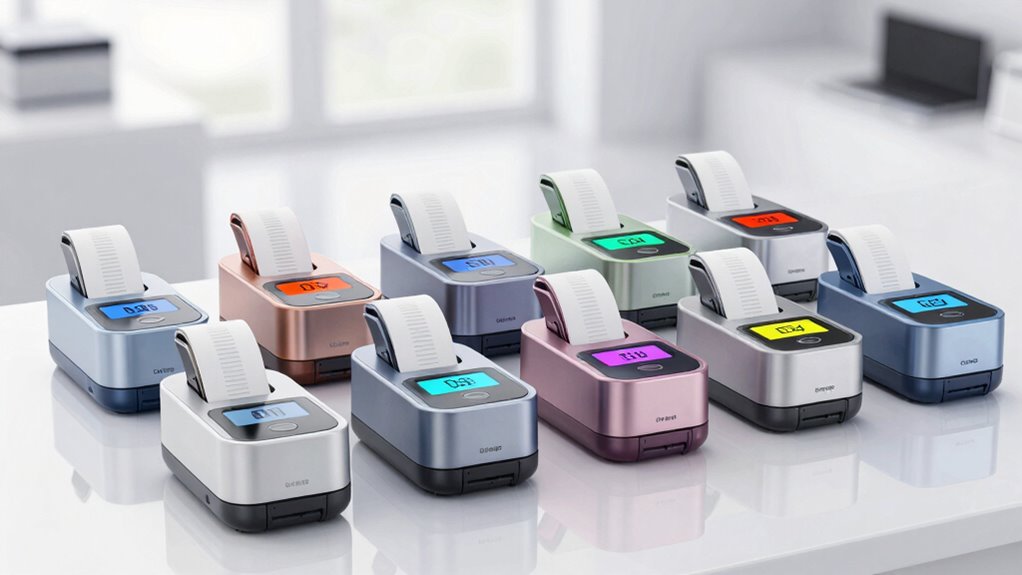

A thermal label printer for ecommerce shipping can speed up order fulfillment by printing standard 4 x 6-inch labels without ink or toner. My best overall pick is the Rollo USB Shipping Label Printer for sellers who prioritize a straightforward desktop workflow, while the JADENS Bluetooth Thermal Shipping Label Printer is a wireless option for phone-based printing. The Westinghouse USB printer is another fit for sellers who want a wired setup and commercial-grade positioning. The main tradeoffs are wireless convenience versus a simpler USB connection, plus printer workflow, label handling, and device compatibility. Read on for the full comparison and guidance on matching a printer to your shipping routine.

Get business pricing on office and shipping supplies
- Business-only prices and quantity discounts
- Tax-exempt purchasing
- Multiple users, one account, clear invoices
Key Takeaways
- Rollo and Westinghouse represent the wired route: both are USB models, which may suit a dedicated packing station better than a printer shared between phones and computers.
- Bluetooth is the dominant feature across the lineup: many models advertise phone and computer compatibility, but buyers should verify the exact operating systems and app workflow they use before choosing.
- The built-in label bin is a distinct workflow feature: the printer with an integrated bin may appeal to sellers who want a tidier desktop setup, while separate fanfold labels can be simpler to replenish.
- MaxGear is the only standalone consumable in the list: its 500-count fanfold labels are relevant if you already own a compatible direct-thermal printer, but they are not a printer alternative.
- Product names alone do not settle the choice: several listings describe similar Bluetooth 4 x 6 printers, so connection details, supported devices, and label loading should carry more weight than broad small-business claims.





| thermal label printer for ecommerce shipping | Connectivity | Dimensions | Resolution | Print speed |
|---|---|---|---|---|
| Labeer Bluetooth Thermal Shipp | Bluetooth | 7.2 x 2.64 x 3.15 inches | 203 x 203 DPI | — |
| Bluetooth Thermal Shipping Lab | USB and Bluetooth | — | 203 DPI | Up to 72 labels per minute |
| TATTMUSE Bluetooth Thermal Shi | Bluetooth | 4.92 x 2.99 x 3.54 inches | 203 DPI | Up to 72 labels per minute |
| Nelko PL70E Bluetooth Thermal | Bluetooth and USB | — | 203 x 203 DPI | 150 mm/s; up to 72 labels per minute |
| Hoorola Bluetooth Thermal Ship | Bluetooth and USB | 3.15 x 7.87 x 3.54 inches | — | — |
| KNAON Bluetooth Thermal Shippi | Bluetooth and USB | 7.17 x 3.9 x 3.43 inches | — | 180 mm/s |
| Bluetooth Shipping Label Print | Bluetooth and USB | 7.2 x 6.3 x 5.3 inches | — | 72 labels per minute |
| JADENS Bluetooth Thermal Shipp | Bluetooth and USB | — | — | — |
| SVANTTO Bluetooth Shipping Lab | Bluetooth and USB | — | — | 180 mm/sec |
| MaxGear 4 x 6 inch Direct Ther | — | — | — | — |
| Thermal Shipping Label Printer | Bluetooth and USB | — | 203 DPI | 150 mm/s; stated as up to 72 labels per minute |
| Rongta Bluetooth Shipping Labe | Bluetooth and USB | 3 x 7 x 2 inches | — | — |
| Bluetooth Thermal Shipping Lab | Bluetooth and USB | 7.09 x 3.15 x 2.74 inches | 203 DPI | — |
| Westinghouse Thermal Shipping | Ethernet and USB | 9.45 x 8.36 x 6.88 inches | 203 x 203 DPI | — |
| Rollo USB Shipping Label Print | USB | 4 x 8 x 4 inches | 203 x 203 DPI | 150 mm/s |
More Details on Our Top Picks
Labeer Bluetooth Thermal Shipping Label Printer, Wireless 4×6 Printer White
The Labeer stands out for sellers who want to print from a mix of phones and computers: its stated compatibility spans iOS, Android, Windows, macOS, ChromeOS, and Linux. That range is broader than the Hoorola’s listed compatibility, making Labeer a flexible choice for a shared home-business setup. It handles standard 4×6 shipping labels as well as other label sizes, and 203 DPI direct thermal printing avoids ink and toner purchases. The tradeoff is that the provided specs don’t give a clear shipping-label speed, unlike the 72-label-per-minute claims for the Bluetooth Thermal Shipping Label Printer (4×6) and Nelko PL70E. Its compact listed dimensions are appealing, but this is a label-only, monochrome printer; it won’t replace a general-purpose printer, and buyers need compatible thermal media.
Pros:- Listed compatibility includes iOS, Android, Windows, macOS, ChromeOS, and Linux.
- Supports 4×6 shipping labels and other label sizes for inventory or address tasks.
- Direct thermal printing requires no ink or toner.
- Compact listed dimensions suit a home packing station.
Cons:- The provided product data does not specify a dependable shipping-label output rate.
- Monochrome, print-only design cannot handle color work or ordinary document printing.
- Requires compatible thermal labels.
Best for: Small ecommerce sellers who switch between different operating systems and mainly print monochrome shipping, address, or inventory labels.
Not ideal for: High-volume shippers who need a clearly specified fast output rate, or sellers who need color printing or a general-purpose printer.
- Print technology:Thermal
- Resolution:203 x 203 DPI
- Output:Monochrome
- Media:Labels and thermal paper
- Connectivity:Bluetooth
- Compatible systems:iOS, Android, Windows, macOS, ChromeOS, Linux
- Dimensions:7.2 x 2.64 x 3.15 inches
- Weight:450 g
Our verdict“Choose Labeer if broad operating-system compatibility matters more than a documented high-speed output rate.”
Bluetooth Thermal Shipping Label Printer (4×6)
This model earns its place for sellers who want a stated speed and the option to connect by either USB or Bluetooth. Its 72-labels-per-minute claim puts it alongside the Nelko PL70E, while the 1.38-to-4.3-inch width range and support for both roll and fanfold labels give it flexibility for different packing workflows. Compared with the Labeer, its USB connection is a useful wired alternative when wireless pairing is inconvenient. The main catch is Bluetooth: it requires the specific Labelnize app, so phone printing is less open-ended than the broad device compatibility might suggest. Setup is described as quick with auto-calibration, but buyers should weigh that convenience against an app-dependent workflow. Like the other options here, it prints in monochrome and is intended for thermal labels, not general documents.
Pros:- Specified output of up to 72 labels per minute suits recurring shipping batches.
- USB and Bluetooth provide wired and wireless connection options.
- Supports roll and fanfold labels across a 1.38-to-4.3-inch width range.
- Auto-calibration and a stated quick setup can reduce initial configuration work.
Cons:- Bluetooth pairing requires the Labelnize app.
- 203 DPI monochrome output is limited to black-and-white labels.
- The listed width range does not include the full 4.6-inch maximum supported by TATTMUSE.
Best for: Small ecommerce teams that print frequent batches, use both roll and fanfold labels, and want the choice of USB or Bluetooth.
Not ideal for: Sellers who want Bluetooth printing without a dedicated app, or anyone who needs color output.
- Print technology:Direct thermal, ink-free
- Resolution:203 DPI
- Print speed:Up to 72 labels per minute
- Connectivity:USB and Bluetooth
- Label width:1.38 to 4.3 inches
- Label formats:Roll and fanfold
- Compatible systems:Windows, Mac, Chromebook, iOS, Android
- Warranty:2-year manufacturer warranty
Our verdict“Pick this printer for fast, flexible shipping-label batches if using the Labelnize app for Bluetooth is acceptable.”
TATTMUSE Bluetooth Thermal Shipping Label Printer 4×6 Wireless
TATTMUSE is the space-saving choice in this group: its listed body measures just 4.92 x 2.99 x 3.54 inches, smaller in depth and height than the Nelko PL70E. That makes it a better fit for a crowded packing desk or a printer that needs to be put away between shipping sessions. It still covers standard 4×6 labels, claims output of up to 72 labels per minute, and supports widths from 0.78 to 4.6 inches—wider than the Bluetooth Thermal Shipping Label Printer (4×6). The compromise is setup: the description says printing requires an app or driver, so it may take more configuration than a seller expects from a compact Bluetooth device. Its listed compatibility includes several computer systems and smartphones, but no USB connection is specified. Output is monochrome only.
Pros:- Small listed dimensions suit tight workspaces and easy storage.
- Supports 4×6 labels and a broad 0.78-to-4.6-inch width range.
- Bluetooth printing works with smartphones and listed computer systems.
- Claimed speed of up to 72 labels per minute supports routine batches.
Cons:- Requires app or driver setup before printing.
- No USB connection is listed as a wired alternative.
- Monochrome output cannot produce color labels.
Best for: Home-based sellers with limited desk space who print shipping labels from a smartphone or computer and need support for varied label widths.
Not ideal for: Shippers who want a specified USB fallback, or users who prefer a printer with clearly documented setup and connection details.
- Print technology:Thermal
- Resolution:203 DPI
- Print speed:Up to 72 labels per minute
- Maximum media size:4 x 6 inches
- Supported label widths:0.78 to 4.6 inches
- Connectivity:Bluetooth
- Compatible systems:Smartphones, Windows, macOS, ChromeOS, Linux
- Dimensions:4.92 x 2.99 x 3.54 inches
Our verdict“Choose TATTMUSE when a compact footprint and wide label-size support matter more than a documented wired connection.”
Nelko PL70E Bluetooth Thermal Shipping Label Printer
The Nelko PL70E is a practical match for sellers who move between a phone and a computer: it offers Bluetooth for iOS and Android plus USB for Windows, Mac, and ChromeOS. That split is less flexible for Mac users than the Labeer’s broader stated Bluetooth compatibility, since the PL70E lists Mac printing through USB only. Its up-to-72-labels-per-minute speed and 1.54-to-4.1-inch label range cover common shipping needs, though TATTMUSE accepts wider labels and the Bluetooth Thermal Shipping Label Printer (4×6) supports narrower ones. At 1.4 kg and 9 x 5 x 6 inches, it is not as tiny as TATTMUSE, but still suited to a fixed packing station. Bluetooth also depends on the NELKO app, and output is monochrome.
Pros:- Bluetooth supports iOS and Android, while USB adds computer connectivity.
- Claimed speed of up to 72 labels per minute suits regular shipping batches.
- Supports major ecommerce and shipping platforms, including Amazon, eBay, and Shopify.
- Listed lifetime warranty provides a longer stated coverage period than the other options here.
Cons:- Mac users are limited to USB rather than Bluetooth.
- Bluetooth printing requires the NELKO app.
- Its 1.54-to-4.1-inch label range is narrower than TATTMUSE’s.
Best for: Small sellers who print from iOS or Android phones and keep a USB-connected Windows, Mac, or ChromeOS computer at their packing station.
Not ideal for: Mac users who need wireless printing, or buyers seeking the smallest printer or the widest label-size range.
- Model:PL70E
- Print technology:Direct thermal
- Resolution:203 x 203 DPI
- Print speed:150 mm/s; up to 72 labels per minute
- Connectivity:Bluetooth and USB
- Label width:1.54 to 4.1 inches
- Compatible systems:iOS, Android, Windows 7+, Mac OS, Chrome OS
- Dimensions and weight:9 x 5 x 6 inches; 1.4 kg
- Warranty:Lifetime
Our verdict“Choose the PL70E for a phone-and-computer packing station if its app-based Bluetooth and Mac USB limitation fit your workflow.”
Hoorola Bluetooth Thermal Shipping Label Printer, Wireless 4×6 Shipping Label Printer, Compatible with Android, iPhone, Mac & Windows, Widely Used for Amazon, Shopify, Etsy, USPS
Hoorola is the straightforward pick for sellers whose main job is printing standard 4×6 ecommerce labels from a phone or computer. Bluetooth and USB provide two connection paths, and the stated 2-year warranty gives buyers a clear coverage term. The listing claims a speed of 150 pages per minute, but that unit differs from the label-per-minute figures provided for the Nelko PL70E and Bluetooth Thermal Shipping Label Printer (4×6), so I would not use it as a direct speed comparison. Its compact listed dimensions and inkless thermal approach suit a small shipping station, while support for multiple label sizes adds some flexibility beyond 4×6. The tradeoffs are a monochrome, shipping-focused design and the need for compatible devices and apps. Compared with Labeer, its listed system range is less expansive.
Pros:- Bluetooth and USB offer wireless and wired connection options.
- Designed for 4×6 shipping labels and supports additional label sizes.
- Inkless thermal printing avoids ink and toner.
- Includes a stated 2-year warranty and setup tutorials.
Cons:- The listed speed is expressed in pages per minute, making comparison with label-per-minute claims unclear.
- Monochrome, shipping-focused design is unsuitable for color work or general document printing.
- The description does not specify label-width limits or a complete list of compatible operating systems.
Best for: New or small ecommerce sellers who mainly print 4×6 orders and want both USB and Bluetooth with a stated 2-year warranty.
Not ideal for: High-volume sellers comparing printers by verified labels-per-minute figures, or users who need broad Linux and ChromeOS compatibility.
- Print technology:Thermal
- Output:Monochrome
- Maximum print resolution:203 DPI
- Listed print speed:150 pages per minute
- Maximum media size:4 x 6 inches
- Connectivity:Bluetooth and USB
- Dimensions:3.15 x 7.87 x 3.54 inches
- Warranty:2 years
Our verdict“Pick Hoorola for a simple 4×6 shipping setup with USB and Bluetooth, but look elsewhere if clearly comparable speed data is a priority.”
KNAON Bluetooth Thermal Shipping Label Printer, 4×6 Portable Thermal Address Label Printer for Small Business, Compatible with iPhone, Android, Windows, Mac
The KNAON is a flexible fit for small ecommerce sellers who print shipping labels alongside barcodes or other custom labels. Its 1.5-to-4.2-inch paper range and library of templates, icons, and fonts give it more labeling flexibility than the D450BT, which is listed for labels up to 4.6 inches but focused on standard shipping use. KNAON also lists Bluetooth and USB connectivity and a 180 mm/s speed, so it can suit a mixed-device workspace without making every job a wired one. The tradeoff is that Bluetooth printing requires the FlashLabel Pro app; pairing is not a direct, app-free process across devices. Its compact size helps with a tight packing station, but buyers who want a simpler path from phone to label may prefer the JADENS, whose setup is described as instruction-led.
Pros:- Bluetooth and USB connectivity support a flexible desk or packing setup.
- Supports label widths from 1.5 to 4.2 inches for more than standard shipping labels.
- Templates, icons, and fonts allow customization for barcode and organization labels.
- Compact dimensions suit limited packing-station space.
Cons:- Bluetooth printing requires the FlashLabel Pro app rather than direct device pairing.
- Setup may take extra effort for users unfamiliar with app-based printer configuration.
Best for: Small sellers who print both 4×6 shipping labels and customized barcode or organization labels, and are comfortable setting up printing through an app.
Not ideal for: Sellers who want direct Bluetooth printing without a dedicated app or who need a straightforward setup across several devices.
- Dimensions:7.17 x 3.9 x 3.43 inches
- Print speed:180 mm/s
- Paper width support:1.5 to 4.2 inches
- Connectivity:Bluetooth and USB
- Supported platforms:iPhone, Android, Windows, and Mac
- Included test papers:10
Our verdict“Choose KNAON if custom label options matter as much as shipping, but skip it if you want app-free Bluetooth printing.”
Bluetooth Shipping Label Printer with Built-in Label Bin
The D450BT’s standout is its built-in label compartment, which holds up to 250 labels and keeps a roll or stack close at hand instead of loose on the desk. That makes it a more self-contained choice than the KNAON, whose compact footprint is smaller but whose listed details do not include onboard label storage. With 203 DPI resolution and a stated pace of 72 labels per minute, the D450BT is aimed squarely at routine shipping work rather than custom label design. It supports Bluetooth and USB, though its listed label capacity and 4×6 focus make it less versatile for sellers who switch often between label formats. Setup may also take patience for less technical users. Choose it for a neater, dedicated shipping station; choose the JADENS if a wider range of label widths matters more than storage.
Pros:- Built-in compartment holds up to 250 labels and helps keep the packing area organized.
- Bluetooth and USB provide wireless and wired connection options.
- 203 DPI resolution is specified for shipping-label printing.
- Compact dimensions suit a home or small-business workstation.
Cons:- The product is focused on 4×6 labels, limiting flexibility for other label sizes.
- Setup may be difficult for users who are not comfortable configuring printers.
Best for: Home-based sellers and small fulfillment teams who want a compact printer with a substantial supply of labels stored in the unit.
Not ideal for: Sellers who regularly print smaller specialty labels or need a printer suited to varied label formats beyond its stated 4×6 focus.
- Dimensions:7.2 x 6.3 x 5.3 inches
- Maximum label width:Up to 4.6 inches
- Print resolution:203 DPI
- Print speed:72 labels per minute
- Connectivity:Bluetooth and USB
- Label capacity:Up to 250 labels
Our verdict“Pick the D450BT for a tidier shipping station with labels stored onboard, not for frequent changes in label format.”
JADENS Bluetooth Thermal Shipping Label Printer, Wireless 4×6 Label Printer
JADENS makes the most sense for sellers who want a familiar desktop shipping printer with setup guidance and a clearly stated operating-system range. Its 203 DPI thermal head handles standard shipping labels without ink or toner, while Bluetooth and USB let buyers choose wireless convenience or a direct connection. Compared with the KNAON, JADENS lists a narrower 1.57-to-4.1-inch label range and fewer customization details, but its instructions and support are a better fit for buyers who prioritize getting a basic workflow running. The main friction appears when label sizes change: calibration is needed each time. Phone users should also check the connection limits, since Android and iOS Bluetooth printing requires an app. It is a practical middle ground, not the best pick for frequent format changes or app-free mobile printing.
Pros:- 203 DPI thermal printing avoids ink and toner for routine shipping labels.
- Bluetooth and USB offer wireless and wired connection options.
- Detailed instructions and support are described as part of setup.
- Supports label widths from 1.57 to 4.1 inches.
Cons:- Android and iOS Bluetooth printing requires an app.
- Changing label size requires recalibration.
- Its stated label-width range is narrower than KNAON’s.
Best for: New or occasional ecommerce sellers using Windows or Mac who want guided setup for regular shipping-label printing.
Not ideal for: Mobile-first sellers who expect direct Bluetooth printing from Android or iOS, or anyone who changes label sizes often.
- Print resolution:203 DPI
- Label width range:1.57 to 4.1 inches
- Connectivity:Bluetooth and USB
- Supported operating systems:Windows 8 or later; Mac OS 10.9 or later
- Warranty:1 year
- Printing method:Thermal; no ink or toner required
Our verdict“Choose JADENS for guided desktop setup and routine labels, but look elsewhere if you frequently switch sizes or print from a phone without an app.”
SVANTTO Bluetooth Shipping Label Printer 4×6 Wireless Thermal Label Maker
SVANTTO is the speed-focused option in this group: its listed 180 mm/sec output and claim of up to 72 labels per minute suit sellers who print shipping labels in batches. It also lists Bluetooth and USB, plus support for Windows, Mac, Android, and iOS, giving it broader stated device coverage than the JADENS, whose operating-system details focus on Windows and Mac. The supported width of 1.57 to 4.3 inches leaves room for labels beyond standard 4×6, though the product description still frames it around shipping. Wireless use requires setup and pairing, so speed does not mean a friction-free first run. For a seller printing only occasional parcels, the extra pace may matter less than a simpler or more compact setup; for recurring batches, SVANTTO’s stated throughput is the clearer advantage.
Pros:- Listed 180 mm/sec speed supports faster batch printing.
- Bluetooth and USB provide two connection methods.
- Stated compatibility includes Windows, Mac, Android, and iOS.
- Supports label widths from 1.57 to 4.3 inches.
Cons:- Wireless printing requires setup and pairing.
- The speed and broad connectivity may be unnecessary for low-volume sellers.
- The stated supported label width tops out at 4.3 inches.
Best for: Online sellers who print shipping labels in recurring batches and need stated support for desktop and mobile platforms.
Not ideal for: Occasional shippers who print only a few labels at a time and do not need the listed high-speed output or multiple connection options.
- Print technology:Thermal
- Connectivity:Bluetooth and USB
- Supported label width:1.57 to 4.3 inches (40 to 110 mm)
- Print speed:180 mm/sec
- Supported platforms:Windows, Mac, Android, and iOS
- Included accessories:USB cable, adapter, plug, and Type-C port
Our verdict“Choose SVANTTO for recurring label batches across several device types; occasional shippers can favor a simpler setup instead.”
MaxGear 4 x 6 inch Direct Thermal Shipping Labels, 500 Fanfold, White
MaxGear is the only consumable in this group, so it belongs in a shipping setup rather than competing with the printers themselves. The 500-label fanfold stack suits sellers who want a supply that can feed a compatible direct thermal printer without managing a roll. Its permanent adhesive and moisture-resistant description target parcels that may face routine handling, while fade-resistant, barcode-ready printing supports labels that need to remain readable in transit. Unlike the D450BT, which stores labels inside the printer, this pack depends on the printer’s feed path and external placement; confirm compatibility before ordering because the product data warns it may not fit every model. The fixed 4×6 size is standard for many shipping workflows but offers no flexibility for smaller inventory or organization labels.
Pros:- Fanfold format provides 500 labels without requiring a roll.
- Permanent adhesive is suited to parcel shipping labels.
- Labels are described as fade-resistant and barcode-ready.
- Moisture resistance can help labels withstand routine shipping handling.
Cons:- Compatibility varies by printer model, so feed support should be checked first.
- The labels are limited to 4×6 inches.
- This is a label refill, not a printer.
Best for: Ecommerce sellers with a compatible direct thermal printer who primarily ship parcels using standard 4×6 labels.
Not ideal for: Buyers seeking a label printer, sellers whose device cannot feed fanfold stock, or businesses that need several label sizes.
- Size:4 x 6 inches
- Quantity:500 labels
- Format:Fanfold
- Adhesive:Permanent
- Material:BPA-free
- Weight:2.2 pounds
Our verdict“Choose MaxGear if your direct thermal printer accepts 4×6 fanfold stock and standard shipping labels meet your needs.”
Thermal Shipping Label Printer 4×6 Bluetooth Label Maker for Small Business
For a small ecommerce operation that needs both phone-based convenience and a wired fallback, this printer offers the most balanced setup in this group. Its Bluetooth and USB connectivity let you choose between wireless printing and a computer connection, while the stated 150 mm/s speed suits regular batches of shipping labels. It handles labels from 1.57 to 4.3 inches wide, giving it more flexibility than the Rollo USB Shipping Label Printer, which has no wireless option and supports widths up to 4.1 inches. The included starter labels also make initial setup more straightforward. The tradeoffs are the usual limits of direct thermal printing—monochrome output and thermal-only media—and full customization requires an app. Choose it for a versatile shipping station, not for color graphics or app-free control.
Pros:- Bluetooth and USB support both wireless and wired workflows.
- Prints standard 4 x 6 shipping labels and other supported widths from 1.57 to 4.3 inches.
- Stated speed of 150 mm/s is suited to routine small-business shipping batches.
- Includes 25 sheets of 4 x 6 thermal labels for getting started.
Cons:- Monochrome thermal printing cannot produce color branding or graphics.
- Full customization features require an app.
- Thermal-only media limits use to compatible label stock.
Best for: Small ecommerce sellers who want Bluetooth phone printing, USB computer connectivity, and the option to use more than one label width.
Not ideal for: Sellers who need color labels, non-thermal media, or full customization without relying on an app.
- Print technology:Direct thermal
- Resolution:203 DPI
- Print speed:150 mm/s; stated as up to 72 labels per minute
- Connectivity:Bluetooth and USB
- Supported label width:1.57 to 4.3 inches
- Standard label size:4 x 6 inches
- Included labels:25 sheets of 4 x 6 thermal labels
- Included accessories:Power cord and USB cable
Our verdict“Choose this printer if you want one compact shipping setup with both Bluetooth and USB, and can work within monochrome thermal printing.”
Rongta Bluetooth Shipping Label Printer, Wireless 4×6 Thermal Label Printer for Shipping Packages, Support Phones, Compatible with Windows, macOS, Android, iOS for Small Business
Rongta is the mobile-focused pick here: Bluetooth support across phones and tablets makes it a fit for sellers who prepare labels away from a fixed desktop. Automatic label detection can cut down on manual media setup, while USB Type-C offers a wired option. Compared with the Westinghouse printer, which lists Ethernet and USB but no Bluetooth, Rongta gives up a more fixed, network-oriented connection in favor of portable device access. Its compact 3 x 7 x 2-inch listed dimensions suit a crowded packing area, though the product data also points to a maximum media size of 4 x 6 inches and a 100-sheet capacity, so it is not the choice for broad media formats or long unattended runs. Mobile printing also requires a specific app, adding a setup step for sellers who prefer direct desktop workflows.
Pros:- Bluetooth supports wireless printing from compatible phones and tablets.
- Automatic label detection can simplify routine label setup.
- USB Type-C connection provides a wired alternative.
- Compact listed dimensions suit limited desk space.
Cons:- Mobile printing requires downloading a specific app.
- Maximum listed media size is 4 x 6 inches, limiting label-format flexibility.
- The listed 100-sheet capacity may require attention during longer shipping batches.
Best for: Phone- and tablet-led sellers who print standard 4 x 6 shipping labels in a compact packing space.
Not ideal for: High-volume operators who need broad media compatibility, long unattended print runs, or mobile printing without a dedicated app.
- Printer type:Thermal
- Output:Monochrome
- Connectivity:Bluetooth and USB
- USB interface:USB Type-C
- Supported operating systems:Windows, macOS, Android, and iOS
- Maximum media size:4 x 6 inches
- Listed paper capacity:100 sheets
- Dimensions:3 x 7 x 2 inches
- Weight:0.65 kg
Our verdict“Pick Rongta if mobile printing and a small footprint matter more than broad media support or an app-free workflow.”
Bluetooth Thermal Shipping Label Printer, 4×6
The ETIKEZ stands out for sellers who want one compact printer for shipping labels, barcodes, QR codes, and smaller-format labels. It supports Bluetooth through the Labelnize app and USB connections, with listed compatibility spanning iOS, Android, Windows, macOS, and Chrome OS. That broad platform list gives it an advantage over the USB-only Rollo USB Shipping Label Printer for mobile-led workflows, though Rollo avoids ETIKEZ’s app-dependent Bluetooth path. The ETIKEZ’s listed 4 x 6-inch maximum media size keeps it focused on standard parcel labels rather than larger formats. Its stated lifetime warranty is a differentiator in the supplied product data, but buyers should note that computer use requires a USB connection and driver installation. This is a better fit for mixed device households than for anyone seeking simple direct Bluetooth pairing.
Pros:- Listed compatibility includes iOS, Android, Windows, macOS, and Chrome OS.
- Bluetooth app printing and USB support cover mobile and computer workflows.
- Supports shipping labels, barcodes, QR codes, and price-tag use.
- Product data lists a lifetime warranty.
Cons:- Bluetooth printing works through the Labelnize app rather than direct pairing.
- Computer printing requires USB connection and driver installation.
- Print-only functionality does not cover scanning or copying.
Best for: Small sellers using a mix of phones, tablets, and computers who also print barcode or QR-code labels.
Not ideal for: Buyers who want direct Bluetooth pairing, avoid app-based printing, or need media wider than 4 inches.
- Printer type:Thermal
- Output:Monochrome
- Resolution:203 DPI
- Connectivity:Bluetooth and USB
- Bluetooth printing:Via Labelnize app
- Supported operating systems:iOS 13 or later, Android, Windows, macOS, and Chrome OS
- Maximum media size:4 x 6 inches
- Dimensions:7.09 x 3.15 x 2.74 inches
- Warranty:Lifetime, as listed in product data
Our verdict“Choose the ETIKEZ if your shipping workflow spans several operating systems and you accept app-based Bluetooth printing.”
Westinghouse Thermal Shipping Label Printer USB, 4×6 Label, Commercial Grade, Compatible with USPS, UPS, FedEx, Shopify, Amazon, Small Business, Desktop Label Printer for Packages
Westinghouse is the more stationary, business-desk choice in this lineup. Its Ethernet and USB connectivity suit a fixed packing station where network or wired access matters more than printing from a phone. The stated speed of 6 inches per second and 203 DPI resolution are aimed at repeat shipping-label work, while the commercial-grade positioning favors regular desktop use over portability. Compared with the Rongta Bluetooth Shipping Label Printer, Westinghouse skips wireless phone printing but adds Ethernet, making it the more natural fit for a connected workstation. Setup is less convenient: drivers are required, Bluetooth is absent, and additional cables are sold separately. The product description mentions support for various media, but the listed maximum size is 4 x 6 inches, so buyers should confirm their specific label format before choosing it.
Pros:- Ethernet and USB provide wired workstation connectivity options.
- Stated print speed of 6 inches per second suits recurring shipping batches.
- 203 DPI resolution supports standard shipping-label output.
- Designed for desktop use with listed compatibility for PCs and laptops.
Cons:- No Bluetooth connectivity for wireless phone printing.
- Driver installation adds setup work.
- Additional cables are sold separately.
Best for: Small businesses with a fixed desktop packing station that prefer wired or Ethernet connectivity for recurring 4 x 6 label batches.
Not ideal for: Mobile sellers who print from phones, or buyers who want a ready-to-run setup without driver installation or separately sourced cables.
- Printer type:Thermal
- Maximum media size:4 x 6 inches
- Maximum print speed:6 inches per second
- Resolution:203 x 203 DPI
- Connectivity:Ethernet and USB
- Compatible devices:Desktop PCs and laptops
- Dimensions:9.45 x 8.36 x 6.88 inches
- Warranty:Limited warranty
Our verdict“Choose Westinghouse for a fixed, wired shipping station where Ethernet matters more than mobile printing.”
Rollo USB Shipping Label Printer – Commercial Grade 4×6 Thermal Printer
Rollo is the straightforward choice for sellers who print from a Windows or Mac computer and do not need wireless access. Its USB connection and 150 mm/s stated speed keep the workflow centered on a desktop, while support for labels from 1.57 to 4.1 inches wide gives it flexibility beyond standard 4 x 6 parcels. That width range is slightly narrower than the first product in this batch, which lists support up to 4.3 inches and adds Bluetooth. Rollo’s compact 4 x 8 x 4-inch listed dimensions may suit a small workstation, but the 30-label capacity makes it less suited to longer unattended runs than a printer with a larger stated media capacity. Monochrome output and USB-only connectivity are clear limitations. Choose it for a simple computer-based shipping setup, not a phone-led operation.
Pros:- USB connection supports a direct computer-based workflow.
- Stated 150 mm/s speed supports regular label printing.
- Handles label widths from 1.57 to 4.1 inches, including standard 4 x 6 labels.
- Thermal printing avoids ink and toner supplies.
Cons:- USB-only connectivity excludes wireless phone printing.
- Listed capacity is limited to 30 labels per run.
- Monochrome output cannot produce color labels or graphics.
Best for: Windows and Mac sellers who want a compact, wired printer for standard shipping labels and occasional custom-width labels.
Not ideal for: Mobile-first sellers, businesses that need wireless printing, or high-volume shippers who want more than 30 labels available per run.
- Printer type:Thermal
- Output:Monochrome
- Resolution:203 x 203 DPI
- Print speed:150 mm/s
- Connectivity:USB
- Supported operating systems:Windows and Mac
- Maximum media width:4.1 inches
- Listed label capacity:30
- Dimensions:4 x 8 x 4 inches
Our verdict“Pick Rollo if your shipping labels come from a Windows or Mac computer and a wired, compact setup suits your workload.”

How We Picked
I ranked these options around the needs of an ecommerce shipping station: 4 x 6 label suitability, connection type, stated compatibility with phones and computers, and the likely ease of fitting the printer into a repeatable packing workflow. I gave wired models credit for a clear desktop role and wireless models credit for flexibility, while treating each as a tradeoff rather than assuming one connection type is better for everyone. The ranking favors picks with a distinct use case and recognizable workflow advantage over listings whose names offer few details beyond Bluetooth and 4 x 6 printing.
I also considered label handling, setup demands, and the difference between a printer and a consumable. The supplied product information does not establish detailed print-speed, resolution, warranty, or app-performance comparisons, so I do not use those claims to separate models. MaxGear fanfold labels are included in the lineup but ranked as a supply option, not as a competing printer. Before buying, check the current listing for supported devices, software, and label requirements.
| thermal label printer for ecommerce shipping | Connectivity |
|---|---|
| Labeer Bluetooth Thermal Shipp | Bluetooth |
| Bluetooth Thermal Shipping Lab | USB and Bluetooth |
| TATTMUSE Bluetooth Thermal Shi | Bluetooth |
| Nelko PL70E Bluetooth Thermal | Bluetooth and USB |
| Hoorola Bluetooth Thermal Ship | Bluetooth and USB |
| KNAON Bluetooth Thermal Shippi | Bluetooth and USB |
| Bluetooth Shipping Label Print | Bluetooth and USB |
| JADENS Bluetooth Thermal Shipp | Bluetooth and USB |
| SVANTTO Bluetooth Shipping Lab | Bluetooth and USB |
| MaxGear 4 x 6 inch Direct Ther | — |
| Thermal Shipping Label Printer | Bluetooth and USB |
| Rongta Bluetooth Shipping Labe | Bluetooth and USB |
| Bluetooth Thermal Shipping Lab | Bluetooth and USB |
| Westinghouse Thermal Shipping | Ethernet and USB |
| Rollo USB Shipping Label Print | USB |
Factors to Consider When Choosing Thermal Label Printer For Ecommerce Shipping
Choosing a shipping printer is less about collecting features and more about preventing friction at the moment an order is ready to leave. I would start with your daily label workflow, then check device support, label format, and where the printer will sit. These decisions can matter more than a broad claim that a model is made for small businesses.
Match the connection to your packing station
Choose USB if the printer will stay beside one computer and you want a fixed, repeatable setup. A wired model like Rollo or Westinghouse may suit a dedicated workstation, though the cable limits where the printer can sit and which devices can send jobs directly. Bluetooth models can be more flexible when labels are created on a phone or when the printer needs to move between work areas. That convenience depends on the seller’s actual operating system, app, and pairing workflow, not just the word Bluetooth on the box. A common mistake is buying wireless before confirming that the shipping platform’s label-printing process supports that device combination. Decide which device will print most orders before paying for connection options you may never use.
Verify the full software and device path
Compatibility is a chain: the ecommerce platform must produce a label, the device must open or send it correctly, and the printer software must handle the file at the right size. A listing that names iOS, Android, Windows, or macOS does not by itself confirm that every shipping service works smoothly on those systems. Check whether the printer needs a dedicated app, a driver, or a computer for initial setup. If several people pack orders, consider whether each person can connect without repeatedly pairing or changing print settings. Sellers using a phone-only workflow should confirm that it can print a test 4 x 6 label from their preferred platform. This check can prevent a printer that technically connects but does not fit the way orders are actually processed.
Plan for label format and feeding
Most shipping workflows center on 4 x 6-inch labels, but label size is only part of the fit. Check whether the printer accepts the label roll or fanfold format you intend to use and whether the labels need a holder or can feed from the chosen position. Fanfold stock can sit beside a compact printer, while an integrated bin may reduce loose-label clutter but could limit how you stage supplies. Do not assume that any thermal label will work just because it is the right size; confirm the printer’s supported label type and loading method. The MaxGear fanfold pack in this lineup is a supply choice, not a printer, and should be paired only with a compatible device. A small test batch can reveal feed or sizing issues before you commit to a larger supply order.
Set realistic expectations for throughput
For a seller printing a handful of labels each day, easy setup and consistent feeding may matter more than headline speed. At higher order volumes, small delays from reconnecting devices, adjusting label alignment, or replacing stock can accumulate across a shift. Think through the whole sequence: generate the label, send the job, peel or separate the print, and place it on the package. A printer with a convenient connection is not automatically a better high-volume choice if label feeding interrupts the packing rhythm. For a growing shop, check the manufacturer’s stated duty guidance and support information rather than guessing from a commercial-sounding product name. Paying for a more established or more suitable workflow can make sense when missed or delayed dispatches have a real operational cost.
Account for space, supplies, and upkeep
A label printer needs room for the device, the label stack or roll, and the space to handle printed labels without crowding the packing table. Measure the work area and check how the chosen stock feeds before deciding that a compact-looking model will fit neatly. Keep spare labels within reach, but store them as directed by their manufacturer so the stock remains suitable for printing. Direct-thermal printers avoid ink and toner, yet labels are still an ongoing supply and their print durability depends on the label material and conditions. Clean the print path according to the manufacturer’s instructions, especially if adhesive residue or dust begins to affect feeding. These practical details can make a modest printer easier to live with than a feature-rich model that disrupts the workspace.
Know when a higher-end choice is justified
A more established desktop option may be worth the added commitment if the printer will anchor daily fulfillment or serve several staff members. The payoff should be a better fit for your workflow, clearer support, or reduced setup friction—not a vague promise of premium performance. A simple Bluetooth model can be a sensible starting point for a small shop, while a fixed USB printer may suit a stable packing desk. Before spending more, compare the exact included accessories, supported systems, warranty terms, and current software instructions. If your volume is still low, set aside part of the budget for suitable labels and packaging rather than buying features without a clear need. Revisit the choice when order volume or staffing changes make your current workflow a bottleneck.
Frequently Asked Questions
Should I choose Bluetooth or USB for printing ecommerce labels?
Choose based on the device and location from which you print most orders. USB is a natural fit for a fixed computer-based packing station, while Bluetooth can help when labels are generated on a phone or the printer needs to be repositioned. Wireless printing adds pairing and app compatibility checks, so it is not automatically the easier option. A USB printer may be inconvenient if several devices need direct access. Before deciding, confirm that your ecommerce platform and operating system support the exact printing route you plan to use.
Can I print shipping labels from my iPhone or Android phone?
Some printers in this roundup advertise compatibility with iPhone and Android, but that does not guarantee every label workflow will work the same way. Check whether printing requires a dedicated app, a particular connection method, or initial setup from a computer. Also confirm that your shipping platform can send a correctly sized label from the phone you use. If mobile printing is central to your business, look for specific instructions covering your phone model and operating system. A test label before relying on the printer for daily dispatches can uncover app or sizing problems.
Do I need a printer and labels, or can I buy just one?
You need a compatible printer and suitable direct-thermal labels to print shipping labels; they are separate purchase types. In this roundup, MaxGear is a pack of fanfold labels, not a printer, so it only makes sense if you already have a device that supports that stock format. Printer listings may also differ in whether they include labels or holders, so check the contents rather than assuming supplies are bundled. Confirm the label dimensions and feeding style against the printer’s instructions. Buying a small supply first can help verify fit before you stock up.
Will a 4 x 6 printer work with every ecommerce platform and carrier?
A 4 x 6 format is widely used for shipping labels, but printer size alone does not confirm platform or carrier compatibility. Your label must be generated by the shipping service and sent through a supported device, app, or driver. Check the printer’s current compatibility information alongside the requirements for your platform and carrier. Also verify that the label prints at the correct scale, with no cropping or extra page margins. If you ship through several services, test a sample from each workflow before making the printer your only option.
When does a wired commercial-grade printer make more sense than a wireless model?
A wired model can make more sense when the printer stays at one packing desk and labels are created on a nearby computer. That setup avoids Bluetooth pairing as part of the routine and can be easier to manage when one workstation handles fulfillment. Wireless can be a better fit for phone-led work or a shared space where moving the printer matters. The term commercial-grade alone does not tell you how a printer will perform in your specific workflow, so check support details and usage guidance. Base the choice on who prints, from which device, and how often the printer needs to move.
Conclusion
For most ecommerce sellers building a fixed desktop workflow, my best overall pick is the Rollo USB Shipping Label Printer; the Westinghouse USB model is a comparable direction for buyers drawn to a wired, commercial-grade desktop setup. For a wireless alternative, the JADENS Bluetooth printer stands out as a clear fit for phone-oriented printing, while the Bluetooth model with a built-in label bin suits buyers who value a tidier supply setup. Beginners should favor whichever printer has the clearest instructions for their specific device and shipping platform rather than choosing by feature count. The best value depends on your existing setup: a compatible Bluetooth printer can meet basic needs, while MaxGear is a supply pick only for someone who already owns a compatible printer. Match the connection, label feed, and software path to your daily routine, and the right choice becomes much clearer.