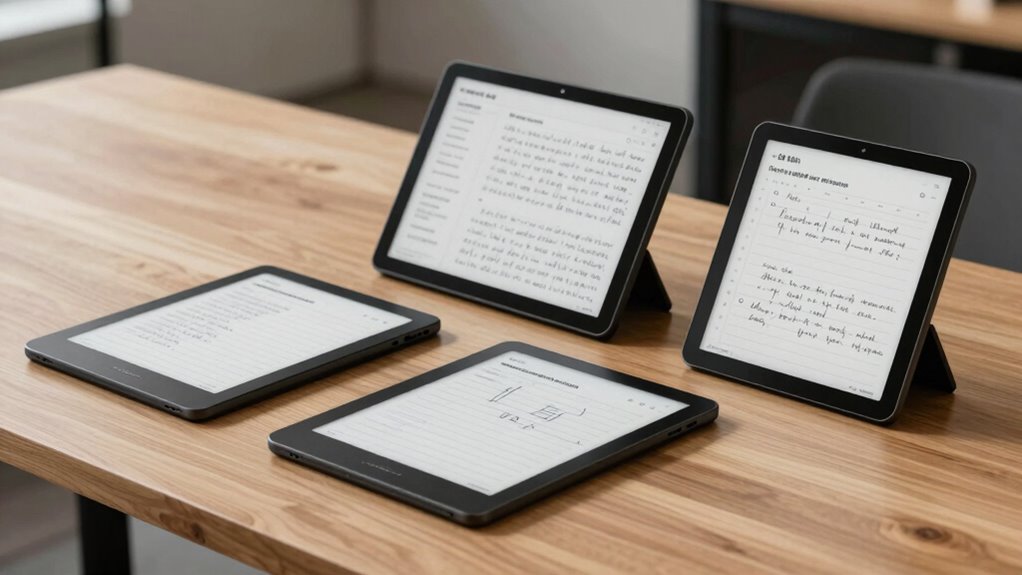

Choosing the perfect e ink note taking tablet in 2026 means balancing features like display quality, writing experience, and ecosystem compatibility. The Amazon Kindle Scribe 64GB stands out as the best overall for its paper-like display and AI tools, though it comes at a premium. The reMarkable Paper Pro offers a color display for creative tasks but is more fragile and costly. The VIWOODS AiPaper strikes a balance with a larger screen and AI organization tools, suited for those who need a versatile digital notebook. Each option has tradeoffs—whether it’s price, complexity, or feature set—that influence which is best for your specific note-taking needs.

Get business pricing on office and shipping supplies
- Business-only prices and quantity discounts
- Tax-exempt purchasing
- Multiple users, one account, clear invoices
Key Takeaways
- The Kindle Scribe excels in AI-powered features and a large, paper-like display but carries a higher price and no color support.
- The reMarkable Paper Pro offers a color, high-resolution display ideal for sketches and reading, but is more delicate and expensive.
- The VIWOODS AiPaper provides a larger, high-res screen with AI tools for organizing notes, suitable for users who want a versatile digital notebook.
- The iFLYTEK AINOTE Air 2 is best for professionals needing voice transcription and multilingual support, but its smaller size limits its use for detailed note work.
- All options involve tradeoffs between display size, ecosystem integration, price, and durability—matching each device to different user priorities is key.
| Amazon Kindle Scribe 64GB (Newest Model) with Premium Pen – Graphite |  | Best Overall for Paperless Notes | Storage: 64GB | Display: 11-inch glare-free paper-like display | Front Light: Yes, with adjustable warmth | VIEW ON AMAZON | See Our Full Breakdown |
| iFLYTEK AINOTE Air 2, 8.2-Inch E Ink Tablet with Black Folio Case |  | Best for Portable Notes and Voice Transcription | Display Size: 8.2 inches | Weight: 8.1 oz (230 g) | Display Technology: E Ink | VIEW ON AMAZON | See Our Full Breakdown |
| VIWOODS AiPaper 10.65″ AI E Ink Tablet, Digital Notebook Bundle with Pen |  | Best for Creative and Long-Form Notes | Display Size: 10.65 inches | Display Resolution: 2560 x 1920 | Stylus: W2 Stylus Pro with 4096 pressure levels | VIEW ON AMAZON | See Our Full Breakdown |
| reMarkable Paper Pro with Marker Plus |  | Best for Color and Sketching | Display: 11.8″ Canvas Color | Reading Light: Adjustable | Included Accessories: Marker Plus, eraser, tips | VIEW ON AMAZON | See Our Full Breakdown |
| reMarkable Paper Pro Bundle with Marker Plus and Mist Green Sleeve Folio |  | Best for Fast Note Conversion and Organization | Display Size: 10.3 inches | Display Type: Third-generation black-and-white paper display | Ink Latency: 21 ms | VIEW ON AMAZON | See Our Full Breakdown |
| top rated e ink note taking tablet for paperless note | Included Accessories | Display Size |
|---|---|---|
| Amazon Kindle Scribe 64GB | — | — |
| iFLYTEK AINOTE Air 2 | Black folio case | 8.2 inches |
| VIWOODS AiPaper 10.65" AI E In | Protective folio, replacement nibs, USB-C cable | 10.65 inches |
| reMarkable Paper Pro with Mark | Marker Plus, eraser, tips | — |
| reMarkable Paper Pro Bundle wi | Marker Plus, sleeve | 10.3 inches |
More Details on Our Top Picks
Amazon Kindle Scribe 64GB (Newest Model) with Premium Pen – Graphite
The Kindle Scribe stands out for its large 11-inch, glare-free, paper-like display that simulates traditional writing surfaces. It includes a Premium Pen that never needs charging and features a built-in eraser and shortcut button, making writing feel natural and responsive. Its AI-powered tools for summarizing, searching, and converting handwriting add real productivity value, especially for those who want an all-in-one digital notebook integrated with cloud services like Google Drive and OneDrive. Compared with the reMarkable models, it offers a larger screen and more advanced AI features but at a higher price point and without color support or creative sketching options. This makes it better suited to professionals or students seeking a versatile device for note organization and document management, rather than artistic work.
Pros:- Paper-like textured display for natural writing
- Premium Pen with no charging needed and built-in eraser
- AI tools for summarization and handwriting conversion
- Long battery life with weeks of use
Cons:- Premium price point compared to standard e-readers
- Limited to note-taking and document management, no tablet apps
- No color support or advanced multimedia features
Best for: Professionals and students who want a comprehensive, AI-enhanced note-taking device with a large display.
Not ideal for: Creative users or those seeking color support and artistic features, or budget-conscious buyers who prefer simpler devices.
- Storage:64GB
- Display:11-inch glare-free paper-like display
- Front Light:Yes, with adjustable warmth
- Thickness:5.4mm
- Weight:400g
- Included Pen:Premium Pen (no charging required, built-in eraser)
- Battery Life:Weeks per charge
Our verdict“A top choice for serious note-takers needing AI features and a large, high-quality display, despite its premium cost.”
iFLYTEK AINOTE Air 2, 8.2-Inch E Ink Tablet with Black Folio Case
The iFLYTEK AINOTE Air 2 offers an compact 8.2-inch display with a lightweight design, perfect for on-the-go note-taking, meetings, and reading. Its real-time voice-to-text transcription and multilingual translation features make it stand out for professionals who need quick, accurate transcription and language support. The device’s pressure-sensitive display with 4,096 levels provides a natural writing experience, and the AI meeting summaries boost productivity. Compared to larger tablets like the Kindle Scribe or VIWOODS AiPaper, this model sacrifices screen real estate for portability, which can be a drawback for detailed note-taking or drawing. The smaller size and occasional page refresh artifacts may frustrate users seeking a more seamless experience.
Pros:- Natural paper-like experience with pressure sensitivity
- Supports voice transcription in 18 languages
- Multilingual translation and AI meeting summaries
- Lightweight and portable design
Cons:- Small 8.2-inch display limits detailed note-taking
- Page refresh artifacts may occur during scrolling
- Features like voice transcription cannot run simultaneously with handwriting-to-text
Best for: Busy professionals and students who prioritize voice transcription and portability for meetings and quick notes.
Not ideal for: Users who want a larger screen for detailed writing or artistic work, or those who need color support.
- Display Size:8.2 inches
- Weight:8.1 oz (230 g)
- Display Technology:E Ink
- Pressure Sensitivity:4,096 levels
- Battery Life:Long-lasting
- Included Accessories:Black folio case
Our verdict“Ideal for professionals needing compact, voice-enabled note-taking, but less suited for extensive or detailed writing tasks.”
VIWOODS AiPaper 10.65″ AI E Ink Tablet, Digital Notebook Bundle with Pen
The VIWOODS AiPaper offers a sizable 10.65-inch high-resolution display that closely mimics paper, making it ideal for long-form reading, detailed notes, and sketches. Its responsive stylus with 4096 pressure levels supports precise writing and drawing, and the bundle includes accessories like a protective cover, replacement nibs, and a USB-C cable. Its AI tools help organize, translate, and summarize content, adding significant value for users managing large amounts of information. Compared to the smaller iFLYTEK AINOTE, its larger display enhances usability for creative work but introduces a slightly bulkier form factor. The natural latency of E Ink refresh may cause slight delays, however, which can impact fast-paced note-taking or sketching.
Pros:- High-resolution, paper-like display reduces glare
- Stylus with high pressure sensitivity for detailed notes and sketches
- AI tools for content organization and translation
- Includes comprehensive bundle with accessories
Cons:- Natural refresh latency can cause slight writing delays
- Requires familiarity with digital note-taking tools
- Larger size may be less portable for some users
Best for: Creative professionals, students, or anyone needing a large, high-res, paper-like display for extended writing or sketching sessions.
Not ideal for: Users who prefer quick, instant feedback during writing or require color support for visual projects.
- Display Size:10.65 inches
- Display Resolution:2560 x 1920
- Stylus:W2 Stylus Pro with 4096 pressure levels
- Pen Gap:750 microns
- Storage:128GB
- Included Accessories:Protective folio, replacement nibs, USB-C cable
Our verdict“Best for users who prioritize a large, natural writing experience with AI support, accepting some refresh latency for the benefit of detailed work.”
reMarkable Paper Pro with Marker Plus
The reMarkable Paper Pro is a sleek, ultra-slim device featuring an 11.8-inch color display with adjustable lighting, designed to deliver a realistic paper experience. Its Marker Plus stylus with built-in eraser and spare tips makes sketching and writing feel natural, especially with the realistic friction of the low-glare display. It excels for users who want to combine note-taking with visual creativity, thanks to its color support and PDF annotation capabilities. Compared with the black-and-white reMarkable Paper Pro Bundle, this model’s color display opens creative possibilities but makes it more fragile and costly. The device’s slim design can be less durable if mishandled, and the color support comes at a premium, limiting its appeal for purely text-based users.
Pros:- Color display for sketches and annotations
- Realistic friction and low-glare surface for natural writing
- Supports handwriting-to-text and PDF annotation
- Adjustable reading light for day or night use
Cons:- More delicate and expensive than black-and-white models
- Ultra-slim design may reduce durability
- Limited to note-taking and sketching, not a full tablet
Best for: Creative professionals or students who need color support and a natural writing feel for sketches and notes.
Not ideal for: Those seeking a rugged device or primarily focused on text-only note-taking without color.
- Display:11.8″ Canvas Color
- Reading Light:Adjustable
- Included Accessories:Marker Plus, eraser, tips
- Color Support:Yes
- ASIN:B0DG9ZXWMK
Our verdict“A top pick for creative users who want color support and a natural paper-like feel, accepting lower durability and higher cost.”
reMarkable Paper Pro Bundle with Marker Plus and Mist Green Sleeve Folio
The reMarkable Paper Pro Bundle features a 10.3-inch black-and-white display with an impressively low ink latency of 21 ms, making handwriting feel very natural. Its third-generation display offers higher contrast and improved whiteness, ideal for note organization, document review, and focused meetings. Integrated with cloud services like Google Drive, Dropbox, and Microsoft Word, it allows seamless note sharing and editing. The device’s main advantage lies in its speed and broad ecosystem support, making it suitable for users who want a reliable, fast digital paper solution. However, the black-and-white display limits visual creativity, and the premium subscription for unlimited cloud storage and advanced features adds ongoing costs.
Pros:- Fast 21 ms ink latency for a natural writing feel
- High contrast, third-generation display
- Converts handwriting to editable text
- Supports extensive cloud integration
Cons:- Requires subscription for full cloud features
- Black-and-white only, limiting visual creativity
- More expensive due to premium features
Best for: Users who prioritize fast, natural handwriting with broad cloud integration for document management.
Not ideal for: Creative work requiring color or sketching, or those seeking a more versatile tablet for multimedia use.
- Display Size:10.3 inches
- Display Type:Third-generation black-and-white paper display
- Ink Latency:21 ms
- Included Accessories:Marker Plus, sleeve
- Connectivity:Cloud services (Google Drive, Dropbox, MS Word)
Our verdict“An excellent choice for productivity-focused users who want quick, organized notes with seamless cloud support, despite the lack of color.”
How We Picked
Our selection process focused on devices specifically designed for paperless note-taking with e ink technology, prioritizing display quality, writing experience, and ecosystem support. We evaluated each model for its core strengths, compatibility with common workflows, and value relative to price. Devices with specialized features like AI tools, color support, or extensive integration were favored for their unique advantages, while tradeoffs such as fragility or cost helped differentiate the lineup. Our goal was to identify options that serve various user needs—whether casual, professional, or creative—while maintaining a clear hierarchy based on overall usefulness and quality in the note-taking context.
| top rated e ink note taking tablet for paperless note | Included Accessories |
|---|---|
| Amazon Kindle Scribe 64GB | — |
| iFLYTEK AINOTE Air 2 | Black folio case |
| VIWOODS AiPaper 10.65" AI E In | Protective folio, replacement nibs, USB-C cable |
| reMarkable Paper Pro with Mark | Marker Plus, eraser, tips |
| reMarkable Paper Pro Bundle wi | Marker Plus, sleeve |
Factors to Consider When Choosing Top Rated E Ink Note Taking Tablet For Paperless Notes
Selecting the right e ink note taking tablet depends on your specific needs—whether you prioritize a large, paper-like display, AI tools, color, or portability. Understanding the tradeoffs between screen size, ecosystem support, and durability can help you make an informed choice.Display Size and Quality
Consider how much space you need for writing and reading. Larger screens like the 11-inch models mimic paper and support extensive notes, but can be bulkier. Smaller devices like the 8.2-inch iFLYTEK are more portable but limit detailed work. High-resolution screens with a paper-like texture improve writing comfort and reduce eye strain, especially during long sessions.
Stylus and Writing Experience
The responsiveness of the stylus and pressure sensitivity are key to a natural feel. Devices like the VIWOODS AiPaper and reMarkable support high pressure levels for sketches, while the Kindle Scribe’s built-in eraser and shortcut buttons add convenience. Be aware that some styluses work exclusively with their devices, which can limit flexibility.
Ecosystem and Compatibility
Think about how your notes will integrate with your workflow. Cloud support, handwriting-to-text conversion, and app compatibility influence productivity. Devices like the Kindle Scribe and reMarkable offer robust cloud integration, while AI tools in the iFLYTEK and VIWOODS models enhance organization. Compatibility with other apps or services can streamline your digital workflow.
Durability and Portability
Portable devices like the iFLYTEK AINOTE or the compact reMarkable are ideal for on-the-go use but may be more fragile due to their size or materials. Larger devices provide a better writing surface but may be less convenient to carry. Consider your environment and whether you need rugged protection or lightweight design.
Price and Value
Prices vary based on features like color support, AI tools, and ecosystem integration. Premium devices like the Kindle Scribe and reMarkable color models come at a higher cost but deliver advanced features. Budget options like the iFLYTEK focus on transcription and portability. Assess which features are most important for your workflow to ensure value for your investment.
Frequently Asked Questions
Can I use these e ink tablets for artistic sketches?
Yes, models like the VIWOODS AiPaper and reMarkable Paper Pro support detailed sketches with high-pressure styluses and color options. The color-enabled reMarkable is especially suited for creative work, though it’s more fragile and expensive. If your primary goal is art, look for devices with larger screens, color support, and responsive styluses designed for drawing.
How long does the battery typically last on these devices?
Most of these e ink note-taking tablets are designed for long-lasting use, with battery lives ranging from several weeks to a month on a single charge. The Kindle Scribe, for example, can last for weeks due to its e-ink display and efficient power use. The reMarkable models and VIWOODS AiPaper also excel at low power consumption, making them ideal for extended use without frequent charging.
Are these devices suitable for students and professionals?
Absolutely. Devices like the Kindle Scribe and reMarkable are tailored for note-taking, document review, and organization, making them perfect for students and professionals. The AI tools and cloud integrations enhance productivity, while portability allows for use in various environments. However, creative users seeking color or multimedia features should consider specialized tablets or hybrid devices.
Do these tablets support handwriting-to-text conversion?
Most of these e ink tablets include handwriting-to-text features; the Kindle Scribe, reMarkable, and VIWOODS AiPaper all support converting handwritten notes into editable text. The iFLYTEK AINOTE also offers this feature, along with voice transcription, making it versatile for capturing ideas quickly. The quality and accuracy of these conversions vary, but they generally improve with software updates and practice.
Is color support important for note-taking devices?
Color support is mainly beneficial if you plan to do sketches, diagrams, or visual projects. The reMarkable Color supports color, but black-and-white devices like the reMarkable Paper Pro Bundle and the third-generation reMarkable excel at high-contrast, low-glare reading and note-taking. For most text-based uses, monochrome screens provide clearer, more durable experiences at a lower cost.
Conclusion
For those who want a versatile, AI-enhanced device with a large, paper-like display, the Kindle Scribe makes an excellent choice despite its premium price. Creative users or artists should consider the reMarkable Color or VIWOODS AiPaper for their color and sketching capabilities. Professionals seeking quick, organized notes with seamless cloud integration will find the reMarkable Paper Pro ideal, especially if fast handwriting conversion is a priority. Budget-conscious users or those new to digital note-taking might prefer the compact, portable iFLYTEK AINOTE Air 2. Each device’s strengths and limitations align with different workflows, so matching your specific needs with these tradeoffs will lead to the best choice for your paperless note-taking journey in 2026.
Halloween Picks
halloween
As an affiliate, we earn on qualifying purchases.