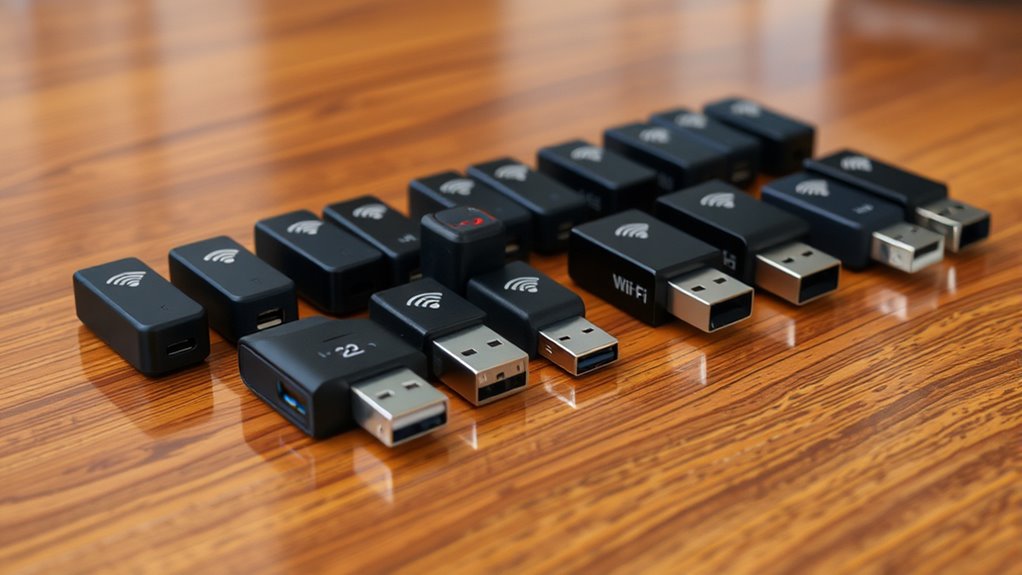

Finding the right USB WiFi adapter can significantly improve your internet connection, whether you need faster speeds, better range, or easier setup. The best options vary from compact models for travel to high-end adapters with WiFi 6 and WiFi 6E support. The key tradeoffs often involve balancing speed, compatibility, and price. Higher-performance adapters tend to be more expensive and sometimes require more setup, while budget models may lack the latest standards or range. Continue reading to see the top picks and what sets each apart in this crowded category.

Get business pricing on office and shipping supplies
- Business-only prices and quantity discounts
- Tax-exempt purchasing
- Multiple users, one account, clear invoices
Key Takeaways
- The top-performing adapters combine WiFi 6/6E support with multi-band capabilities for future-proofing.
- Price varies significantly based on speed, features, and build quality, making it important to match your needs with your budget.
- Compact, travel-friendly designs often trade durability and antenna options for portability and simplicity.
- Most high-speed adapters require USB 3.0 or higher to reach their full potential, so check your device ports.
- Compatibility with Windows and Mac varies; some adapters support a broad range, while others are more limited.


| usb wifi adapter | Compatibility |
|---|---|
| TP-Link AC1300 USB WiFi Adapte | — |
| USB WiFi Adapter | — |
| TP-Link AC1300 USB WiFi Adapte | — |
| TP-Link 2-in-1 USB Bluetooth W | — |
| TP-Link Nano AC600 USB WiFi Ad | — |
| TP-Link Archer T3U Nano AC1300 | Windows 11, 10, 8.1, 8, 7, MacOS 10.15 and earlier |
| NETGEAR Nighthawk WiFi 6E USB | — |
| UGREEN WiFi Adapter for Deskto | Windows 10/11 |
| NETGEAR Nighthawk WiFi 6 USB 3 | Windows 10 & 11 |
| Tenda WiFi Adapter for Desktop | Windows 7, 10, 11 (x86/x64) |
| USB WiFi 6 Adapter for PC and | Windows 10/11 |
| Nineplus Wireless USB WiFi Ada | Windows 7/8/8.1/10/11 |
| TP-Link WiFi 6 USB Adapter for | Windows 10, 11 |
| TP-Link Archer TX30U Plus WiFi | Windows 11/10 |
More Details on Our Top Picks
TP-Link AC1300 USB WiFi Adapter (Archer T3U) – Dual Band Wireless Network Dongle for PC & Mac
This TP-Link AC1300 adapter stands out for its combination of high speeds and broad compatibility, supporting dual-band 2.4GHz and 5GHz with speeds up to 1300 Mbps. Compared to the TP-Link T2U Nano, it offers faster data transfer and MU-MIMO, making it suitable for high-bandwidth tasks like streaming and gaming. However, it’s limited to recent Windows versions and Mac OS X 10.14 and earlier, which could be a drawback for older systems. Its compact size and USB 3.0 interface make it portable and quick to connect, while beamforming technology enhances signal stability. The main tradeoff is that it requires a USB 3.0 port for optimal performance, and some users report setup issues on legacy systems. Nonetheless, this pick is ideal for users needing reliable, dual-band WiFi on newer computers with broad OS support.
Pros:- Supports dual-band 2.4GHz and 5GHz for flexible usage
- High data transfer speed of up to 1300 Mbps
- Compact and portable design with USB 3.0
Cons:- Limited OS support for older Mac and Windows versions
- Requires USB 3.0 port for maximum performance
Best for: Users with Windows 10/11 or macOS 10.9-10.14 seeking high-speed, dual-band connectivity for desktop or laptop use.
Not ideal for: Owners of older systems or those on Linux, as it lacks support for these platforms and may involve complex setup procedures.
- Hardware Interface:Micro USB 3.0 Type B
- Data Transfer Rate:1300 Mbps
- Compatible Devices:Desktops, laptops
- Supported Operating Systems:Windows 11, 10, 8.1, 8, 7, XP, Mac OS X 10.9-10.14
- Item Dimensions:0.78″L x 0.41″W x 1.59″H
- Item Weight:0.02 lbs
Our verdict“This adapter makes the most sense for users with recent Windows or Mac OS systems who prioritize speed and portability.”
USB WiFi Adapter, AC600 Mbps Dual Band 2.4/5GHz Wireless Mini Network Adapter 802.11
This AC600 Mbps dual-band adapter emphasizes portability with its tiny footprint, measuring just 0.59″L x 0.27″W x 1.14″H, making it ideal for travel and small spaces. It supports both 2.4GHz and 5GHz bands, offering reliable speeds up to 600 Mbps, which is suitable for everyday browsing and light streaming. Compared with the TP-Link T3U, it sacrifices some speed for a more diminutive form factor and works across Windows, Mac OS 10.12, and Linux, broadening its appeal. The main downside is that it lacks an included driver CD, requiring online downloads, which could be inconvenient. Its slim design means it’s less likely to be bumped or knocked out, but its signal range might not match larger adapters with external antennas. This is a good choice for users prioritizing size and multi-OS support over maximum speed or range.
Pros:- Extremely compact and lightweight for portability
- Supports dual-band 2.4GHz and 5GHz for versatile use
- Compatible with Windows, Mac, and Linux
Cons:- Driver installation relies on online download, which can be slow
- Limited signal range due to small size
Best for: Travelers or students who need a small, compatible WiFi solution for multiple operating systems.
Not ideal for: Power users needing high-speed, long-range connections for gaming or 4K streaming, due to its limited speed and range.
- Hardware Interface:USB
- Data Link Protocol:IEEE 802.11n
- Data Transfer Rate:600 Mbps
- Compatible Devices:Desktops, laptops
- Compatible Operating System Family:Windows, Mac OS 10.12, Linux
- Item Dimensions:0.59″L x 0.27″W x 1.14″H
Our verdict“Ideal for on-the-go users who value size and OS flexibility over maximum speed or range.”
TP-Link AC1300 USB WiFi Adapter for Desktop PC, Dual Band Wireless Network Adapter with High Gain Antennas
This TP-Link AC1300 model, known as Archer T3U Plus, offers high-speed dual-band WiFi with speeds up to 867 Mbps on 5 GHz and 400 Mbps on 2.4 GHz. The external high-gain antennas significantly boost signal strength and range, making it well-suited for desktop setups where coverage is a concern. Its MU-MIMO technology reduces network congestion, and the simple setup process appeals to most users. Compared to the T2U Nano, it delivers faster speeds and better range, though the external antennas add some size and may not fit in tight spaces. USB 3.0 ensures fast data transfer, but the external antennas may be bulky for minimal desk setups, and compatibility with older macOS versions can be limited. This model caters to users demanding both speed and extended coverage for stationary desktop use.
Pros:- High-speed dual-band WiFi with up to 867 Mbps on 5 GHz
- External high-gain antennas improve signal strength and range
- Supports MU-MIMO technology for better network efficiency
Cons:- External antennas may be bulky for small desk setups
- Limited compatibility with older macOS versions
Best for: Desktop users seeking high speeds and improved range with external antennas for stable, high-bandwidth connections.
Not ideal for: Laptop users or those with limited space who prefer compact, integrated solutions, as the antennas add bulk.
- Model:Archer T3U Plus
- Wireless Standard:AC1300
- Frequency Bands:2.4 GHz and 5 GHz
- Max Speed:867 Mbps on 5 GHz, 400 Mbps on 2.4 GHz
- Antenna:High Gain External Antennas
- Connectivity:USB 3.0
Our verdict“This adapter makes the most sense for stationary desktop users prioritizing speed and extended coverage.”
TP-Link 2-in-1 USB Bluetooth WiFi Adapter Archer TX10UB Nano AX900 WiFi 6 BT 5.3 for Desktop PC
The Archer TX10UB Nano combines WiFi 6 and Bluetooth 5.3 in a tiny USB device, supporting dual-band WiFi speeds up to 900 Mbps. This makes it highly suitable for users who want a single, compact dongle that handles fast, secure WiFi and Bluetooth peripherals without cluttering their desk. Compared to the AC1300 adapters like the T3U, it offers WiFi 6’s improved efficiency, security via WPA3, and Bluetooth 5.3 for low-latency connections. The main limitation is that Bluetooth is only compatible with Windows 10 and 11, and it’s not suitable for Mac or Linux users. Its small size makes it perfect for travel or minimal setups, but the lack of external antennas means it might not deliver the same range as larger, more traditional adapters. This pick is ideal for tech-savvy users who want a sleek, all-in-one wireless solution.
Pros:- Supports WiFi 6 with speeds up to 900 Mbps
- Built-in Bluetooth 5.3 for low-latency connections
- Extreme compact size for travel and clutter-free setups
Cons:- Bluetooth only compatible with Windows 10 and 11
- Limited range due to small form factor and no external antenna
Best for: Desktop users seeking a compact, future-proof device with WiFi 6 and Bluetooth 5.3 for everyday high-speed wireless and peripheral connectivity.
Not ideal for: Users needing extensive range or using older macOS or Linux systems, as compatibility is limited to Windows 10/11.
- WiFi Standard:AX900 WiFi 6
- Bluetooth Version:5.3
- Max WiFi Speed:900 Mbps
- Frequency Bands:2.4 GHz, 5 GHz
- Security Protocol:WPA3
- Size:Travel size
Our verdict“Perfect for Windows users who want a sleek, dual-function device combining WiFi 6 and Bluetooth 5.3 in a tiny package.”
TP-Link Nano AC600 USB WiFi Adapter(Archer T2U Nano)- 2.4G/5G Dual Band Wireless Network Transceiver for PC Desktop, Travel Size, Supports Windows (11,10, 8.1, 8, 7, XP/Mac OS X 10.9-10.14)
The Archer T2U Nano offers dual-band WiFi up to 433 Mbps on 5 GHz and 200 Mbps on 2.4 GHz, all in a tiny, travel-friendly design. It’s a solid choice for users who need reliable internet without adding bulk, especially for laptops or portable setups. Compared to the larger AC1300 adapters like the T3U, it sacrifices some speed for a much smaller footprint, making it ideal for on-the-go use. Setup involves driver installation from TP-Link’s website, which might be inconvenient for some, but it supports a wide range of Windows and Mac OS X 10.9-10.14 systems. The tradeoff is that it offers less speed and range than higher-end models, but for basic browsing, streaming, or remote work, it performs adequately. This is most suitable for travelers or casual users who prioritize portability over maximum performance.
Pros:- Ultra-compact, travel-sized design
- Supports dual-band WiFi for flexible use
- Compatible with Windows and Mac OS X 10.9-10.14
Cons:- Requires driver download and manual setup
- Lower speeds and range compared to larger adapters
Best for: Travelers or students who need a tiny, dual-band WiFi adapter that works across multiple OS and doesn’t take up space.
Not ideal for: Power users or gamers seeking high-speed, long-range connections, as it offers moderate speeds and range.
- Hardware Interface:USB 2.0
- Data Transfer Rate:433 Mbps on 5 GHz, 200 Mbps on 2.4 GHz
- Compatible Devices:PC, desktop, travel
- Supported Operating Systems:Windows 11/10/8.1/8/7, Mac OS X 10.9-10.14
- Item Dimensions:0.73″L x 0.59″W x 0.28″H
- Item Weight:1.76 grams
Our verdict“This adapter is best suited for on-the-move users who want a tiny, dual-band WiFi solution that’s easy to carry and compatible with multiple OS.”
TP-Link Archer T3U Nano AC1300 USB WiFi Adapter for PC
This tiny adapter stands out for its discreet, nano-sized design, making it ideal for users who want a barely-there device. Compared with bulkier options like the TP-Link AC1300 Archer T2U Plus, it sacrifices some range and speed for portability, but still supports dual-band AC1300 speeds and modern security protocols like WPA3. Its MU-MIMO technology enhances network efficiency, especially in crowded environments, but its reliance on USB 2.0 ports can limit maximum throughput on older machines. Driver installation can also be a hurdle for less tech-savvy users. This pick makes the most sense for travelers or those needing a non-intrusive adapter for everyday use.
Pros:- Compact, discreet nano-sized design for portable use
- Supports dual-band Wi-Fi for flexible connectivity
- Compatible with Windows and MacOS, with MU-MIMO for better efficiency
Cons:- Limited to USB 2.0 ports, potentially affecting speed
- Requires driver installation on some systems
- Maximum speed varies with environment
Best for: Users who need a highly portable, discreet WiFi solution for laptops or desktops frequently on the move
Not ideal for: Power users or gamers seeking maximum range and speed, as the nano design limits performance in challenging environments
- Wireless Standard:AC1300 Dual Band
- Speed:867 Mbps on 5 GHz, 400 Mbps on 2.4 GHz
- Compatibility:Windows 11, 10, 8.1, 8, 7, MacOS 10.15 and earlier
- Technology:MU-MIMO, 256-QAM
- Security:WPA3
Our verdict“This adapter is perfect for users prioritizing portability over raw performance.”
NETGEAR Nighthawk WiFi 6E USB 3.0 Adapter (A8000) – AXE3000 Tri-Band Wireless Gigabit Speed (Up to 3Gbps)
This adapter offers blazing fast speeds with WiFi 6E support, making it ideal for heavy streaming, gaming, or large file transfers. Its flexible antenna and USB 3.0 interface ensure easy setup and strong signal, standing out against older or less capable WiFi 5 adapters like the NETGEAR A7500. However, to access the 6GHz band, a WiFi 6E or compatible router is required, limiting its usefulness with older networking gear. Compatibility is restricted to Windows 10 and above, so Mac or Linux users should skip this model. Despite its portability, the focus on high-speed performance makes it less suited for casual or budget-conscious users. This pick makes the most sense for tech-savvy users with existing WiFi 6E infrastructure seeking maximum speed.
Pros:- Supports WiFi 6E for ultra-fast speeds and future-proofing
- Flexible, adjustable antenna for optimal placement
- Plug-and-play setup with USB 3.0 interface
Cons:- Requires WiFi 6E router or mesh system to access 6GHz band
- Limited to Windows OS, excluding Mac and Linux
- No additional ports or Ethernet options
Best for: Power users with WiFi 6E routers who need ultra-fast, reliable connections for demanding tasks
Not ideal for: Users with older routers or non-Windows systems, as they won’t leverage the speed capabilities
- Hardware Interface:USB 3.0
- Data Transfer Rate:1201 Mbps
- Compatible Devices:Laptop
- Minimum OS:Windows 10
- Dimensions:3.66″L x 1.24″W x 0.57″H
- Color:Black
Our verdict“Best suited for users with current WiFi 6E infrastructure seeking the fastest possible wireless speeds.”
UGREEN WiFi Adapter for Desktop PC, AX900 USB WiFi 6 Adapter with Dual Band 5GHz/2.4GHz
This WiFi 6 adapter offers solid performance for desktops, supporting dual-band speeds up to 600 Mbps on 5 GHz and 286 Mbps on 2.4 GHz. It’s a strong choice against older, single-band adapters like the TP-Link AC600, especially for desktop users who want a straightforward upgrade. Its built-in Windows drivers allow for quick setup, but it’s limited to Windows 10 and 11, excluding Mac and Linux users. The device’s range is typical for desktop adapters, with reliable performance within 30 feet, but environment obstacles can impact speeds. Its high-speed capabilities are best realized when paired with a WiFi 6 or newer router. This pick makes the most sense for Windows users upgrading from slower or outdated adapters.
Pros:- Supports WiFi 6 for faster, more efficient connections
- Easy plug-and-play installation on Windows 10/11
- Dual-band capability for versatile use
Cons:- Limited to Windows OS, no Mac/Linux support
- Range is restricted to about 30 feet
- Performance varies with environment and router quality
Best for: Desktop PC users seeking a simple, high-speed WiFi 6 upgrade on Windows systems
Not ideal for: Mac or Linux users, or those without a compatible WiFi 6 router, since maximum speeds depend on network infrastructure
- WiFi Standard:WiFi 6 (AX900)
- Speed:600 Mbps (5 GHz), 286 Mbps (2.4 GHz)
- Compatibility:Windows 10/11
- Encryption:WPA, WPA2
- Range:Within 30 ft
Our verdict“This adapter is ideal for Windows desktop users wanting a quick upgrade to WiFi 6 speeds at home or office.”
NETGEAR Nighthawk WiFi 6 USB 3.0 Adapter (A7500) – AX1800 Dual-Band Wireless Gigabit Speed
This adapter provides a cost-effective way to add WiFi 6 capabilities to older Windows devices, boosting speeds up to 1.8Gbps. Its flexible antenna improves signal reception, making it a practical upgrade over older WiFi 5 adapters like the NETGEAR A7500. While setup is straightforward, full benefits require a WiFi 5 or 6 router, and performance can vary depending on your network environment. Compatibility is limited to Windows 10 and 11, so Mac or Linux users should consider other options. It’s a balanced choice for those who want faster WiFi without replacing their entire setup. This pick makes the most sense for users with existing WiFi 5/6 routers looking to extend WiFi 6 speeds to older Windows computers.
Pros:- Boosts older Windows PCs to WiFi 6 speeds
- Flexible antenna for improved signal quality
- Plug-and-play USB 3.0 setup
Cons:- Limited to Windows, excluding Mac/Linux
- Performance depends on network conditions and router quality
- Requires existing WiFi 5 or 6 infrastructure for full benefit
Best for: Users with older Windows devices needing a simple upgrade to WiFi 6 speeds
Not ideal for: Users with Macs or Linux machines, or those seeking the latest WiFi 6E features, as they won’t see full benefit
- WiFi Standard:WiFi 6 (AX1800)
- Speed:Up to 1.8Gbps
- Connectivity:USB 3.0
- Compatibility:Windows 10 & 11
- Antenna:Flexible
Our verdict“This adapter offers a practical WiFi 6 upgrade path for legacy Windows devices without replacing hardware.”
Tenda WiFi Adapter for Desktop PC, AX900 USB WiFi Adapter with Dual Band 600Mbps 5GHz/286Mbps 2.4GHz, Built-in Driver for Windows 11/10/7
This Tenda AX900 stands out for its robust WiFi 6 performance, offering up to 600Mbps on 5GHz and 286Mbps on 2.4GHz, making it ideal for high-quality streaming and gaming. Compared with the Nineplus adapter, it provides a more modern WiFi 6 standard but falls short in range, requiring a compatible WiFi 6 router to reach maximum speeds. Its plug-and-play setup with pre-installed drivers on Windows simplifies installation, yet it’s incompatible with macOS and older Windows versions, limiting flexibility. For users seeking high-speed desktop WiFi with straightforward setup, this model is a reliable choice, but those with legacy systems or macOS should consider alternatives.
Pros:- Supports WiFi 6 (802.11ax) for future-proof high-speed performance
- Pre-installed drivers enable quick, plug-and-play setup
- Supports WPA and WPA2 encryption for secure connections
Cons:- Limited compatibility with macOS and older Windows versions
- Maximum speed depends on having a WiFi 6 router
- Optimal signal range is within approximately 30 feet
Best for: Desktop users with Windows 10/11 who need high-speed WiFi 6 performance and easy installation.
Not ideal for: Mac or Linux users, or those with older Windows systems like Windows 8.1, as it lacks support and may require additional configuration.
- WiFi Standard:WiFi 6 (802.11ax)
- Max Speed:600Mbps (5GHz), 286Mbps (2.4GHz)
- Compatibility:Windows 7, 10, 11 (x86/x64)
- Driver:Pre-installed, plug-and-play
- Encryption:WPA, WPA2
Our verdict“This adapter is best suited for Windows desktop users wanting easy WiFi 6 connectivity with minimal setup effort.”
USB WiFi 6 Adapter for PC and Laptop, 900Mbps Dual Band 2.4/5GHz with Bluetooth 5.3, Plug & Play, Windows 10/11 Compatible
This compact adapter offers impressive dual-band WiFi 6 speeds up to 900Mbps, making it perfect for users who prioritize portability without sacrificing performance. Unlike the Nineplus with its high-gain antennas, this model’s small nano design is ideal for laptop users who want a less obtrusive device. Its Bluetooth 5.3 support allows connecting multiple peripherals simultaneously, adding extra convenience. The plug-and-play setup on Windows 10/11 eliminates the need for driver installation, but it’s limited to these OS versions and may see performance variation depending on environment. It’s better suited for users seeking a discrete, high-speed WiFi solution, but less so for those needing extensive range or using older systems.
Pros:- High-speed WiFi 6 (900Mbps) for fast streaming and data transfers
- Compact nano design for portability and convenience
- Supports Bluetooth 5.3 for multiple device connections
Cons:- Limited to Windows 10/11; incompatible with older OS
- Performance may vary with environment and device conditions
- Less effective for long-range connections
Best for: Laptop users who need a portable, high-speed WiFi 6 adapter with Bluetooth for multiple devices.
Not ideal for: Users on Windows 7 or older OS versions, or those requiring long-range signals, as it’s limited in compatibility and range.
- Wireless Speed:900 Mbps
- Bands:2.4 GHz and 5 GHz
- Bluetooth:5.3
- Compatibility:Windows 10/11
- Driver:Driver-free
- Size:Nano
Our verdict“This pick is ideal for mobile users who want a sleek, high-speed WiFi 6 and Bluetooth combo on Windows devices.”
Nineplus Wireless USB WiFi Adapter for PC – 1300Mbps Dual 5dBi Antennas 5G/2.4G WiFi Adapter for Desktop and Laptop
The Nineplus Wireless USB Adapter excels with its high-speed 1300Mbps dual-band performance, ideal for demanding gaming or streaming. Its dual 5dBi antennas significantly boost signal reception and range, outperforming more compact options like the TP-Link Archer TX30U Plus in environments with obstacles or larger spaces. The USB 3.0 interface ensures fast data transfer, but it’s limited strictly to Windows systems, and driver installation might be necessary for some setups. Compared to other adapters like the TP-Link Archer TX20U Plus, it offers better long-range stability at the cost of a larger physical size and potential setup complexity. This is a solid choice for users requiring reliable, long-distance connections on Windows desktops or laptops.
Pros:- High-speed 1300Mbps dual-band WiFi for intensive tasks
- Dual 5dBi high-gain antennas for enhanced range and stability
- USB 3.0 support for fast data transfer
Cons:- Limited to Windows OS, no Mac/Linux support
- Larger physical size may be inconvenient for portable setups
- Driver installation may be necessary for some Windows versions
Best for: Gamers and streamers who need strong, stable WiFi connections over larger distances on Windows PCs.
Not ideal for: Mac or Linux users, or those with very limited physical space, as it’s bulkier and not compatible with all OS.
- Wireless Speed:1300Mbps
- Frequency Bands:2.4GHz and 5GHz
- Antennas:Dual 5dBi high-gain
- USB Interface:USB 3.0
- Compatibility:Windows 7/8/8.1/10/11
Our verdict“This adapter suits gamers and streamers who prioritize long-range stability and high data rates on Windows systems.”
TP-Link WiFi 6 USB Adapter for Desktop PC (Archer TX20U Plus) AX1800 Wireless Network Adapter with Dual Band 5dBi Antennas, WPA3, Supports Windows 11/10
The TP-Link Archer TX20U Plus offers AX1800 speeds with dual-band support, making it a strong candidate for gaming, streaming, and heavy downloads. Its dual high-gain antennas provide flexibility in placement, improving signal range compared to simpler models like the B0FDVTN3MK. The inclusion of WPA3 security adds an extra layer of protection, although it requires manual driver setup on Mac OS, limiting immediate usability outside Windows. While it’s a reliable, secure choice for Windows desktops, its performance hinges on a compatible WiFi 6 router, and it doesn’t support other OS out-of-the-box. For users wanting high speed and security in a desktop environment, this model strikes a good balance, but Windows-only compatibility could be a restriction for some.
Pros:- Supports AX1800 WiFi 6 speeds for high-quality streaming and gaming
- Dual high-gain antennas for better range and signal stability
- WPA3 security for advanced network protection
Cons:- Requires manual driver installation for Mac OS
- Limited to Windows 10/11 without additional setup
- Performance depends on WiFi 6 router compatibility
Best for: Windows desktop users needing fast WiFi 6 with enhanced security for gaming and streaming.
Not ideal for: Users with Mac or Linux systems, or those seeking plug-and-play solutions without manual driver setup.
- WiFi Standard:WiFi 6 (AX1800)
- Max Speed:1201 Mbps on 5GHz, 574 Mbps on 2.4GHz
- Antenna:Dual high-gain 5dBi
- Security:WPA3
- Compatibility:Windows 10, 11
Our verdict“Ideal for Windows users who want fast, secure WiFi 6 connectivity with flexible antenna placement.”
TP-Link Archer TX30U Plus WiFi 6 USB Adapter – AX1800 Dual-Band, Plug and Play, Supports Windows 11/10
The TP-Link Archer TX30U Plus provides fast AX1800 WiFi 6 speeds with dual-band support, making it suitable for users who want reliable, high-speed internet without complex setup. Its high-gain antennas and beamforming technology enhance coverage and stability compared to more basic models like the B0FDVTN3MK. Unlike the TP-Link Archer TX20U Plus, the TX30U Plus emphasizes a true plug-and-play experience, preloaded drivers, and a simple installation process. However, it only supports Windows 10/11, limiting its appeal for users on other systems. For those seeking straightforward, high-performance WiFi 6 on Windows, this adapter offers a well-rounded package with minimal fuss.
Pros:- Supports fast WiFi 6 dual-band speeds for seamless streaming
- High-gain antennas and beamforming improve coverage and stability
- Preloaded drivers enable effortless plug-and-play setup
Cons:- Limited to Windows 10 and 11, no other OS support
- Requires USB 3.0 port for optimal performance
- No additional ports or Ethernet features
Best for: Windows 10/11 users wanting an easy-to-install, dual-band WiFi 6 adapter for gaming or streaming.
Not ideal for: Users on older OS versions or seeking multi-operating system support, as it’s designed primarily for Windows and requires USB 3.0.
- WiFi Standard:AX1800
- Dual Band:Yes
- Antenna:2× High Gain Dual-Band
- Security:WPA3
- Compatibility:Windows 11/10
Our verdict“This adapter is an excellent choice for Windows users seeking fast, easy WiFi 6 connectivity with reliable coverage.”

How We Picked
I evaluated each USB WiFi adapter based on performance, build quality, ease of installation, and value for the price. Speed benchmarks, compatibility with the latest wireless standards (such as WiFi 6 and WiFi 6E), and antenna design played key roles. I also considered user reviews and real-world usability, prioritizing adapters that offer consistent connectivity with minimal setup. The ranking reflects a balance of raw speed, versatility, and affordability, aiming to recommend options for different needs—from casual users to demanding gamers and professionals.Factors to Consider When Choosing Usb Wifi Adapters
When choosing a USB WiFi adapter, several factors influence your experience. It’s important to think about speed requirements, device compatibility, and the physical design of the adapter. Understanding these elements can help avoid common pitfalls, such as buying an adapter that doesn’t support your WiFi standard or one that isn’t compatible with your operating system. The right choice depends on your specific use case—whether you need ultra-fast speeds for gaming or a reliable, straightforward connection for everyday browsing.Speed and Wireless Standards
Speed is a key factor, especially if you stream high-definition content or game online. Look for adapters supporting WiFi 6 or WiFi 6E for faster, more reliable connections, particularly in busy networks. Keep in mind that the actual speeds depend on your router and internet plan, but a compatible adapter ensures you’re not bottlenecked. Older standards like WiFi 4 or 5 may suffice for basic tasks but can limit future-proofing and overall performance.
Compatibility and Operating Systems
Not all adapters work seamlessly across Windows, Mac, or Linux. Check the manufacturer’s specifications to confirm compatibility with your OS version. Some adapters include plug-and-play support, while others may require driver installations, which can be tricky on certain systems. Consider your technical comfort level and whether automatic driver updates are supported to reduce setup hassle.
Antenna Design and Range
The presence of external antennas generally improves signal strength and range, especially for larger spaces or complex layouts. Compact, travel-sized adapters often forgo antennas, which can reduce their effective coverage. If your environment has many obstacles or you need a stable connection at longer distances, prioritize models with high-gain antennas or dual-band support.
Build Quality and Portability
Durability matters, particularly if you plan to carry your adapter around frequently. Metal or reinforced plastic builds tend to last longer, while cheaper plastic models may break or malfunction more easily. Also, consider the size—smaller, lightweight adapters are convenient for travel but may have fewer features or lower antenna quality.
Price and Value
High-speed adapters with the latest standards cost more, but they often provide better long-term value. Budget models may be suitable for casual browsing but can fall short when it comes to stability and speed. Think about your primary usage—if streaming or gaming is a priority, investing in a higher-end model makes sense. Conversely, for light use, a more affordable option can meet your needs without breaking the bank.
Frequently Asked Questions
Do I need a WiFi 6 or WiFi 6E adapter if my router is only WiFi 5?
No, you don’t need a WiFi 6 or 6E adapter if your router only supports WiFi 5. However, upgrading to a newer standard future-proofs your setup, allowing you to take advantage of faster speeds and better network management once you upgrade your router. For now, a WiFi 5-compatible adapter will work perfectly, but if you plan to upgrade your router soon, investing in WiFi 6 support could be worth it.
Can I use a USB WiFi adapter with a desktop PC that already has built-in WiFi?
Yes, you can use a USB WiFi adapter alongside or instead of your built-in WiFi. This can be beneficial if your internal card is outdated, malfunctioning, or if you need a better signal. Some users opt for a USB adapter to add dual-band support or WiFi 6 capabilities without replacing their existing hardware. Just ensure your system’s USB ports are compatible and support the necessary bandwidth (preferably USB 3.0 or higher).
What should I consider if I need a WiFi adapter for gaming?
For gaming, look for adapters supporting WiFi 6 or WiFi 6E, which offer lower latency and more stable connections in crowded networks. External antennas or high-gain models can help with range and signal strength. Additionally, prioritize adapters with a USB 3.0 interface to maximize speed and reduce lag. A stable, high-speed connection is key to avoiding gaming disruptions, so investing in a quality adapter tailored for low latency can make a noticeable difference.
Are external antennas worth the extra cost?
External antennas can significantly improve signal strength and range, especially in larger or obstacle-filled environments. They are often more adjustable, allowing you to aim the antenna for better reception. However, they add bulk and may be less portable. If you require a consistent connection over a large area or in a building with thick walls, an adapter with external antennas is generally worth the investment.
How important is USB 3.0 support for a WiFi adapter?
USB 3.0 support is very important for high-speed adapters supporting WiFi 6 or WiFi 6E, as it allows you to reach the maximum potential of these standards. USB 2.0 ports can bottleneck data transfer, limiting your actual WiFi speeds. For the best performance, ensure your computer has USB 3.0 or higher ports, and choose an adapter that explicitly supports this standard. This ensures you get the fastest, most stable connection available from your device.
Conclusion
For most users, the best overall choice is the NETGEAR Nighthawk WiFi 6 USB 3.0 Adapter (A7500) thanks to its balance of speed, compatibility, and value. Budget shoppers may prefer the TP-Link AC600 USB WiFi Adapter, offering decent performance at a lower price. Those looking for premium, future-proof options should consider the NETGEAR Nighthawk WiFi 6E USB 3.0 Adapter for maximum speeds and band support. Beginners will find the TP-Link Archer T3U Nano simple to set up and portable. If you need a high-performance adapter for gaming or streaming, models with external antennas and WiFi 6 support are the best fit. Tailoring your choice to your specific needs ensures you get the best experience from your new USB WiFi adapter.