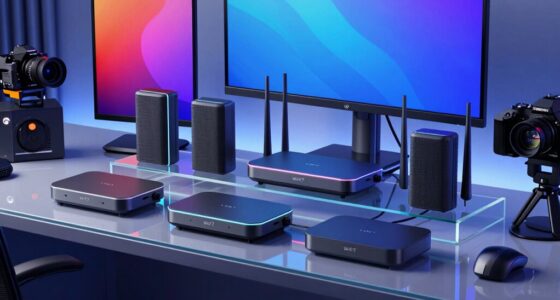
Choosing the right videoconferencing kit can transform your meetings, whether you’re working remotely or in a large conference room. The Owl Labs Meeting Owl 3 stands out as the best overall for its 360° view and AI-driven speaker tracking, ideal for versatile small to medium spaces. For those on a budget, the Logitech C920x HD Pro Webcam offers excellent video quality without a hefty price tag. Meanwhile, larger organizations will appreciate the Logitech Rally Bar + Sight Room Kit for its professional-grade features tailored to bigger rooms. Each option balances performance, ease of use, and cost, but tradeoffs include complexity, price, and scalability. Continue reading for a detailed breakdown of these choices and more to find the perfect fit for your setup.

Get business pricing on office and shipping supplies
- Business-only prices and quantity discounts
- Tax-exempt purchasing
- Multiple users, one account, clear invoices
Complete the kit



Key Takeaways
- The top picks balance video quality, audio clarity, and ease of setup, ensuring smooth meetings in various room sizes.
- All-in-one solutions like the Meeting Owl 4+ excel in versatility, especially for small to medium spaces, but may lack scalability for larger rooms.
- Budget options such as the Logitech C920x provide high-quality video at a lower cost but often miss integrated microphones or speakers.
- Large-room systems like the Logitech Rally Bar prioritize professional features and expandability, though they come at a higher price point.
- Auto-tracking and AI features are increasingly common but often increase complexity and cost, making them best suited for larger or tech-savvy teams.
| Owl Labs Meeting Owl 3 – 360° 1080p HD Conference Room Camera with AI-Driven Speaker Tracking and 18-Foot Microphone Pickup |  | Best Overall for All-in-One Room Coverage | Video Resolution: 1080p HD | Audio Pickup Range: 18 feet | Field of View: 360° | VIEW ON AMAZON | See Our Full Breakdown |
| Logitech BCC950 Desktop Conferencing Solution with Full HD 1080p Webcam and Speakerphone |  | Best for Small to Medium Conference Rooms | Video Resolution: 1080p HD | Frame Rate: 30 fps | Lens: Carl Zeiss | VIEW ON AMAZON | See Our Full Breakdown |
| Meeting Owl 4+ 360-Degree 4K Smart Video Conference Camera, Microphone, and Speaker |  | Best for Small to Large Rooms with 4K Clarity | Video Resolution: 4K | Audio Range: Up to 18 feet | Field of View: 360° | VIEW ON AMAZON | See Our Full Breakdown |
| Logitech Group Video and Audio Conferencing System for Large Meeting Rooms |  | Best for Large Conference Rooms with Extensive Coverage | Video Resolution: HD 1080p | Field of View: 90 degrees | Audio Range: 20 ft | VIEW ON AMAZON | See Our Full Breakdown |
| Logitech Rally Bar + Sight Room Kit – TAA |  | Best for Premium Large Room Setups | Camera: 4K | Includes: Rally Bar, Logitech Sight | Intended Room Size: Medium to large | VIEW ON AMAZON | See Our Full Breakdown |
| Logitech Group Video Conferencing System with Expansion Mics for Large Rooms |  | Best for Large Conference Rooms | Operating System: Windows 7, 8.1, 10; Mac OS 10.10 or higher | Color: Black and Silver | Additional Features: Expansion microphones, Multi-device compatibility, Software compatibility, High-definition video and audio | VIEW ON AMAZON | See Our Full Breakdown |
| Logitech MeetUp Video Conferencing System |  | Best for Small and Huddle Rooms | Video Resolution: Ultra HD 4K | Field of View: 120° (expandable to 170° with motorized pan/tilt) | Microphones: 3 microphones, up to 4 meters pickup (expandable to 5 meters with optional mic) | VIEW ON AMAZON | See Our Full Breakdown |
| Yealink A10-020 All-in-One Video Conferencing System with 4K Camera and Touch Panel |  | Best for Small Rooms and Home Offices | Camera: 4K, 120-degree wide-angle with electronic pan-tilt-zoom | Microphones: 8 MEMS microphones | Display: 8-inch touch panel (CTP18) | VIEW ON AMAZON | See Our Full Breakdown |
| Logitech C920x HD Pro PC Webcam |  | Best for Personal Use and Streaming | Resolution: Full HD 1080p/30fps | Audio: Stereo dual microphones | Light Correction: Yes | VIEW ON AMAZON | See Our Full Breakdown |
| All-in-One Conference System: 4K AI PTZ Webcam with Dual Lens and Wireless Speakerphone |  | Best for Small to Medium Rooms with AI Features | Camera Resolution: 4K | Zoom: 15x | Field of View: 110° (camera), 120° (panoramic lens) | VIEW ON AMAZON | See Our Full Breakdown |
| Logitech MeetUp HD Video and Audio Conferencing System for Small Meeting Rooms |  | Best Overall for Small Rooms | Field of View: 120° | Video Quality: 4K Ultra HD | Zoom: 5x HD zoom | VIEW ON AMAZON | See Our Full Breakdown |
| 4K Conference Room Camera System with AI Auto-Tracking and Wireless Bluetooth Speakerphone |  | Best for Medium-Sized, Professional Meetings | Video Resolution: 4K UHD 30fps | Optical Zoom: 3x | Field of View: 93° | VIEW ON AMAZON | See Our Full Breakdown |
| TONGVEO All-in-One Conference Room Video Camera System with Auto-Tracking HD1080P 60fps, 3X Optical Zoom, USB3.0, HDMI, and Bluetooth Conference Speakerphone |  | Best for Small to Medium Rooms with Auto-Tracking | Resolution: 1080p HD | Frame Rate: 60fps | Optical Zoom: 3x | VIEW ON AMAZON | See Our Full Breakdown |
| Bose Professional VB-S All-in-One Video Conference HD Camera with Microphone and Bluetooth Speaker |  | Best for Audio-Visual Integration and Flexibility | Camera Resolution: 4K Ultra-HD | Zoom: 5x digital | Microphones: Four beamforming | VIEW ON AMAZON | See Our Full Breakdown |
| Plantronics Poly Studio P5 Webcam with Poly Sync 20+ Speakerphone Kit |  | Best for Portable, All-in-One Professional Setup | Sensor Type: Other | Connectivity: Bluetooth, USB | Display Resolution: Maximum FHD | VIEW ON AMAZON | See Our Full Breakdown |
| videoconferencing kit | Connectivity | Field of View |
|---|---|---|
| Owl Labs Meeting Owl 3 | USB plug-and-play | 360° |
| Logitech BCC950 Desktop Confer | USB plug-and-play | — |
| Meeting Owl 4+ 360-Degree 4K S | USB, Ethernet, WiFi | 360° |
| Logitech Group Video and Audio | USB | 90 degrees |
| Logitech Rally Bar + Sight Roo | — | — |
| Logitech Group Video Conferenc | — | — |
| Logitech MeetUp Video Conferen | USB, plug-and-play | 120° (expandable to 170° with motorized pan/tilt) |
| Yealink A10-020 All-in-One Vid | Wi-Fi, Bluetooth, HDMI, Ethernet | — |
| Logitech C920x HD Pro PC Webca | — | — |
| All-in-One Conference System: | — | 110° (camera), 120° (panoramic lens) |
| Logitech MeetUp HD Video and A | USB, Bluetooth | 120° |
| 4K Conference Room Camera Syst | — | 93° |
| TONGVEO All-in-One Conference | — | 114° |
| Bose Professional VB-S All-in- | Bluetooth | — |
| Plantronics Poly Studio P5 Web | Bluetooth, USB | — |
More Details on Our Top Picks
Owl Labs Meeting Owl 3 – 360° 1080p HD Conference Room Camera with AI-Driven Speaker Tracking and 18-Foot Microphone Pickup
The Meeting Owl 3 stands out for its comprehensive 360° video and audio, making it ideal for small to large rooms that need full coverage without multiple devices. Compared to the Logitech Rally Bar + Sight Room Kit, the Owl Labs solution offers integrated speaker tracking and a single-device setup, reducing complexity. However, its price can be a barrier for smaller organizations or individual users seeking a budget-friendly option. The AI-driven speaker tracking ensures active speakers are always in focus, creating an engaging hybrid experience. The device’s plug-and-play USB connectivity simplifies deployment, but it requires compatible conferencing software to unlock its full potential, which can be limiting for some. This pick makes the most sense for organizations prioritizing all-in-one, immersive room coverage with minimal setup complexity.
Pros:- Provides 360° video and audio for complete room coverage
- AI-driven speaker tracking enhances active participation
- Easy to set up with plug-and-play USB connectivity
- Compatible with major conferencing platforms
Cons:- High price point may deter smaller organizations
- Requires compatible conferencing software for full functionality
Best for: Medium to large organizations needing full-room coverage with automatic speaker tracking
Not ideal for: Small teams or solo users on tight budgets who don’t need 360° coverage or advanced AI features
- Video Resolution:1080p HD
- Audio Pickup Range:18 feet
- Field of View:360°
- Connectivity:USB plug-and-play
- Compatibility:Microsoft Teams, Zoom, Google Meet, others
- Room Coverage:Small to large rooms with expansion options
Our verdict“This all-in-one solution is best for teams wanting immersive, full-room coverage with minimal setup effort.”
Logitech BCC950 Desktop Conferencing Solution with Full HD 1080p Webcam and Speakerphone
The Logitech BCC950 offers a balanced combination of 1080p HD video and clear audio with noise-canceling microphones, making it well-suited for small to medium meeting spaces. Unlike the Meeting Owl 4+, which provides 4K resolution and broader coverage, the BCC950 emphasizes ease of use and reliable audio quality for more traditional setups. Its remote control adds convenience for camera adjustments during calls, but it’s limited to USB connectivity, which can restrict compatibility with some devices. Designed primarily for smaller rooms, it lacks the expansive coverage features of larger systems, but it compensates with straightforward deployment and high-quality components. This makes it a logical choice for professionals seeking a simple, effective desktop conferencing setup without the complexity of larger, more expensive systems.
Pros:- High-quality 1080p HD video at 30 fps
- Clear, noise-canceling microphone and speakerphone
- Plug-and-play USB setup for quick deployment
- Remote control for camera pan, tilt, zoom
Cons:- Limited to USB, reducing device flexibility
- Designed mainly for small to medium rooms, not large spaces
Best for: Small to medium-sized teams seeking a plug-and-play, high-quality video and audio conferencing solution
Not ideal for: Large conference rooms or organizations requiring 360° coverage or auto-tracking features
- Video Resolution:1080p HD
- Frame Rate:30 fps
- Lens:Carl Zeiss
- Microphone:Noise-canceling, full duplex
- Speakerphone:Built-in, omni-directional
- Connectivity:USB plug-and-play
Our verdict“This compact, easy-to-use system is ideal for small teams prioritizing straightforward, reliable video conferencing.”
Meeting Owl 4+ 360-Degree 4K Smart Video Conference Camera, Microphone, and Speaker
The Meeting Owl 4+ elevates hybrid meetings with its 4K 360° video and audio, offering crisp visuals and comprehensive room coverage. When compared to the Owl Labs Meeting Owl 3, the 4+ provides higher resolution and automatic focusing that adapts dynamically to speaker movement, making it more engaging for larger or more active spaces. Its ability to connect via USB, Ethernet, or WiFi ensures flexible deployment, though the price might be a barrier for smaller setups. Designed for versatile environments, it suits organizations wanting a scalable, high-quality all-in-one device that can adapt to different room sizes. However, full functionality depends on compatible conferencing platforms, which could limit use in some cases. This pick is perfect for those seeking a premium, self-contained conferencing device with excellent clarity.
Pros:- Offers 4K video quality with 360° coverage
- Automatic focus on active speakers enhances engagement
- Supports USB, Ethernet, and WiFi for flexible setup
- Easy plug-and-play deployment
Cons:- Higher price point may be prohibitive for some
- Dependent on conferencing platform compatibility for full features
Best for: Medium to large organizations that need high-resolution, flexible connectivity, and automatic speaker focus
Not ideal for: Very small rooms or budget-conscious users who can’t justify the higher cost
- Video Resolution:4K
- Audio Range:Up to 18 feet
- Field of View:360°
- Focus:Automatic
- Connectivity:USB, Ethernet, WiFi
- Compatibility:Microsoft Teams, Zoom, Google Meet, Cisco Webex, others
Our verdict“This device is best for organizations prioritizing high-resolution, flexible connectivity, and adaptive auto-focus in a single package.”
Logitech Group Video and Audio Conferencing System for Large Meeting Rooms
The Logitech Group is designed for bigger spaces, offering 1080p HD video and a broad 90° field of view, along with four omni-directional microphones covering up to 20 feet. Compared to the Logitech Rally Bar + Sight Room Kit, it emphasizes scalability with multiple microphones and a simple USB connection, making it suitable for large, open environments. Its autofocus and zoom features improve image clarity, but the system’s size and complexity may be overkill for smaller rooms or users seeking a straightforward setup. It also requires a compatible computer and conferencing software, adding some setup complexity. This system is best suited for organizations that need reliable, high-quality video and audio for large, open meeting spaces with multiple participants.
Pros:- Easy plug-and-play USB setup
- High-quality 1080p HD video with autofocus and zoom
- Wide 20-foot audio pickup with four microphones
- Compatible with multiple conferencing platforms
Cons:- Designed mainly for larger rooms, not small spaces
- Requires a computer and conferencing software for operation
Best for: Large conference rooms or organizations with sizable, open meeting spaces
Not ideal for: Small teams or users seeking a compact, all-in-one solution
- Video Resolution:HD 1080p
- Field of View:90 degrees
- Audio Range:20 ft
- Microphones:Four omni-directional
- Connectivity:USB
- Compatibility:Microsoft Lync, Skype for Business, Cisco Jabber, WebEx
Our verdict“Ideal for large meeting spaces demanding high-quality video and extensive audio coverage with scalable microphone options.”
Logitech Rally Bar + Sight Room Kit – TAA
The Logitech Rally Bar + Sight Room Kit delivers a comprehensive, high-end solution for medium to large rooms, combining a 4K camera with intelligent framing and advanced microphones. Compared to the Meeting Owl 4+, which emphasizes ease and all-in-one simplicity, the Rally Bar + Sight offers more refined features suited for larger, more demanding environments. While its price is significant, the integrated system simplifies installation by combining high-quality components into a single package. Its advanced features like Logitech Sight for intelligent framing make it ideal for executive spaces or high-stakes meetings, but the cost and room size focus may make it less appealing for smaller or budget-sensitive setups. This kit is best for organizations that want a premium, all-in-one large-room solution with top-tier image and audio quality.
Pros:- High-quality 4K camera with intelligent participant framing
- Includes advanced microphones and room-filling speakers
- All-in-one design simplifies installation and setup
- Designed specifically for medium to large rooms
Cons:- Higher cost may be prohibitive for smaller teams
- Overkill for small or basic meeting rooms
Best for: Medium to large organizations needing a high-end, integrated conference room system
Not ideal for: Small rooms or users seeking a more budget-friendly or compact solution
- Camera:4K
- Includes:Rally Bar, Logitech Sight
- Intended Room Size:Medium to large
Our verdict“This premium kit suits organizations aiming for a seamless, high-quality large-room conferencing experience with advanced features.”
Logitech Group Video Conferencing System with Expansion Mics for Large Rooms
The Logitech Group excels in delivering a comprehensive solution tailored for sizable meeting spaces, with its high-quality 1080p video, extensive audio range, and wide field of view. Compared to the Logitech MeetUp, which targets smaller rooms, the Group’s support for up to 20 participants and the inclusion of expansion microphones make it a clear choice for bigger groups. Its plug-and-play USB connection ensures compatibility with most platforms, but its size and lack of Linux support may pose challenges for some setups. While it provides professional-grade clarity, it doesn’t include integrated microphone mute controls, which could be a minor inconvenience during meetings.
Pros:- High-quality 1080p video with autofocus and digital pan/tilt/zoom
- Extended audio range up to 28 ft. with expansion mics
- Plug-and-play USB connectivity compatible with most conferencing apps
Cons:- Relatively large size requiring significant space
- Limited to Windows and Mac OS, no Linux support
- No integrated microphone mute controls
Best for: Large organizations needing a scalable, high-quality video and audio solution for big conference rooms
Not ideal for: Small teams or home offices where space is limited and a compact setup is preferred
- Operating System:Windows 7, 8.1, 10; Mac OS 10.10 or higher
- Color:Black and Silver
- Additional Features:Expansion microphones, Multi-device compatibility, Software compatibility, High-definition video and audio
- Hardware Interface:USB 2.0
- Item Dimensions:9.5 x 9.5 x 2.5 inches
- Item Weight:8.5 Pounds
Our verdict“This system is ideal for large meeting rooms where high-quality audio-visual clarity and expandability are priorities.”
Logitech MeetUp Video Conferencing System
The Logitech MeetUp stands out as an all-in-one compact solution optimized for small spaces, offering stunning 4K video with a 120° wide-angle lens and motorized pan/tilt. Unlike the Logitech Group, which is designed for large rooms, MeetUp’s portability and flexible mounting options make it perfect for huddle spaces, though its expansion microphone must be purchased separately. Its plug-and-play USB connection and compatibility with multiple platforms simplify deployment, but the motorized pan/tilt can introduce complexity and the need for additional accessories. This makes it more suitable for environments where ease of use and space-saving are key.
Pros:- High-quality 4K video with wide 120° field of view
- Flexible mounting options for various room setups
- Clear audio with beamforming microphones
Cons:- Expansion microphone sold separately
- Requires mini PC or RoomMate for full room solutions
- Motorized pan/tilt may complicate setup
Best for: Small meeting rooms or huddle spaces requiring a high-quality, easy-to-deploy video system
Not ideal for: Large conference rooms or spaces needing extensive microphone coverage without additional purchases
- Video Resolution:Ultra HD 4K
- Field of View:120° (expandable to 170° with motorized pan/tilt)
- Microphones:3 microphones, up to 4 meters pickup (expandable to 5 meters with optional mic)
- Compatibility:PC, Mac, Laptop, MacBook, Tablet
- Mounting Options:Wall, credenza, TV mount
- Connectivity:USB, plug-and-play
Our verdict“This pick makes the most sense for small rooms seeking a high-resolution, easy-to-install video conferencing system.”
Yealink A10-020 All-in-One Video Conferencing System with 4K Camera and Touch Panel
The Yealink A10-020 offers a streamlined, all-in-one platform suited for small rooms and home offices, featuring a 4K camera with electronic pan-tilt-zoom and AI-driven auto framing. Unlike the larger systems like Logitech Group, this device integrates microphones, speakers, and a touch panel, simplifying setup and reducing clutter. It supports native Microsoft Teams and Zoom, making it ideal for users seeking certified, plug-and-play functionality. However, its design is primarily for smaller spaces, and it relies on Wi-Fi or wired connections, which could limit flexibility in some environments. The AI features and dedicated control panel enhance user experience but may require some familiarity with conferencing tech.
Pros:- All-in-one design simplifies setup and deployment
- Supports native Microsoft Teams and Zoom with certification
- AI-powered auto framing and speaker tracking
Cons:- Designed primarily for small rooms, less suitable for large spaces
- Requires wired or Wi-Fi connection for best performance
- Limited zoom range for expansive rooms
Best for: Small conference rooms or home offices needing an all-in-one, certified video solution
Not ideal for: Larger rooms or environments where extensive hardware expansion is needed
- Camera:4K, 120-degree wide-angle with electronic pan-tilt-zoom
- Microphones:8 MEMS microphones
- Display:8-inch touch panel (CTP18)
- Connectivity:Wi-Fi, Bluetooth, HDMI, Ethernet
- Operating System:Android
- Certifications:Microsoft Teams, Zoom
Our verdict“This pick makes the most sense for small rooms seeking a compact, AI-enhanced video conferencing setup with integrated controls.”
Logitech C920x HD Pro PC Webcam
The Logitech C920x HD Pro is a dependable webcam for personal use, offering crisp 1080p video at 30fps with autofocus and automatic light correction. While it’s not a complete conferencing setup, it outperforms many basic webcams with its stereo dual microphones and included background editing license, making it suitable for streaming and individual calls. Unlike larger systems like the Yealink A10-020, it doesn’t include integrated audio or advanced AI features, but its simplicity and compatibility across platforms make it a solid choice for one-on-one or small group calls, especially when space or budget are limited.
Pros:- Full HD 1080p video with autofocus and light correction
- Stereo dual microphones for clearer audio
- Includes XSplit VCam license for background editing
Cons:- No built-in privacy shutter
- Limited to 30fps at 1080p
- Requires software for advanced background features
Best for: Individuals or remote workers needing reliable HD video and audio for personal meetings or streaming
Not ideal for: Large conference rooms or collaborative environments requiring multiple microphones and advanced features
- Resolution:Full HD 1080p/30fps
- Audio:Stereo dual microphones
- Light Correction:Yes
- Autofocus:Yes
- Compatibility:Windows 11, Mac, Tablet, Nintendo Switch 2
- Additional features:XSplit VCam license included, no privacy shutter
Our verdict“This webcam is best suited for individual professionals or streamers seeking reliable 1080p quality without complex setup.”
All-in-One Conference System: 4K AI PTZ Webcam with Dual Lens and Wireless Speakerphone
This all-in-one conference system combines a 4K AI-powered PTZ camera with dual lenses and a wireless speakerphone, making it ideal for small to medium rooms. Its smart framing, presenter tracking, and 360° microphone pickup allow it to adapt dynamically, unlike traditional fixed cameras, and its portable design supports quick deployment. Compatibility with major platforms and a remote control simplify operation. The main tradeoff is its zoom range, which may be insufficient for larger spaces, and some users may find the array of AI features requires a learning curve. Compared to the Logitech Group, it’s less suitable for larger rooms but offers a more integrated, tech-forward experience for smaller setups.
Pros:- High-quality 4K video with AI auto framing and presenter tracking
- All-in-one design with camera and speakerphone integrated
- Wide compatibility and simple plug-and-play operation
Cons:- Limited zoom range for bigger rooms
- Advanced features may need some familiarization
- Designed primarily for small to medium spaces
Best for: Small to medium meeting rooms seeking a high-quality, AI-enhanced video solution with flexible audio pickup
Not ideal for: Large conference rooms or environments requiring extensive zoom or microphone coverage
- Camera Resolution:4K
- Zoom:15x
- Field of View:110° (camera), 120° (panoramic lens)
- AI Features:Auto Framing, Presenter Tracking, Gallery View
- Microphone Coverage:360°
- Microphone Range:Up to 5 meters
Our verdict“This system is best for small to medium rooms that want an AI-driven, easy-to-deploy conferencing setup with integrated audio and video.”
Logitech MeetUp HD Video and Audio Conferencing System for Small Meeting Rooms
The Logitech MeetUp stands out for its all-in-one design tailored specifically to small meeting rooms and huddle spaces. Its wide 120° field of view and 4K video with zoom ensure every participant is captured clearly, making it a better choice than the more feature-rich systems like the 4K Conference Room Camera System with AI Auto-Tracking when space is limited. The built-in beamforming microphones and high-quality speakers deliver crisp audio, and the straightforward USB plug-and-play setup minimizes technical hurdles. However, its design is less flexible for larger rooms, and as a renewed product, warranty coverage might be limited. Compared to larger systems, this pick sacrifices expandability for simplicity and ease of use. It’s ideal for small teams prioritizing plug-and-play convenience and high-quality visuals.Pros:- Wide 120° field of view captures entire room
- High-resolution 4K video with zoom
- Built-in high-quality microphones and speakers
Cons:- Designed solely for small rooms, limiting scalability
- Renewed product may have limited warranty
Best for: Small businesses or team huddle rooms needing an easy-to-deploy, high-quality video and audio solution.
Not ideal for: Large conference rooms or organizations requiring extensive room coverage and expandability, as it’s optimized for small spaces.
- Field of View:120°
- Video Quality:4K Ultra HD
- Zoom:5x HD zoom
- Connectivity:USB, Bluetooth
- Intended Use:Small meeting rooms and huddle spaces
Our verdict“This system is best suited for small meeting spaces where ease of setup and quality are priorities.”
4K Conference Room Camera System with AI Auto-Tracking and Wireless Bluetooth Speakerphone
This all-in-one system excels in delivering high-quality 4K video with AI auto-tracking, making it a superior choice over the Logitech MeetUp when dynamic framing is needed in small to medium rooms. The 3x optical zoom and 93° wide angle help focus on active speakers, which is more advanced than the fixed wide-angle lens of the MeetUp. Its flexible mounting options and multiple connection interfaces support various setups, but the requirement for compatible hardware and software could be a hurdle for less tech-savvy users. This system’s AI capabilities and zoom make it ideal for professional environments where active speaker tracking enhances meeting engagement, though it may be overkill for casual or very small meetings. It’s perfect for teams needing a sophisticated, adaptable videoconferencing solution.Pros:- High-quality 4K video with AI auto-tracking
- Flexible mounting options and multiple connection interfaces
- Compatible with major conferencing platforms like Zoom and Teams
Cons:- Requires compatible hardware/software for optimal performance
- Potentially expensive for small or infrequent use
Best for: Medium-sized teams or professional settings requiring auto-tracking and flexible mounting options.
Not ideal for: Small teams or casual users who do not need AI auto-tracking or multiple mounting options, as the system’s complexity might be unnecessary.
- Video Resolution:4K UHD 30fps
- Optical Zoom:3x
- Field of View:93°
- Sensor:1/2.8″ CMOS
- Rotation:350° horizontal, 180° vertical
- Microphone Pickup Range:16.4 ft
- Interfaces:USB 3.0, HDMI, Bluetooth 5.0
- Intended Use:Small to medium professional meeting rooms
Our verdict“This pick makes the most sense for professional environments where auto-tracking and video quality are critical.”
TONGVEO All-in-One Conference Room Video Camera System with Auto-Tracking HD1080P 60fps, 3X Optical Zoom, USB3.0, HDMI, and Bluetooth Conference Speakerphone
This TONGVEO system offers smooth 1080p video at 60fps combined with AI auto-tracking, making it a compelling choice for dynamic meetings compared to the fixed lens of the Bose VB-S. Its 3x optical zoom and 114° wide view help focus on active speakers, which is a step up from basic webcams like the Poly Studio P5, especially in smaller conference rooms. The setup is straightforward via USB or HDMI, but being wired limits placement options somewhat. It’s well-suited for teams that want professional auto-tracking without the complexity of larger systems, although it’s less ideal for very large or open spaces. The built-in AI enhances focus and engagement, making this a versatile pick for active collaborative environments.Pros:- Smooth 1080p at 60fps with auto-tracking
- 3x optical zoom and wide 114° view
- Easy plug-and-play via USB and HDMI
Cons:- Wired connection limits placement flexibility
- Less suitable for very large spaces
Best for: Small to medium teams needing auto-tracking and high-quality video without extensive setup complexity.
Not ideal for: Large conference rooms or outdoor environments, as it’s mainly designed for enclosed spaces with moderate size.
- Resolution:1080p HD
- Frame Rate:60fps
- Optical Zoom:3x
- Field of View:114°
- Pan/Tilt:350° horizontal, 180° vertical
- Interfaces:USB 3.0, HDMI
- Tracking Technology:AI face and humanoid recognition
Our verdict“This solution suits active teams requiring automatic framing and high-quality video in modest-sized rooms.”
Bose Professional VB-S All-in-One Video Conference HD Camera with Microphone and Bluetooth Speaker
The Bose VB-S combines premium audio with 4K video, making it a well-rounded choice for conference rooms needing excellent sound and visual clarity. Its digital zoom and auto-framing feature are comparable to the Poly Studio P5, but the Bose excels in delivering clear, noise-reducing microphone audio with four beamforming microphones. Its Bluetooth streaming adds versatility, unlike the other systems which rely solely on wired connections. However, the absence of a built-in speaker means you’ll need external audio equipment, and the display mounting kit is sold separately, adding to costs. Compared to the all-in-one solutions like the Plantronics P5 bundle, this provides more dedicated audio-visual quality but less integrated simplicity. It’s ideal for users who prioritize audio quality alongside high-resolution video.Pros:- High-quality 4K video with digital zoom
- Clear, noise-reducing microphones
- Bluetooth streaming for music and calls
Cons:- Display mounting kit sold separately
- No built-in speaker, external audio needed
Best for: Organizations seeking high-quality video with superior audio capabilities in a flexible mounting setup.
Not ideal for: Teams that want an all-in-one, plug-and-play solution without needing separate audio devices or additional accessories.
- Camera Resolution:4K Ultra-HD
- Zoom:5x digital
- Microphones:Four beamforming
- Connectivity:Bluetooth
- Mounting Options:Tabletop or wall-mounted
- Compatibility:Zoom, Microsoft Teams, Google Meet
Our verdict“This system is best for users who prioritize audio clarity and high-resolution video in a flexible, professional setup.”
Plantronics Poly Studio P5 Webcam with Poly Sync 20+ Speakerphone Kit
The Poly Studio P5 combined with the Poly Sync 20+ speakerphone offers a compact, portable solution for professional video calls, contrasting with the larger, more complex systems like the Bose VB-S. Its 1080p webcam with low-light correction provides sharp visuals, while the wireless speakerphone offers up to 20 hours of battery life with noise reduction, making it ideal for remote workers or mobile professionals. The all-in-one USB design simplifies setup, but the webcam’s zoom capabilities beyond 4x digital zoom are not clearly specified, and it lacks water resistance, limiting outdoor or rugged use. Compared to dedicated conference room systems, this bundle prioritizes portability and ease of use, though it sacrifices some advanced features like auto-tracking or multi-camera configurations. It’s best suited for individuals or small teams who need high-quality video and audio on the go.Pros:- Sharp 1080p HD video with low-light correction
- Wireless Bluetooth speakerphone with 20-hour battery
- All-in-one USB plug-and-play setup
Cons:- Limited zoom capability details
- No water resistance, not outdoor suitable
Best for: Remote professionals or teams needing a portable, high-quality video and audio kit for frequent travel or home office use.
Not ideal for: Large conference rooms or fixed installations, as it’s designed for mobility and personal use.
- Sensor Type:Other
- Connectivity:Bluetooth, USB
- Display Resolution:Maximum FHD
- Battery Life:20 hours
- Focus Type:Fixed focus
- Number of Speakers:1
Our verdict“This pick is ideal for mobile professionals seeking a reliable, portable videoconferencing solution with excellent audio quality.”

How We Picked
These products were evaluated based on a combination of video and audio quality, ease of installation, scalability, and feature set. We prioritized all-in-one and integrated solutions for their convenience, while also considering budget options for smaller setups. Performance in real-world scenarios, such as auto-tracking, microphone pickup range, and user interface, played a key role. Our ranking reflects a balance of value, functionality, and suitability for various room sizes and professional needs, ensuring that each pick offers a distinct advantage for different types of users.Factors to Consider When Choosing Videoconferencing Kits
When selecting a videoconferencing kit, it’s essential to consider not just the features but also how well it integrates into your existing setup, your room size, and your specific meeting needs. The right kit can simplify meetings, improve communication, and boost productivity, but choosing poorly can lead to frustration and wasted money. Here are key factors to guide your decision.Room Size and Coverage
Determine the size of your meeting space before choosing a kit. Small rooms may only need a high-quality webcam and a portable speakerphone, while larger conference rooms require systems with wide-angle lenses, multiple microphones, or auto-tracking features. Overestimating your needs can lead to unnecessary expenses, whereas underestimating can result in poor audio-visual performance. Consider whether the system supports expansion or additional microphones if your space grows.
Video and Audio Quality
High-definition video (at least 1080p) and clear, noise-free audio are non-negotiable for effective communication. Look for solutions with automatic focus, good low-light performance, and microphones with sufficient pickup range. Systems with AI-driven auto-tracking can keep the speaker in frame, but they often come at a premium. Balance your budget with the quality needed to ensure meetings are professional and engaging.
Ease of Use and Setup
The complexity of installation and daily operation varies widely. All-in-one units simplify setup, often requiring just a single USB connection, making them ideal for smaller teams or less tech-savvy users. Larger systems may need professional installation and configuration, which adds to initial costs but can provide better scalability. Consider the user interface—touch panels or remote controls can streamline operation, especially in busy environments.
Scalability and Compatibility
Think about future expansion and compatibility with existing platforms like Zoom, Teams, or Skype. Some kits are designed to be easily integrated into larger AV setups, while others are meant for quick deployment. If your team or organization plans to grow, investing in scalable, modular systems can save money and hassle later. Also, check connectivity options such as HDMI, USB, and Bluetooth for flexibility.
Budget and Total Cost of Ownership
Prices for videoconferencing kits range from budget-friendly webcams to high-end professional systems. Consider not only the initial purchase price but also ongoing costs like maintenance, upgrades, and support. Lower-cost models may lack critical features like auto-tracking or noise cancellation, which could impact meeting quality. Conversely, premium solutions often include warranties, software updates, and comprehensive support, adding value over time.
Frequently Asked Questions
Can I use a videoconferencing kit with my existing computer setup?
Most modern videoconferencing kits are designed to connect via USB or HDMI, making them compatible with standard computers. Check your device’s ports and system requirements before purchasing. Many all-in-one solutions are plug-and-play, requiring minimal setup, while larger systems might need additional hardware or professional installation. Compatibility with popular platforms like Zoom or Microsoft Teams is also a key consideration to ensure seamless operation.
What is the best videoconferencing kit for small teams or home offices?
For small teams or home offices, compact and easy-to-use options like the Logitech C920x webcam combined with a good microphone or a portable speakerphone often suffice. All-in-one solutions such as the Meeting Owl 3 or the Logitech MeetUp offer excellent quality without complex setup. These kits provide a balance of affordability, simplicity, and reliable performance, making them ideal for smaller, less formal environments.
Are auto-tracking features worth the extra cost?
Auto-tracking can significantly enhance the meeting experience by keeping the speaker in frame without manual adjustment. This feature is especially useful in larger rooms or when multiple speakers share the floor. However, it usually comes with a higher price tag and increased complexity. If your meetings involve dynamic presentations or multiple presenters, auto-tracking can justify the investment. For more static setups, simpler fixed-camera systems may suffice.
How important is microphone quality in a videoconferencing kit?
Microphone quality is crucial for clear communication, especially in larger rooms or noisy environments. Good microphones with wide pickup ranges and noise suppression ensure everyone’s voice is heard without echo or background noise. Many kits include multiple microphones or beamforming technology to improve clarity. Poor microphone performance can lead to misunderstandings and reduce meeting productivity, so prioritize audio quality alongside video features.
Should I prioritize 4K video or auto-tracking features?
Choosing between 4K video and auto-tracking depends on your primary needs. 4K provides sharper images and is valuable for detailed visuals, but it requires higher bandwidth and processing power. Auto-tracking improves engagement by focusing on active speakers but may not be necessary for static or small-scale setups. Consider your room size, meeting style, and technical capacity—often, a balanced system offers both features at a reasonable price point.
Conclusion
For small teams or home offices, the Logitech C920x offers a reliable, straightforward upgrade from basic webcams. Larger organizations or more professional environments should consider the Logitech Rally Bar + Sight Room Kit for its scalability and advanced features. If you want an all-in-one solution with 360° coverage and AI tracking, the Meeting Owl 4+ makes a compelling choice. Budget-conscious buyers will find value in simpler webcams paired with quality audio gear, while those with bigger budgets should look into premium, scalable systems with auto-tracking and AI capabilities. Match your choice to your room size, team size, and future plans for the best results.
Evergreen bestsellers Picks

Ninja Foodi 8-Qt DualZone 6-in-1 Air Fryer, Grey, DZ201

Shark IQ Robot Self-Empty XL Robot Vacuum with Home Mapping, Self-Cleaning Brushroll, and Wi-Fi, Black

Hisense 40-Inch Class QD4SR Series Hi-QLED FHD Smart Roku TV (2026 Model)
As an affiliate, we earn on qualifying purchases.