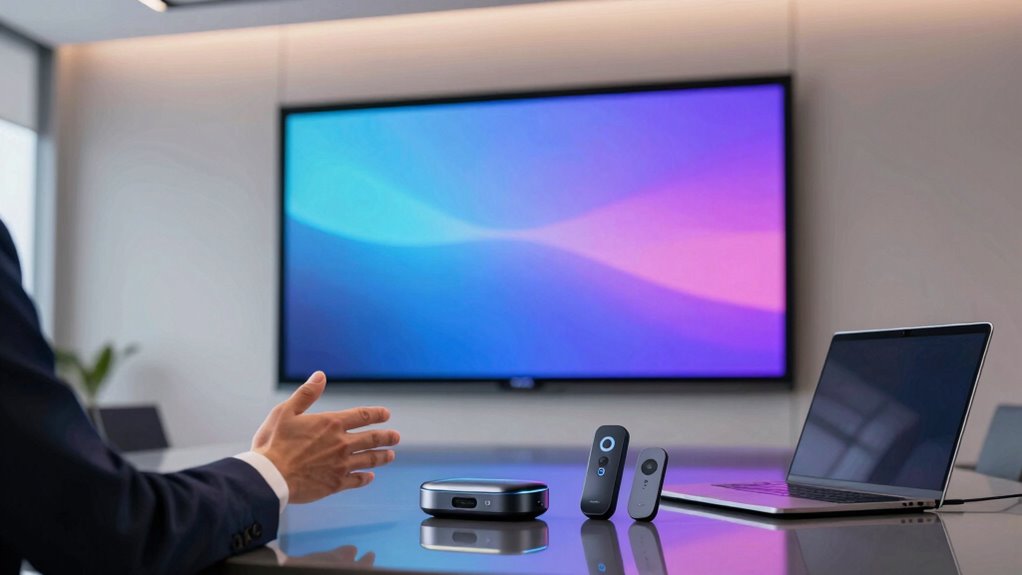

Choosing the right wireless presentation system for client presentations can significantly improve your meetings’ flow and professionalism. The Barco R9861520NA stands out as the overall top pick for its robust performance and seamless connectivity. For those seeking simple, reliable remote controls, the Logitech Spotlight offers precise control and easy setup, while the IOGEAR Share Pro provides expandable options for larger groups. However, tradeoffs include balancing cost, ease of use, and compatibility across devices. Continue reading for a detailed breakdown of each system to find the best fit for your presentation style.

Get business pricing on office and shipping supplies
- Business-only prices and quantity discounts
- Tax-exempt purchasing
- Multiple users, one account, clear invoices
Key Takeaways
- The top-performing systems excel in reliability and ease of setup, crucial for professional client meetings.
- Many options include expandability features, but that often comes with higher costs and complexity.
- Compatibility with multiple devices and platforms remains a key differentiator among the best picks.
- Simplicity and intuitive controls are vital for beginners, while advanced features appeal to power users.
- Pricing varies widely, with premium models offering more features but not always necessary for small-scale presentations.
| Barco R9861520NA Wireless Presentation System |  | Best for Dual-User Small Setups | Wireless Connectivity: Yes | Number of Users: Up to 2 | Included Accessories: 2 buttons | VIEW ON AMAZON | See Our Full Breakdown |
| 2.4GHz Wireless Presentation Clicker with USB-A & USB-C Receiver, Red Light Pointer, Volume Control, Slide Advancer for PowerPoint, Keynote & Google Slides |  | Best for Portability and Compatibility | Weight: 55g | Dimensions: 5.31″ L x 1.65″ W x 0.95″ H | Connectivity: 2.4GHz wireless | VIEW ON AMAZON | See Our Full Breakdown |
| Logitech Spotlight Presentation Remote Universal Wireless |  | Best for Advanced On-Screen Control | Connectivity: USB-A or Bluetooth | Features: Highlight, magnify, cursor control, vibration alerts | Compatibility: Windows, macOS, PowerPoint, Keynote, Google Slides | VIEW ON AMAZON | See Our Full Breakdown |
| Barco CSE-200 Wireless Presentation System (MAIN-61771) |  | Best for Larger Small to Medium Rooms | Model: CSE-200 | Max Connections: 16 | Sources on Screen: 2 | VIEW ON AMAZON | See Our Full Breakdown |
| Barco CS-100 Standalone Wireless Presentation System |  | Best for Small, Single-User Rooms | Users on-screen: 1 | Connectivity: Wireless | Output: HDMI | VIEW ON AMAZON | See Our Full Breakdown |
| Monoprice One-Click USB-C Wireless Presenter 4K Conference Presentation System |  | Best Overall Wireless Presentation System for Flexibility and High-Resolution Output | Manufacturer: Monoprice | Max Resolution: 4K @ 60Hz | Included Transmitters: 2 | VIEW ON AMAZON | See Our Full Breakdown |
| Barco CS-100 Wireless Presentation System with ClickShare Button & Power Adapter (Renewed) |  | Best Compact Solution for Small Meeting Rooms with Easy Setup | Wireless Connection: Yes | Number of Users: 1 | Includes: ClickShare Button, Power Adapter | VIEW ON AMAZON | See Our Full Breakdown |
| IOGEAR Share Pro Expandable Wireless Presentation System (GWHD101KIT) |  | Best Long-Range Wireless Streaming for Meeting Rooms and Classrooms | Inputs: 2 HDMI sources | Resolution: Full HD | Wireless Range: Up to 120 feet | VIEW ON AMAZON | See Our Full Breakdown |
| Logitech Wireless Presenter R500s PowerPoint Clicker with Laser Pointer |  | Best Remote Control for Standalone Presentations with Laser Pointer | Connectivity: USB receiver or Bluetooth low energy | Operating range: Up to 20 meters (65 ft) | Battery: 1x AAA, up to 12 months | VIEW ON AMAZON | See Our Full Breakdown |
More Details on Our Top Picks
Barco R9861520NA Wireless Presentation System
The Barco R9861520NA stands out for enabling two users to share content simultaneously, making it ideal for small meetings where collaboration is needed. Compared with the Barco CSE-200, it offers a simpler setup with fewer simultaneous sources, but lacks the ability to support multiple connections or larger groups. Its focus on security and ease of use makes it suitable for environments with sensitive information. However, its limitation to two users and absence of detailed technical specs could be a drawback for those needing more scalability or in-depth info. This system makes the most sense for small teams requiring quick, secure sharing from two devices at once.
Pros:- Supports wireless sharing from two devices at once
- Enhanced security features for sensitive presentations
- Simple, user-friendly operation with included buttons
Cons:- Limited to two users, restricting collaboration
- Lacks extensive technical specifications and advanced features
Best for: Small teams needing quick, secure content sharing from two devices simultaneously.
Not ideal for: Larger organizations or meetings with more than two presenters or multiple sources on screen.
- Wireless Connectivity:Yes
- Number of Users:Up to 2
- Included Accessories:2 buttons
- Security Features:Enhanced security
- Compatibility:Laptops, tablets, smartphones
- Setup:Plug-and-play
Our verdict“This system is well-suited for small, secure meetings where only two users need to share content at the same time.”
2.4GHz Wireless Presentation Clicker with USB-A & USB-C Receiver, Red Light Pointer, Volume Control, Slide Advancer for PowerPoint, Keynote & Google Slides
This wireless presentation remote excels for those who prioritize flexibility and ease of use across various devices. Its dual USB-A/USB-C receiver makes it more versatile than the Logitech Spotlight, which requires Bluetooth pairing. The long wireless range of 100 feet and bright laser pointer provide freedom of movement, but the laser’s visibility on bright screens can be limited, especially compared with more advanced pointers like Logitech’s. Its lightweight design and support for multiple software platforms position it as a portable, universal tool for frequent presenters. However, missing batteries and potential visibility issues on bright displays are notable tradeoffs. This pick makes the most sense for presenters who need a straightforward, compatible remote they can carry everywhere.
Pros:- Dual USB-A/USB-C receiver for broad compatibility
- Plug-and-play with no software required
- Long wireless range with a bright red laser pointer
Cons:- Batteries not included, adding extra step for setup
- Red laser pointer may be hard to see on bright or LCD screens
Best for: Frequent presenters who need a portable, universal remote compatible with multiple devices and software.
Not ideal for: Presenters who require a laser pointer visible on bright screens or those who prefer rechargeable devices over disposable batteries.
- Weight:55g
- Dimensions:5.31″ L x 1.65″ W x 0.95″ H
- Connectivity:2.4GHz wireless
- Range:Up to 100ft
- Pointer:Red laser
- Supported OS:Mac, Windows, Linux
Our verdict“This remote is best suited for portable, cross-platform presenters who prioritize compatibility and range over laser visibility in bright environments.”
Logitech Spotlight Presentation Remote Universal Wireless
The Logitech Spotlight offers features beyond basic pointers, with on-screen highlighting and magnify functions that surpass the simple laser of the Barco R9861520NA. Its dual connectivity—via USB-A receiver or Bluetooth—provides flexible setup options, similar to the 2.4GHz remote, but adds the advantage of smart time alerts with vibration feedback, helping keep presentations on schedule. The need for setup in the Logi Options+ app can be a barrier for some, but the enhanced control over content and timing makes it a powerful choice for professional presenters. Its broad compatibility with major software makes it suitable for various presentation styles. However, advanced features require initial configuration, which could be cumbersome for some users. This remote makes the most sense for presenters seeking sophisticated on-screen control and detailed timing management.
Pros:- On-screen highlight and magnify features
- Dual connectivity options including Bluetooth
- Smart vibration alerts for timing management
Cons:- Requires setup in Logi Options+ app, adding complexity
- More expensive than basic remotes
Best for: Professional presenters who want advanced on-screen highlighting, magnification, and timing alerts.
Not ideal for: Casual users or those seeking a simple laser pointer without the need for setup or additional features.
- Connectivity:USB-A or Bluetooth
- Features:Highlight, magnify, cursor control, vibration alerts
- Compatibility:Windows, macOS, PowerPoint, Keynote, Google Slides
- Color:Black
Our verdict“This remote is ideal for professionals who want detailed on-screen control and timing features, willing to handle initial setup complexity.”
Barco CSE-200 Wireless Presentation System (MAIN-61771)
The Barco CSE-200 shines in environments where multiple users need to share from various devices, supporting up to 16 connections and two sources on screen simultaneously. Compared with the CS-100, it offers higher connection capacity and better suited for small to medium-sized conference rooms. Its robust security features and included click-to-share buttons streamline collaboration, but its limitation to only two sources on screen at once can restrict dynamic presentations. Designed for collaborative environments with multiple participants, it balances ease of use with capacity for larger groups. However, it’s less appropriate for very small rooms or scenarios where only a single source is needed. This makes it a practical choice for team meetings requiring multiple simultaneous connections.
Pros:- Supports up to 16 simultaneous connections
- Enables two sources to display on screen at once
- Enhanced security features and included sharing buttons
Cons:- Limited to two sources displayed simultaneously, restricting flexibility
- Designed mainly for medium rooms, not large conference halls
Best for: Small to medium-sized meeting rooms with multiple presenters or participants sharing content.
Not ideal for: Very small rooms or presentations with only one source at a time, where simpler systems suffice.
- Model:CSE-200
- Max Connections:16
- Sources on Screen:2
- Included Accessories:2 buttons
- Security:Enhanced security features
- Room Size:Small to medium
Our verdict“This system is most suitable for collaborative teams in small to medium rooms needing multiple connections and shared sources.”
Barco CS-100 Standalone Wireless Presentation System
The Barco CS-100 provides a straightforward, single-user wireless sharing solution ideal for small meeting rooms. Compared with the Barco CSE-200, it supports only one user at a time and lacks multiple source capability, but its simplicity makes setup quick and easy. Its HDMI output broadens compatibility with various display types, and the included click share button adds convenience. However, supporting only a single source limits its use in collaborative scenarios. This system is a good fit for individual presenters or small teams where ease of use and quick setup outweigh the need for multiple simultaneous sources. It’s less suited for larger or more dynamic meetings requiring multiple presenters.
Pros:- Wireless sharing from laptops, tablets, and smartphones
- Simple setup with HDMI output for broad compatibility
- Dedicated click share button included
Cons:- Supports only one user on-screen at a time
- Limited to small room environments, not ideal for larger groups
Best for: Small teams or individuals needing quick, single-user wireless content sharing in small rooms.
Not ideal for: Teams requiring multiple sources or collaborative sharing from several users simultaneously.
- Users on-screen:1
- Connectivity:Wireless
- Output:HDMI
- Included Accessories:1 Button
- Intended Use:Small meeting rooms
- Setup:Easy, standalone
Our verdict“This system makes the most sense for small, individual use or quick single-user sharing in small meeting spaces.”
Monoprice One-Click USB-C Wireless Presenter 4K Conference Presentation System
This Monoprice system stands out for its simple one-click setup and 4K @ 60Hz resolution, making it ideal for professional environments where high-quality visuals matter. Compared to the Barco CS-100, it offers more extensive device compatibility and support for multiple users—up to 16 with additional units—though it requires purchasing extra transmitters for more than two users. While the dual USB-C transmitters streamline connections, laptops need a USB-C dongle, which could be a hassle. The ability to support two users simultaneously makes it more versatile than the IOGEAR Share Pro, which only displays one presenter at a time. However, the need to buy separate transmitters for expanded connections introduces an extra cost. This pick is ideal for teams needing reliable, high-res sharing with scalable user capacity, but not for those seeking a plug-and-play solution without additional purchases.
Pros:- Supports stunning 4K @ 60Hz resolution for clear visuals
- Supports up to 16 connections with additional transmitters
- Cross-platform compatibility (Windows, Mac, iOS, Android, Miracast)
- Two simultaneous screen shares enhance collaboration
Cons:- Additional transmitters needed for more than two users, increasing cost
- Laptops require a USB-C dongle, adding complexity
Best for: Professionals in collaborative or conference settings who require high-resolution sharing and expandable user connections.
Not ideal for: Solo presenters or small teams who won’t leverage the multi-user capability or need a fully wireless setup without additional accessories.
- Manufacturer:Monoprice
- Max Resolution:4K @ 60Hz
- Included Transmitters:2
- Max Concurrent Connections:16 (with additional transmitters)
- Compatible Platforms:Windows, Mac, iOS, Android, Miracast
- Item Weight:1.66 pounds
Our verdict“This system is best suited for tech-savvy teams needing high-quality, expandable wireless sharing with multiple users, despite some additional costs.”
Barco CS-100 Wireless Presentation System with ClickShare Button & Power Adapter (Renewed)
The Barco CS-100 excels as a compact, user-friendly device designed for small meeting rooms, where simplicity and space-saving are priorities. Its single-user focus contrasts with the Monoprice’s multi-user capacity, making it ideal for individual presentations or small groups. The included ClickShare Button simplifies wireless sharing from multiple devices, but supporting only one user at a time limits its use for collaborative sessions. As a renewed (refurbished) product, potential buyers should consider longevity and warranty concerns, especially for mission-critical environments. Its HDMI output ensures compatibility with most displays, but the small size and limited user capacity mean it’s less suitable for larger or more dynamic meetings. This pick is perfect for small teams or individual presenters needing quick, reliable wireless sharing without fuss.
Pros:- Compact and easy to set up in small rooms
- Includes dedicated ClickShare Button for quick device pairing
- HDMI output ensures broad compatibility
- Ideal for quick, straightforward presentations
Cons:- Supports only one user at a time, limiting collaboration
- Refurbished condition may affect durability or warranty coverage
Best for: Small business teams or educators who need an easy-to-use, space-efficient wireless presentation solution for individual or small-group use.
Not ideal for: Larger meetings or collaborative environments requiring multiple simultaneous presenters, as it supports only one user at a time.
- Wireless Connection:Yes
- Number of Users:1
- Includes:ClickShare Button, Power Adapter
- Output:HDMI
Our verdict“This device is a solid choice for small, individual presentations where simplicity and space efficiency are priorities, but it falls short for collaborative group settings.”
IOGEAR Share Pro Expandable Wireless Presentation System (GWHD101KIT)
The IOGEAR Share Pro shines with its long wireless range of up to 120 feet, making it suitable for large rooms or open spaces. Its ability to wirelessly stream full HD content from two HDMI sources adds flexibility for presenters switching between devices, unlike the single-source limitation of the Barco CS-100. The push-button switching simplifies the process, but the system only displays one presenter at a time, which limits real-time collaboration. The included lifetime technical support and one-year warranty provide added peace of mind, especially for educational or corporate environments. While it’s excellent for single-presenter scenarios, it doesn’t support multiple users simultaneously, which could be a drawback for more interactive sessions. Overall, this system makes the most sense where distance and ease of use are critical, but not where multi-user interaction is needed.
Pros:- Wireless range up to 120 feet for large rooms
- Streams full HD content from two HDMI sources
- Push-button switching for ease of use
- Includes lifetime technical support and 1-year warranty
Cons:- Displays only one presenter at a time, limiting collaboration
- Requires additional sources for more presenters, not expandable for multi-user use
Best for: Classrooms, large conference rooms, or event spaces needing reliable, long-distance wireless streaming from multiple HDMI sources.
Not ideal for: Small meetings or collaborative sessions requiring multiple presenters or simultaneous screen sharing.
- Inputs:2 HDMI sources
- Resolution:Full HD
- Wireless Range:Up to 120 feet
- Warranty:1 year, free lifetime technical support
Our verdict“Ideal for educational or large conference environments where distance and simple source switching are priorities, but not suited for multi-user collaborative presentations.”
Logitech Wireless Presenter R500s PowerPoint Clicker with Laser Pointer
The Logitech R500s is designed for individual presenters who need a reliable, long-range remote with a laser pointer. Its compatibility across Windows, macOS, iOS, and Android, along with support for PowerPoint, Keynote, and Google Slides, makes it versatile for different devices and presentation styles. The 20-meter range is particularly advantageous in large rooms, and the battery life of up to 12 months reduces fuss. Unlike the wireless systems that require screen sharing, this remote provides more control over slides and laser pointers without relying on displays or external receivers, making it ideal for solo presenters. However, it doesn’t support multi-user scenarios or live collaboration. The Logitech Presentation app offers customization, but the software is only available on Windows and macOS, which could limit some users. This remote is perfect for presenters who value independence and mobility.
Pros:- Universal compatibility with major OS and presentation software
- Long 20-meter operating range suits large rooms
- Up to 12 months of battery life on a single AAA
- Built-in laser pointer enhances engagement
Cons:- Software customization limited to Windows and macOS
- Battery life and range may vary with environment
- Power-saving mode disables laser pointer when battery is low
Best for: Solitary presenters or educators needing a dependable remote with laser pointer for large rooms or events.
Not ideal for: Teams requiring simultaneous screen sharing or multi-user collaboration, as this device is primarily for individual use.
- Connectivity:USB receiver or Bluetooth low energy
- Operating range:Up to 20 meters (65 ft)
- Battery:1x AAA, up to 12 months
- Compatibility:Windows, macOS, iOS, Android
- Features:Laser pointer, customizable buttons
Our verdict“This remote is well-suited for individual presenters needing a reliable, long-range device with laser pointer, especially in large or flexible spaces, but not for collaborative, multi-user sessions.”
How We Picked
Our evaluation focused on core performance factors like connection stability, ease of use, and device compatibility. We also considered build quality and the range of features that enhance presentation flow, such as remote control precision and expandability. Cost-effectiveness was factored in to identify options that deliver value without unnecessary extras. Products were ranked based on how well they balance these factors for typical client presentation scenarios, prioritizing reliability and user experience over niche features.Factors to Consider When Choosing Wireless Presentation System For Client Presentations
Selecting the right wireless presentation system involves weighing several important factors beyond just features. First, consider compatibility with your devices—ensure the system supports Windows, Mac, and mobile platforms if needed. Ease of setup and use can save valuable time during meetings, so look for intuitive controls and minimal configuration. Range is another key factor; a system with a reliable connection over a longer distance offers flexibility in larger conference rooms. Cost is also significant—higher-priced models often include advanced features that may not be necessary for all users. Lastly, think about expandability if you often host larger groups, as some systems can add more units or screens for seamless collaboration.Compatibility and Device Support
Ensuring your chosen system works seamlessly with your devices is fundamental. Look for options that support multiple platforms and connection types. Failing to verify compatibility can lead to frustrating delays or the need for additional adapters, which disrupt the flow of your presentation. Consider whether the system supports USB, HDMI, or wireless connections, depending on your setup. For multi-device environments, a system that can easily connect with both Windows and Mac computers, as well as smartphones and tablets, offers the most flexibility and minimizes technical issues during meetings.
Ease of Use and Setup
A system that’s complicated to set up can waste time and cause frustration. Prioritize options that feature plug-and-play design, intuitive controls, and clear instructions. Devices with dedicated buttons or straightforward interfaces reduce the learning curve, especially for users who aren’t tech-savvy. Wireless presentation systems with automatic pairing and minimal configuration are ideal for fast-paced environments. Remember, the simpler it is to get started, the more confident you’ll feel during critical client meetings.
Range and Connection Stability
Reliable wireless connections are essential for professional presentations. A system with limited range can be problematic in larger rooms or when moving around during a presentation. Look for products that specify a minimum range of at least 30 feet and have been tested for interference resistance. Systems utilizing dual-band Wi-Fi or dedicated RF connections tend to offer more stable performance. Investing in a system with robust range and stability reduces the risk of disruptions that can undermine your credibility.
Cost and Value
Wireless presentation systems vary widely in price, from budget options to high-end models with advanced features. Higher-priced systems often include expandability, better build quality, and enhanced connectivity options, but may be unnecessary for small-scale or infrequent use. Conversely, budget models might lack reliability or ease of use, leading to potential issues during critical moments. Balance your budget with your needs—sometimes paying a bit more yields a system that performs reliably over years, offering better value in the long run.
Expandability and Future-Proofing
If you regularly host large meetings or conferences, choose a system that can grow with your needs. Some products support additional units or screens, enabling multiple presenters or collaborative displays. Consider whether the system supports software updates or firmware improvements to extend its lifespan. Investing in a flexible, scalable system can save money and hassle later, especially if your presentation environment evolves over time.
Frequently Asked Questions
Will my existing presentation software work with these wireless systems?
Most wireless presentation systems are designed to work with popular presentation software like PowerPoint, Keynote, or Google Slides. Compatibility depends largely on whether the system supports standard connection methods such as USB, HDMI, or wireless protocols compatible with your device. Many systems also include dedicated apps or drivers that facilitate seamless integration. Confirming compatibility before purchase can prevent surprises and ensure your workflow remains uninterrupted during client meetings.
How secure are these wireless presentation systems against unauthorized access?
Security is a key concern, especially in professional environments. Many high-quality systems incorporate encryption and password protection to prevent unauthorized access. Some use secure pairing methods, such as PIN codes or device authentication, to ensure only authorized users can connect. When choosing a system, review its security features, particularly if sensitive information will be shared. Proper setup, including network security measures, further mitigates risks of interception or unauthorized use.
Can I use these systems with multiple screens or projectors at once?
Support for multiple screens depends on the specific system. Some models are designed for single-display use, while others support multi-screen setups or have software that allows multiple connections for larger rooms. If your presentations require splitting content across several displays, verify this capability before purchasing. Expanding to multi-screen configurations can improve collaboration but often involves additional hardware or licensing, so plan accordingly based on your presentation needs.
What’s the typical learning curve for a new user?
Most wireless presentation systems are built with user-friendliness in mind, especially those aimed at business professionals. Devices with straightforward controls, automatic pairing, and minimal configuration tend to have a short learning curve. Systems that include dedicated apps or remote controls often make the process even simpler. For organizations with frequent presentations, investing in systems with intuitive interfaces reduces setup time and minimizes support needs, ensuring smoother client meetings.
Are these systems reliable enough for high-stakes client presentations?
Reliability varies among products, but the best systems are engineered for consistent performance in professional settings. Look for models with proven connection stability, good range, and positive user reviews. Features like automatic reconnection and interference resistance contribute to dependable operation. While no system can guarantee 100% uptime, choosing one with strong build quality and reliable connectivity minimizes the risk of disruptions during important client meetings.
Conclusion
For those seeking the best overall performance, the Barco R9861520NA stands out, offering seamless connectivity and reliability. Budget-conscious users or small teams may find the Monoprice One-Click USB-C Presenter offers excellent value without sacrificing essential features. If you need a system that scales with your organization, the IOGEAR Share Pro provides expandability options for larger groups. Beginners or infrequent presenters should prioritize systems like the Logitech Spotlight for its intuitive controls. Ultimately, your choice should reflect your specific presentation environment, device compatibility, and budget constraints.
Halloween Picks
halloween
As an affiliate, we earn on qualifying purchases.