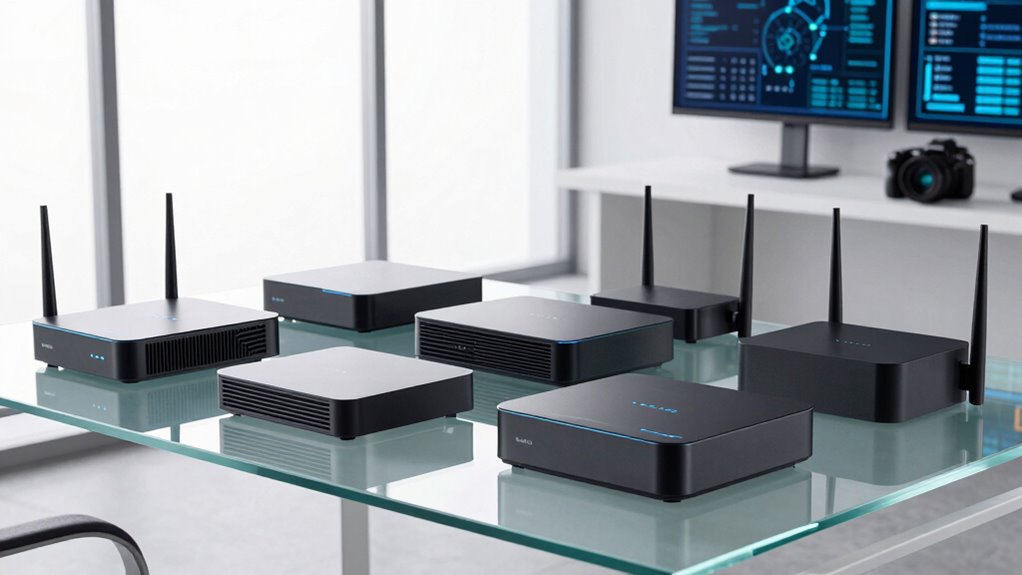

Choosing a business grade router for small offices involves balancing reliable performance, robust security, and ease of management. The ASUS ExpertWiFi AX3000 stands out for its solid Wi-Fi 6 coverage and straightforward setup, making it ideal for small teams. The TP-Link ER605 V2 offers excellent VPN features for secure remote access, perfect for businesses with remote or hybrid work. However, these options come with tradeoffs—higher performance often means higher cost, and simpler models may lack advanced security features. Continue reading for a detailed breakdown of the best picks and what makes each suitable for different needs.
Key Takeaways
- The best routers balance performance with ease of management, especially for small teams without dedicated IT staff.
- Wi-Fi 6 and Wi-Fi 7 models provide future-proof connectivity but may come at a premium cost.
- VPN and security features are vital for protecting sensitive business data, influencing the choice of routers like the TP-Link ER605 V2.
- Multi-Gigabit ports and mesh compatibility are key for scalability and flexible office layouts.
- Price varies widely; savvy buyers prioritize features that match their specific security and performance needs rather than the latest tech.
| ASUS ExpertWiFi AX3000 WiFi 6 Business Router |  | Best Overall for Small Offices Needing Enterprise Features | WiFi Standard: WiFi 6 (AX3000) | Number of SSIDs: Up to 5 | Security: AiProtection Pro, safe browsing | VIEW ON AMAZON | See Our Full Breakdown |
| TP-Link AXE5400 Tri-Band WiFi 6E Router (Archer AXE75) |  | Best for Ultra-Fast, Low-Latency Performance | WiFi Speed: 5400 Mbps | Bands: Tri-Band (6 GHz, 5 GHz, 2.4 GHz) | WiFi Standard: WiFi 6E | VIEW ON AMAZON | See Our Full Breakdown |
| TP-Link ER605 V2 Wired Gigabit VPN Router |  | Best for Secure, Wired Network Backbone | Number of Gigabit Ports: 5 | WAN Ports: 3 | USB WAN Port: 1 | VIEW ON AMAZON | See Our Full Breakdown |
| TP-Link ER707-M2 Omada Multi-Gigabit VPN Router with Dual 2.5G Ports |  | Best for High-Capacity VPN Connectivity and Cloud Management | Port Configuration: 1x 2.5Gbps WAN, 1x 2.5Gbps WAN/LAN, 4x Gigabit WAN/LAN, 1x SFP WAN/LAN | Maximum Sessions: 500,000 | Maximum Clients: 1000+ | VIEW ON AMAZON | See Our Full Breakdown |
| TP-Link Festa FR307-M2 Multi-Gigabit VPN Router Gateway |  | Best for Compact, Easy-to-Deploy VPN Security | WAN Ports: 1 x 2.5G, 1 x 2.5G WAN/LAN | Gigabit LAN Ports: 4 | USB Ports: 1 | VIEW ON AMAZON | See Our Full Breakdown |
| TP-Link Dual-Band Wi-Fi 7 Router Archer BE3600, 4-Stream, 2.5G Ports, USB 3.0, Quad Core, 4 Antennas, Mesh Compatible |  | Best for High-Speed Wi-Fi and Seamless Coverage | Wi-Fi Technology: Wi-Fi 7 | Speed (5 GHz): 2882 Mbps | Speed (2.4 GHz): 688 Mbps | VIEW ON AMAZON | See Our Full Breakdown |
| business grade router for small office | VPN Support |
|---|---|
| ASUS ExpertWiFi AX3000 WiFi 6 | — |
| TP-Link AXE5400 Tri-Band WiFi | — |
| TP-Link ER605 V2 Wired Gigabit | Yes |
| TP-Link ER707-M2 Omada Multi-G | LAN-to-LAN IPsec, OpenVPN, L2TP, PPTP |
| TP-Link Festa FR307-M2 Multi-G | IPSec, PPTP, L2TP, OpenVPN |
| TP-Link Dual-Band Wi-Fi 7 Rout | — |
More Details on Our Top Picks
ASUS ExpertWiFi AX3000 WiFi 6 Business Router
The ASUS ExpertWiFi AX3000 stands out for its robust support of multiple SSIDs and customizable guest portals, making it ideal for small offices with diverse network needs. Compared to the TP-Link AXE5400, it offers a more straightforward setup focused on security and device separation, though it lacks the cutting-edge speeds of WiFi 6E. Its enterprise-grade security features like AiProtection Pro add peace of mind but require some technical familiarity to maximize. The absence of detailed hardware specs might concern those seeking absolute transparency, and its backup via USB is a handy feature. This model is better suited for offices prioritizing security, device management, and ease of remote setup over raw speed or the latest WiFi standards.
Pros:- Supports up to 5 SSIDs for device segmentation
- Customizable guest portal for branding and access control
- Enterprise-grade security with AiProtection Pro
Cons:- Setup may be challenging without networking experience
- Limited hardware specification details
Best for: Small business owners who want customizable, secure WiFi with remote management features
Not ideal for: Highly technical users seeking the latest WiFi 6E speeds or advanced hardware details
- WiFi Standard:WiFi 6 (AX3000)
- Number of SSIDs:Up to 5
- Security:AiProtection Pro, safe browsing
- Backup WAN:USB port for mobile hotspot
- Management:Easy setup and management via ASUS ExpertWiFi app
Our verdict“This router is ideal for small offices prioritizing security, management, and flexibility over cutting-edge WiFi speeds.”
TP-Link AXE5400 Tri-Band WiFi 6E Router (Archer AXE75)
The TP-Link Archer AXE75 excels in delivering blazing-fast speeds with its tri-band WiFi 6E support, making it a top choice for offices that need high bandwidth for streaming, large file transfers, or intensive cloud applications. Unlike the ASUS AX3000, it includes the latest 6 GHz band, which significantly reduces congestion and latency, but this comes with a higher complexity in setup and a higher price point. Its dual-core CPU and 512 MB memory provide reliable performance, yet the complexity may challenge less tech-savvy users. This router makes the most sense for tech-heavy environments where speed and low latency are non-negotiable.
Pros:- Supports WiFi 6E with tri-band for maximum bandwidth
- Dual-core CPU and 512 MB high-speed memory for reliability
- Supports OneMesh for seamless coverage and advanced security with TP-Link HomeShield
Cons:- Requires a modem for most ISPs, adding to setup complexity
- Setup may be difficult for non-technical users
- Price point is higher than simpler routers
Best for: Small offices with high-speed demands, particularly those using streaming or cloud applications intensively
Not ideal for: Small businesses on a tight budget or with limited technical support, due to complex setup and cost
- WiFi Speed:5400 Mbps
- Bands:Tri-Band (6 GHz, 5 GHz, 2.4 GHz)
- WiFi Standard:WiFi 6E
- Processor:Dual-Core 1.0 GHz
- Memory:512 MB
- WAN Port:2.5 Gbps
Our verdict“This router is best suited for offices that need the latest WiFi technology and can handle a more complex setup process.”
TP-Link ER605 V2 Wired Gigabit VPN Router
The TP-Link ER605 V2 offers a wired-centric approach, with five gigabit ports, making it ideal for offices that prioritize stable, high-speed wired connections. It outperforms wireless-centric options like the ASUS AX3000 or AXE75 when it comes to reliable backbone infrastructure, especially for internal network segments or critical devices. Its support for multiple VPN protocols and advanced firewall features make it a strong security choice, yet its setup complexity and need for technical know-how could be a barrier for less experienced users. This router suits small offices with a focus on wired connections and security, but less so for those relying heavily on WiFi.
Pros:- Multiple gigabit ports for diverse wired connections
- Supports multiple VPN protocols for remote access
- Robust firewall and security features
Cons:- Setup can be complex without technical expertise
- Limited wireless capabilities
Best for: Offices with a wired infrastructure emphasizing secure remote access and internal network stability
Not ideal for: Business owners seeking wireless flexibility or simple plug-and-play setup
- Number of Gigabit Ports:5
- WAN Ports:3
- USB WAN Port:1
- VPN Support:Yes
- Security Features:Firewall, DoS defense, VPN pass-through
Our verdict“This wired VPN router is ideal for offices needing reliable, secure internal networking over wireless solutions.”
TP-Link ER707-M2 Omada Multi-Gigabit VPN Router with Dual 2.5G Ports
The TP-Link ER707-M2 provides a high-performance solution with dual 2.5Gbps WAN ports, making it suitable for offices with heavy VPN needs and multi-user environments. Its cloud management via Omada offers centralized control, but the complex setup might challenge less technical staff. Unlike the AXE75, it emphasizes capacity and VPN flexibility over WiFi speed, which makes it excellent for remote access-heavy operations but less relevant for purely wireless needs. This pick makes the most sense for remote-centric offices needing high VPN throughput and centralized management.
Pros:- Dual 2.5Gbps WAN ports support load balancing and redundancy
- Supports extensive VPN connections including IPsec and OpenVPN
- Cloud management enables centralized control
Cons:- Setup complexity may require technical skills
- Limited details on user experience or reviews
Best for: Small offices with extensive VPN requirements and network capacity needs
Not ideal for: Businesses primarily seeking high WiFi throughput without complex VPN or cloud management features
- Port Configuration:1x 2.5Gbps WAN, 1x 2.5Gbps WAN/LAN, 4x Gigabit WAN/LAN, 1x SFP WAN/LAN
- Maximum Sessions:500,000
- Maximum Clients:1000+
- VPN Support:LAN-to-LAN IPsec, OpenVPN, L2TP, PPTP
- Warranty:5 years
Our verdict“This router is perfect for offices needing high VPN capacity, network redundancy, and cloud-based control, with less focus on wireless performance.”
TP-Link Festa FR307-M2 Multi-Gigabit VPN Router Gateway
The TP-Link Festa FR307-M2 offers a compact, fanless design with dual 2.5GbE ports and multiple gigabit ports, making it ideal for small spaces that demand enterprise-grade VPN security. Its cloud-based management and zero-touch deployment simplify setup, especially compared to more complex routers like the ER605. However, it doesn’t support Omada controllers and is intended as a standalone device, which may limit scalability for growing businesses. This device is best for small offices seeking a straightforward, secure VPN gateway with minimal fuss.
Pros:- Dual 2.5GbE ports for high-speed connections
- Supports load balancing and VPN connections up to 100 IPSec, 66 OpenVPN
- Easy cloud management with zero-touch provisioning
Cons:- Cannot integrate with Omada controllers
- Standalone mode limits scalability
Best for: Small businesses needing a secure, plug-and-play VPN router with minimal setup complexity
Not ideal for: Offices requiring extensive network customization or Omada ecosystem integration
- WAN Ports:1 x 2.5G, 1 x 2.5G WAN/LAN
- Gigabit LAN Ports:4
- USB Ports:1
- VPN Support:IPSec, PPTP, L2TP, OpenVPN
- Max VPN Connections:100 IPSec, 66 OpenVPN
Our verdict“This compact VPN router is ideal for small offices seeking straightforward security and easy deployment without advanced network features.”
TP-Link Dual-Band Wi-Fi 7 Router Archer BE3600, 4-Stream, 2.5G Ports, USB 3.0, Quad Core, 4 Antennas, Mesh Compatible
The TP-Link Archer BE3600 stands out for its cutting-edge Wi-Fi 7 technology, offering speeds up to 2882 Mbps on the 5 GHz band, which is significantly faster than traditional Wi-Fi 6 models like the ASUS ExpertWiFi AX3000. This makes it an excellent choice for bandwidth-heavy activities like streaming, video conferencing, and smart home integration. Its multiple gigabit ports and mesh compatibility support expanding coverage across small offices without sacrificing speed. Compared to the TP-Link AXE5400 Tri-Band WiFi 6E Router, this model is less future-proof in terms of new Wi-Fi standards—lacking support for the 6 GHz band—but it offers easier setup and robust security features with HomeShield. The main tradeoff is that performance can vary based on obstacles and environment, and it requires a separate modem to connect to the internet. Overall, this router makes the most sense for small offices seeking fast, reliable Wi-Fi with straightforward deployment.
Pros:- Blazing fast Wi-Fi 7 speeds ideal for demanding tasks
- Multiple gigabit ports support wired device connections
- Mesh compatibility allows expansion of coverage
- Easy setup via mobile app
Cons:- Performance can be affected by physical obstacles and interference
- Does not support the 6 GHz Wi-Fi band for ultra-low latency applications
- Requires separate modem for internet connectivity
Best for: Small office environments that prioritize high-speed wireless connections for multiple users and smart devices
Not ideal for: Offices with complex layouts requiring extensive mesh coverage or those needing Wi-Fi 6E support for future-proofing
- Wi-Fi Technology:Wi-Fi 7
- Speed (5 GHz):2882 Mbps
- Speed (2.4 GHz):688 Mbps
- Ports:1×2.5G WAN/LAN, 3×1G LAN
- Processor:Quad Core 2.0 GHz
- Coverage:Up to 2,000 sq. ft.
- Antennas:4 internal antennas
- Mesh Compatibility:Yes
- Security:HomeShield with parental controls and IoT security
Our verdict“This router is best suited for small offices seeking top-tier wireless performance and straightforward installation without the need for cutting-edge Wi-Fi 6E features.”

How We Picked
These products were selected based on their performance in small office environments, focusing on reliability, security features, ease of deployment, and scalability. We prioritized routers that offer enterprise-level features suitable for small businesses, such as VPN support, multiple Gigabit ports, and robust security protocols. Our ranking reflects a balance between cost and features, ensuring options for different budgets and technical expertise. Devices with proven build quality, user-friendly management, and future-proof connectivity options ranked higher, providing a comprehensive view of the best business grade routers for small offices in 2026.| business grade router for small office | VPN Support |
|---|---|
| ASUS ExpertWiFi AX3000 WiFi 6 | — |
| TP-Link AXE5400 Tri-Band WiFi | — |
| TP-Link ER605 V2 Wired Gigabit | Yes |
| TP-Link ER707-M2 Omada Multi-G | LAN-to-LAN IPsec, OpenVPN, L2TP, PPTP |
| TP-Link Festa FR307-M2 Multi-G | IPSec, PPTP, L2TP, OpenVPN |
| TP-Link Dual-Band Wi-Fi 7 Rout | — |
Factors to Consider When Choosing Business Grade Router For Small Offices
When choosing a business grade router for a small office, it’s essential to consider several factors beyond just raw speed. Reliability and security are paramount; a router should provide stable connectivity and protect sensitive data. Ease of setup and ongoing management can save time and resources, especially if your team lacks dedicated IT support. Scalability options, such as multi-Gigabit ports and mesh compatibility, ensure your network can grow with your business. Lastly, budget considerations often influence features—understanding your specific needs helps avoid overpaying for unnecessary tech or missing critical capabilities.Performance and Speed
For small offices, a router’s speed should match your internet plan and device requirements. Wi-Fi 6 and Wi-Fi 7 offer significant improvements in throughput and capacity, ideal for multiple users streaming, video conferencing, or using cloud applications simultaneously. However, higher speeds come with increased costs, so assess whether your current and near-future needs justify the investment. Remember, real-world performance also depends on your internet connection and environment, so choosing a device that can handle your maximum expected load helps maintain productivity.
Security and VPN Capabilities
Business routers should include advanced security features such as firewall, intrusion detection, and VPN support. VPN capabilities are especially critical for remote workers or offices with sensitive data, allowing secure access to internal resources. Not all routers include enterprise-level security, so verify the security protocols and management options before purchasing. Investing in a router with robust security features reduces the risk of data breaches and ensures compliance with privacy standards, which is often overlooked by buyers focused solely on speed.
Ease of Management and Setup
For small teams without dedicated IT staff, a router that offers simple setup and intuitive management tools becomes invaluable. Look for features like cloud management, user-friendly dashboards, and remote access controls. These tools simplify ongoing maintenance and troubleshooting, saving time and reducing frustration. Avoid overly complex models if your team prefers plug-and-play solutions, but don’t sacrifice security or performance for ease of use. Balancing these factors ensures your network remains reliable without becoming a burden to manage.
Ports and Scalability
Multi-Gigabit Ethernet ports, especially 2.5G or 10G, support faster wired connections and future expansion. If your office uses network-attached storage, IP cameras, or other bandwidth-heavy devices, consider routers with multiple multi-Gig ports. Mesh compatibility can also extend coverage in larger or multi-floor offices, reducing dead zones. Failing to consider scalability can lead to bottlenecks or the need for costly upgrades sooner than expected, so plan ahead based on your current setup and growth projections.
Budget and Feature Tradeoffs
While it might be tempting to opt for the latest and greatest tech, many small offices find a mid-range router offers the best value. More expensive models typically include advanced security, higher throughput, and multi-Gig ports but may be more than what’s necessary for basic needs. Conversely, lower-cost options might lack essential features like VPN support or sufficient bandwidth management. Carefully evaluate your actual requirements versus your budget to avoid overpaying or ending up with a device that hampers productivity.
Frequently Asked Questions
Do I need Wi-Fi 6 or Wi-Fi 7 for my small office?
Wi-Fi 6 provides substantial improvements over previous standards, including better capacity and efficiency, making it a smart choice for small offices with multiple devices. Wi-Fi 7, although still emerging, offers even higher speeds and lower latency, which could benefit offices with bandwidth-intensive tasks or future-proofing needs. However, to enjoy the full benefits, your devices must also support these standards. For most small offices today, Wi-Fi 6 strikes a good balance between performance and cost, while Wi-Fi 7 may be more relevant as adoption grows.Is VPN support essential in a small business router?
Yes, VPN support is often vital for small businesses that need secure remote access for employees or partners. It helps protect sensitive data when accessing the office network from outside locations. Not all routers include built-in VPN, so if your team works remotely or travels frequently, selecting a model with reliable VPN capabilities and straightforward management can save time and enhance security. Neglecting this feature could expose your business to security risks or force you to invest in additional hardware.How many ports should my router have?
The number and type of ports depend on your wired device needs. For small offices with multiple desktops, IP cameras, or network storage, having at least a few Gigabit or multi-Gig ports is advisable. Multi-Gig ports like 2.5G or 10G support faster wired connections, future-proofing your setup. If you plan to expand or add more wired devices, choosing a router with ample ports can prevent bottlenecks and reduce the need for additional switches later on.Are mesh-compatible routers better for small offices?
Mesh-compatible routers can improve coverage in multi-floor or larger small office spaces, reducing dead zones and maintaining a strong signal everywhere. They are especially useful if your office layout is complex or if you want to easily add coverage zones as your team grows. However, not all mesh systems support the same security or management features as traditional routers, so check that the mesh setup aligns with your security and performance requirements before choosing. For small offices with simple layouts, a single high-quality router might suffice.Should I prioritize security features over raw speed?
In most small office environments, security features should take precedence over the highest possible speeds. Protecting sensitive data and ensuring regulatory compliance often outweighs marginal speed gains. Features like VPN support, intrusion detection, and firewall capabilities help safeguard your network against threats. While fast speeds are beneficial, they are meaningless if your network is vulnerable. A balanced approach—selecting a router with strong security without compromising essential performance—is usually the best strategy.Conclusion
For small office buyers, the ASUS ExpertWiFi AX3000 offers a reliable, easy-to-manage choice that balances performance and affordability—making it ideal for those new to business networking. The TP-Link ER605 V2 excels for firms prioritizing security and remote access, suitable for businesses with VPN needs. If budget is a concern but security remains a priority, mid-range options with essential features can provide excellent value. For offices planning growth or requiring advanced features like multi-Gig ports and mesh compatibility, investing in higher-end models ensures future-proofing. Overall, matching your specific needs and growth plans with the right features will lead to a more reliable and secure network setup.