
To design accessible emails for all users, focus on clear content, sufficient color contrast, and descriptive alt text for images. Use high-contrast colors, avoid relying solely on color to convey information, and test your emails across devices and assistive technologies. Incorporate simple language and accessible fonts to enhance readability. By applying these strategies, you guarantee your messages reach everyone effectively. Continue exploring these practices to create truly inclusive email communication.
Key Takeaways
- Use descriptive alt text for all images to support users with visual impairments.
- Ensure sufficient color contrast between text and backgrounds to enhance readability.
- Avoid relying solely on color to convey information; include text labels or icons.
- Test emails with accessibility tools and across devices to identify potential issues early.
- Incorporate accessible font styles and sizes for better clarity and comprehension.
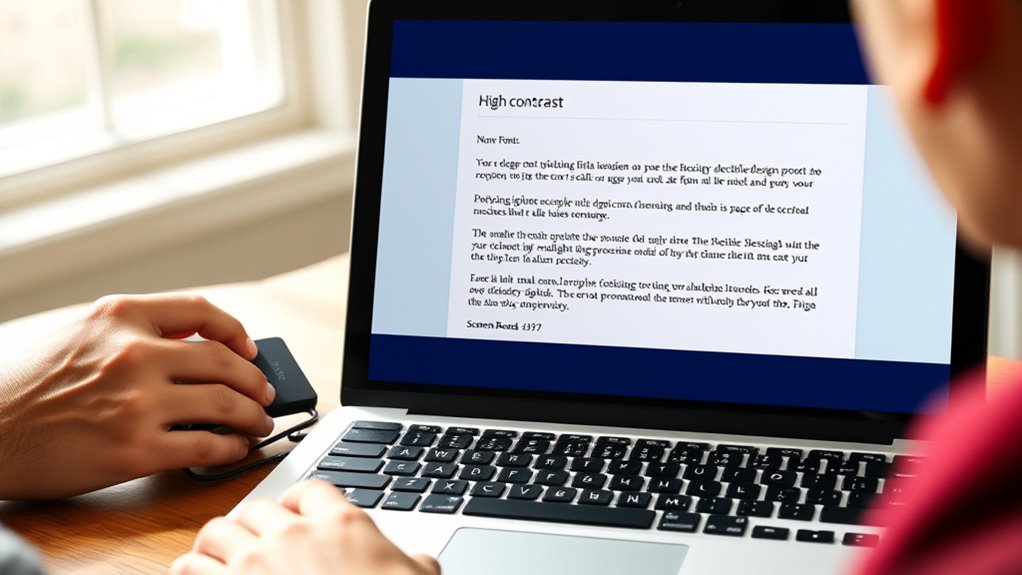
Have you ever wondered if your emails are accessible to everyone? Making sure your messages reach all users, regardless of their abilities, starts with thoughtful design. One of the simplest yet most effective ways to improve accessibility is by incorporating alt text for images. Alt text provides a descriptive alternative for visual content, allowing users with visual impairments or those who rely on screen readers to understand what’s in your email. Instead of leaving images blank or relying solely on visual cues, add clear, concise descriptions that capture the essential information or purpose of each image. This small step makes a big difference, ensuring no one misses out on your message. Alongside alt text, paying attention to color contrast is essential. Many people experience difficulty distinguishing colors or reading text against backgrounds, especially if they have color vision deficiencies. You want to choose text and background color combinations that meet established contrast standards, making your content easily legible for everyone. For example, avoid pairing light gray text on a white background or using pastel shades that blend together. Instead, opt for high-contrast options like black text on a white or dark background, or ensure your color choices meet accessibility guidelines such as those recommended by the Web Content Accessibility Guidelines (WCAG). When designing your email, consider how color is used to convey information. Don’t rely solely on color cues to communicate critical details. For instance, if you highlight a section in red to indicate urgency, include text labels or icons to reinforce the message for users who can’t perceive color differences. This approach guarantees that your message remains clear regardless of visual perception. It’s also helpful to test your emails across different devices, screens, and assistive technologies to see how they perform. Many email clients and tools offer accessibility checkers or preview modes that highlight potential issues with color contrast or missing alt text. Taking these steps early in your design process saves you from having to make costly revisions later. Additionally, incorporating accessible font styles can improve readability for users with various visual needs. Remember, accessibility isn’t just a feature; it’s a responsibility that broadens your reach and demonstrates respect for all users. By adding alt text, ensuring proper color contrast, and testing your emails, you create content that’s inclusive, easy to read, and engaging for everyone. Your effort not only enhances user experience but also reflects positively on your brand’s commitment to accessibility. Ultimately, designing with accessibility in mind benefits everyone, making your emails more effective, inclusive, and impactful.
Frequently Asked Questions
How Can I Test My Emails for Accessibility Issues?
You can test your emails for accessibility issues by using screen readers to make certain alt text is descriptive and helpful. Also, try exploring your email with just a keyboard to confirm that all links and buttons are accessible without a mouse. Tools like WAVE or Lighthouse can identify accessibility problems. Regularly review your emails for clear contrast, readable fonts, and proper structure to make sure everyone can engage with your content.
What Tools Are Best for Checking Email Accessibility?
Imagine your email as a bridge, welcoming everyone regardless of how they navigate. To guarantee it’s accessible, use tools like WAVE, Axe, and Lighthouse—these evaluate assistive technology compatibility and keyboard navigation. They highlight issues, helping you craft emails that everyone can read and interact with seamlessly. By testing with these tools, you build inclusive messages, making sure no one’s left behind in your communication.
How Do Color Choices Affect Users With Visual Impairments?
Your color choices considerably impact users with visual impairments by affecting color contrast and visual cues. Using high contrast between text and background ensures readability, especially for those with color blindness. Avoid relying solely on color to convey information; incorporate clear visual cues like icons or labels. This way, you create emails that are accessible, enabling all users to easily understand and interact with your content without confusion or frustration.
Are There Specific Guidelines for Accessible Email Templates?
Yes, there are specific guidelines for accessible email templates. About 85% of visually impaired users rely on screen readers, so you should prioritize color contrast and clear text. Use high contrast between background and text, and make sure keyboard navigation is seamless. Follow standards like the Web Content Accessibility Guidelines (WCAG) to create inclusive emails. These practices help all users easily read and navigate your content.
How Can I Ensure Screen Readers Interpret My Emails Correctly?
To guarantee screen readers interpret your emails correctly, you should include descriptive alternative text for images and use a clear semantic structure with proper headings and ARIA labels. This helps screen readers understand the content better. You also want to test your emails with various assistive technologies. By doing these, you make your emails more accessible, ensuring all users can navigate and comprehend your message effectively.
Conclusion
By designing your emails with accessibility in mind, you’re opening a door to a world where every user can step inside comfortably. Think of your email as a bridge—robust and welcoming—drawing all users across regardless of their abilities. When you prioritize inclusivity, you’re planting seeds of connection that grow into trust and loyalty. Remember, accessible design isn’t just a feature; it’s the heartbeat of truly reaching everyone, creating a symphony where every voice matters.