To optimize your emails for Apple’s AI summaries and priority inbox, focus on clear, well-structured messages with short paragraphs, bullet points, and descriptive subject lines. Use concise language, highlight action items, and avoid jargon to guarantee AI easily recognizes key details. Consistent formatting, a professional sign-off, and properly placed contact info help the AI categorize your messages better. Keep these tips in mind to make your emails stand out—continue to explore how to refine your approach.
Key Takeaways
- Use clear, descriptive subject lines to signal email importance and aid AI prioritization.
- Structure emails with short paragraphs, bullet points, and headings for better AI summaries.
- Highlight action items and deadlines explicitly to ensure they are recognized by Apple’s AI.
- Maintain consistent formatting and language to improve AI learning and email categorization.
- Include clear sign-offs with contact details to help AI differentiate personal from professional messages.
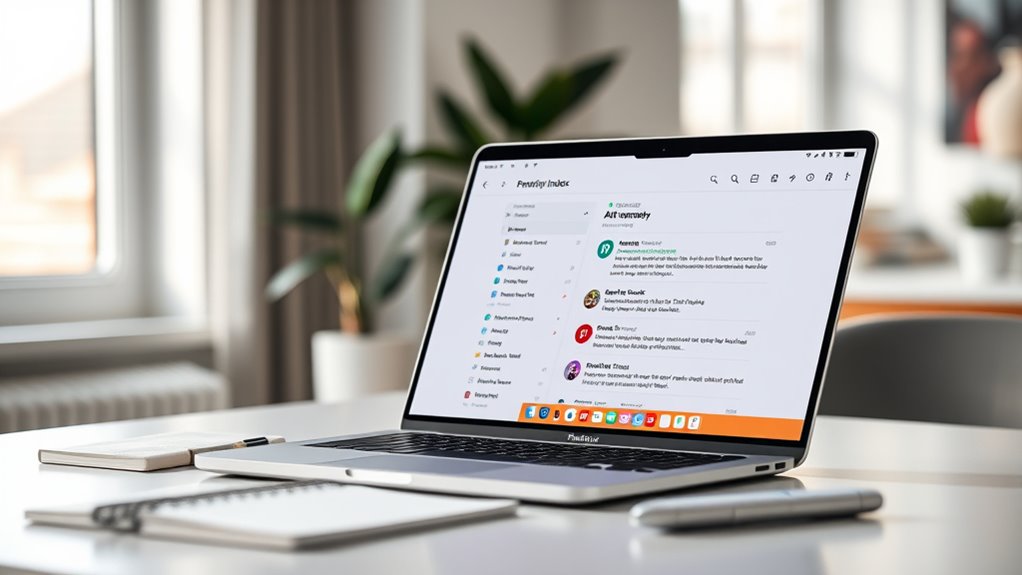
With Apple’s introduction of AI-powered summaries and Priority Inbox features, adapting your emails has become essential to stay organized and efficient. These innovations are designed to help you manage your inbox more effectively, but they require some adjustments on your part. The way you format your emails plays a vital role in how well AI integration works, ensuring that your messages are easily understood and properly prioritized. Clear email formatting helps the AI algorithms recognize key information, making summaries more accurate and your emails more accessible.
Start by using concise, well-structured sentences. Break long paragraphs into smaller chunks, and use bullet points or numbered lists when listing information. This not only improves readability but also helps the AI quickly identify important details. When you’re formatting your emails, be intentional with your headings, subject lines, and even the placement of essential information. Clear, descriptive subject lines signal the importance of your message, making it easier for the Priority Inbox to sort emails into relevant categories.
Use clear headings, concise sentences, and organized lists for better AI understanding and email management.
AI integration is designed to learn from your habits, so the way you craft your emails influences how effectively these features function. Be consistent with your language and formatting styles, and avoid unnecessary jargon or ambiguous phrasing. For example, if you’re requesting action, clearly state what it is and include deadlines or specific instructions. The AI can then better recognize action items and categorize emails accordingly, saving you time and reducing missed requests.
Another aspect to think about is how you conclude your emails. Using standard sign-offs and including your name and contact information in a predictable location helps the AI differentiate between personal and professional messages. This consistency makes it easier for the AI to organize your inbox, ensuring that important emails don’t get lost in the shuffle.
In addition, be mindful of your tone and clarity. When you write with purpose and precision, the AI can more accurately generate summaries that highlight the main points. This means you can rely on AI summaries to quickly catch up on your inbox without sifting through every detail. Furthermore, understanding the importance of clear formatting can improve how well your emails are processed by AI, leading to more accurate summaries and better inbox management. As Apple continues to refine these AI features, your proactive approach to email formatting and thoughtful communication will maximize their benefits, making your email management smoother and more efficient than ever before.
Frequently Asked Questions
Can I Customize AI Summaries for Specific Senders?
Yes, you can customize AI summaries for specific senders through sender-specific filtering. By setting up filters, you tell the AI to prioritize or highlight emails from particular contacts, which influences how summaries are generated. This way, you get tailored AI summary customization, focusing on messages that matter most to you. Just adjust your filtering rules in your email settings, and the AI will adapt accordingly for each sender.
How Do I Adjust Notification Settings for Priority Inbox?
To modify your email notification preferences for priority inbox filtering, go to your email settings and find the notifications section. From there, you can customize which alerts you receive for high-priority messages and adjust notification frequency. You might also set specific filters to guarantee important emails land in your priority inbox, helping you stay focused on essential messages without unnecessary distractions.
Is There a Way to Revert to the Original Email View?
Yes, you can revert to the original email view by adjusting your email view options. To do this, go to your email app’s settings, find the layout or view settings, and select the classic or original email view. Restoring email layout is usually straightforward and allows you to switch back from AI summaries or priority inbox views. This way, you regain your preferred, familiar email interface.
Are There Compatibility Issues With Third-Party Email Apps?
You might face some compatibility issues with third-party email apps, especially if they haven’t been updated for the latest iOS features. Email client integration can be tricky, so check whether your app supports Apple’s AI summaries and Priority Inbox. Some third-party apps may not fully integrate these features, which could limit functionality. Always guarantee your email app is compatible with the newest iOS updates to avoid any disruptions.
How Secure Is My Email Data With Apple’s AI Features?
Your email data stays secure with Apple’s AI features because Apple prioritizes privacy concerns and uses robust data encryption. You might worry about data exposure, but Apple processes information locally on your device whenever possible, minimizing cloud storage. This approach guarantees your sensitive information remains private. Overall, Apple’s commitment to privacy and encryption means your email data is well protected, giving you peace of mind while enjoying enhanced AI features.
Conclusion
Just like a skilled captain steering through foggy waters, adapting your emails for Apple’s AI summaries and Priority Inbox sharpens your navigation through busy days. Embrace these tools to cut through the noise, revealing only what truly matters—your guiding stars in a sea of messages. With a little effort, you’ll harness the AI’s lighthouse, making your inbox a calm harbor amid the storm. Let it be your compass toward clarity and productivity.