
Incorporating interactive elements into templates boosts your audience’s engagement and makes navigation more intuitive. You can add clickable buttons, hover effects, collapsible sections, and multimedia content to create a lively, dynamic experience. These features encourage active participation, help users find information quickly, and make your templates more accessible and personalized. Keep exploring the options, as implementing these strategies can markedly improve how users interact with your content.
Key Takeaways
- Use clickable buttons, hover effects, and dropdowns to enhance navigation and user engagement within templates.
- Incorporate collapsible sections to organize content efficiently and reduce visual clutter.
- Embed multimedia elements like videos and images to create a richer, more interactive experience.
- Design responsive elements that adapt to user actions, providing immediate feedback and personalization.
- Leverage AI-driven dynamic content to tailor interactions based on user preferences and behaviors.

Have you ever wondered how to make your templates more engaging and user-friendly? The secret lies in incorporating interactive elements that boost both user experience and visual engagement. When your templates include interactive features, you create a dynamic environment where users feel motivated to explore and participate actively. This not only makes the content more appealing but also enhances how easily users can navigate and understand information. To achieve this, focus on integrating elements like clickable buttons, hover effects, collapsible sections, or embedded media that respond to user actions. These features break the monotony of static designs and invite users to engage more deeply, keeping their attention focused on what matters most. Incorporating generative AI in entertainment can also help in creating dynamic, personalized content that adapts to user preferences, further enriching the interactive experience.
Incorporating interactive elements directly influences user experience by making your templates intuitive and accessible. Instead of forcing users to sift through endless text or static images, you give them tools to find what they need quickly and effortlessly. For example, using dropdown menus or tabs allows users to customize their view, revealing details only when they want to see them. This reduces clutter and streamlines the information flow. When done right, these features also make your templates feel more personalized and responsive, fostering a sense of control and satisfaction. Remember, a positive user experience encourages users to spend more time on your templates, increasing the likelihood of achieving your intended goals—whether that’s sharing information, gathering feedback, or facilitating a process.
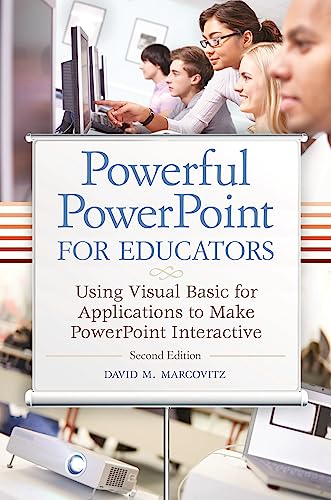
Powerful PowerPoint for Educators: Using Visual Basic for Applications to Make PowerPoint Interactive, Second Edition
Used Book in Good Condition
As an affiliate, we earn on qualifying purchases.
As an affiliate, we earn on qualifying purchases.
Frequently Asked Questions
What Are the Best Tools for Adding Interactive Elements?
You should consider tools like Adobe Captivate, Articulate Storyline, or H5P to add interactive elements. These tools boost user engagement and enhance user experience by allowing you to create quizzes, clickable videos, and interactive presentations easily. They integrate well with various platforms, making your templates more dynamic and engaging. Using these tools, you can craft compelling content that keeps your audience interested and improves overall interaction.
How Do Interactive Elements Impact Website Loading Times?
Adding interactive elements is like adding spice to a dish—too much can overwhelm. They can increase your website’s loading impact, slowing down performance if not optimized properly. To keep your site speedy, focus on performance optimization by compressing files, using asynchronous loading, and limiting complex scripts. This way, you make sure engaging features don’t turn your site into a sluggish snail, maintaining a smooth experience for your visitors.
Are Interactive Templates Mobile-Friendly?
Yes, interactive templates are generally mobile-friendly if designed properly. They enhance user engagement by providing dynamic content that adapts to different screen sizes, improving the overall user experience. When you optimize interactive elements for mobile, you guarantee fast loading times and smooth interactions, making your website more appealing and accessible on any device. Proper design and testing are key to maintaining a seamless, engaging experience across all platforms.
Can Interactive Elements Be Customized Easily?
Think of interactive elements as the paintbrushes in your toolkit—they let you customize your canvas effortlessly. Yes, you can easily tailor these features to suit your needs, boosting user engagement and enhancing user experience. You control the colors, strokes, and details, ensuring your template reflects your unique style. With simple tools at your fingertips, customizing interactive elements becomes a seamless process, giving your audience a dynamic and engaging experience every time.
What Is the Cost Difference Between Static and Interactive Templates?
The cost comparison shows that static templates are generally more affordable, with lower template pricing due to simpler design and limited features. Interactive templates tend to be pricier because they require more development, advanced features, and customization. You’ll find that investing in interactive templates can increase costs, but they also offer higher engagement and functionality. Consider your budget and goals to decide whether the added investment aligns with your needs.
![APPASH Fidget Cube - Premium 9-in-1 Ultimate Sensory Fidget Toy for Stress & Anxiety Relief | Features ACU Rollers, Clickable Fan, Pen Slider, Bearing Balls & More Tactile Actions for Focus[BlkRed]](https://m.media-amazon.com/images/I/41JKrkY3-aL._SL500_.jpg "Incorporating Interactive Elements Into Templates 5")
APPASH Fidget Cube – Premium 9-in-1 Ultimate Sensory Fidget Toy for Stress & Anxiety Relief | Features ACU Rollers, Clickable Fan, Pen Slider, Bearing Balls & More Tactile Actions for Focus[BlkRed]
NEXT-GEN DESIGN & BENEFITS: Experience the next generation of tactile satisfaction with our meticulously engineered, unique Fidget Cube,…
As an affiliate, we earn on qualifying purchases.
As an affiliate, we earn on qualifying purchases.
Conclusion
By incorporating interactive elements into your templates, you turn static pages into lively conversations. Think of your templates as a garden—adding interactive features is like planting flowers that invite visitors to explore and engage. With each click and hover, you cultivate a richer experience, making your content unforgettable. Embrace these elements to transform your templates from mere frameworks into vibrant ecosystems that draw users in and keep them coming back for more.
collapsible content sections for websites
As an affiliate, we earn on qualifying purchases.
As an affiliate, we earn on qualifying purchases.

Kaisi Professional Electronics Opening Pry Tool Repair Kit with Metal Spudger Non-Abrasive Nylon Spudgers and Anti-Static Tweezers for Cellphone iPhone Laptops Tablets and More, 20 Piece
Kaisi 20 pcs opening pry tools kit for smart phone,laptop,computer tablet,electronics, apple watch, iPad, iPod, Macbook, computer, LCD…
As an affiliate, we earn on qualifying purchases.
As an affiliate, we earn on qualifying purchases.