For Black Friday checkout scanners, my best overall pick is the Honeywell Voyager XP 1470g, a corded 1D/2D option suited to counters that need broad barcode support without battery management. The Honeywell Genesis XP 7680g stands out for hands-free presentation scanning, while the Honeywell Voyager XP 1472g models offer cordless flexibility for staff who move between checkout points. The main tradeoff is between fast, hands-free counter use and the freedom of a wireless scanner, with barcode compatibility and setup needs also shaping the choice. Lower-cost wired models can suit simpler 1D workflows, but they offer less flexibility for modern codes or mobile checkout. Read on for the full breakdown of all 15 options and guidance on matching a scanner to your Black Friday setup.

Get business pricing on office and shipping supplies
- Business-only prices and quantity discounts
- Tax-exempt purchasing
- Multiple users, one account, clear invoices
Key Takeaways
- The Voyager XP 1470g leads for a fixed checkout: it combines corded reliability with 1D/2D support, avoiding the charging and pairing chores that come with wireless models.
- Hands-free scanning is a distinct advantage, not a universal upgrade: the Genesis XP 7680g and Eyoyo desktop scanners suit counter workflows where staff present items, but are less adaptable for scanning bulky goods away from the scanner.
- Wireless picks solve different problems: the Voyager XP 1472g and Symbol DS6878-SR are better suited to roaming, while Tera and WoneNice offer simpler handheld wireless alternatives.
- Several entry-level wired models are 1D-focused: the Voyager 1250g, WoneNice WN3300, Inateck BCST-21, and NetumScan CCD model make most sense when the checkout system does not need 2D codes.
- The Zebra TC56 is a different class of tool: its Android handheld format fits mobile workflows better than a basic counter scanner, but may be more device than a single-lane checkout needs.
| NetumScan Desktop USB Barcode Scanner |  | Best Overall Hands-Free Checkout Scanner | Barcode types: 1D, 2D, QR | Connectivity: USB cable | Field of view: 180 degrees | VIEW LATEST PRICE | See Our Full Breakdown |
| Honeywell Voyager XP 1470g Corded 1D/2D Barcode Scanner, USB Kit, Black |  | Best for Demanding, High-Volume Counters | Model: Voyager XP 1470g | Barcode types: 1D, 2D, PDF417, QR | Connectivity: USB cable | VIEW LATEST PRICE | See Our Full Breakdown |
| Tera 1D Wireless Barcode Scanner with Battery Indicator |  | Best Wireless Pick for 1D-Only Checkout | Barcode types: 1D | Scanning technology: Laser | Connectivity: 2.4 GHz wireless, USB cable | VIEW LATEST PRICE | See Our Full Breakdown |
| WoneNice WN3300 Wired USB Laser Barcode Scanner |  | Best for Basic 1D Checkout Setups | Model: WN3300 | Connectivity: USB | Scanning speed: 200 scans per second | VIEW LATEST PRICE | See Our Full Breakdown |
| Eyoyo 2D Omnidirectional USB Wired Hands-Free Desktop Barcode Scanner |  | Best for Mobile-Code Checkout | Barcode types: 1D and 2D, including PDF417 and Data Matrix | Connectivity: USB cable | Cable length: 1.6 m | VIEW LATEST PRICE | See Our Full Breakdown |
| Honeywell Genesis XP 7680g Hands-Free Presentation Scanner, USB Kit |  | Best for Flexible Counter Scanning | Imager: 1.3-megapixel area imager, 1280 × 800 | Motion tolerance: 400 cm/s | Supported codes: 1D, 2D, PDF417, DotCode, Digimarc | VIEW LATEST PRICE | See Our Full Breakdown |
| Zebra/Motorola Symbol DS6878-SR 2D Wireless Bluetooth Barcode Scanner Kit with Cradle and USB Cable (Renewed) |  | Best Renewed Wireless Pick | Connectivity: Bluetooth and USB | Supported codes: 2D barcodes and QR codes | Compatible devices: Smartphones and tablets | VIEW LATEST PRICE | See Our Full Breakdown |
| Eyoyo Wired 2D Barcode Scanner with Gooseneck Stand |  | Best Value for Adjustable Hands-Free Use | Model: EY-H2 | Connectivity: USB cable | Supported codes: 1D and 2D, including QR, DataMatrix, and PDF417 | VIEW LATEST PRICE | See Our Full Breakdown |
| Honeywell Voyager 1250g Corded 1D Barcode Scanner, USB, Black |  | Best for Simple 1D Checkout | Barcode type: Linear 1D | Scan range: Up to 23 in (58.4 cm) | Connectivity: USB cable | VIEW LATEST PRICE | See Our Full Breakdown |
| Honeywell Voyager XP 1472g Cordless 2D Barcode Scanner Kit |  | Best Premium Cordless Checkout Kit | Supported codes: 1D, PDF, 2D, and DotCode | Connectivity: Bluetooth, USB, and RS232 | Operating time: 14 hours | VIEW LATEST PRICE | See Our Full Breakdown |
| Zebra TC56 Wireless Android Handheld Barcode Scanner with Charger (Renewed) |  | Best for Android-Based Mobile Checkout | Model: TC56 (TC56CJ) | Operating system: Android 8.1 | Scanning formats: 1D, 2D, and QR codes | VIEW LATEST PRICE | See Our Full Breakdown |
| WoneNice 2.4G Wireless Handheld Barcode Scanner |  | Best Value for Basic Wireless 1D Checkout | Connectivity: 2.4G wireless and USB | Barcode types: Standard 1D, including UPC, EAN, Code 128, and Code 39 | Scan speed: Up to 300 scans per second | VIEW LATEST PRICE | See Our Full Breakdown |
| Inateck BCST-21 1D Barcode Scanner |  | Best for Long Shifts and Flexible Pairing | Barcode type: 1D | Connectivity: 2.4G wireless, Bluetooth, USB cable | Battery capacity: 2000mAh lithium-ion | VIEW LATEST PRICE | See Our Full Breakdown |
| NetumScan USB 1D Wired CCD Barcode Scanner |  | Best for a Fixed, No-Battery Checkout | Model: L3 | Barcode types: 1D | Scanning technology: CCD | VIEW LATEST PRICE | See Our Full Breakdown |
| Honeywell Voyager XP 1472g Wireless 2D Barcode Scanner |  | Best Premium Pick for High-Volume 2D Checkout | Barcode types: 1D and 2D | Connectivity: Bluetooth 4.2; USB cable | Wireless range: Up to 100m line of sight with compatible Honeywell charge and communication base | VIEW LATEST PRICE | See Our Full Breakdown |
| Black Friday checkout scanner | Connectivity | Compatible devices |
|---|---|---|
| NetumScan Desktop USB Barcode | USB cable | — |
| Honeywell Voyager XP 1470g Cor | USB cable | — |
| Tera 1D Wireless Barcode Scann | 2.4 GHz wireless, USB cable | — |
| WoneNice WN3300 Wired USB Lase | USB | — |
| Eyoyo 2D Omnidirectional USB W | USB cable | Desktop, laptop, POS |
| Honeywell Genesis XP 7680g Han | — | — |
| Zebra/Motorola Symbol DS6878-S | Bluetooth and USB | Smartphones and tablets |
| Eyoyo Wired 2D Barcode Scanner | USB cable | Desktop, laptop, and POS |
| Honeywell Voyager 1250g Corded | USB cable | Desktop and laptop |
| Honeywell Voyager XP 1472g Cor | Bluetooth, USB, and RS232 | — |
| Zebra TC56 Wireless Android Ha | Wireless | Desktop, laptop, smartphone |
| WoneNice 2.4G Wireless Handhel | 2.4G wireless and USB | — |
| Inateck BCST-21 1D Barcode Sca | 2.4G wireless, Bluetooth, USB cable | Desktop, laptop, smartphone, tablet |
| NetumScan USB 1D Wired CCD Bar | — | Desktop, laptop |
| Honeywell Voyager XP 1472g Wir | Bluetooth 4.2; USB cable | Desktop, laptop, smartphone, tablet |
More Details on Our Top Picks
NetumScan Desktop USB Barcode Scanner
For a fixed checkout counter, I’d put the NetumScan Desktop ahead of the handheld WoneNice WN3300 because its automatic, omnidirectional scanning lets a cashier present items without picking up a scanner. Its support for 1D, 2D, and QR codes, including codes on screens, also suits mixed paper-label and mobile-code transactions. USB plug-and-play keeps setup simple, while the non-slip base, anti-vibration design, and IP54 dust protection fit regular counter use. The tradeoff is compatibility: it is not compatible with Square, Clover, or Shopify, so buyers should confirm their checkout software before choosing it. It also stays tethered to a computer, and unlike the Honeywell Voyager XP 1470g, it is not a handheld option for reaching into a cart.
Pros:- Hands-free automatic sensing reduces the need to lift and aim the scanner for each item.
- Reads 1D, 2D, and QR codes from labels, paper, and screens.
- USB plug-and-play connection supports straightforward desktop setup.
- Non-slip base, anti-vibration system, and IP54 dust protection suit a busy counter.
Cons:- Not compatible with Square, Clover, or Shopify.
- USB tethering limits where the scanner can be placed.
- Desktop format is less useful for scanning large or hard-to-reach items.
Best for: Retailers using compatible desktop checkout software who want hands-free scanning of printed labels and phone or tablet codes.
Not ideal for: Square, Clover, or Shopify users, and checkout teams that need a mobile handheld scanner or wireless placement.
- Barcode types:1D, 2D, QR
- Connectivity:USB cable
- Field of view:180 degrees
- Operating systems:Windows XP/7/8/10, Mac OS, Linux
- Dust protection:IP54
- Operating voltage:5 volts
- Dimensions:4.13 x 3.7 x 5.45 inches
Our verdict“Choose the NetumScan for compatible checkout systems where hands-free 1D, 2D, and QR scanning matters more than portability.”
Honeywell Voyager XP 1470g Corded 1D/2D Barcode Scanner, USB Kit, Black
The Honeywell Voyager XP 1470g makes the most sense when checkout speed depends on reading awkward items reliably: it handles damaged or poorly printed codes, phone and tablet displays, and cart-bottom items from an extended scan range. That gives it a practical edge over the WoneNice WN3300, which is a simpler 1D laser scanner, and over the hands-free NetumScan, which is better suited to fixed presentation scanning than reaching into a cart. Honeywell’s stated drop and tumble resistance also favors busy environments where handheld equipment takes knocks. The main compromise is its corded USB design: it restricts movement and counter placement, unlike wireless options such as the Tera 1D. It reads 1D and 2D codes, but this is a handheld tool, not a hands-free presentation scanner.
Pros:- Reads common 1D and 2D codes, including damaged or poorly printed barcodes.
- Can scan codes displayed on phones and tablets.
- Extended range helps reach barcodes at the bottom of a cart.
- Rated for 30 drops from 6 feet and 1,000 tumbles from 1.6 feet.
Cons:- USB cable limits movement and scanner placement.
- Handheld operation requires the cashier to pick up and aim the scanner.
- More capability than needed for buyers who only scan standard 1D labels.
Best for: Busy checkout teams that need a rugged handheld scanner for worn labels, digital codes, and items left in shopping carts.
Not ideal for: Counters that need hands-free scanning or staff who need to move freely away from the computer without a cable.
- Model:Voyager XP 1470g
- Barcode types:1D, 2D, PDF417, QR
- Connectivity:USB cable
- Drop resistance:30 drops from 6 feet onto concrete
- Tumble resistance:1,000 tumbles from 1.6 feet
- Dimensions:8.11 × 1.06 × 3.07 inches (D × W × H)
Our verdict“Pick the Voyager XP 1470g if your checkout needs a durable handheld that can handle difficult labels and cart-bottom scans.”
Tera 1D Wireless Barcode Scanner with Battery Indicator
When cable-free movement matters more than reading QR or other 2D codes, the Tera 1D Wireless Scanner is the clearest fit in this group. Its 2.4 GHz receiver offers a stated range of up to 328 feet in a barrier-free environment, so staff can scan stock or larger items away from the register and return to the computer. The 2,200 mAh battery and charge indicator make battery status visible, while the silicone cover and IP54 dust protection add practical defenses for everyday handling. Unlike the Honeywell Voyager XP 1470g, it does not require a USB cable during wireless use; unlike the NetumScan Desktop, it is handheld rather than hands-free. Its defining limit is firm: it reads 1D barcodes only, so it is the wrong choice for QR codes or mobile payment codes.
Pros:- Wireless connection supports movement away from the checkout computer.
- Battery indicator helps staff monitor remaining charge.
- 2,200 mAh battery is included.
- Silicone cover, 6.56-foot drop protection, and IP54 dust protection add physical protection.
Cons:- Reads 1D barcodes only, unlike the Honeywell Voyager XP 1470g.
- Maximum wireless range is specified for a barrier-free environment.
- Handheld scanning is less convenient than a desktop presentation scanner for repetitive counter work.
Best for: Small retailers and stockroom staff who scan standard 1D product labels and need to move around without a cable.
Not ideal for: Checkout teams that scan QR, 2D, or mobile payment codes, or work in spaces where walls and obstacles limit wireless range.
- Barcode types:1D
- Scanning technology:Laser
- Connectivity:2.4 GHz wireless, USB cable
- Wireless range:Up to 328 feet in a barrier-free environment
- Battery:2,200 mAh lithium-ion, included
- Drop protection:Up to 6.56 feet
- Dust protection:IP54
- Warranty:1 year
Our verdict“Choose the Tera if you need wireless freedom for 1D labels and do not need QR or 2D scanning.”
WoneNice WN3300 Wired USB Laser Barcode Scanner
The WoneNice WN3300 is the straightforward choice for a computer-based checkout that only needs conventional 1D barcode reading. Its USB connection works with Windows, Mac, and Linux, and the scanner can send data to common programs such as Word and Excel. Configurable prefixes, suffixes, termination strings, and beep settings give technically minded buyers control over how scans enter their workflow. Compared with the Honeywell Voyager XP 1470g, the WN3300 is a more basic fit: its listed capabilities center on standard formats and it lacks Honeywell’s stated handling of damaged codes and cart-bottom scanning. It also cannot match the NetumScan or Eyoyo desktop models for hands-free 2D scanning. The visible laser reads 1D formats, and the wired connection keeps it tied to the workstation.
Pros:- USB plug-and-play setup works with Windows, Mac, and Linux.
- Supports a broad range of listed 1D barcode formats.
- Configurable prefix, suffix, termination strings, and beep settings.
- Two-meter cable provides some flexibility around the workstation.
Cons:- Corded connection restricts movement compared with the Tera wireless scanner.
- Visible laser scanning is limited to the scanner’s supported 1D formats.
- Lacks the hands-free 2D and screen-code capability of the NetumScan Desktop.
Best for: Small shops or back-office checkout stations that scan standard 1D labels and want configurable output on a computer.
Not ideal for: Retailers scanning QR, 2D, or phone-displayed codes, or teams that need wireless reach or hands-free operation.
- Model:WN3300
- Connectivity:USB
- Scanning speed:200 scans per second
- Scanning angles:55° inclination; 65° elevation
- Light source:Visible laser, 650–670 nm
- Cable:2 m (6 ft) straight cable
- Compatibility:Windows, Mac, and Linux
- Drop resistance:1.5 m drop onto concrete
Our verdict“The WN3300 suits a basic wired workstation that needs broad 1D format support and configurable scan output.”
Eyoyo 2D Omnidirectional USB Wired Hands-Free Desktop Barcode Scanner
For a counter that frequently scans customer phones, the Eyoyo Hands-Free Desktop Scanner offers a practical combination of 1D and 2D reading, including mobile payment codes. Its omnidirectional presentation design lets customers or cashiers place a code in view rather than aim a handheld unit, while USB plug-and-play setup avoids separate drivers. Compared with the WoneNice WN3300, Eyoyo is the better match for 2D and screen-based codes; compared with the NetumScan Desktop, its product data specifies a 30-degree real angle of view rather than a 180-degree field of view. That distinction may matter when positioning codes on the counter. It remains a fixed, wired scanner, so it cannot replace a handheld like the Honeywell Voyager XP 1470g for cart-bottom or bulky-item scanning.
Pros:- Reads 1D and 2D codes from paper, labels, and screens.
- Supports PDF417 and Data Matrix, as well as mobile payment codes.
- Hands-free omnidirectional scanning suits repetitive counter transactions.
- USB plug-and-play setup requires no software or drivers.
Cons:- USB cable limits counter placement and movement.
- Desktop design is not suited to handheld scanning of bulky or hard-to-reach items.
- The listed real angle of view is 30 degrees, narrower than the NetumScan Desktop’s stated 180-degree field of view.
Best for: Retail counters that scan phone-based payment codes alongside printed 1D and 2D labels and want hands-free presentation scanning.
Not ideal for: Staff who need a handheld scanner for large items, off-counter work, or flexible placement away from a USB port.
- Barcode types:1D and 2D, including PDF417 and Data Matrix
- Connectivity:USB cable
- Cable length:1.6 m
- Real angle of view:30 degrees
- Operating voltage:5 V
- Compatible devices:Desktop, laptop, POS
- Dimensions:3 × 2.8 × 5.5 inches (D × W × H)
- Certifications:CE, FCC, RoHS
Our verdict“Choose Eyoyo for a fixed checkout where hands-free scanning of customer phone codes is a routine need.”
Honeywell Genesis XP 7680g Hands-Free Presentation Scanner, USB Kit
The Genesis XP 7680g suits checkout stations where a cashier needs both quick presentation scans and the option to pick up the scanner for awkward items. Its 1.3-megapixel imager handles 1D and 2D codes, including damaged labels and codes on phone screens, giving it broader checkout coverage than the Honeywell Voyager 1250g, which reads linear 1D codes only. The compact body, adjustable stand, and illumination that shuts off between scans help keep a busy counter practical without constant light or a large footprint. The tradeoff is that this is still a corded scanner, so the workstation determines where it can go. Buyers should also confirm whether their specific kit includes the USB cable, since inclusion can vary by model. Its IP52 protection and disinfectant-ready housing add useful resilience for shared counters.
Pros:- Switches between hands-free presentation and handheld scanning.
- Reads 1D and 2D codes, including damaged labels and codes on screens.
- Compact, disinfectant-ready housing with IP52 protection.
- Automatic illumination shutoff limits unnecessary light between scans.
Cons:- Corded operation limits movement and counter placement.
- USB cable inclusion depends on the selected model.
Best for: Retail counters that need a compact scanner for both hands-free checkout and occasional handheld scanning of screen-based or damaged 2D codes.
Not ideal for: Cashiers who need to move freely around a queue or scan items away from the counter, since it depends on a wired connection.
- Imager:1.3-megapixel area imager, 1280 × 800
- Motion tolerance:400 cm/s
- Supported codes:1D, 2D, PDF417, DotCode, Digimarc
- Scanning modes:Hands-free presentation and handheld
- Interfaces:USB, RS-232, Keyboard Wedge, IBM 46xx (RS-485)
- Protection:IP52
- Drop resistance:50 drops from 1.5 m (5 ft) onto concrete
- Warranty:3-year factory warranty
Our verdict“Choose the Genesis XP 7680g for a compact counter scanner that can handle both presentation and handheld 2D scanning, but skip it if cordless mobility matters.”
Zebra/Motorola Symbol DS6878-SR 2D Wireless Bluetooth Barcode Scanner Kit with Cradle and USB Cable (Renewed)
The DS6878-SR is the mobility-focused choice here: Bluetooth lets a cashier carry the scanner to bulky goods rather than pulling every item to a fixed counter. Its included cradle and USB cable provide a home for charging and communication, while 2D and QR reading suit checkout workflows that use more than standard linear labels. Compared with the Honeywell Voyager XP 1472g, however, this renewed kit comes with a much shorter stated warranty and less detail about durability and operating time. The listing also calls for three AAA batteries, so buyers should clarify the power arrangement before relying on it for a full shift. It makes sense for a budget-conscious setup that values cordless reach, but less so for stores that need well-documented support or predictable long-term service.
Pros:- Bluetooth connection allows scanning away from the counter.
- Supports 2D barcodes and QR codes.
- Cradle and USB cable are included in the kit.
- Listed as compatible with smartphones and tablets.
Cons:- Renewed unit has a limited 90-day warranty.
- Requires three AAA batteries, adding a power-management step.
- Available product details provide limited information about durability and runtime.
Best for: Small retailers who want a cordless 2D scanner for moving between the checkout counter and larger items, and are comfortable buying renewed equipment.
Not ideal for: High-volume stores that need a long stated warranty, clearly documented shift runtime, or a fully specified support package.
- Connectivity:Bluetooth and USB
- Supported codes:2D barcodes and QR codes
- Compatible devices:Smartphones and tablets
- Power:Battery, corded electric, or USB cable
- Batteries:3 AAA batteries required
- Field of view:90 degrees
- Dimensions:3.85 × 2.7 × 7.3 in
- Warranty:90-day limited warranty
Our verdict“Pick the renewed DS6878-SR for cordless 2D scanning on a tighter equipment budget, but favor the Voyager XP 1472g if stronger warranty and durability details matter more.”
Eyoyo Wired 2D Barcode Scanner with Gooseneck Stand
The Eyoyo EY-H2 gives a checkout station flexible positioning without requiring a dedicated desktop scanner: its adjustable gooseneck stand supports hands-free presentation scanning, and the scanner detaches for handheld use. It reads 1D and 2D formats, including QR, DataMatrix, and PDF417, so it covers more code types than the Honeywell Voyager 1250g, which is limited to linear 1D. Three scanning modes—trigger, auto-sensing, and continuous—let buyers match behavior to their workflow, while USB power avoids charging breaks. The main compromise is placement: unlike the cordless Honeywell Voyager XP 1472g, this model stays tethered to the workstation. Hands-free operation also depends on the included stand, so it is less convenient for a minimalist counter that needs no extra hardware.
Pros:- Reads 1D and 2D codes, including QR, DataMatrix, and PDF417.
- Detachable scanner and adjustable metal gooseneck support two working positions.
- Offers trigger, auto-sensing, and continuous scanning modes.
- USB-powered operation requires no battery charging.
Cons:- Wired USB connection restricts mobility and placement.
- Hands-free use depends on the included gooseneck stand.
- Stand adds hardware to the counter compared with a handheld-only setup.
Best for: Small shops and checkout teams that want adjustable hands-free positioning, handheld flexibility, and 2D code support from a USB-powered scanner.
Not ideal for: Mobile checkout operators or counters where the scanner must travel beyond the reach of a USB cable.
- Model:EY-H2
- Connectivity:USB cable
- Supported codes:1D and 2D, including QR, DataMatrix, and PDF417
- Scanning modes:Key trigger, auto-sensing, and continuous
- Stand:Detachable adjustable metal gooseneck with plastic head
- Power:Corded electric, 5 volts
- Compatible devices:Desktop, laptop, and POS
- Dimensions:3.35 × 2.28 × 6.2 in (D × W × H)
Our verdict“Choose the Eyoyo EY-H2 for adaptable, corded hands-free 2D scanning, and choose the Voyager XP 1472g instead if you need to carry the scanner around the checkout area.”
Honeywell Voyager 1250g Corded 1D Barcode Scanner, USB, Black
The Voyager 1250g is the straightforward pick for stores whose checkout labels are all linear barcodes. Its stated 23-inch scan range can reduce awkward reaching when products are large or labels sit farther from the scanner, while CodeGate lets staff aim before sending data—handy when several barcodes are close together. Automatic interface detection also keeps USB setup simpler than a more configurable workstation might require. The limitation is format coverage: unlike the Genesis XP 7680g and Eyoyo EY-H2, this model does not read 2D codes or smartphone-displayed QR codes. It is corded, and presentation scanning requires an optional stand. For a focused 1D workflow, that narrower scope may be a useful simplification; for mixed retail labels, it can become a reason to choose a 2D model instead.
Pros:- Reads linear barcodes from up to 23 inches away.
- Can capture poorly printed or damaged 1D codes.
- CodeGate lets the operator target a barcode before transmitting.
- Automatic interface detection simplifies USB setup.
Cons:- Reads linear 1D barcodes only.
- Hands-free presentation scanning requires an optional stand.
- Corded operation restricts movement around the checkout area.
Best for: Retailers with standard linear product labels who want a simple USB scanner, longer working distance, and controlled barcode transmission.
Not ideal for: Businesses that scan QR codes, 2D labels, or barcodes displayed on customer phones, or that need hands-free scanning without buying a separate stand.
- Barcode type:Linear 1D
- Scan range:Up to 23 in (58.4 cm)
- Connectivity:USB cable
- Power:Corded electric
- Compatible devices:Desktop and laptop
- Dimensions:8.11 × 1.06 × 3.07 in (D × W × H)
- Weight:4.64 oz
- Warranty:5 years
Our verdict“Choose the Voyager 1250g for a simple, long-range 1D checkout lane, but select a 2D scanner such as the Genesis XP 7680g for phone screens or QR codes.”
Honeywell Voyager XP 1472g Cordless 2D Barcode Scanner Kit
The Voyager XP 1472g is the strongest fit for a busy checkout that needs cordless movement without giving up broad code support. It reads 1D, PDF, 2D, and DotCode formats, including damaged labels and codes on smartphone screens, while the included charging and communication cradle keeps the scanner anchored between uses. Its drop and tumble specifications make it better documented for rough retail handling than the renewed Zebra/Motorola DS6878-SR, whose listing offers only a 90-day warranty and limited durability detail. This kit does ask for more setup space and planning: the cradle is part of the workflow, and a full charge takes 4.5 hours. For cashiers who need to carry the scanner to oversized products, those tradeoffs are easier to accept than the fixed reach of the corded Voyager 1250g.
Pros:- Cordless Bluetooth operation supports scanning away from the counter.
- Reads 1D, PDF, 2D, and DotCode formats, including codes on screens.
- Drop and tumble specifications suit busy checkout handling.
- Kit includes a charging and communication cradle, power supply, USB cable, and RS232 cable.
Cons:- Requires the cradle for charging and communication.
- Charging takes 4.5 hours.
- The cradle and included accessories require dedicated counter space.
Best for: High-traffic retail teams that need a cordless scanner for 1D and 2D checkout codes, phone screens, and occasional scanning of bulky items.
Not ideal for: Small counters with no room for a charging cradle, or fixed lanes where a corded scanner is sufficient and charging logistics are unwanted.
- Supported codes:1D, PDF, 2D, and DotCode
- Connectivity:Bluetooth, USB, and RS232
- Operating time:14 hours
- Charge time:4.5 hours
- Drop durability:30 drops from 1.8 m (6 ft)
- Tumble durability:1,000 tumbles from 0.5 m (1.6 ft)
- Weight:210 g (7.4 oz)
- Warranty:3-year factory warranty
Our verdict“Choose the Voyager XP 1472g for a well-equipped cordless 2D checkout lane with documented durability, but pick a corded model if you do not need roaming access.”
Zebra TC56 Wireless Android Handheld Barcode Scanner with Charger (Renewed)
The Zebra TC56 is the most phone-like option here: wireless scanning, 1D, 2D, and QR support, and Android 8.1 with Play Store access make it suited to checkout workflows built around mobile apps. Unlike the simpler WoneNice 2.4G scanner, it can handle QR and 2D codes as well as standard retail labels, and it does not depend on a USB receiver for its wireless design. That flexibility comes with a notable catch: Android 8.1 is dated, so buyers should check that their intended apps still support it. The renewed condition and 90-day limited warranty also make this a less predictable choice than a new corded scanner. I’d rank it for app-driven mobility, not for buyers who want the simplest plug-in checkout setup.
Pros:- Reads 1D, 2D, and QR codes
- Wireless design supports movement around a checkout area
- Android 8.1 provides access to the Play Store, subject to app compatibility
- Charger is included
Cons:- Android 8.1 is an older operating system and may limit app compatibility
- Renewed condition means it is pre-owned or refurbished
- The 90-day limited warranty offers less coverage than the Inateck BCST-21’s stated two-year warranty
Best for: Retail teams using compatible Android apps that need a wireless handheld for 1D, 2D, and QR checkout scanning.
Not ideal for: Buyers who need a current Android platform, a long warranty, or a straightforward USB scanner for a fixed checkout desk.
- Model:TC56 (TC56CJ)
- Operating system:Android 8.1
- Scanning formats:1D, 2D, and QR codes
- Connectivity:Wireless
- Compatible devices:Desktop, laptop, smartphone
- Included accessory:Charger
- Condition:Renewed
- Warranty:90-day limited warranty
Our verdict“Choose the TC56 if your checkout depends on compatible Android apps and mobile 2D or QR scanning, but skip it if you need a newer platform or new-device assurance.”
WoneNice 2.4G Wireless Handheld Barcode Scanner
For a checkout that handles conventional product labels, the WoneNice 2.4G pairs wireless freedom with a USB option, a rechargeable battery, and storage and instant-upload modes. Its stated up-to-100-hour continuous-use battery life can reduce interruptions during busy shifts, while IP54 protection and resistance to drops up to 2 meters suit everyday handling better than a delicate desk-only reader. It is a more basic choice than the Honeywell Voyager XP 1472g, which reads 2D codes and works with smartphone screens; WoneNice is specified for standard 1D barcodes only. Its wireless link also relies on the included USB receiver, so it is not the same kind of mobile, app-based tool as the Zebra TC56. I’d pick it for economical, familiar 1D checkout tasks, not for QR-heavy sales.
Pros:- Offers both 2.4G wireless and USB connectivity
- Rechargeable 1300mAh battery is rated for up to 100 hours of continuous use
- Storage and instant-upload modes support different checkout workflows
- IP54 protection and stated 2-meter drop resistance
Cons:- Supports standard 1D barcodes; 2D capability is not specified
- Wireless operation requires the included USB receiver
- Less suited to screen-based QR checkout than the Honeywell Voyager XP 1472g
Best for: Small retailers and pop-up sellers who scan standard 1D product labels and want a rechargeable handheld that can also connect by USB.
Not ideal for: Businesses scanning QR codes, digital coupons, or other 2D codes, or users who need wireless pairing without a USB receiver.
- Connectivity:2.4G wireless and USB
- Barcode types:Standard 1D, including UPC, EAN, Code 128, and Code 39
- Scan speed:Up to 300 scans per second
- Battery:1300mAh rechargeable lithium-ion
- Continuous use:Up to 100 hours
- Wireless range:Up to 30m
- Compatibility:Windows, macOS, Linux, and major POS systems
- Protection:IP54; drop resistance up to 2m
Our verdict“Pick this WoneNice for durable, rechargeable 1D scanning at a checkout that has a USB host, but choose a 2D model for QR and phone-screen codes.”
Inateck BCST-21 1D Barcode Scanner
The Inateck BCST-21 is a practical pick when a scanner needs to move between a checkout computer and mobile devices. Its 2.4G, Bluetooth, and USB connections cover more pairing situations than the WoneNice 2.4G model, whose wireless link uses a USB receiver. The 2000mAh battery is rated for up to three months at normal scanning frequency, though the stated figure falls to about one month with high-frequency use; that distinction matters during Black Friday rushes. Its laser module is also described as handling blurry, damaged, dirty, or distorted 1D codes, helping when labels are worn. The limit is format coverage: unlike the Honeywell Voyager XP 1472g, this scanner is specified for 1D only. I’d choose it for flexible device pairing and tough paper labels, not QR checkout.
Pros:- Three connection options: 2.4G wireless, Bluetooth, and USB
- Compatible with Windows, Mac OS, iOS, Android, iPad OS, and Linux
- Reads common 1D codes described as blurry, damaged, dirty, or distorted
- 2000mAh battery and app-based configuration and monitoring
Cons:- Limited to 1D barcode scanning
- Battery life is stated as about one month under high-frequency use, shorter than under normal use
- Its broader pairing options do not add the 2D scanning available on the Honeywell Voyager XP 1472g
Best for: Small retail teams that switch between computers, phones, and tablets and mainly scan 1D labels through long shifts.
Not ideal for: Retailers that accept QR codes or need to scan 2D coupons and codes from customer phone screens.
- Barcode type:1D
- Connectivity:2.4G wireless, Bluetooth, USB cable
- Battery capacity:2000mAh lithium-ion
- Battery life:Up to 3 months under normal use; up to 1 month with high-frequency use
- Compatible devices:Desktop, laptop, smartphone, tablet
- Compatible operating systems:Windows, Mac OS, iOS, Android, iPad OS, Linux
- Dimensions:3.58 × 2.69 × 6.5 inches
- Warranty:2 years
Our verdict“Choose the BCST-21 for adaptable connections and long-running 1D checkout work, but select a 2D scanner if your Black Friday sales include QR or phone-screen codes.”
NetumScan USB 1D Wired CCD Barcode Scanner
The NetumScan L3 suits a stationary checkout where dependable USB connection matters more than freedom to roam. Its CCD reader scans supported 1D codes from paper and screens, including reflective or damaged labels, while trigger, auto-sensing, and continuous modes let a cashier choose between deliberate scans and hands-free-style presentation at the counter. Unlike the cordless Honeywell Voyager XP 1472g, it needs no battery or wireless pairing, but that simplicity comes with a cable tether and a desktop or laptop requirement. It also cannot read 2D codes, so QR-based promotions are outside its stated capabilities. The housing is designed to withstand drops up to 2 meters, a useful safeguard in a busy lane, though it does not turn this into a mobile scanner. I’d favor it for a stable, computer-based 1D station.
Pros:- CCD scanning reads supported 1D codes from paper and screens
- Trigger, auto-sensing, and continuous scanning modes
- Wired USB connection avoids battery charging and wireless pairing
- ABS housing is designed for drops up to 2 meters
Cons:- Reads 1D barcodes only
- Wired connection limits movement and requires a compatible desktop or laptop
- Less flexible around a busy floor than the cordless Honeywell Voyager XP 1472g
Best for: Cashiers at fixed desktop or laptop checkout stations who scan printed 1D labels and want a wired, battery-free setup.
Not ideal for: Mobile sellers, tablet-only checkout setups, or retailers that scan QR codes and other 2D formats.
- Model:L3
- Barcode types:1D
- Scanning technology:CCD
- Scanning modes:Trigger, auto-sensing, continuous
- Connection:Wired USB
- Compatible devices:Desktop, laptop
- Operating voltage:5 V
- Drop resistance:Up to 2 m
Our verdict“Choose the NetumScan L3 for a fixed computer checkout that needs simple wired 1D scanning, and skip it if staff need cordless movement or 2D support.”
Honeywell Voyager XP 1472g Wireless 2D Barcode Scanner
The Honeywell Voyager XP 1472g is the strongest fit here for a busy checkout that must handle both ordinary labels and 2D codes from customer screens. It reads damaged or low-quality codes, giving it broader checkout coverage than the 1D-only Inateck BCST-21 and NetumScan L3. Its replaceable battery is rated for up to 100,000 scans or 28 hours, while IP52 protection and stated drop-and-tumble testing address the knocks of a crowded sales floor. The advertised up-to-100-meter range has a condition: it requires a compatible Honeywell charge and communication base, so buyers should not assume that range from the scanner alone. It also has only IP52 ingress protection, not a high-level dust or water seal. I’d put it ahead of basic models for demanding 2D checkout, provided the base setup fits the station.
Pros:- Reads 1D and 2D codes, including damaged or low-quality labels and phone-screen codes
- Replaceable 2400mAh battery rated for up to 100,000 scans or 28 hours
- Bluetooth 4.2 wireless operation
- Tested for drops and tumbles and rated IP52
Cons:- The stated 100m line-of-sight range requires a compatible Honeywell charge and communication base
- IP52 protection may not suit environments needing stronger dust or water resistance
- Broader 2D capability is more than a fixed checkout scanning only standard 1D labels may need
Best for: High-volume retailers that scan 1D and 2D labels, damaged codes, and customer phone screens and can use a compatible Honeywell base.
Not ideal for: Small checkout setups that need a basic 1D reader, or wet and dusty environments needing stronger ingress protection.
- Barcode types:1D and 2D
- Connectivity:Bluetooth 4.2; USB cable
- Wireless range:Up to 100m line of sight with compatible Honeywell charge and communication base
- Battery:Replaceable 2400mAh Li-ion
- Battery performance:Up to 100,000 scans per charge or up to 28 hours
- Durability:Tested for 30 drops from 1.8m and 1,000 tumbles from 0.5m
- Ingress protection:IP52
- Compatible devices:Desktop, laptop, smartphone, tablet
Our verdict“Choose the Voyager XP 1472g for demanding cordless 1D and 2D checkout, but confirm the base requirement and avoid it for harsh, wet work areas.”
How We Picked
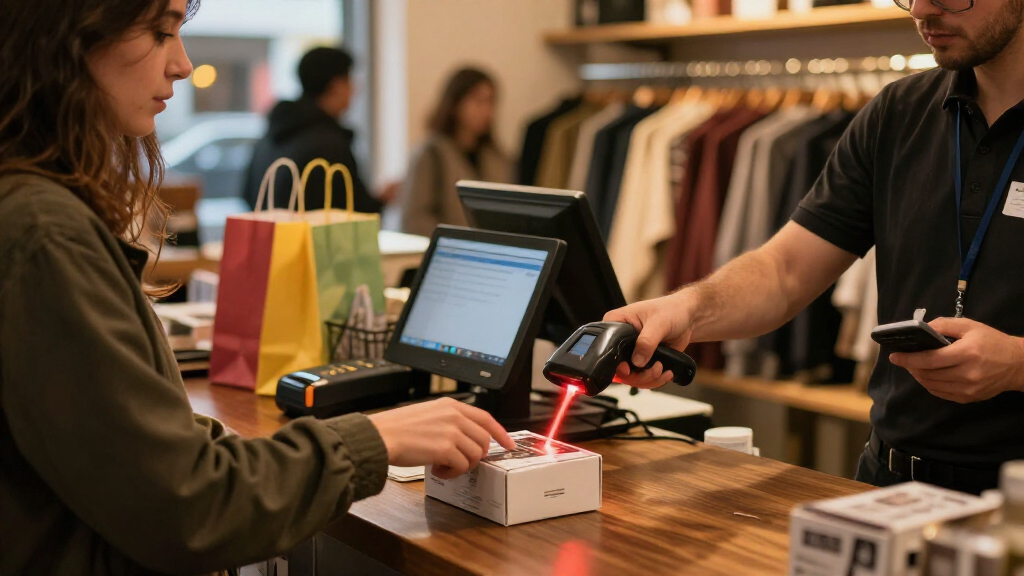
I ranked these scanners around the demands of a Black Friday checkout: quick item presentation, dependable connections during long shifts, compatibility with the barcode types a retailer actually uses, and a form factor staff can operate without slowing the line. I gave more weight to 1D/2D flexibility and practical checkout fit than to headline feature counts, since a scanner that matches the store’s POS workflow is more useful than a capable device that is awkward to deploy.
The ordering reflects those priorities. The Voyager XP 1470g ranks first as a balanced wired choice for a fixed till; hands-free presentation scanners follow for counters built around presentation scanning, while cordless models rank higher for roaming tasks. Simpler 1D scanners remain relevant for compatible systems, but their narrower barcode support limits their usefulness in mixed retail environments. I also treated renewed equipment and Android handhelds as more specialized choices, since condition checks, software compatibility, and setup can matter as much as scanning performance.
Factors to Consider When Choosing Black Friday Checkout Scanners
Black Friday checkout planning is less about buying the most feature-rich scanner and more about preventing avoidable pauses at the till. I would start with the store’s POS requirements and the physical flow of items, then decide whether staff need hands-free scanning, a handheld corded unit, or a cordless device they can carry.
Match Barcode Support to Your Inventory
Check the barcode formats used on products, coupons, loyalty passes, and any digital offers before choosing a scanner. A 1D-only model may handle standard product labels well, yet fail when a promotion or membership code is presented as a 2D symbol. Buying broader support can reduce the chance of needing a second device later, but it does not help if the POS software or connection setup cannot accept the scanner’s input. Ask whoever manages the checkout system to confirm compatibility rather than relying on a product name alone. This matters most for stores with changing promotions or a mix of printed and phone-displayed codes.
Choose a Scanning Style That Fits the Counter
A presentation scanner lets staff pass products in front of a fixed unit, which can keep both hands available and reduce repeated aiming. A handheld scanner offers more control for awkward packages, large goods, and items that cannot be lifted onto the counter. The common mistake is choosing hands-free operation because it sounds faster without checking whether the counter has room or whether staff frequently scan oversized products. For a high-volume lane, map the path from basket to scanner to bagging area before buying. A layout that causes extra reaching can erase the time saved by hands-free scanning.
Decide Whether Wireless Freedom Is Worth the Upkeep
Cordless scanners can serve multiple checkout points or reach products left in carts, but they add charging, pairing, and device-control tasks. A corded scanner is usually simpler at a fixed register because it stays connected and does not depend on a charged battery. Before selecting wireless, determine how many units will be shared, where they will be stored, and who will check battery status during a busy shift. A battery indicator helps staff spot a problem sooner, but it does not replace a charging routine. If the scanner will rarely leave the counter, wireless convenience may not justify the extra management.
Verify POS Connection and Setup Before the Rush
USB connection does not automatically mean a scanner will work with every register configuration. Check the POS system’s supported devices, input mode, cable needs, and any required configuration steps well ahead of the sale event. A scanner that reads barcodes correctly can still create friction if it enters data in the wrong format or is not recognized by the checkout software. Test the full sequence—from scanning an item to completing a transaction—using the actual register and representative products. Keep setup instructions and a spare known-compatible scanner available so staff are not troubleshooting from memory during a rush.
Plan for Shift Length, Durability, and Backup
Busy checkout periods expose practical weaknesses: a cable that gets pulled, a scanner that is uncomfortable to hold repeatedly, or a wireless unit that runs low before a shift ends. Consider where the scanner will sit, how often it will be picked up, and whether multiple staff members will share it. A sturdy stand or cradle can help keep equipment in a predictable place, while a spare scanner can protect a lane from a single-device failure. Renewed products deserve extra checks on included accessories, battery condition, and return coverage. For seasonal use, a simple backup plan may matter more than adding advanced features to every lane.
Scale the Device to the Job
A dedicated barcode scanner is usually the straightforward choice for a fixed register, while an Android handheld can support broader mobile tasks such as inventory work or line-busting if the software allows it. Do not pay for a general-purpose device when the checkout only needs to read product labels and send data to a POS. On the other hand, a store that wants one device for checkout and floor operations should verify application support, network needs, and staff training requirements before choosing a handheld computer. Adding functions can also add setup and maintenance work. Decide whether the extra workflow is planned, rather than assuming the device will create it.
Frequently Asked Questions
Should I choose a 1D or 2D scanner for Black Friday checkout?
Choose based on the codes your checkout will need to read, not only the labels on current merchandise. A 1D scanner can be a sensible fit for standard product barcodes and a POS system that accepts only that format. A 2D-capable model gives more room for phone-displayed coupons, loyalty codes, and other square barcodes, provided the software supports them. If you are unsure, ask your POS provider which formats are active or planned. Buying 2D support is useful only when the rest of the checkout workflow can make use of it.
Is a wireless scanner a better choice for a busy checkout?
Wireless is better when staff need to scan items in carts, move between lanes, or work away from a fixed counter. At a stationary register, a corded model can be easier to manage because it stays connected and does not need charging or pairing. Compare the benefit of movement with the work required to keep batteries charged and devices assigned. If the scanner will be shared, plan a clear return and charging location. For a fixed lane, wireless should solve a real reach or mobility problem rather than simply sound more convenient.
Will a USB barcode scanner work with my existing POS system?
Not always: USB describes the connection, not guaranteed compatibility with every register or software setup. Confirm the POS system supports the scanner and check whether it expects a particular input mode, configuration, or driver. The same scanner may behave differently depending on how the register handles scanned data. Test it on the actual checkout station before Black Friday, including product scans and any coupon or loyalty workflows. A successful test on a personal computer is not a substitute for a full POS test.
Are hands-free presentation scanners a good fit for every checkout lane?
They suit lanes where staff can present products to a fixed scanner and want to keep a hand free for handling items. They are less convenient when many products are oversized, awkward to position, or left in a cart. Counter space and the direction of the scanning-to-bagging flow also affect whether hands-free use speeds work or creates extra reaching. If staff often lift a handheld scanner to reach labels, a handheld model may fit better. Consider the items and movements in your actual lane before standardizing on presentation scanners.
What should I check before buying a renewed scanner for seasonal use?
Confirm the exact model, included cable or cradle, battery condition where applicable, and the seller’s return and warranty terms. Renewed wireless devices deserve particular attention because battery wear can limit useful shift time even when scanning works. Check POS compatibility and accessory availability before placing the device into a checkout lane. Run a full transaction test early enough to arrange a replacement if something is missing or faulty. A renewed scanner can suit a backup role, but it should not enter a busy shift without verification.
Conclusion
For most fixed retail lanes, I recommend the Honeywell Voyager XP 1470g as the best overall because its corded setup and 1D/2D support make a practical balance for mixed checkout needs. The best value depends on the barcode formats your POS requires: a simpler 1D wired model can be a sensible fit when those limits are confirmed, while the Honeywell Voyager 1250g is a straightforward candidate for that kind of lane. For beginners setting up a fixed register, a wired USB model is generally easier to manage than a cordless scanner; confirm compatibility before choosing between the Voyager 1470g and a simpler 1D option. For a premium hands-free counter, consider the Honeywell Genesis XP 7680g; for staff who need to move around, look at the Voyager XP 1472g or Symbol DS6878-SR. The Zebra TC56 is the specialized choice for retailers who need an Android handheld workflow, not just a scanner at the till. Match the device to your POS, barcode mix, and checkout layout, and you can narrow the field without paying for capabilities your lanes will not use.