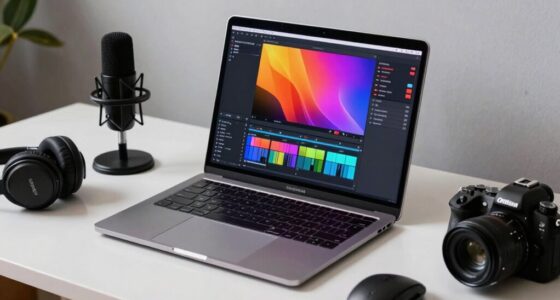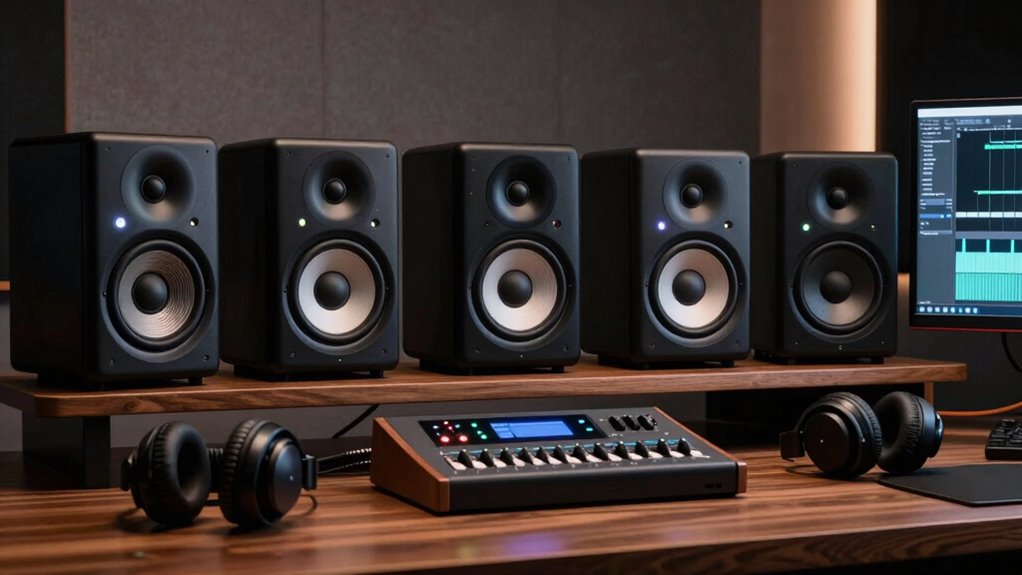
Choosing the right studio monitor speakers is essential for video editors aiming for accurate sound reproduction. The ADAM Audio T5V stands out as the best overall pick due to its balanced sound and reliable build. For those on a budget, the PreSonus Eris E5 offers solid performance at a lower cost, while the Yamaha HS5 provides a slightly more refined sound for intermediate users. The main tradeoffs involve balancing price, sound accuracy, and size—higher-end models typically deliver more precise audio but come at a premium. Keep reading for a detailed comparison to help find your ideal fit.

Get business pricing on office and shipping supplies
- Business-only prices and quantity discounts
- Tax-exempt purchasing
- Multiple users, one account, clear invoices
Key Takeaways
- The best monitor speakers for video editing prioritize flat frequency response for accurate audio representation.
- Size and power handling vary; larger speakers like the Yamaha HS7 are better for bigger rooms, while smaller models suit desktop setups.
- Budget options like the PreSonus Eris E5 deliver good performance but may lack the refinement of premium models.
- Build quality and connectivity options differ significantly, impacting durability and ease of use.
- Choosing the right monitor depends on your room size, workflow, and budget—there’s no one-size-fits-all solution.
| ADAM Audio T5V Studio Monitor |  | Best Overall for Versatile, High-Resolution Monitoring | Tweeter: U-ART | Waveguide: HPS | Cabinet Design: Beveled with rear-firing bass reflex port | VIEW ON AMAZON | See Our Full Breakdown |
| Yamaha HS7 7-Inch Powered Studio Monitor Pair |  | Best for Accurate, Transparent Mixing in Mid-Size Studios | Frequency Response: 43Hz – 30kHz | Power Output: 60W LF + 35W HF | Power Amplification: 95W | VIEW ON AMAZON | See Our Full Breakdown |
| Yamaha HS4 Powered Studio Monitor, Pair, Black |  | Best Compact Choice for Small Spaces and Budget-Minded Editors | Type: Monitor | Speaker Size: 4.5 inches | Woofer Diameter: 11.43 cm | VIEW ON AMAZON | See Our Full Breakdown |
| PreSonus Eris E5 2-Way 5.25-inch Near Field Studio Monitor |  | Best for Accurate Nearfield Monitoring with Software Bundle | Woofer Size: 5.25 inches | Tweeter Size: 1 inch | Power: 80 watt | VIEW ON AMAZON | See Our Full Breakdown |
| JBL 305P MkII 5″ 2-Way Powered Studio Reference Monitors |  | Best for Wide Imaging and Dynamic Sound in Versatile Studios | VIEW ON AMAZON | See Our Full Breakdown | |||
| Edifier MR4 Power Studio Monitor Speakers, 4 inch Active Near-Field Speaker |  | Best Compact Entry-Level Choice | Speaker Size: 4 inches | Tweeter: 1-inch silk dome | Woofer: 4-inch composite | VIEW ON AMAZON | See Our Full Breakdown |
| Yamaha HS5 Powered Studio Monitor (Pair) |  | Best for Accurate Sound Reproduction | Number of Monitors: 2 | Woofer Size: 5 inches | Tweeter Size: 1 inch | VIEW ON AMAZON | See Our Full Breakdown |
| M-AUDIO BX4 4.5-inch Wired Studio Monitors Pair |  | Best for Versatile, High-Quality Audio | Size: 4.5 inches | Driver: Kevlar woofers, silk dome tweeters | Connectivity: 1/4-inch, 1/8-inch, RCA | VIEW ON AMAZON | See Our Full Breakdown |
| Mackie CR3.5 Studio Monitors (Pair), 3.5″ Woofers, Tone Knob, Black |  | Best Compact Desktop Option | Size: 3.5 inches | Woofers: 3.5-inch | Includes: pair, isolation pads, cables | VIEW ON AMAZON | See Our Full Breakdown |
| Yamaha HS5 W 5-Inch Powered Studio Monitor (White) Bundle (2 Items) |  | Best for Professional, Flat-Response Monitoring | Quantity: 2 | Size: 5 inches | Color: White | VIEW ON AMAZON | See Our Full Breakdown |
| PreSonus Eris 3.5 Powered Studio Monitors, Pair |  | Best for Compact Nearfield Monitoring | Woofer Size: 3.5 inches | Tweeter Type: Silk-dome | Frequency Response: 80 Hz–20 kHz | VIEW ON AMAZON | See Our Full Breakdown |
| M-AUDIO BX5BT 5-Inch Desktop Studio Monitors Pair |  | Best for Wireless Versatility and Customization | Power: 240W | Speaker Size: 5 inches | Connectivity: Bluetooth 5.0, TRS | VIEW ON AMAZON | See Our Full Breakdown |
| Edifier MR4.5 Bi-Amped Studio Monitor, 80W RMS Bookshelf Speakers – Black |  | Best for Versatile Connectivity and Room Calibration | Power: 80W RMS | Drivers: 4.5-inch mid-bass, 1-inch silk dome tweeters | Frequency Response: 50Hz–40kHz | VIEW ON AMAZON | See Our Full Breakdown |
More Details on Our Top Picks
ADAM Audio T5V Studio Monitor
The ADAM Audio T5V stands out for its high-resolution, detailed sound that is well-suited to video editors who need clarity in both dialogue and sound design. Its adjustable design and multiple connectivity options make it adaptable to various room acoustics, making it a solid choice for those working in less-than-ideal environments. Compared to the Yamaha HS7, which offers more power, the T5V’s focus on high-frequency detail makes it better for critical listening. However, it requires an additional subwoofer for full bass extension, adding to the cost and setup complexity. Its bulkier cabinet may also be a concern for small desktop spaces. Best suited for video editors who want flexibility and high detail, willing to invest in a subwoofer.
Pros:- High-resolution, detailed sound quality
- Adjustable design for room adaptation
- Multiple analog connection options
Cons:- Requires an additional subwoofer for deep bass
- Bulky for small spaces
Best for: Video editors who prioritize accuracy and detailed sound across different room conditions
Not ideal for: Editors with very limited space or those seeking a budget-friendly, compact monitor setup
- Tweeter:U-ART
- Waveguide:HPS
- Cabinet Design:Beveled with rear-firing bass reflex port
- Filters:High- and low-shelf DSP-based
- Compatibility:Works with T10S subwoofer
- Application:Recording, producing, mixing
Our verdict“This monitor is ideal for video editors needing detailed, high-fidelity sound with room flexibility, accepting extra setup for bass extension.”
Yamaha HS7 7-Inch Powered Studio Monitor Pair
The Yamaha HS7 monitors excel in providing an accurate, transparent sound that makes them a favorite among video editors focused on precise mixing. The bi-amp system separates low-mid and high frequencies, reducing phase issues and delivering clarity across a broad range. Compared to the JBL 305P MkII, which offers more dynamic bass, the HS7’s focus on neutrality makes it better for critical listening and detailed editing. The vibration-eliminating mounting and powerful magnets enhance overall clarity, but the monitors come at a higher price point that might deter beginners. Proper placement is essential to maximize their accuracy, which can be challenging in small or untreated rooms. Best suited for experienced editors who need precise, transparent sound for mixing and editing.
Pros:- Highly accurate and transparent sound
- Bi-amp system reduces phase issues
- Vibration-eliminating mounting enhances clarity
- Powerful magnets for smooth response
Cons:- Cost may be prohibitive for newcomers
- Placement sensitivity affects performance
Best for: Intermediate to professional video editors requiring flat frequency response for critical work
Not ideal for: Beginners or those with small, untreated rooms who may struggle with optimal placement
- Frequency Response:43Hz – 30kHz
- Power Output:60W LF + 35W HF
- Power Amplification:95W
- Inputs:XLR and TRS
- Mounting Type:Car, Phone
- Enclosure Material:Plastic, Metal
Our verdict“This model is perfect for experienced editors who need precise, flat response monitoring for detailed video editing tasks.”
Yamaha HS4 Powered Studio Monitor, Pair, Black
The Yamaha HS4 offers a compact, affordable option for video editors working in tight spaces. Its 4.5-inch woofer and 1-inch dome tweeter produce clear sound with a frequency range of 60 Hz to 22 kHz, suitable for editing tasks that don’t require extended bass. When compared to the larger HS7, the HS4’s smaller size limits low-end response but makes it easier to fit on a crowded desk. Its multiple input options add flexibility, though its modest power output (26 W) might be insufficient for larger rooms or more demanding applications. This makes it a good entry-level or secondary monitor for editors prioritizing space and budget. Best suited for small studios or editing setups where space is limited and budget is tight.
Pros:- Compact size fits small spaces
- Multiple input options for versatile connectivity
- Good Yamaha quality and clarity
Cons:- Limited bass response due to small woofer
- Lower power output may affect performance in larger rooms
Best for: Beginners or editors with limited space who need reliable, accurate sound for basic editing tasks
Not ideal for: Large-scale production environments or editors needing deep bass for complex sound design
- Type:Monitor
- Speaker Size:4.5 inches
- Woofer Diameter:11.43 cm
- Frequency Response:60 Hz – 22 kHz
- Maximum Output Power:26 W
- Input Connections:XLR, TRS, RCA
Our verdict“This monitor is a practical choice for space-constrained or budget-conscious editors focused on accurate, uncomplicated sound.”
PreSonus Eris E5 2-Way 5.25-inch Near Field Studio Monitor
The PreSonus Eris E5 combines a 5.25-inch woven composite woofer and a 1-inch silk-dome tweeter to deliver balanced sound with minimal distortion, making it a standout for nearfield editing. Its acoustic tuning controls allow precise room calibration, and the included Studio One Prime and Studio Magic software add value for those starting out or upgrading their workflow. Compared to the JBL 305P MkII, the Eris E5 emphasizes neutrality and accuracy, though its size and design mean it’s best for dedicated desktop setups rather than larger rooms. Users should consider the space needed for proper acoustic tuning, and it might be overkill for casual listening. Best suited for serious video editors who want accurate sound and integrated software tools.
Pros:- Accurate balanced and unbalanced inputs
- Includes professional software suite
- Effective acoustic tuning controls
Cons:- Limited to nearfield use only
- Requires space for proper acoustic setup
Best for: Intermediate editors seeking precise nearfield monitoring with included editing software
Not ideal for: Casual users or those with very limited desk space due to tuning requirements
- Woofer Size:5.25 inches
- Tweeter Size:1 inch
- Power:80 watt
- Maximum SPL:102 dB
- Inputs:XLR, 1/4-inch, RCA
- Protection Features:RF interference, output current limiting, over-temperature, transient, subsonic
Our verdict“This monitor suits dedicated editors who value accuracy and integrated software for detailed video editing work.”
JBL 305P MkII 5″ 2-Way Powered Studio Reference Monitors
The JBL 305P MkII offers a balanced combination of precise imaging and a wide sweet spot, making it a strong choice for video editors who need consistent sound across different listening angles. Its dual 41-Watt amplifiers deliver ample power for most editing environments, and the customizable room controls, including Boundary EQ and HF Trim, help adapt to various acoustic spaces. Compared with the Yamaha HS4, which emphasizes neutrality, the JBL 305P MkII excels in producing a lively, dynamic sound that enhances clarity in complex scenes. Its durable MDF enclosure and high SPL capability (108 dB) make it suitable for larger rooms or more energetic editing sessions. Proper room setup remains essential to achieve its full potential. Best suited for editors who need wide, dynamic sound with flexibility for different room conditions.
Pros:- Precise imaging with a wide sweet spot
- Powerful dual 41-Watt amplifiers
- Customizable room controls including Boundary EQ
- Durable MDF construction
Cons:- Requires proper room setup for best results
- May be overkill for very casual or beginner setups
Best for: Versatile studio environments requiring reliable, detailed imaging and room adjustment options
Not ideal for: Very small spaces or editors who prefer a flatter, more neutral sound profile
Our verdict“This monitor is well-suited for editors who need flexible, dynamic sound with room tuning features for varied studio conditions.”
Edifier MR4 Power Studio Monitor Speakers, 4 inch Active Near-Field Speaker
The Edifier MR4 stands out for its professional-grade sound quality packed into a small footprint, making it ideal for tight desktop setups. Compared to the M-AUDIO BX4, it offers more versatile connection options and adjustable sound modes, though it may require some initial positioning tweaks to optimize sound. Its 4-inch drivers deliver clear, balanced audio, suitable for video editors who need precise monitoring without space constraints. However, it’s best suited for near-field use, as it isn’t designed for large rooms or multi-speaker setups. The front headphone output and adjustable high/low frequencies add flexibility for different workspace needs. This pick makes the most sense for video editors working in small, dedicated editing stations who prioritize clarity and ease of use over room-filling sound.
Pros:- High-quality, balanced sound suitable for editing tasks
- Multiple connection options for versatile device compatibility
- Easy-to-adjust sound modes and front headphone output
Cons:- Limited to near-field use, not suitable for larger spaces
- May require careful placement for optimal sound quality
Best for: Desktop-focused video editors with limited space needing accurate, professional sound for near-field monitoring.
Not ideal for: Large-room editors or those needing multi-speaker setups, as the MR4’s small drivers limit room coverage and output volume.
- Speaker Size:4 inches
- Tweeter:1-inch silk dome
- Woofer:4-inch composite
- Inputs:1/4-inch TRS, RCA, AUX
- Features:Dual mode, adjustable high/low frequency, front headphone output
Our verdict“A compact, versatile choice ideal for small-scale video editing stations prioritizing clarity and user-friendly controls.”
Yamaha HS5 Powered Studio Monitor (Pair)
The Yamaha HS5 pair offers highly accurate sound, making them a top choice for detailed editing work. Their 5-inch woofers and 1-inch dome tweeters produce a flat frequency response from 54Hz to 30kHz, comparable to the Yamaha HS5 W bundle but without the white finish. Compared to the PreSonus Eris E5, the HS5s deliver a more neutral, studio-standard sound that minimizes coloration, which is critical for precise video editing. Though they are more expensive and strictly near-field, their high fidelity suits professional workflows. The balanced XLR and TRS inputs support various setups, ensuring reliable connection. This monitor set makes the most sense for video editors committed to accurate sound for mixing and mastering, especially those working in dedicated studio environments.
Pros:- Exceptional accuracy with flat frequency response
- Industry-standard XLR and TRS inputs
- High-quality build and reliable brand reputation
Cons:- Higher cost may deter entry-level users
- Limited to near-field use only
Best for: Professional or semi-professional video editors needing reliable, flat-response monitors for critical listening.
Not ideal for: Beginners or casual editors who may find the price point and setup complexity less justified for simple tasks.
- Number of Monitors:2
- Woofer Size:5 inches
- Tweeter Size:1 inch
- Frequency Response:54Hz – 30kHz
- Power:45W LF + 25W HF (70W total)
- Inputs:XLR and TRS
Our verdict“Ideal for editors demanding precise, uncolored sound for detailed editing and mixing tasks.”
M-AUDIO BX4 4.5-inch Wired Studio Monitors Pair
The M-AUDIO BX4 delivers professional-grade sound with its 4.5-inch Kevlar woofers and silk dome tweeters, standing out for its comprehensive connectivity and customizable EQ. Unlike the Edifier MR4, it offers more extensive software and accessory support, making it suitable for users who want tailored sound profiles. Its bi-amplified design ensures clear highs and punchy lows, perfect for video editors who also engage in gaming or streaming. However, the larger size requires more desk space, and the full feature set might be overkill for casual editing tasks. The included accessories and software are a bonus, but they might be unnecessary for those with simple needs. This model suits serious editors who want flexible, high-fidelity monitoring for multiple applications beyond just editing.
Pros:- High-quality sound with clear highs and punchy bass
- Multiple input options support versatile connectivity
- Customizable EQ controls for sound tailoring
- Includes software and accessories for enhanced usability
Cons:- Requires ample space due to size
- Potentially excessive for basic editing tasks
Best for: Video editors seeking adaptable, high-quality monitors with customizable sound and multiple input options.
Not ideal for: Small-space setups or casual users who prefer minimal features and simpler controls.
- Size:4.5 inches
- Driver:Kevlar woofers, silk dome tweeters
- Connectivity:1/4-inch, 1/8-inch, RCA
- Included Accessories:Passive/active speakers, foam feet, cables, software
Our verdict“A flexible, feature-rich option for editors who need customizable sound and multiple input options.”
Mackie CR3.5 Studio Monitors (Pair), 3.5″ Woofers, Tone Knob, Black
The Mackie CR3.5 is designed for small desks and limited spaces, offering accurate sound in a compact form. Its 3.5-inch woofers make it more suitable for desktop monitors rather than larger studio setups, unlike the Yamaha HS5. The tone knob provides straightforward room voicing adjustments, a useful feature for small environments where acoustic treatment might be limited. While the compact size is ideal for tight spaces, the smaller drivers naturally limit bass response and overall loudness, making these less ideal for large rooms or high-volume editing. The included isolation pads help improve sound clarity, but additional acoustic treatment may be necessary for optimal performance. This choice is best for video editors working primarily at their desks with space constraints.
Pros:- Compact size fits small desks and tight spaces
- Accurate sound for editing and streaming
- Tone knob for simple sound adjustments
Cons:- Limited bass and volume due to small drivers
- No advanced connectivity options
Best for: Desktop-based video editors requiring accurate sound in small or shared spaces with limited room for large monitors.
Not ideal for: Large or professional studios needing full-range, high-volume sound or bass-heavy monitoring.
- Size:3.5 inches
- Woofers:3.5-inch
- Includes:pair, isolation pads, cables
Our verdict“A practical, space-efficient monitor ideal for desk setups where space is at a premium.”
Yamaha HS5 W 5-Inch Powered Studio Monitor (White) Bundle (2 Items)
The Yamaha HS5 W bundle offers a pair of 5-inch monitors renowned for their flat response, making them a staple in professional editing setups. Compared with the Yamaha HS5 black version, the white finish adds aesthetic versatility for modern studios. Their precise, high-resolution sound ensures accurate reproduction, essential for detailed video editing. The 5-inch drivers provide more substantial bass response than smaller monitors like the Edifier MR4, but they still excel at near-field positioning. These monitors are less suited for casual use or small desks where space is tight, as they demand proper placement for optimal results. This bundle makes a strong case for editors prioritizing transparency and neutrality in their audio monitoring environment.
Pros:- High accuracy and flat response for professional mixing
- Reliable brand with proven studio performance
- Includes a stereo pair for balanced sound
Cons:- Requires space and proper positioning
- More expensive compared to smaller or less neutral monitors
Best for: Experienced video editors who require precise, transparent sound for mixing and critical listening tasks.
Not ideal for: Beginners or editors with limited space, since the monitors need proper placement and are primarily for dedicated studio use.
- Quantity:2
- Size:5 inches
- Color:White
- Type:Studio monitor
Our verdict“Perfect for serious editors aiming for transparent, true-to-source audio in a dedicated studio environment.”
PreSonus Eris 3.5 Powered Studio Monitors, Pair
The PreSonus Eris 3.5 stands out for delivering studio-grade sound in a surprisingly small package. Compared with larger options like the M-AUDIO BX5BT, these monitors are ideal for tight desktop setups where space is limited, but they still provide clear, balanced audio suitable for video editing. Their 50W power output and adjustable acoustic controls help optimize sound for nearfield listening, though they fall short for larger rooms or immersive setups. The lack of wireless connectivity means you’ll need wired connections, which can limit flexibility. These monitors are perfect for editors working in small, dedicated spaces who prioritize high-quality sound without needing extensive room coverage. However, those needing wireless or larger-scale sound should look elsewhere. Pros: High-quality, studio-grade sound; Compact size fits tight spaces; Adjustable sound tuning; Versatile input options.
Cons: Limited to nearfield use; No Bluetooth or wireless; Requires setup for optimal sound.
Verdict: The Eris 3.5 is best suited for video editors with limited space seeking reliable, accurate sound for editing and mixing in close quarters.Pros:- High-quality, studio-grade sound
- Compact and space-efficient
- Adjustable acoustic controls
- Flexible connectivity options
Cons:- Limited to nearfield listening
- No wireless or Bluetooth
- Requires setup to optimize sound
Best for: Video editors working in small, dedicated editing spaces needing reliable sound without taking up much room
Not ideal for: Large, multi-room setups or users seeking wireless connectivity and immersive sound environments
- Woofer Size:3.5 inches
- Tweeter Type:Silk-dome
- Frequency Response:80 Hz–20 kHz
- Power:50 watts
- Inputs:TRS, RCA, Aux
- Additional Features:Built-in acoustic tuning controls, front headphone jack
Our verdict“This pick makes the most sense for editors needing precise, high-fidelity sound in a limited space.”
M-AUDIO BX5BT 5-Inch Desktop Studio Monitors Pair
The M-AUDIO BX5BT excels in offering powerful, versatile sound with 240W of bi-amplified output and Bluetooth streaming, making it a flexible choice for video editors who also want to enjoy music or gaming. Compared to the PreSonus Eris 3.5, it provides significantly more wattage and wireless convenience, ideal for larger or more dynamic environments. Its Bluetooth 5.0 and app-controlled 5-band EQ allow for easy calibration and personalized sound profiles, though it requires some initial setup to achieve optimal room acoustics. The 5-inch Kevlar woofers and high-quality components ensure clear highs and punchy bass, suitable for detailed editing work. However, the absence of XLR outputs and the need for calibration might be a barrier for professional environments where precise, studio-standard connections are required. This model fits well for video editors needing a combination of professional sound and wireless flexibility in a compact footprint. Pros: Powerful sound output; Wireless Bluetooth streaming; Customizable sound modes; Compact design.
Cons: Requires calibration for best results; No XLR input; Overkill for casual listening.
Verdict: The BX5BT is ideal for editors who need strong, customizable sound with wireless connectivity in a versatile, space-conscious form.Pros:- High-quality sound with punchy bass
- Wireless Bluetooth streaming
- Customizable EQ via app
- Compact and space-efficient
Cons:- Requires calibration for optimal sound
- No XLR connection
- Potential overkill for casual use
Best for: Video editors who want professional sound with wireless streaming and customizable sound profiles in a compact form
Not ideal for: Strictly wired setups or users who need professional XLR outputs for studio-level connections
- Power:240W
- Speaker Size:5 inches
- Connectivity:Bluetooth 5.0, TRS
- Tweeter:1-inch silk dome with waveguide
- Woofer:Kevlar 5-inch
- Controls:Front panel switchable modes, app-controlled 5-band EQ
Our verdict“This model makes sense for those who value wireless flexibility combined with powerful, customizable sound in a desktop environment.”
Edifier MR4.5 Bi-Amped Studio Monitor, 80W RMS Bookshelf Speakers – Black
The Edifier MR4.5 offers a balanced mix of high-resolution sound and versatile connectivity, making it suitable for video editors who need detailed, accurate audio. With 80W RMS power and 4.5-inch mid-bass drivers paired with silk dome tweeters, it provides a broad frequency response from 50Hz up to 40kHz. Compared to the PreSonus Eris 3.5, it offers a wider frequency range and more professional input options including XLR, TRS, and RCA. The built-in room calibration features, accessible via rear knobs and an app, help optimize sound in different environments. However, its more complex setup process and slightly higher price may be a barrier for casual or less technically inclined users. This monitor works best for video editors who need detailed, customizable sound calibration and multiple connection options for varied workflows. Pros: Accurate, high-resolution sound; Versatile connectivity including professional inputs; Room calibration features; Compact size.
Cons: Setup may be complex for some users; Price may be higher than basic monitors; Dimensions not specified.
Verdict: This option is well suited for editors who require detailed sound calibration and multiple professional input options in a compact form.Pros:- High-resolution audio
- Versatile professional connectivity
- Room calibration and EQ customization
- Compact bookshelf design
Cons:- Complex setup process
- Price might be high for some budgets
- Dimensions not provided
Best for: Video editors needing flexible, high-resolution sound with professional-grade connectivity and room calibration
Not ideal for: Beginners or those with limited technical skills who prefer plug-and-play solutions
- Power:80W RMS
- Drivers:4.5-inch mid-bass, 1-inch silk dome tweeters
- Frequency Response:50Hz–40kHz
- Connectivity:XLR, TRS, RCA, Bluetooth 6.0
- Room Calibration:Yes, via rear knobs and app
- EQ:9-band customizable
Our verdict“This speaker is best for editors who require detailed, calibrated sound with flexible connectivity options.”

How We Picked
These studio monitor speakers were selected based on a combination of sound accuracy, build quality, versatility, and value. Preference was given to models with a flat frequency response, as this is crucial for accurate mixing in video editing. We also considered size and power capacity to ensure suitability for both desktop and larger studio environments. Additional factors included connectivity options, user reviews, and overall durability. The ranking reflects a balance between performance and affordability, aiming to serve a range of needs from beginners to professionals.
Factors to Consider When Choosing Studio Monitor Speakers For Video Editors
When choosing studio monitor speakers for video editing, several factors influence how well they will serve your workflow. Beyond raw specs, understanding these considerations can prevent common mistakes and help you invest wisely. The goal is to find speakers that deliver accurate audio, fit your workspace, and match your budget—without sacrificing quality or usability.
Sound Accuracy and Frequency Response
For video editors, a flat or neutral frequency response is non-negotiable because it ensures the audio you hear is true to the original mix. Cheaper models often color the sound, which can mislead your editing decisions. Investing in monitors with a broad frequency range and minimal coloration helps you catch subtle details and make precise adjustments. Keep in mind that professional-grade monitors might reveal issues in your audio that cheaper options mask, so prioritize accuracy over loudness or bass boost.
Size and Room Compatibility
Monitor size impacts both sound dispersion and placement flexibility. Larger speakers like the Yamaha HS7 are suited for bigger rooms, offering fuller sound, but may be overkill for small desktops. Smaller models like the Edifier MR4 are more manageable in tight spaces but might lack bass extension. Consider your room dimensions and acoustic environment to choose a monitor that provides balanced sound without overwhelming your workspace or creating acoustic issues.
Power and Volume Capacity
Matching the monitor’s power handling with your room size ensures clarity without distortion. Overpowered speakers in a small room can cause harshness, while underpowered models might struggle to fill larger spaces. Look for monitors with adjustable volume controls and sufficient wattage to handle your typical listening levels. This balance helps maintain audio fidelity at all playback volumes, which is vital for precise editing.
Connectivity and Compatibility
Ensure your chosen monitors support the inputs you have, such as XLR, TRS, or RCA. Versatile connectivity allows seamless integration with your audio interface or mixer. Some models also include Bluetooth or auxiliary inputs, but these can introduce latency or compromise sound quality. Check for compatibility with your existing setup and consider future expandability to avoid having to upgrade later.
Build Quality and Durability
Reliable build quality translates to longer lifespan and consistent performance. Look for monitors with sturdy cabinets and quality drivers. Cheaper models might use plastic components that vibrate or degrade over time, affecting sound. Additionally, features like protective grills and quality connectors can prevent damage during setup or transport. Investing in well-made monitors can save money and frustration in the long run, especially if you plan to use them professionally.
Frequently Asked Questions
Do I need powered studio monitors or can I use passive speakers?
Powered studio monitors include built-in amplifiers, making them more convenient for most video editing setups because they require fewer external components. Passive speakers need a separate amplifier, which adds complexity and cost. For simplicity and reliability, especially if you’re working in a small or home studio, powered monitors generally make more sense. However, if you already have a high-quality amplifier, passive speakers can offer more flexibility but are typically less common for desktop editing environments.
How important is the room acoustics when choosing studio monitors?
Room acoustics play a significant role in how your monitors sound and perform. Even the best speakers can produce misleading results if your room has poor acoustics, such as excessive echo or dead spots. Treating your space with bass traps, diffusers, and acoustic panels can dramatically improve sound clarity and accuracy. Choosing monitors with a flatter response helps mitigate some room issues, but proper acoustic treatment remains essential for professional-quality editing and mixing.
Should I prioritize frequency response, power, or size when selecting monitors?
All three factors matter, but for video editing, the priority should be on frequency response and accuracy. Flat response ensures your audio edits translate well across different playback systems. Power and size are secondary considerations—power handling must match your room size, and size should fit your workspace. If forced to choose, focus on monitors that offer the most neutral and detailed sound first, then consider power and physical dimensions based on your environment.
Are Bluetooth or wireless monitors suitable for professional video editing?
Wireless monitors, including those with Bluetooth, are generally not recommended for professional editing due to latency and potential interference issues. Accurate audio reproduction requires a stable, wired connection to prevent delays and signal degradation. While wireless options may seem convenient for casual use, they are less suitable when precise timing and sound fidelity are critical for editing tasks.
Is it worth investing in premium monitors for video editing?
Investing in higher-end monitors offers benefits like more accurate sound, better build quality, and longer durability, which can improve your editing precision. Premium models often provide flatter frequency responses and finer detail retrieval, essential for professional work. However, if you’re just starting out or working on casual projects, mid-range monitors can deliver good results at a lower cost. Consider your current needs and future plans before spending on top-tier models.
Halloween Picks

Pumpkin Halloween Fog Machine with 12-Color LED Lights, Bluetooth Speaker, and Remote

Spirit Halloween Scary Sitting Scarecrow Animatronic, 4 ft 6 in

12-Foot Inflatable Pumpkin Halloween Archway with LED Lights
As an affiliate, we earn on qualifying purchases.