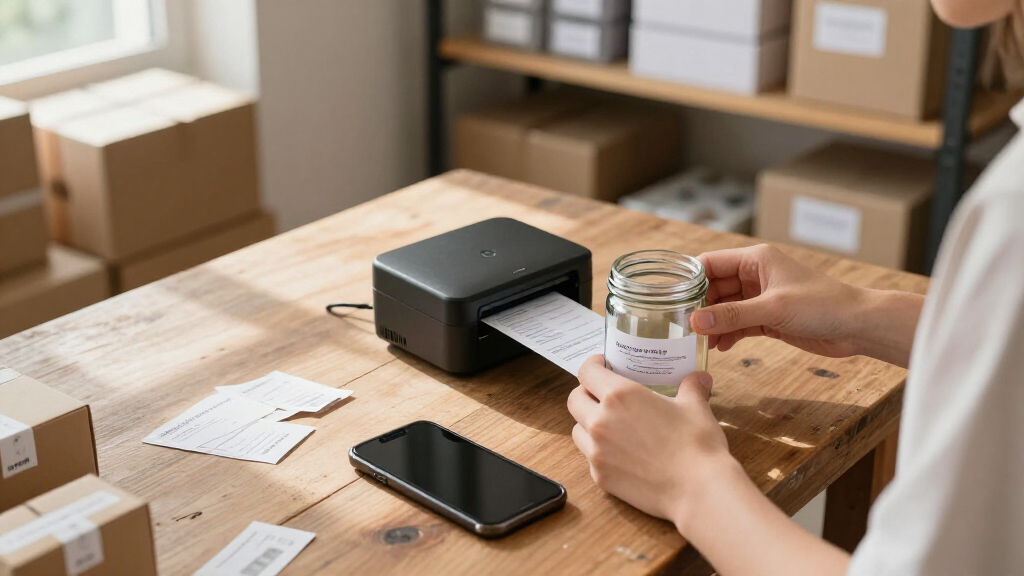

When you need professional-looking product labels on the go, a regular office printer won’t cut it — you need something compact, phone-friendly, and capable of clean output on label stock. After comparing the top options, the NIIMBOT B2 Pro Bluetooth Label Maker with 3 Label Rolls stands out as the best overall pick, thanks to its photo-capable thermal printing, bundled label stock, and red-black output that reads well on retail packaging. If you want true full-color branding on your labels, the Liene PixCut S1 and Brother VC-500W make stronger cases, though you trade away some portability and cost-efficiency. The core tradeoff in this category is monochrome thermal economy versus dye-sublimation color: thermal printers cost pennies per label but limit your palette, while color printers unlock logos and product photos at a higher per-label price. Read on for the full breakdown of all eight models and which one fits your labeling volume.

Get business pricing on office and shipping supplies
- Business-only prices and quantity discounts
- Tax-exempt purchasing
- Multiple users, one account, clear invoices
Key Takeaways
- Thermal models from NIIMBOT dominated the value rankings because they print without ink or toner, making them the cheapest to run for high-volume shipping and product labeling.
- Only three printers in this lineup — the Liene PixCut S1, Brother VC-500W, and HP Sprocket Panorama — produce true full-color output, and each asks a different sacrifice in either portability, print size, or per-label cost.
- The bundled label rolls with the top-ranked NIIMBOT B2 Pro package give it a practical head start over the standalone B2 Pro variant, which is otherwise nearly identical hardware.
- Resolution separates the serious labelers from the casual ones: the 300 DPI NIIMBOT B21 Pro renders small text and barcode detail noticeably better than the 203 DPI thermal competition.
- Compact photo printers like the Nelko PP01 and Liene Amber M110 can produce labels, but their fixed 2×3-inch output and photo-oriented paper make them a workaround rather than a dedicated labeling tool.
| NIIMBOT B2 Pro Bluetooth Label Maker with 3 Label Rolls, Photo and Red-Black Printing |  | Best Overall for Product Labels | Printer type: Thermal | Resolution: 300 × 300 DPI | Connectivity: Bluetooth | VIEW LATEST PRICE | See Our Full Breakdown |
| NIIMBOT B2 Pro Portable Thermal Label Printer |  | Best for Offline Label Runs | Printer type: Thermal | Print resolution: 300 DPI | Connectivity: Bluetooth | VIEW LATEST PRICE | See Our Full Breakdown |
| HP Sprocket Panorama Portable Smartphone Photo and Label Printer |  | Best for Full-Color Sticker Labels | Print technology: ZINK zero-ink | Print width: 2 inches | Print length: 0.5 to 9 inches | VIEW LATEST PRICE | See Our Full Breakdown |
| Liene Amber M110 Bluetooth Photo Printer with 80 Sheets |  | Best for Square Photo Stickers | Model: Amber M110 | Printing technology: Thermal dye sublimation | Connectivity: Bluetooth | VIEW LATEST PRICE | See Our Full Breakdown |
| Liene PixCut S1 Color Sticker Printer and Cutting Machine |  | Best for Custom Die-Cut Labels | Printer type: Thermal dye sublimation | Functions: Color printing, sticker cutting, label making | Print resolution: 300 DPI | VIEW LATEST PRICE | See Our Full Breakdown |
| NIIMBOT B21 Pro 300 DPI Thermal Label Maker, Purple |  | Best for Text-Heavy Product Labels | Printing technology: Thermal (inkless) | Resolution: 300 DPI | Printing colors: Red and black (with special paper); grayscale images | VIEW LATEST PRICE | See Our Full Breakdown |
| Nelko PP01 Portable 2×3-Inch Photo Printer, White |  | Best for Colorful Sticker-Style Product Labels | Print size: 2 × 3 inches | Printing technology: Inkjet | Resolution: 600 DPI | VIEW LATEST PRICE | See Our Full Breakdown |
| Brother VC-500W Color Photo and Label Printer |  | Best Premium Pick for Professional Product Labeling | Printing technology: ZINK Zero Ink | Maximum print length: 17 inches | Connectivity: Wi-Fi, wireless direct | VIEW LATEST PRICE | See Our Full Breakdown |
| portable photo printers for product label | Connectivity | Compatible devices | Weight | Printing technology |
|---|---|---|---|---|
| NIIMBOT B2 Pro Bluetooth Label | Bluetooth | iOS and Android smartphones; Windows PCs | — | — |
| NIIMBOT B2 Pro Portable Therma | Bluetooth | iOS, Android, Windows PC | 348 g (12.48 oz) | — |
| HP Sprocket Panorama Portable | Smartphone app | — | — | — |
| Liene Amber M110 Bluetooth Pho | Bluetooth | — | — | Thermal dye sublimation |
| Liene PixCut S1 Color Sticker | Bluetooth | Laptops, smartphones, tablets | 6.2 pounds | — |
| NIIMBOT B21 Pro 300 DPI Therma | Bluetooth | — | 322 g (11.2 oz) | Thermal (inkless) |
| Nelko PP01 Portable 2×3-Inch P | Bluetooth (iOS and Android) | — | 308 g | Inkjet |
| Brother VC-500W Color Photo an | Wi-Fi, wireless direct | Smartphones, tablets, Windows and Mac computers | — | ZINK Zero Ink |
More Details on Our Top Picks
NIIMBOT B2 Pro Bluetooth Label Maker with 3 Label Rolls, Photo and Red-Black Printing
The B2 Pro is the most label-focused pick here, with 20–50 mm media support, 300 DPI thermal printing, and templates for common product information. It stands apart from the HP Sprocket Panorama, which makes colorful, longer stickers but prints on a narrower, fixed 2-inch-wide roll. The B2 Pro can also produce grayscale photo labels and red-and-black designs, giving small sellers more ways to mark variants or highlight details. Bluetooth works with iOS, Android, and Windows PCs, while the included rolls let buyers start with standard labels. Its tradeoff is that photo and red-and-black results require the matching specialty media; it is not a general-purpose full-color photo printer. The app also does not support tablets, and the supplied product data gives two slightly different weights.
Pros:- Prints standard, red-and-black, and grayscale photo labels
- 300 DPI resolution supports detailed small label designs
- Bluetooth compatibility includes iOS, Android, and Windows PCs
- Includes three rolls and an app with over 1,600 templates
Cons:- Photo and red-and-black printing require compatible specialty label media
- Not compatible with tablets
- Supplied weight information conflicts between 348 g and 352 g
Best for: Small online sellers who need compact product labels, occasional grayscale images, and red highlights from a phone or Windows PC
Not ideal for: Sellers who need full-color branding, tablet support, or one media type for every print style
- Printer type:Thermal
- Resolution:300 × 300 DPI
- Connectivity:Bluetooth
- Compatible devices:iOS and Android smartphones; Windows PCs
- Print width:20–50 mm
- Supported media:Thermal labels, red-and-black labels, grayscale photo paper
- Item weight:348 g (another supplied figure lists 352 g)
- Included labels:3 rolls
- Special features:Automatic label rewind, rechargeable, one-touch offline printing
Our verdict“Choose the B2 Pro for versatile, small-format product labels when grayscale images and red accents matter more than full-color printing.”
NIIMBOT B2 Pro Portable Thermal Label Printer
This B2 Pro suits sellers who want to prepare a label design once and then use one-touch offline printing for repeat jobs. It shares the first NIIMBOT B2 Pro’s 300 DPI output, Bluetooth links to phones and Windows PCs, and support for black-and-red or grayscale printing. Compared with that bundle’s three included rolls and broader template count, this listing emphasizes a compact printer with offline operation after setup. That can simplify recurring labels for stock bins or packaged goods, though it still depends on the right media for specialty prints. It is a monochrome thermal label maker rather than a full-color photo option like the HP Sprocket Panorama. Buyers using Android should also account for the noted firmware update needed to address some connection failures.
Pros:- Offline one-touch printing is useful for repeat label jobs
- 300 DPI thermal output supports detailed text and graphics
- Supports black-and-red printing and grayscale photo labels
- Compact 348 g design is easy to carry between work areas
Cons:- Some Android connection failures require a firmware update
- Not compatible with tablets
- Specialty photo and color effects depend on compatible media
Best for: Small businesses printing repeat product or inventory labels after setting up templates on a compatible phone or Windows PC
Not ideal for: Android users who need a no-setup workflow, tablet users, and sellers whose labels depend on full-color images
- Printer type:Thermal
- Print resolution:300 DPI
- Connectivity:Bluetooth
- Compatible devices:iOS, Android, Windows PC
- Label width:20–50 mm
- Print colors:Black and red; grayscale printing
- Weight:348 g (12.48 oz)
- Dimensions:2.6 × 3.6 × 5 in
- Functions:Print only; offline printing; multi-connection
Our verdict“Pick this B2 Pro when repeat offline printing is more useful than the included media bundle or full-color output offered by other options.”
HP Sprocket Panorama Portable Smartphone Photo and Label Printer
The Sprocket Panorama is the choice for sellers whose product labels need full-color photos or artwork more than dense text. Its ZINK roll prints sticky-back designs from 0.5 to 9 inches long, and the built-in cutter makes it easy to separate different label lengths. That flexibility contrasts with the NIIMBOT B2 Pro, which handles narrower thermal labels and red accents but not full-color imagery. The HP’s app adds text, filters, frames, and stickers, so a small brand can make labels feel more like custom packaging. The tradeoff is a fixed 2-inch print width, which limits room for ingredients or detailed product information. It also needs compatible sticky-back paper, so it is less suited to high-volume, information-heavy labeling.
Pros:- Full-color printing supports logos, photos, and artwork
- Print lengths vary from 0.5 to 9 inches
- ZINK technology requires no ink cartridges or toner
- Built-in cutter separates prints to the desired length
Cons:- Print width is limited to 2 inches
- Requires compatible sticky-back paper
- App and smartphone are required for design and printing
Best for: Makers and small brands adding colorful product photos, logos, or short custom stickers to packaging
Not ideal for: Sellers printing dense regulatory details, broad labels, or large batches where specialty sticky-back roll media is inconvenient
- Print technology:ZINK zero-ink
- Print width:2 inches
- Print length:0.5 to 9 inches
- Paper type:Sticky-back paper on a roll
- Connectivity:Smartphone app
- App features:Filters, frames, text, stickers, and design customization
- Cutter:Built-in
Our verdict“Choose the Sprocket Panorama for short, colorful branding stickers when a narrow format can hold all the label content.”
Liene Amber M110 Bluetooth Photo Printer with 80 Sheets
The Amber M110 works best when a product label is really a small, polished photo sticker for a jar, gift, or handmade item. Its 3×3-inch sticker paper gives more visual space than the HP Sprocket Panorama’s 2-inch-wide roll, while dye-sublimation printing produces laminated, color prints described as resistant to water, scratches, fingerprints, and fading. A dual-tray design also accepts 4×6-inch photo paper, making this more flexible for photo printing than the label-first NIIMBOT B2 Pro. That flexibility comes with a less label-specific format: the supplied data lists square sticker and standard photo sizes, not adjustable label dimensions or a cutter. The companion app handles customization, so buyers seeking fast, text-heavy label runs may prefer a dedicated thermal printer.
Pros:- Supports both 3×3-inch sticker paper and 4×6-inch photo paper
- Dye-sublimation output is described as laminated and resistant to common wear
- Bluetooth allows cable-free printing from compatible devices
- App offers photo adjustments and ID photo tools
Cons:- Supported label dimensions are limited to the listed paper sizes
- Customization features require the companion app
- Photo-oriented workflow is less suited to high-volume text label batches
Best for: Makers and gift sellers who want durable square photo stickers for product presentation and occasional 4×6 prints
Not ideal for: Businesses that need variable-width label stock, rapid text-only batches, or designs made without the companion app
- Model:Amber M110
- Printing technology:Thermal dye sublimation
- Connectivity:Bluetooth
- Paper sizes:4 × 6 inches and 3 × 3 inches
- Included paper:60 sheets of 4 × 6-inch paper and 20 sheets of 3-inch square sticker paper
- Included cartridges:2
- App features:Borders, filters, contrast and brightness adjustments, print status, ID and visa photo printing
Our verdict“Choose the Amber M110 for durable, square photo stickers when presentation matters more than flexible label sizing.”
Liene PixCut S1 Color Sticker Printer and Cutting Machine
The PixCut S1 is the strongest fit for sellers who want custom-shaped, full-color labels rather than standard rolls of product information. It combines 300 DPI dye-sublimation printing with AI-guided cutting, then laminates stickers to help them resist water and scratches. That gives it a more craft-oriented workflow than the NIIMBOT B2 Pro, which is smaller and simpler for routine text labels, and more shape flexibility than the HP Sprocket Panorama’s cut-to-length prints. The tradeoff is footprint: at 6.2 pounds and 11 inches long, it is less portable than either handheld-style option. It also relies on Bluetooth and an app for mobile work, so buyers focused on quick, repeated barcode or ingredient labels may find its creative cutting features unnecessary.
Pros:- Combines color printing and sticker cutting in one machine
- AI-guided image extraction supports custom-shaped designs
- Automatic lamination helps prints resist water and scratches
- App includes images, fonts, and templates without a subscription
Cons:- At 6.2 pounds, it is much less portable than the compact NIIMBOT printers
- Mobile printing requires the app and Bluetooth connection
- 300 DPI resolution may be limiting for very fine label details
Best for: Small brands and makers producing colorful, custom-cut logo, illustration, or shape labels for packaging
Not ideal for: Mobile sellers who need a truly lightweight printer or businesses focused on fast, standardized text and barcode labels
- Printer type:Thermal dye sublimation
- Functions:Color printing, sticker cutting, label making
- Print resolution:300 DPI
- Color depth:24 bpp
- Connectivity:Bluetooth
- Compatible devices:Laptops, smartphones, tablets
- Weight:6.2 pounds
- Dimensions:11 × 7.7 × 4.1 inches
- Ink color:CMY
Our verdict“Choose the PixCut S1 when custom-cut, laminated color labels matter more than compact size or fast routine label printing.”
NIIMBOT B21 Pro 300 DPI Thermal Label Maker, Purple
The B21 Pro is the closest thing in this roundup to a purpose-built labeling tool rather than a photo printer repurposed for stickers. Where the Nelko PP01 is designed around full-color photos, the B21 Pro trades color for crisp 300 DPI text — which is what most product labels actually need for barcodes, ingredients, and SKU text. Its inkless thermal printing means no consumables beyond label rolls, an ongoing cost advantage over inkjet and ZINK options like the Brother VC-500W. The catch: photo quality is grayscale only, and the red-and-black dual-color mode works only with special label paper, so anyone wanting true color imagery should look elsewhere. Some app templates and symbols sit behind a VIP subscription, which adds friction for small businesses on a budget.
Pros:- Inkless thermal printing means no ink or toner recurring costs
- 300 DPI resolution produces sharp, scannable text and barcodes
- App supports batch printing, templates, and wide font and icon selection
- Lightweight 322 g body travels easily to markets and pop-ups
Cons:- Photo and dual-color printing require special (pricier) label paper
- Exclusive templates and symbols are locked behind a VIP subscription
- Grayscale images only — no full-color output
Best for: Small sellers and craft businesses who print lots of shipping, barcode, and product info labels and want the lowest cost per label
Not ideal for: Buyers who want full-color logo or photo labels — grayscale thermal output can’t match color inkjet or ZINK printers
- Printing technology:Thermal (inkless)
- Resolution:300 DPI
- Printing colors:Red and black (with special paper); grayscale images
- Connectivity:Bluetooth
- Battery capacity:1500 mAh
- Weight:322 g (11.2 oz)
- Maximum media size:3 × 4 inches
- Included media:One roll of 2 × 1.2-inch labels
Our verdict“This pick makes the most sense for sellers whose labels are mostly text and barcodes and who want the cheapest labels over time, not the prettiest ones.”
Nelko PP01 Portable 2×3-Inch Photo Printer, White
If your product labels lean visual — logos, product photos, colorful branding — the Nelko PP01 delivers what thermal models can’t: true 600 DPI full-color prints on adhesive-backed paper. Compared with the NIIMBOT B21 Pro, which tops out at grayscale, this is the difference between a functional label and a mini marketing piece. Every print arrives ready to stick, and the smudge-proof, water-resistant finish holds up on jars and packaging. The tradeoffs are real, though: it’s an inkjet, so you’re buying cartridges (up to 80 prints each) and proprietary sticky paper, and a print can take close to 90 seconds — sluggish if you’re labeling dozens of items. It’s also tied to a power outlet’s USB cable since no adapter ships in the box, and the cartridge may need cleaning after idle stretches.
Pros:- 600 DPI resolution produces sharp, photo-quality color labels
- Adhesive-backed prints are smudge-proof, water-resistant, and tear-resistant
- Pocket-sized 308 g design is genuinely portable
- App includes editing, filters, stickers, text, and collage tools for custom designs
Cons:- Locked into proprietary Nelko sticky-backed photo paper and ink cartridges
- No power adapter included
- Cartridge may require cleaning after long periods of inactivity
Best for: Small-batch makers, candle and soap sellers, and anyone branding handmade products who wants colorful photo-quality labels on demand
Not ideal for: High-volume labeling runs — ink cartridge costs and sub-90-second print times add up fast past a few dozen labels
- Print size:2 × 3 inches
- Printing technology:Inkjet
- Resolution:600 DPI
- Connectivity:Bluetooth (iOS and Android)
- Cartridge yield:Up to 80 full-color prints
- Print time:Under 90 seconds
- Paper type:Sticky-backed photo paper
- Weight:308 g
Our verdict“This model is better suited to makers who prioritize colorful, brand-forward labels in small batches than to anyone printing large quantities of utilitarian text labels.”
Brother VC-500W Color Photo and Label Printer
The Brother VC-500W is the most grown-up option here — a desktop-grade machine that bridges phone-based portables like the Nelko PP01 and full industrial labelers. Its standout advantage is Wi-Fi printing from both mobile devices and computers, plus database file compatibility that lets you merge variable data from CSV and spreadsheet files — a genuine time-saver for multi-SKU product lines that neither the Nelko nor the NIIMBOT B21 Pro can match. The automatic cutter with half-cut and full-cut modes makes peeling batches of stickers far less tedious, and prints run up to 17 inches long. The costs: you’re committed to Brother CZ and CK rolls, mobile printing requires a wireless network (no Bluetooth fallback), and at 120 V it’s deskbound — this is the one pick in the roundup you won’t toss in a market-day tote.
Pros:- Full-color labels and photos with no ink, ribbon, or toner to replace
- Prints from phones, tablets, Windows, and Mac computers over Wi-Fi
- Automatic cutter with half- and full-cut modes speeds up batch labeling
- CSV, TXT, and XLS database support enables variable-data label merges
Cons:- Requires proprietary Brother CZ or CK replacement rolls
- Mobile printing depends on a wireless network — no Bluetooth option
- Wall-powered, 120 V design means it stays on the desk
Best for: Growing product businesses that need color labels with variable data, batch cutting, and computer-based workflows
Not ideal for: Anyone needing true on-the-go printing — it needs wall power and a Wi-Fi network, not a pocket
- Printing technology:ZINK Zero Ink
- Maximum print length:17 inches
- Connectivity:Wi-Fi, wireless direct
- Compatible devices:Smartphones, tablets, Windows and Mac computers
- Media:Brother CZ and CK rolls (widths from 3/8 to 1.97 inches)
- Cutter:Built-in automatic, half- and full-cut
- Database file compatibility:CSV, TXT, XLS
- Included:1-inch ZINK roll, cleaning roll, power adapter, quick start guide
Our verdict“This option stands out for small businesses ready to graduate from phone-only portables to a computer-connected color labeler with real batch-workflow features.”
How We Picked
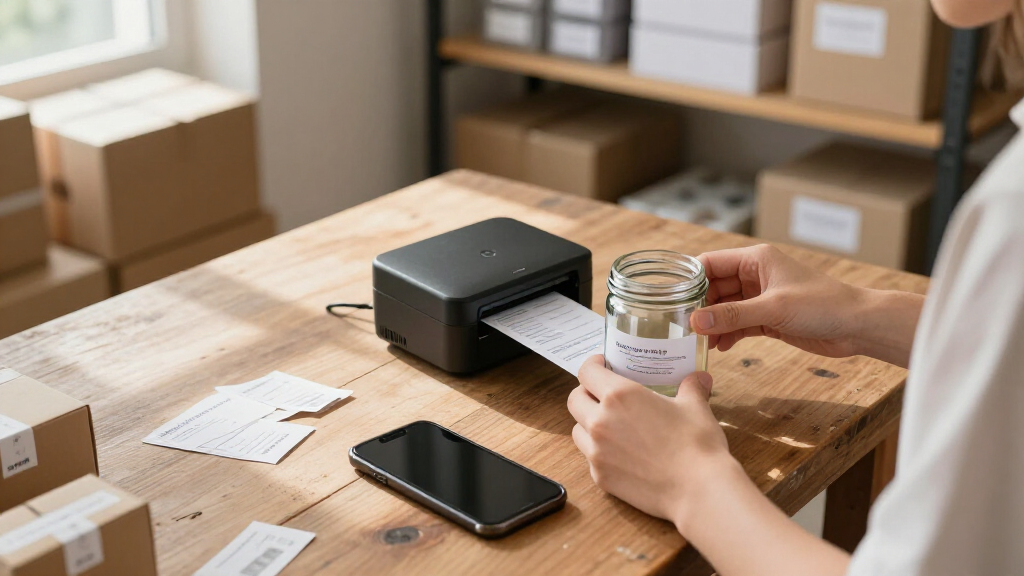
I evaluated each printer through one specific lens: printing product labels reliably in a small-business context. That meant prioritizing print resolution (anything below 200 DPI struggles with small text and scannable barcodes), media compatibility (can it accept adhesive label stock, and how expensive is that stock long-term), connectivity and app quality (most portable printing happens from a phone), and running costs per label rather than just the upfront price of the machine. Color capability was treated as a bonus feature, not a default requirement, since many sellers use monochrome labels deliberately for cost control.
The ranking order reflects a simple logic: printers that handle labeling as their primary job outrank photo printers adapted to labeling as an afterthought. That’s why the NIIMBOT thermal models sit near the top, the color-capable Liene and Brother machines fill the middle tier for brand-heavy sellers, and the pocket photo printers land lower despite being excellent at their actual intended job. Within each tier, I favored models with better resolution, bundled supplies, and app ecosystems that won’t fight you during a busy packing session.
| portable photo printers for product label | Connectivity | Compatible devices | Printing technology |
|---|---|---|---|
| NIIMBOT B2 Pro Bluetooth Label | Bluetooth | iOS and Android smartphones; Windows PCs | — |
| NIIMBOT B2 Pro Portable Therma | Bluetooth | iOS, Android, Windows PC | — |
| HP Sprocket Panorama Portable | Smartphone app | — | — |
| Liene Amber M110 Bluetooth Pho | Bluetooth | — | Thermal dye sublimation |
| Liene PixCut S1 Color Sticker | Bluetooth | Laptops, smartphones, tablets | — |
| NIIMBOT B21 Pro 300 DPI Therma | Bluetooth | — | Thermal (inkless) |
| Nelko PP01 Portable 2×3-Inch P | Bluetooth (iOS and Android) | — | Inkjet |
| Brother VC-500W Color Photo an | Wi-Fi, wireless direct | Smartphones, tablets, Windows and Mac computers | ZINK Zero Ink |
Factors to Consider When Choosing Portable Photo Printers For Product Labels
Before settling on a specific model, it helps to understand the broader landscape of portable label printing — because the most common buying mistakes in this category come from mismatched expectations, not bad hardware.Thermal vs. Color: The Decision That Drives Everything Else
The single biggest fork in the road is print technology. Direct thermal printers like the NIIMBOT line use heat-sensitive paper, which means no ink, no ribbons, and per-label costs measured in fractions of a cent — but you’re limited to black (or black plus one accent color on select models), and thermal labels can fade over months in sunlight or hot storage. Dye-sublimation printers like the Brother VC-500W and Liene PixCut S1 deliver full-color logos, product photos, and gradient-heavy designs, but each label costs substantially more to produce. A useful rule of thumb: if your label carries a barcode and regulatory text, thermal wins on economics; if your label is your branding on a boutique product, color earns its cost back. Many small sellers eventually run both — thermal for shipping labels, color for the product face. Buying one printer and expecting it to do both jobs perfectly is the most frequent regret I hear about in this category.
Resolution Matters More Than You Think
Resolution is the spec buyers most often underestimate. A 203 DPI thermal printer handles large text and basic logos fine, but small ingredient lists, batch codes, and dense barcodes start to look soft and can occasionally fail retail scanner reads. Stepping up to 300 DPI — as the NIIMBOT B21 Pro offers — produces crisp 6-point text and cleanly defined barcode edges, which matters if your products go through grocery or marketplace scanning systems. Color photo printers typically print at 300 DPI or higher natively, so text sharpness is less of a concern there. The mistake to avoid: choosing on print speed or app screenshots alone, then discovering your compliance text is unreadable at the size your packaging requires. Match the resolution to the smallest element on your label, not the biggest.
Label Size and Media Flexibility
Check the maximum and minimum label width before anything else, because a printer that can’t physically accept your label size is an instant dealbreaker. Thermal label makers typically handle continuous rolls in multiple widths, giving you freedom to print tall skinny jar labels or wide shipping strips from the same machine. Photo printers, by contrast, lock you into fixed photo sizes — usually 2×3 or 4×6 inches — and require specific ZINK or dye-sub paper that already has adhesive backing. That fixed format works beautifully for candle lids and honey jars but fails completely for vial labels or elongated bath product bottles. Also verify whether third-party label rolls are available for your chosen thermal model, because proprietary media can double your running costs over the life of the printer.
App Quality and Connectivity
Nearly every portable printer in this class is driven by a smartphone app, and the gap between good and bad apps is wider than the hardware gap. A well-designed app lets you save reusable label templates, pull data from spreadsheets for batch printing, and reconnect to the printer without fiddling — features you’ll appreciate daily once orders pick up. Bluetooth-only models restrict you to one device at a time, while Wi-Fi printers like the Brother VC-500W let multiple team members send jobs from laptops and phones on the same network. Before buying, download the app and skim its reviews for complaints about template loss or connection drops; a printer with mediocre hardware and a stable app will serve you better than the reverse. If you plan to print from a computer for design-heavy labels, confirm desktop support exists at all.
Battery, Portability, and Duty Cycle
“Portable” covers a wide range in this category, from pocket photo printers that fit in a jacket to label makers better described as “luggable.” Ask yourself honestly where printing happens: if it’s always at your packing table, battery life matters less than print capacity, and a Wi-Fi desktop-portable hybrid serves you better than a battery-only unit. If you print at markets, pop-ups, or multiple locations, prioritize rated battery page counts and recharge time. Duty cycle is the hidden spec — thermal printers built for hundreds of labels per day handle small-batch production easily, while photo printers pushed beyond a few dozen sheets per session can slow down from heat buildup. Matching the machine’s workload tolerance to your actual sales volume prevents both overspending and frustrating bottlenecks during busy seasons.
Total Cost of Ownership Over 1,000 Labels
The sticker price of the printer is often the smallest line item. To compare models honestly, estimate your cost per 1,000 labels including media, and add a rough replacement timeline for print heads on thermal units. Thermal continuous label stock is cheap and widely available in bulk, which is why thermal labelers dominate high-volume operations. ZINK photo paper and dye-sub cartridges cost several times more per sheet, so a color printer that seems affordable upfront can cost multiples of a thermal setup over a year of steady sales. The smart move is calculating with your real monthly label quantity: at 50 labels a month, the color premium is trivial; at 500, it may exceed the printer’s own price annually. Also factor in wasted sheets from misprints while learning each machine’s app quirks.
Frequently Asked Questions
Can a photo printer actually work as a product label printer, or do I need a dedicated label maker?
It can work, but only within narrow constraints. Photo printers like the Nelko PP01 and Liene Amber M110 print on fixed-size photo paper with adhesive backing, so they suit products where a 2×3-inch sticker fits — candle lids, jars, small boxes. You lose the flexibility of continuous label rolls, meaning you can’t print long thin labels or custom lengths, and per-label media costs run much higher than thermal stock. Dedicated label makers also handle barcode and small-text rendering better at high volume. Treat a photo printer as a labeling option if you also want it for personal photo printing; treat a label maker as the tool if labeling is the primary job.
Is 203 DPI enough for barcode labels, or should I pay more for 300 DPI?
For standard retail barcodes printed at typical label sizes, 203 DPI usually scans fine — most shipping workflows run on 203 DPI printers without issue. Where 300 DPI earns its premium is small compliance text, dense QR codes printed under half an inch, and any label where fine detail affects perceived quality, like cosmetic ingredient panels. If your labels go through automated scanning at grocery or large retail distribution, the extra resolution provides meaningful insurance against read failures. For crafts, markets, and online orders scanned by a human with a phone camera, 203 DPI rarely causes problems and saves money on both the printer and your patience with slightly slower 300 DPI print speeds.
Do thermal labels fade, and will that ruin my product labels?
Direct thermal labels do fade over time, but the timeline depends heavily on storage conditions. Labels kept indoors at room temperature typically stay readable for a year or more, while prolonged sunlight exposure, heat above roughly 140°F, or contact with certain plastics and oils can darken or wash them out within weeks. For products with short shelf lives — baked goods, soaps that sell quickly, shipping labels — fading is a non-issue. For products that sit on a shelf or in a sunny shop window for months, thermal is a genuine risk, and a color printer with permanent dye-sub or ZINK output is the safer choice. Some sellers split the difference: thermal for outer packaging, color for the product-facing label.
What’s the difference between the two NIIMBOT B2 Pro listings, and which should I choose?
The hardware is essentially the same Bluetooth thermal label printer with photo-capable and red-black printing; the difference is the bundle. The package with three included label rolls means you can start printing immediately and sample different sizes before committing to bulk media purchases, which is why it ranks higher here. The standalone unit makes sense if you already own compatible NIIMBOT label stock or plan to buy specific sizes from a preferred supplier anyway. Beyond the bundle, check that the app version and firmware support match current listings, since NIIMBOT updates its app regularly and older inventory occasionally needs a firmware sync on first setup. Functionally, you’re choosing between convenience now versus flexibility later.
Which of these printers can print from a computer, not just a phone?
The Brother VC-500W is the standout for computer-based printing, connecting over Wi-Fi to Windows and Mac systems, which makes it the natural fit if you design labels in Photoshop, Canva on desktop, or label software. Most of the thermal NIIMBOT models are phone-first, relying on their mobile apps, though some support desktop utilities for template work — verify current OS support for the specific model before assuming it. The compact photo printers from Nelko, Liene, and HP Sprocket are firmly app-driven and offer little to no desktop path. If your workflow involves precise design placement or batch data merging from a spreadsheet, prioritizing computer connectivity will save recurring frustration that no phone app quite eliminates.
Conclusion
The right pick depends less on which printer is objectively best and more on what your labels need to accomplish. For best overall, the NIIMBOT B2 Pro bundle with three label rolls wins on economy, instant usability, and photo-capable thermal output that handles most small-business labeling without ongoing ink costs. The NIIMBOT B21 Pro takes best value for detail work, delivering 300 DPI crispness at a thermal printer’s running cost — the smart choice if barcodes and fine text are on every label. For best premium, the Liene PixCut S1 pairs full-color printing with precision cutting, built for sellers whose label is a core part of the product experience, while the Brother VC-500W is the better premium pick for anyone who needs desktop printing and team access over Wi-Fi.
For beginners and casual users, the HP Sprocket Panorama offers the gentlest entry point — simple app, fun output, and wide-format stickers without any learning curve. And for specific needs: the Liene Amber M110 suits small-batch boutiques printing occasional branded stickers, while the Nelko PP01 is the pick only if labeling is secondary to photo printing. Whatever your choice, match the printer to your label’s smallest text, your monthly volume, and whether color is a luxury or a requirement — those three questions will land you on the right machine every time.
Fall Picks
fall essentials
As an affiliate, we earn on qualifying purchases.