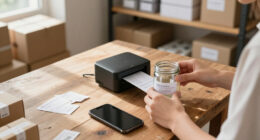
For most sellers, I’d choose the Canon SELPHY CP1500 as the best overall portable photo printer for product listings because it makes larger 4×6-inch images that show more product detail than pocket-size prints. The Liene M200 stands out if you need a built-in battery, while the Nelko PP01 suits quick, small reference prints on the go. The key tradeoff is between compact convenience and the larger, more detailed images that help with product checks and listing preparation. Print technology, paper handling, and whether you need true portability also separate these models. Read on for all 14 picks and guidance on matching one to your workflow.

Get business pricing on office and shipping supplies
- Business-only prices and quantity discounts
- Tax-exempt purchasing
- Multiple users, one account, clear invoices
Key Takeaways
- The Canon SELPHY CP1500 and Liene M100 make 4×6-inch prints, giving sellers more room to inspect product details than 2×3-inch pocket printers.
- The Liene M200 is the standout for printing away from an outlet because it has a built-in battery; several other larger-format options are better suited to a table or studio setup.
- Pocket-size ZINK printers such as the Canon IVY 2, KODAK Step, and Liene Pearl K100 trade image size for easy carrying and simple phone-based printing.
- The two Liene M100 listings share a printer model but differ in included paper and cartridges, so the bundle contents matter more than the product name when comparing them.
- For repeatable listing work, paper format and print workflow matter as much as portability: a 4×6 printer supports larger references, while sticky-backed mini prints can help with sorting and labeling.
| Nelko PP01 Portable 2×3-Inch Photo Printer, White |  | Best for Detailed Mini Prints | Print size: 2×3 inches | Print technology: Inkjet | Print resolution: 600 DPI | VIEW LATEST PRICE | See Our Full Breakdown |
| Kodak Dock Plus 4PASS 4×6 Photo Printer with Smartphone Docking |  | Best for a Fixed Photo Workstation | Print size: 4×6 inches | Printing technology: 4PASS dye sublimation | Connectivity: Bluetooth | VIEW LATEST PRICE | See Our Full Breakdown |
| Liene Pearl K100 2×3″ Photo Printer – Mini Portable Color Printer with 50 ZINK Sticky-Backed Photos, Bluetooth 5.2, iOS & Android Compatibility, White |  | Best Inkless Travel Pick | Print size: 2×3 inches | Printing technology: ZINK | Connectivity: Bluetooth 5.2 | VIEW LATEST PRICE | See Our Full Breakdown |
| Canon IVY 2 Mini Photo Printer, Pure White |  | Best for Quick App-Based Customization | Printing technology: ZINK (Zero Ink) | Connectivity: Bluetooth 5.0 | Print backing: Peel and stick | VIEW LATEST PRICE | See Our Full Breakdown |
| Liene Amber M110 Bluetooth Photo Printer with 80 Sheets |  | Best for Mixed-Format Product Proofs | Model: Amber M110 | Connectivity: Bluetooth | Print technology: Thermal dye sublimation | VIEW LATEST PRICE | See Our Full Breakdown |
| Canon SELPHY CP1500 Wireless Compact Photo Printer Bundle with 108 Sheets of KP-108 Paper, 3 Color Ink Cartridges, and Cleaning Cloth |  | Best Ready-to-Print Bundle | Printer model: Canon SELPHY CP1500 | Printing technology: Dye-sublimation | Print size: 4×6 inches | VIEW LATEST PRICE | See Our Full Breakdown |
| Nelko PP02 Portable 2×3-Inch Photo Printer |  | Best for Specialty Listing Inserts | Print size: 2×3 inches | Printing technology: 600 DPI inkjet | Connectivity: Bluetooth | VIEW LATEST PRICE | See Our Full Breakdown |
| Liene M100 4×6-Inch Wi-Fi Photo Printer |  | Best for Shared Phone Printing | Printer type: Thermal dye sublimation | Print size: 4 × 6 inches | Print resolution: 300 × 300 dpi | VIEW LATEST PRICE | See Our Full Breakdown |
| KODAK Step Portable Instant Photo Printer |  | Best Compact Peel-and-Stick Pick | Print size: 2 × 3 inches | Print technology: ZINK zero-ink | Connectivity: Bluetooth and NFC | VIEW LATEST PRICE | See Our Full Breakdown |
| Canon SELPHY CP1500 Wireless Compact Photo Printer, Black |  | Best for Flexible Input Options | Brand and model: Canon SELPHY CP1500 | Color: Black | Connectivity: Wi-Fi, USB, memory card | VIEW LATEST PRICE | See Our Full Breakdown |
| Liene M100 4×6-Inch Wi-Fi Photo Printer with 100 Sheets and 3 Cartridges |  | Best for Stocking Up | Print size: 4×6 inches | Printing technology: Thermal dye-sublimation | Connectivity: Built-in Wi-Fi hotspot | VIEW LATEST PRICE | See Our Full Breakdown |
| Epson PictureMate PM-400 Wireless Compact Photo Printer |  | Best for Flexible Photo Sizes | Printer type: Inkjet | Supported photo sizes: 4×6 inches and 5×7 inches | Print speed: As fast as 36 seconds for a 4×6-inch borderless photo | VIEW LATEST PRICE | See Our Full Breakdown |
| Liene M200 Portable 4×6-Inch Dye-Sublimation Photo Printer with Built-In Battery |  | Best for Printing Away from a Desk | Printer type: Dye sublimation | Print size: 4×6 inches | Battery life: Up to 40 prints per charge | VIEW LATEST PRICE | See Our Full Breakdown |
| YOTON Portable 4×6-Inch Dye-Sublimation Photo Printer with 54 Sheets and Ink Ribbon |  | Best Compact Pick | Printer type: Dye sublimation | Dimensions: 7.08 × 5.16 × 2.44 inches | Weight: 972 g | VIEW LATEST PRICE | See Our Full Breakdown |
| portable photo printers for product listing | Connectivity | Print size |
|---|---|---|
| Nelko PP01 Portable 2×3-Inch P | Bluetooth | 2×3 inches |
| Kodak Dock Plus 4PASS 4×6 Phot | Bluetooth | 4×6 inches |
| Liene Pearl K100 2×3" Photo Pr | Bluetooth 5.2 | 2×3 inches |
| Canon IVY 2 Mini Photo Printer | Bluetooth 5.0 | — |
| Liene Amber M110 Bluetooth Pho | Bluetooth | — |
| Canon SELPHY CP1500 Wireless C | Wi-Fi | 4×6 inches |
| Nelko PP02 Portable 2×3-Inch P | Bluetooth | 2×3 inches |
| Liene M100 4×6-Inch Wi-Fi Phot | Built-in Wi-Fi hotspot; wired connection for PC | 4 × 6 inches |
| KODAK Step Portable Instant Ph | Bluetooth and NFC | 2 × 3 inches |
| Canon SELPHY CP1500 Wireless C | Wi-Fi, USB, memory card | — |
| Liene M100 4×6-Inch Wi-Fi Phot | Built-in Wi-Fi hotspot | 4×6 inches |
| Epson PictureMate PM-400 Wirel | Wireless | — |
| Liene M200 Portable 4×6-Inch D | Built-in Wi-Fi hotspot | 4×6 inches |
| YOTON Portable 4×6-Inch Dye-Su | Wi-Fi | — |
More Details on Our Top Picks
Nelko PP01 Portable 2×3-Inch Photo Printer, White
The Nelko PP01 suits sellers who need small, colorful images to label packages, add to thank-you notes, or keep product samples organized. Its stated 600 DPI resolution offers more detail than the product data provided for the Canon IVY 2, while the 2×3-inch sticky-backed format keeps prints easy to place. The water-resistant, smudge-proof paper can handle more everyday contact than an unprotected print, but these small images won’t replace standard-size listing photos. Compared with the Liene Pearl K100, the PP01 uses ink cartridges rather than inkless ZINK paper and claims up to 80 prints per cartridge; the Liene instead specifies up to 30 prints per charge. The Nelko app adds editing and collage tools, though printing depends on that app. Buyers should also plan for a separate power adapter and take care with the cartridges if the printer sits unused.
Pros:- 600 DPI resolution is specified for detailed 2×3-inch color prints
- Sticky-backed paper is described as water-resistant, smudge-proof, and tear-resistant
- Bluetooth printing works with iOS and Android through the Nelko app
- App includes filters, collages, text, stickers, and AI image editing
Cons:- 2×3-inch prints are too small to serve as standard product listing photos
- A USB power adapter is not included
- Cartridges may need care to prevent clogging after long periods without use
Best for: Small-shop sellers who want detailed, adhesive mini photos for packaging inserts, inventory labels, or product samples.
Not ideal for: Sellers who need full-size product images for online listings or want a printer that can sit unused for long periods without cartridge care.
- Print size:2×3 inches
- Print technology:Inkjet
- Print resolution:600 DPI
- Connectivity:Bluetooth
- Compatibility:iOS and Android
- Weight:308 g
- Paper:Sticky-backed photo paper
- Print yield:Up to 80 photos per ink cartridge
Our verdict“Choose the PP01 for detailed, durable mini prints for packaging and samples; choose a 4×6-inch model for listing images.”
Kodak Dock Plus 4PASS 4×6 Photo Printer with Smartphone Docking
The Kodak Dock Plus is the strongest fit here for sellers who print beside a phone at a desk. Its 4×6-inch output matches a familiar photo size, while the 4PASS dye-sublimation process adds a protective laminate described as resistant to fingerprints, water, and fading. That finish can make prints easier to handle when reviewing product samples, though it does not establish that the printer produces files or images ready for an online listing. Unlike the battery-powered Liene Pearl K100, the Kodak needs an AC outlet, so it is less suited to packing-table work away from a plug. The integrated dock connects and charges a compatible phone during printing, giving it a more settled, phone-centered workflow than Bluetooth-only mini printers. Printing takes approximately 55 seconds, and using it requires the KODAK app and a compatible iOS or Android phone.
Pros:- Prints 4×6-inch photos, larger than the 2×3-inch Nelko PP01 and Liene Pearl K100
- 4PASS process applies a protective finish described as resisting water, fingerprints, and fading
- Integrated dock connects and charges a phone while printing
- KODAK app supports editing and cropping
Cons:- Requires an AC power outlet, limiting use away from a powered workspace
- Printing requires a compatible smartphone and the KODAK app
- Approximately 55 seconds per print may slow repeated batches
Best for: Sellers who want 4×6-inch physical product proofs and usually print from a phone at a powered desk or studio.
Not ideal for: Mobile sellers who need battery-powered printing, or anyone expecting a portable printer to produce digital listing files.
- Print size:4×6 inches
- Printing technology:4PASS dye sublimation
- Connectivity:Bluetooth
- Compatibility:iOS and Android devices
- Print time:Approximately 55 seconds
- Phone docking:Integrated docking station with charging
- Power:AC power outlet
Our verdict“Pick the Dock Plus for finished 4×6-inch phone prints at a desk, but choose a battery-powered mini printer for mobile work.”
Liene Pearl K100 2×3″ Photo Printer – Mini Portable Color Printer with 50 ZINK Sticky-Backed Photos, Bluetooth 5.2, iOS & Android Compatibility, White
The Liene Pearl K100 keeps mobile printing simple by using inkless ZINK paper, avoiding the cartridge upkeep required by the Nelko PP01. It prints small 2×3-inch adhesive photos, which can suit packaging labels or sample cards but won’t match the 4×6-inch output of the Kodak Dock Plus when a larger physical proof is useful. The included 50 sheets give a seller paper to start with, and its stated battery capacity of up to 30 photos per charge makes it practical for short print sessions away from an outlet. Bluetooth 5.2 connects to iOS and Android, but all phone printing runs through the Liene app. That app includes clean-print-head maintenance and color or monochrome options; the calibration-card cleaning process may add fuss when maintenance is needed. Its compact format trades print size for easy carrying.
Pros:- Inkless ZINK technology avoids ink cartridges
- Includes 50 sheets of 2×3-inch sticky-backed paper
- Battery is specified for up to 30 photos per charge
- App supports color and monochrome printing
Cons:- Prints only in the small 2×3-inch format
- Phone printing requires the Liene app
- Print-head cleaning with a calibration card may be cumbersome
Best for: Mobile sellers who want inkless, adhesive mini prints for packaging, market displays, or product sample kits.
Not ideal for: Sellers who need 4×6-inch proofs, high-volume sessions between charges, or printing without a companion app.
- Print size:2×3 inches
- Printing technology:ZINK
- Connectivity:Bluetooth 5.2
- Charging:USB Type-C
- Included paper:50 sheets of ZINK adhesive paper
- Battery life:Up to 30 photos per charge
- Print modes:Color and monochrome
- App requirement:Liene app required for printing
Our verdict“Choose the Pearl K100 for app-based, inkless mini prints on the move; choose a 4×6-inch printer for larger product proofs.”
Canon IVY 2 Mini Photo Printer, Pure White
The Canon IVY 2 is a straightforward choice for sellers who want small adhesive prints with minimal supply complexity: its ZINK process prints without ink, and the peel-and-stick backing suits package inserts or sample boards. Canon specifies improved skin tones, contrast, and sharpness, which may help when people appear in a product image, though the provided details don’t include a resolution or print size. Compared with the Liene Pearl K100, the IVY 2 shares the inkless, Bluetooth mini-printer approach but offers fewer published details about paper included, battery life, and maintenance. That makes its fit harder to judge for repeated listing workflows. It connects to compatible iOS and Android devices using Bluetooth 5.0 and the Canon Mini Print app, so buyers who prefer app-free printing should look elsewhere. Its role is best as a simple personalization tool, not a source of standard-size product proofs.
Pros:- ZINK printing requires no ink cartridges
- Peel-and-stick backing is convenient for package inserts and sample boards
- Bluetooth 5.0 connects to compatible iOS and Android devices
- Canon cites optimized skin tones, contrast, and sharpness
Cons:- Printing requires the Canon Mini Print app
- Provided product data does not specify print size or resolution
- Provided product data does not specify battery life or included paper
Best for: Small businesses that want to add customized, peel-and-stick photo notes or sample labels from a compatible phone.
Not ideal for: Sellers who need documented print size, battery capacity, included paper, or larger product listing proofs before choosing a printer.
- Printing technology:ZINK (Zero Ink)
- Connectivity:Bluetooth 5.0
- Print backing:Peel and stick
- Compatibility:Compatible iOS and Android devices
- App:Canon Mini Print
- Image adjustments:Optimized skin tones, contrast, and sharpness
Our verdict“Pick the IVY 2 for app-customized adhesive photo notes, but choose a printer with stated 4×6-inch output for product proofs.”
Liene Amber M110 Bluetooth Photo Printer with 80 Sheets
The Liene Amber M110 earns its place through format flexibility: its dual trays handle 4×6-inch photos and 3×3-inch sticker prints, so a seller can make larger physical proofs and square adhesive pieces without swapping to a different printer. That range is more useful for varied packaging and sample displays than the Kodak Dock Plus, which is listed for 4×6-inch output only, while the Amber’s stated print surface is laminated against water, scratches, fingerprints, and fading. It uses thermal dye sublimation and pairs over Bluetooth; pairing is described as taking 13 seconds. The companion app adds adjustments and ID or visa photo printing, but its specialty options don’t turn these prints into digital listing assets. The supplied paper totals 80 sheets across two formats, and two cartridges are included; print speed and ongoing cartridge yield aren’t stated.
Pros:- Dual trays support both 4×6-inch photos and 3×3-inch sticker photos
- Laminated prints are described as resistant to water, scratches, fingerprints, and fading
- App includes image adjustments and ID or visa photo printing
- Includes 60 sheets of 4×6-inch paper, 20 square sticker sheets, and two cartridges
Cons:- Customization features depend on the Liene app
- Print speed is not specified in the product data
- Cartridge yield and ongoing replacement needs are not specified
Best for: Small sellers who want both 4×6-inch physical product proofs and square adhesive prints for packaging or sample displays.
Not ideal for: Sellers who need a documented print speed, cartridge yield, or a printer that works without the Liene app for customization.
- Model:Amber M110
- Connectivity:Bluetooth
- Print technology:Thermal dye sublimation
- Paper sizes:4×6 inches and 3×3 inches
- Included paper:60 sheets of 4×6-inch paper and 20 sheets of 3-inch square sticker paper
- Included cartridges:2
- Print surface:Laminated; resistant to water, scratches, fingerprints, and fading
- Pairing time:13 seconds
Our verdict“Choose the Amber M110 if you need both larger physical proofs and square stickers from one Bluetooth printer.”
Canon SELPHY CP1500 Wireless Compact Photo Printer Bundle with 108 Sheets of KP-108 Paper, 3 Color Ink Cartridges, and Cleaning Cloth
For sellers who want to print a batch of polished listing photos without sourcing supplies separately, this SELPHY CP1500 bundle makes a straightforward starting point. Its dye-sublimation process produces vibrant 4×6 prints designed to resist water and fingerprints, a useful finish for handling product samples or keeping reference photos on hand. The included 108 sheets and three color cartridges give it a clear head start over the Liene M100, which includes only 20 sheets and one cartridge in this configuration. Wi-Fi also lets a seller send images from a phone, tablet, or computer. The tradeoff is the fixed 4×6 format and reliance on compatible paper and cartridges; this is less flexible than pocket printers that make small adhesive prints. It suits sellers who value a substantial supply bundle over the smallest possible setup.
Pros:- Includes 108 sheets of KP-108 paper and three color cartridges for a substantial initial print supply
- Dye-sublimation produces vibrant 4×6 prints designed to resist water and fingerprints
- Wi-Fi supports printing from smartphones, tablets, and computers
- Compact design is easier to move and store than a full-size photo printer
Cons:- Prints are limited to 4×6 inches, so it cannot make pocket-size listing labels
- Requires compatible paper and color cartridges for continued printing
Best for: Online sellers who want a 4×6 dye-sublimation printer with a generous initial paper and cartridge supply for batches of product photos
Not ideal for: Sellers who need wallet-size labels or prints, or who want to avoid buying model-specific paper and cartridges
- Printer model:Canon SELPHY CP1500
- Printing technology:Dye-sublimation
- Print size:4×6 inches
- Connectivity:Wi-Fi
- Included paper:KP-108, 108 sheets
- Included ink:3 color ink cartridges
- Included accessory:Microfiber cleaning cloth
- Color:Black
Our verdict“Choose this bundle if you want to start producing durable 4×6 product photos with a larger supply of paper and cartridges included.”
Nelko PP02 Portable 2×3-Inch Photo Printer
The Nelko PP02 makes the most sense when a seller wants small images for packaging, sample cards, or product inserts rather than primary listing photography. Its standout advantage is paper choice: it supports adhesive, magnetic, heat-transfer, and water-transfer media, giving creative sellers more ways to use a product image than the 2×3 sticky-back prints from the KODAK Step. Bluetooth pairing and the NELKO app’s editing tools, filters, and templates make quick phone-based layouts possible. The battery is listed for up to 55 photos per charge, and the printer can operate while charging. Still, its 2×3 output is too small to replace 4×6 prints from the Canon SELPHY CP1500 when image detail matters. Cartridge yield varies with content, mode, and paper, and the all-in-one cartridge format ties printing to compatible supplies.
Pros:- Supports adhesive, magnetic, heat-transfer, and water-transfer paper types
- NELKO app includes editing tools, filters, and templates
- Battery is specified for up to 55 photos per charge
- Can print while charging
Cons:- 2×3-inch output is small for detailed product photography
- All-in-one cartridges require compatible supplies, and actual yield varies by print and paper type
Best for: Small-shop sellers making branded inserts, sample cards, or craft applications from product images on specialty paper
Not ideal for: Sellers who need detailed, full-size product photos for listing images or want a printer with broad media availability
- Print size:2×3 inches
- Printing technology:600 DPI inkjet
- Connectivity:Bluetooth
- Compatibility:iOS and Android
- Supported paper types:Adhesive, magnetic, heat transfer, and water transfer
- Cartridge yield:Up to 80 photos
- Battery capacity:Up to 55 photos per charge
- Recharge time:90 minutes
- Color:Greige
Our verdict“Pick the PP02 for small product inserts and specialty-paper projects, rather than as your main printer for listing photos.”
Liene M100 4×6-Inch Wi-Fi Photo Printer
The Liene M100 is a practical fit for a small team that needs to print 4×6 product images from several phones. Its built-in Wi-Fi hotspot connects directly to devices, supports up to five simultaneous connections, and does not depend on a home network. That setup gives it an advantage over the single-user feel of pocket printers such as the KODAK Step, while its dye-sublimation prints have a protective finish designed to resist water, scratches, and fading. The 300 × 300 dpi resolution and standard 4×6 format suit physical reference photos and sample displays. This package includes 20 sheets and one cartridge, far less initial supply than the Canon SELPHY CP1500 bundle. PC printing also requires a wired connection, so wireless flexibility is strongest for mobile devices.
Pros:- Direct Wi-Fi hotspot works without relying on a home network
- Supports up to five connected devices at once
- Dye-sublimation prints have a finish designed to resist water, scratches, and fading
- Works with iOS, Android, Windows, laptops, and PCs
Cons:- Included supply is limited to 20 sheets and one cartridge
- PC printing requires a wired connection
- Print size is limited to 4×6 inches
Best for: Small seller teams that want to print 4×6 product photos directly from several phones without using a home Wi-Fi network
Not ideal for: Sellers who print mainly from a PC wirelessly, need more than 4×6 output, or want a large supply included
- Printer type:Thermal dye sublimation
- Print size:4 × 6 inches
- Print resolution:300 × 300 dpi
- Connectivity:Built-in Wi-Fi hotspot; wired connection for PC
- Compatible devices:iOS, Android, Windows, laptops, and PCs
- Maximum simultaneous connections:5 devices
- Included paper and cartridge:20 sheets and 1 cartridge
- Weight:2.2 pounds
- Dimensions:7.48 × 9.88 × 7.48 inches
Our verdict“Choose the M100 if several mobile users need convenient access to durable 4×6 prints from one compact printer.”
KODAK Step Portable Instant Photo Printer
When portability and labeling matter more than print size, the palm-sized KODAK Step is the simplest option here to carry alongside product samples. It makes 2×3-inch sticky-back photos using ZINK paper, so there are no ink cartridges, toner, or ribbons to manage. Bluetooth or NFC pairing and the companion app’s borders, stickers, filters, and collage tools make it easy to turn a phone image into a quick package insert or visual reference. Compared with the Nelko PP02, the Step has fewer specialty-paper applications, but its cartridge-free setup is simpler. Its small prints cannot show the detail of the Canon SELPHY CP1500’s 4×6 output, and the battery is specified for up to 25 prints per charge. It is a companion printer for small labels, not a full listing-photo workflow.
Pros:- Palm-sized design is easy to carry with products and samples
- ZINK printing requires no ink cartridges, toner, or ribbons
- Sticky-back prints resist moisture, rips, and smudges
- App provides filters, stickers, borders, and collage tools
Cons:- 2×3-inch prints are too small for detailed product images
- Battery is specified for up to 25 photos per charge
Best for: Mobile sellers who want pocket-size peel-and-stick product images for packaging, sample organization, or quick visual notes
Not ideal for: Sellers who need large, detailed listing photos or expect to print many images away from charging
- Print size:2 × 3 inches
- Print technology:ZINK zero-ink
- Connectivity:Bluetooth and NFC
- Compatibility:iOS and Android devices
- Paper type:Sticky-back photo paper
- Battery:Rechargeable lithium-ion
- Prints per charge:Up to 25
- Included accessories:Micro USB charging cable, starter pack of ZINK photo paper, quick start guide
Our verdict“Choose the KODAK Step for portable adhesive product images and quick inserts, not as your main source of listing photos.”
Canon SELPHY CP1500 Wireless Compact Photo Printer, Black
This Canon SELPHY CP1500 suits sellers who collect product images across cameras, memory cards, USB drives, and phones, then want one compact printer to handle them. Its Wi-Fi, USB, and memory card inputs offer more source flexibility than the phone-focused Liene M100, and the built-in 3.5-inch display lets users preview, edit, and apply filters without relying solely on a phone screen. Canon describes the prints as instantly dry and water resistant, useful when physical reference images will be handled. An optional battery pack supports portable printing, but it is not included, so the printer is less self-contained on the go than a pocket unit such as the KODAK Step. The 4×6 format also rules out small adhesive labels. Choose it for flexible image intake and larger prints; plan around the separate battery accessory if working away from an outlet.
Pros:- Accepts images through Wi-Fi, USB, and memory card connections
- Built-in 3.5-inch display supports previewing, editing, and filters
- Prints are instantly dry and water resistant
- Compact design supports portable use with an optional battery pack
Cons:- Battery pack is optional rather than included
- Prints are limited to the 4×6 format
- Product data does not specify print speed or operating cost
Best for: Sellers who import product images from multiple sources and want to preview and edit 4×6 prints on the printer itself
Not ideal for: Traveling sellers who need battery-powered printing out of the box or small peel-and-stick product labels
- Brand and model:Canon SELPHY CP1500
- Color:Black
- Connectivity:Wi-Fi, USB, memory card
- Display:3.5-inch built-in display
- Print features:Instant-dry, water-resistant photos
- Optional accessory:Battery pack
Our verdict“Choose this SELPHY if you need flexible ways to bring in and preview product images before making 4×6 prints.”
Liene M100 4×6-Inch Wi-Fi Photo Printer with 100 Sheets and 3 Cartridges
For sellers who need a portable printer that can produce a batch of listing photos, the Liene M100 pairs 4×6-inch dye-sublimation prints with 100 included sheets and three cartridges. Its laminated finish is designed to resist water, scratches, and fingerprints, helping prints stay presentable during handling. The built-in Wi-Fi hotspot lets up to five devices connect without a separate network, which makes it easier to print from a phone or computer at a pop-up workspace. Compared with the battery-powered Liene M200, the M100 is the better fit for a desk or packing station where a power adapter is available; the M200 is easier to take away from an outlet. The M100’s tradeoffs are setup friction—a cartridge must click into place—and a print head that may need cleaning if smudges appear.
Pros:- Includes 100 sheets and three color cartridges for getting started with a batch of prints.
- Laminated dye-sublimation output is designed to resist water, scratches, and fingerprints.
- Built-in Wi-Fi hotspot supports up to five devices without an external network.
- App offers brightness and contrast adjustments, filters, borders, and ID photo layouts.
Cons:- No built-in battery is listed, limiting use away from a power source.
- Print head may need cleaning if smudges appear.
- Cartridge must click into place before printing.
Best for: Online sellers who want a ready-to-use 4×6 printing station with a substantial paper supply and several devices able to connect.
Not ideal for: Sellers who need to print away from an outlet or want a truly grab-and-go setup; the M200 includes a built-in battery.
- Print size:4×6 inches
- Printing technology:Thermal dye-sublimation
- Connectivity:Built-in Wi-Fi hotspot
- Device compatibility:iPhone, Android, and PC
- Simultaneous connections:Up to 5 devices
- Included paper:100 sheets
- Included cartridges:3 color cartridges
- App features:Borders, filters, contrast and brightness adjustments, ID and visa photo printing
Our verdict“Choose the M100 for a portable listing-photo station with a generous included paper supply, provided you can print near power.”
Epson PictureMate PM-400 Wireless Compact Photo Printer
The Epson PictureMate PM-400 is the flexible-size choice here: it prints borderless 4×6-inch and 5×7-inch photos, giving sellers room to make larger product images or inserts alongside standard prints. A 4×6 photo is listed at as fast as 36 seconds, a useful pace when preparing several images for a listing. Unlike the dye-sublimation Liene M100, this Epson is an inkjet printer and uses glossy photo paper; the product data also specifies genuine Epson cartridges. That cartridge requirement narrows supply choices and may matter to sellers who want flexibility in consumables. At six pounds and roughly 15 inches wide, it is portable in the sense of being movable, but less suited to slipping into a small bag than the compact battery-powered Liene M200.
Pros:- Prints borderless photos in both 4×6-inch and 5×7-inch sizes.
- Wireless printing works with iOS devices, tablets, and smartphones.
- A 4×6-inch photo can print in as little as 36 seconds.
- Six-pound design can be moved between workspaces.
Cons:- Designed to work with genuine Epson cartridges, limiting consumable flexibility.
- Larger footprint is less convenient for packing than the Liene M200.
- Listed media is glossy photo paper, which may not suit every listing-photo presentation.
Best for: Sellers who want wireless printing in both 4×6 and 5×7 formats and have a dedicated workspace for the printer.
Not ideal for: Mobile sellers who need a battery-powered printer or those who want to choose from a wide range of ink options.
- Printer type:Inkjet
- Supported photo sizes:4×6 inches and 5×7 inches
- Print speed:As fast as 36 seconds for a 4×6-inch borderless photo
- Connectivity:Wireless
- Weight:6 pounds
- Dimensions:9.8 × 15.1 × 7.9 inches (D × W × H)
- Print media:Glossy photo paper
- Ink compatibility:Genuine Epson cartridges
Our verdict“Pick the PM-400 if the option to print borderless 5×7 photos matters more than battery-powered portability or cartridge flexibility.”
Liene M200 Portable 4×6-Inch Dye-Sublimation Photo Printer with Built-In Battery
The Liene M200 earns its place for sellers who need to print where there is no convenient outlet. Its built-in rechargeable battery is listed for up to 40 prints per charge, and the Wi-Fi hotspot can connect phones and computers without a home network. That makes it more travel-ready than the Liene M100, which comes with a larger paper supply but is better suited to a powered station. The M200 also uses dye-sublimation with a protective finish designed to resist water, scratches, and fading—useful when prints are handled during packing or at an event. Its limits are practical: the included supply is just 20 sheets, and printing is listed at one color page per minute, with a 59-second first page. It suits short runs better than sustained batch work.
Pros:- Built-in rechargeable battery supports up to 40 prints per charge.
- Wi-Fi hotspot connects compatible devices without a home network.
- Protective dye-sublimation finish is designed to resist water, scratches, and fading.
- Companion app offers editing, filters, and borders.
Cons:- Includes only 20 photo papers, fewer than the M100’s 100 sheets.
- Listed print speed is one color page per minute.
- First-page print time is listed as 59 seconds.
Best for: Market vendors and mobile resellers who need to print a small run of 4×6 product photos away from an outlet.
Not ideal for: Sellers preparing large batches at a fixed station; the M100 includes more paper and the M200’s listed pace is one page per minute.
- Printer type:Dye sublimation
- Print size:4×6 inches
- Battery life:Up to 40 prints per charge
- Connectivity:Built-in Wi-Fi hotspot
- Compatible devices:iOS, Android, laptops, and PCs
- Print resolution:300 dpi
- Print speed:1 color page per minute
- Weight:2.5 lbs
- Included:20 photo papers, 1 ink cartridge, and 1 power adapter
Our verdict“Choose the M200 for occasional 4×6 printing at markets or off-site workspaces where its battery matters more than batch speed.”
YOTON Portable 4×6-Inch Dye-Sublimation Photo Printer with 54 Sheets and Ink Ribbon
With a listed footprint of 7.08 × 5.16 × 2.44 inches, the YOTON is the most compact option in this group by its supplied dimensions, making it a practical pick for sellers who need a small printer to pack or store between jobs. It prints 4×6-inch photos over built-in Wi-Fi and adds an unusual AR video printing feature for linking a still print to a short video. Its dye-sublimation output has a protective layer designed to resist water, scratches, and fingerprints. Compared with the Liene M200, the YOTON lists a 54-sheet capacity but does not list a built-in battery, so its compact body does not establish the same off-grid freedom. One ribbon is rated for about 40–50 photos, which also means planning replacement supplies for longer sessions.
Pros:- Small listed dimensions make it easier to store or pack than the larger Epson PM-400.
- Built-in Wi-Fi supports direct connections without internet.
- Protective photo layer is designed to resist water, scratches, and fingerprints.
- AR video printing supports videos up to 15 seconds.
Cons:- One ink ribbon is listed for only about 40–50 photos.
- No built-in battery is listed, unlike the Liene M200.
- Maximum media size is 4×6 inches, with no larger format listed.
Best for: Sellers with limited storage who want compact 4×6 printing and may use short AR video links to add context to product images.
Not ideal for: Mobile sellers who need confirmed battery-powered printing or anyone planning long print runs without ribbon changes.
- Printer type:Dye sublimation
- Dimensions:7.08 × 5.16 × 2.44 inches
- Weight:972 g
- Connectivity:Wi-Fi
- Maximum media size:4×6 inches
- Maximum sheet capacity:54 sheets
- Resolution:300 × 300 dpi
- Ink ribbon yield:40–50 photos
- Special feature:AR video printing for videos up to 15 seconds
Our verdict“Pick the YOTON when small storage size and AR-linked prints matter more than a built-in battery or larger photo formats.”

How We Picked
I ranked these printers by how well their print size, connection options, portability, and media setup fit product listing work. Larger 4×6-inch prints earned an advantage for showing product shape, finish, and small visual differences; compact 2×3-inch models scored better for quick references and tight workspaces. I also considered whether a printer has a built-in battery, a phone-friendly workflow, a dock, or bundles of paper and ink that can reduce setup friction.
The ranking favors models with a useful balance of listing-ready image size and practical operation, then distinguishes them by specialized strengths. The CP1500 leads for general use, while the M200 is more compelling away from a desk and pocket printers make sense when mobility and small prints take priority. Bundle variants and similar models are assessed by the differences described in their listings; seller-specific bundle details can vary, so buyers should verify included supplies before choosing.
Factors to Consider When Choosing Portable Photo Printers For Product Listings
Choosing a printer for product listings starts with how you plan to use the prints. I’d think through the physical size of the items, where the printer will sit, and whether the image is a working reference or something customers will see. These broader questions can prevent a compact printer from feeling limiting or a larger setup from taking up space you need.
Choose print size around the task
A print used to compare finish, color, or small details benefits from more image area than a quick inventory reference. A 2×3-inch print can be easy to carry and sort, but it may hide distinctions on jewelry, small electronics, or textured surfaces. A 4×6-inch format gives you more room to see edges and surface treatment without relying on a phone screen. Before choosing, measure the products and ask how much detail you need to inspect at once. Sellers who mainly need reminders or workflow tags may prefer smaller prints; those checking presentation and condition should lean larger. The mistake is treating “photo printer” as one standard size when the format changes what the print is useful for.
Separate portability from cordless operation
A compact body is easier to move, but that alone does not mean a printer can work anywhere. Check whether the model has a built-in battery, needs wall power, or depends on a nearby phone and wireless connection. For pop-up selling, inventory intake, or work across rooms, cordless operation can save more hassle than shaving a little off the printer’s dimensions. A desk-based seller may get better results from a larger printer that stays set up and ready. Think about where paper will be loaded and where finished prints will land, too. Portability only helps when the full workflow can travel with the device.
Match print technology to color expectations
Printer technologies involve different media and workflows, so don’t choose by the technology name alone. Ask whether the printer uses dedicated paper, ink cartridges, or a ribbon and paper set, then check that replacements are easy for you to obtain. Product listing work often depends on consistent color, especially when a print is used to check whether a product’s appearance matches its photos. A small convenience printer may be enough for rough references, while more demanding color checks call for careful attention to the printer’s media and output format. Keep lighting in mind: a print viewed under different bulbs can appear to differ from the product itself. Treat printed references as a useful comparison aid, not a guarantee of on-screen color accuracy.
Plan for ongoing supplies
The included paper and ink can make one package ready to use, but they do not tell you how convenient ongoing printing will be. Compare the type of paper each model needs, how supplies are packaged, and whether you can store them neatly beside your work area. Bundles with extra media can help you start without a separate supply order, particularly when you’re setting up a new workflow. They can also leave you with supplies that are inconvenient to replace if the printer becomes a regular tool. Estimate how many prints you make in a typical week and how often you want to restock. A printer that is easy to replenish is more likely to stay useful after the included media runs out.
Check the whole phone-to-print workflow
For phone-based work, the printer’s app, connection method, and device compatibility affect how quickly you can make a reference print. Verify that the printer supports your phone and that the intended workflow does not add steps you’ll repeat for every item. A dock can be convenient for a fixed station, while wireless pairing suits a setup where the phone moves around. Consider who will use the printer: a one-person operation can tolerate a few manual steps that become frustrating when shared across a team. Make one sample print before relying on a new process for a batch of listings. That simple check can surface cropping or connection issues before they interrupt the workday.
Decide when a larger setup is worth it
A portable printer can support listing preparation, but it does not automatically replace a full-size photo workflow. If you need large images for close inspection, high-volume output, or consistent presentation across many listings, a compact model may become a bottleneck. On the other hand, paying for features you rarely use adds bulk to a task that may only need occasional reference prints. Consider how many products you process and whether printing happens at intake, during photography, or after a listing is drafted. Buyers with frequent batches should prioritize media handling and a repeatable setup; occasional sellers can favor easy storage. Choose for the step the printer will actually support, rather than expecting it to solve every part of product photography.
Frequently Asked Questions
Is a 2×3-inch printer large enough for product listing work?
It can be enough for quick visual references, sorting, or marking a product’s place in a workflow. The small format is less useful when you need to inspect fine texture, tiny markings, or subtle finish differences. If your listings involve small collectibles or detailed items, a larger print gives you more image area to study. Think about whether the print is a reminder or a quality check before deciding. For close comparisons, a 4×6-inch format is the safer fit.
Should I choose a dye-sublimation printer or a ZINK pocket printer?
Start with the kind of print you need and how large it should be. The roundup’s pocket models emphasize small, easy-to-carry prints, while several dye-sublimation options produce 4×6-inch photos. That larger format can be more useful for reviewing how a product will appear in a listing, but it also calls for a larger printer and dedicated media. Check each model’s supply requirements and connection workflow, since the technology label alone does not establish convenience or color suitability. If you’re unsure, compare a sample print with the actual product under the lighting where you work.
Do I need a built-in battery for a portable photo printer?
You need one if printing away from outlets is part of your routine, such as at an event or while sorting stock in different rooms. If the printer will stay beside a computer or photography table, a battery may add little practical value. Also check whether the phone and printer can maintain a reliable connection in the places you plan to work. A battery-powered printer can still require you to carry paper and other supplies. Judge portability by the whole kit, not just the printer’s size.
Are printer bundles with extra paper and cartridges a better choice?
A bundle can make it easier to start printing immediately and reduce the chance that you run out during an initial batch. Its value depends on whether the included media suits your expected print size and whether you can readily buy the same supplies later. The two M100 listings illustrate why it pays to compare package contents even when the printer model is the same. Check the exact quantities and included accessories in the listing before ordering. For a low-volume seller, a smaller package may be easier to store and manage.
Can prints from a portable photo printer match my online listing colors exactly?
You should not assume a print and an online image will look identical across phones, monitors, paper, and room lighting. A printer can help you review product appearance and spot inconsistencies, but the displayed result depends on the full capture and viewing setup. Use consistent lighting when photographing products and compare prints under the same conditions. For color-sensitive goods, keep the product itself nearby instead of treating a small print as the sole reference. If exact color representation matters, check the printer’s stated output capabilities and build a repeatable workflow around them.
Conclusion
For a balanced listing workflow, I’d start with the Canon SELPHY CP1500 as best overall: its 4×6-inch output makes it a practical all-around reference printer. The Nelko PP01 is a best-value-style choice for sellers who want simple, small prints, while the Epson PictureMate PM-400 is the premium pick for buyers who prioritize a more substantial compact setup. Beginners can start with the Canon IVY 2 for straightforward pocket-size phone prints. If you need to print without staying near an outlet, choose the Liene M200; if you want a dock-centered station, consider the Kodak Dock Plus. Match the format and power setup to your listing routine, and the right printer becomes clear.
Evergreen bestsellers Picks
bestsellers
As an affiliate, we earn on qualifying purchases.