If you’re looking for the best pro tablets for creative work in 2026, I recommend checking out options like the Wacom Intuos series, XPPen Artist Pro models, and HUION KAMVAS devices. These tablets offer high-resolution displays, precise stylus sensitivity, and versatile connectivity to match professional needs. They support a wide range of creative software and come with ergonomic features to boost your workflow. Keep exploring, and you’ll find the perfect tool to elevate your artistry.
Key Takeaways
- Top pro tablets feature high-resolution, color-accurate displays with full lamination and wide color gamuts for professional-quality visuals.
- They offer advanced stylus technology with high pressure sensitivity, tilt support, and ergonomic designs for natural drawing experiences.
- Compatibility across multiple operating systems and connectivity options ensures seamless integration into various creative workflows.
- Ergonomic features, adjustable stands, and essential accessories enhance comfort during extended creative sessions.
- Leading devices balance performance, display quality, and price, catering to both professional artists and demanding creators in 2026.
Wacom Intuos Medium Bluetooth Drawing Tablet
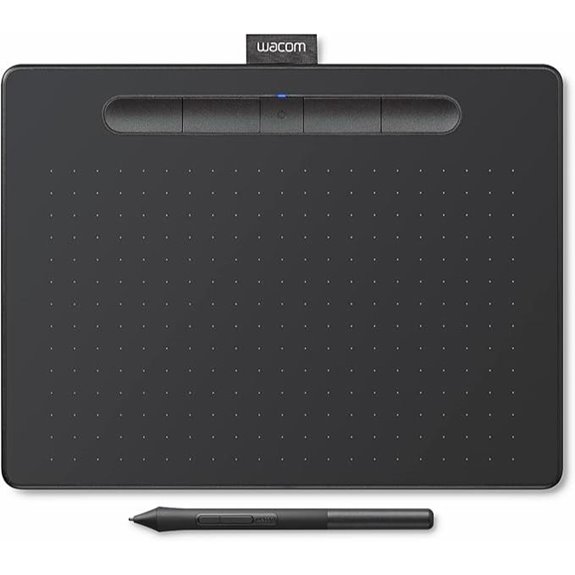
If you’re looking for a versatile and reliable drawing tablet that caters to students, teachers, and professional creators alike, the Wacom Intuos Medium Bluetooth Drawing Tablet is an excellent choice. It offers industry-leading control and precision with Wacom’s EMR battery-free technology, giving you a natural pen-on-paper feel. Compatible with Chromebook, Mac OS, Android, and Windows, it’s highly adaptable. You can connect wirelessly via Bluetooth or use the included USB-A cable for a direct connection. With four customizable ExpressKeys, it’s designed for quick access to your favorite tools, making it perfect for drawing, photo editing, or document markup anywhere you work.
XPPen Artist 15.6 Pro V2 Digital Drawing Tablet
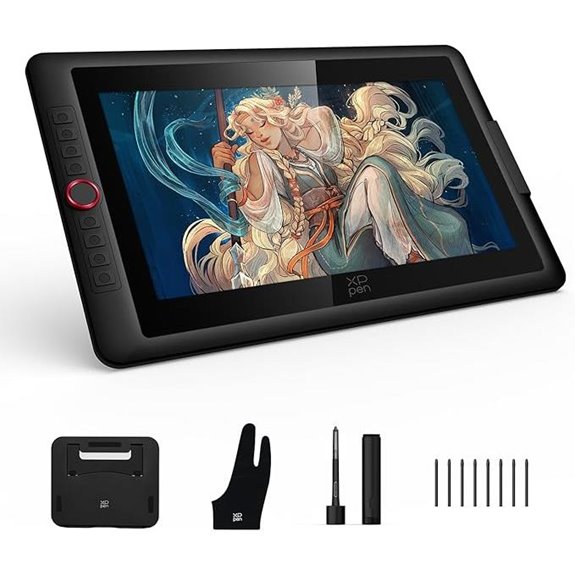
The XPPen Artist 15.6 Pro V2 stands out as an excellent choice for professional artists demanding precision and vibrant color accuracy. Its 15.4-inch laminated, anti-glare display delivers rich, accurate colors with 99% sRGB, 96% Adobe RGB, and 96% Display P3 gamuts, making colors pop. The stylus offers 16,384 pressure sensitivity levels—twice as many as competitors—ensuring smooth, detailed strokes. With customizable shortcut keys and a user-friendly Red Dial interface, workflow becomes seamless. Plus, its ergonomic foldable stand and slim profile make extended work sessions comfortable and portable. Overall, the V2 balances precision, versatility, and convenience for serious creatives.
HUION KAMVAS Pro 16 Graphics Drawing Tablet
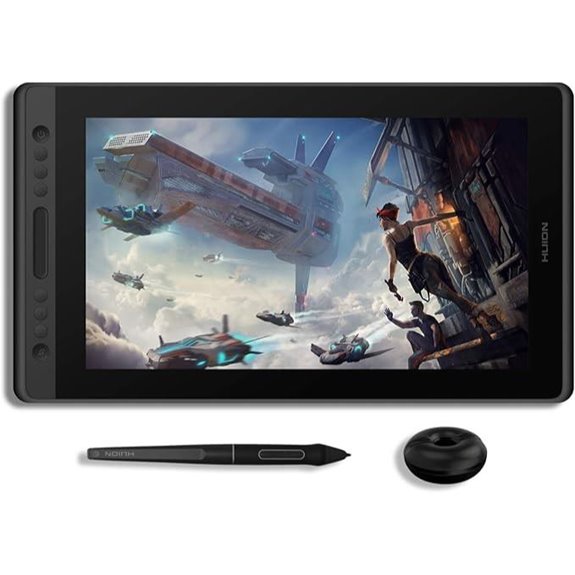
Designed for professional artists and designers seeking precision, the HUION KAMVAS Pro 16 stands out with its full laminated HD display and anti-glare glass, which considerably reduces parallax and enhances stylus accuracy. Its 15.6-inch screen covers 120% sRGB, delivering vibrant colors across 16.7 million hues, perfect for detailed work. The battery-free PW507 stylus offers 8192 pressure levels and a 60° tilt, ensuring natural strokes and smooth lines. Six customizable hotkeys and a programmable touch bar make workflow efficient. Compatible with Windows, Mac, and Linux, this tablet is ideal for digital art, online teaching, and remote collaboration.
XPPen Artist Pro 24 Gen2 4K Drawing Tablet

For professional artists and designers seeking unparalleled color accuracy and vivid visuals, the XPPen Artist Pro 24 Gen2 4K Drawing Tablet stands out as an ideal choice. Its 23.8-inch 4K UHD display delivers stunning, true-to-life colors with 99% Adobe RGB coverage and Calman-verified color precision. The full laminated AG glass reduces glare and provides a paper-like feel, while the high pixel density allows multitasking across multiple windows. Dual styluses with 16,384 pressure levels and tilt support give me precise control. Plus, accessories like the wireless Keydial and adjustable stand enhance workflow and comfort, making this tablet a powerful tool for professional creative work.
Wacom Cintiq 16 Drawing Tablet with Pro Pen

If you’re seeking a professional-grade drawing tablet that delivers stunning visuals and precise control, the Wacom Cintiq 16 with Pro Pen is an excellent choice. Its 16-inch IPS display with 2.5K WQXGA resolution provides sharp, detailed visuals perfect for digital art and design. The cinematic color display covers 99% DCI-P3 and 100% sRGB, ensuring accurate color reproduction. The Pro Pen 3 offers 8192 pressure levels, tilt support, and a battery-free design for natural, responsive drawing. Built-in fold-out legs and compatibility with adjustable stands make it comfortable for long sessions. Connecting via USB-C, it works seamlessly with Mac and PC for professional creative work.
XPPen Artist Pro 16 Gen2 Drawing Tablet
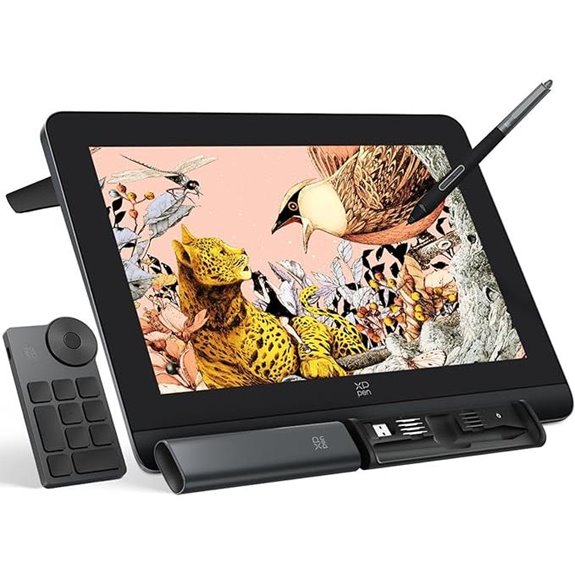
The XPPen Artist Pro 16 Gen2 Drawing Tablet stands out with its stunning 2.5K QHD display and industry-leading 16K pressure sensitivity, making it ideal for professional artists who demand precision and vibrant color accuracy. Its 16-inch laminated anti-glare screen offers wide viewing angles and minimal parallax errors, ensuring accurate work. The battery-free X3 Pro stylus supports tilt and pressure for nuanced shading. Compatible with major OS and creative software, it features a foldable stand, wireless remote, and ergonomic wrist rest for comfort during long sessions. TÜV SÜD certification guarantees eye safety, making it a *thorough* tool for serious digital creators.
Wacom MovinkPad Pro 14 Android Drawing Tablet
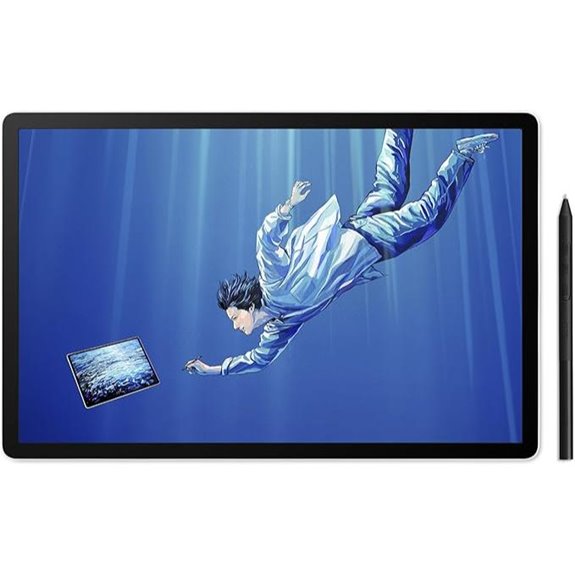
Creative professionals on the go will appreciate the Wacom MovinkPad Pro 14 Android Drawing Tablet’s portability and powerful display, making it an ideal choice for those who need a high-performance, all-in-one digital art solution. Its thin, lightweight design features a 14″ OLED anti-glare matte screen with 3K resolution, delivering vivid, true-to-life colors with a premium textured surface for a paper-like feel. Powered by the Snapdragon 8s Gen 3 processor and 12GB RAM, it handles multitasking effortlessly. The battery-free Slim Pro Pen 3 offers precise drawing with 8,192 pressure levels, making this tablet perfect for professional artists on the move.
HUION KAMVAS Pro 16 2.5K QHD Drawing Tablet
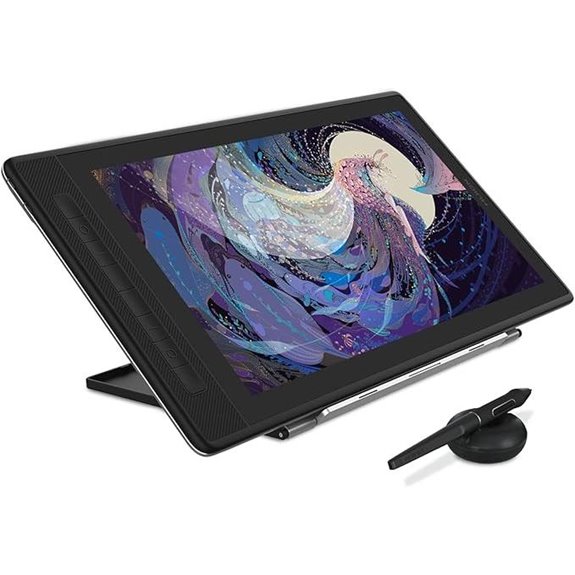
For digital artists seeking precise color reproduction and sharp visuals, the HUION KAMVAS Pro 16 2.5K QHD Drawing Tablet stands out as an excellent choice. Its 15.8-inch QLED full-laminated screen delivers detailed, vibrant images with a resolution of 2560×1440 and 186ppi. Powered by Quantum Dot technology, it displays 16.7 million colors across 99% Adobe sRGB, ensuring accurate color matching. The tablet’s wide 178° viewing angles and anti-glare glass make it comfortable to work with from various perspectives. Compatible with Windows, Mac, Android, and Linux, it connects via USB-C or HDMI, supporting power and data transfer up to 100W.
XPPen Artist13.3 Pro V2 Drawing Tablet with Screen

If you’re seeking a compact yet powerful drawing tablet that combines high-quality display features with precise stylus performance, the XPPen Artist13.3 Pro V2 is an excellent choice. It offers 16K pressure levels, a 1.5x faster response time, and 90ms initial response, making your strokes feel natural and responsive. The X3 Pro stylus provides smooth, accurate lines, perfect for detailed work. Its 13.3-inch full-laminated AG screen boasts vibrant colors with 125% sRGB and 107% Adobe RGB. Easy to set up with customizable shortcut keys and a Red Dial Quick Key, it’s ideal for artists seeking a portable yet professional device.
Wacom Cintiq Pro 22 4K Drawing Tablet with Pen
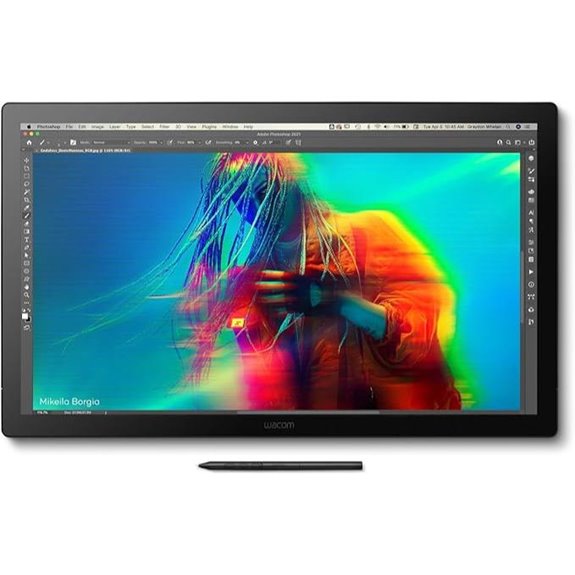
The Wacom Cintiq Pro 22 4K Drawing Tablet with Pen stands out as an excellent choice for professional artists seeking precision and vibrant visuals. Its 21.5″ Ultra HD 4K touchscreen delivers stunning color accuracy, making every detail pop. The 120Hz refresh rate ensures smooth, near-zero latency, enhancing my workflow. I love customizing the ExpressKeys and using multi-touch gestures for quick access to tools. The Pro Pen 3 offers 8192 pressure sensitivity levels, with adjustable weight and grips for personalized comfort. Compatibility with Windows, macOS, and Linux makes it versatile. Plus, the adjustable stand and extensive accessories help me work comfortably for hours.
Lenovo Idea Tab Pro with Google Gemini
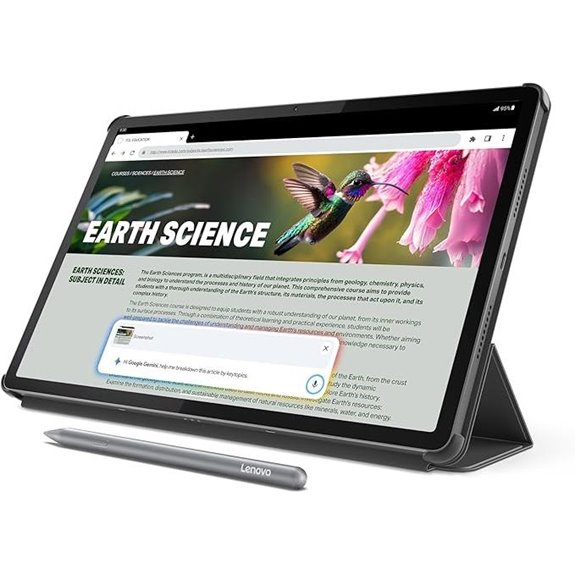
Designed with students and campus users in mind, the Lenovo Idea Tab Pro with Google Gemini combines a stunning 12.7-inch 3K LCD display with lightweight portability, making it easy to carry all day. Weighing just 1.36 pounds and measuring 7.44 x 11.49 x 0.27 inches, it fits comfortably into any bag. The device features a powerful MediaTek Dimensity 8300 processor, 8 GB RAM, and 128 GB storage, supporting fast Wi-Fi 6E. With 11 hours of battery life, a quick 45W charge, and a low blue light certified display, it’s perfect for prolonged study sessions and creative work on the go.
Wacom Intuos Pro Small Drawing Tablet with Pen
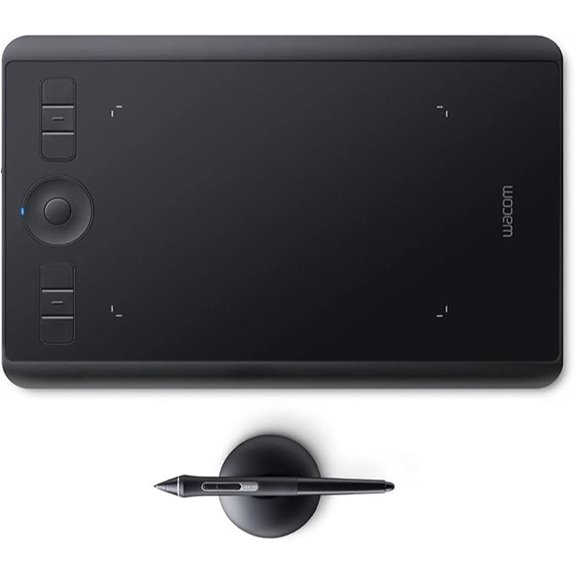
For creative professionals seeking a portable yet powerful drawing solution, the Wacom Intuos Pro Small Drawing Tablet with Pen stands out as an excellent choice. Its compact size (10.6″ x 6.7″) makes it perfect for on-the-go work, while offering professional-grade features. The Pro Pen 2 provides 8,192 pressure sensitivity levels, tilt recognition, and virtually lag-free tracking, ensuring precise and natural drawing. With customizable ExpressKeys, touch gestures, and a Touch Ring, I can tailor my workflow for maximum efficiency. Compatibility with Mac and Windows, along with wireless connectivity via Bluetooth, makes it versatile and easy to set up anywhere I work.
Wacom Intuos Pro Small Digital Drawing Tablet
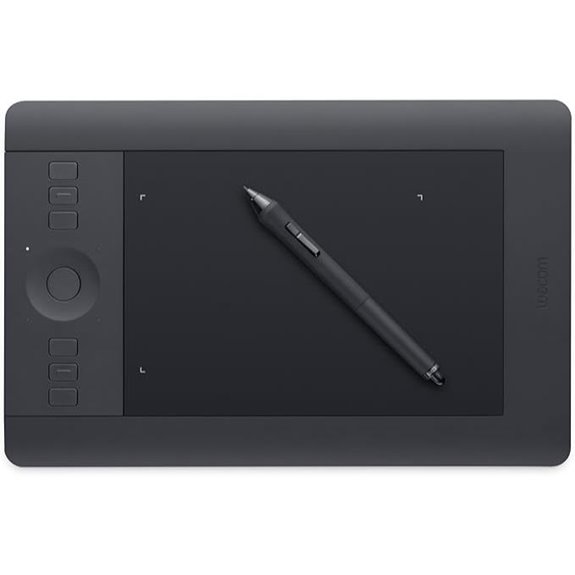
If you’re looking for a compact yet powerful tablet that delivers professional-grade precision, the Wacom Intuos Pro Small Digital Drawing Tablet is an excellent choice. Its 2048 levels of pen pressure sensitivity and tilt recognition let you create with the nuance of traditional tools. The slim, lightweight design measures just 12.5 by 8.1 inches, with a 6.2 by 3.9-inch active drawing area, perfect for limited space. The multi-touch surface supports gestures like pan and zoom, while programmable Express Keys and pen switches streamline your workflow. Compatible with Windows 7+ and Mac OS 10.12+, it’s a versatile tool for digital artists and designers alike.
XP-PEN Artist 15.6 Pro Drawing Tablet with Screen

The XP-PEN Artist 15.6 Pro Drawing Tablet with Screen stands out as an ideal choice for artists seeking professional-quality visuals combined with portability. Its 15.6-inch full-laminated display offers rich colors with 120% sRGB accuracy and a wide viewing angle, ensuring vibrant, detailed images. The battery-free stylus with 8192 levels of pressure sensitivity provides natural, precise control, while tilt functionality enhances shading options. Easy to connect via HDMI and USB, it requires no external power, making setup simple. The included protective case offers ample storage, keeping your tools organized and portable. Overall, it’s a versatile, high-performance device perfect for professional artists on the go.
Factors to Consider When Choosing a Pro Tablet for Creative Work
When selecting a pro tablet for creative work, I focus on display quality and size to guarantee my artwork looks sharp and fits my workflow. I also consider stylus precision and feel, since comfort and accuracy are vital for detailed projects. Finally, compatibility, portability, and software integration play key roles in making sure the tablet fits seamlessly into my setup and creative process.
Display Quality and Size
Choosing the right display quality and size is vital for a pro tablet designed for creative work. A high-resolution display, like 4K or QHD, ensures sharper images and more detailed visuals, which is essential for precision. Larger screens, typically 15 inches or more, give you more workspace, making multitasking and complex projects easier. Full lamination technology reduces parallax, so there’s a more natural feel when drawing, with the stylus aligning perfectly with the cursor. Color accuracy matters too—look for devices covering 99% sRGB or Adobe RGB to guarantee vibrant, true-to-life colors. Additionally, anti-glare and anti-fingerprint coatings improve visibility and reduce eye strain during long sessions. Balancing display size and quality helps optimize your workflow and creative output.
Stylus Precision and Feel
A high-quality stylus can make or break your creative experience, so paying attention to its precision and feel is vital. Look for a stylus with at least 8,192 pressure sensitivity levels—this guarantees accurate detection of subtle pressure variations, giving you control over detailed artwork. The feel of the stylus tip, whether rubber, felt, or nib, influences how natural and precise your strokes feel. Tilt recognition adds nuance, allowing for shading and brush effects that mimic traditional tools. Responsiveness is essential; a stylus with minimal lag makes your strokes smooth and natural, reducing frustration. Comfort matters too—an ergonomic, well-weighted stylus helps you work longer without fatigue. All these factors combine to enhance your creative flow and precision.
Compatibility With Devices
Ensuring your tablet is compatible with your device’s operating system and hardware is essential for a smooth creative workflow. I always check if the tablet supports my primary device’s OS, whether it’s Windows, macOS, Linux, or Android, to avoid any compatibility issues. Connectivity options like USB-C, HDMI, DisplayPort, or Bluetooth are critical—making sure my tablet can easily connect with my existing ports saves time and hassle. I also verify that the hardware, including processor and RAM, aligns with my device for seamless integration. Additionally, confirming compatibility with my preferred creative software, such as Photoshop or Illustrator, guarantees full functionality without glitches. Finally, I consider whether I need extra adapters or cables, especially if my device lacks specific ports, to keep my workflow uninterrupted.
Portability and Size
When selecting a pro tablet for creative work, considering its portability and size can make a significant difference in how comfortably and efficiently I work. I look at the tablet’s dimensions and weight to ensure it fits my usual environment and mobility needs. Smaller tablets are easier to carry and store, making them ideal for on-the-go use, but they might limit the drawing space. Larger models offer more room for detailed work, boosting productivity, but can be less convenient for travel. Weight also matters; lightweight tablets are perfect for frequent travelers, while heavier ones provide stability during use. Some designs, like foldable or stand-compatible models, enhance ergonomic comfort and ease of transport, making long sessions more comfortable without *guaranteeing* portability.
Software Integration Ease
Choosing a pro tablet that integrates smoothly with your preferred creative software is essential for maintaining an efficient workflow. I look for tablets that support my main programs like Photoshop, Illustrator, or Blender without hiccups, ensuring setup is quick and hassle-free. Compatibility with drivers and plugins that update automatically saves me technical headaches and keeps everything running smoothly. Hotkeys or customizable shortcut buttons directly linked to software functions are game-changers, speeding up repetitive tasks. I also verify that the tablet supports common file formats and color profiles, so my project quality stays consistent across devices. Manufacturer-supplied or community-developed tools that sync settings, brushes, and palettes make switching between devices seamless. Overall, ease of software integration keeps my creative process fluid and uninterrupted.
Connectivity Options
Selecting the right connectivity options is essential for a pro tablet’s integration into my creative workflow. I look for devices that offer multiple connection types like USB-C, HDMI, or DisplayPort, allowing me to connect seamlessly to monitors, external drives, or other peripherals. Wireless options such as Wi-Fi and Bluetooth are crucial for mobility and reducing cable clutter, especially when I need to work on the go. Compatibility with my operating system—whether Windows, macOS, Android, or others—is vital, so I ensure the tablet supports the connection standards I use daily. Versatile cables, like 3-in-1 or USB-C to HDMI, simplify setup across various devices. Finally, I prioritize stable, high-speed connections to ensure smooth data transfer, which is critical for professional workflows.
Ergonomic Design Features
Ergonomic design features are essential for maintaining comfort and efficiency during extended creative sessions. Adjustable stands and tilt angles help me find the perfect working posture, reducing strain on my neck and shoulders. Wrist rests and ergonomic grips minimize wrist tension and fatigue when I’m drawing or designing for hours. The lightweight, slim profiles make the tablets easy to handle and transport, so I can work comfortably anywhere. Anti-glare screens with full laminations lessen eye strain and improve color accuracy, creating a more natural viewing experience. Well-placed shortcut keys and touch controls streamline my workflow, allowing quick access without awkward hand movements. Overall, these ergonomic features guarantee I stay comfortable and focused, even during long, intensive creative sessions.
Price and Budget
The price of pro tablets for creative work can vary greatly, from about $100 for basic models to over $3,000 for high-end displays. When choosing a tablet, I recommend balancing your budget with essential features like display size, pressure sensitivity, and color accuracy. Investing in a more expensive device usually means better color fidelity, higher pressure levels, and improved ergonomic features, which are crucial for professional-quality work. Entry-level tablets often lack advanced features like full lamination or multi-touch gestures, which can slow down your workflow. To find the right fit, I compare the cost-to-feature ratio, ensuring you get the best value within your budget for high-quality, professional results. This approach helps you make an informed decision aligned with your creative needs and financial limits.
Frequently Asked Questions
How Do Pro Tablets Compare in Color Accuracy and Calibration?
Pro tablets today offer excellent color accuracy, often surpassing traditional monitors, especially with advanced calibration options. I always guarantee they’re properly calibrated using built-in tools or professional calibration hardware, which makes a huge difference in color consistency. Most high-end models support wide color gamuts like DCI-P3 and Adobe RGB, so I can trust the colors I see are true to life, which is essential for my creative projects.
What Are the Best Accessories for Enhancing Creative Productivity on These Tablets?
I find that high-quality styluses, like the Apple Pencil or Wacom Pro Pen, really boost my productivity. A good protective case keeps my tablet safe and portable, while a precision screen protector improves drawing accuracy. External keyboards and adjustable stands also help me work comfortably for longer periods. Investing in a reliable, portable USB-C hub allows me to connect accessories easily, ensuring I stay creative and efficient wherever I am.
How Long Do These Tablets Typically Last Before Needing Replacement?
These tablets usually last around 3 to 5 years before needing replacement, depending on how well I take care of them and how intensive my creative work is. I make sure to update the software regularly and handle them carefully to extend their lifespan. When they start to slow down or can’t support new updates, I know it’s time for a new one to keep my productivity high.
Are There Specific Tablets Optimized for 3D Modeling and Animation?
When it comes to 3D modeling and animation, I recommend tablets that combine power, precision, and performance. The iPad Pro with its M2 chip and Apple Pencil offers incredible accuracy, while the Samsung Galaxy Tab S8 Ultra with its impressive display and S Pen support is a fantastic choice. Both tablets deliver seamless stylus support and robust hardware, making them ideal options for tackling complex 3D projects comfortably and creatively.
How Do Software Compatibility and Updates Influence Tablet Performance?
Software compatibility and updates are vital for tablet performance because they guarantee I can run the latest features smoothly. When my device supports the right apps and gets regular updates, I experience fewer bugs and better stability, which boosts my productivity. Staying compatible with essential creative software makes a big difference, and timely updates help me access new tools and improvements that keep my workflow efficient and creative.
Conclusion
Choosing the right pro tablet feels like finding a perfect match—sometimes, the best option appears when you least expect it. As I’ve explored these options, I realize that the ideal device often aligns with your unique creative rhythm and needs. Whether it’s a sleek Wacom or a versatile XP-PEN, I believe that in the end, the right tablet finds you just when you need it most, blending innovation with your own artistic journey.