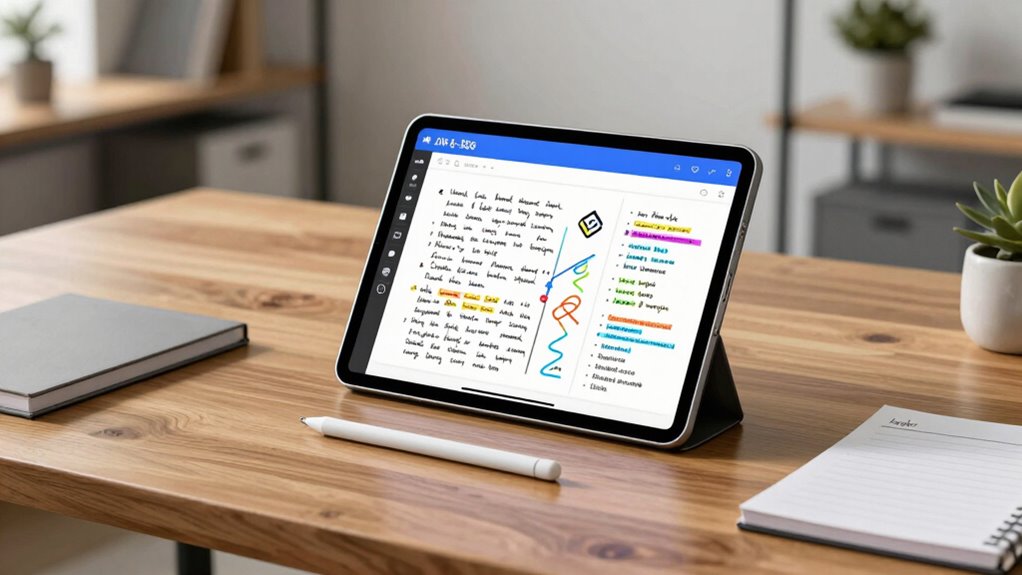

Finding the best pro tablet for note taking in 2026 means balancing performance, display quality, and usability. The reMarkable Paper Pro Move stands out as the top overall pick for its paper-like writing experience, while the Samsung Galaxy Tab S9 offers a versatile Android experience with a vivid AMOLED screen. The main tradeoffs involve choosing between specialized e-ink devices that excel at distraction-free writing and more powerful tablets that support multitasking and apps. Keep reading for a detailed breakdown of these options to find your perfect match.

Get business pricing on office and shipping supplies
- Business-only prices and quantity discounts
- Tax-exempt purchasing
- Multiple users, one account, clear invoices
Key Takeaways
- Specialized e-ink tablets like the reMarkable excel at distraction-free note taking but lack app versatility.
- Large, high-resolution screens such as 14.3 inches make multitasking easier but can impact portability and weight.
- Stylus support varies significantly—some devices include premium pens, others require separate purchases, affecting overall value.
- Android-based tablets like the TCL NXTPAPER offer more app flexibility but may compromise on writing feel and latency.
- Pricing spans from budget-friendly options to premium devices; understanding your primary use case helps justify the investment.
| reMarkable Paper Pro Move with Marker Plus and Black Leather Book Folio |  | Best Overall for Digital Paper Experience | Display Size: 7.3 inches | Display Type: Canvas Color e-ink | Connectivity: Wi-Fi | VIEW ON AMAZON | See Our Full Breakdown |
| TCL Note A1 NXTPAPER Paper Tablet, 11.5″ 2.2K 120Hz Display, 8GB RAM, 256GB Storage |  | Best for Versatile Note-Taking and Creativity | Display: 11.5-inch 2.2K NXTPAPER | Refresh Rate: 120Hz | Processor: Android-based | VIEW ON AMAZON | See Our Full Breakdown |
| reMarkable Paper Pure with Marker Plus and Mist Green Sleeve Folio |  | Best for Focused Note-Taking and Document Review | Display Size: 10.3 inches | Display Type: E-Ink | Connectivity: Cloud & apps | VIEW ON AMAZON | See Our Full Breakdown |
| TCL NXTPAPER 14 Android Tablet, 14.3″ 2.4K Paper-Like Display, 8GB RAM, 256GB Storage |  | Best for Large-Screen Note Taking and Media | Display: 14.3 inches, 2.4K Paper-Like | Processor: MediaTek Helio G99 | RAM: 8GB | VIEW ON AMAZON | See Our Full Breakdown |
| Lenovo Idea Tab Pro Gen 2 Tablet with Pen & Folio Case, 13″ 3.5K Touchscreen, 144Hz, Snapdragon 8s CPU, 8GB RAM, 128GB Storage |  | Best for Productivity and Visual Organization | Display: 13″ 3.5K LCD | Refresh Rate: 144Hz | Processor: Qualcomm Snapdragon 8s | VIEW ON AMAZON | See Our Full Breakdown |
| Samsung Galaxy Tab S9 11” 256GB WiFi 7 Android AI Tablet, Snapdragon 8 Gen 2 Processor, AMOLED Screen, Durable Design, S Pen Included, Long Battery Life, Auto Focus Camera, US Version, 2023, Graphite |  | Best Overall for Versatile Power and Premium Features | Display: 11-inch Dynamic AMOLED 2X | Processor: Snapdragon 8 Gen 2 | Storage: 256GB | VIEW ON AMAZON | See Our Full Breakdown |
| Lenovo Idea Tab Pro with Google Gemini – 12.7” Student Tablet, 3K LCD, 8GB RAM, 128GB Storage, Includes Pen and Folio Case |  | Best for Students Needing a Large, High-Resolution Screen | Display: 12.7-inch 3K LCD | Memory: 8 GB RAM | Storage: 128 GB | VIEW ON AMAZON | See Our Full Breakdown |
| reMarkable Paper Pro with Marker Plus and Black Leather Book Folio |  | Best for Writers and Creators Preferring a Paper-Like Experience | Display: 11.8-inch Canvas Color e-ink | Included Components: Marker Plus, Leather Folio | Connectivity: Wi-Fi, USB | VIEW ON AMAZON | See Our Full Breakdown |
| Penstar eNote Pro C E-Ink Digital Notebook with Pen, 10.3” AI Enote Tablet |  | Best for Focused Note-Taking with AI Productivity Tools | Display: 10.3-inch Kaleido 3 color E-Ink | Resolution: 2K QHD | Stylus Pressure Sensitivity: 8192 levels | VIEW ON AMAZON | See Our Full Breakdown |
| TCL NXTPAPER 11 Plus Android Tablet, 11.5″ 2.2K 120Hz Display, 8GB RAM, 256GB Storage |  | Best for Versatile Use with Precise Stylus and Eye-Friendly Tech | Display: 11.5 inch 2.2K | Refresh Rate: 120Hz | Stylus: 4096 pressure levels | VIEW ON AMAZON | See Our Full Breakdown |
| reMarkable Paper Pro Move with Marker Plus |  | Best Overall for Distraction-Free Note Taking | Display: 7.3-inch Canvas Color | Included Items: reMarkable Paper Pro Move, Marker Plus, 6 spare Marker tips, USB-C cable | Features: Searchable handwritten notes, convert to typed text, cloud sync, tags and folders | VIEW ON AMAZON | See Our Full Breakdown |
| XPPen 3-in-1 Color Digital Notebook 10.95” with 16384 Pressure Levels and X3 Pro Pencil |  | Best for Versatile, High-Precision Note Taking and Annotation | Display Size: 10.95 inches | Display Technology: AG nano-etched LCD with TCL NXTpaper 3.0 | Color Modes: Monochrome, Light Color, Nature Color | VIEW ON AMAZON | See Our Full Breakdown |
| reMarkable Paper Pro with Marker Plus |  | Best for Reading and Note-taking in E-Ink Comfort | Display: 11.8” Canvas Color e-ink | Included Components: reMarkable Paper Pro, Marker Plus, 6 spare Marker tips, USB-C cable | Connectivity: USB-C, Wi-Fi, Bluetooth | VIEW ON AMAZON | See Our Full Breakdown |
| Wacom MovinkPad Pro 14 Android Mobile Tablet with OLED Display and ProPen 3 |  | Best for Professional-Grade Digital Art and Advanced Note Taking | Display: 14-inch OLED, 2880 × 1800px | Processor: Snapdragon 8s Gen 3 | RAM: 12GB | VIEW ON AMAZON | See Our Full Breakdown |
| pro tablet for note taking | Display | Storage |
|---|---|---|
| reMarkable Paper Pro Move with | — | — |
| TCL Note A1 NXTPAPER Paper Tab | 11.5-inch 2.2K NXTPAPER | 256GB |
| reMarkable Paper Pure with Mar | — | — |
| TCL NXTPAPER 14 Android Tablet | 14.3 inches, 2.4K Paper-Like | 256GB |
| Lenovo Idea Tab Pro Gen 2 Tabl | 13" 3.5K LCD | 128GB |
| Samsung Galaxy Tab S9 11” 256G | 11-inch Dynamic AMOLED 2X | 256GB |
| Lenovo Idea Tab Pro with Googl | 12.7-inch 3K LCD | 128 GB |
| reMarkable Paper Pro with Mark | 11.8-inch Canvas Color e-ink | — |
| Penstar eNote Pro C E-Ink Digi | 10.3-inch Kaleido 3 color E-Ink | — |
| TCL NXTPAPER 11 Plus Android T | 11.5 inch 2.2K | 256GB |
| reMarkable Paper Pro Move with | 7.3-inch Canvas Color | — |
| XPPen 3-in-1 Color Digital Not | — | — |
| reMarkable Paper Pro with Mark | 11.8” Canvas Color e-ink | — |
| Wacom MovinkPad Pro 14 Android | 14-inch OLED, 2880 × 1800px | 256GB SSD, expandable microSD |
More Details on Our Top Picks
reMarkable Paper Pro Move with Marker Plus and Black Leather Book Folio
The reMarkable Paper Pro Move stands out for its ultra-compact design that prioritizes portability without sacrificing the writing experience. Its 7.3-inch Canvas Color e-ink display offers a paper-like feel that’s ideal for note-taking, sketching, and quick edits on the go. Unlike larger tablets like the Lenovo Idea Tab Pro, this device is less about multitasking and more about focused work, which makes it perfect for those who want a dedicated digital paper. The included Marker Plus and leather folio add value but raise the price, and the need for a subscription for advanced features can be a hurdle. Still, for users who prioritize a lightweight, distraction-free device, this pick excels.
Pros:- Compact and lightweight, easily fits into pockets or small bags
- High-quality paper-like display enhances handwriting and sketching
- Supports handwriting conversion and cloud sync for seamless workflow
- Includes accessories like Marker Plus and leather folio for convenience
Cons:- Limited to 7.3-inch display, restricting multitasking
- Requires a subscription for features like full-text search and conversion
- Some users find the device expensive relative to its size
Best for: Note-takers and digital artists who need a portable, paper-like device for quick sketches and handwritten notes.
Not ideal for: Users seeking a large-screen tablet for multitasking or media consumption, as the small display limits versatility.
- Display Size:7.3 inches
- Display Type:Canvas Color e-ink
- Connectivity:Wi-Fi
- Included Components:Marker Plus, Leather Folio
- Hardware Interface:USB-C
- Model Year:2025
Our verdict“This device is best for those who want a portable, distraction-free digital paper for focused note-taking and sketching.”
TCL Note A1 NXTPAPER Paper Tablet, 11.5″ 2.2K 120Hz Display, 8GB RAM, 256GB Storage
The TCL Note A1 NXTPAPER offers a larger 11.5-inch display with a vivid 2.2K resolution and 120Hz refresh rate, making it well-suited for both note-taking and multimedia. Compared with the reMarkable Paper Pro Move, it provides more screen real estate and a smoother visual experience, especially for drawing or reading long documents. Its high-pressure stylus with 8192 levels of sensitivity makes handwriting feel natural, and AI features facilitate converting handwriting into editable text. However, the device runs on Android, which may require software updates for optimal performance, and stylus storage could be an issue. This pick makes sense for users who want a hybrid tablet for work, study, and creative projects.
Pros:- Large 11.5-inch high-resolution display with paper-like quality
- High-pressure stylus with low latency for natural writing and drawing
- AI-powered handwriting to text conversion enhances productivity
- Long-lasting battery with fast charging
Cons:- Requires software updates for optimal performance
- Stylus may be easily lost if not stored securely
- Limited to Android ecosystem, which might restrict app compatibility
Best for: Students and creative professionals who need a versatile device for writing, drawing, and studying on a large, eye-friendly display.
Not ideal for: Those seeking a dedicated e-ink device or one with minimal distractions, as Android’s multitasking can be overwhelming.
- Display:11.5-inch 2.2K NXTPAPER
- Refresh Rate:120Hz
- Processor:Android-based
- RAM:8GB
- Storage:256GB
- Stylus Sensitivity:8192 levels
Our verdict“Ideal for users who want a large, versatile tablet that combines note-taking with multimedia capabilities.”
reMarkable Paper Pure with Marker Plus and Mist Green Sleeve Folio
The reMarkable Paper Pure emphasizes simplicity with its 10.3-inch black-and-white e-ink display, ideal for reading, note-taking, and sketching without distractions. Compared to the Paper Pro Move, it offers a slightly larger screen and faster ink response, which benefits those who do a lot of writing or reviewing documents. Its organizational features, like tags and folders, help keep work tidy, and seamless cloud integration makes sharing effortless. The main limitation is its monochrome display, which isn’t suitable for color content or detailed images. Additionally, users must be comfortable with digital note-taking tools, and battery life details are less explicit. It’s a focused choice for users prioritizing clarity and organization over color.
Pros:- High-contrast, fast-refresh black-and-white display ideal for notes and sketches
- Organizational tools like tags and folders improve workflow
- Seamless cloud and app integration for sharing and editing
- Lightweight and easy to carry
Cons:- No color display limits multimedia use
- Requires some familiarity with digital workflows
- Battery life is not explicitly detailed
Best for: Educators, writers, and professionals who need a dedicated, distraction-free device for reading and note organization.
Not ideal for: Creative users needing color or multimedia features, as the device only displays in black-and-white.
- Display Size:10.3 inches
- Display Type:E-Ink
- Connectivity:Cloud & apps
- Warranty:1-year limited
- Model Name:RM95A
- Built-In Media:E-Ink
Our verdict“Best suited for professionals who want a focused, organized device for reading and note review without distractions of color or multimedia.”
TCL NXTPAPER 14 Android Tablet, 14.3″ 2.4K Paper-Like Display, 8GB RAM, 256GB Storage
The TCL NXTPAPER 14 combines a massive 14.3-inch 2.4K Paper-Like display with powerful hardware, making it a strong choice for those who want to combine note taking with media viewing. Its size and resolution surpass the smaller, more specialized e-ink devices like the reMarkable Paper Pro Move, offering a more immersive experience for reading, drawing, and multitasking. The included stylus with 4096 levels of pressure sensitivity allows for precise handwriting and sketching. However, the device’s large size and weight (1.67 lbs) may hinder portability, and the absence of a microSD slot limits expandability. This device suits users who prefer a large, versatile tablet for both work and entertainment in a single device.
Pros:- Vivid 14.3-inch 2.4K Paper-Like display offers immersive visuals
- Stylus with 4096 pressure sensitivity for detailed sketches
- Powerful hardware with 8GB RAM and 256GB storage
- Long-lasting 10,000mAh battery with fast charging
Cons:- Large size and weight reduce portability
- No microSD card support limits storage expansion
- Charger not included in the box
Best for: Students or professionals who need a large display for note-taking, multimedia, and creative work on the same device.
Not ideal for: Those seeking a lightweight, highly portable device solely for note-taking, as its size could be cumbersome for daily carry.
- Display:14.3 inches, 2.4K Paper-Like
- Processor:MediaTek Helio G99
- RAM:8GB
- Storage:256GB
- Battery:10,000mAh
- Stylus Support:4096 levels
Our verdict“Great for users who want a large, high-resolution device for note-taking, drawing, and media without concern for portability.”
Lenovo Idea Tab Pro Gen 2 Tablet with Pen & Folio Case, 13″ 3.5K Touchscreen, 144Hz, Snapdragon 8s CPU, 8GB RAM, 128GB Storage
The Lenovo Idea Tab Pro Gen 2 offers a 13-inch 3.5K touchscreen with a 144Hz refresh rate, combining high-resolution visuals with smooth interaction—ideal for note-taking, reading, and visual work. Compared to the TCL NXTPAPER 14, its smaller size improves portability, though it still provides a large, vibrant workspace. The Snapdragon 8s CPU and 8GB RAM support multitasking and fluid performance, while the included stylus enhances precision for notes and sketches. However, details on battery life are scarce, and the device’s higher price might deter casual users. This tablet suits busy professionals and students who want a powerful, high-res device for organization and productivity on the go.
Pros:- High-resolution 3.5K display with vivid visuals
- Smooth 144Hz refresh rate for fluid interaction
- Powerful Snapdragon processor supports multitasking
- Includes stylus for precise writing and drawing
Cons:- Limited battery life information available
- Higher price point compared to simpler models
- No microSD expansion support
Best for: Students and professionals who need a portable, high-res device with stylus support for detailed note-taking and visual tasks.
Not ideal for: Users primarily interested in long battery life or basic note-taking, as the device’s price and specs lean toward high performance and clarity.
- Display:13″ 3.5K LCD
- Refresh Rate:144Hz
- Processor:Qualcomm Snapdragon 8s
- RAM:8GB
- Storage:128GB
- Brightness:800 nits
Our verdict“Best suited for users who need a high-res, portable device capable of detailed note-taking and visual organization.”
Samsung Galaxy Tab S9 11” 256GB WiFi 7 Android AI Tablet, Snapdragon 8 Gen 2 Processor, AMOLED Screen, Durable Design, S Pen Included, Long Battery Life, Auto Focus Camera, US Version, 2023, Graphite
The Samsung Galaxy Tab S9 combines a stunning AMOLED display with a Snapdragon 8 Gen 2 processor, making it ideal for note-taking and media consumption alike. Its water and dust resistance (IP68) adds durability, while the included S Pen offers precise input for notes and sketches. Compared with the Lenovo Idea Tab Pro, the S9’s AMOLED screen provides richer colors and better contrast, though it comes at a higher price. The Android ecosystem provides flexibility but may lack some productivity app integrations found on specialized note devices. The main tradeoff is its premium cost, which might be a barrier for budget-conscious users. However, for those seeking a powerful, all-around tablet that excels in visual clarity and performance, this model delivers.
Pros:- Vivid, high-contrast AMOLED display with high refresh rate
- Powerful Snapdragon 8 Gen 2 processor ensures smooth multitasking
- Water and dust resistance (IP68) enhances durability
- Includes S Pen for precise drawing and writing
Cons:- Premium price may be prohibitive for some users
- Features like AI tools require internet and specific apps
Best for: Tech-savvy professionals and creative users who want a versatile, high-quality Android tablet with stylus support.
Not ideal for: Budget shoppers or users who prefer a simpler device solely focused on basic note-taking without high-end features.
- Display:11-inch Dynamic AMOLED 2X
- Processor:Snapdragon 8 Gen 2
- Storage:256GB
- Water and Dust Resistance:IP68
- Connectivity:Wi-Fi 7
- Battery:Long-lasting with Super Fast Charging
Our verdict“This tablet suits those seeking a premium, versatile device that combines vibrant display quality with robust performance.”
Lenovo Idea Tab Pro with Google Gemini – 12.7” Student Tablet, 3K LCD, 8GB RAM, 128GB Storage, Includes Pen and Folio Case
The Lenovo Idea Tab Pro stands out for its expansive 12.7-inch 3K LCD display, which offers generous real estate for note-taking and reading. Its Low Blue Light certification makes it easier on the eyes during long study sessions, and the included Pen Plus enables precise annotations. While it doesn’t match the raw power of the Galaxy Tab S9, its emphasis on a large, detailed screen makes it well-suited for students who prefer a bigger canvas. Compared with the TCL NXTPAPER 11 Plus, the Idea Tab Pro’s higher resolution enhances clarity for detailed notes or sketches, but its lack of cellular options limits mobility outside Wi-Fi zones. Its main drawback is its higher price point, which could deter casual users. This tablet makes the most sense for students needing a large, high-res display for focused note-taking and reading.
Pros:- Massive 12.7-inch 3K LCD display with crisp detail
- Low Blue Light certification reduces eye strain
- Includes Pen Plus for accurate annotations
- Long battery life supports extended use
Cons:- Limited to Wi-Fi connectivity, no LTE option
- Higher price compared to smaller or less detailed tablets
Best for: Students and academics seeking a large-screen device for detailed notes and multimedia reading.
Not ideal for: Travelers needing cellular connectivity or users on a strict budget, as higher costs may be prohibitive.
- Display:12.7-inch 3K LCD
- Memory:8 GB RAM
- Storage:128 GB
- Battery Life:11 hours
- Included Accessories:Pen Plus, Folio Case
- Connectivity:Wi-Fi 6E
Our verdict“Ideal for students who prioritize a large, high-resolution screen for note-taking and reading in a stationary or Wi-Fi-connected setting.”
reMarkable Paper Pro with Marker Plus and Black Leather Book Folio
The reMarkable Paper Pro offers a unique color e-ink display that mimics paper, making it ideal for writers, sketchers, and professionals who want a distraction-free environment. Its 11.8-inch size provides ample space for notes and illustrations, with the added benefit of a low-glare screen suitable for outdoor use. Unlike the Samsung Galaxy Tab S9, it doesn’t support high-color graphics or videos, but this is a deliberate tradeoff for a paper-like experience. The included leather folio and stylus with 8192 pressure sensitivity make it a premium device for focused work. However, its limited multimedia capabilities and higher price point might put off users expecting a versatile tablet. This makes it perfect for those who prioritize writing and sketching over multimedia functionalities.
Pros:- Large 11.8-inch color e-ink display with paper-like feel
- Low-glare screen suitable for outdoor use
- Includes premium stylus with 8192 pressure levels
- Lightweight and portable
Cons:- Limited to e-ink display, not suitable for videos or high-color graphics
- Price may be high for those wanting multi-purpose tablets
Best for: Creative professionals and writers who value a natural, paper-like writing experience and minimal distractions.
Not ideal for: Users seeking a device for multimedia or high-color graphic work, as e-ink screens are not suited for videos or vivid images.
- Display:11.8-inch Canvas Color e-ink
- Included Components:Marker Plus, Leather Folio
- Connectivity:Wi-Fi, USB
- Model Number:RM83C-1005NW
- Warranty:1-Year Limited
- Compatibility:Business, Creative, Student
Our verdict“Best suited for writers and creators who need a natural writing feel and distraction-free reading experience.”
Penstar eNote Pro C E-Ink Digital Notebook with Pen, 10.3” AI Enote Tablet
The Penstar eNote Pro C combines a 10.3-inch Kaleido 3 color E-Ink display with AI-powered features like voice-to-text and handwriting recognition, making it ideal for focused note-taking and organization. Its 2K QHD resolution delivers vivid, paper-like reading and writing, while the 8192 pressure levels of the included stylus ensure precise input. Compared to the reMarkable Paper Pro, the eNote Pro’s AI capabilities support more dynamic and efficient workflows, though its smaller size might limit extensive sketching. Its long battery life—up to three weeks—makes it suitable for daily use without frequent charging. Nonetheless, its primary focus on reading and note-taking means it isn’t suited for multimedia consumption or fast scrolling tasks. This device is a strong choice for professionals and students who want an AI-enhanced, dedicated note device.
Pros:- Vivid 2K QHD color display with paper-like experience
- Supports AI features like voice-to-text and handwriting recognition
- Long battery life up to 3 weeks
- Stylus with 8192 pressure sensitivity
Cons:- Limited to reading and note-taking, not suitable for videos
- Relatively high price compared to basic e-ink devices
Best for: Students, professionals, or writers who need a focused, AI-supported device for reading, note-taking, and organization.
Not ideal for: Those looking for a multimedia-capable tablet or a device with fast scrolling and video playback capabilities.
- Display:10.3-inch Kaleido 3 color E-Ink
- Resolution:2K QHD
- Stylus Pressure Sensitivity:8192 levels
- Battery Capacity:6500mAh (up to 3 weeks)
- Supported Formats:Over 35 including PDF, EPUB, DOCX
- Operating System:Android 14
Our verdict“Best suited for users focused on detailed, AI-enhanced note-taking and reading, prioritizing long battery life and precision input.”
TCL NXTPAPER 11 Plus Android Tablet, 11.5″ 2.2K 120Hz Display, 8GB RAM, 256GB Storage
The TCL NXTPAPER 11 Plus offers an 11.5-inch 2.2K display with a 120Hz refresh rate, making it a smooth option for note-taking, drawing, and media. Its stylus with 4096 pressure levels supports detailed input, while NXTPAPER 4.0 technology reduces eye strain during long sessions. The device’s long-lasting 8000mAh battery and reverse charging feature add to its practicality for on-the-go use. Compared with the Samsung Galaxy Tab S9, the NXTPAPER focuses more on eye health and affordability, but it lacks cellular support, limiting mobility outside Wi-Fi zones. The package doesn’t include a charger, which could be inconvenient. This tablet is well-suited for artists, students, or professionals who want a versatile, eye-friendly device for everyday note-taking and creative tasks.
Pros:- High-resolution 11.5-inch display with 120Hz refresh rate
- Stylus with 4096 pressure sensitivity for detailed input
- Eye-friendly NXTPAPER 4.0 technology reduces eye strain
- Long battery life with reverse charging
Cons:- No microSD card support limits storage expansion
- Charger not included adds extra cost
Best for: Artists, students, or professionals who need a balanced device for drawing, note-taking, and media with eye protection features.
Not ideal for: Power users needing high-end performance or cellular connectivity for mobile work without Wi-Fi.
- Display:11.5 inch 2.2K
- Refresh Rate:120Hz
- Stylus:4096 pressure levels
- Battery:8000mAh
- Operating System:Android 15
- Storage:256GB
Our verdict“This tablet suits creative users and professionals seeking a versatile, eye-friendly device for note-taking and media consumption.”
reMarkable Paper Pro Move with Marker Plus
The reMarkable Paper Pro Move stands out for its ultra-portable, paper-like writing experience, making it ideal for those who want distraction-free note-taking on the go. Its 7.3-inch color Canvas display offers a true paper feel, unlike the larger, more colorful screens of the XPPen or Wacom options. While it excels in simplicity and organization, it involves a subscription for full search and conversion features, which may deter some users. Compared to the reMarkable Paper Pro, the Move’s smaller size makes it more portable but limits the workspace. This model is best suited for writers and readers who prefer a minimalist device with seamless cloud sync and handwriting-to-text capabilities, but it’s less ideal for users needing a larger display or advanced editing tools.
Pros:- Distraction-free, paper-like writing experience
- Highly portable, fits in a pocket or small bag
- Seamless conversion of handwriting to typed text
Cons:- Subscription required for full search and conversion features
- Limited to a 7.3-inch display, restricting workspace
- No backlight or color options for multimedia use
Best for: Digital note takers prioritizing portability, distraction-free writing, and simple organization
Not ideal for: Users requiring a large screen for detailed sketches or multimedia use, or those who dislike subscriptions
- Display:7.3-inch Canvas Color
- Included Items:reMarkable Paper Pro Move, Marker Plus, 6 spare Marker tips, USB-C cable
- Features:Searchable handwritten notes, convert to typed text, cloud sync, tags and folders
- Portability:Ultraportable, fits in a bag or pocket
Our verdict“This device makes the most sense for users who value simplicity and portability over a larger display or multimedia features.”
XPPen 3-in-1 Color Digital Notebook 10.95” with 16384 Pressure Levels and X3 Pro Pencil
The XPPen 3-in-1 Color Digital Notebook offers a sizable 10.95-inch display with high-pressure sensitivity of 16K levels, making it ideal for detailed note-taking, drawing, and annotation. Its AG nano-etched LCD with TCL NXTpaper 3.0 technology provides a glare-free, paper-like experience, similar to the Wacom MovinkPad Pro but with a more versatile color mode selection. Unlike the more compact reMarkable Paper Pro, it supports multimedia functions and runs on Android 14, providing a broader range of apps. However, it isn’t an E Ink device, which may turn off users who prefer a true e-paper feel. This tablet is better suited for professionals and students who need precision and color versatility, but less so for those wanting a distraction-free, purely focus-oriented device.
Pros:- High-pressure sensitivity with 16K levels for precise input
- Large, glare-free display mimicking paper feel
- Multiple color modes and high refresh rate for smooth visuals
- Operates on Android 14 with ample storage and multimedia support
Cons:- Not an E Ink display, lacks the paper-like glare reduction of e-paper tablets
- Narrow viewing angles due to etched glass screen
- Requires system updates for advanced AI note features
Best for: Creative professionals or students needing detailed annotation, color options, and multimedia capabilities
Not ideal for: Users seeking a true e-ink experience or primarily focused on distraction-free reading
- Display Size:10.95 inches
- Display Technology:AG nano-etched LCD with TCL NXTpaper 3.0
- Color Modes:Monochrome, Light Color, Nature Color
- Refresh Rate:90Hz
- Pen Sensitivity:16K levels
- Operating System:Android 14
Our verdict“This device is best for creators and students who need detailed, colorful note-taking with multimedia support, accepting some tradeoffs in glare and viewing angles.”
reMarkable Paper Pro with Marker Plus
The reMarkable Paper Pro offers an 11.8-inch color e-ink display that provides a highly realistic paper-like experience, ideal for reading and note-taking in various lighting conditions. Its adjustable reading light and low-glare screen make it comfortable indoors and outdoors, surpassing the smaller, monochrome reMarkable models for those who prefer color and better readability. Compared to the smaller Paper Pro Move, this device’s larger screen supports more extensive notes and sketches without sacrificing the e-ink benefits. However, limited information on battery life and storage means some users might find it less transparent about daily usability. It’s best suited for professionals and readers who want a dedicated device for long reading sessions and handwriting, but less ideal for multimedia or fast-paced annotations requiring color or video.
Pros:- Color e-ink display offers a paper-like, glare-free reading experience
- Adjustable reading light for flexible lighting conditions
- Supports organizing notes, PDFs, and handwriting conversion
Cons:- Limited details on battery life and storage options
- No information on stylus pressure sensitivity or advanced drawing tools
- Price not specified, making cost comparison difficult
Best for: Readers and note takers seeking a large, color e-ink device for comfortable, extended use
Not ideal for: Users needing a device with multimedia capabilities, high storage, or advanced drawing features
- Display:11.8” Canvas Color e-ink
- Included Components:reMarkable Paper Pro, Marker Plus, 6 spare Marker tips, USB-C cable
- Connectivity:USB-C, Wi-Fi, Bluetooth
- Color:Black
Our verdict“This e-ink device is perfect for those who read and take notes extensively in color, appreciating a true paper-like experience over multimedia features.”
Wacom MovinkPad Pro 14 Android Mobile Tablet with OLED Display and ProPen 3
The Wacom MovinkPad Pro 14 delivers a large, vivid OLED display with 3K resolution, ideal for professional artists and serious note takers who demand color accuracy and a natural pen-on-paper feel. Its 14-inch screen, combined with the ProPen 3’s 8,192 pressure levels and no-charging design, makes it a powerful tool for detailed sketches, annotations, and multimedia work. Compared to smaller tablets like the Galaxy Tab S9, this device prioritizes screen real estate and color fidelity for creative tasks. Its Android 15 OS supports a wide range of creative apps, but it’s less suited for casual note takers who do not need such a high-end display or professional-grade features. The device’s size and weight might be a consideration for users seeking maximum portability.
Pros:- High-resolution OLED display with vivid, true-to-life colors
- Professional-grade ProPen 3 with 8,192 pressure levels, no charging needed
- Powerful hardware with Snapdragon 8s Gen 3 and 12GB RAM
- Expandable storage via microSD card slot
Cons:- Limited compatibility outside Android, not supporting Windows or Mac systems
- Large size and weight reduce portability for some users
- No specific battery life details provided
Best for: Professional artists, designers, or advanced note takers who need a large, high-fidelity display with stylus precision
Not ideal for: Casual users or those prioritizing compactness and long battery life over professional-grade features
- Display:14-inch OLED, 2880 × 1800px
- Processor:Snapdragon 8s Gen 3
- RAM:12GB
- Storage:256GB SSD, expandable microSD
- Pen:ProPen 3, 8,192 pressure levels
- Operating System:Android 15
Our verdict“This device is best for professionals needing a large, color-accurate display and high-performance stylus for creative and note-taking tasks, accepting some tradeoffs in portability.”

How We Picked
Our evaluation focused on performance, display quality, stylus responsiveness, build durability, and value for note-taking. Devices were ranked based on how well they replicate a paper-like experience, their comfort for extended writing, and their overall versatility. We also considered software features, such as note organization and export options, which influence usability. Devices that could handle multiple tasks and run note-taking apps earned higher scores, while those optimized solely for writing scored on their simplicity and clarity. This approach ensures a balanced list catering to different user needs and budgets.
Factors to Consider When Choosing Pro Tablet For Note Taking
Choosing the right pro tablet for note taking involves understanding several key factors. Beyond raw specs, consider how the device fits into your workflow, the quality of the writing surface, and the overall ecosystem. Making the wrong tradeoff can lead to frustration or limited usability, so weighing these factors carefully ensures your investment matches your needs.Display Quality and Size
The size and resolution of the display directly impact your comfort and productivity. Larger screens, like 14.3 inches, provide more space for detailed notes and multitasking, but they can also make the device heavier and less portable. High-resolution screens improve clarity and reduce eye strain, especially during long writing sessions. Consider your typical note-taking environment—if you need portability, a more compact, high-quality display might serve better than a massive, high-res screen.
Stylus Support and Responsiveness
The stylus quality can make or break the note-taking experience. Premium pens with pressure sensitivity, tilt support, and low latency enable natural handwriting. Some tablets include their stylus, like the S Pen on Samsung devices, while others require separate purchases. A responsive stylus that mimics real paper helps reduce fatigue and increases accuracy. Be cautious of cheaper styluses or those with lag, which can hinder your writing flow.
E-Ink vs. LCD Displays
E-Ink screens excel at mimicking paper and are easier on your eyes for long sessions, making them ideal for distraction-free writing. However, they typically lack color and fast refresh rates, limiting multimedia use. LCD or OLED screens offer vibrant colors and better multimedia capabilities, but may cause more eye strain over extended periods. Your choice depends on whether you prioritize a paper-like experience or multimedia versatility.
Software Ecosystem and Compatibility
Consider the operating system and available apps. Android tablets provide access to a wide range of note-taking apps and tools, offering greater flexibility. Devices like the reMarkable focus more on simplicity and writing, but might lack advanced organization features. Compatibility with cloud services and export options are also worth checking—these influence how easily you can manage and transfer your notes across devices.
Price and Value
Prices vary widely, from budget options to premium devices costing over a thousand dollars. It’s essential to match your budget with your needs—if you primarily take notes and want a distraction-free experience, investing in a high-end e-ink device makes sense. Conversely, if you need multitasking and app support, a more versatile, slightly more expensive device could provide better overall value. Beware of paying for features you won’t use, but also recognize when spending more delivers meaningful improvements.
Frequently Asked Questions
Is a dedicated e-ink tablet better for note taking than a tablet with an LCD screen?
Dedicated e-ink tablets like the reMarkable are often preferred for note taking because they mimic paper more closely and reduce eye strain during long writing sessions. However, they lack the multimedia and multitasking features found on LCD tablets. If your primary goal is distraction-free writing with minimal eye fatigue, an e-ink device can be a better choice. For more versatile use, including sketching, multitasking, or multimedia, an LCD or OLED tablet offers broader functionality.
Do I need a stylus that’s included or can I buy one separately?
Many premium tablets include their stylus, like the Samsung Galaxy Tab S9 with its S Pen, which ensures compatibility and optimized responsiveness. Some devices, especially budget models, require you to purchase a stylus separately, which can add to the total cost. When choosing, consider whether the included stylus meets your needs or if investing in a higher-quality pen will benefit your workflow. Compatibility and latency are key factors, regardless of whether the stylus is bundled or optional.
How important is the size of the tablet for note taking?
The size affects portability and workspace. Larger screens, such as 14 inches, provide more space for detailed notes and multitasking but can be cumbersome to carry around. Smaller tablets, around 10-11 inches, are easier to handle and transport but might limit the amount of content visible at once. Choosing the right size depends on your typical environment—if you mostly take notes at a desk, a larger device makes sense; for on-the-go use, a compact model is more practical.
Are tablets with Android OS better for note taking than specialized e-ink devices?
Android tablets offer access to a wide range of note-taking apps, multitasking capabilities, and multimedia features, making them more versatile for various tasks. Specialized e-ink devices focus on providing a distraction-free writing experience, often with a simplified interface and paper-like feel. Your choice depends on whether you prioritize flexibility and app support or a focused, paper-like writing experience. For users who want both, some Android tablets include stylus support and note apps that can mimic e-ink benefits somewhat.
Is investing in a high-end pro tablet worth it for casual note takers?
If your note-taking needs are occasional or basic, a mid-range or budget device may suffice. High-end tablets offer superior display quality, stylus responsiveness, and multitasking features, which can significantly improve the experience for frequent or professional users. However, for casual use, paying extra for premium specs may not be justified, and a more affordable device can deliver satisfactory results. Consider how often you’ll use advanced features and whether the investment aligns with your workflow.
Conclusion
For those seeking the best overall experience, the reMarkable Paper Pro Move offers a paper-like feel that’s ideal for focused note taking. The Samsung Galaxy Tab S9 makes sense for users who want versatility and app support, while budget-conscious buyers may prefer the TCL NXTPAPER 11 Plus for its solid performance at a lower price. Beginners and casual users will benefit from simpler, more straightforward devices, whereas professionals or students demanding multitasking will find premium options like the Idea Tab Pro or MovinkPad Pro more suitable. Ultimately, your choice should match your primary use case—whether pure note taking, multimedia, or multitasking—so you get the best value for your investment.
Halloween Picks
halloween
As an affiliate, we earn on qualifying purchases.