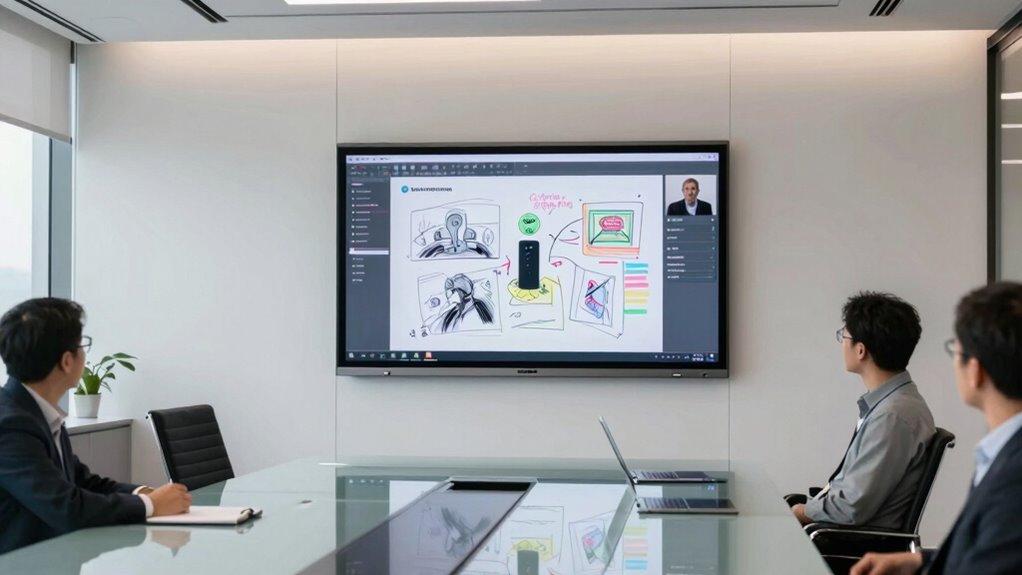

Choosing a professional interactive whiteboard for remote workshops involves balancing features like screen size, connectivity, ease of use, and price. The LG CreateBoard 86TR3DQ-B stands out as the overall best for its large display and seamless collaboration tools. The NearHub S Max offers a powerful Windows 11 experience ideal for tech-savvy teams, while the JAV 55″ Smart Board Pro combines high-quality visuals with integrated audio for engaging remote sessions. These options highlight key tradeoffs: larger screens often come with higher costs, and feature-rich models may require more setup time. Keep reading for a detailed breakdown to find the best fit for your remote workshop needs.

Get business pricing on office and shipping supplies
- Business-only prices and quantity discounts
- Tax-exempt purchasing
- Multiple users, one account, clear invoices
Key Takeaways
- The best models balance screen size, connectivity, and user-friendly interfaces for remote collaboration.
- Premium options like the LG CreateBoard and JAV Smart Board offer advanced features but come at higher prices.
- Portability and ease of setup are critical for those who need flexible workspace configurations.
- Built-in audio and camera capabilities enhance remote engagement, especially for larger groups.
- Budget-friendly models often sacrifice some advanced features but still deliver effective remote workshop experiences.
| Portable Interactive Whiteboard with Auto Calibration and Smart Pen |  | Best Portable Solution for Flexible Remote Workshops | Compatible OS: Windows XP, Win7, Win 8, Win 10, Win 11 | Connectivity: USB (to computer), HDMI/VGA (to projector) | Max Screen Size: 90 inches | VIEW ON AMAZON | See Our Full Breakdown |
| EUNIVON 55″ 4K UHD Interactive Whiteboard Smart Board with Touch Screen (Wall Mount Included) |  | Best for Fixed Installations in Classrooms and Offices | Screen Size: 55 inches | Resolution: 4K UHD | Operating System: Android 14 | VIEW ON AMAZON | See Our Full Breakdown |
| NearHub S Max 55 Interactive Whiteboard with Windows 11 Pro, 4K Camera, and 8-Mic Array |  | Best for High-End Video Conferencing and Collaboration | Operating System: Windows 11 Pro | Processor: Intel Core i5 (12th Gen) | Memory: 16GB RAM | VIEW ON AMAZON | See Our Full Breakdown |
| JAV 55″ Smart Board Pro Google EDLA Certified 4K UHD Interactive Whiteboard with 48MP AI Camera, 100W Soundbar, Android 14, 8+128GB, Wall Mount Included |  | Best for Versatile Media and AI-Enhanced Collaboration | Screen Size: 55 inches | Resolution: 4K UHD | Operating System: Android 14 | VIEW ON AMAZON | See Our Full Breakdown |
| KEINONE 55″ 4K Smart Board Touchscreen Interactive Whiteboard |  | Best High-Performance Android Smart Board for Interactive Engagement | Screen Size: 55 inches | Display Resolution: 4K UHD | Operating System: Android 14 | VIEW ON AMAZON | See Our Full Breakdown |
| Interactive Whiteboard System with Electronic Pen for Long Focus Projection |  | Best for Flexible Surfaces and Quick Setup | Max Projection Distance: 2.2 meters | Max Screen Size: 90 inches | Calibration: Automatic | VIEW ON AMAZON | See Our Full Breakdown |
| HORION 65-Inch 4K Pro Digital Smart Whiteboard |  | Best for All-in-One Conference Rooms | Screen Size: 65 inches | Resolution: 4K | Touch Points: 50-point | VIEW ON AMAZON | See Our Full Breakdown |
| TIBURN Flip Hub 55″ S2 Android 13.0 4K UHD Rotating Smart Board with Camera and Mobile Stand |  | Best for Flexible Orientation and Hybrid Meetings | Screen Size: 55 inches | Resolution: 4K UHD | Rotation: Landscape/Portrait | VIEW ON AMAZON | See Our Full Breakdown |
| NewBoard P Series 75-Inch All-in-One Smart Board Interactive Whiteboard with Google EDLA |  | Best for Large, Fully Integrated Conference Rooms | Screen Size: 75 inches | Display: 4K UHD, anti-glare | Camera: 48MP CMOS, 4K UHD | VIEW ON AMAZON | See Our Full Breakdown |
| 65″ 4K UHD Interactive Smartboard Touchscreen Digital Whiteboard with 48MP Camera, 8-Mic Array, and Dual 15W Speakers |  | Best for Responsive Multi-Device Conferencing | VIEW ON AMAZON | See Our Full Breakdown | |||
| LG CreateBoard 86TR3DQ-B Collaboration Display – 86″ LCD |  | Best for Large-Scale Interactive Presentations | Screen Size: 86 inches | Display Type: LCD | Processor: ARM Cortex A73 + A53 | VIEW ON AMAZON | See Our Full Breakdown |
| professional interactive whiteboard for remote workshop | Connectivity | Screen Size |
|---|---|---|
| Portable Interactive Whiteboar | USB (to computer), HDMI/VGA (to projector) | — |
| EUNIVON 55" 4K UHD Interactive | HDMI, wireless screencast | 55 inches |
| NearHub S Max 55 Interactive W | — | — |
| JAV 55" Smart Board Pro Google | Wireless, HDMI, USB | 55 inches |
| KEINONE 55" 4K Smart Board Tou | AirPlay, WiFi, HDMI, Type-C | 55 inches |
| Interactive Whiteboard System | — | — |
| HORION 65-Inch 4K Pro Digital | Wi-Fi 6, Bluetooth 5.3 | 65 inches |
| TIBURN Flip Hub 55" S2 Android | Casting from 9 devices | 55 inches |
| NewBoard P Series 75-Inch All- | — | 75 inches |
| 65" 4K UHD Interactive Smartbo | — | — |
| LG CreateBoard 86TR3DQ-B Colla | Multi-OS support | 86 inches |
More Details on Our Top Picks
Portable Interactive Whiteboard with Auto Calibration and Smart Pen
This portable system excels in transforming almost any projection surface into an interactive workspace, making it a standout for those who need mobility and quick setup. Its automatic calibration and multi-user support simplify the process, especially compared to larger, fixed options like the NearHub S Max 55, which require dedicated wall space. However, it necessitates a separate projector and computer, which can add complexity and limit integration options. Its compatibility with all major Windows OS versions and support for screens up to 90 inches make it versatile for various environments. The compact design and easy installation are major advantages for remote workshops that move between locations or require quick deployment. Still, its reliance on external peripherals means it’s less suitable for fully integrated, all-in-one setups.
Pros:- Supports multi-user collaboration on large screens up to 90 inches
- Automatic calibration simplifies setup and reduces calibration errors
- Highly portable with quick, tool-free installation
Cons:- Requires a separate projector and computer, adding to overall cost and setup complexity
- Limited to Windows OS, excluding macOS and other platforms
Best for: Freelancers, mobile trainers, or teams needing a lightweight, portable interactive whiteboard for remote workshops on the go
Not ideal for: Organizations seeking a fully integrated, standalone system with built-in computing and large fixed displays
- Compatible OS:Windows XP, Win7, Win 8, Win 10, Win 11
- Connectivity:USB (to computer), HDMI/VGA (to projector)
- Max Screen Size:90 inches
- Calibration:Automatic
- Adjustability:360-degree adjustable
- Included Accessories:Whiteboard receiver, 5-meter USB cable, electronic pen, USB flash drive, hook and loop fastener
Our verdict“This pick is ideal for mobile teams or trainers who prioritize portability and quick setup over integrated hardware.”
EUNIVON 55″ 4K UHD Interactive Whiteboard Smart Board with Touch Screen (Wall Mount Included)
This 55-inch 4K UHD Android smart board offers a crisp, responsive touch experience with extensive wireless screencasting capabilities, making it well-suited for educational and office environments. Compared to the NearHub S Max, which runs Windows and supports full desktop applications, the EUNIVON is limited to Android apps, which could restrict productivity for some users. Its wall-mount design provides a sleek, space-saving setup but limits flexibility once installed. The open app ecosystem enhances versatility, but the absence of a stand means it’s less suitable for environments where mobility or repositioning is needed. Its high-resolution display and cross-platform casting make it perfect for interactive lessons or presentations in dedicated spaces, though it’s less adaptable for dynamic, movable workshop setups.
Pros:- Sharp 4K display with highly responsive touch
- Wireless screencasting from multiple platforms including Mac, Windows, iOS, and Android
- Open app ecosystem allows for flexible app selection and use
Cons:- Wall-mount only, reducing installation flexibility
- Limited to Android platform, restricting desktop software options
Best for: Schools, conference rooms, or offices needing a high-quality fixed display with wireless sharing and Android ecosystem
Not ideal for: Teams requiring full desktop application support or mobile setups with frequent repositioning
- Screen Size:55 inches
- Resolution:4K UHD
- Operating System:Android 14
- Connectivity:HDMI, wireless screencast
- Mounting:Wall mount included
Our verdict“This model is best for fixed, high-resolution displays in spaces where dedicated installations are preferred.”
NearHub S Max 55 Interactive Whiteboard with Windows 11 Pro, 4K Camera, and 8-Mic Array
The NearHub S Max 55 stands out for its full Windows 11 Pro environment, enabling the use of desktop applications alongside interactive features. Its 4K ultra-wide camera and eight-microphone array provide top-tier support for professional video conferencing, surpassing the capabilities of many Android-based boards like the JAV 55″ Smart Board Pro. The 55-inch 4K display with 40 touch points supports detailed collaboration and real-time annotation. However, its larger fixed installation makes it less suitable for mobile or flexible environments. While its enterprise security, remote management, and robust hardware suit corporate or academic settings, casual users may find its advanced features more than they need.
Pros:- Runs full Windows 11 Pro supporting desktop applications
- Integrated 4K camera with AI auto-framing and speaker tracking
- Supports 40 simultaneous touch points for collaborative work
Cons:- Large, fixed installation requiring dedicated space
- Mobile stand sold separately, adding to total cost
Best for: Corporate meeting rooms, professional training environments, or classrooms requiring full Windows application support and advanced conferencing
Not ideal for: Teams seeking a portable, lightweight solution or those with limited space for dedicated hardware
- Operating System:Windows 11 Pro
- Processor:Intel Core i5 (12th Gen)
- Memory:16GB RAM
- Display Size:55 inches
- Display Resolution:4K Ultra HD
- Touch Support:40 points
- Camera:130° ultra-wide 4K with AI auto-framing
- Microphones:8 omnidirectional
Our verdict“This system is best for professional environments needing seamless Windows integration and high-quality conferencing features.”
JAV 55″ Smart Board Pro Google EDLA Certified 4K UHD Interactive Whiteboard with 48MP AI Camera, 100W Soundbar, Android 14, 8+128GB, Wall Mount Included
The JAV 55″ Smart Board Pro combines high-resolution 4K display, AI-powered camera, and soundbar, creating an immersive multimedia experience. Its Google EDLA certification grants access to Google Play apps and YouTube, making it ideal for interactive lessons or presentations with multimedia content. Compared to the KEINONE 55″ Smart Board, which offers faster response times and similar hardware, JAV emphasizes AI-driven features like OCR and handwriting annotation, enhancing collaborative workflows. However, the absence of a mobile stand limits repositioning, and the Android OS may restrict desktop application use. Its built-in AI camera and sound system make it a compelling choice for hybrid learning or multimedia-rich remote workshops.
Pros:- 4K UHD display with 48MP AI camera for detailed visuals
- Supports multimedia apps via Google Play Store
- Built-in 100W soundbar enhances audio experiences
Cons:- Heavy, with only wall mounting option
- Limited to Android ecosystem, restricting some enterprise software
Best for: Educational institutions, creative teams, or hybrid meeting environments needing multimedia integration and AI tools
Not ideal for: Teams requiring Windows desktop application support or mobility for flexible room arrangements
- Screen Size:55 inches
- Resolution:4K UHD
- Operating System:Android 14
- Camera:48MP AI Camera
- Audio:100W Soundbar
- Connectivity:Wireless, HDMI, USB
- Mounting:Wall mount included
Our verdict“Best suited for multimedia-rich environments where AI-enhanced collaboration and Google ecosystem integration are priorities.”
KEINONE 55″ 4K Smart Board Touchscreen Interactive Whiteboard
The KEINONE 55″ offers a high-spec Android 14 system with a 4K UHD display, making it a strong contender for classrooms and offices seeking fast, responsive interaction. Its 20-point multi-touch with 6ms latency provides a smooth experience comparable to the JAV Smart Board Pro, but at a lower weight of 90 pounds, it remains wall-mount capable or suitable with a sturdy stand. While the 55-inch size may be less impressive in very large rooms compared to larger models like the NewBoard P Series 75-inch, its hardware specs—such as 8GB RAM and 128GB storage—support multitasking and media use effectively. The device’s connectivity options, including AirPlay and HDMI, make it versatile for various remote workshop scenarios, though its fixed size limits flexibility in dynamic environments.
Pros:- Powerful Android 14 OS with full access to Google Play Store
- 4K UHD display with 20-point multi-touch and quick response
- Versatile connectivity including AirPlay, WiFi, HDMI, and Type-C
Cons:- Heavy at 90 pounds, requiring wall mounting or a sturdy stand
- 55-inch size may be small for larger rooms or audiences
Best for: Educational or corporate environments wanting a high-performance, Android-based touch display with good hardware specs
Not ideal for: Large conference rooms or teams needing a movable, large-format display for flexible setups
- Screen Size:55 inches
- Display Resolution:4K UHD
- Operating System:Android 14
- Touch Points:20
- Response Latency:6 ms
- Connectivity:AirPlay, WiFi, HDMI, Type-C
Our verdict“This model is well-suited for those seeking high-end hardware in a fixed, wall-mounted form factor for engaging remote workshops.”
Interactive Whiteboard System with Electronic Pen for Long Focus Projection
This system stands out for transforming almost any surface—walls or projector screens—into an interactive whiteboard, making it highly adaptable for environments where dedicated boards aren’t feasible. Unlike the HORION 65-Inch 4K Pro Digital Smart Whiteboard, which offers a large, dedicated touchscreen, this option excels in flexibility but requires a computer and projector, adding setup complexity. Its automatic calibration and high-precision pen deliver smooth, accurate input, ideal for sessions where quick setup and reliable interaction matter. However, it’s limited to Windows OS and needs external hardware, which can be a drawback for those seeking a standalone device. This pick is best suited for users needing surface versatility and quick deployment without investing in dedicated hardware.
Pros:- Works on almost any surface including walls and projector screens
- Automatic calibration enables rapid setup
- High-precision electronic pen provides smooth writing and cursor control
- Blocks strong light interference for stable interaction
Cons:- Limited to Windows OS, reducing cross-platform flexibility
- Requires separate computer and projector, adding to overall cost and setup time
Best for: Educational institutions or corporate trainers who need to convert existing surfaces into interactive spaces quickly and flexibly.
Not ideal for: Small offices or users seeking a portable, all-in-one solution, since it requires a separate computer and projector, and only supports Windows.
- Max Projection Distance:2.2 meters
- Max Screen Size:90 inches
- Calibration:Automatic
- Adjustment:360-degree flexible
- Compatibility:Windows XP, Win7, Win8, Win10
- Includes:Electronic smart pen (computer and projector not included)
Our verdict“This system is ideal for those needing a versatile, surface-agnostic interactive solution with quick calibration, especially in environments with existing projection setups.”
HORION 65-Inch 4K Pro Digital Smart Whiteboard
The HORION 65-inch 4K smart whiteboard makes a compelling case for comprehensive corporate collaboration, combining high-resolution touch, video conferencing, and wireless sharing in a single device. Compared to the TIBURN Flip Hub 55″ S2, which prioritizes mobility and flexible orientation, the HORION offers a larger, fixed-screen experience with enterprise-grade features like a 48MP camera and AI noise reduction microphones. Its low latency and multi-user support enable seamless collaboration, but the size can be overwhelming for small rooms, and the absence of a built-in battery limits placement options. This device is best suited for large conference rooms where integrated, high-quality video and touch are essential to remote collaboration.
Pros:- All-in-one solution with whiteboard, video conferencing, and wireless casting
- Enterprise-grade specs, including 48MP camera and AI noise-canceling microphones
- Low-latency 50-point touchscreen supports multi-user collaboration
- Includes accessories such as wall mount, remote, and stylus pens
Cons:- Large size may be unsuitable for small or cluttered rooms
- No built-in battery or portable stand, limiting mobility
Best for: Large corporate meeting spaces or training environments needing a comprehensive digital whiteboard and conferencing tool in one.
Not ideal for: Small offices or mobile teams requiring portable, lightweight devices, due to its size and fixed installation.
- Screen Size:65 inches
- Resolution:4K
- Touch Points:50-point
- Touch Latency:<30ms
- Camera:48MP built-in
- Connectivity:Wi-Fi 6, Bluetooth 5.3
Our verdict“This model makes the most sense for large conference rooms where integrated high-quality video, audio, and touch collaboration are required without mobility concerns.”
TIBURN Flip Hub 55″ S2 Android 13.0 4K UHD Rotating Smart Board with Camera and Mobile Stand
The TIBURN Flip Hub 55″ S2 stands out for its rotating 4K UHD screen and Android 13 operating system, offering flexibility in orientation—landscape or portrait—that suits diverse presentation styles. Its auto-framing AI camera enhances hybrid meetings, making it a strong choice for smaller teams needing adaptable video conferencing. Compared with the NewBoard P Series 75-Inch, which emphasizes large display size and high-end integration, the Flip Hub offers portability and easy setup with included mobile stand and all-in-one casting from up to 9 devices. The downside is its Android OS may not fully support enterprise desktop software, and its 55-inch size might feel limited for larger groups. This pick is best for smaller, dynamic teams seeking versatile presentation modes and hybrid meeting support.
Pros:- 4K UHD touchscreen with smooth performance on Android 13
- Rotatable screen with automatic landscape/portrait switching
- Auto-framing AI camera perfect for hybrid meetings
- Supports casting from up to 9 devices simultaneously
Cons:- Android OS may not support all enterprise or desktop applications
- Cumbersome for very small rooms due to size and setup
Best for: Small to medium-sized teams requiring flexible orientation and hybrid conferencing capabilities in portable form.
Not ideal for: Large conference rooms or users needing extensive app support and a larger display, since 55 inches may be limiting.
- Screen Size:55 inches
- Resolution:4K UHD
- Rotation:Landscape/Portrait
- Camera:Auto-framing AI
- Connectivity:Casting from 9 devices
- Warranty:1 year
Our verdict“This device is an excellent choice for flexible, hybrid meetings in smaller spaces where orientation versatility matters most.”
NewBoard P Series 75-Inch All-in-One Smart Board Interactive Whiteboard with Google EDLA
The NewBoard P Series 75-inch Smart Board makes a compelling case for those seeking a large, fully integrated solution. Its 4K UHD display, combined with a 48MP camera and an 8-mic AI noise-canceling array, offers superior audiovisual quality for sizable rooms. Its Android 14 platform with Google EDLA certification grants access to Google Workspace and Play apps, minimizing the need for external hardware. However, the inconsistent size listing—75 inches in the title versus 65 inches in specs—raises questions about its actual footprint. The 64GB storage might also prove limiting for extensive app use. This device is best for large, dedicated conference or classroom settings where the all-in-one design simplifies setup and maximizes collaboration.
Pros:- Large, 75-inch 4K UHD display with anti-glare glass
- Integrated 48MP camera and AI noise-canceling mics for clear communication
- Official Google EDLA certification with full app access
- Single USB-C cable for video, touch, audio, and charging
Cons:- Inconsistent screen size listing may cause confusion
- Limited onboard storage of 64GB could restrict app installation and data storage
Best for: Large organizations or educational institutions needing an all-in-one, high-quality interactive display for extensive collaboration.
Not ideal for: Small or mobile teams needing lightweight, portable options, or those requiring Windows-specific software support.
- Screen Size:75 inches
- Display:4K UHD, anti-glare
- Camera:48MP CMOS, 4K UHD
- Microphones:8-mic array
- Operating System:Android 14
- Storage:64GB
Our verdict“Ideal for large, dedicated spaces where a comprehensive, all-in-one collaborative display simplifies complex setups.”
65″ 4K UHD Interactive Smartboard Touchscreen Digital Whiteboard with 48MP Camera, 8-Mic Array, and Dual 15W Speakers
This 65-inch 4K UHD smartboard offers excellent touch responsiveness with a 20-point multi-touch capacity and only 6ms latency, making it ideal for dynamic collaborative sessions. Its integrated 48MP camera and 8-mic array support seamless video conferencing, similar to the HORION 65-Inch, but with a narrower focus on device compatibility and wireless sharing. Its broad compatibility with Mac, Windows, iOS, and Android, along with included remote and wall mount, makes it flexible for varied environments. The size and wall-mount requirement could be limiting for small or mobile setups, but the ultra-responsive touch and integrated conferencing features make it suitable for active meetings in medium-sized rooms.
Pros:- 20-point ultra-responsive touch with 6ms latency
- Built-in 48MP camera and 8-mic array for high-quality video calls
- Supports wireless sharing from multiple device types
- Complete package including wall mount and remote
Cons:- Wall mounting limits portability
- Large size may not suit small or cluttered rooms
Best for: Teams needing a highly responsive, multi-device interactive whiteboard with integrated video conferencing for medium-sized rooms.
Not ideal for: Small or temporary spaces where wall mounting is impractical, or users needing portable options.
Our verdict“This model is perfect for active, collaborative meetings in medium-sized settings where responsiveness and multi-device compatibility are priorities.”
LG CreateBoard 86TR3DQ-B Collaboration Display – 86″ LCD
The LG CreateBoard 86TR3DQ-B stands out for its expansive 86-inch LCD screen, offering an immersive visual experience that surpasses smaller models like the EUNIVON 55″ 4K UHD Interactive Whiteboard. Its lifelike touch responsiveness ensures precise interaction, making it ideal for collaborative workshops that require natural pen and finger input. Unlike portable options, this display supports multi-device content sharing and exports, streamlining seamless collaboration. However, the high-end features come with a significant cost and limited hardware details, which might be a concern for budget-conscious teams or those seeking a more straightforward setup. This pick makes the most sense for large teams or institutions prioritizing a large, engaging visual platform for remote workshops, where immersive interaction outweighs affordability.
Pros:- Massive 86-inch screen creates an immersive experience
- Lifelike touch response for natural interaction
- Supports multi-device content sharing and export
Cons:- High price point may be prohibitive for smaller organizations
- Limited info on hardware specifications could affect long-term maintenance
Best for: Large educational institutions or corporate teams hosting sizable remote workshops that need a large, engaging display.
Not ideal for: Small businesses or individual educators with limited budgets, as the high cost and complexity may be overkill.
- Screen Size:86 inches
- Display Type:LCD
- Processor:ARM Cortex A73 + A53
- RAM:8 GB
- Touch Technology:Lifelike touch
- Connectivity:Multi-OS support
Our verdict“This display is best suited for large-scale workshops where a massive, interactive visual platform enhances collaboration and engagement.”
How We Picked
The products were selected based on a combination of performance, usability, build quality, and value. Priority was given to devices that excel in remote collaboration, including high-quality touchscreens, reliable connectivity options, and integrated audio-visual features. We also considered the flexibility of installation, compatibility with common remote work platforms, and overall durability. The ranking reflects a balanced view of these factors, aiming to recommend options suitable for a variety of professional contexts—from small team meetings to large-scale workshops.Factors to Consider When Choosing Professional Interactive Whiteboard For Remote Workshops
When selecting a professional interactive whiteboard for remote workshops, it’s essential to evaluate several key factors. The right device should align with your team’s size, technical environment, and budget, while also offering simplicity of use and durability. Understanding these considerations helps avoid common pitfalls, such as choosing a device with features your team won’t utilize or investing in overly complex setups that hinder productivity.Screen Size and Resolution
For remote workshops, a larger screen enhances visibility and collaboration, especially for participants joining via video conference. Look for a minimum of 55 inches for small teams, but consider 65 inches or larger for larger groups. Resolution matters too; 4K displays ensure crisp visuals, making notes and diagrams clear for everyone, even at a distance. However, bigger screens often come with increased costs and space requirements, so balance size with your available workspace.
Connectivity and Compatibility
Seamless connectivity options such as HDMI, USB-C, and wireless casting are vital for integrating the whiteboard with various devices and platforms. Compatibility with popular remote conferencing tools like Zoom, MS Teams, or Google Meet ensures smooth collaboration. Also, check if the device supports multiple users simultaneously, which is often critical in interactive workshops. Overlooking these details can lead to frustrating delays or limited functionality during sessions.
Ease of Use and Setup
An intuitive interface minimizes setup time and reduces the learning curve for new users. Devices with plug-and-play features, clear menus, and responsive touchscreens enable faster adoption. However, some high-end models may require technical expertise to install or configure, which could delay deployment. Consider whether your team needs a portable, easily movable unit or a fixed installation, and choose accordingly.
Audio and Visual Features
Built-in microphones, speakers, and cameras can significantly boost engagement in remote workshops by enabling clear audio and video communication. Higher-quality cameras with auto-focus or AI capabilities improve the clarity of shared content, fostering better understanding. Be aware that such features often increase the device’s cost and complexity, so weigh their importance against your workshop size and technical setup.
Durability and Maintenance
Since these whiteboards are often used frequently, durability matters. Look for sturdy build quality and easy-to-clean surfaces. Devices with modular components or software that can be updated remotely reduce long-term maintenance costs. Avoid overly complex or fragile units that might require frequent repairs or extensive technical support, which can disrupt ongoing workshops.
Frequently Asked Questions
Can I use a professional interactive whiteboard with my existing remote conferencing software?
Yes, most modern whiteboards support integration with popular remote conferencing platforms like Zoom, Teams, or Google Meet. Many have native screen sharing or wireless casting features that facilitate seamless connection. Before purchasing, verify compatibility with your preferred software to ensure smooth operation during workshops. This compatibility reduces setup time and minimizes technical issues that could disrupt your sessions.
Is a larger screen always better for remote workshops?
While larger screens improve visibility for remote participants and enhance engagement, they also require more space and can be more expensive. The ideal size depends on the number of participants and the workspace available. For small teams, a 55-65 inch display is usually sufficient, but larger groups may benefit from 75 inches or more. Balance the need for visibility with your environment and budget to find the most effective size.
Do I need professional installation for these whiteboards?
It depends on the model and your technical expertise. Many wall-mounted units, especially those with advanced features, may require professional installation to ensure proper setup and calibration. Portable or smaller units often come with straightforward assembly and minimal setup. Consider your team’s technical skills and the complexity of the device when planning installation to avoid delays or suboptimal configuration.
Are these whiteboards suitable for small remote workshops and large webinars?
Yes, but with caveats. Smaller, portable models are perfect for small team meetings or quick collaborative sessions, offering ease of use and affordability. Larger, high-end devices like the LG CreateBoard or NearHub S Max are better suited to large webinars or interactive training, providing expansive displays and superior audio-visual features. Match the device size and features to your typical workshop scale for the best experience.
How important are built-in audio and cameras in these devices?
Built-in audio and cameras significantly enhance remote engagement by providing clear communication channels and visual clarity. Devices with high-quality microphones and cameras support more interactive and dynamic workshops, especially with larger groups. However, they also add to the cost and complexity. If your workshops involve active discussion or large audiences, investing in these features can make a meaningful difference.
Conclusion
For small teams or those new to remote workshops, a portable and easy-to-use model like the JAV 55″ Smart Board Pro offers a balance of features and affordability. Larger organizations or those running frequent, large-scale sessions should consider premium options like the LG CreateBoard 86TR3DQ-B for its expansive display and advanced collaboration tools. Budget-conscious buyers can find effective solutions among mid-range models that deliver core functionalities without the premium price tag. Ultimately, the best choice depends on your specific workshop size, technical environment, and budget constraints.