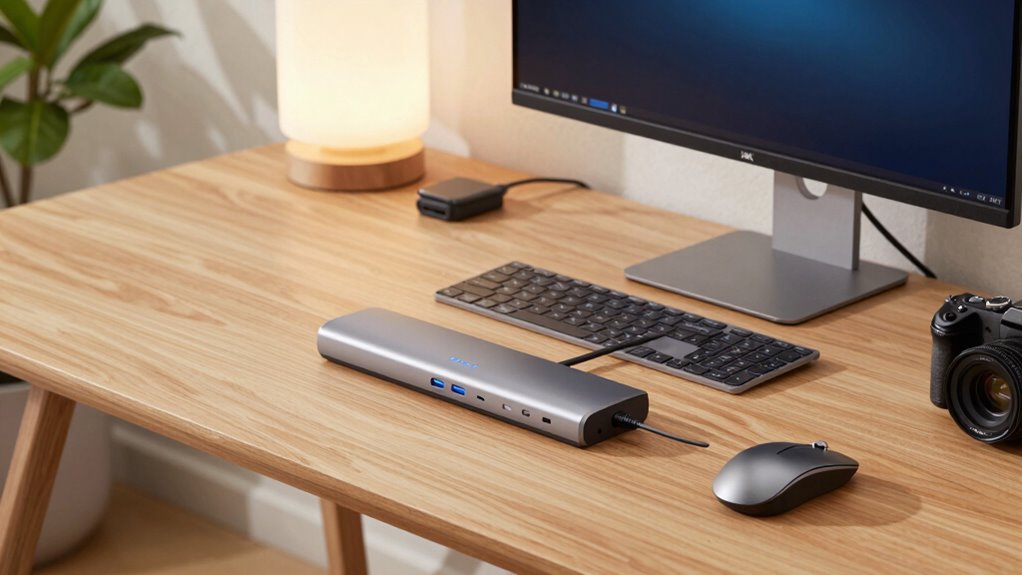

Choosing a professional USB-C docking station for home office setups involves balancing power, connectivity, and ease of use. The Dell Pro Smart Dock SD25 stands out as the best overall thanks to its robust charging, multiple video outputs, and reliable build. The Plugable USB-C Triple Display Docking Station offers excellent multi-monitor support at a competitive price, making it a strong contender. However, the main tradeoffs include size, port variety, and whether a dock provides enough power delivery for your device. Keep reading to see how each option stacks up and which one suits your specific needs.

Get business pricing on office and shipping supplies
- Business-only prices and quantity discounts
- Tax-exempt purchasing
- Multiple users, one account, clear invoices
Key Takeaways
- Top picks excel in multi-monitor support, with many offering 2-3 outputs for versatile setups.
- Power delivery varies significantly; some docks support 100W or more, crucial for charging high-performance laptops.
- Build quality and port durability are key, especially with frequent plugging and unplugging.
- Price often correlates with features—more ports and higher wattage generally mean a higher cost.
- Compatibility with both Windows and Mac is common, but some docks are optimized for specific platforms.
| Dell Pro Smart Dock SD25 Bundle – USB C Docking Station with 130W Charging, HDMI, DisplayPort, Ethernet, and Cables |  | Best Overall for Versatile Multi-Display Setups | Display Support: Up to four displays (single 6K or dual WQHD) | Charging Power: 130W | Ports: Multiple USB-A and USB-C, 2.5GbE Ethernet, audio output | VIEW ON AMAZON | See Our Full Breakdown |
| Plugable USB-C Triple Display Docking Station with 100W Power Delivery |  | Best for Multi-Platform Compatibility and 3-Display Support | Hardware Interface: USB Type C | Supports: full-featured USB-C, USB4, and Thunderbolt systems | Total USB Ports: 6 | VIEW ON AMAZON | See Our Full Breakdown |
| Dell Pro Laptop Docking Station WD25, USB-C, 100W, DisplayPort, HDMI |  | Best Eco-Friendly Design with High-Resolution Support | Power Output: 100W | Display Support: Up to 4 high-res displays | Connectivity: USB-C, DisplayPort, HDMI | VIEW ON AMAZON | See Our Full Breakdown |
| Belkin DisplayLink Dual Display Docking Station |  | Best for Flexible Dual 4K Display Support and Extensive Ports | Ports: 14-in-1 including HDMI, DisplayPort, USB-A, USB-C, Ethernet, audio | Display Support: 2 monitors up to 4K@60Hz | Power Delivery: Up to 100W | VIEW ON AMAZON | See Our Full Breakdown |
| Acer USB-C Docking Station Dual Monitor, 9-in-1 Laptop Dock with 2 HDMI |  | Best for Compact Dual 4K Display and Versatile Connectivity | Number of HDMI ports: 2 | HDMI resolution: 4K@60Hz | USB-A ports: 3 | VIEW ON AMAZON | See Our Full Breakdown |
| USB-C Laptop Docking Station Dual Monitor HDMI USB-C Hub Multiport Adapter |  | Best Overall for Versatile Multi-Monitor Setups | Number of Ports: 14 | HDMI Ports: 2 (4K) | DisplayPort: 1 (4K) | VIEW ON AMAZON | See Our Full Breakdown |
| Dell Pro Smart Dock SD25 USB-C Docking Station |  | Best for Secure, Managed Enterprise Environments | Connectivity: USB-C | Encryption: WPA-3 192-bit | Material: At least 65% post-consumer recycled | VIEW ON AMAZON | See Our Full Breakdown |
| Anker 8-in-1 USB-C Hub with Dual 4K HDMI Docking Station for Laptops |  | Best for High-Resolution Dual Monitors at a Budget | Number of HDMI ports: 2 | Maximum resolution: 4K@60Hz for one, 30Hz for dual | Power Delivery: Up to 85W | VIEW ON AMAZON | See Our Full Breakdown |
| Dell Pro Dock WD25 Docking Station – USB-C with 100W Charging, Supports 4 Displays, 2x DisplayPort 1.4, HDMI 2.1, 6 USB Ports, 2.5GbE Ethernet | | Best for High-Performance Multi-Display Dell Setups | Display Support: 4 displays up to 3440×1440 | Charging Power: 100W | USB Ports: 6 (4x USB-A, 2x USB-C) | VIEW ON AMAZON | See Our Full Breakdown |
| Kensington SD5910T DisplayLink Thunderbolt 4 Docking Station with Quad 4K Support for MacBook Pro/Air M1/M2/M3/M4 |  | Best for MacBook Users Needing Quad 4K Display Support | Technology: Thunderbolt 4, DisplayLink | Display Support: Quad 4K @ 60Hz | Ports: 2 x HDMI 2.0, 1 x DisplayPort 1.4, 2 x Thunderbolt 4 | VIEW ON AMAZON | See Our Full Breakdown |
| Anker Prime Docking Station, 14-in-1 Laptop Docking Station Dual Monitor |  | Best Overall for Versatile Multi-Device Management | Connectivity: 14-in-1 | Total Power Output: 160W | USB-C Ports: 3 at 100W each | VIEW ON AMAZON | See Our Full Breakdown |
| Acer 13-in-1 USB-C Laptop Docking Station with 2 HDMI, DisplayPort, and Power Adapter |  | Best for Triple Monitor Setups on a Budget | Number of Display Outputs: 3 (2 HDMI + 1 DisplayPort) | Power Adapter: 110W | Supported Display Resolution: Triple 4K @ 30Hz | VIEW ON AMAZON | See Our Full Breakdown |
| Plugable USB-C Docking Station 5 Monitors, 140W DisplayLink Dock for MacBook and Windows Laptops |  | Best for Extensive Multi-Monitor Setups with High Power Delivery | Number of Monitors Supported: 5 | Maximum Resolution: 8K or 4K | Charging Power: 140W | VIEW ON AMAZON | See Our Full Breakdown |
| Acer 16-in-1 DisplayLink Docking Station with Triple 4K@60Hz and 130W Power Adapter |  | Best for High-Resolution Multi-Monitor Performance | Number of Ports: 16 | Display Outputs: 3 (HDMI and DisplayPort) | Max Resolution: Triple 4K@60Hz | VIEW ON AMAZON | See Our Full Breakdown |
| Anker Nano Laptop Docking Station, 13-in-1 Dock with Detachable 6-in-1 USB-C Hub |  | Best for Portability and Flexible Multi-Device Use | Number of ports: 13-in-1 with detachable 6-in-1 | Display support: Up to 3 monitors, 4K@60Hz | Power Delivery: 100W | VIEW ON AMAZON | See Our Full Breakdown |
More Details on Our Top Picks
Dell Pro Smart Dock SD25 Bundle – USB C Docking Station with 130W Charging, HDMI, DisplayPort, Ethernet, and Cables
The Dell Pro Smart Dock SD25 Bundle stands out as the most comprehensive option, supporting up to four displays including a 6K option, which surpasses the triple monitor support of the Plugable station. Its included cables and accessories make setup straightforward, and the 130W charging power ensures even power-hungry laptops stay topped up. However, it’s bulkier, requiring more desk space—a potential issue for those with limited room. Compared to smaller docks, it offers greater connectivity but sacrifices compactness. This makes it ideal for professionals who need a robust, multi-monitor workspace and don’t mind a larger footprint.
Pros:- Supports up to four high-resolution displays for maximum productivity
- Includes all necessary cables and accessories for quick setup
- High 130W charging power supports most laptops
Cons:- Bulkier design requires ample desk space
- Requires compatible devices for full functionality
Best for: Professionals who need to run multiple high-resolution displays simultaneously in a permanent home office setup.
Not ideal for: Users with limited desk space or those seeking a lightweight, portable dock for frequent travel.
- Display Support:Up to four displays (single 6K or dual WQHD)
- Charging Power:130W
- Ports:Multiple USB-A and USB-C, 2.5GbE Ethernet, audio output
- Included Cables:HDMI, USB-C, DisplayPort
- Color:Black
Our verdict“This dock is best suited for users who prioritize multi-monitor capacity and robust connectivity over portability.”
Plugable USB-C Triple Display Docking Station with 100W Power Delivery
The Plugable USB-C Triple Display Docking Station excels at supporting three HDMI monitors, including 4K resolution, making it a strong choice for users who need multiple screens without sacrificing clarity. It offers 100W Power Delivery, ensuring laptops stay charged during demanding tasks, and its wide compatibility with Windows, macOS, and ChromeOS makes it versatile for mixed environments. Its main tradeoff is the need for driver installation on macOS, which can be a hurdle for some, and it doesn’t support Linux, limiting its flexibility. Compared to the Dell SD25, it is more portable and easier to integrate into varied setups, but it doesn’t support as many monitors.
Pros:- Supports up to three HDMI monitors at 4K resolution
- Provides 100W Power Delivery for continuous charging
- Compatible with a broad range of systems including Windows, macOS, and ChromeOS
Cons:- Requires driver installation on macOS
- Not compatible with Linux systems
- No support for HDCP content
Best for: Teams or individuals using multiple operating systems who want a reliable, multi-monitor setup with high power delivery.
Not ideal for: Linux users or those who prefer plug-and-play simplicity without driver management.
- Hardware Interface:USB Type C
- Supports:full-featured USB-C, USB4, and Thunderbolt systems
- Total USB Ports:6
- Total HDMI Ports:3
- Wattage:100 watts
- Input Voltage:20 volts
Our verdict“Ideal for multi-platform users seeking reliable triple-monitor support with high charging capacity, willing to handle driver setup when needed.”
Dell Pro Laptop Docking Station WD25, USB-C, 100W, DisplayPort, HDMI
The Dell Pro WD25 offers a solid balance of high-resolution support and sustainability, supporting up to four displays and delivering 100W power. Its use of at least 65% postconsumer recycled materials emphasizes environmental responsibility, making it a good choice for eco-conscious setups. While it’s compatible with both Dell and non-Dell systems, it may require specific compatibility considerations, especially with certain PCs. Compared to the more feature-rich Belkin DisplayLink station, the WD25 emphasizes durability and sustainability but provides less detailed port information, which might concern users needing specific connections.
Pros:- Supports multiple high-res displays for increased productivity
- Provides up to 100W power delivery
- Constructed from recycled materials with reduced power consumption
Cons:- May need specific compatibility with some PCs
- Limited detailed port and compatibility info
Best for: Environmentally conscious professionals who need multi-display support and reliable power delivery.
Not ideal for: Users with highly specific port requirements or those needing ultra-compact docks, as the design prioritizes sustainability and durability over size.
- Power Output:100W
- Display Support:Up to 4 high-res displays
- Connectivity:USB-C, DisplayPort, HDMI
- Materials:At least 65% postconsumer recycled materials
- Standby Power Reduction:72%
Our verdict“Best suited for eco-minded professionals seeking a durable, high-performance dock with multiple display support.”
Belkin DisplayLink Dual Display Docking Station
The Belkin DisplayLink Dock offers an impressive 14-in-1 port array, supporting dual 4K@60Hz displays, which surpasses many single- or triple-monitor docks in versatility. Its high data transfer speeds and 100W charging ensure smooth multitasking and device management. The use of DisplayLink technology does introduce driver dependency, and some users may encounter driver compatibility issues, especially with updates or certain operating systems. Compared to the Dell WD25, this dock provides more ports but is bulkier, making portability less practical. Its environmentally friendly recycled plastic housing adds a sustainability edge.
Pros:- Supports dual 4K@60Hz displays for high-quality visuals
- Includes a wide variety of ports for peripherals
- Provides up to 100W charging to laptops
Cons:- Requires driver installation for DisplayLink functionality
- Bulky design limits portability
- Potential driver compatibility issues
Best for: Power users who need multiple peripherals, dual 4K displays, and robust connectivity in a stationary setup.
Not ideal for: Travelers or those wanting a lightweight, portable dock due to its relatively bulky size and driver dependency.
- Ports:14-in-1 including HDMI, DisplayPort, USB-A, USB-C, Ethernet, audio
- Display Support:2 monitors up to 4K@60Hz
- Power Delivery:Up to 100W
- Data Transfer Speed:Up to 10Gbps
- Housing Material:Recycled plastic (75%)
Our verdict“Best for stationary workstations needing extensive port options and dual 4K display support, accepting some driver setup complexity.”
Acer USB-C Docking Station Dual Monitor, 9-in-1 Laptop Dock with 2 HDMI
The Acer USB-C Docking Station offers a compact, aluminum alloy design supporting dual 4K@60Hz HDMI outputs, making it a practical choice for users who need high-quality visuals in a small footprint. Its 9-in-1 port array includes essential USB-A, USB-C, SD card, and charging ports, delivering good versatility. However, it requires a device with full USB-C video output support—limiting compatibility—and the power adapter isn’t included, adding an extra step and cost. Compared to larger docks like the Belkin, this model sacrifices some port variety for space efficiency, but it still delivers high-quality dual displays and fast data transfer.
Pros:- Supports dual 4K@60Hz HDMI displays for crisp visuals
- Includes SD card and multiple USB ports
- Power delivery up to 100W for fast charging
Cons:- Requires device with full USB-C video output support
- Power adapter not included
- Limited to mirroring on Mac systems
Best for: Users with laptops supporting full USB-C video output who need a compact, dual 4K display setup.
Not ideal for: Mac users seeking extended, not mirrored displays, or those without a dedicated USB-C video port.
- Number of HDMI ports:2
- HDMI resolution:4K@60Hz
- USB-A ports:3
- USB-C ports:1
- SD card slots:Yes
- Power delivery:100W
Our verdict“Great for space-conscious users with compatible laptops needing dual 4K display support and versatile ports.”
USB-C Laptop Docking Station Dual Monitor HDMI USB-C Hub Multiport Adapter
This docking station stands out for supporting dual and triple 4K monitor configurations, making it ideal for demanding professional environments where multiple screens enhance productivity. Compared with the Anker 8-in-1 USB-C Hub, it offers more video outputs and higher data transfer speeds, but it lacks included charging cables and power adapter, which can be inconvenient. For users needing robust display support alongside fast data transfer, this model delivers reliable performance, though MacBook users should note that all external monitors display the same image, which could limit flexibility. Its broad compatibility with Thunderbolt 3/4 and USB-C devices makes it a strong all-round choice for high-end home offices.
Pros:- Supports dual and triple 4K monitor setups with high refresh rates
- High-speed data transfer with multiple USB ports
- Provides 100W charging and reliable Ethernet connection
Cons:- Charging cable and power adapter not included, increasing setup complexity
- Not all USB-C devices support HDMI or DisplayPort functions
Best for: Professionals with multi-monitor workflows requiring high-resolution support and fast data transfer
Not ideal for: Casual users or those with limited desk space, since it’s relatively bulky and not all USB-C devices support HDMI or DisplayPort functions
- Number of Ports:14
- HDMI Ports:2 (4K)
- DisplayPort:1 (4K)
- USB C Power Delivery:100W
- Ethernet:1Gbps
- Supported Monitors:Dual and triple displays
Our verdict“This dock is best suited for power users managing multiple high-resolution displays and demanding data needs.”
Dell Pro Smart Dock SD25 USB-C Docking Station
The Dell Pro Smart Dock SD25 is designed with enterprise security and management in mind, featuring WPA-3 encryption and remote management capabilities. While it excels in security and sustainability, its limited port details and absence of customer ratings make it less appealing for users seeking extensive connectivity options. Unlike the Anker 8-in-1 USB-C Hub, which offers broad device compatibility, this dock prioritizes security features and sustainable materials, making it ideal for IT teams managing corporate setups. However, its lack of detailed port specifications means users with high connectivity demands may find it restrictive.
Pros:- Secure enterprise-grade encryption (WPA-3)
- Remote management capabilities
- Made with sustainable, recycled materials
Cons:- Limited details on port options and expansion capabilities
- No pricing or user reviews available
Best for: IT departments or professionals needing secure, manageable docking solutions in enterprise settings
Not ideal for: Home users or freelancers who require flexible port options and high device compatibility
- Connectivity:USB-C
- Encryption:WPA-3 192-bit
- Material:At least 65% post-consumer recycled
- Packaging:Recycled or renewable materials
Our verdict“This dock is geared toward security-conscious organizations needing manageable, eco-friendly docking solutions.”
Anker 8-in-1 USB-C Hub with Dual 4K HDMI Docking Station for Laptops
The Anker 8-in-1 USB-C Hub provides a compelling mix of dual 4K HDMI ports supporting high refresh rates, fast charging up to 85W, and multiple connectivity options including Ethernet and SD card reader. Compared to the USB-C Laptop Docking Station Dual Monitor HDMI USB-C Hub, it offers slightly lower maximum resolution support (4K@60Hz for one, 30Hz for dual), but its compact design and affordability make it attractive for users needing high-res displays without extensive port options. Mac users should note that both monitors display identical images, which could limit flexibility. It’s a practical choice for those who want dual 4K displays with reliable performance on a budget.
Pros:- Supports dual 4K displays at high refresh rates
- Multiple connectivity options including Ethernet and SD card reader
- Fast charging up to 85W
Cons:- Dual monitor display will be identical on macOS
- Requires a 100W charger and specific USB-C cable for full power delivery
Best for: Home office users needing dual 4K monitors with fast charging and broad compatibility
Not ideal for: Power users requiring independent display outputs or Linux support, as it lacks Linux compatibility and dual-monitor independence on macOS
- Number of HDMI ports:2
- Maximum resolution:4K@60Hz for one, 30Hz for dual
- Power Delivery:Up to 85W
- USB-A ports:2
- Ethernet port:Yes
- Compatibility:USB-C, USB4, Thunderbolt, Windows 10/11, ChromeOS
Our verdict“Ideal for budget-conscious users aiming for high-res dual monitors with quick charging and versatile ports.”
Dell Pro Dock WD25 Docking Station – USB-C with 100W Charging, Supports 4 Displays, 2x DisplayPort 1.4, HDMI 2.1, 6 USB Ports, 2.5GbE Ethernet
The Dell Pro Dock WD25 excels in supporting up to four high-resolution displays, including ultrawide and 4K options, with a robust 100W charging capacity. Its extensive port selection, including multiple USB-A and USB-C ports, Ethernet, and versatile video outputs, makes it well-suited for demanding professional environments. Compared to the Kensington SD5910T, it offers broader compatibility with Windows and Dell systems but may be less portable due to its size. It’s a dependable choice for users who need a durable, high-performance docking station with excellent display support, though its bulkiness may be a drawback for smaller desks.
Pros:- Supports up to four high-resolution displays
- Powerful 100W charging for connected devices
- Extensive connectivity with multiple USB ports and Ethernet
Cons:- May be bulky for small or cluttered desks
- Full feature support may require compatible Dell or Windows systems
Best for: Professionals using Dell or Windows-based systems requiring multi-display configurations and high power delivery
Not ideal for: Mac users or those with limited desk space, as its size and feature set are optimized for Dell and Windows environments
- Display Support:4 displays up to 3440×1440
- Charging Power:100W
- USB Ports:6 (4x USB-A, 2x USB-C)
- Ethernet:2.5GbE
- Video Outputs:2x DisplayPort 1.4, HDMI 2.1
- Material:Recycled plastic
Our verdict“This dock is tailored for professional environments demanding multiple high-res displays and robust connectivity from Dell or Windows devices.”
Kensington SD5910T DisplayLink Thunderbolt 4 Docking Station with Quad 4K Support for MacBook Pro/Air M1/M2/M3/M4
The Kensington SD5910T offers impressive support for up to four 4K displays at 60Hz, making it a top choice for creative professionals and multitaskers with MacBook Pro or Air M1-M4 models. Its extensive port array, including multiple HDMI, DisplayPort, Thunderbolt 4, and USB options, ensures broad connectivity. While its weight and heavy aluminum design add stability, they reduce portability, and the mount is sold separately, which may complicate setup. Compared with the USB-C Laptop Docking Station Dual Monitor HDMI USB-C Hub, it emphasizes display capacity and professional-grade security, but at the expense of size and portability. This dock is a solid pick for those prioritizing multiple high-res screens on a Mac environment.
Pros:- Supports up to four 4K displays at 60Hz
- Extensive connectivity including multiple USB ports and SD card readers
- Power delivery up to 100W for MacBook charging
Cons:- Heavy aluminum build reduces portability
- Mounting bracket sold separately adds complexity
Best for: Creative professionals or multitaskers using MacBook Pro/Air M1-M4 needing quad 4K support
Not ideal for: Casual users or those on a tight budget, due to its premium design and additional accessories required
- Technology:Thunderbolt 4, DisplayLink
- Display Support:Quad 4K @ 60Hz
- Ports:2 x HDMI 2.0, 1 x DisplayPort 1.4, 2 x Thunderbolt 4
- Power Delivery:100W (96W certified)
- Material:Aluminum
- Warranty:3 years
Our verdict“Best suited for creative professionals needing maximum display capacity and robust connectivity on a MacBook.”
Anker Prime Docking Station, 14-in-1 Laptop Docking Station Dual Monitor
This dock stands out for its impressive 14-in-1 connectivity, supporting dual 4K displays at 60Hz, which makes it a solid choice for professionals who need clear visuals on multiple screens. Its 160W total power output ensures rapid charging for laptops and peripherals, surpassing many competitors like the Acer 16-in-1, which offers slightly less power and fewer ports. However, it’s not compatible with Linux systems and delivers identical displays on macOS, which can limit flexibility for some users. The multiple USB-C and USB-A ports make device management seamless, but the lack of support for higher-resolution monitors like 5120×1440 could be a drawback for those with ultra-wide displays.
Pros:- Supports dual 4K displays with crisp visuals
- High 160W power output enables fast charging
- Multiple ports for comprehensive device management
Cons:- Not compatible with Linux systems
- Displays on macOS are identical, limiting dual-monitor flexibility
Best for: Power users who need high device compatibility and dual 4K displays in a single dock
Not ideal for: Linux users or those requiring ultra-wide monitor support at higher resolutions
- Connectivity:14-in-1
- Total Power Output:160W
- USB-C Ports:3 at 100W each
- USB-A Ports:1 at 12W
- Display Support:Dual 4K@60Hz
- Supported Systems:Windows 10/11, ChromeOS, Thunderbolt, USB4
Our verdict“This is ideal for professionals who prioritize extensive connectivity and high power output in a versatile docking solution.”
Acer 13-in-1 USB-C Laptop Docking Station with 2 HDMI, DisplayPort, and Power Adapter
This docking station excels for users aiming to expand to three monitors, with support for triple 4K @ 30Hz, making it suitable for multitasking without the need for high refresh rates. Its 110W power adapter guarantees reliable charging, comparable to the 130W Acer dock, but without the extra ports or display flexibility. Limited display features on macOS and the need for specific GPU support for triple 4K output can complicate setup for some users. It’s a practical choice for those who prioritize multiple display outputs over ultra-high resolution or advanced display features.
Pros:- Supports triple 4K displays for extensive multitasking
- Includes a 110W power adapter for reliable charging
- Offers comprehensive connectivity in a compact design
Cons:- Limited display features on macOS
- Requires specific GPU and DSC support for triple 4K output
Best for: Professionals needing triple monitor support with reliable charging in a sleek, budget-friendly package
Not ideal for: Power users requiring 4K at 60Hz or advanced display features on macOS
- Number of Display Outputs:3 (2 HDMI + 1 DisplayPort)
- Power Adapter:110W
- Supported Display Resolution:Triple 4K @ 30Hz
- Connectivity:USB-C, USB-A, Ethernet, SD/TF, AUX
Our verdict“Perfect for users seeking to run three monitors simultaneously with dependable charging, though with some display limitations on Mac systems.”
Plugable USB-C Docking Station 5 Monitors, 140W DisplayLink Dock for MacBook and Windows Laptops
This dock shines for its support of up to five 4K displays, making it a top choice for professionals who need maximum screen real estate. Its 140W power delivery is among the highest, ensuring fast charging even with demanding workloads. Compared to the Acer or Acer 16-in-1 docks, it offers more monitor support, but relies on DisplayLink drivers, adding a layer of setup complexity and driver dependency. Its compatibility with M1/M2/M3/M4 Macs broadens its appeal, but it cannot support HDCP-protected content like Netflix, which could be a downside for media consumption.
Pros:- Supports five 4K displays simultaneously
- High 140W power delivery for fast charging
- Compatible with a wide range of Mac and Windows laptops
Cons:- Requires DisplayLink driver installation
- Does not support HDCP-encrypted content
Best for: High-end multitaskers requiring five 4K displays and robust power delivery on Windows or Mac systems
Not ideal for: Users seeking plug-and-play solutions or solely media-focused setups, due to driver requirements
- Number of Monitors Supported:5
- Maximum Resolution:8K or 4K
- Charging Power:140W
- Ports:2 HDMI, 3 USB-C, Ethernet
Our verdict“Best suited for users needing extensive screen setups and high power, accepting some setup complexity and media restrictions.”
Acer 16-in-1 DisplayLink Docking Station with Triple 4K@60Hz and 130W Power Adapter
This dock offers a comprehensive set of ports supporting triple 4K @ 60Hz, making it ideal for detailed visual work and immersive multitasking. Its 130W power adapter ensures fast charging, comparable to the Plugable model, but it requires DisplayLink drivers, adding setup considerations. While it supports a wide range of Windows and macOS systems, Linux compatibility is limited. Compared to the Anker Prime, this model prioritizes high-resolution output over the number of ports, making it suited for users with high visual fidelity needs but who can accept driver dependencies.
Pros:- Supports triple 4K monitors at 60Hz for detailed visuals
- Includes a 130W power adapter for fast charging
- Versatile port options including HDMI, DisplayPort, Ethernet, and card readers
Cons:- Requires DisplayLink driver installation
- Not compatible with Linux or ChromeOS
Best for: Professionals who need high-resolution, multi-monitor visual clarity with extensive connectivity
Not ideal for: Users with Linux systems or those seeking a simple, driver-free experience
- Number of Ports:16
- Display Outputs:3 (HDMI and DisplayPort)
- Max Resolution:Triple 4K@60Hz
- Power Adapter:130W
Our verdict“Ideal for users demanding high-resolution multi-monitor setups with comprehensive port options, accepting driver installation prerequisites.”
Anker Nano Laptop Docking Station, 13-in-1 Dock with Detachable 6-in-1 USB-C Hub
This compact dock combines versatility with portability, offering 13-in-1 connectivity with a detachable hub, making it suitable for both desktop and travel professionals. It supports up to three monitors at 4K or 2K resolutions, which is less than the other models but still effective for most home office needs. The 100W charging capacity is adequate for many laptops but may fall short for power-hungry high-end machines. Its support for multiple display modes on Windows makes it a flexible choice, but Mac users will find only mirrored displays on multiple monitors, limiting its visual productivity potential. The detachable design enhances mobility but adds some setup complexity.
Pros:- Detachable hub offers portability and flexibility
- Supports three monitors at high resolutions
- Delivers 100W charging for most laptops
Cons:- Requires laptop connection to activate ports
- Limited multi-monitor display capabilities on MacOS
Best for: Travelers and professionals needing a portable, multi-monitor setup with fast charging
Not ideal for: Power users requiring ultra-high resolutions or complex multi-monitor configurations on macOS
- Number of ports:13-in-1 with detachable 6-in-1
- Display support:Up to 3 monitors, 4K@60Hz
- Power Delivery:100W
- Data transfer speed:10Gbps
Our verdict“Best suited for mobile professionals seeking a portable yet capable multi-monitor setup with reliable charging.”

How We Picked
These docking stations were evaluated based on performance, build quality, port options, power delivery capacity, and user versatility. Priority was given to models that support multiple displays, fast data transfer, and reliable charging to suit professional home office needs. We also considered the ease of setup and overall value, balancing premium features with affordability. Docks that offered robust support for high-resolution monitors and fast Ethernet connections ranked higher, as these are critical for professional workflows. This evaluation ensures that the selected options meet the demands of a professional, multi-device environment while providing flexible, durable solutions.Factors to Consider When Choosing Professional Usb C Docking Station For Home Office Setups
When selecting a professional USB-C docking station for your home office, it’s important to evaluate several key factors to ensure seamless integration with your devices and workflow. The right dock should enhance productivity without introducing complexity or compatibility issues. Consider your specific needs, such as monitor support, power delivery, and port variety, before making a decision. Avoid common pitfalls like underestimating power requirements or choosing docks with insufficient port options for your setup.Power Delivery and Charging
Ensure the dock supports enough wattage to charge your laptop at full speed, especially if you use a high-performance machine. Docks with 85W or more are generally suitable for most professional laptops, but some power-hungry devices may need 100W or higher. Choosing a dock with insufficient power delivery can lead to slow charging or even battery drain during intensive work. Always verify your laptop’s power requirements and match them accordingly.
Display and Video Output Options
Consider how many monitors you need and their resolution. Many professional docks support dual or triple displays, with some offering 4K@60Hz output, which is vital for detailed work. Be cautious of docks that only support lower resolutions or refresh rates if your workflow depends on high-quality visuals. Also, check compatibility with your preferred connection standards, such as HDMI, DisplayPort, or USB-C.
Port Variety and Data Transfer
Assess the types and number of ports needed for peripherals—USB-A, USB-C, Ethernet, audio, and SD card readers are common. Docks with a broad port selection can streamline your workspace, reducing the need for additional hubs. However, more ports often mean a larger price tag, so weigh your needs carefully. Remember that some docks may sacrifice port quality or bandwidth to include many options.
Build Quality and Reliability
Invest in a dock with solid construction and reliable components to avoid frequent failures or port damage. Read reviews about longevity, especially for models with multiple connections or heavy daily use. A well-built dock can prevent issues like overheating, port loosening, or connectivity drops, which can disrupt your workflow. Sometimes, spending more upfront results in better durability and fewer replacements later.
Compatibility and Platform Support
Ensure the dock is compatible with your operating system, whether Windows, macOS, or others. Some docks are optimized for MacBook Pro or Air, offering seamless integration, while others are designed primarily for Windows. Check for driver requirements and firmware updates, as these can impact performance. Compatibility issues can cause frustration, so verifying before purchase saves time and hassle.
Frequently Asked Questions
Will a USB-C dock support my high-resolution monitors?
Most professional docks support 4K or even 5K monitors, but performance depends on the specific video outputs and bandwidth. Look for docks that explicitly list support for your desired resolution and refresh rate. For multi-monitor setups, ensure the dock can handle multiple high-resolution displays simultaneously without performance drops. Compatibility with your graphics card and cable quality also plays a role in achieving the best output.
Can I connect multiple peripherals without sacrificing speed?
Yes, but only if the dock provides sufficient bandwidth and quality ports. High-speed data transfer requires ports that support standards like USB 3.1 or USB-C with high data throughput. Be cautious of docks that pack many ports but use lower bandwidth connections, which can slow down data transfer. Prioritize docks with clearly specified port speeds and ensure your peripherals are compatible for optimal performance.
Is it better to choose a dock with more ports or fewer but high-quality ports?
It depends on your workflow. Having more ports can reduce the need for additional hubs, but quality matters—poorly made ports can cause connectivity issues. For most professionals, a dock with a balanced selection of high-quality ports supporting fast data transfer and reliable video output is preferable. Avoid sacrificing port quality just to get more ports, as this can lead to frustration and reliability concerns over time.
Do I need a dock that supports Ethernet, or is Wi-Fi enough?
While Wi-Fi can handle most internet needs, a wired Ethernet connection provides more stability and faster speeds, especially for large data transfers or video calls. If your home network is reliable, Wi-Fi may suffice; however, for consistent, high-bandwidth tasks, a dock with Ethernet support is highly recommended. It also offers lower latency and less interference, which can improve overall connectivity for professional work.
How important is build quality versus features when choosing a dock?
Build quality directly impacts the durability and long-term reliability of the dock, making it a critical factor. A well-constructed dock with quality ports reduces connection issues and physical damage over time. Features like multiple video outputs and high wattage are important, but if the build is flimsy or ports are prone to failure, the overall experience suffers. Prioritizing quality ensures your investment remains functional through daily use.
Conclusion
For those seeking an all-around reliable choice, the Dell Pro Smart Dock SD25 offers a great balance of power, connectivity, and build quality—ideal for most professionals. If you want the best value without sacrificing essential features, the Plugable USB-C Triple Display Docking Station provides impressive multi-monitor support at a competitive price point. For users who need a premium setup with maximum display support and durability, the Kensington SD5910T shines. Beginners or those with simpler needs should consider more straightforward, budget-friendly options, while advanced users should look for docks that support high resolutions and fast data transfer. This guide helps you match your specific work environment with the right docking station for seamless productivity.
Halloween Picks
halloween
As an affiliate, we earn on qualifying purchases.