If you’re looking for the best Thunderbolt docks for 2026 multi-monitor setups, I recommend options like the Anker Prime TB5, Satechi Thunderbolt 4 Dock, and Plugable 16-in-1 Thunderbolt 4, which support multiple high-res displays, fast data transfer, and high wattage charging. These docks work seamlessly with MacBooks, Windows, and high-performance devices. If you keep exploring, you’ll find tips on choosing the perfect dock for your needs and setups.
Key Takeaways
- Look for Thunderbolt docks supporting multiple high-resolution monitors, such as dual 4K or 8K displays, with stable refresh rates.
- Prioritize docks with high power delivery (85W–140W) for charging laptops during multi-monitor use.
- Consider compatibility with your device’s Thunderbolt version (4 or 5) and OS for seamless operation.
- Check for essential ports like HDMI, DisplayPort, USB-C, Ethernet, and SD card readers to expand connectivity.
- Evaluate data transfer speeds (e.g., 40Gbps or 100Gbps) for smooth multimedia, professional, or gaming workflows.
| Anker 7-in-1 USB-C Hub with Dual HDMI Dock | 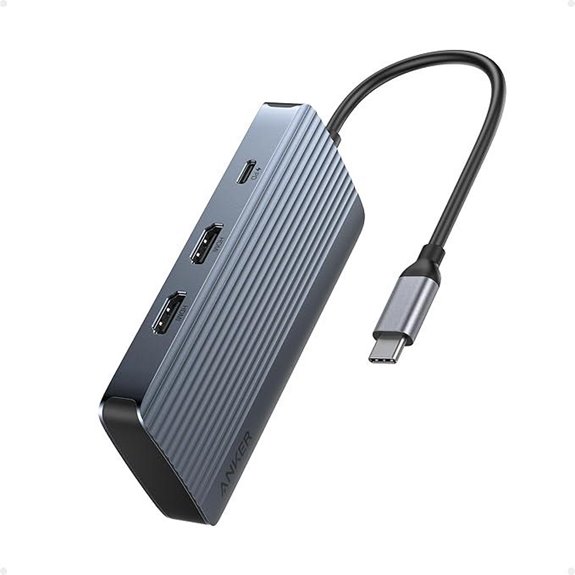 | Best Budget Option | Number of Ports: 7 ports (including HDMI, USB-C, USB-A, Ethernet, SD) | Display Support: Dual HDMI, 1080p@60Hz | Power Delivery (Charging): 85W (charger not included) | VIEW LATEST PRICE | See Our Full Breakdown |
| Satechi Thunderbolt 4 Dock with 100W Charging | 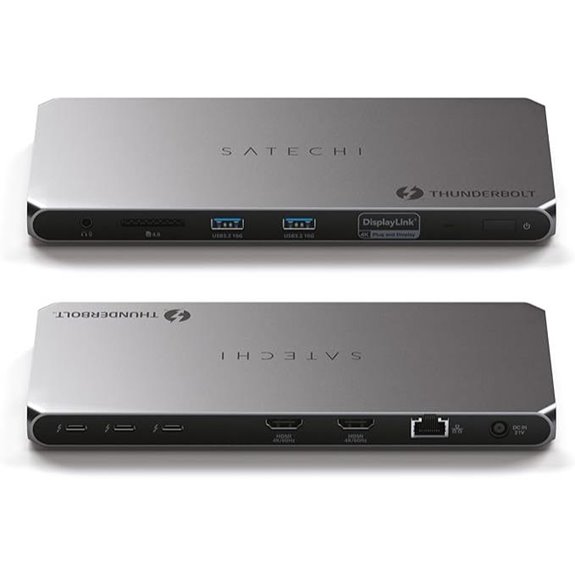 | Power & Performance Leader | Number of Ports: 8 ports (Thunderbolt 4, HDMI, USB-A, SD, Ethernet) | Display Support: Up to 4 external displays, 4K@60Hz | Power Delivery (Charging): 96W | VIEW LATEST PRICE | See Our Full Breakdown |
| Plugable USB-C Triple Display Docking Station |  | Enterprise-Ready Choice | Number of Ports: 12 ports (USB-C, HDMI, USB-A, Ethernet, SD, audio) | Display Support: 3 HDMI/DisplayLink, 4K@30-60Hz | Power Delivery (Charging): 100W | VIEW LATEST PRICE | See Our Full Breakdown |
| Anker Prime TB5 14-in-1 Thunderbolt Docking Station |  | Cutting-Edge Technology | Number of Ports: 14 ports (Thunderbolt 5, USB-C, USB-A, HDMI, SD, Ethernet) | Display Support: Up to 2 displays, 8K@60Hz or dual 8K | Power Delivery (Charging): 140W | VIEW LATEST PRICE | See Our Full Breakdown |
| Plugable Thunderbolt 4 Dock with 100W Charging |  | Highest Speed Dock | Number of Ports: 13 ports (HDMI, Thunderbolt 4, USB-A, SD, Ethernet) | Display Support: Dual 4K@60Hz or 8K@60Hz single | Power Delivery (Charging): 100W | VIEW LATEST PRICE | See Our Full Breakdown |
| Plugable Thunderbolt 4 Dock for MacBook Pro & Air |  | MacBook Compatibility | Number of Ports: 13 ports (Thunderbolt 4, HDMI, USB-A, SD, Ethernet) | Display Support: Dual 4K@60Hz or single 6K | Power Delivery (Charging): 100W | VIEW LATEST PRICE | See Our Full Breakdown |
| Plugable 13-in-1 USB-C Dock with Triple Monitors | 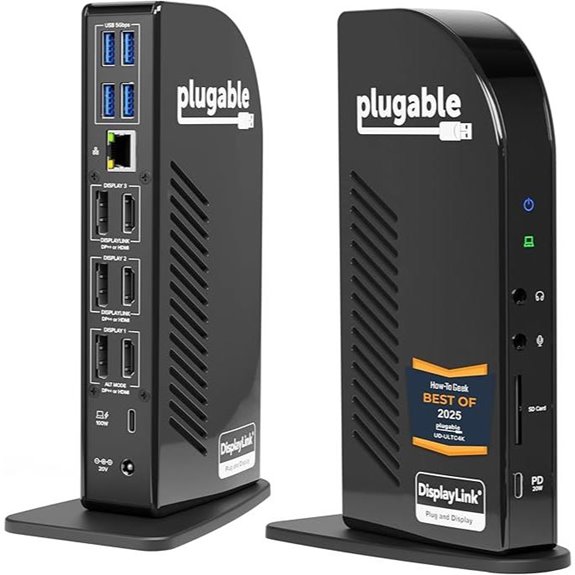 | Multi-Monitor Powerhouse | Number of Ports: 13 ports (USB-C, HDMI, DisplayPort, USB-A, Ethernet) | Display Support: 3 HDMI/DisplayPort, 4K@60Hz | Power Delivery (Charging): 100W (96W certified) | VIEW LATEST PRICE | See Our Full Breakdown |
| USB-C Docking Station for Multiple Monitors and Devices | 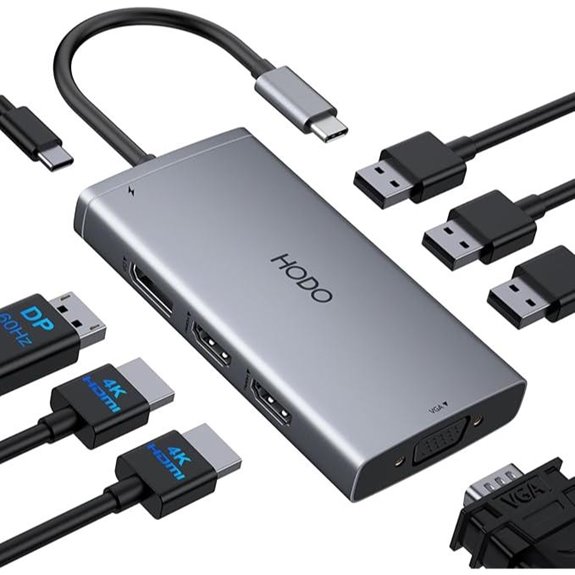 | Versatile Multi-Display | Number of Ports: 8 ports (USB-C, HDMI, VGA, USB-A, Ethernet) | Display Support: Dual HDMI/DisplayPort, 4K@60Hz | Power Delivery (Charging): 87W (requires compatible charger) | VIEW LATEST PRICE | See Our Full Breakdown |
| Anker 8-in-1 USB-C Laptop Docking Station | 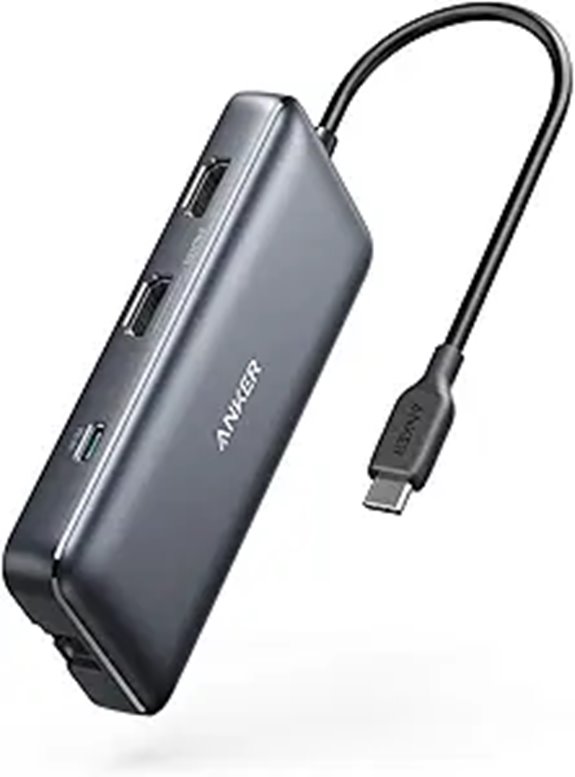 | Reliable Everyday Use | Number of Ports: 8 ports (USB-C, HDMI, USB-A, Ethernet) | Display Support: Dual 4K@60Hz or single 8K | Power Delivery (Charging): 85W | VIEW LATEST PRICE | See Our Full Breakdown |
| TobenONE 18-in-1 Laptop Docking Station with Triple 4K | 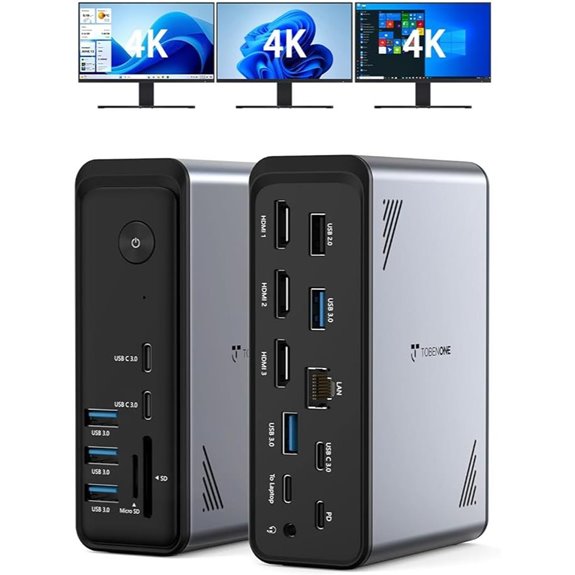 | All-in-One Expansion | Number of Ports: 18 ports (HDMI, USB-A, Ethernet, SD, audio) | Display Support: Triple 4K@60Hz | Power Delivery (Charging): 100W | VIEW LATEST PRICE | See Our Full Breakdown |
| Plugable 16-in-1 Thunderbolt 4 Dock with Dual 4K Monitors | 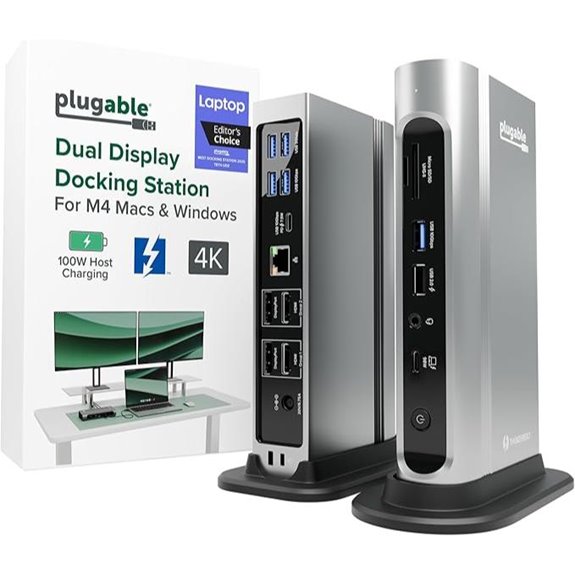 | Award-Winning Design | Number of Ports: 16 ports (Thunderbolt 4, HDMI, USB-A, SD, Ethernet) | Display Support: Dual 4K@60Hz or 8K@60Hz | Power Delivery (Charging): 100W (adjusts based on system) | VIEW LATEST PRICE | See Our Full Breakdown |
More Details on Our Top Picks
Anker 7-in-1 USB-C Hub with Dual HDMI Dock
If you’re looking for a versatile and reliable docking station to enhance your multi-monitor setup, the Anker 7-in-1 USB-C Hub with Dual HDMI Dock is an excellent choice. It supports dual HDMI displays with 1080p@60Hz resolution, boosting your productivity and multitasking. The hub offers high-speed data transfer at 10Gbps and delivers up to 85W of power for fast charging, reducing downtime. Compatible with popular laptops like Dell XPS, MacBook, and ThinkPad T14 Gen2, it connects seamlessly via USB-C, USB4, or Thunderbolt. Its all-in-one design simplifies your workspace, making it a practical upgrade for any professional or enthusiast.
- Number of Ports:7 ports (including HDMI, USB-C, USB-A, Ethernet, SD)
- Display Support:Dual HDMI, 1080p@60Hz
- Power Delivery (Charging):85W (charger not included)
- Data Transfer Speed:10Gbps
- Compatibility:macOS, Windows, ChromeOS
- Size/Dimensions:Compact, portable
- Additional Feature:10Gbps data transfer
- Additional Feature:85W max output
- Additional Feature:Compatible with ChromeOS
Satechi Thunderbolt 4 Dock with 100W Charging
The Satechi Thunderbolt 4 Dock with 100W Charging stands out as an excellent choice for professionals and power users who need reliable multi-monitor support and fast data transfer in a compact design. It supports up to four 4K/60Hz displays, using Thunderbolt 4 and HDMI ports (with DisplayLink for multiple displays). Data transfer reaches up to 40Gbps, with additional USB-A ports supporting 10Gbps speeds. It also offers a 96W Power Delivery port for charging, a fast SD card reader, and daisy-chaining capabilities. Compatibility spans Mac, Windows, and Chrome OS devices, making it versatile for various setups.
- Number of Ports:8 ports (Thunderbolt 4, HDMI, USB-A, SD, Ethernet)
- Display Support:Up to 4 external displays, 4K@60Hz
- Power Delivery (Charging):96W
- Data Transfer Speed:40Gbps
- Compatibility:Mac, Windows, ChromeOS
- Size/Dimensions:Medium, desktop-friendly
- Additional Feature:Supports daisy-chaining devices
- Additional Feature:UHS-II SD card reader
- Additional Feature:2-year limited warranty
Plugable USB-C Triple Display Docking Station
Designed for professionals who need reliable multi-monitor setups, the Plugable USB-C Triple Display Docking Station excels in transforming laptops into powerful workstations. It supports USB-C, USB4, and Thunderbolt laptops across Windows, macOS, and ChromeOS, including newer Apple Silicon systems like M1 through M5. The dock powers up to three HDMI monitors—one 4K at 30Hz and two 1080p at 60Hz—using DisplayLink technology and native USB-C Alt Mode. With six USB 3.0 ports, Gigabit Ethernet, audio output, and 100W Power Delivery, it offers extensive connectivity. Backed by North American support, it’s perfect for enterprise environments, hot-desking, and hybrid teams seeking seamless multi-monitor productivity.
- Number of Ports:12 ports (USB-C, HDMI, USB-A, Ethernet, SD, audio)
- Display Support:3 HDMI/DisplayLink, 4K@30-60Hz
- Power Delivery (Charging):100W
- Data Transfer Speed:5Gbps (USB 3.0)
- Compatibility:Windows, macOS, ChromeOS
- Size/Dimensions:12-in-1, enterprise-grade size
- Additional Feature:Enterprise-grade build
- Additional Feature:Supports Hot-desking
- Additional Feature:12-in-1 expansion hub
Anker Prime TB5 14-in-1 Thunderbolt Docking Station
For those seeking a top-tier Thunderbolt dock capable of handling demanding multi-monitor setups, the Anker Prime TB5 14-in-1 stands out with its impressive 14 ports and Thunderbolt 5 support. It includes upstream Thunderbolt 5, two Thunderbolt 5 downstream, USB-C, USB-A, SD/TF card readers, Ethernet, audio jack, and HDMI 2.1/DisplayPort 2.1. It supports up to dual 8K displays at 60Hz or a single 8K monitor. With 140W charging and an active cooling system, it guarantees reliable performance under heavy loads. Compact and lightweight, this dock is ideal for power users seeking versatility, speed, and high-resolution multi-monitor setups.
- Number of Ports:14 ports (Thunderbolt 5, USB-C, USB-A, HDMI, SD, Ethernet)
- Display Support:Up to 2 displays, 8K@60Hz or dual 8K
- Power Delivery (Charging):140W
- Data Transfer Speed:120Gbps (Thunderbolt 5)
- Compatibility:Windows, MacBook M4/M5, Thunderbolt 4/5
- Size/Dimensions:Small, portable
- Additional Feature:Active cooling system
- Additional Feature:Supports dual 8K displays
- Additional Feature:24-month warranty
Plugable Thunderbolt 4 Dock with 100W Charging
If you need a reliable docking station that can handle demanding multi-monitor setups while charging your laptop, the Plugable Thunderbolt 4 Dock with 100W Charging is an excellent choice. Recognized as the Best Thunderbolt Dock 2025 by Wirecutter and Intel Evo certified, it delivers blazing-fast 40Gbps speeds through 13 ports. It supports dual 4K 60Hz HDMI displays or an 8K monitor, with 15W downstream Thunderbolt 4 charging. Compatible with Thunderbolt 4, Thunderbolt 5, USB4, Windows 10+, and macOS, it offers versatile connectivity for professional, gaming, and multimedia environments. Its robust port selection guarantees seamless integration across diverse devices.
- Number of Ports:13 ports (HDMI, Thunderbolt 4, USB-A, SD, Ethernet)
- Display Support:Dual 4K@60Hz or 8K@60Hz single
- Power Delivery (Charging):100W
- Data Transfer Speed:40Gbps
- Compatibility:Windows, MacBook, Thunderbolt 4/5
- Size/Dimensions:Compact, portable
- Additional Feature:Recognized as Best 2025
- Additional Feature:Supports dual 4K/8K displays
- Additional Feature:13-port comprehensive design
Plugable Thunderbolt 4 Dock for MacBook Pro & Air
The Plugable Thunderbolt 4 Dock stands out as an excellent choice for MacBook users who need reliable, high-speed connectivity without sacrificing performance. It’s a 13-in-1 driverless station compatible with MacBook Air M4/M5, Pro M4/M5, M1, M2, M3, and Windows systems with Thunderbolt 4 or USB4. The dock offers a Thunderbolt 4 port, multiple USB-A and USB-C ports, SD/microSD card reader, Ethernet, audio jack, and 100W charging. It supports dual 4K displays or a single 6K monitor, making it perfect for multitasking, creative work, and professional setups. Its sleek space gray aluminum finish complements MacBooks beautifully.
- Number of Ports:13 ports (Thunderbolt 4, HDMI, USB-A, SD, Ethernet)
- Display Support:Dual 4K@60Hz or single 6K
- Power Delivery (Charging):100W
- Data Transfer Speed:40Gbps
- Compatibility:MacBook, Windows, Thunderbolt 4
- Size/Dimensions:Small, desktop
- Additional Feature:Driverless operation
- Additional Feature:Space gray aluminum case
- Additional Feature:Fully plug-and-play
Plugable 13-in-1 USB-C Dock with Triple Monitors
Since professionals often need to connect multiple high-resolution displays and peripherals through a single device, the Plugable 13-in-1 USB-C Dock excels in streamlining complex setups. It offers 13 ports, including USB-C with 100W Power Delivery, four USB-A, Ethernet, SD card reader, and audio jacks, all accessible via a single 10Gbps USB-C connection. It supports three 4K monitors at 60Hz through HDMI and DisplayPort outputs, compatible with Thunderbolt, USB4, or Alt Mode laptops—no extra adapters needed. With up to 96W charging, it powers laptops directly, reducing clutter and enhancing productivity for busy professionals.
- Number of Ports:13 ports (USB-C, HDMI, DisplayPort, USB-A, Ethernet)
- Display Support:3 HDMI/DisplayPort, 4K@60Hz
- Power Delivery (Charging):100W (96W certified)
- Data Transfer Speed:10Gbps (USB 3.0)
- Compatibility:Windows, macOS, ChromeOS
- Size/Dimensions:Compact, portable
- Additional Feature:Supports triple 4K monitors
- Additional Feature:100W Power Delivery
- Additional Feature:Compatible with multiple OS
USB-C Docking Station for Multiple Monitors and Devices
For professionals who need to connect multiple monitors and peripherals seamlessly, a USB-C docking station like the HoDo 8-in-1 multiport adapter offers exceptional versatility. It’s compatible with a wide range of laptops, including Dell XPS, MacBook Pro, Surface Pro, and more. It supports dual 4K HDMI displays at 60Hz, DisplayPort 4K@60Hz, and VGA 1080P, allowing up to four screens with the right setup. The dock also provides 100W power delivery, so your laptop stays charged while working. Plus, three USB 2.0 ports handle peripherals easily. Keep in mind, on macOS, external monitors mirror displays, but overall, it’s a powerful, flexible solution for multi-device connectivity.
- Number of Ports:8 ports (USB-C, HDMI, VGA, USB-A, Ethernet)
- Display Support:Dual HDMI/DisplayPort, 4K@60Hz
- Power Delivery (Charging):87W (requires compatible charger)
- Data Transfer Speed:5Gbps (USB 3.0)
- Compatibility:Windows, MacBook, ChromeOS
- Size/Dimensions:Compact, portable
- Additional Feature:Supports quadruple displays
- Additional Feature:8-in-1 multiport
- Additional Feature:Compatible with Dell, HP, MacBook
Anker 8-in-1 USB-C Laptop Docking Station
If you need a versatile docking station that simplifies connecting multiple devices and supports dual 4K displays, the Anker 8-in-1 USB-C Laptop Docking Station is an excellent choice. It offers eight ports, including dual HDMI outputs, USB-A ports, Gigabit Ethernet, SD/microSD card reader, and a USB-C PD-In charging port. It supports mirror or extend modes at 4K@60Hz for a single monitor or 4K@30Hz for dual displays. With up to 85W Power Delivery, it keeps your laptop charged. Compatible with USB-C, USB4, and Thunderbolt, it works seamlessly with MacBook, Windows, and ChromeOS. It’s a reliable, all-in-one solution for multi-monitor setups.
- Number of Ports:8 ports (USB-C, HDMI, USB-A, Ethernet)
- Display Support:Dual 4K@60Hz or single 8K
- Power Delivery (Charging):85W
- Data Transfer Speed:10Gbps
- Compatibility:Windows, macOS, ChromeOS
- Size/Dimensions:Slim, portable
- Additional Feature:Over 50 million devices powered
- Additional Feature:Supports dual 4K displays
- Additional Feature:18-month warranty
TobenONE 18-in-1 Laptop Docking Station with Triple 4K
The TobenONE 18-in-1 Laptop Docking Station with Triple 4K is an excellent choice for professionals and power users who need to maximize their workspace with multiple high-resolution displays. It offers 18 ports, including 9 USB, 3 HDMI supporting triple 4K@60Hz, Ethernet, SD/microSD readers, and an audio jack. It transforms laptops into full-featured workstations, reducing cable clutter and boosting productivity. With 100W PD3.0 fast charging, it keeps your device powered all day. Designed for Windows and Chrome OS laptops with full USB-C ports, it’s perfect for remote work, creative tasks, and multitasking, delivering professional-grade visuals and seamless connectivity.
- Number of Ports:18 ports (HDMI, USB-A, Ethernet, SD, audio)
- Display Support:Triple 4K@60Hz
- Power Delivery (Charging):100W
- Data Transfer Speed:10Gbps (USB 3.2)
- Compatibility:Windows, ChromeOS, some Mac support
- Size/Dimensions:Large, multi-purpose
- Additional Feature:Supports triple 4K@60Hz
- Additional Feature:100W PD3.0 fast charging
- Additional Feature:Suitable for Windows/Chrome OS
Plugable 16-in-1 Thunderbolt 4 Dock with Dual 4K Monitors
The Plugable 16-in-1 Thunderbolt 4 Dock stands out for professionals who need to connect dual 4K monitors seamlessly without hassle. It supports two 4K 60Hz displays via HDMI or DisplayPort, with a plug-and-play setup that requires no drivers. Compatible with Macs, Windows, and USB4 laptops, it enhances multitasking and content creation. The dock also offers 7 USB ports, Ethernet, SD card readers, audio jacks, and a Thunderbolt 4 cable, ensuring broad connectivity. With 100W Power Delivery, it charges laptops all day while maintaining safety standards. Its award-winning design makes it a top choice for streamlined, professional multi-monitor setups.
- Number of Ports:16 ports (Thunderbolt 4, HDMI, USB-A, SD, Ethernet)
- Display Support:Dual 4K@60Hz or 8K@60Hz
- Power Delivery (Charging):100W (adjusts based on system)
- Data Transfer Speed:40Gbps
- Compatibility:Windows, macOS, USB4
- Size/Dimensions:Compact, desktop
- Additional Feature:Awarded 2025 Dock of the Year
- Additional Feature:Supports dual 4K 60Hz
- Additional Feature:7 USB ports included
Factors to Consider When Choosing a Thunderbolt Dock for Multi-Monitor Setups

When choosing a Thunderbolt dock for multi-monitor setups, I focus on display compatibility to guarantee my monitors work seamlessly. I also consider how many monitors the dock can support and at what resolutions and refresh rates, so I get the performance I need. Finally, I check the port options and power delivery to make sure the dock meets all my connectivity and charging demands.
Display Compatibility Requirements
Choosing the right Thunderbolt dock for a multi-monitor setup requires paying close attention to display compatibility requirements. First, verify the dock supports your monitors’ maximum resolution and refresh rate, like 4K@60Hz or 8K@60Hz, for ideal image quality. Next, check whether it uses native DisplayPort Alt Mode or DisplayLink technology, as this impacts multi-monitor support and performance. It’s also important to confirm how many external displays the dock can support and verify compatibility with your laptop’s Thunderbolt version and graphics capabilities. Additionally, some docks need driver installations or software updates, especially those relying on DisplayLink. Finally, be aware of operating system limitations, such as compatibility with M1, M2, or M3 Macs, or Windows systems, to ensure seamless connectivity.
Number of Supported Monitors
Ensuring your Thunderbolt dock can support the number of monitors you plan to connect is essential for a smooth multi-monitor setup. You need to verify if the dock can handle dual, triple, or more displays simultaneously without issues. Check whether it supports the specific resolutions and refresh rates you require, such as 4K@60Hz or 8K@60Hz. It’s also important to see if the dock uses technologies like DisplayLink or native Alt Mode, which enable multiple displays on your system. Keep in mind that hardware limitations, including your laptop’s graphics capabilities, can restrict the number of external monitors supported. Additionally, some systems, especially those with M1 or M2 chips, may have inherent restrictions on external display connections through Thunderbolt or USB-C.
Resolution and Refresh Rates
Selecting a Thunderbolt dock that supports the right resolution and refresh rates is essential for getting the most out of your multi-monitor setup. You need to guarantee the dock can handle your desired resolution, whether it’s 4K or 8K, to maintain sharp display clarity. Check the refresh rate capabilities—60Hz is common, but if you’re into gaming or high-speed visuals, 120Hz or higher might be necessary. Confirm that the dock uses compatible video standards like HDMI 2.1, DisplayPort 2.1, or Thunderbolt 4/5 for high-resolution support. Also, verify if it can handle multiple high-res displays simultaneously without performance drops. Keep in mind that some docks may limit resolution or refresh rate when connecting several monitors, so review the specifications carefully.
Power Delivery Capabilities
When evaluating a Thunderbolt dock for your multi-monitor setup, paying attention to its Power Delivery capabilities is vital, as it directly affects how well your device charges and stays powered during use. Make sure the dock supports enough wattage—typically between 85W and 140W—to meet your laptop’s charging needs, especially for high-performance models. Verify that the Power Delivery protocol matches your device’s specifications to ensure efficient, safe charging. It’s also essential that the dock provides continuous power output during operation, preventing interruptions during multitasking or intensive tasks. Confirm compatibility between the dock’s PD output and your laptop’s charging port. Additionally, consider whether the dock can charge devices while simultaneously transferring data without sacrificing either function.
Port Variety and Quantity
Choosing the right Thunderbolt dock means paying close attention to the variety and number of ports it offers. You need enough HDMI, DisplayPort, or Thunderbolt outputs to support all your monitors without hassle. It’s essential to have multiple USB-C or Thunderbolt ports for connecting peripherals, storage devices, and accessories simultaneously. Dedicated video output ports help prevent bandwidth sharing issues that could limit display performance, ensuring smooth multi-monitor operation. Additionally, look for ports like Ethernet, SD card readers, and audio jacks to expand your connectivity options beyond just displays. Finally, make sure the port variety matches your laptop’s compatibility and supports necessary data transfer speeds and power delivery. A well-rounded selection of ports is key to building a seamless and efficient multi-monitor setup.
Device Compatibility Range
To guarantee your multi-monitor setup runs smoothly, it’s important to confirm that your Thunderbolt dock is compatible with your device’s operating system and hardware specifications. First, check that the dock supports your OS, whether Windows, macOS, or ChromeOS. Next, verify it matches your device’s Thunderbolt version, such as Thunderbolt 4 or Thunderbolt 5, for proper functionality. Make sure the dock can handle the number and resolution of your external monitors, whether dual 4K or an 8K display. Also, verify your device has the necessary ports—USB-C, USB4, or Thunderbolt—to connect seamlessly. Finally, review compatibility with your hardware, including GPU capabilities and power delivery needs, to ensure everything works harmoniously without performance issues.
Size and Portability
Selecting the right Thunderbolt dock involves considering its size and portability to suit your workspace and travel needs. I look at the physical dimensions and weight to verify it fits comfortably on my desk and is easy to carry when traveling. Smaller, lightweight docks are great for portability but might have fewer ports or features, so I balance size with functionality. Compact designs that offer multiple ports help me connect multiple monitors and devices without clutter. Portable docks often feature foldable or detachable cables, making packing simpler and reducing trip hazards. However, I also keep an eye on heat dissipation, as smaller units need efficient cooling to maintain performance during extended use. Ultimately, the right size depends on your specific setup and mobility requirements.
Thermal Management
Since multi-monitor setups can generate significant heat during extended use, effective thermal management in Thunderbolt docks is essential to maintain performance and prevent hardware issues. Overheating can lead to performance throttling or even damage the device, so choosing docks with active cooling systems like fans or heat sinks is wise. Proper ventilation and thoughtful placement—away from direct sunlight or confined spaces—help keep temperatures in check. Overheating not only affects the dock but can also shorten the lifespan of connected peripherals and internal components. Monitoring device temperatures with software tools provides an extra layer of security, ensuring your dock stays within safe thermal limits during demanding multi-monitor sessions. Good thermal management is key to reliable, long-term performance.
Frequently Asked Questions
How Do I Troubleshoot Connectivity Issues With Thunderbolt Docks?
If you’re having trouble with your Thunderbolt dock, I recommend first checking all connections to make certain they’re secure. Restart your computer and disconnect then reconnect the dock. Update your Thunderbolt drivers and firmware, as outdated software can cause issues. Try plugging the dock into a different Thunderbolt port or using a different cable. If problems persist, test the dock on another device to rule out hardware failure.
Are Thunderbolt Docks Compatible With Older Laptop Models?
Yes, thunderbolt docks can work with older laptop models, but compatibility depends on the specific port versions and drivers. I always check my laptop’s Thunderbolt version and verify it supports the dock’s requirements. Sometimes, firmware updates or driver installations are needed for smooth operation. It’s best to confirm with the manufacturer’s specs and user reviews to validate compatibility before making a purchase.
What Is the Maximum Resolution Supported by These Docks?
The maximum resolution supported by Thunderbolt docks varies, but many can handle up to 8K at 60Hz or multiple 4K displays simultaneously. I’ve found that high-end docks often support 5K or even 6K resolutions, depending on the specific model and ports. It’s essential to verify the technical specs of each dock to confirm it meets your resolution needs, especially for multi-monitor setups that demand high-quality visuals.
How Do I Ensure My Monitors Are Correctly Configured?
To guarantee your monitors are correctly configured, I recommend checking your display settings on your device first. Make sure each monitor is detected and set to the correct resolution and refresh rate. Use the display configuration menu to arrange the monitors properly, matching their physical placement. If needed, update your graphics drivers or firmware for the dock. Finally, test each monitor to confirm everything displays smoothly.
Do Thunderbolt Docks Support Daisy-Chaining Multiple Devices?
Yes, many Thunderbolt docks support daisy-chaining multiple devices. I’ve found that Thunderbolt 3 and 4 docks often allow you to connect several peripherals, like monitors, external drives, and accessories, through a single port. Just make sure your dock explicitly supports daisy-chaining and that your devices are compatible. Check the specifications to guarantee smooth connectivity, and you’ll be able to expand your setup efficiently.
Conclusion
Choosing the right Thunderbolt dock feels a bit like selecting the perfect steed for a grand adventure—each has its strengths, but the best one depends on your needs. Whether you’re juggling multiple 4K monitors or need fast charging, these docks are your trusty companions. As if I had a DeLorean, I’d say the future looks bright for multi-monitor setups in 2026. Just pick the right dock and get ready to conquer your workflow!