If you’re looking for the best Wi-Fi 7 routers for your home office in 2026, I’ve got you covered. I’ve checked out top models like the TP-Link BE3600, Archer BE6500, NETGEAR Nighthawk RS280S, and mesh options like Deco BE25. These support multi-gigabit speeds, broad coverage, multi-device stability, and advanced security features—perfect for work-from-home needs. Keep going, and you’ll uncover more details to help you choose the right one.
Key Takeaways
- The top Wi-Fi 7 routers offer multi-gigabit speeds, extensive coverage, and support for over 150 devices, ideal for large home offices.
- Advanced features like Multi-Link Operation, OFDMA, and beamforming enhance stability and efficiency.
- Mesh systems with seamless backhaul extend coverage and eliminate dead zones in multi-room setups.
- Security features such as VPN support, HomeShield, and NETGEAR Armor protect sensitive work data.
- User-friendly management apps and future-proof wired/wireless options ensure easy setup and long-term performance.
| TP-Link Wi-Fi 7 Router BE3600 with 2.5G Ports | 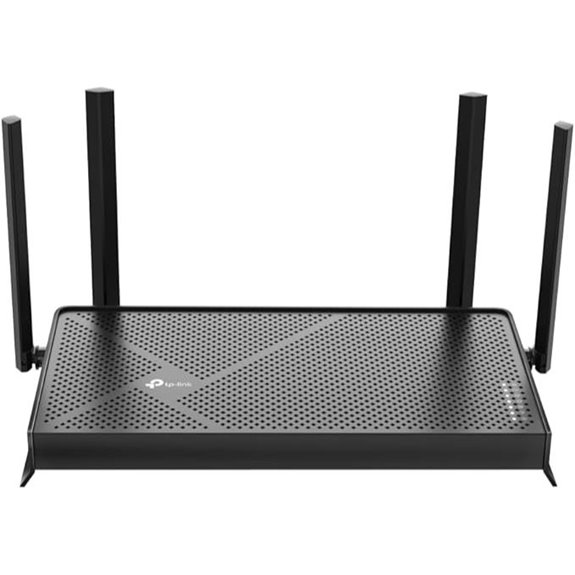 | Future-Proof Performance | Wi-Fi Standard: Wi-Fi 7 (802.11be) | Speed Capability: Up to 3.6 Gbps | Multi-Gig Ports: 2×2.5 Gbps ports | VIEW LATEST PRICE | See Our Full Breakdown |
| TP-Link Archer BE6500 Wi-Fi 7 Router with Ports |  | High-Speed Coverage | Wi-Fi Standard: Wi-Fi 7 (802.11be) | Speed Capability: Up to 5764 Mbps (~5.76 Gbps) | Multi-Gig Ports: 1×2.5 Gbps WAN, 1×2.5 Gbps LAN, 3×1 Gbps LAN | VIEW LATEST PRICE | See Our Full Breakdown |
| NETGEAR Nighthawk WiFi 7 Router Dual-Band 3.6 Gbps | 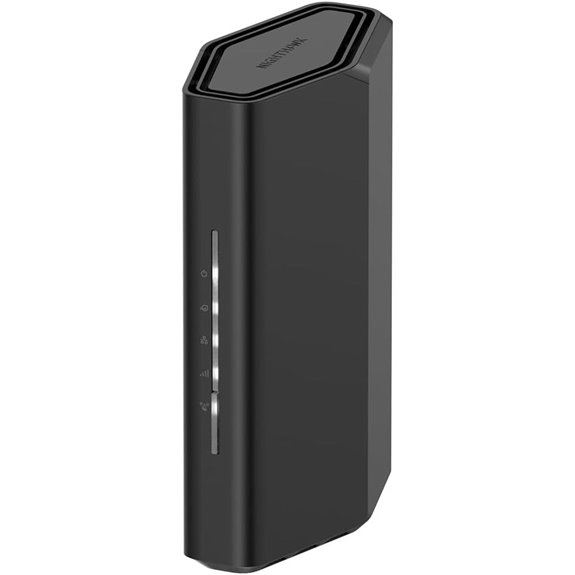 | Gaming & Streaming Power | Wi-Fi Standard: Wi-Fi 7 (802.11be) | Speed Capability: Up to 3.6 Gbps | Multi-Gig Ports: 1×2.5 Gbps WAN, 1×2.5 Gbps LAN, 3×1 Gbps LAN | VIEW LATEST PRICE | See Our Full Breakdown |
| GL.iNet Flint 3 Tri-Band WiFi 7 Router with VPN | 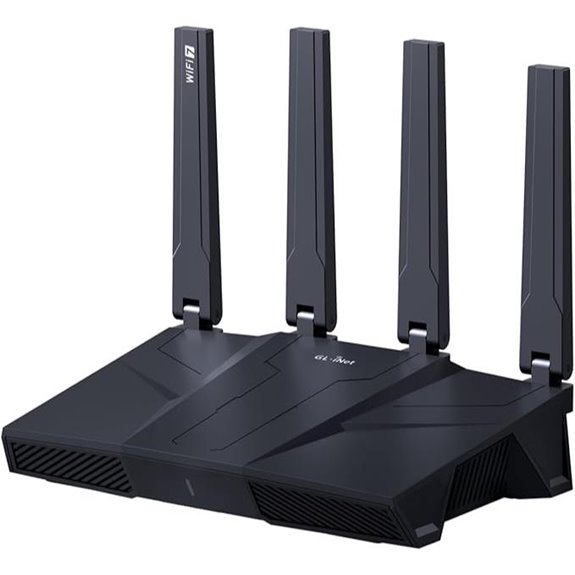 | Ultra-Fast Connectivity | Wi-Fi Standard: Wi-Fi 7 (802.11be) | Speed Capability: Up to 9 Gbps | Multi-Gig Ports: 5×2.5 Gbps VPN ports | VIEW LATEST PRICE | See Our Full Breakdown |
| TP-Link Tri-Band WiFi 7 Router with 2.5G Ports |  | Wired & Wireless Flexibility | Wi-Fi Standard: Wi-Fi 7 (802.11be) | Speed Capability: Up to 5760 Mbps (~5.76 Gbps) | Multi-Gig Ports: 1×2.5 Gbps WAN, 4×2.5 Gbps LAN | VIEW LATEST PRICE | See Our Full Breakdown |
| TP-Link Deco BE63 Tri-Band WiFi 7 Mesh System |  | Mesh System Excellence | Wi-Fi Standard: Wi-Fi 7 (802.11be) | Speed Capability: Up to 10 Gbps | Multi-Gig Ports: 1×2.5 Gbps WAN, 4×2.5 Gbps LAN | VIEW LATEST PRICE | See Our Full Breakdown |
| ASUS RT-BE58U WiFi 7 Router with Security | 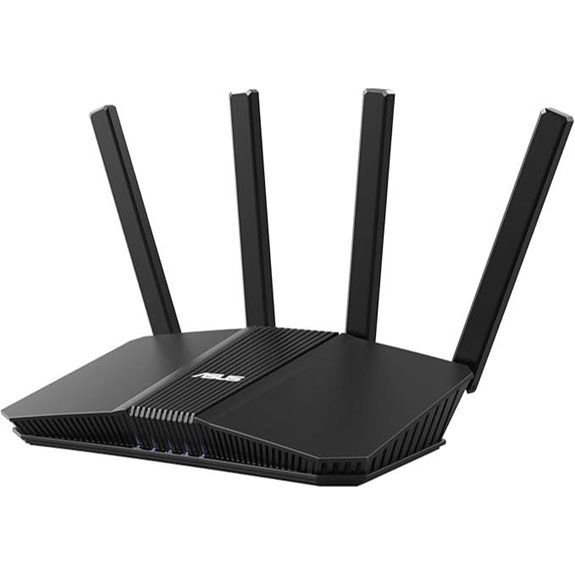 | Security & Management | Wi-Fi Standard: Wi-Fi 7 (802.11be) | Speed Capability: Up to 3600 Mbps (~3.6 Gbps) | Multi-Gig Ports: 1×2.5 Gbps WAN, 4×1 Gbps LAN | VIEW LATEST PRICE | See Our Full Breakdown |
| NETGEAR Nighthawk WiFi 7 Router (RS180) |  | Enterprise-Grade Speed | Wi-Fi Standard: Wi-Fi 7 (802.11be) | Speed Capability: Up to 5.5 Gbps | Multi-Gig Ports: 1×2.5 Gbps WAN, 2×2.5 Gbps LAN | VIEW LATEST PRICE | See Our Full Breakdown |
| NETGEAR Nighthawk Tri-Band WiFi 7 Router | 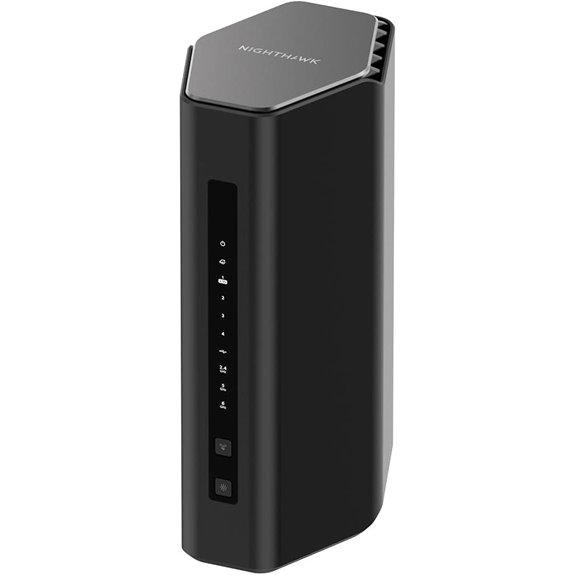 | Advanced Security Features | Wi-Fi Standard: Wi-Fi 7 (802.11be) | Speed Capability: Up to 12 Gbps | Multi-Gig Ports: 1×2.5 Gbps port + 3×1 Gbps LAN | VIEW LATEST PRICE | See Our Full Breakdown |
| NETGEAR Orbi 370 WiFi 7 Mesh System (RBE373) | 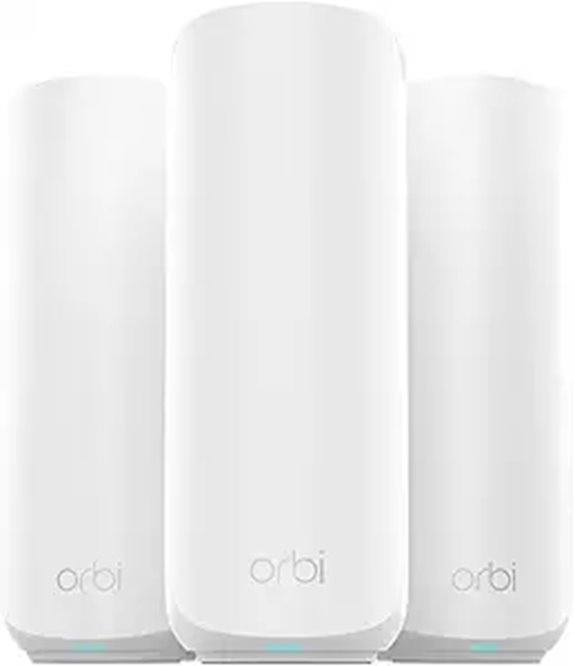 | Maximum Capacity | Wi-Fi Standard: Wi-Fi 7 (802.11be) | Speed Capability: Up to 9.2 Gbps | Multi-Gig Ports: 1×2.5 Gbps WAN, 2×2.5 Gbps LAN | VIEW LATEST PRICE | See Our Full Breakdown |
| ASUS ROG Rapture GT-BE98 PRO WiFi 7 Gaming Router |  | Gaming & Streaming Leader | Wi-Fi Standard: Wi-Fi 7 (802.11be) | Speed Capability: Up to 30 Gbps | Multi-Gig Ports: 2×2.5 Gbps, 2×1 Gbps LAN | VIEW LATEST PRICE | See Our Full Breakdown |
| TP-Link WiFi 7 Router with 5Gbps and Antennas |  | Seamless Mesh Coverage | Wi-Fi Standard: Wi-Fi 7 (802.11be) | Speed Capability: Up to 4.3 Gbps | Multi-Gig Ports: 1×2.5 Gbps WAN, 1×2.5 Gbps LAN, 3×1 Gbps LAN | VIEW LATEST PRICE | See Our Full Breakdown |
| TP-Link Deco BE25 WiFi 7 Mesh Router (1-Pack) | 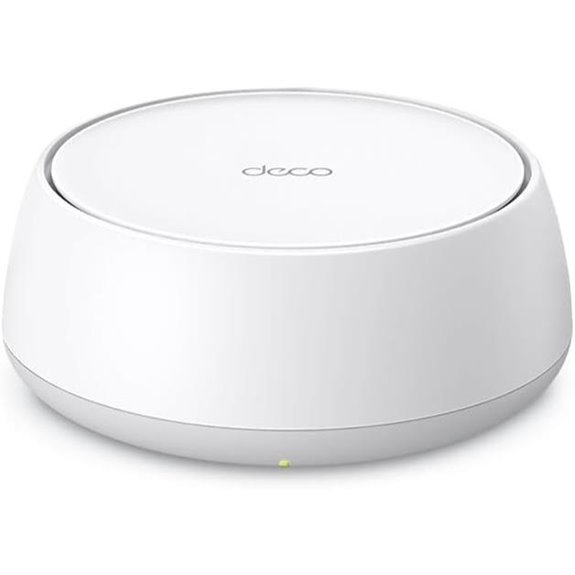 | Compact & Secure | Wi-Fi Standard: Wi-Fi 7 (802.11be) | Speed Capability: Up to 5 Gbps | Multi-Gig Ports: 2×2.5 Gbps WAN/LAN, 3×1 Gbps LAN | VIEW LATEST PRICE | See Our Full Breakdown |
| NETGEAR Nighthawk WiFi 7 Router (RS280S) |  | High-End Gaming | Wi-Fi Standard: Wi-Fi 7 (802.11be) | Speed Capability: Up to 9.2 Gbps | Multi-Gig Ports: 1×2.5 Gbps WAN, 2×2.5 Gbps LAN, 2×1 Gbps LAN | VIEW LATEST PRICE | See Our Full Breakdown |
More Details on Our Top Picks
TP-Link Wi-Fi 7 Router BE3600 with 2.5G Ports
If you’re looking for a router that can handle multiple high-demand devices with lightning-fast speeds, the TP-Link Wi-Fi 7 Router BE3600 is an excellent choice. It’s powered by Wi-Fi 7 technology, offering speeds up to 3.6 Gbps and features like Multi-Link Operation (MLO) and 4K-QAM for increased capacity. The router’s quad-core 2.0 GHz processor and 2.5 Gbps ports guarantee minimal lag and high throughput. With four external antennas and beamforming, it provides strong, reliable coverage throughout your home. Plus, managing it is simple via the TP-Link Tether app, making it perfect for seamless streaming, gaming, and downloads.
- Wi-Fi Standard:Wi-Fi 7 (802.11be)
- Speed Capability:Up to 3.6 Gbps
- Multi-Gig Ports:2×2.5 Gbps ports
- Coverage Area:Whole home (coverage not specified)
- Security Features:TP-Link HomeShield, parental controls, IoT security
- Setup and Management:TP-Link Tether app
- Additional Feature:Supports EasyMesh seamless coverage
- Additional Feature:Voice control via Alexa/Google
- Additional Feature:Advanced HomeShield security
TP-Link Archer BE6500 Wi-Fi 7 Router with Ports
The TP-Link Archer BE6500 Wi-Fi 7 Router with Ports stands out as an ideal choice for home offices that require ultra-fast, reliable connections across multiple devices. It leverages the latest Wi-Fi 7 technology, including Multi-Link Operation, Multi-RUs, and 4K-QAM, delivering combined speeds up to 5764 Mbps on the 5GHz band and 688 Mbps on 2.4GHz. With coverage up to 2,400 sq. ft. and support for 90 devices, it ensures strong, stable connections everywhere. The router also features multi-gig ports for high-speed wired links and easy setup via the Tether app or web interface. Security is robust with advanced features like HomeShield, VPN support, and network protection.
- Wi-Fi Standard:Wi-Fi 7 (802.11be)
- Speed Capability:Up to 5764 Mbps (~5.76 Gbps)
- Multi-Gig Ports:1×2.5 Gbps WAN, 1×2.5 Gbps LAN, 3×1 Gbps LAN
- Coverage Area:Up to 2,400 sq ft
- Security Features:HomeShield, parental controls, VPN support
- Setup and Management:TP-Link Tether app, web interface
- Additional Feature:Whole-home mesh expansion
- Additional Feature:Trained support technicians
- Additional Feature:Parental controls included
NETGEAR Nighthawk WiFi 7 Router Dual-Band 3.6 Gbps
For those seeking a reliable, high-speed connection in their home office, the NETGEAR Nighthawk WiFi 7 Router stands out with its impressive 3.6 Gbps dual-band performance. It’s perfect for gaming, streaming, video calls, and multitasking across multiple devices. The router supports WiFi 7, offering speeds 1.2 times faster than WiFi 6, with coverage up to 2,000 square feet. It’s compatible with any ISP but functions as a router only, so you’ll need a separate modem. Its sleek design and easy setup via the Nighthawk app make it a convenient choice for modern homes seeking fast, secure connectivity.
- Wi-Fi Standard:Wi-Fi 7 (802.11be)
- Speed Capability:Up to 3.6 Gbps
- Multi-Gig Ports:1×2.5 Gbps WAN, 1×2.5 Gbps LAN, 3×1 Gbps LAN
- Coverage Area:Up to 2,000 sq ft
- Security Features:NETGEAR Armor, parental controls
- Setup and Management:Nighthawk app, web management
- Additional Feature:Compatible with all ISPs
- Additional Feature:High-performance antennas
- Additional Feature:Designed for gaming
GL.iNet Flint 3 Tri-Band WiFi 7 Router with VPN
Designed for busy households and small offices, the GL.iNet Flint 3 Tri-Band WiFi 7 Router with VPN stands out with its impressive speeds of up to 9 Gbps and support for over 100 devices. It utilizes Wi-Fi 7 technology, offering ultra-fast connectivity, lower latency, and reliable coverage up to 2,000 square feet. With MLO, OFDMA, and 4K QAM, it handles high-density environments smoothly, perfect for streaming, gaming, or remote work. The built-in VPN supports speeds up to 680 Mbps, while features like AdGuard Home enhance privacy. Its user-friendly setup, parental controls, and robust hardware make it a versatile choice for modern digital needs.
- Wi-Fi Standard:Wi-Fi 7 (802.11be)
- Speed Capability:Up to 9 Gbps
- Multi-Gig Ports:5×2.5 Gbps VPN ports
- Coverage Area:Up to 2,000 sq ft
- Security Features:VPN, ad blocking, parental controls
- Setup and Management:Easy setup via tutorial/Ethernet
- Additional Feature:Supports over 100 devices
- Additional Feature:Built-in AdGuard Home
- Additional Feature:Firmware update support
TP-Link Tri-Band WiFi 7 Router with 2.5G Ports
If you’re seeking a router that can handle demanding home office tasks with ease, the TP-Link Tri-Band WiFi 7 Router with 2.5G Ports stands out. It delivers Wi-Fi 7 speeds with Multi-Link Operation, Multi-RUs, 4K-QAM, and 320 MHz channels, providing up to 5760 Mbps on the 6 GHz band. With six antennas and Beamforming, it offers strong, stable connections across up to 2,000 sq ft. The router includes one 2.5G WAN port and four 2.5G LAN ports for future-proof wired performance. Easy to set up via the Tether app, it combines advanced speed, coverage, and security features to support modern home office needs seamlessly.
- Wi-Fi Standard:Wi-Fi 7 (802.11be)
- Speed Capability:Up to 5760 Mbps (~5.76 Gbps)
- Multi-Gig Ports:1×2.5 Gbps WAN, 4×2.5 Gbps LAN
- Coverage Area:Up to 2,000 sq ft
- Security Features:HomeShield, WPA3, parental controls
- Setup and Management:Tether app, web management
- Additional Feature:Supports private IoT network
- Additional Feature:WPA3 encryption security
- Additional Feature:Easy setup via Tether
TP-Link Deco BE63 Tri-Band WiFi 7 Mesh System
The TP-Link Deco BE63 Tri-Band WiFi 7 Mesh System stands out as an ideal choice for large home offices that demand fast, reliable, and extensive coverage. With Wi-Fi 7 technology, it delivers up to 10 Gbps speeds, supporting over 200 devices across a 7,600 sq.ft. area with a 3-pack setup. Its seamless mesh network, AI-Roaming, and dual backhaul guarantee smooth device transitions and best possible performance. Equipped with four 2.5G ports, a USB 3.0, and multi-gig support, it handles high-bandwidth tasks effortlessly. Easy to set up and manage via the Deco app, it’s perfect for demanding work environments and future-proof home networking.
- Wi-Fi Standard:Wi-Fi 7 (802.11be)
- Speed Capability:Up to 10 Gbps
- Multi-Gig Ports:1×2.5 Gbps WAN, 4×2.5 Gbps LAN
- Coverage Area:Up to 7,600 sq ft (mesh system)
- Security Features:HomeShield, IoT security, parental controls
- Setup and Management:Deco app, easy setup
- Additional Feature:AI-Roaming technology
- Additional Feature:Supports wired/wireless backhaul
- Additional Feature:Extensive device support
ASUS RT-BE58U WiFi 7 Router with Security
Looking for a router that combines lightning-fast speeds with robust security? The ASUS RT-BE58U WiFi 7 Router delivers just that, offering speeds up to 3600 Mbps across dual bands thanks to WiFi 7 and 4096-QAM technology. It features Multi-Link Operation for seamless connectivity, plus versatile WAN options with AI detection. The built-in USB port supports 4G LTE and 5G tethering, while four 1G Ethernet ports and a 2.5G port guarantee fast wired connections. With AiProtection Pro powered by Trend Micro, instant security scans, and Safe Browsing, you get enterprise-grade security. Its extendable AiMesh system makes coverage easy to expand for home or office.
- Wi-Fi Standard:Wi-Fi 7 (802.11be)
- Speed Capability:Up to 3600 Mbps (~3.6 Gbps)
- Multi-Gig Ports:1×2.5 Gbps WAN, 4×1 Gbps LAN
- Coverage Area:Coverage not specified
- Security Features:AiProtection Pro, Safe Browsing
- Setup and Management:ASUS Router app, AiMesh setup
- Additional Feature:AiProtection Pro security
- Additional Feature:Extendable with AiMesh
- Additional Feature:Kid’s Network feature
NETGEAR Nighthawk WiFi 7 Router (RS180)
For home offices that demand fast, reliable Wi-Fi, the NETGEAR Nighthawk WiFi 7 Router (RS180) stands out with its impressive speeds of up to 5.5 Gbps. Designed for gaming, streaming, and video calls, it covers up to 2,500 square feet and supports around 80 devices simultaneously. Its sleek, compact design features high-performance antennas, ensuring strong signals throughout your space. While it’s not a modem, it pairs well with a compatible cable or fiber modem to deliver multi-gig internet speeds via its 2.5Gb Ethernet port. Overall, it’s a powerful, space-efficient choice for busy home offices.
- Wi-Fi Standard:Wi-Fi 7 (802.11be)
- Speed Capability:Up to 5.5 Gbps
- Multi-Gig Ports:1×2.5 Gbps WAN, 2×2.5 Gbps LAN
- Coverage Area:Up to 2,500 sq ft
- Security Features:Armor, parental controls, IoT security
- Setup and Management:Nighthawk app, web setup
- Additional Feature:Supports multi-gig internet
- Additional Feature:Compact sleek design
- Additional Feature:Automatic firmware updates
NETGEAR Nighthawk Tri-Band WiFi 7 Router
If you need a high-performance router that can handle multiple devices seamlessly, the NETGEAR Nighthawk Tri-Band WiFi 7 Router (RS500) is an excellent choice. It delivers blazing-fast WiFi 7 speeds up to 12Gbps, perfect for gaming, streaming 4K/8K content, and UHD video calls. Its sleek design and high-performance antennas cover up to 3,000 sq. ft. and support up to 120 devices simultaneously. With a 2.5 Gig Ethernet port and three 1 Gig LAN ports, wired connections are also robust. Plus, NETGEAR Armor provides advanced security, ensuring your network stays protected against online threats.
- Wi-Fi Standard:Wi-Fi 7 (802.11be)
- Speed Capability:Up to 12 Gbps
- Multi-Gig Ports:1×2.5 Gbps port + 3×1 Gbps LAN
- Coverage Area:Up to 3,000 sq ft
- Security Features:NETGEAR Armor, security suite
- Setup and Management:Nighthawk app, simple setup
- Additional Feature:30-day Armor trial
- Additional Feature:Supports 120 devices
- Additional Feature:2.4x faster than WiFi 6
NETGEAR Orbi 370 WiFi 7 Mesh System (RBE373)
The NETGEAR Orbi 370 WiFi 7 Mesh System (RBE373) stands out as an excellent choice for large homes or busy home offices that need reliable, high-speed connectivity across extensive spaces. It includes a wireless router and two extenders, covering up to 6,000 sq.ft. and supporting up to 70 devices. With WiFi 7 technology, it delivers speeds up to 5 Gbps, making streaming, gaming, and video calls seamless. Its dual-band system with enhanced backhaul ensures consistent coverage. Plus, built-in security features like NETGEAR Armor and easy management via the Orbi app make this mesh system a powerful, user-friendly solution for all-encompassing home networking.
- Wi-Fi Standard:Wi-Fi 7 (802.11be)
- Speed Capability:Up to 9.2 Gbps
- Multi-Gig Ports:1×2.5 Gbps WAN, 2×2.5 Gbps LAN
- Coverage Area:Up to 6,000 sq ft
- Security Features:Armor, device protection
- Setup and Management:Nighthawk app, web setup
- Additional Feature:Dual wireless backhaul
- Additional Feature:Elegant design
- Additional Feature:Supports extensive smart home
ASUS ROG Rapture GT-BE98 PRO WiFi 7 Gaming Router
The ASUS ROG Rapture GT-BE98 PRO WiFi 7 Gaming Router stands out as the top choice for avid gamers and power users seeking ultra-fast, reliable network performance. It supports WiFi 7 (802.11be) with 320MHz channels and 4096-QAM, delivering speeds up to 30 Gbps. Multi-link Operation connects multiple bands simultaneously for enhanced stability and efficiency. Its advanced external dual-feeding antennas boost coverage and signal strength. With dual 10G ports and four 2.5G ports, wired connectivity is flexible and fast. Features like Triple-Level Game Acceleration, Mobile Game Mode, and subscription-free security make it perfect for intense gaming and demanding home office setups.
- Wi-Fi Standard:Wi-Fi 7 (802.11be)
- Speed Capability:Up to 30 Gbps
- Multi-Gig Ports:2×2.5 Gbps, 2×1 Gbps LAN
- Coverage Area:Coverage not specified
- Security Features:Subscription-free security, VPN, game optimization
- Setup and Management:ASUS Router app, gaming optimization
- Additional Feature:Triple-Level Game Acceleration
- Additional Feature:Mobile Game Mode
- Additional Feature:Subscription-free security
TP-Link WiFi 7 Router with 5Gbps and Antennas
For anyone seeking a reliable Wi-Fi 7 router that supports fast speeds and extensive coverage, the TP-Link BE5000 stands out. It delivers up to 4,324 Mbps on the 5GHz band and 688 Mbps on 2.4GHz, thanks to Wi-Fi 7 features like Multi-Link Operation, Multi-RUs, and 4K-QAM. Equipped with five external antennas, beamforming, and Smart Connect, it covers up to 2,400 sq. ft. and handles around 80 devices smoothly. Setup is quick via the Tether app or web interface, and it supports seamless expansion with EasyMesh. Plus, built-in security and compatibility with voice assistants make it a versatile choice for modern home offices.
- Wi-Fi Standard:Wi-Fi 7 (802.11be)
- Speed Capability:Up to 4.3 Gbps
- Multi-Gig Ports:1×2.5 Gbps WAN, 1×2.5 Gbps LAN, 3×1 Gbps LAN
- Coverage Area:Up to 2,600 sq ft
- Security Features:HomeShield, IoT security, parental controls
- Setup and Management:TP-Link Deco app
- Additional Feature:Supports remote VPN access
- Additional Feature:Backward compatible
- Additional Feature:Easy management via Tether
TP-Link Deco BE25 WiFi 7 Mesh Router (1-Pack)
If you’re seeking a reliable mesh Wi-Fi 7 system that can handle multiple devices without sacrificing speed, the TP-Link Deco BE25 is an excellent choice. It supports WiFi 7 with dual-band 4-stream setup, 240 MHz channels, and Multi-Link Operation, delivering up to 5 Gbps combined bandwidth. With coverage of up to 2,600 sq. ft. and support for over 150 devices, it’s perfect for busy home offices. The system features two 2.5 Gbps WAN/LAN ports for wired backhaul and high-performance wired devices. Plus, TP-Link’s HomeShield security, seamless AI-Roaming, and easy setup make it a versatile, secure, and efficient solution for modern home networks.
- Wi-Fi Standard:Wi-Fi 7 (802.11be)
- Speed Capability:Up to 5 Gbps
- Multi-Gig Ports:2×2.5 Gbps WAN/LAN, 3×1 Gbps LAN
- Coverage Area:Up to 2,600 sq ft
- Security Features:HomeShield, WPA3, parental controls
- Setup and Management:TP-Link Deco app, easy setup
- Additional Feature:Supports private IoT SSID
- Additional Feature:Basic network protection
- Additional Feature:Supports remote VPN
NETGEAR Nighthawk WiFi 7 Router (RS280S)
With blazing-fast WiFi 7 speeds reaching up to 9.2 Gbps, the NETGEAR Nighthawk WiFi 7 Router (RS280S) stands out as an ideal choice for home offices that demand high-performance connectivity. It offers tri-band WiFi 7, ensuring multiple devices can stream, game, or video conference simultaneously without lag. Its sleek design fits comfortably in smaller spaces, covering up to 2,500 sq. ft. and featuring high-performance antennas. The router includes a 2.5 Gig internet port and multiple Ethernet ports for fast wired connections. Easy to set up via the Nighthawk App, it also provides robust security with a 1-year NETGEAR Armor subscription.
- Wi-Fi Standard:Wi-Fi 7 (802.11be)
- Speed Capability:Up to 9.2 Gbps
- Multi-Gig Ports:1×2.5 Gbps WAN, 2×2.5 Gbps LAN, 2×1 Gbps LAN
- Coverage Area:Up to 2,500 sq ft
- Security Features:Armor, automatic firmware updates, security suite
- Setup and Management:Nighthawk app, quick setup
- Additional Feature:Supports multi-gig speeds
- Additional Feature:Automatic firmware updates
- Additional Feature:Secure online protection
Factors to Consider When Choosing a Wi-Fi 7 Router for Home Offices
Choosing the right Wi-Fi 7 router depends on several key factors. I consider speed, coverage, device compatibility, security, and ease of setup to find the best fit for my home office. Let’s explore these points to help you make an informed decision.
Speed and Bandwidth Needs
Are your current internet speeds keeping up with your home office demands? If you’re regularly transferring large files, streaming in 4K or 8K, or supporting multiple devices simultaneously, you need a router that can handle high bandwidth. Wi-Fi 7 routers can deliver speeds up to 12 Gbps, supporting these heavy tasks with ease. Features like Multi-Link Operation (MLO) allow multiple data streams across different bands, reducing lag and boosting overall performance. To guarantee wired connections keep pace, look for a router with at least 2.5 Gbps ports. Selecting a router that matches your internet plan and device needs ensures your workflow remains smooth, with no slowdowns or interruptions, even during peak usage times. Prioritize speed and capacity for a seamless home office experience.
Coverage and Signal Strength
Ensuring strong Wi-Fi coverage throughout your home office is essential, especially when working in larger spaces or multiple rooms. A good Wi-Fi 7 router should cover between 2,400 to 7,600 square feet, guaranteeing signals reach every corner. Multiple high-gain antennas and beamforming technology focus signals directly on devices, boosting stability and strength. Mesh network systems with seamless backhaul can extend coverage further, eliminating dead zones in bigger or multi-room setups. Wi-Fi 7’s multi-link operation allows simultaneous data streams across bands, enhancing reliability and reducing lag. Supporting over 150 to 200 devices is also key for homes with numerous work, smart, and IoT devices. Prioritizing these coverage features ensures consistent, fast, and dependable connections where you work and live.
Device Compatibility Features
To get the most out of your Wi-Fi 7 router, it’s crucial to prioritize device compatibility features that support both current and future technologies. Make sure the router supports the latest Wi-Fi standards and multi-gigabit speeds, ensuring smooth operation with new devices. Compatibility with a wide range of devices like smartphones, tablets, laptops, and smart home gadgets is essential for seamless connectivity. Look for advanced features such as Multi-Link Operation (MLO) and 4K-QAM, which optimize performance with Wi-Fi 7-enabled devices. Additionally, verify backward compatibility with previous Wi-Fi generations to keep older devices connected. Supporting multi-user MIMO and beamforming technology further enhances device compatibility and network efficiency, creating a reliable, high-performing home office setup.
Security and Privacy Measures
Choosing a Wi-Fi 7 router for your home office means prioritizing security and privacy features that safeguard your data and connected devices. I look for routers supporting advanced protocols like WPA3 encryption, which provides stronger protection against unauthorized access. Built-in security features such as firewalls, intrusion detection, and automatic firmware updates are essential for addressing vulnerabilities quickly. I also consider models with thorough parental controls and IoT security options to keep all connected devices safe. VPN support is another key factor, enabling secure remote access and encrypted data transmission. Finally, I prefer routers from manufacturers that offer regular security updates, ensuring protection against emerging cyber threats. These measures give me peace of mind while maintaining a secure, private home office environment.
Setup and Ease of Use
A straightforward setup process is essential when selecting a Wi-Fi 7 router for your home office, as it can save time and reduce frustration during installation. A user-friendly interface, whether via a mobile app or web portal, makes configuration simple and quick. Routers with clear, step-by-step guides and automated setup features help streamline the process, so you can get online faster. Support for easy mesh network integration allows seamless expansion without complicated reconfigurations, enhancing scalability. Additionally, clear troubleshooting resources boost confidence and minimize user frustration. Compatibility with voice assistants and remote management tools offers convenient control and adjustments after initial setup. Overall, a router with intuitive setup procedures makes your home office network reliable and hassle-free from day one.
Future-Proof Technology
When selecting a Wi-Fi 7 router for your home office, considering its future-proof features guarantees your network stays ahead of evolving technology demands. These routers support advanced features like Multi-Link Operation (MLO) and 4K-QAM, which deliver higher speeds and lower latency for future applications. With combined speeds up to 10 Gbps or more, they can handle the growing bandwidth needs of smart devices and office tools. Support for multi-gig ports and backward compatibility ensures seamless integration with current and future internet infrastructure. Additionally, enhanced security protocols and regular firmware updates help maintain protection and performance as standards evolve. Choosing a future-proof Wi-Fi 7 router means your network remains reliable, fast, and secure, even as technology advances over the next few years.
Wired and Wireless Options
Since a versatile home office setup benefits from both wired and wireless connections, it’s essential to evaluate how Wi-Fi 7 routers support these options. These routers offer high-speed wireless connections using advanced technologies like Multi-Link Operation and OFDMA, maximizing speed and efficiency across multiple devices. They also feature multiple wired ports, including multi-gig options such as 2.5 Gbps, providing stable, low-latency connections critical for bandwidth-heavy tasks like video editing or large file transfers. Having a mix of wired and wireless options enables seamless network extension and flexibility, accommodating desktops, servers, and smart devices. Ensuring your router has enough wired ports and supports multi-gig speeds is indispensable for maintaining high-performance, reliable connections tailored to the diverse needs of a home office.
Management and Control
Choosing the right Wi-Fi 7 router for your home office means paying close attention to management and control features that make setup and daily use straightforward. Look for routers with user-friendly management apps that simplify setup, device monitoring, and parental controls. Support for remote management lets you adjust network settings from anywhere via a web portal or mobile app, providing flexibility. Advanced security options like VPN support, intrusion detection, and automatic firmware updates are essential to keep your network safe. Customizable QoS settings allow you to prioritize bandwidth for work applications and video calls, ensuring smooth performance. Additionally, multi-user management features let multiple users or administrators handle different network aspects simultaneously, making collaboration easier and more secure.
Frequently Asked Questions
How Does Wi-Fi 7 Improve Latency for Gaming and Video Calls?
Wi-Fi 7 considerably reduces latency for gaming and video calls by using advanced technologies like multi-channel operation and wider bandwidths. I notice smoother gameplay and clearer calls because data transfers faster and more reliably. This means less lag, fewer disruptions, and a more seamless experience overall. With Wi-Fi 7, I can enjoy real-time interactions without frustrating delays, making my online activities much more responsive and enjoyable.
What Energy-Saving Features Are Available in Wi-Fi 7 Routers?
Wi-Fi 7 routers come with energy-saving features like target wake time (TWT), which helps devices sleep when idle, reducing power consumption. I also notice smart power management that adjusts performance based on network activity, conserving energy. These features make my home setup greener and more efficient without sacrificing speed or reliability, giving me peace of mind and saving on electricity bills.
Can Wi-Fi 7 Routers Support Multi-User Multiple Input Multiple Output (MU-MIMO)?
Yes, Wi-Fi 7 routers do support MU-MIMO technology. This feature allows the router to communicate with multiple devices simultaneously, improving overall network efficiency and reducing lag. I find MU-MIMO especially helpful in busy home offices with several devices streaming, working, and gaming at once. With Wi-Fi 7, I can enjoy faster, more reliable connections across all my gadgets without congestion.
How Do Wi-Fi 7 Routers Handle Interference in Crowded Environments?
Imagine a busy city street, full of noise and chaos—that’s what crowded environments can feel like for Wi-Fi signals. Wi-Fi 7 routers cut through interference with advanced techniques like OFDMA and Intelligent Dynamic Frequency Selection, which steer signals away from congestion. I’ve seen them optimize bandwidth and reduce lag, making your connection more reliable even amidst a crowded digital landscape, ensuring your work stays smooth and uninterrupted.
What Are the Compatibility Requirements for Existing Devices With Wi-Fi 7?
Compatibility with existing devices depends on their Wi-Fi standards. Wi-Fi 7 routers are backward compatible, so they work with older Wi-Fi 6, 5, and earlier devices. However, to enjoy the full benefits of Wi-Fi 7’s speed and features, your devices need to support Wi-Fi 7 or at least Wi-Fi 6. I recommend checking your device specifications to verify they’ll work seamlessly with a new Wi-Fi 7 router.
Conclusion
If you’re upgrading to Wi-Fi 7, you’re in for faster, more reliable connections—studies show that Wi-Fi 7 can deliver speeds up to 30% higher than Wi-Fi 6. With so many great options, choosing the right router depends on your specific needs. Whether you need blazing speed or seamless mesh coverage, investing in a top-tier Wi-Fi 7 router now will future-proof your home office and keep you connected effortlessly.