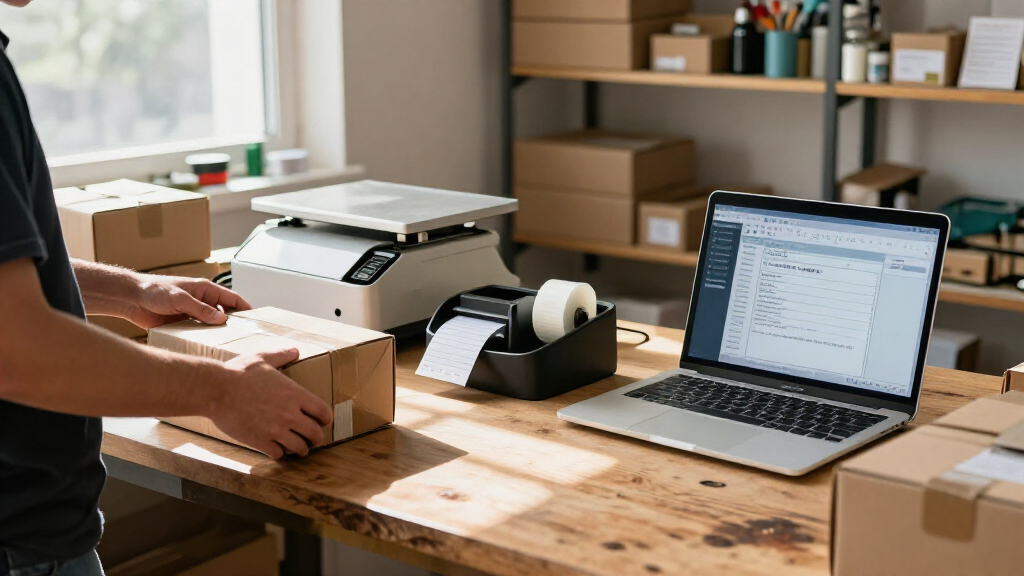

This checklist is for small business owners who pack and ship orders themselves, whether you are setting up a first station or making an existing routine easier to manage. The picks cover labeling, weighing, packing, and a few supplies that help keep orders moving. Start with your daily workflow so each item supports the way you actually fulfill orders.

Get business pricing on office and shipping supplies
- Business-only prices and quantity discounts
- Tax-exempt purchasing
- Multiple users, one account, clear invoices
The sections follow the shipping process: print a label, weigh the parcel, prepare packing materials, and keep shipment paperwork organized. Each pick has a specific role, while the mailing-envelopes section offers selection guidance without naming a product. Check the product details for compatibility and intended use before adding anything to your setup.
Use the checklist to identify what is essential now and what can wait until your order volume or packaging needs change. Confirm that your printer, labels, scale, tape, and chosen mailers work with the services and parcels you handle. Test your setup with a typical order before relying on it for a full batch.
Thermal Label Printer
A dedicated label printer can make shipping easier to repeat by giving labels their own place in your packing workflow. The listed pick is the Rollo Wireless Shipping Label Printer, described as a Wi-Fi 4×6 thermal label printer. That makes connection options and supported label dimensions key details to verify against your workspace and shipping process. Confirm the connection method works with the device you use to create labels.
A common buying mistake is assuming that every shipping platform, computer, or phone will work with a printer in the same way. Check the product information for supported operating systems, apps, and setup steps, and verify that your carrier or order platform can produce labels in a compatible format. Also confirm whether the printer requires any specific label stock or handling. Match the printer to your label workflow before committing.
Plan where the printer will sit, how it will connect, and how printed labels will reach parcels without being folded or misplaced. Keep its footprint and access to power or network connections in mind. Choose a spot near your packing area so label printing fits naturally into fulfillment.
What to look for:
- Verify that Wi-Fi setup supports your devices and workspace.
- Check compatibility with your operating system and shipping platform.
- Confirm the supported 4×6 label format and label stock requirements.
- Review setup instructions and any required app or driver.
- Measure the station space and check access to needed connections.
Rollo Wireless Shipping Label Printer – Wi-Fi 4×6 Thermal Label Printer

The Rollo wireless label printer uses AirPrint and Wi‑Fi to print 4×6 shipping labels directly from iPhone, iPad, Mac, Android, Windows, Chromebook or Linux without drivers. It features high‑speed direct thermal printing at up to 150 mm/s (one label per second) with a 203 dpi resolution and supports custom labels up to 4.1" wide.
Pros:
- Wireless printing via AirPrint works with iOS/macOS and Wi‑Fi works for Android/Windows without drivers.
- Fast direct‑thermal printing (one 4×6 label per second) eliminates ink costs.
- Supports custom labels, barcodes, QR codes and a wide range of e‑commerce platforms.
- Long printer head life (~650,000 labels).
Cons:
- Only one USB port limits simultaneous wired connections.
- Requires thermal label rolls; no standard paper option.
Best for: small businesses that want a Wi-Fi 4×6 thermal label printer
Not ideal for: buyers who need a different connection method or label format
Bottom line: Choose this printer after confirming its Wi-Fi setup and label compatibility match your shipping workflow.
Shipping Scale
A shipping scale helps you weigh parcels before preparing labels, making it easier to enter shipment information consistently. The listed pick is an Amazon Basics digital shipping postal scale with a tare function and a stated 660 lb capacity. For most small business workflows, the practical checks are how the scale displays readings, how parcels sit on its platform, and whether its functions suit the packages you actually ship. Consider your typical parcel sizes before choosing a scale.
One mistake is focusing on the maximum capacity while overlooking readability and the space needed to place a box securely. Check the product details for measurement units, display design, power requirements, and platform dimensions. Tare can be useful when weighing an item in a container, but review how the function operates and whether it fits your packing routine. Check the platform and display together so a large parcel does not hide the reading.
Set the scale on a stable, level surface and leave enough room to position parcels without balancing them at the edge. If you ship a wide range of package shapes, consider whether the weighing surface accommodates them safely and clearly. Keep the scale within reach of your packing and label-entry area.
What to look for:
- Confirm the platform dimensions suit your usual parcels.
- Check measurement units and display readability.
- Review the scale’s power requirements and placement needs.
- Understand how the tare function works for your containers.
- Make sure the stated capacity fits the parcels you handle.
Amazon Basics Digital Shipping Postal Scale with Tare Function, 660 lb Capacity,

This digital postal scale is designed for weighing shipping items with a heavy-duty yet portable build. It features a large back-lit LCD display, tare function, and multiple measurement units, supporting up to 660 pounds with 0.1-ounce precision.
Pros:
- High weight capacity of 660 pounds
- Large back-lit LCD for easy reading
- Multiple measurement units and tare function
Cons:
- Data cannot be transferred via USB
- Requires batteries or AC power for operation
Best for: sellers who want a digital scale with tare functionality
Not ideal for: workspaces where the platform or display cannot accommodate typical parcels
Bottom line: Check the scale’s platform, display, and power needs against the packages you ship.
Label Rolls
Labels are a recurring supply, so choosing a roll that works with your printer can prevent avoidable interruptions during fulfillment. The listed product is named “Thermal Shipping Label Printer 4×6 Bluetooth Label Maker for Small Bus,” which appears to describe a printer or label maker rather than clearly identifying label rolls. Treat the item details as something to verify before buying it for this slot. Confirm what the listing contains before treating it as label stock.
A common mistake is assuming that a product title mentioning 4×6 and Bluetooth means it is a compatible roll of labels for a separate printer. Check whether the listing is for a printer, labels, or a bundle, then verify the label dimensions, roll core or holder requirements, and printer compatibility. Compare those requirements with the printer you selected and the label format supplied by your shipping platform. Match the stock to your exact printer rather than relying on broad title wording.
Think about how labels will be stored and replenished at the station, and keep a spare supply available if shipping work depends on them. For a roll product, confirm how many labels it contains and how it feeds through the printer. If the listing is actually another device, choose a clearly identified compatible roll instead. Keep the supply description unambiguous to avoid ordering the wrong item.
What to look for:
- Verify whether the listing is for label rolls, a printer, or a bundle.
- Confirm the label dimensions match your printer and shipping format.
- Check roll core, holder, and feed compatibility with your device.
- Review the label material and printing method required by your printer.
- Confirm the quantity and storage needs if the item is label stock.
Thermal Shipping Label Printer 4×6 Bluetooth Label Maker for Small Business

This thermal shipping label printer uses direct thermal technology to produce crisp, high-resolution black and white labels at speeds up to 72 labels per minute. It features Bluetooth and USB connectivity, compatibility with major shipping platforms, and a user-friendly app with customizable templates, making it ideal for small business shipping needs.
Pros:
- High-quality crisp thermal printing with 203 DPI resolution
- Wireless Bluetooth and USB connectivity for versatile use
- Compatible with major shipping platforms like Amazon, Shopify, USPS, UPS, FedEx, DHL
- Includes everything needed to start printing immediately
Cons:
- Prints only in black and white
- Limited to monochrome output
- Maximum print speed may be insufficient for very high-volume operations
Best for: buyers who can confirm the listing supplies compatible 4×6 label stock
Not ideal for: anyone needing clearly identified rolls without checking the product details
Bottom line: The product name does not clearly identify label rolls, so confirm the item and printer compatibility first.
Packing Tape Dispenser
A hand dispenser keeps tape close while you close and secure boxes, making it a useful part of a small packing station. The listed pick is the 3M Scotch Box Sealing Tape Hand Dispenser H180 for 2-inch tape. Its stated tape width gives you a specific compatibility point to check, while the handle and cutting mechanism affect how it feels during repeated use. Match the dispenser to your tape width and packing pace.
A common mistake is buying a dispenser for a tape size or roll style that does not fit. Confirm the supported tape width and roll dimensions in the product details, and check whether the tape you already use is compatible. Consider whether the dispenser will be comfortable to grip and easy to reload, especially if more than one person packs orders. Check both roll fit and handling before making it a station staple.
Keep the dispenser in a predictable place beside the box-closing area, and make sure there is room to pull tape across parcels without obstruction. If your packages vary widely, consider whether the tool suits your typical box sizes and sealing routine. Place it where sealing happens to reduce extra movement during packing.
What to look for:
- Confirm compatibility with 2-inch tape and the roll dimensions you use.
- Check how the tape roll loads and whether replacement is straightforward.
- Consider grip comfort for the people packing orders.
- Review the cutter and how it fits your sealing routine.
- Leave space beside the packing area for pulling and cutting tape.
3M Scotch Box Sealing Tape Hand Dispenser H180 for 2" Tape, Gray

This hand-held tape dispenser is designed for efficient sealing of shipping boxes in various settings. Made of durable plastic and metal, it features adjustable tension control and a pistol grip for easy one-handed operation, suitable for 2-inch tape rolls up to 60 yards long.
Pros:
- Durable construction suitable for high-volume use
- Adjustable tension control for optimal sealing
- Pistol grip allows for easy one-handed operation
Cons:
- Designed for industrial use only, not for consumers
- Limited to 2-inch tape rolls
- May be heavy for prolonged use
Best for: packing stations that use compatible 2-inch box-sealing tape
Not ideal for: buyers whose tape width or roll dimensions do not fit the dispenser
Bottom line: Choose the H180 when its tape fit and handling suit your box-sealing routine.
Mailing Envelopes
Mailing envelopes help protect orders that do not need the structure of a box, so the right choice depends on what you sell and how it should arrive. Match the envelope style to the item’s shape, thickness, and fragility, then check that the finished parcel complies with the mailing service you plan to use. Choose protection for the product before optimizing for compact packaging.
A frequent mistake is choosing an envelope that fits the product only when empty, leaving no room for protective material or a secure closure. Measure the item with any insert or padding in place, and consider whether the contents can bend, puncture, or be damaged by moisture. For soft goods, confirm that seams and closures hold the packed item securely; for delicate goods, consider whether a mailer alone is suitable. Test the packed fit with a representative order.
Keep a small range of envelope sizes only if your order mix calls for it, and store them where they stay clean and easy to reach. Check that the shipping label has a smooth, visible surface and that the completed mailer can be sealed consistently. Let your actual products guide sizing rather than buying one size for every shipment.
What to look for:
- Match envelope dimensions to the item plus any protective insert.
- Choose material and padding based on fragility and moisture concerns.
- Check that closures and seams suit the packed contents.
- Confirm the finished mailer works with your chosen mailing service.
- Make sure the label area is smooth, visible, and large enough.
Document Pouch
A document pouch can keep paperwork associated with a shipment together, but the listed pick does not clearly describe one. Its name is “Packing Checklist: Organized List of Things to Pack for Travel,” which reads like a travel checklist rather than a document pouch. Verify the product type before treating it as an organizer for shipping paperwork. Confirm the item is a pouch before assigning it this role.
A common mistake is relying on a broad title instead of checking the physical product and intended use. For a shipping document pouch, review its dimensions, closure, attachment method, and whether it is designed to hold the papers you need to include with a parcel. Consider the size and surface of the packages you send, along with whether the pouch must remain visible or protected during handling. Check the pouch’s actual features against your paperwork needs.
If the listed item is only a checklist, it may help organize tasks but will not serve as an attached document holder. Choose a clearly identified shipping document pouch if you need paperwork secured to parcels, then test it with the documents and package type you use. Keep paperwork matched to the parcel so it remains easy to identify during packing.
What to look for:
- Verify that the listing is a physical document pouch, not a checklist.
- Check interior dimensions against the paperwork you include.
- Review the closure and attachment method for your parcel type.
- Confirm the pouch can be placed where it remains accessible and visible.
- Test it on a representative package before using it for shipments.
Packing Checklist: Organized List of Things to Pack for Travel

This packing checklist provides an organized list of essential items to pack for travel, helping travelers stay prepared and avoid forgetting important belongings. It is a useful tool for planning trips efficiently.
Pros:
- Helps organize packing efficiently
- Prevents forgetting essential items
Cons:
- No detailed item list included
- May not suit all travel types
Best for: buyers who confirm the item is a shipping document pouch
Not ideal for: anyone expecting the travel checklist named in the listing to hold documents
Bottom line: The product name describes a travel checklist, so confirm the listing is actually a shipping pouch.
Build the station in a practical order: first choose a compatible label printer and label stock, then add a scale suited to your parcels. Next select mailers based on the products you ship, followed by tape and a dispenser that fit your box-closing routine. Add a document pouch only after confirming the listed product is one. Prioritize the tools that remove daily friction and make sure each item works with the others.
You do not need a complicated setup to ship thoughtfully. Start with a representative order, check that each step flows from weighing through labeling and packing, and adjust your station as your needs become clearer. A well-matched checklist is a strong starting point for a smoother fulfillment routine.
Fall Picks
fall essentials
As an affiliate, we earn on qualifying purchases.