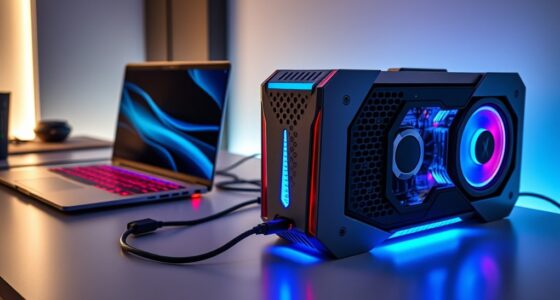
For marketers managing large media assets, project files, and collaborative workflows, reliable network attached storage (NAS) is essential. The Synology DS225+ stands out as the best overall for its robust features and ease of use, while the UGREEN DXP4800 Plus 4-Bay NAS offers a powerful solution for small teams and creative workflows. The main tradeoffs in this category revolve around balancing storage capacity, performance, ease of setup, and price. Keep reading to see how these options compare and find the best fit for your marketing needs.

Get business pricing on office and shipping supplies
- Business-only prices and quantity discounts
- Tax-exempt purchasing
- Multiple users, one account, clear invoices
Key Takeaways
- Higher storage capacity and expandability are key for media-heavy marketing teams.
- Ease of setup and user interface are critical for non-technical marketing staff.
- Performance specs like CPU and RAM often justify higher prices for intensive workflows.
- Many options blend affordability with sufficient features for small to mid-sized teams.
- Premium models excel with advanced security and remote access features, but come at a higher cost.
| UGREEN DXP4800 Plus 4-Bay NAS for Families, Creators & Small Teams |  | Best Overall for Extensive Data Needs | Digital Storage Capacity: 144 TB | Hard Disk Interface: Serial ATA | Network Ports: 1x 10GbE, 1x 2.5GbE | VIEW ON AMAZON | See Our Full Breakdown |
| Synology 2-Bay DiskStation DS223j (Diskless) |  | Best Value for Personal Cloud and Small-Scale Sharing | Number of Bays: 2 | Warranty: 2 years | Built-In Media: Yes | VIEW ON AMAZON | See Our Full Breakdown |
| UGREEN NAS DH2300 2-Bay Personal Storage for Beginners & Personal Users |  | Best for Beginners and Personal Use | Digital Storage Capacity: 64 TB | Connectivity Technology: Ethernet, HDMI, SATA, USB | Additional Features: Dust Resistant, LED Light, Password Protection | VIEW ON AMAZON | See Our Full Breakdown |
| Synology DS225+ Private Cloud Media Server – 2-Bay Diskless NAS with Intel CPU |  | Best for Media Streaming and Data Protection | Storage Bays: 2 | CPU: Intel | Transfer Speed: 282 MB/s | VIEW ON AMAZON | See Our Full Breakdown |
| UGREEN NAS DXP2800 2-Bay for Advanced Home Users, Remote Workers & Creators |  | Best for Power Users and Remote Work | Processor: Intel N100 Quad-Core | RAM: 8GB DDR5 | Network: 2.5GbE | VIEW ON AMAZON | See Our Full Breakdown |
| UGREEN NAS DXP4800 GT 4-Bay for Creators, Tech Enthusiasts, and Office Teams |  | Best for High-Performance Media and Security Management | Processor: AMD Ryzen Embedded R2514, 4 cores, up to 3.70GHz | RAM: 8GB DDR4, expandable to 64GB | Storage Capacity: Up to 144TB (4 bays, 32TB each, with NVMe SSD support) | VIEW ON AMAZON | See Our Full Breakdown |
| networkattached storage for marketer | Processor | RAM | Warranty |
|---|---|---|---|
| UGREEN DXP4800 Plus 4-Bay NAS | Intel 5-Core CPU | 8GB DDR5 | 2 years |
| Synology 2-Bay DiskStation DS2 | — | — | 2 years |
| UGREEN NAS DH2300 2-Bay Person | — | — | — |
| Synology DS225+ Private Cloud | — | — | 3 Years |
| UGREEN NAS DXP2800 2-Bay for A | Intel N100 Quad-Core | 8GB DDR5 | — |
| UGREEN NAS DXP4800 GT 4-Bay fo | AMD Ryzen Embedded R2514, 4 cores, up to 3.70GHz | 8GB DDR4, expandable to 64GB | — |
More Details on Our Top Picks
UGREEN DXP4800 Plus 4-Bay NAS for Families, Creators & Small Teams
The UGREEN DXP4800 Plus stands out for its remarkable 144TB capacity, making it ideal for small offices, creators, and families with large media libraries or data archives. Compared to the Synology DS225+, it offers significantly higher storage and supports advanced features like Docker and virtual machines, which are missing in the Synology. However, this power comes with a complex setup process and the need to purchase drives separately, which might be intimidating for less technical users. Its fast transfer speeds of up to 1250 MB/s and 10GbE connectivity make it suitable for bandwidth-intensive tasks, but it supports only wired Ethernet, limiting flexibility for some environments. This model is best suited for those who prioritize large-scale storage and advanced capabilities over simple plug-and-play ease.
Pros:- Large storage capacity up to 144TB suitable for extensive data needs
- Fast transfer speeds with 10GbE and USB ports
- Supports advanced features like Docker and virtual machines
- Secure private cloud with encryption and permissions
Cons:- Hard drives are not included and must be purchased separately
- Supports only wired Ethernet connections (no Wi-Fi support)
- Complex setup requiring technical knowledge
Best for: Small creative teams, multimedia-heavy households, or professional users needing substantial storage capacity and virtualization features
Not ideal for: Individuals seeking a plug-and-play device or users with limited technical experience, as setup and configuration may be challenging
- Digital Storage Capacity:144 TB
- Hard Disk Interface:Serial ATA
- Network Ports:1x 10GbE, 1x 2.5GbE
- Processor:Intel 5-Core CPU
- RAM:8GB DDR5
- Video Output:4K HDMI
- Data Transfer Rate:1250 MB/s
- Warranty:2 years
Our verdict“This NAS excels for users who need massive storage, virtualization, and high-speed data transfer, but it demands technical confidence.”
Synology 2-Bay DiskStation DS223j (Diskless)
The Synology DS223j offers a compact, energy-efficient solution perfect for creating a private cloud or sharing files across multiple devices. Unlike the UGREEN DXP4800 Plus, it provides limited storage scalability with only two drive bays, which makes it less suitable for large media libraries but ideal for light personal use. Its automated backup and surveillance features add versatility, especially for home security. However, being diskless, it requires users to purchase drives separately, and its smaller capacity may limit future expansion. Its ease of use makes it a strong choice for non-technical users, but those needing extensive storage or virtualization should look elsewhere.
Pros:- Creates a secure private cloud for easy remote access
- Supports automated backups for multiple devices
- Includes surveillance tools for home security
- Energy-efficient and compact design
Cons:- Requires setup and familiarity with NAS systems
- Limited to two drive bays, restricting storage expansion
- No included drives, only the diskless enclosure
Best for: Home users wanting simple file sharing, backup, and security monitoring with minimal setup
Not ideal for: Professionals or small teams requiring large storage or virtualization, as capacity and features are limited
- Number of Bays:2
- Warranty:2 years
- Built-In Media:Yes
- Supported Devices:Multiple
- Power Consumption:Low
- Supports Surveillance:Yes
- Disk Compatibility:3.5-inch drives
- Form Factor:Compact
Our verdict“This NAS is a straightforward, budget-friendly option for personal cloud and security needs, but it isn’t suitable for heavy data loads or large-scale use.”
UGREEN NAS DH2300 2-Bay Personal Storage for Beginners & Personal Users
The UGREEN NAS DH2300 is designed with ease of use in mind, making it perfect for newcomers to NAS technology. Compared with the Synology DS223j, it offers similar capacity but emphasizes simple setup and quick access, ideal for personal storage and backups. It supports up to 64TB, which is ample for most home users, and includes AI-powered features like photo organization, helping users manage their media effortlessly. Its main limitation is the lack of Wi-Fi support, requiring a wired connection, and it doesn’t support advanced features like Docker or virtual machines. This pick is best for users who want a straightforward, reliable device for personal files without the complexity of enterprise features.
Pros:- Easy setup and user-friendly interface
- Supports up to 64TB capacity
- Fast transfer speeds up to 125MB/s
- Includes AI features for photo management
Cons:- Does not support Wi-Fi, requiring wired Ethernet
- Limited to basic storage and backup functions
- No support for Docker or virtual machines
Best for: Home users, families, or beginners seeking an easy-to-use NAS for basic backup and media storage
Not ideal for: Power users or professionals needing virtualization, extensive storage, or wireless connectivity
- Digital Storage Capacity:64 TB
- Connectivity Technology:Ethernet, HDMI, SATA, USB
- Additional Features:Dust Resistant, LED Light, Password Protection
- Hard Disk Form Factor:3.5 inches
- Supported Devices:Desktop, Laptop, Smartphone, Tablet, TV
- Transfer Speeds:Up to 125MB/s
- Ease of Use:High
- Supports AI Features:Yes
Our verdict“This NAS is ideal for beginners who want straightforward file storage and media management without extra complexity.”
Synology DS225+ Private Cloud Media Server – 2-Bay Diskless NAS with Intel CPU
The Synology DS225+ offers a compelling balance of media capabilities and data security, making it suitable for small offices or home users focused on media streaming and private cloud storage. Its support for 4K media playback and RAID configurations means smoother streaming and reliable backups. Compared to the UGREEN DXP4800 Plus, it’s less focused on high-volume storage but excels in user-friendly setup and intelligent data protection features. The diskless design requires users to purchase drives separately, and its more limited hardware might struggle with very high workloads. This NAS makes the most sense for those prioritizing media, security, and simplicity over maximum storage capacity or virtualization.
Pros:- Supports 4K media streaming
- Robust data protection with RAID, snapshots
- Supports up to 30 IP cameras for surveillance
- Easy to set up for users familiar with Synology
Cons:- Requires separate purchase of drives
- Limited to two bays which restricts future expansion
- Complex for users unfamiliar with NAS features
Best for: Media enthusiasts, small home offices, and users needing reliable data protection and media streaming
Not ideal for: Users with large media libraries or high-volume data needs, as it only has two bays and less processing power
- Storage Bays:2
- CPU:Intel
- Transfer Speed:282 MB/s
- Surveillance Support:Up to 30 IP cameras
- Warranty:3 Years
- Diskless:Yes
- Media Support:4K
- Data Protection:RAID, snapshots
Our verdict“Ideal for media streaming and data security in small setups, but not suited for extensive storage or heavy workloads.”
UGREEN NAS DXP2800 2-Bay for Advanced Home Users, Remote Workers & Creators
The UGREEN NAS DXP2800 caters to advanced home users, creators, and remote workers who need a powerful, flexible storage solution. Its hardware, featuring an Intel N100 Quad-Core CPU and 8GB DDR5 RAM, supports large files, intensive workloads, and AI-powered surveillance, surpassing the capabilities of simpler models like the UGREEN NAS DH2300. Compared to the Synology DS225+, it offers higher performance and more extensive surveillance features, making it better suited for security-conscious users. Its support for up to 80TB and multiple device compatibility makes it versatile, but the absence of included drives and the need for technical know-how may pose barriers. This pick is especially fitting for those who demand robust hardware and integrated security features for remote work or media projects.
Pros:- Powerful hardware capable of handling large files
- Supports AI face recognition and pet detection
- Flexible storage options up to 80TB
- Supports multiple device platforms
Cons:- HDDs and SSDs are not included, requiring additional purchase
- Requires technical expertise to set up and maximize features
- No pre-installed drives for convenience
Best for: Remote workers, creators, and home users needing high performance, AI surveillance, and flexible storage options
Not ideal for: Casual users or those seeking a simple plug-and-play NAS, as setup and configuration involve technical steps
- Processor:Intel N100 Quad-Core
- RAM:8GB DDR5
- Network:2.5GbE
- Storage Support:Up to 80TB
- HDD/SSD Support:Yes, drives sold separately
- M.2 NVMe Slots:2
- Surveillance Features:AI Face, People, Pet Detection
- Compatibility:Windows, macOS, Android, iOS, smart TVs
Our verdict“This NAS is best for tech-savvy users who need high-performance storage coupled with AI-powered surveillance and remote access capabilities.”
UGREEN NAS DXP4800 GT 4-Bay for Creators, Tech Enthusiasts, and Office Teams
The UGREEN DXP4800 GT stands out for its robust hardware, making it well-suited for media creators and office teams handling large files and multitasking. Compared with the Synology DS225+, which offers a more user-friendly setup, this model’s powerful AMD Ryzen processor and extensive connectivity support demanding workflows like video editing and security surveillance. Its support for high-capacity storage, NVMe options, and dual 10GbE ports translates into faster data handling—ideal for teams needing rapid access and large backups. However, the complexity of configuring advanced features like virtual machines and Docker may deter less technical users. Drives are sold separately, which adds to initial costs, and the non-ECC RAM limits error correction for critical applications. Overall, this NAS is best for organizations that prioritize raw performance and flexibility over simplicity.
Pros:- Powerful AMD Ryzen Embedded R2514 processor supports multitasking and media editing
- Large storage capacity up to 144TB with NVMe support for fast access
- Dual 10GbE ports enable high-speed network transfer and link aggregation
- Multiple connectivity options including HDMI and SD card slot
Cons:- Drives are sold separately, increasing upfront costs
- Complex setup for advanced features like Docker and virtual machines
- Pre-installed RAM is non-ECC, limiting error correction for critical data
Best for: Media production teams, security-conscious offices, and tech-savvy creators needing high throughput and expandability
Not ideal for: Small businesses or less technical users seeking plug-and-play solutions with minimal setup
- Processor:AMD Ryzen Embedded R2514, 4 cores, up to 3.70GHz
- RAM:8GB DDR4, expandable to 64GB
- Storage Capacity:Up to 144TB (4 bays, 32TB each, with NVMe SSD support)
- Network:Dual 10GbE ports, support for Link Aggregation
- Drive Bays:4 SATA bays, 2 U.2 NVMe slots, 2 M.2 SSD slots
- Connectivity:USB 3.2, USB-C, HDMI, SD card slot
- Security:TLS/SSL, RSA, AES, SHA-512, RAID support
- Accessories:Power adapter, HDMI cable, Ethernet cables, drive tray keys, screwdriver kit, thermal pads
Our verdict“This NAS makes the most sense for technically proficient teams needing high performance, large storage, and advanced security features.”

How We Picked
To evaluate these NAS options, I focused on performance, usability, build quality, and value for marketers. I prioritized models that balance ease of setup with robust features suited for media storage, collaboration, and remote work. Devices with good expandability, reliable security, and reasonable price points ranked higher. We also considered user interface design, support options, and the ability to handle large files efficiently, as these factors directly impact a marketer’s daily workflow.| networkattached storage for marketer | Processor |
|---|---|
| UGREEN DXP4800 Plus 4-Bay NAS | Intel 5-Core CPU |
| Synology 2-Bay DiskStation DS2 | — |
| UGREEN NAS DH2300 2-Bay Person | — |
| Synology DS225+ Private Cloud | — |
| UGREEN NAS DXP2800 2-Bay for A | Intel N100 Quad-Core |
| UGREEN NAS DXP4800 GT 4-Bay fo | AMD Ryzen Embedded R2514, 4 cores, up to 3.70GHz |
Factors to Consider When Choosing Networkattached Storage For Marketers
Choosing the right NAS for marketing teams involves several considerations beyond raw features. It’s important to match storage capacity with your team’s current and future needs, while also factoring in ease of use and security. Budget constraints often lead to compromises, but understanding key tradeoffs can help you make a smarter purchase. Here are the main factors to consider:Storage Capacity and Scalability
Marketing teams often deal with large media files that can quickly fill storage. Look for NAS devices with enough initial capacity and the ability to expand via additional drives or network upgrades. Underestimating future growth can lead to costly migrations later, so consider models with modular bays or upgrade options.
Performance and Hardware
Performance matters when editing videos or working with high-resolution images directly from the NAS. Focus on models with decent CPU power, sufficient RAM, and fast network interfaces like 10GbE where possible. Cheaper models may struggle under load, creating bottlenecks that slow down your team’s productivity.
Ease of Use and Management
For marketing teams without dedicated IT staff, a user-friendly interface and straightforward setup process are vital. Many NAS brands offer mobile apps and simplified dashboards, reducing the learning curve. Overly complex systems can become a barrier to quick deployment and daily use.
Security and Remote Access
Sensitive marketing assets demand strong security features like encrypted access and user permissions. Remote access capabilities enable teams to work from anywhere, but they also introduce security risks if not properly configured. Prioritize devices with built-in security options and clear management tools.
Price and Total Cost of Ownership
While initial purchase price is important, consider ongoing costs like drives, maintenance, and potential upgrades. Cheaper models may save money upfront but lack expandability or performance needed for demanding workflows. Investing in a higher-quality NAS can pay dividends in reliability and scalability over time.
Frequently Asked Questions
Is a 2-bay NAS enough for a small marketing team?
A 2-bay NAS can suffice for small teams with limited storage needs, especially if budget is tight. However, it offers limited expandability and often lacks performance features needed for large media files. For teams planning growth or handling high-resolution content, a 4-bay or larger device provides more flexibility and future-proofing.
What security features should I prioritize for marketing data?
Security features like encrypted data transfer, user permissions, and remote access controls are essential for safeguarding sensitive marketing assets. Devices with built-in VPN support, automatic backups, and robust user management reduce the risk of data breaches and ensure compliance with privacy standards.
Can I replace a traditional server with a NAS for my marketing team?
Yes, a high-quality NAS can serve as a cost-effective, reliable alternative to a traditional server for many marketing functions. It offers centralized storage, remote access, and media streaming capabilities, all with simpler management. However, for very large or complex workflows, a dedicated server might still be necessary, though at a higher cost and complexity.
How important is remote access for marketing teams working remotely?
Remote access has become increasingly vital for marketing teams, especially those working from multiple locations or remotely. A NAS with seamless, secure remote connectivity enables team members to access files, collaborate, and manage assets without being tied to a physical office. Prioritize devices with reliable remote management features to support flexible work arrangements.
Should I prioritize performance or storage capacity when choosing a NAS?
Both are important, but the decision depends on your immediate needs. If your team works with large media files regularly, performance should take precedence. Conversely, if storage needs are growing rapidly and performance is less critical, focus on capacity and expandability. Ideally, choose a device that balances both for long-term efficiency.
Conclusion
For small teams or marketers new to NAS, the UGREEN NAS DXP2300 offers a simple, budget-friendly option. Larger teams or those handling extensive media workflows will benefit most from the Synology DS225+ as a reliable, scalable choice. Creative professionals working with high-res content should consider the UGREEN DXP4800 Plus 4-Bay NAS for its higher capacity and performance. Budget-conscious buyers can prioritize models with good expandability, while security-focused teams should look for devices with advanced access controls. Your ideal pick depends on your team size, workflow complexity, and future growth plans.
Halloween Picks
halloween
As an affiliate, we earn on qualifying purchases.