
To make your CTA buttons impossible to miss without seeming pushy, focus on smart contrast and strategic placement. Use colors that stand out against your background while maintaining harmony with your overall palette. Place the button above the fold or in natural content flow, and repeat it in key spots. Add whitespace to prevent clutter and guide attention smoothly. Keep these techniques in mind, and you’ll discover how to subtly boost engagement even further.
Key Takeaways
- Use high-contrast colors that sharply differentiate the CTA from surrounding elements while maintaining harmony.
- Place the CTA above the fold and repeat it strategically to ensure visibility without clutter.
- Incorporate whitespace around the button to make it stand out and feel accessible.
- Design the CTA to blend naturally with content flow, guiding users intuitively toward it.
- Test different placements and contrast levels to find the most effective, non-intrusive positioning.

If you want your call-to-action (CTA) buttons to stand out without turning users off, it’s essential to strike the right balance between visibility and subtlety. The key lies in understanding how to use color contrast effectively and where to place your buttons. When your CTA blends into the background or appears cluttered, users might overlook it altogether. Conversely, if it’s too aggressive or out of place, it can feel pushy and drive visitors away. The goal is to make your CTA both noticeable and inviting, guiding users naturally toward taking action.
Start with color contrast. Your button’s color should sharply contrast with the surrounding elements, but it shouldn’t scream for attention in an awkward way. Think about your overall color scheme and choose a hue that pops without clashing. If your site uses a lot of cool tones like blues and greys, a vibrant orange or green button often catches the eye without feeling overwhelming. The contrast ensures your button is easily identifiable and accessible, especially for users with visual impairments. Remember, high contrast doesn’t mean neon or overly bright; it’s about harmony within your design while still drawing focus. Incorporating visual hierarchy into your design helps emphasize the most important elements, including your CTA.
Choose a button color that contrasts harmoniously with your palette for maximum accessibility and visual impact.
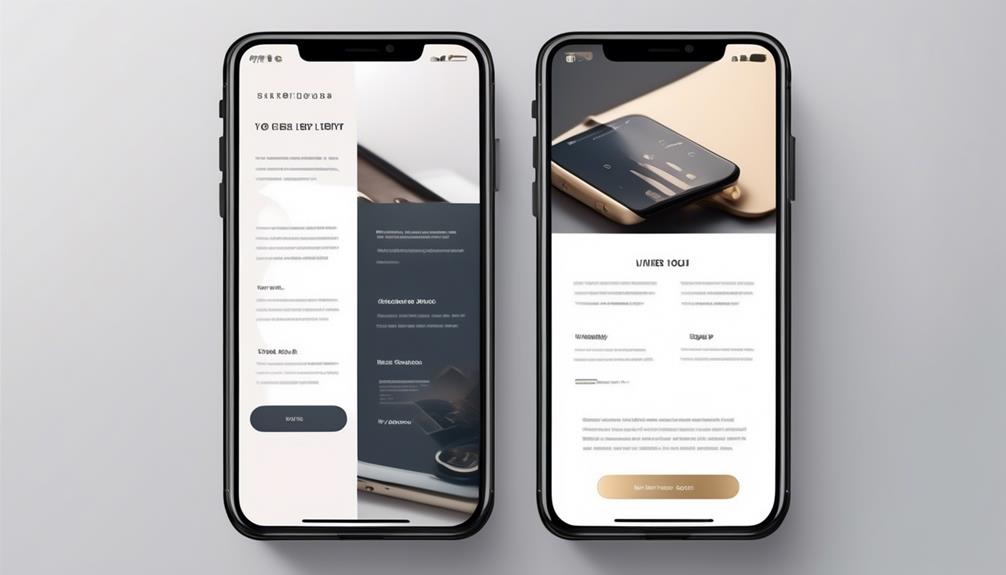
Next, consider button placement carefully. Position your CTA where users naturally look or scroll. Placing it “above the fold” guarantees immediate visibility for visitors landing on your page. As users scroll down, make sure it’s still prominent—either by repeating it in a strategic spot or using visual cues like arrows or whitespace to direct attention. Avoid clustering multiple CTAs together, which can dilute their impact. Instead, give it room to breathe and stand out. Placement also involves aligning your button with your content’s flow; it should feel like a logical next step rather than an afterthought. Testing different locations can reveal the most effective spots, ensuring your CTA captures attention when it matters most.
Both color contrast and button placement work together to create a seamless user experience. When these elements are thoughtfully executed, your CTA becomes an intuitive part of the page rather than an intrusive prompt. Think about how users scan websites—your design should guide their eyes smoothly toward the button. Use ample whitespace around it to reduce visual noise, making it feel accessible and easy to click. Test different placements and contrast levels to find what resonates best with your audience. When done right, your CTA will be impossible to miss—motivating users without feeling pushy. Incorporating digital concepts like effective contrast and strategic placement can significantly improve engagement.
As an affiliate, we earn on qualifying purchases.
Frequently Asked Questions
How Do Color Choices Affect CTA Visibility?
Color choices markedly impact CTA visibility by leveraging color psychology and contrast strategies. Bright, bold colors can evoke emotions and draw attention, making your CTA stand out. Using contrasting colors against your background enhances visibility, ensuring users notice the button effortlessly. Think about pairing warm tones with cool backgrounds or vice versa. By applying these principles, you create compelling CTAs that catch the eye without appearing pushy, increasing clicks naturally.
What Are Common Design Mistakes to Avoid?
Avoid common design mistakes like poor typography clarity and neglecting icon integration, which 70% of users find confusing or unappealing. You should use easy-to-read fonts and clear iconography to guide attention. Don’t clutter the button with too much text or complex visuals. Keep it simple, direct, and visually appealing to guarantee your CTA stands out without seeming pushy. This approach boosts engagement and improves conversion rates effectively.
How Should CTA Placement Vary Across Devices?
You should vary your CTA placement based on device, prioritizing a responsive layout and touch-friendly design. On desktops, place CTAs prominently near content or at the top and bottom of pages for easy access. On mobile devices, keep buttons large, centrally located, and within thumb reach to enhance usability. Guarantee your layout adapts seamlessly across devices, making CTAs impossible to miss without disrupting the user experience.
What Role Does Whitespace Play in CTA Effectiveness?
Did you know that properly managing whitespace can boost CTA click-through rates by up to 20%? Whitespace, or negative space, plays a vital role in CTA effectiveness by creating a whitespace balance that guides visitors’ eyes directly to your button. When you balance negative space around your CTA, it becomes more noticeable without appearing cluttered or pushy, making it easier for users to spot and engage naturally.
How Can I Test CTA Performance Effectively?
You can test CTA performance effectively by conducting A/B testing, where you compare different button designs, placements, and copy to see which performs best. Additionally, gather user feedback directly through surveys or usability tests to understand their preferences and reactions. This combination helps you identify what resonates most with your audience, ensuring your CTA buttons are both eye-catching and non-pushy, ultimately boosting engagement and conversions.
Conclusion
Think of your CTA button as a lighthouse guiding ships safely to harbor. It shouldn’t shout or flash wildly, but it must stand out enough to catch the eye amid the dark. By balancing visibility and subtlety, you create a beacon that invites visitors to explore further without feeling pressured. When your CTA shines just right, it becomes a friendly guide — impossible to miss, impossible to ignore, and ultimately, impossible to resist.