Creating a newsletter in Mailchimp is like painting a masterpiece on a blank canvas, where every color, stroke, and detail is important. But, how does one begin this process?

Get business pricing on office and shipping supplies
- Business-only prices and quantity discounts
- Tax-exempt purchasing
- Multiple users, one account, clear invoices
Well, understanding Mailchimp's newsletter design tools is crucial for creating a visually appealing and engaging newsletter that resonates with your audience. So, let's dive into the intricacies of crafting compelling content, optimizing for mobile devices, utilizing Mailchimp's newsletter templates, and enhancing engagement with call-to-actions.
These are just a few of the essential steps to creating an impactful newsletter that leaves a lasting impression.
Key Takeaways
- Mailchimp's drag-and-drop editor allows for visually appealing newsletters
- Customizing pre-designed templates helps match brand aesthetics
- Mobile-responsiveness is crucial, with a single-column structure and limited image use
- Incorporating diverse content elements like blog posts, articles, videos, and customer stories enhances the newsletter's appeal
Understanding Mailchimp's Newsletter Design Tools
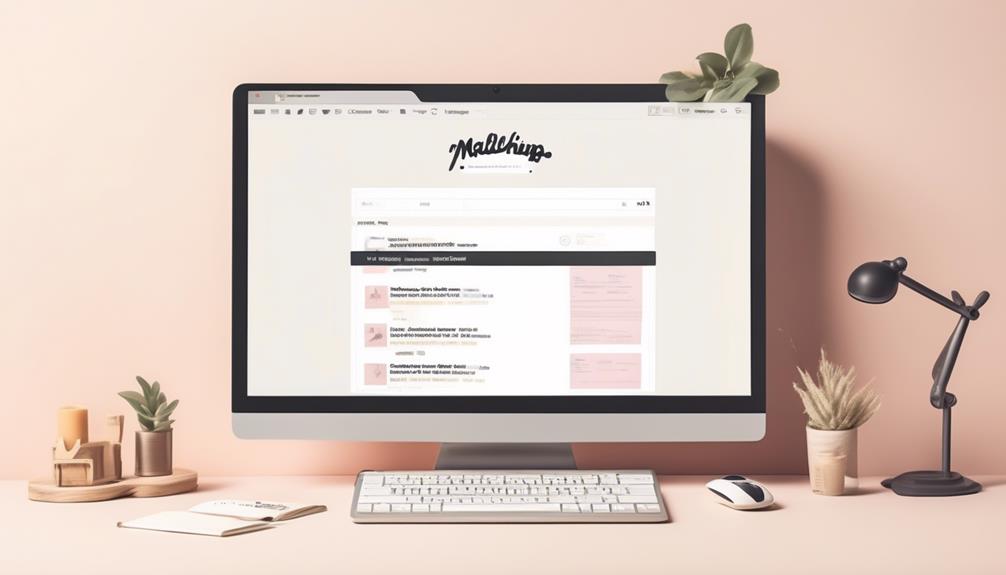
Utilizing Mailchimp's intuitive drag-and-drop editor, we can easily create visually appealing newsletters that effectively engage our audience. Mailchimp offers a range of pre-designed templates that can be customized to fit our brand's aesthetics. With the ability to tailor our newsletter design, we can ensure that it resonates with our audience. It's essential to consider the mobile-responsiveness of our newsletter design, opting for a single-column structure and limiting image use to guarantee accessibility across devices.
When crafting our newsletter content, we can incorporate a variety of elements such as blog posts, articles, videos, and customer stories. This diverse range of content keeps our readers engaged and interested in our updates. Additionally, we must prioritize privacy and consent by ensuring that all contacts on our mailing list have explicitly opted in to receive our emails.
Crafting Compelling Content for Your Newsletter

To effectively engage our audience through our newsletter, we must focus on crafting compelling content that resonates with their interests and needs. This involves creating a newsletter that delivers valuable and relevant information to our subscribers.
Here are some essential strategies for crafting compelling content for your newsletter:
- Define Clear Goals and Messages: Clearly outline the purpose of your newsletter and ensure that each issue conveys a coherent message. This will help in maintaining consistency and providing value to your readers.
- Utilize Visual Elements: Incorporate visually inviting colors, a well-designed layout, and captivating images such as a featured image or company logo to enhance the visual appeal of your newsletter. Visual content can effectively convey your message and engage your audience.
- Diversify Content Types: Keep your readers engaged by offering a variety of content types, such as blog posts, articles, videos, and podcasts. This ensures that your newsletter appeals to different preferences and provides a well-rounded experience for your subscribers.
Crafting compelling content is essential for creating an effective newsletter that resonates with your audience and drives engagement. By following these strategies, you can deliver a newsletter that captivates your subscribers and strengthens your email marketing campaign.
Optimizing Your Newsletter for Mobile Devices
When optimizing your newsletter for mobile devices, it is crucial to ensure a mobile-responsive design that looks great on any device. This means creating a layout that adjusts seamlessly to different screen sizes, providing an optimal viewing experience for mobile users. To further optimize your newsletter for mobile devices, consider the following key strategies:
| Key Strategies for Mobile Optimization |
|---|
| Keep subject lines and preheaders concise |
| Place the call-to-action above the fold |
| Design with a single-column structure |
| Limit the use of images |
Utilizing Mailchimp's Newsletter Templates

After ensuring a mobile-responsive design for our newsletter in the previous subtopic, we can now leverage Mailchimp's pre-designed templates to create visually appealing newsletters. Utilizing these templates allows us to streamline the design process and maintain consistency across our email campaigns.
Here's how we can make the most of Mailchimp's newsletter templates:
- Customize the Design: Mailchimp offers a range of templates that can be easily customized to suit our brand identity and effectively communicate our message. We can personalize colors, fonts, and layout to create a unique and professional-looking newsletter.
- Incorporate Varied Content: With Mailchimp's templates, we can incorporate diverse content types, including articles, videos, and customer stories. This variety keeps our subscribers engaged and ensures that our newsletters aren't only visually appealing but also rich in valuable content.
- User-Friendly Platform: Mailchimp's intuitive platform enables us to create and customize newsletters without the need for technical skills. This empowers us to efficiently create impactful newsletters that resonate with our community members.
Enhancing Engagement With Call-To-Actions
In our newsletter design, we strategically incorporate clear and compelling call-to-action buttons to prompt our readers to take specific actions. By using persuasive language and strategic placement, we make the call-to-action stand out and encourage engagement. Experimenting with different types of call-to-actions allows us to determine what resonates best with our audience. Additionally, we utilize A/B testing to assess the effectiveness of various call-to-action strategies. Analyzing engagement metrics helps us refine and optimize call-to-action performance in future newsletters.
When enhancing engagement with call-to-actions, it's essential to consider the email purpose, content, and the preferences of our subscribers. We aim to create call-to-action buttons that are visually appealing and clearly convey the desired action. This approach helps to guide our readers seamlessly towards the intended goal. As we design our regular emails, we keep in mind that the effective use of call-to-actions doesn't necessarily require advanced technical skills. Instead, it requires a deep understanding of our audience and the ability to craft compelling and relevant calls-to-action.
Frequently Asked Questions
Can You Design a Newsletter in Mailchimp?
Yes, we can design a newsletter in Mailchimp.
It involves creating clear goals, compelling design, and varied content to engage the audience effectively.
We utilize Mailchimp's user-friendly platform, customizable templates, and analytical tools to ensure high-quality newsletters.
Mobile-responsive design, captivating content variety, and a clear format are essential for success.
Our expertise in Mailchimp enables us to craft engaging newsletters that resonate with the audience.
Does Mailchimp Have Newsletter Templates?
Yes, Mailchimp offers a range of newsletter templates that can be easily customized to suit your needs. These templates are a great starting point for crafting a professional and engaging newsletter.
With a variety of design options, we're able to create visually appealing newsletters that effectively communicate our message to our audience. It's a valuable feature that simplifies the process of creating eye-catching newsletters.
How Do I Create a Newsletter List in Mailchimp?
Sure,
We create a newsletter list in Mailchimp by navigating to the 'Audience' tab and selecting 'Audience dashboard'.
Then, we click 'Create Audience' and follow the prompts to set up our list.
After that, we can import contacts, segment the list, and use signup forms to grow it.
Managing and organizing the list is crucial for effective email campaigns.
This process helps us reach our target audience and engage them effectively.
How Do I Design an Email Newsletter?
We design an email newsletter by focusing on captivating visuals, compelling copy, and a clear call to action.
Engaging content, a cohesive layout, and mobile-friendly design are crucial.
We use Mailchimp's tools to create eye-catching templates and ensure accessibility.
By incorporating variety in our content, we keep readers interested.
Finally, we test our designs to guarantee optimal performance.
These steps ensure our newsletter stands out and drives engagement.
Can I Use Mailchimp to Create and Send Wedding Photography Inquiry Emails?
Yes, you can use Mailchimp for crafting a wedding photography inquiry template. With Mailchimp’s user-friendly interface and customizable design options, you can easily create and send professional-looking inquiry emails to potential clients. This tool allows you to showcase your portfolio and provide essential information about your services to attract potential clients.
Conclusion
In conclusion, designing a newsletter in Mailchimp is all about creating visually appealing content that resonates with your audience and is optimized for mobile devices. By utilizing Mailchimp's design tools and templates, crafting compelling content, and incorporating effective call-to-actions, you can enhance engagement and drive results.
For example, a real estate company saw a 20% increase in click-through rates after revamping their newsletter design to be more mobile-responsive and visually appealing. Try implementing these strategies to see similar success in your own newsletter!
Fall Picks
fall essentials
As an affiliate, we earn on qualifying purchases.